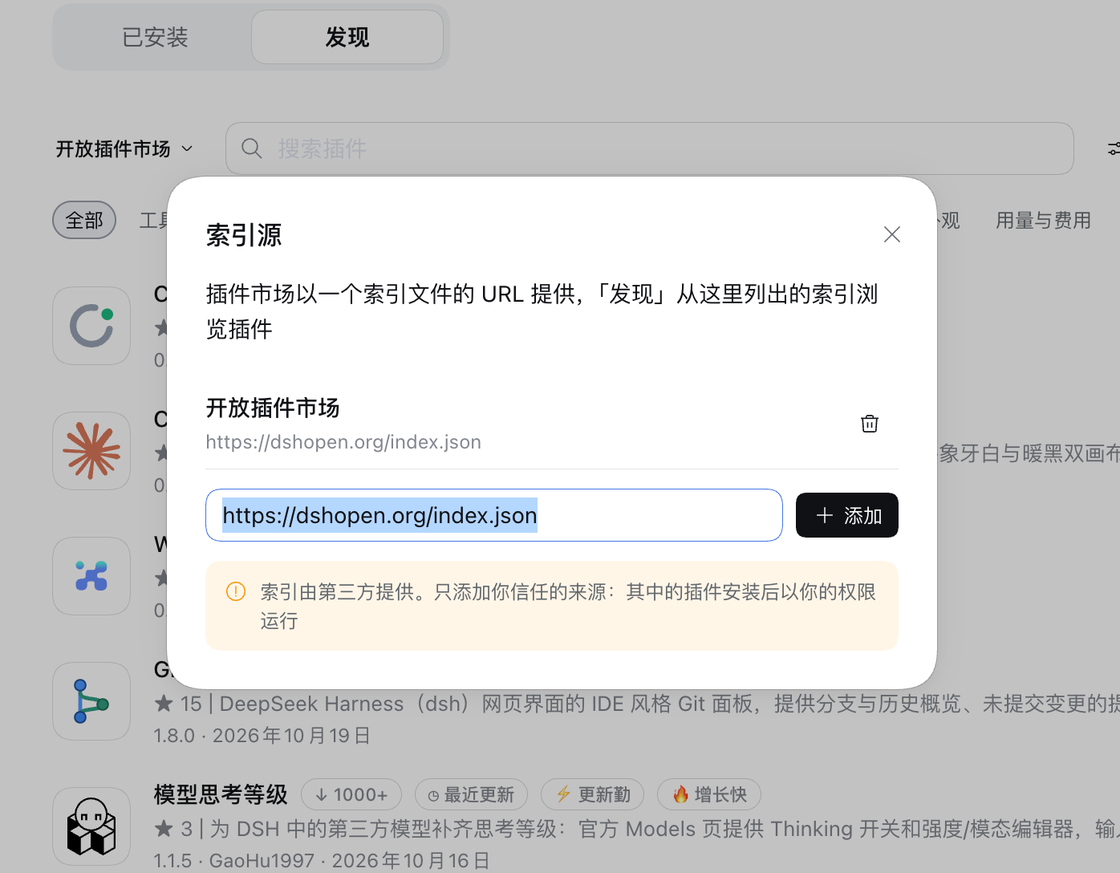
dsh-plugin-index
Open Plugin Market — Community plugin index for DeepSeek Harness (DSH). 照顾小开发者的插件索引、插件市场、开放插件市场
- 327
- JavaScript
- GPL-3.0
- 10 h ago
Shared WordPress plugin catalog and embedded Library / Gemeinsamer WordPress-Plugin-Katalog und eingebettete Library
Repo deckerweb/deckerweb-plugin-library, read from GitHub 6 h ago. deckerweb has not joined Take My Repo.
deckerweb/deckerweb-plugin-library is a public repo on GitHub by deckerweb. Shared WordPress plugin catalog and embedded Library / Gemeinsamer WordPress-Plugin-Katalog und eingebettete Library. It declares the GPL-2.0 license on GitHub. It is written mainly in PHP, has 1 stars and last changed on 2026-11-13. Nobody has reviewed it on Take My Repo yet, which says nothing about its quality. Read from GitHub on 2026-11-24.
Open Plugin Market — Community plugin index for DeepSeek Harness (DSH). 照顾小开发者的插件索引、插件市场、开放插件市场

The deckerweb Plugin Library adds a selected catalog of deckerweb plugins to WordPress. It comes bundled with certain plugins and gives you another way to discover and install useful additions under Plugins → Add New → deckerweb. The usual WordPress.org catalog remains the default.
If you found an includes/deckerweb-plugin-library/ folder inside a plugin, this is the shared component behind that catalog. The plugin author included it deliberately; you do not need to install or configure a separate Library plugin.
This repository contains the reusable PHP component, catalog, integration examples and documentation. It is also open for developers who want to read the code, reuse it under its license or build their own approach.
Installation and activation happen directly in the selected card. Status and errors appear there; search, series filters and scroll position remain. Filesystem credentials use the native WordPress dialog. Without JavaScript, the checked form workflow remains available.
Component: Library 1.3.0. See the website, catalog and validation.
Current online catalog: 2026-11-13.1 · 32 plugins · eight series. Library component: 1.3.0. Catalog discovery and first installation are separate from ordinary installed-plugin updates.
Version: 1.3.0 · WordPress ≥ 6.4 · PHP ≥ 8.0
Documentation · FAQ by topic · Security
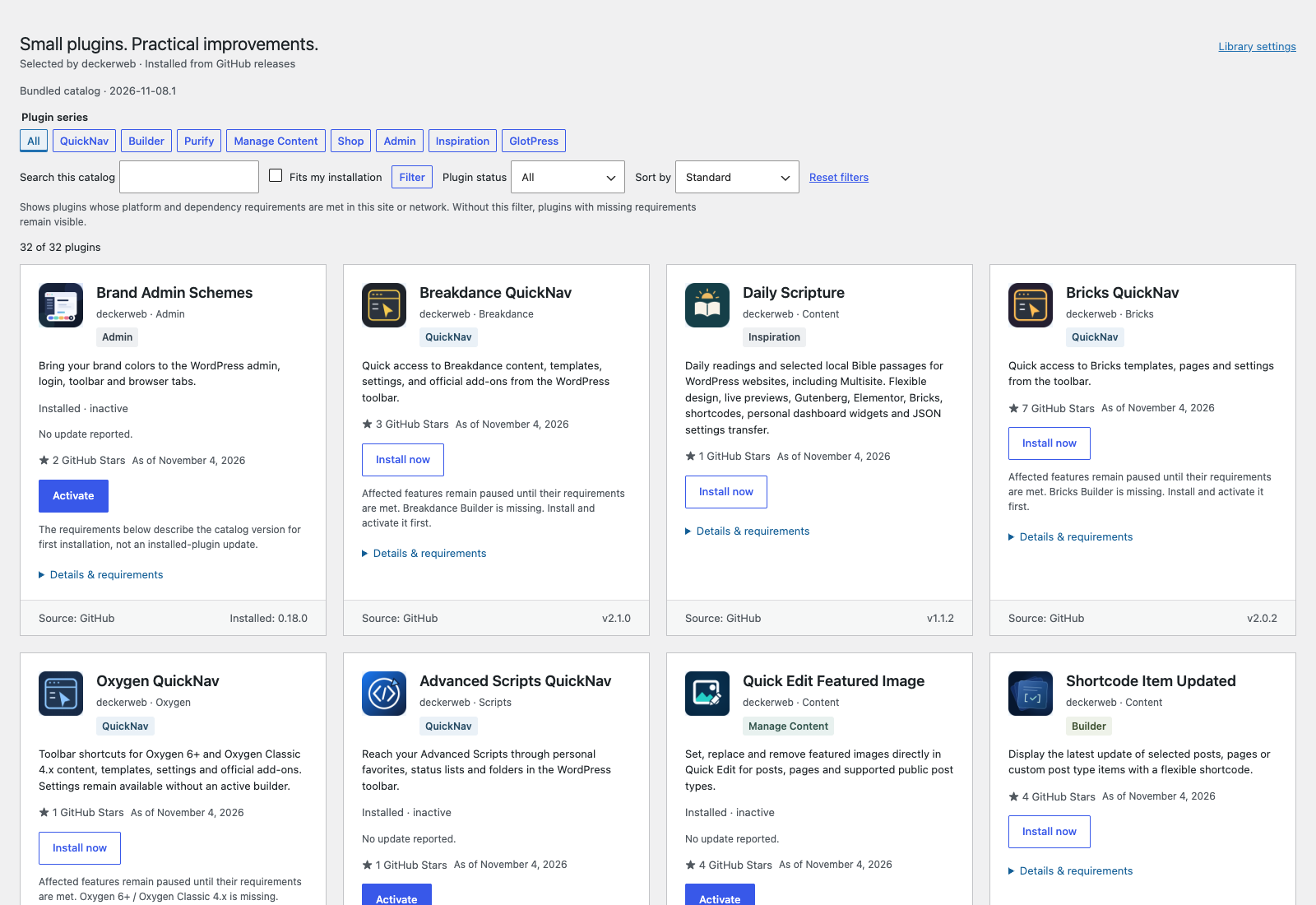
Combine series, search and plugin status in a compact toolbar. Your preferences are saved per user.
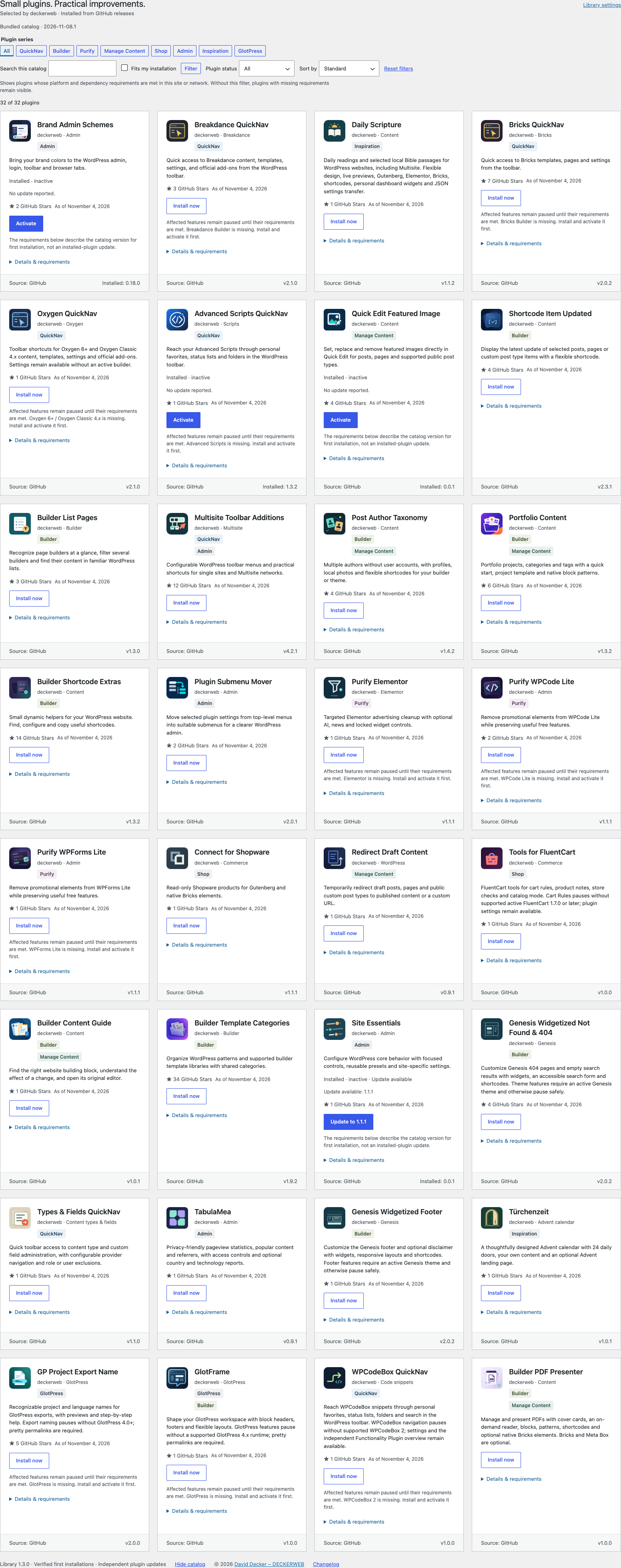
The catalog with 32 approved plugins and their local original icons. Screenshots show Library 1.3.0 and catalog revision 2026-11-08.1; available versions can change.
See integration, data, tests and security.
Use Plugins → Add New → deckerweb. Combine search, any available series, plugin status and Fits my installation. Each card explains requirements and safe-pause notices; installation and activation remain separate.
The public GitHub catalog address is prefilled. Enable online retrieval in Library settings. Discovery is cached for 24 hours. Approved plugin releases can change without replacing Library code. Catalog guide.
Installed hosts share settings; deactivation preserves data. Fresh release approval, checksums and archive checks guard first installations; installed updates use their normal updater. Data · Updater integration.
Choose Standard, Name A–Z, Name Z–A, Recently updated or Discover randomly in the catalog. Your view is saved per WordPress user; Shuffle again changes the random order. Filters remain available when returning. Library settings contain expandable Technical information with a copy button. No credentials or site content are included. Git Updater conflicts are detected locally; a targeted notice explains temporary deactivation when needed.
Combine search, series, installation compatibility and Plugin status. Choose All, Not installed, Installed, Active, Inactive or Update available. Status uses the current site or network context. Update available uses existing WordPress offers for installed plugins, independently of catalog versions. No update reported does not claim a fresh release check. The result count reflects all selected filters. Reset filters clears search and filters while keeping the personal sort order. Preferences are stored per user. Successful inline actions refresh matching cards; failed actions remain visible. No additional GitHub requests are needed for filtering. Catalog origin and revision are shown above the controls.
Catalog actions identify failed request and verification stages without displaying remote response bodies, credentials or private paths.
The catalog shows selected public GitHub releases, their requirements and any missing dependencies. Opening a card does not install anything. You start installation yourself; activation is a separate step. Required third-party plugins are not installed automatically.
You can hide the catalog in Settings → deckerweb Library, or in the network settings on Multisite. Hiding it keeps already configured update handling intact. If several installed plugins include the Library, they share one catalog and its settings rather than adding several copies of the interface.
The bundled catalog and its icons can be displayed locally. Optional online catalog retrieval is off by default. When enabled, it reads the public catalog from GitHub and caches discovery results for 24 hours; you can also refresh manually. Installing a selected plugin downloads its approved GitHub ZIP. First installations in online mode check approval again. Installed-plugin updates use their normal updater independently.
These requests let the serving endpoint see the requesting IP address. The Library does not send your site URL, user ID or plugin inventory and has no telemetry. Existing plugin updaters may make their own requests according to the host plugin's documentation. Public catalog retrieval and public package downloads do not require a GitHub account or user token.
The Library checks WordPress/PHP requirements, declared dependencies, the approved package identity, checksum and archive structure. These checks help reject unexpected packages; they are not a promise that every plugin is suitable for every site. Review the plugin's own documentation and use your normal backup and staging workflow.
Deactivating an embedding plugin preserves shared Library settings. Properly integrated hosts clean up temporary Library data when the last host is uninstalled; deleting settings is optional. Plugins installed through the catalog and their content remain. See data ownership and cleanup.
The Library is GPL-2.0-or-later. You are welcome to study, reuse and adapt the code under that license. Keep copyright and required provenance notices, and check the separate artwork notes before reusing graphics or branding.
The component requires WordPress 6.4+ and PHP 8.0+, with ZipArchive for package installation. A host plugin or catalog entry may have higher requirements. Copy only lib/ into the host's includes/deckerweb-plugin-library/ folder, then register it before plugins_loaded:
require_once __DIR__ . '/includes/deckerweb-plugin-library/bootstrap.php';
deckerweb_library_register_v2(
    __FILE__,
    [],
    __DIR__ . '/includes/deckerweb-plugin-library'
);
This is the starting point, not the entire integration. Follow the integration guide for the required uninstall contract, host-domain translations and mixed-copy checks. Preserve the host's own updater; the catalog bridge is an optional integration. Ship the runtime, not the authoring tools or this whole repository. The current Library and deckerweb Updater are excluded from WordPress.org builds; use this kit for direct distribution.
lib/bootstrap.php: registration and selection of one compatible runtime across hosts.lib/src/Catalog.php: catalog validation, source restrictions and independent caches.lib/src/Requirements.php and lib/src/Package.php: prerequisites, package verification and bounded archive processing.lib/lifecycle.php: shared data ownership and cleanup after the final host.tools/refresh-catalog.py and tools/approve-catalog.py: prepare a candidate, review it and export the exact approved bytes. Publication remains a separate operator action.The shipped implementation is intentionally restricted to approved deckerweb repositories and catalog sources. It is not an unrestricted repository installer: pointing it at an arbitrary JSON URL is insufficient. For another publisher, deliberately adapt and test source restrictions, repository identities, package rules, series, translations and shared-runtime ownership. Avoid namespace/bootstrap collisions if your adaptation can run beside deckerweb plugins.
Keep catalog metadata separate from component releases, cache discovery rather than querying GitHub on every page view, and check package approval freshly before sensitive actions. Preserve independent host update paths. See the catalog guide, test guide and release conventions. Ideas and implementation questions are welcome in this repository's Issues and Discussions; private security reports about an embedded copy belong in its host plugin repository.
Open Plugins → Add New → deckerweb. WordPress.org remains the default view.
deckerweb/deckerweb-plugin-library is a public repo on GitHub by deckerweb. Shared WordPress plugin catalog and embedded Library / Gemeinsamer WordPress-Plugin-Katalog und eingebettete Library.
It declares the GPL-2.0 license on GitHub.
Its maker has not tagged a system, so it is unknown here. Its README says what it needs.
This repo contains most useful plugins developed under the name Kookma for Tiddlywiki 5.
🐋 DeepSeek Harness 插件总目录 · The catalog of DSH plugins:1958 个仓库 / 1819 个真插件(Skills · MCP · Tools · UI · Orchestration),中英文搜索、分类筛选、STAR 排序 → leenkcool.github.io
Open "Take it" on its page: Take My Repo writes an install plan for your machine and hands it to your AI agent (Claude Code, Codex or Cursor), which asks you before each step. Take My Repo has not tested it on any machine.
Its last change on GitHub was on 2026-11-13. Take My Repo does not judge from that whether it is maintained.
Nobody has reviewed it on Take My Repo yet, which says nothing about its quality.
Take My Repo cannot say: it does not audit code and has not run deckerweb-plugin-library. What is known comes from GitHub. It declares the GPL-2.0 license on GitHub. Its last change was on 2026-11-13. It has 1 stars, which measure popularity, not safety. Nobody has reviewed it on Take My Repo yet, which says nothing about its quality. Read the source before you run it. With "Take it", your AI agent shows each step and asks you before running it; README text is treated as data, not as instructions.