
NetSearch
Instant file and folder search across SMB network drives for Windows: local SQLite index, substring/glob/regex modes, size/date/type filters (C#)
- 0
- MIT
- 7 wk ago
Repo denfry/NetSearch, read from GitHub 1 min ago. denfry has not joined Take My Repo.
In short
denfry/NetSearch is a public repo on GitHub by denfry. Instant file and folder search across SMB network drives for Windows: local SQLite index, substring/glob/regex modes, size/date/type filters (C#). It declares the MIT license on GitHub. It is written mainly in C#, has 0 stars and last changed on 2026-10-06. Nobody has reviewed it on Take My Repo yet, which says nothing about its quality. Read from GitHub on 2026-11-21.
NetSearch
Fast file and folder search for network (SMB) drives on Windows, in the spirit of WizFile.
NetSearch indexes the network paths you give it into a local SQLite database
and searches that index instantly: by name (substring, *? wildcards, or
regex), with filters for size, date and file type, plus a content search over
the current result set.

The application interface is currently in Russian only.
Features
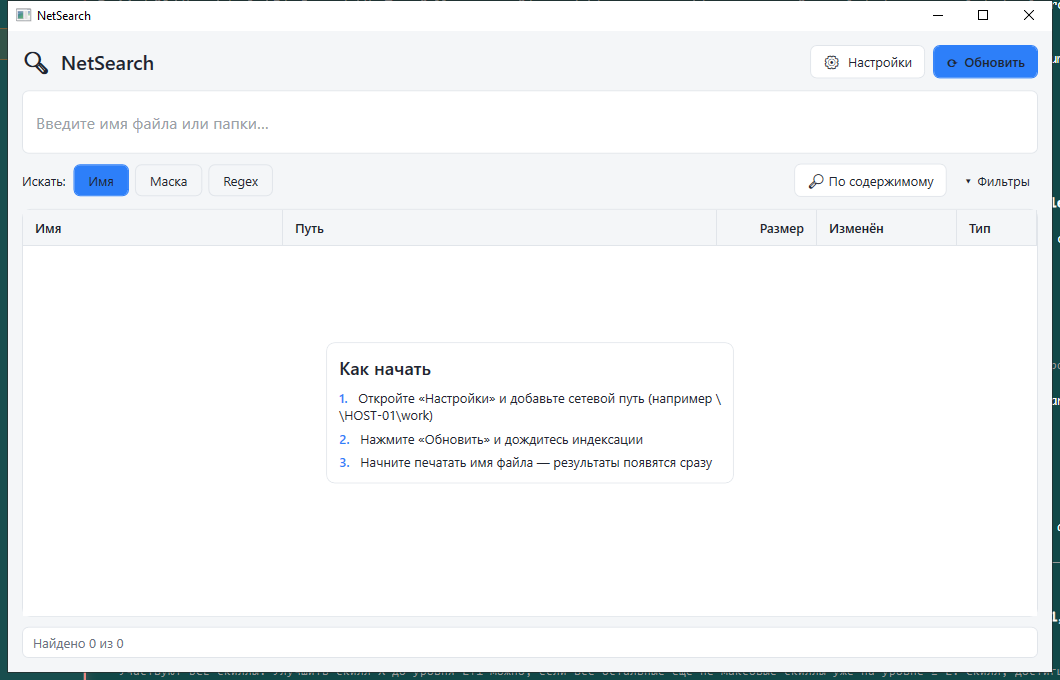
- Instant search by name from the local index, with results as you type.
- Three modes: substring, wildcard (
*.pdf,report_??.xlsx) and regular expressions. - Filters: size (KB/MB/GB), modified-date range, type/extensions, quick buttons for PDF / Word / Excel / Photos, files only or folders only.
- Content search inside the files already matched by name.
- Automatic index refresh at a configurable interval.
- Local NTFS drives: when run as administrator, local NTFS roots are read directly from the Master File Table and refreshed incrementally from the USN change journal; otherwise a parallel directory crawler is used (always the case for network paths).
- Local disks tab: disk usage with a folder tree and treemap.
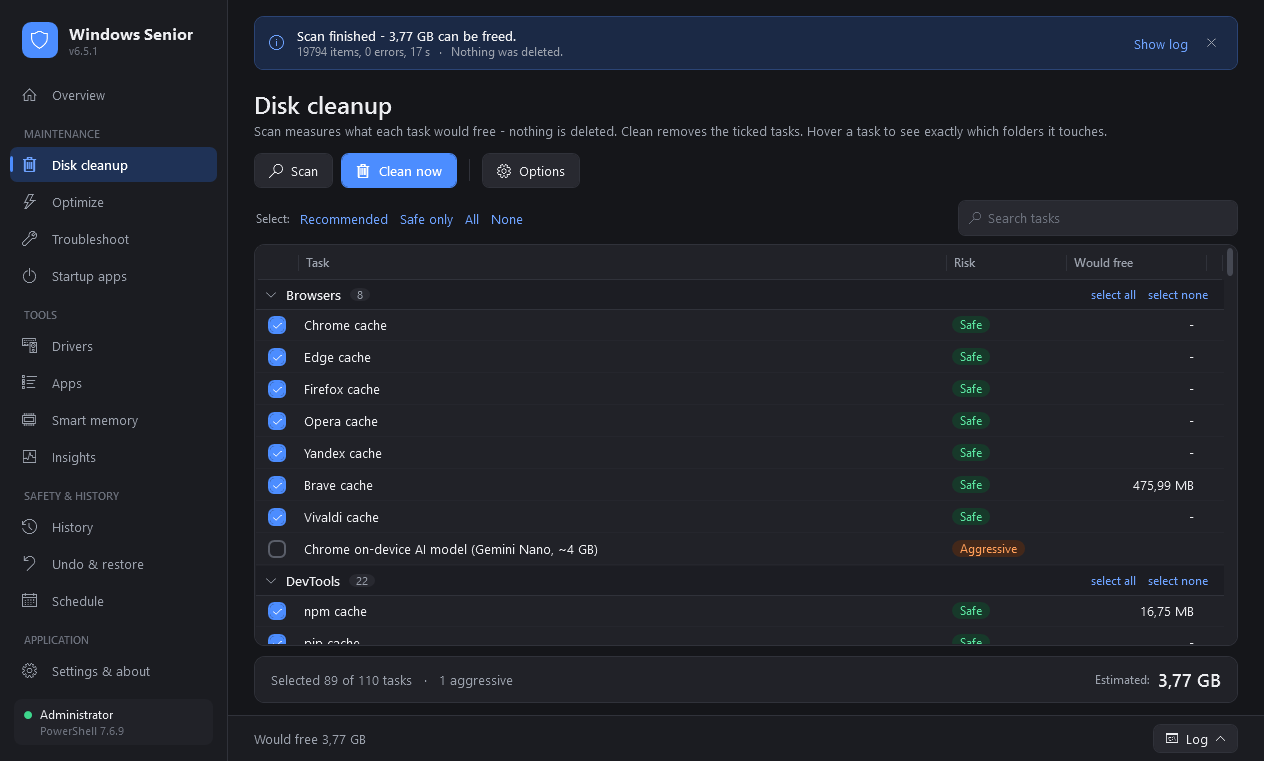
- Cleanup tab: scans temporary files, browser and thumbnail caches, the Recycle Bin, and system/dev caches (Windows Update download cache, crash dumps, npm/NuGet/pip caches; some need administrator rights).
- Single file: a portable self-contained
.exe, with no installation and no .NET required on the machine. - Universal installer: picks x86, x64 or Arm64 automatically and installs for the current user without administrator rights.
- In-app update: the app checks GitHub Releases, downloads the installer, verifies its SHA-256 checksum, and only then launches the update.
Installation
Option 1, installer (recommended): download NetSearch-Setup-<version>.exe
from the Releases page
and run it. Shortcuts and an uninstaller are created automatically.
Option 2, portable: download NetSearch.exe and run it without
installing.
Requirements: Windows 10 version 1809 or newer, or Windows 11 (x86, x64 or Arm64). The .NET runtime is bundled into the
.exe. Fast scanning of local drives and some cleanup categories require administrator rights.
Usage
- Start
NetSearch.exe. - Open Settings and add network paths (for example
\\HOST-01\workorZ:\, one per line); optionally set the auto-refresh interval. - Click Refresh to build the index (the first run takes longer).
- Type in the search box and the list filters immediately. Switch the mode (Name / Wildcard / Regex) and expand Filters to narrow results.
Right-click a row to open the file, open its folder, or copy the path.
The index and settings are stored in %LOCALAPPDATA%\NetSearch\.
Build from source
Requires the .NET SDK 9.
dotnet build                                   # build
dotnet test                                    # run tests
dotnet run --project src/NetSearch.App         # run the app
pwsh ./publish.ps1                             # portable x86/x64/Arm64 + dist/NetSearch-Setup-<version>.exe (needs Inno Setup 6.3+)
dotnet run --project tools/IndexBench -c Release -- 100000   # compare index-update algorithms
Project layout
src/NetSearch.Core: indexing (crawler, MFT/USN readers), search, SQLite storage, disk usage, cleanup providers and the GitHub update service. No UI dependencies.src/NetSearch.App: the WPF application (MVVM).tests/NetSearch.Core.Tests: xUnit tests for the core library.tools/IndexBench: benchmark for index-update algorithms;tools/IconGen: icon generator.installer/netsearch.iss: Inno Setup script used bypublish.ps1.docs/superpowers: design specs, implementation plans and manual verification checklists (for example, MFT scan and USN refresh checks).
Tech stack
- .NET 9, WPF (
net9.0-windows) - MVVM with CommunityToolkit.Mvvm
- SQLite for the index
Contributing
Report bugs and suggestions through Issues. Please read CONTRIBUTING.md before opening a pull request.
License
MIT (c) denfry
Questions
What is NetSearch?
denfry/NetSearch is a public repo on GitHub by denfry. Instant file and folder search across SMB network drives for Windows: local SQLite index, substring/glob/regex modes, size/date/type filters (C#).
Is NetSearch open source?
It declares the MIT license on GitHub.
Does NetSearch run on macOS, Windows or Linux?
Its maker tagged it for Windows. That is declared by the maker; Take My Repo has not tested it.
How do I install NetSearch?
Open "Take it" on its page: Take My Repo writes an install plan for your machine and hands it to your AI agent (Claude Code, Codex or Cursor), which asks you before each step. Take My Repo has not tested it on any machine.
Is NetSearch still maintained?
Its last change on GitHub was on 2026-10-06. Take My Repo does not judge from that whether it is maintained.
What do people who ran NetSearch say?
Nobody has reviewed it on Take My Repo yet, which says nothing about its quality.