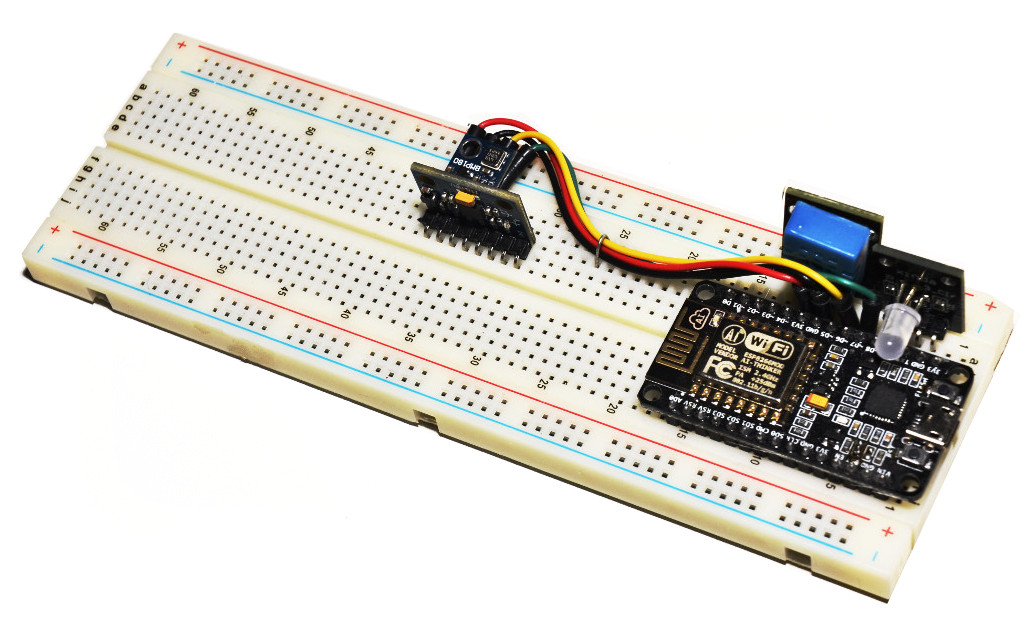
devicehive python

devicehive-python
DeviceHive Python library
- 30
- Apache-2.0
- 8 y ago
Repo devicehive/devicehive-python, read from GitHub 1 min ago. devicehive has not joined Take My Repo.
In short
devicehive/devicehive-python is a public repo on GitHub by devicehive. DeviceHive Python library. It declares the Apache-2.0 license on GitHub. It is written mainly in Python, has 30 stars and last changed on 2018-08-27. Nobody has reviewed it on Take My Repo yet, which says nothing about its quality. Read from GitHub on 2026-11-21.
In the maintainer's words. Shown from GitHub; Take My Repo does not keep a copy.
Devicehive
The simplest way to create a client is to use DeviceHiveApi class.
If you need to handle server events such as handle_command_insert,
handle_command_update or handle_notification you'll have to extend Handler
class and use DeviceHive class for it.
Creating a client using DeviceHiveApi class
First of all you need to create DeviceHiveApi object. Then you can use this
object for for API calls.
Example:
from devicehive import DeviceHiveApi


url = 'http://playground.devicehive.com/api/rest'
refresh_token = 'SOME_REFRESH_TOKEN'
device_hive_api = DeviceHiveApi(url, refresh_token=refresh_token)
Websocket protocol
If you want to use Websocket protocol you need only to specify the url:
url = 'ws://playground.devicehive.com/api/websocket'
Authentication
There are three ways of initial authentication:
- Using refresh token
- Using access token
- Using login and password
Examples:
from devicehive import DeviceHiveApi


url = 'ws://playground.devicehive.com/api/websocket'
device_hive_api = DeviceHiveApi(url, refresh_token='SOME_REFRESH_TOKEN')
from devicehive import DeviceHiveApi


url = 'ws://playground.devicehive.com/api/websocket'
device_hive_api = DeviceHiveApi(url, access_token='SOME_ACCESS_TOKEN')
from devicehive import DeviceHiveApi


url = 'ws://playground.devicehive.com/api/websocket'
device_hive_api = DeviceHiveApi(url, login='SOME_LOGIN', password='SOME_PASSWORD')
Info
get_info() method returns dict with the next fields:
api_versionserver_timestamprest_server_urlwebsocket_server_url
get_cluster_info() method returns dict with the next fields:
bootstrap.serverszookeeper.connect
Example:
from devicehive import DeviceHiveApi


url = 'http://playground.devicehive.com/api/rest'
refresh_token = 'SOME_REFRESH_TOKEN'
device_hive_api = DeviceHiveApi(url, refresh_token=refresh_token)
info = device_hive_api.get_info()
print(info)
cluster_info = device_hive_api.get_cluster_info()
print(cluster_info)
Properties
get_property(name) method returns dict with the next fields:
entity_versionnamevalue
set_property(name, value) method returns entity version.
delete_property(name) method does not return anything.
Example:
from devicehive import DeviceHiveApi


url = 'http://playground.devicehive.com/api/rest'
refresh_token = 'SOME_REFRESH_TOKEN'
device_hive_api = DeviceHiveApi(url, refresh_token=refresh_token)
name = 'user.login.lastTimeoutSent'
entity_version = device_hive_api.set_property(name, 'value')
print(entity_version)
prop = device_hive_api.get_property(name)
print(prop)
device_hive_api.delete_property(name)
Tokens
create_token(user_id, expiration, actions, network_ids, device_ids) method
returns dict with the next fields:
access_tokenrefresh_token
only user_id is required.
refresh_token() method refreshes the access token and returns it.
Example:
from devicehive import DeviceHiveApi


url = 'http://playground.devicehive.com/api/rest'
refresh_token = 'SOME_REFRESH_TOKEN'
device_hive_api = DeviceHiveApi(url, refresh_token=refresh_token)
tokens = device_hive_api.create_token(1)
print(tokens)
access_token = device_hive_api.refresh_token()
print(access_token)
Devices
list_devices(name, name_pattern, network_id, network_name, sort_field, sort_order, take, skip) method returns list of Device
objects. All args are optional.
get_device(device_id) method returns Device object.
put_device(device_id, name, data, network_id, is_blocked) method returns Device object. Only device_id is required.
list_commands(device_id, start, end, command, status, sort_field, sort_order, take, skip) method returns list of Command
objects. Only device_id is required.
send_command(device_id, command_name, parameters, lifetime, timestamp, status, result) method returns Command object.
Only device_id and command_name are required.
list_notifications(device_id, start, end, notification, sort_field, sort_order, take, skip) method returns list of Notification
object. Only device_id is required.
send_notification(device_id, notification_name, parameters, timestamp) method returns Notification object.
Only device_id and notification_name are required.
Device object
Properties:
id(read only)namedatanetwork_iddevice_type_idis_blocked
Methods:
save()method does not return anything.remove()method does not return anything.list_commands(start, end, command, status, sort_field, sort_order, take, skip)method returns list ofCommandobjects. All args are optional.send_command(command_name, parameters, lifetime, timestamp, status, result)method returnsCommandobject. Onlycommand_nameis required.list_notifications(start, end, notification, sort_field, sort_order, take, skip)method returns list ofNotificationobjects. All args are optional.send_notification(notification_name, parameters, timestamp)method returnsNotificationobject. Onlynotification_nameis required.
Command object
Properties:
id(read only)user_id(read only)command(read only)parameters(read only)lifetime(read only)timestamp(read only)last_updated(read only)statusresult
Methods:
save()method does not return anything.
Notification object
Properties:
device_id(read only)id(read only)notification(read only)parameters(read only)timestamp(read only)
Example:
from devicehive import DeviceHiveApi


url = 'http://playground.devicehive.com/api/rest'
refresh_token = 'SOME_REFRESH_TOKEN'
device_hive_api = DeviceHiveApi(url, refresh_token=refresh_token)
device_id = 'example-device'
device = device_hive_api.put_device(device_id)
device.name = 'new-device-name'
device.data = {'key': 'value'}
device.save()
devices = device_hive_api.list_devices()
for device in devices:
    print('Device: %s, name: %s, data: %s' % (device.id, device.name,
                                              device.data))
    device.remove()
Networks
list_networks(name, name_pattern, sort_field, sort_order, take, skip) method returns list of Network objects. All args are optional.
get_network(network_id) method returns Network object.
create_network(name, description) method returns Network object.
Network object
Properties:
id(read only)namedescription
Methods:
save()method does not return anything.remove(force)method does not return anything. All args are optional.
Example:
from devicehive import DeviceHiveApi


url = 'http://playground.devicehive.com/api/rest'
refresh_token = 'SOME_REFRESH_TOKEN'
device_hive_api = DeviceHiveApi(url, refresh_token=refresh_token)
network_name = 'example-name'
network_description = 'example-description'
network = device_hive_api.create_network(network_name, network_description)
print(network.name)
Device types
list_device_types(name, name_pattern, sort_field, sort_order, take, skip) method returns list of DeviceType objects. All args are optional.
get_device_type(device_type_id) method returns DeviceType object.
create_device_type(name, description) method returns DeviceType object.
DeviceType object
Properties:
id(read only)namedescription
Methods:
save()method does not return anything.remove(force)method does not return anything. All args are optional.
Example:
from devicehive import DeviceHiveApi


url = 'http://playground.devicehive.com/api/rest'
refresh_token = 'SOME_REFRESH_TOKEN'
device_hive_api = DeviceHiveApi(url, refresh_token=refresh_token)
device_type_name = 'example-name'
device_type_description = 'example-description'
device_type = device_hive_api.create_device_type(device_type_name,
                                                 device_type_description)
print(device_type.name)
Users
list_users(login, login_pattern, role, status, sort_field, sort_order, take, skip) method returns list of User objects. All args are optional.
get_current_user() method returns User object.
get_user(user_id) method returns User object.
create_user(self, login, password, role, data, all_device_types_available) method returns User object.
User object
Properties:
id(read only)login(read only)last_login(read only)intro_reviewed(read only)all_device_types_available(read only)rolestatusdata
Methods:
save()method does not return anything.update_password(password)method does not return anything.remove()method does not return anything.list_networks()method Returns list ofNetworkobjects.list_device_types()method Returns list ofDeviceTypeobjects.assign_network(network_id)method does not return anything.unassign_network(network_id)method does not return anything.assign_device_type(device_type_id)method does not return anything.unassign_device_type(device_type_id)method does not return anything.allow_all_device_types()method does not return anything.disallow_all_device_types()method does not return anything.
Example:
from devicehive import DeviceHiveApi
from devicehive.user import User


url = 'http://playground.devicehive.com/api/rest'
refresh_token = 'SOME_REFRESH_TOKEN'
device_hive_api = DeviceHiveApi(url, refresh_token=refresh_token)
login = 'example-login'
password = 'example-password'
role = User.CLIENT_ROLE
data = {'key': 'value'}
user = device_hive_api.create_user(login, password, role, data)
print(user.login)
Creating a client using DeviceHive class
First of all you need to create custom Handler class.
Example of creating custom Handler class:
from devicehive import Handler


class SimpleHandler(Handler):

    def handle_connect(self):
        info = self.api.get_info()
        print(info)
        self.api.disconnect()
handle_connect is the only one required method. If you want to handle server
events you'll heed to implement handle_command_insert, handle_command_update
and handle_notification methods.
Example:
from devicehive import Handler


class SimpleHandler(Handler):

    def handle_connect(self):
        device_ids = ['example-device-1', 'example-device-2']
        for device_id in device_ids:
            device = self.api.put_device(device_id)
            device.subscribe_insert_commands()
            device.subscribe_update_commands()
            device.subscribe_notifications()

    def handle_command_insert(self, command):
        print(command.command)

    def handle_command_update(self, command):
        print(command.command)

    def handle_notification(self, notification):
        print(notification.notification)
The second step is to use DeviceHive class for creating connection to the
server.
Example:
from devicehive import Handler
from devicehive import DeviceHive


class SimpleHandler(Handler):

    def handle_connect(self):
        device_ids = ['example-device-1', 'example-device-2']
        for device_id in device_ids:
            device = self.api.put_device(device_id)
            device.subscribe_insert_commands()
            device.subscribe_update_commands()
            device.subscribe_notifications()

    def handle_command_insert(self, command):
        print(command.command)

    def handle_command_update(self, command):
        print(command.command)

    def handle_notification(self, notification):
        print(notification.notification)


url = 'http://playground.devicehive.com/api/rest'
refresh_token = 'SOME_REFRESH_TOKEN'
dh = DeviceHive(SimpleHandler)
dh.connect(url, refresh_token=refresh_token)
Custom handler args
If you need to initialize your handler you can do it the next way:
from devicehive import Handler
from devicehive import DeviceHive


class SimpleHandler(Handler):

    def __init__(self, api, some_arg, some_kwarg):
        Handler.__init__(self, api)
        self._some_arg = some_arg
        self._some_kwarg = some_kwarg

    def handle_connect(self):
        info = self.api.get_info()
        print(info)
        self.api.disconnect()

device_hive = DeviceHive(SimpleHandler, 'some_arg', some_kwarg='some_kwarg')
Websocket protocol
If you want to use Websocket protocol you need only to specify the url:
url = 'ws://playground.devicehive.com/api/websocket'
Authentication
There are three ways of initial authentication:
- Using refresh token
- Using access token
- Using login and password
Examples:
url = 'ws://playground.devicehive.com/api/websocket'
device_hive.connect(url, refresh_token='SOME_REFRESH_TOKEN')
url = 'ws://playground.devicehive.com/api/websocket'
device_hive.connect(url, access_token='SOME_ACCESS_TOKEN')
url = 'ws://playground.devicehive.com/api/websocket'
device_hive.connect(url, login='SOME_LOGIN', password='SOME_PASSWORD')
API
All api calls may be done via api object. This object available inside
custom handler with self.api property.
API info
self.api.get_info() method returns dict. get_info method of DeviceHiveApi class is the wrapper on top of this call.
self.api.get_cluster_info() method returns dict. get_cluster_info method of DeviceHiveApi class is the wrapper on top of this call.
See the description of DeviceHiveApi info methods for more details.
Example:
from devicehive import Handler


class SimpleHandler(Handler):

    def handle_connect(self):
        info = self.api.get_info()
        print(info)
        cluster_info = self.api.get_cluster_info()
        print(cluster_info)
        self.api.disconnect()
API properties
self.api.get_property(name) method returns dict. get_property method of DeviceHiveApi class is the wrapper on top of this call.
self.api.set_property(name, value) method returns entity version. set_property method of DeviceHiveApi class is the wrapper on top of this call.
self.api.delete_property(name) method does not return anything. delete_property method of DeviceHiveApi class is the wrapper on top of this call.
See the description of DeviceHiveApi property methods for more details.
Example:
from devicehive import Handler


class SimpleHandler(Handler):

    def handle_connect(self):
        name = 'user.login.lastTimeoutSent'
        prop = self.api.get_property(name)
        print(prop)
        entity_version = self.api.get_property(name, 'value')
        print(entity_version)
        self.api.delete_property(name)
        self.api.disconnect()
API tokens
self.api.create_token(user_id, expiration, actions, network_ids, device_ids) method returns dict. create_token method of DeviceHiveApi class is the wrapper on top of this call.
self.api.refresh_token() method refreshes the access token and returns it. refresh_token method of DeviceHiveApi class is the wrapper on top of this call.
See the description of DeviceHiveApi token methods for more details.
Example:
from devicehive import Handler


class SimpleHandler(Handler):

    def handle_connect(self):
        tokens = self.api.create_token(1)
        print(tokens)
        access_token = self.api.refresh_token()
        print(access_token)
        self.api.disconnect()
API commands subscription
self.api.subscribe_insert_commands(device_id, network_ids, device_type_ids, names, timestamp) method returns CommandsSubscription object.
self.api.subscribe_update_commands(device_id, network_ids, device_type_ids, names, timestamp) method returns CommandsSubscription object.
API CommandsSubscription object
Properties:
id(read only)
Methods:
remove()method does not return anything.
Example:
from devicehive import Handler


class SimpleHandler(Handler):
    insert_subscription = None
    update_subscription = None

    def handle_connect(self):
        device_id = 'example-device'
        device = self.api.put_device(device_id)
        command_name = 'example-command'
        self.insert_subscription = self.api.subscribe_insert_commands(
            device_id, [command_name])
        self.update_subscription= self.api.subscribe_update_commands(
            device_id, [command_name])
        command = device.send_command(command_name)
        command.status = 'new-status'
        command.save()

    def handle_command_insert(self, command):
        print('Command insert: %s, status: %s.' % (command.command,
                                                   command.status))

    def handle_command_update(self, command):
        print('Command update: %s, status: %s.' % (command.command,
                                                   command.status))
        self.insert_subscription.remove()
        self.update_subscription.remove()
API notifications subscription
self.api.subscribe_notifications(device_id, network_ids, device_type_ids, names, timestamp) method returns NotificationsSubscription object.
API NotificationsSubscription object
Properties:
id(read only)
Methods:
remove()method does not return anything.
Example:
from devicehive import Handler


class SimpleHandler(Handler):
    notification_subscription = None

    def handle_connect(self):
        device_id = 'example-device'
        device = self.api.put_device(device_id)
        notification_name = 'example-notification'
        self.notification_subscription = self.api.subscribe_notifications(
            device_id, [notification_name])
        device.send_notification(notification_name)

    def handle_notification(self, notification):
        print('Notification: %s.' % notification.notification)
        self.notification_subscription.remove()
API devices
self.api.list_devices(name, name_pattern, network_id, network_name, sort_field, sort_order, take, skip) method returns list of Device objects. list_devices method of DeviceHiveApi class is the wrapper on top of this call.
self.api.get_device(device_id) method returns Device object. get_device method of DeviceHiveApi class is the wrapper on top of this call.
self.api.put_device(device_id, name, data, network_id, device_type_id, is_blocked) method does not return anything. put_device method of DeviceHiveApi class is the wrapper on top of this call.
self.api.list_commands(device_id, start, end, command, status, sort_field, sort_order, take, skip) method returns list of Command
objects. list_commands method of DeviceHiveApi class is the wrapper on top of this call.
self.api.send_command(device_id, command_name, parameters, lifetime, timestamp, status, result) method returns Command object.
send_command method of DeviceHiveApi class is the wrapper on top of this call.
self.api.list_notifications(device_id, start, end, notification, sort_field, sort_order, take, skip) method returns list of Notification
objects. list_notifications method of DeviceHiveApi class is the wrapper on top of this call.
self.api.send_notification(device_id, notification_name, parameters, timestamp) method returns Notification object.
send_notification method of DeviceHiveApi class is the wrapper on top of this call.
See the description of DeviceHiveApi device methods for more details.
API device object
API device object has the same properties as device object.
API device object has all methods from device object and extends these methods with:
subscribe_insert_commands(names, timestamp)method returnsCommandsSubscriptionobject. All args are optional.subscribe_update_commands(names, timestamp)method returnsCommandsSubscriptionobject. All args are optional.subscribe_notifications(names, timestamp)method returnsNotificationsSubscriptionobject. All args are optional.
API command object
API command object has the same properties as command object.
API command object has the same methods as command object.
API notification object
API notification object has the same properties as notification object
Example:
from devicehive import Handler


class SimpleHandler(Handler):

    def handle_connect(self):
        device_id = 'example-device'
        device = self.api.put_device(device_id)
        device.name = 'new-device-name'
        device.data = {'key': 'value'}
        device.save()
        devices = self.api.list_devices()
        for device in devices:
            print('Device: %s, name: %s, data: %s' % (device.id, device.name,
                                                      device.data))
            device.remove()
        self.api.disconnect()
API networks
self.api.list_networks(name, name_pattern, sort_field, sort_order, take, skip) method returns list of Network objects. list_networks method of DeviceHiveApi class is the wrapper on top of this call.
self.api.get_network(network_id) method returns Network object. get_network method of DeviceHiveApi class is the wrapper on top of this call.
self.api.create_network(name, description) method returns Network object. create_network method of DeviceHiveApi class is the wrapper on top of this call.
See the description of DeviceHiveApi network methods for more details.
API network object
API network object has the same properties as network object.
API network object has all methods from network object and extends these methods with:
list_devices(name, name_pattern, sort_field, sort_order, take, skip)method returns list ofDeviceobjects. All args are optional.subscribe_insert_commands(names, timestamp)method returnsCommandsSubscriptionobject. All args are optional.subscribe_update_commands(names, timestamp)method returnsCommandsSubscriptionobject. All args are optional.subscribe_notifications(names, timestamp)method returnsNotificationsSubscriptionobject. All args are optional.
Example:
from devicehive import Handler


class SimpleHandler(Handler):

    def handle_connect(self):
        network_name = 'example-name'
        network_description = 'example-description'
        network = self.api.create_network(network_name, network_description)
        print(network.name)
        self.api.disconnect()
API device types
self.api.list_device_types(name, name_pattern, sort_field, sort_order, take, skip) method returns list of DeviceType objects. list_device_types method of DeviceHiveApi class is the wrapper on top of this call.
self.api.get_device_type(device_type_id) method returns DeviceType object. get_device_type method of DeviceHiveApi class is the wrapper on top of this call.
self.api.create_device_type(name, description) method returns DeviceType object. create_device_type method of DeviceHiveApi class is the wrapper on top of this call.
See the description of DeviceHiveApi device types methods for more details.
API device type object
API device type object has the same properties as device type object.
API device type object has all methods from device type object and extends these methods with:
list_devices(name, name_pattern, sort_field, sort_order, take, skip)method returns list ofDeviceobjects. All args are optional.subscribe_insert_commands(names, timestamp)method returnsCommandsSubscriptionobject. All args are optional.subscribe_update_commands(names, timestamp)method returnsCommandsSubscriptionobject. All args are optional.subscribe_notifications(names, timestamp)method returnsNotificationsSubscriptionobject. All args are optional.
Example:
from devicehive import Handler


class SimpleHandler(Handler):

    def handle_connect(self):
        device_type_name = 'example-name'
        device_type_description = 'example-description'
        device_type = self.api.create_device_type(device_type_name, device_type_description)
        print(device_type.name)
        self.api.disconnect()
API users
self.api.list_users(login, login_pattern, role, status, sort_field, sort_order, take, skip) method returns list of User objects. list_users method of DeviceHiveApi class is the wrapper on top of this call.
self.api.get_current_user() method returns User object. get_current_user method of DeviceHiveApi class is the wrapper on top of this call.
self.api.get_user(user_id) method returns User object. get_user method of DeviceHiveApi class is the wrapper on top of this call.
self.api.create_user(self, login, password, role, data, all_device_types_available) method returns User object. create_user method of DeviceHiveApi class is the wrapper on top of this call.
See the description of DeviceHiveApi user methods for more details.
API user object
API user object has the same properties as user object.
API user object has the same methods as user object.
Example:
from devicehive import Handler
from devicehive.user import User


class SimpleHandler(Handler):

    def handle_connect(self):
        login = 'example-login'
        password = 'example-password'
        role = User.CLIENT_ROLE
        data = {'key': 'value'}
        user = self.api.create_user(login, password, role, data)
        print(user.login)
        self.api.disconnect()
API extended example
Here we will create one endpoint which sends notifications and other endpoint which receives these notifications.
On the first we will create receiver.py:
from devicehive import Handler
from devicehive import DeviceHive


class ReceiverHandler(Handler):

    def __init__(self, api, device_id='simple-example-device',
                 accept_command_name='accept_notifications'):
        Handler.__init__(self, api)
        self._device_id = device_id
        self._accept_command_name = accept_command_name
        self._device = None

    def handle_connect(self):
        self._device = self.api.put_device(self._device_id)
        self._device.subscribe_insert_commands([self._accept_command_name])
        self._device.subscribe_notifications()

    def handle_command_insert(self, command):
        print('Accept command "%s"' % self._accept_command_name)
        command.status = 'accepted'
        command.save()

    def handle_notification(self, notification):
        print('Notification "%s" received' % notification.notification)


url = 'ws://playground.devicehive.com/api/websocket'
refresh_token = 'SOME_REFRESH_TOKEN'
dh = DeviceHive(ReceiverHandler)
dh.connect(url, refresh_token=refresh_token)
On the next step we will create sender.py
from devicehive import Handler
from devicehive import DeviceHive


class SenderHandler(Handler):

    def __init__(self, api, device_id='simple-example-device',
                 accept_command_name='accept_notifications',
                 num_notifications=10):
        Handler.__init__(self, api)
        self._device_id = device_id
        self._accept_command_name = accept_command_name
        self._num_notifications = num_notifications
        self._device = None

    def _send_notifications(self):
        for num_notification in range(self._num_notifications):
            notification = '%s-notification' % num_notification
            self._device.send_notification(notification)
            print('Sending notification "%s"' % notification)
        self.api.disconnect()

    def handle_connect(self):
        self._device = self.api.get_device(self._device_id)
        self._device.send_command(self._accept_command_name)
        print('Sending command "%s"' % self._accept_command_name)
        self._device.subscribe_update_commands([self._accept_command_name])

    def handle_command_update(self, command):
        if command.status == 'accepted':
            print('Command "%s" accepted' % self._accept_command_name)
            self._send_notifications()


url = 'http://playground.devicehive.com/api/rest'
refresh_token = 'SOME_REFRESH_TOKEN'
dh = DeviceHive(SenderHandler)
dh.connect(url, refresh_token=refresh_token)
Run python receiver.py in the first terminal. And python sender.py in the
second. The order of run is important. receiver.py must be started first.
Docker tests
Build image
docker build -f Dockerfile.tests -t devicehive-tests .
Run tests
You can run tests with refresh_token by setting ADMIN_REFRESH_TOKEN and/or CLIENT_REFRESH_TOKEN variable:
docker run -it -e ADMIN_REFRESH_TOKEN='SOME_ADMIN_REFRESH_TOKEN' devicehive-tests
Or with access_token by setting ADMIN_ACCESS_TOKEN and/or CLIENT_ACCESS_TOKEN variable:
docker run -it -e ADMIN_ACCESS_TOKEN='SOME_ADMIN_ACCESS_TOKEN' devicehive-tests
Or with user login and password by setting ADMIN_LOGIN and ADMIN_PASSWORD for admin account and/or CLIENT_LOGIN and CLIENT_PASSWORD for client account.
docker run -it -e ADMIN_LOGIN='SOME_ADMIN_LOGIN' -e ADMIN_PASSWORD='SOME_ADMIN_PASSWORD' devicehive-tests
To run tests with enabled requests logging you need to change LOG_LEVEL variable:
docker run -it -e ADMIN_REFRESH_TOKEN='SOME_ADMIN_REFRESH_TOKEN' -e LOG_LEVEL='DEBUG' devicehive-tests
To run the specific test you need to set TEST variable:
docker run -it -e TEST=test_api.py::test_get_info -e ADMIN_REFRESH_TOKEN='SOME_ADMIN_REFRESH_TOKEN' devicehive-tests
Questions
What is devicehive-python?
devicehive/devicehive-python is a public repo on GitHub by devicehive. DeviceHive Python library.
Is devicehive-python open source?
It declares the Apache-2.0 license on GitHub.
Does devicehive-python run on macOS, Windows or Linux?
Its maker has not tagged a system, so it is unknown here. Its README says what it needs.
How do I install devicehive-python?
Open "Take it" on its page: Take My Repo writes an install plan for your machine and hands it to your AI agent (Claude Code, Codex or Cursor), which asks you before each step. Take My Repo has not tested it on any machine.
Is devicehive-python still maintained?
Its last change on GitHub was on 2018-08-27. Take My Repo does not judge from that whether it is maintained.
What do people who ran devicehive-python say?
Nobody has reviewed it on Take My Repo yet, which says nothing about its quality.
- Run my own servicesRepo