Cubic-Music
Your music Your freedom.. A clean, Music app for Android and a smooth, modern experience
- 134
- Kotlin
- GPL-3.0
- 9 h ago
SMusic — Advanced Open-Source YouTube Music Client for Android with Immersive Players, Multi-Source Modules, Lyrics, and Modern Material 3 UI
Repo devxrohan/SMusic, read from GitHub 16 h ago. devxrohan has not joined Take My Repo.
devxrohan/SMusic is a public repo on GitHub by devxrohan. SMusic — Advanced Open-Source YouTube Music Client for Android with Immersive Players, Multi-Source Modules, Lyrics, and Modern Material 3 UI. It declares the GPL-3.0 license on GitHub. It is written mainly in Kotlin, has 33 stars and last changed on 2026-11-23. Nobody has reviewed it on Take My Repo yet, which says nothing about its quality. Read from GitHub on 2026-11-24.
Your music Your freedom.. A clean, Music app for Android and a smooth, modern experience

Stream, download, and enjoy music — free, ad-free, and yours to customize.
[!NOTE]
💡 Note Regarding Repository History & Initial Commit
This repository was made public after the project had already been fully developed locally. As a result, the initial public commit contains the complete existing codebase and shows a large number of additions (~136k). All subsequent updates, fixes, and active development are properly tracked through individual commits moving forward.
SMusic is a free, open-source Android music app that streams from YouTube Music, with offline downloads, synced lyrics, music recognition, and a deep set of customization options — including 11 distinct in-app player styles you can switch between, each with its own look, layout, and controls.
You can use it fully signed out — or sign in with your own YouTube account for a personalized Home feed, synced recommendations, and account-scoped search history. No subscription, no ads, ever.
Pulse is the recommendation engine at the heart of SMusic. It shapes personalized sections on Home, helps choose and order tracks for radio, and gives you a taste profile you can inspect and tune. It combines what you listen to with what you explicitly tell it you want to hear.
| Signal | How Pulse uses it |
|---|---|
| Listening history and time played | Learns which tracks and artists you return to and how much of a song you actually listen to. |
| Likes, downloads, and followed artists | Uses the music you deliberately keep to build a clearer picture of your taste. |
| Artists you choose and direct feedback | Uses More like this to strengthen a signal and Do not recommend to steer suggestions away from unwanted tracks. You can review feedback and adjust priorities in Pulse. |
| The song that starts your radio | Uses the seed to keep the queue close to what you started with. When cached lyrics provide enough evidence, Pulse can use their language to help avoid unrelated language jumps. |
Pulse is a work in progress. It has less to go on when your library and listening history are new, and incomplete metadata or a limited recommendation pool can still produce misses. Listening and feedback give it better signals over time.
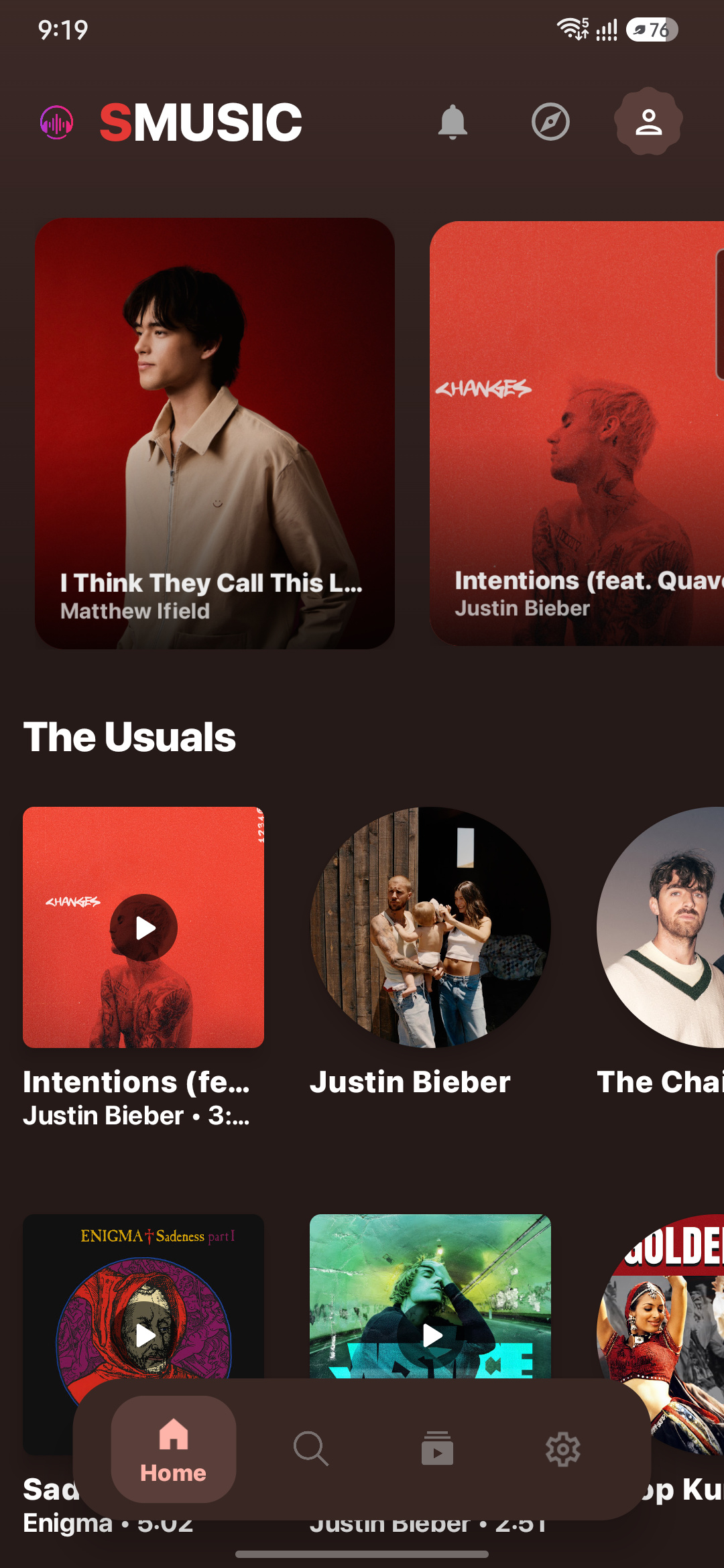 Home |
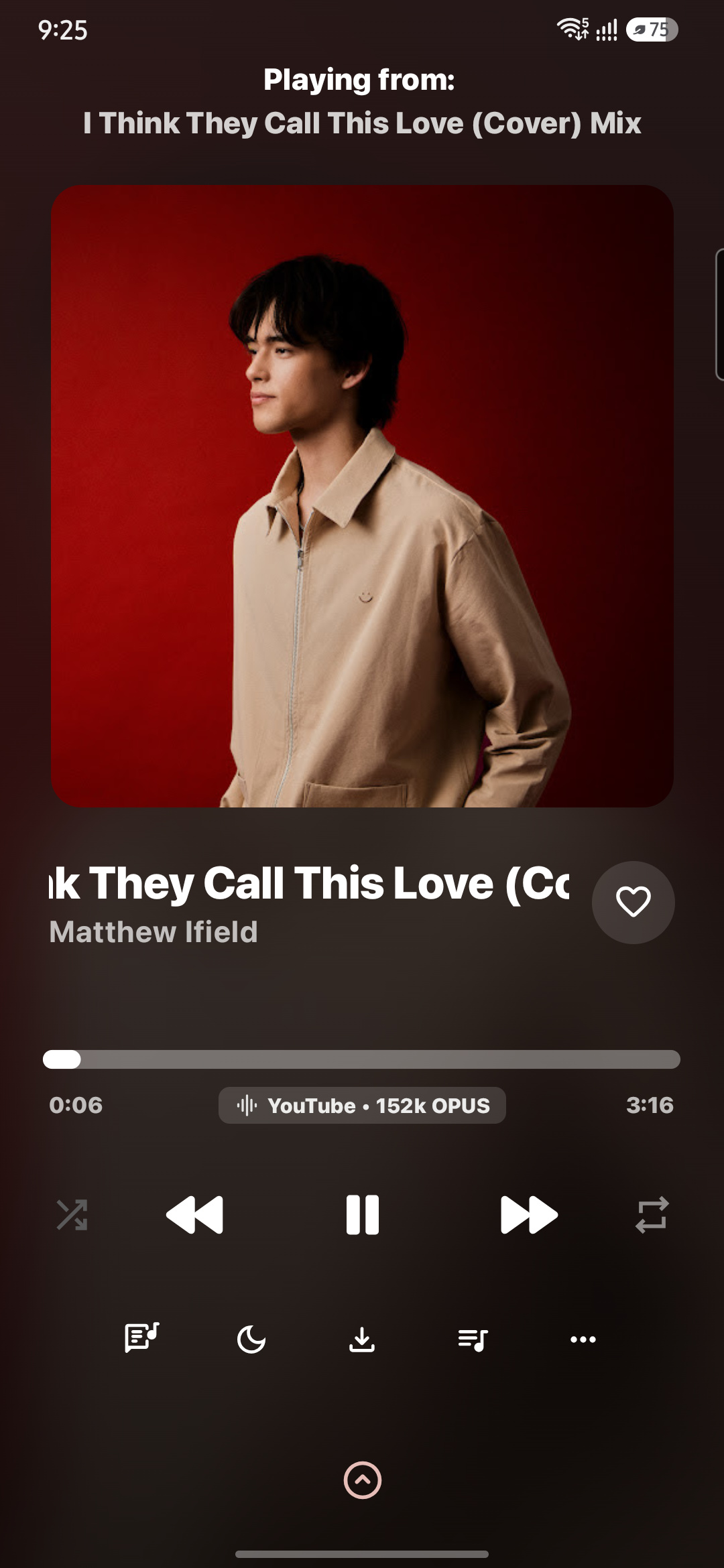 Now Playing |
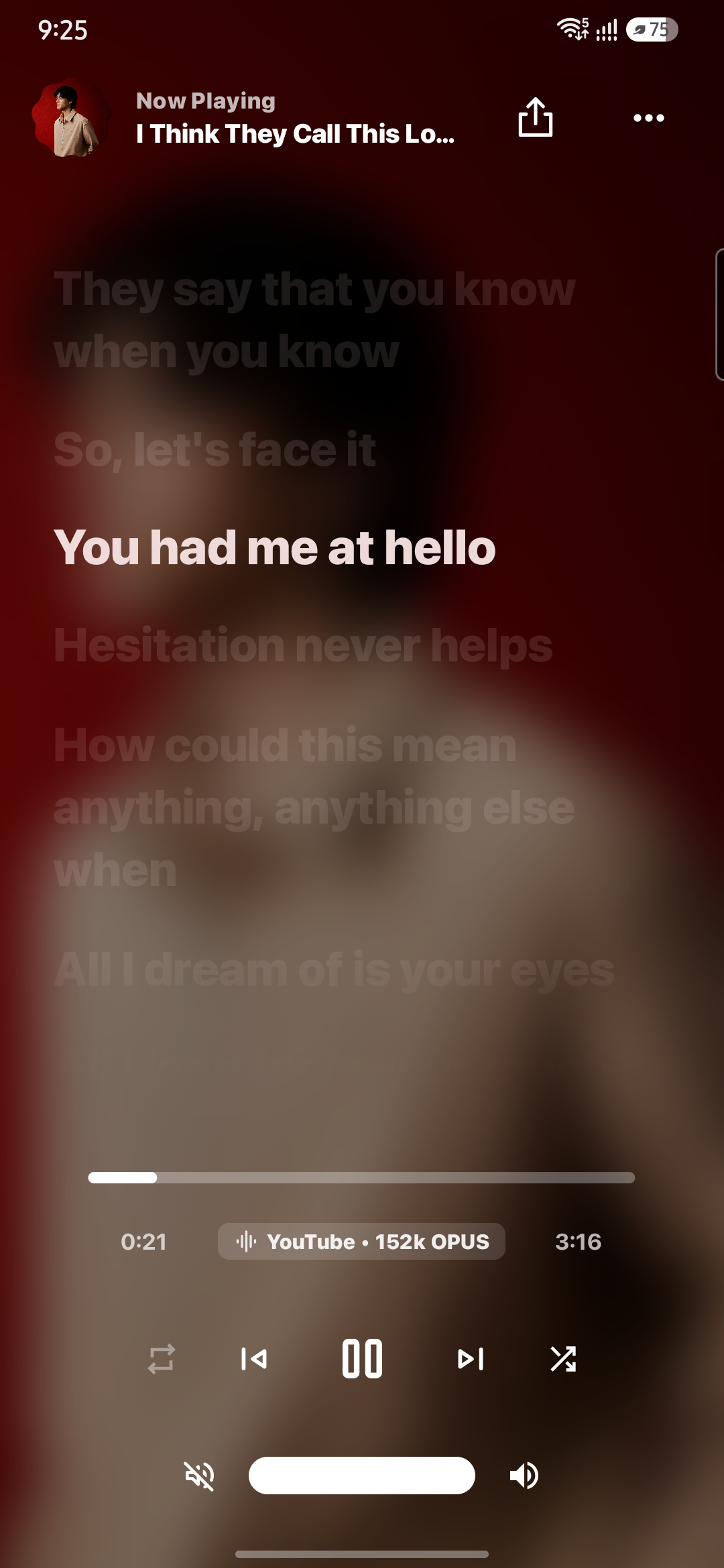 Lyrics |
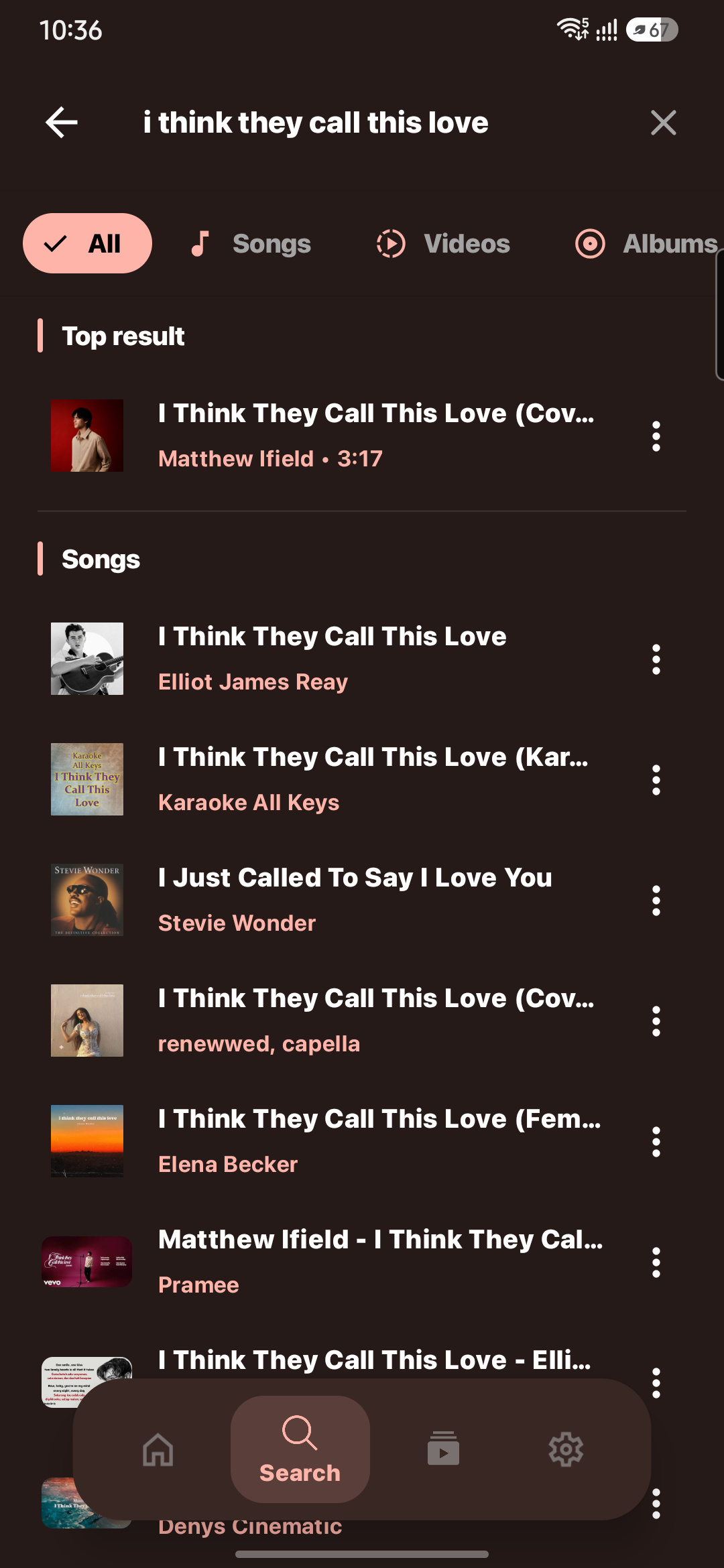 Search |
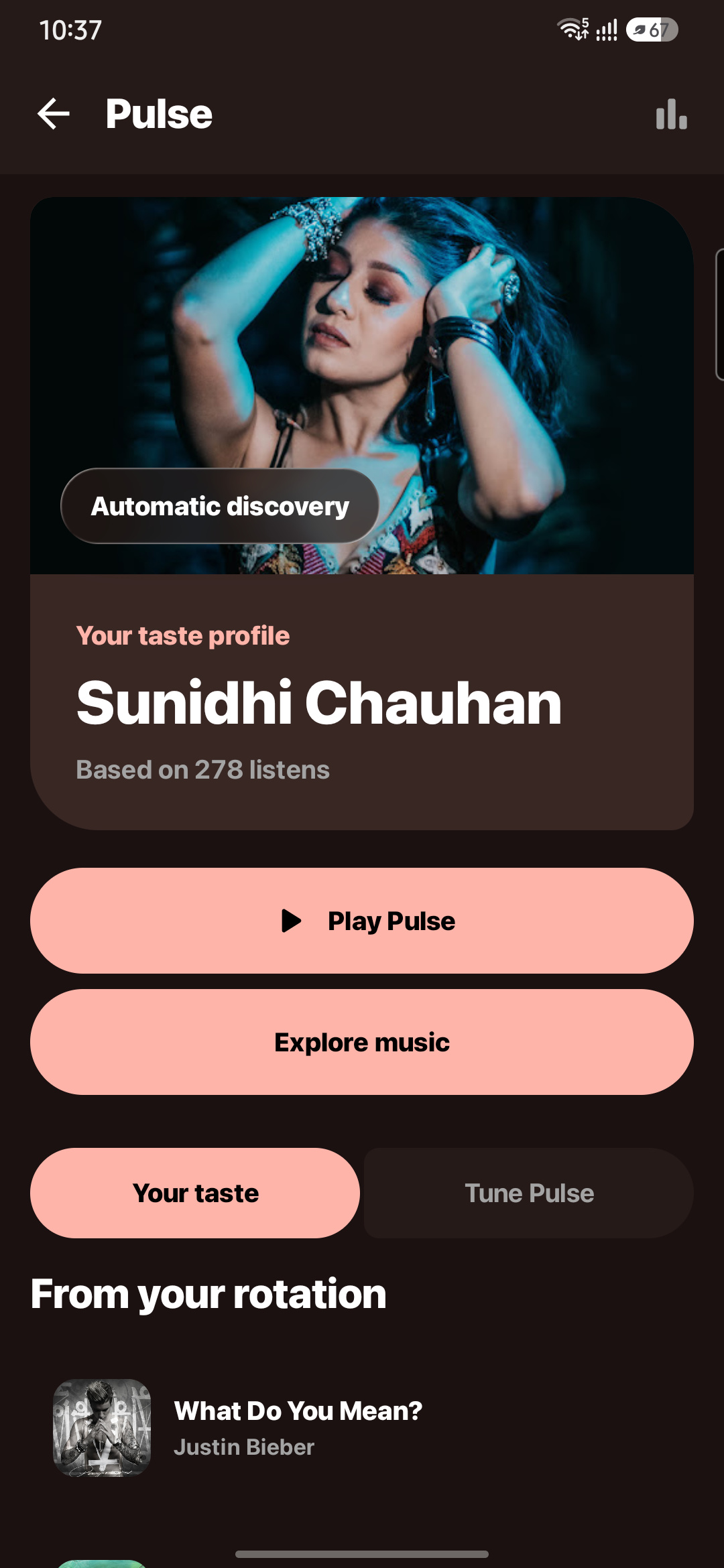 Pulse |
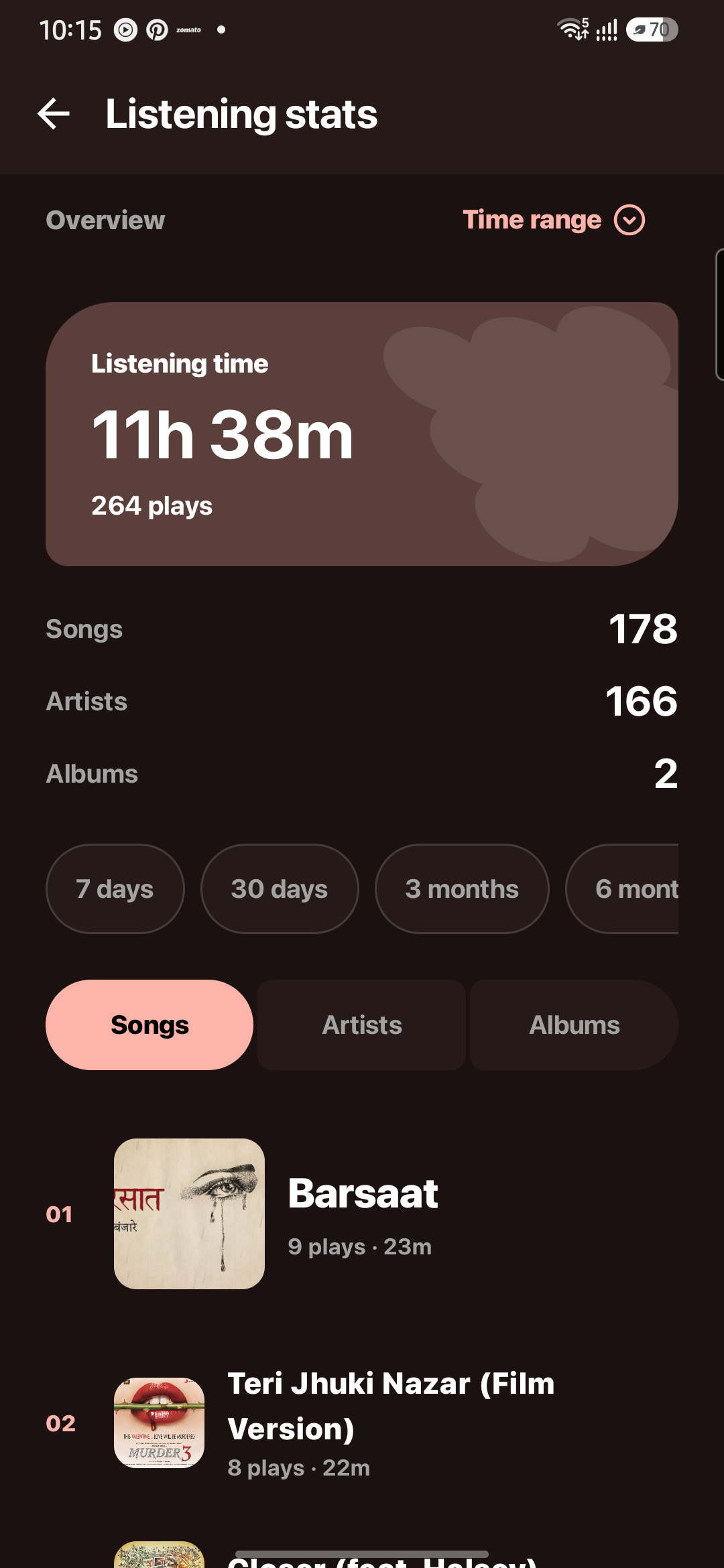 Listening Stats |
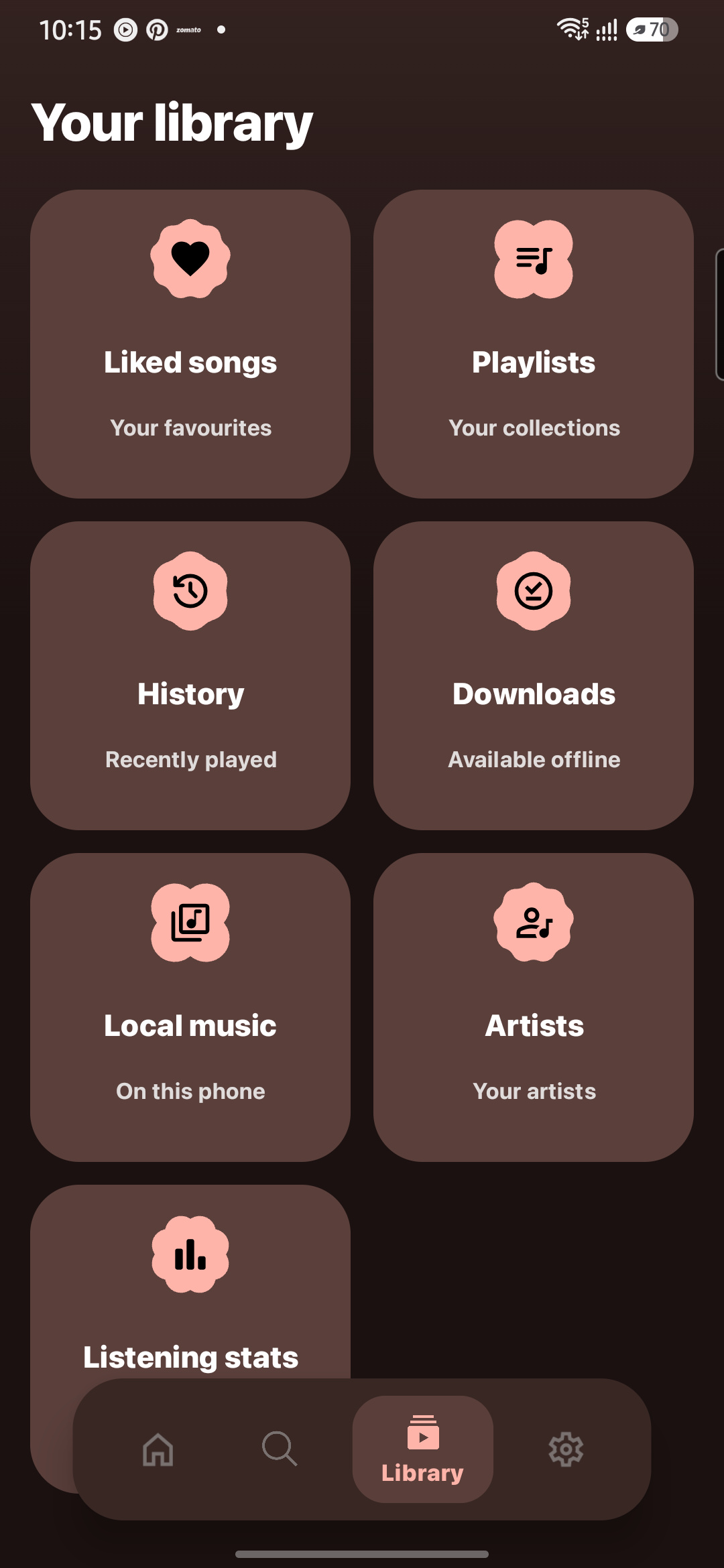 Library |
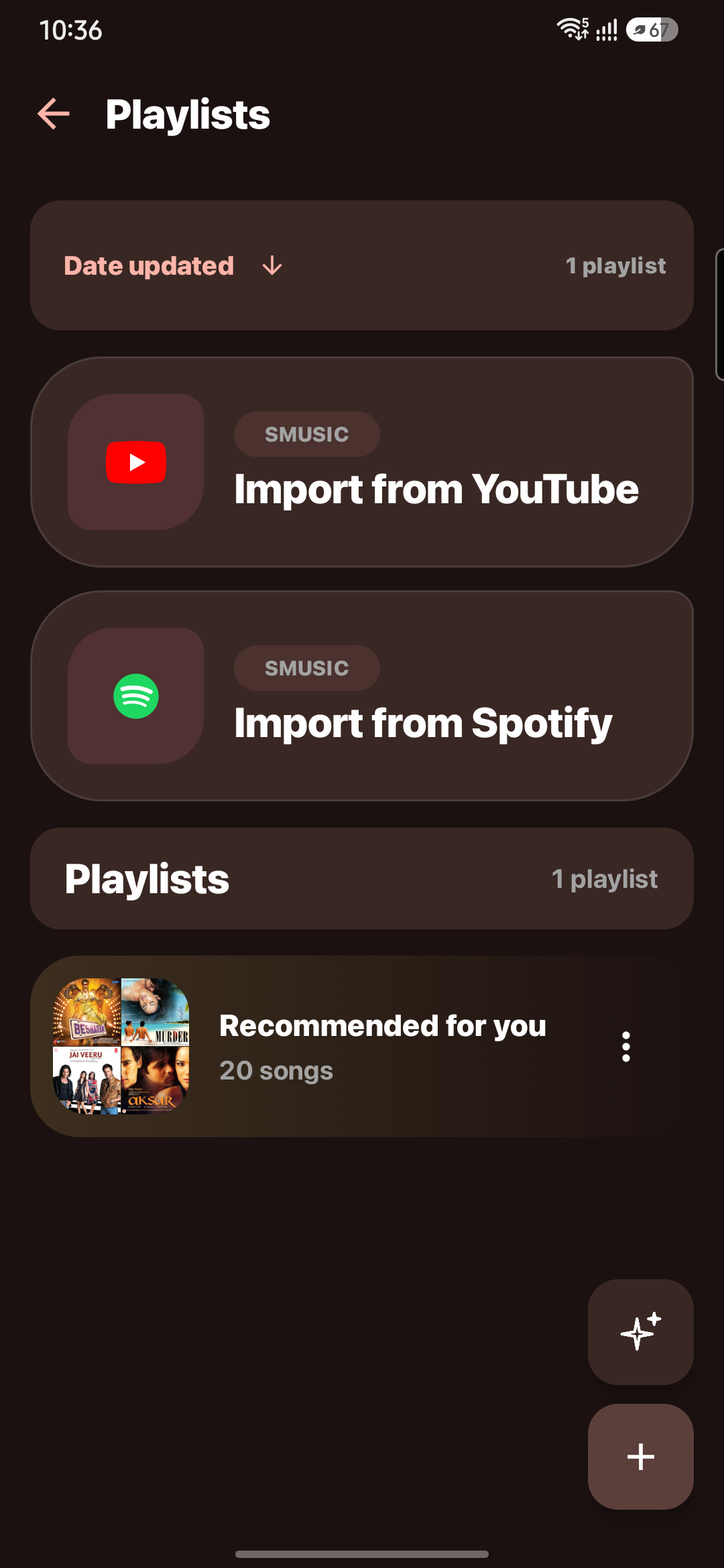 Import Playlists |
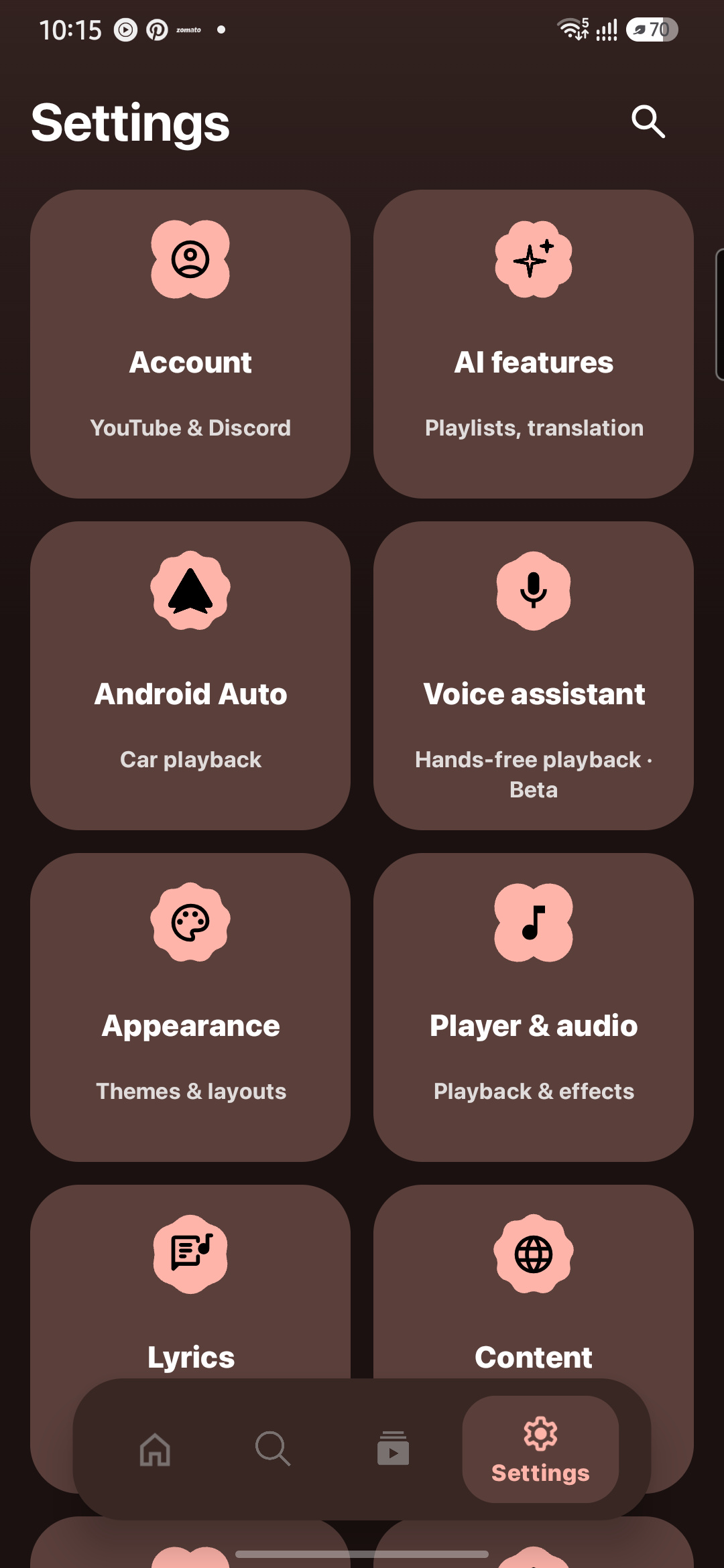 Settings |
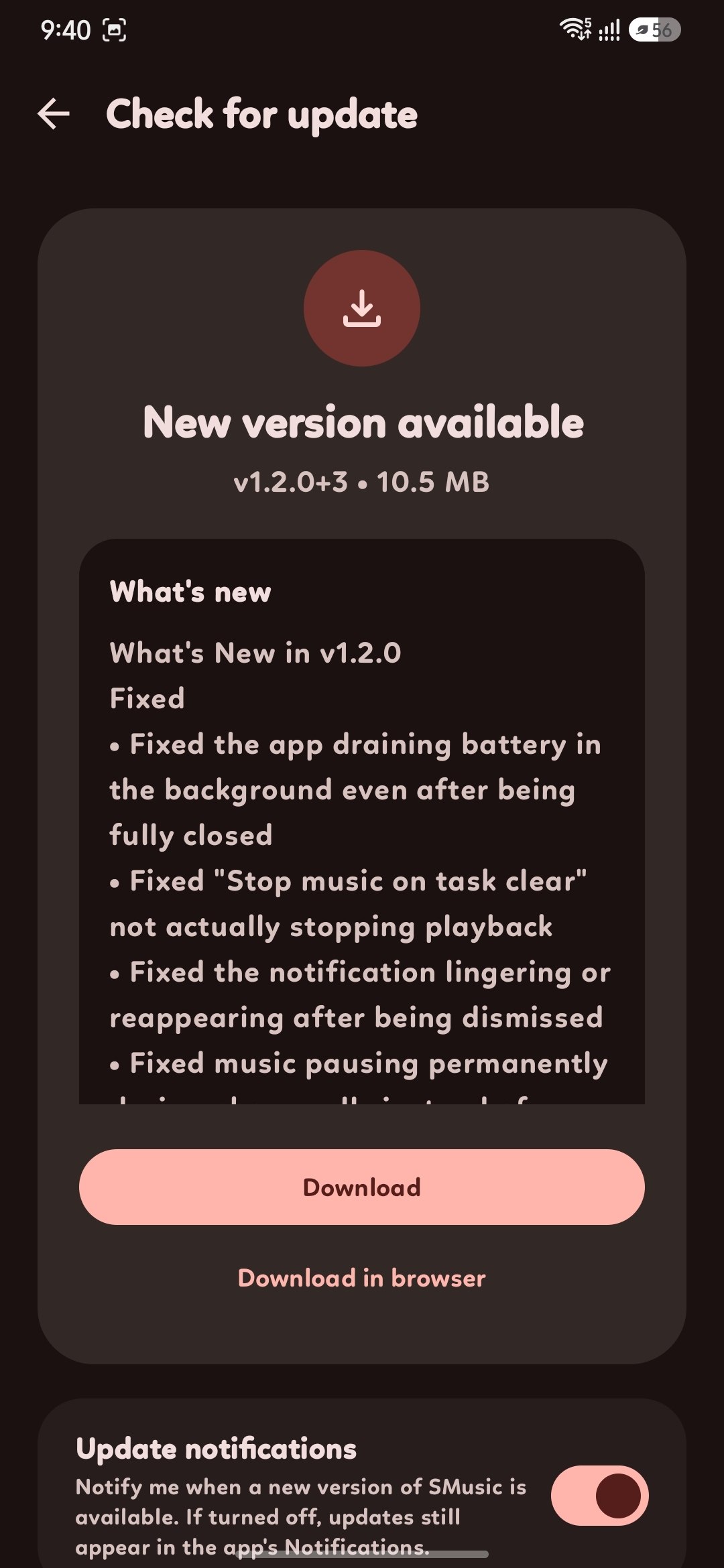 Update Check |
| Module | Purpose |
|---|---|
app |
Main application — UI, playback, database, settings |
innertube |
YouTube Music InnerTube API client |
kugou |
KuGou lyrics provider |
lrclib |
LRCLIB lyrics provider |
betterlyrics |
BetterLyrics provider |
shazamkit |
Music recognition |
jossredconnect |
Auth / backend connector |
material-color-utilities |
Google's Material color science library |
compileSdk 36, minSdk 24, targetSdk 35Clone the repo:
git clone https://github.com/devxrohan/SMusic.git
cd SMusic
Create local.properties in the project root (this file is git-ignored — it never gets pushed):
sdk.dir=/path/to/your/Android/Sdk

# Optional — only needed if you're running your own update-checker worker
update.manifest.url=

# Used for fetching release changelogs and the GitHub link on the About screen
github.repo=<your-username>/SMusic

# Optional — only needed for Discord Rich Presence
discord.application.id=
AI Studio (optional) — to use AI playlist recommendations and lyrics translation, add your own API key(s) from inside the app (Settings → AI), not in local.properties. SMusic supports OpenRouter for recommendations and DeepL for translation; nothing AI-related runs until you add a key yourself.
Open the project in Android Studio and select JDK 21 as the Gradle JDK.
Configure Firebase for a fresh checkout. The app applies the Google Services Gradle plugin. Place your Firebase configuration at app/google-services.json, with the Android package matching the build variant: com.devxrohan.smusic.debug for debug or com.devxrohan.smusic for release. The configuration file is local to your checkout.
Build and run on a device or emulator using Android Studio, or build from the repository root:
| System | Command |
|---|---|
| Windows | gradlew.bat :app:assembleDebug |
| macOS / Linux | ./gradlew :app:assembleDebug |
The debug APK is written to app/build/outputs/apk/debug/app-debug.apk.
To build a signed release APK, you'll also need your own keystore.properties (also git-ignored) with your signing details:
storeFile=/path/to/your.keystore
storePassword=yourStorePassword
keyAlias=yourKeyAlias
keyPassword=yourKeyPassword
Is this affiliated with YouTube Music or Google? No. SMusic is an independent, unofficial client that uses YouTube Music's own public web API — the same one YouTube Music's own website uses.
Does it cost anything? No. SMusic is completely free and always will be — no subscriptions, no premium tier, no ads.
Do I need to sign in?
devxrohan/SMusic is a public repo on GitHub by devxrohan. SMusic — Advanced Open-Source YouTube Music Client for Android with Immersive Players, Multi-Source Modules, Lyrics, and Modern Material 3 UI.
It declares the GPL-3.0 license on GitHub.
Its maker has not tagged a system, so it is unknown here. Its README says what it needs.
Open "Take it" on its page: Take My Repo writes an install plan for your machine and hands it to your AI agent (Claude Code, Codex or Cursor), which asks you before each step. Take My Repo has not tested it on any machine.
Reverse engineer anything with agents, from app behavior down to native binaries.
A better-looking desktop music player for local files, media servers, and plugins. For macOS, Windows and Linux.
Community-built comprehensive 2D content creation appplication for graphic design, digital art, and interactive real-time motion graphics powered by a node-based procedural graphics engine
Its last change on GitHub was on 2026-11-23. Take My Repo does not judge from that whether it is maintained.
Nobody has reviewed it on Take My Repo yet, which says nothing about its quality.
Take My Repo cannot say: it does not audit code and has not run SMusic. What is known comes from GitHub. It declares the GPL-3.0 license on GitHub. Its last change was on 2026-11-23. It has 33 stars, which measure popularity, not safety. Nobody has reviewed it on Take My Repo yet, which says nothing about its quality. Read the source before you run it. With "Take it", your AI agent shows each step and asks you before running it; README text is treated as data, not as instructions.