rea
Reverse engineer anything with agents, from app behavior down to native binaries.
- 477k
- TypeScript
- MIT
- 2 h ago
AI-driven design engineering CLI for Penpot. Generate, audit and analyze UI boards from your terminal.
Repo dinethlive/vectis-cli, read from GitHub 1 d ago. dinethlive has not joined Take My Repo.
dinethlive/vectis-cli is a public repo on GitHub by dinethlive. AI-driven design engineering CLI for Penpot. Generate, audit and analyze UI boards from your terminal. It declares no license on GitHub. Public does not mean open source: without a license, nobody is granted the right to reuse it. It is written mainly in TypeScript, has 9 stars and last changed on 2026-03-25. Nobody has reviewed it on Take My Repo yet, which says nothing about its quality. Read from GitHub on 2026-11-23.
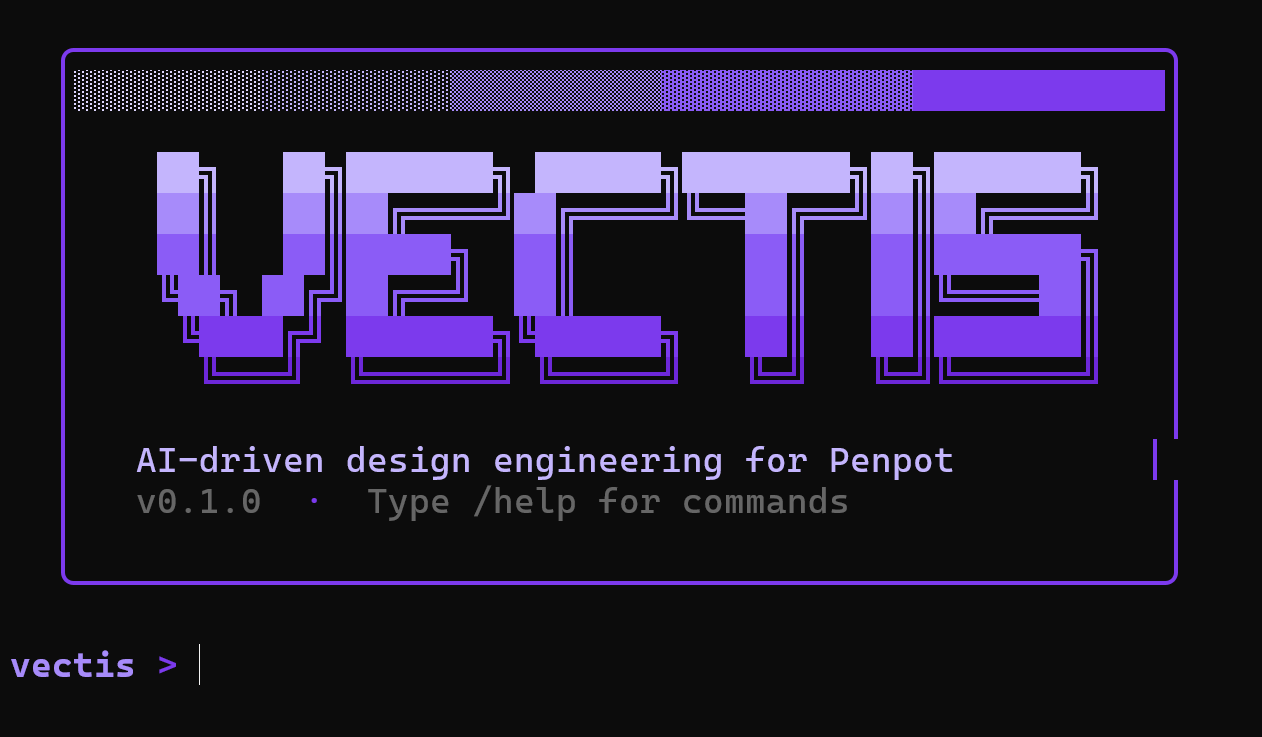
Vectis is a slash-command REPL that connects to a self-hosted Penpot instance via its official MCP server and uses the Claude API for AI-powered design generation, auditing, and analysis, all from your terminal.
The CLI is the brain. Each project folder is its memory. Penpot is the canvas. Slash commands are the language.
@referencesare the inputs.
| Feature | What it does |
|---|---|
/create pipeline |
Natural language → validated LayoutSpec → ASCII preview → push to Penpot (flex + grid) |
@reference system |
Inject files, folders, Penpot boards, images, tokens, and selections into AI context |
/structure onboarding |
Conversational brief-to-structure: generates flows, screens, and context files |
| 30+ slash commands | Setup, generation, auditing, analysis, flow navigation, skills, history |
| Skills system | Extend AI with project-local, global, or community skill files (markdown → prompt) |
| Live Penpot bridge | MCP client for canvas ops + WebSocket for real-time selection/shape events |
| SQLite graph store | Persistent project graph (flows, screens, boards, tokens) with migrations |
| Conversation history | Stored, resumable sessions with auto-compaction at token limits |
| Vim mode | Modal editing, paste mode, customizable keybindings |
| Dependency | Version | Purpose |
|---|---|---|
| Bun | >= 1.0 | Runtime |
| Penpot | Self-hosted or cloud | Design canvas |
| Penpot MCP Server | mcp/ directory |
Canvas bridge |
| Anthropic API Key | - | AI features |
# Clone and install
git clone https://github.com/dinethlive/vectis-cli.git
cd vectis-cli
bun install

# Start in dev mode
bun run dev

# Run the setup wizard (configures API key, Penpot URLs)
# Inside the REPL:
/init
Vectis expects a Penpot instance and its MCP server running locally. Everything you need is in docs/penpot-setup/:
cd docs/penpot-setup
bash start-penpot.sh       # Start Penpot (Docker) → http://localhost:9001
bash setup-mcp.sh          # First time: clone Penpot repo + install MCP deps
bash start-mcp.sh          # Start MCP server → ports 4400/4401/4402
| Port | Protocol | Service |
|---|---|---|
| 9001 | HTTP | Penpot UI |
| 4401 | HTTP | MCP Streamable HTTP (/mcp) |
| 4402 | WebSocket | Live events |
See the full setup guide for plugin connection, troubleshooting, and more.
bun run dev
  ╭────────────────────────────────────────────────────╮
  │░░░░░░░░░░░░░░░░░░▒▒▒▒▒▒▒▒▒▒▓▓▓▓▓▓▓▓▓▓▓▓██████████████│
  │                                                    │
  │   ██╗   ██╗███████╗ ██████╗████████╗██╗███████╗   │
  │   ██║   ██║██╔════╝██╔════╝╚══██╔══╝██║██╔════╝   │
  │   ██║   ██║█████╗  ██║        ██║   ██║███████╗   │
  │   ╚██╗ ██╔╝██╔══╝  ██║        ██║   ██║╚════██║   │
  │    ╚████╔╝ ███████╗╚██████╗   ██║   ██║███████║   │
  │     ╚═══╝  ╚══════╝ ╚═════╝   ╚═╝   ╚═╝╚══════╝   │
  │                                                    │
  │  AI-driven design engineering for Penpot           │
  │  v0.1.0  ·  Type /help for commands               │
  │                                                    │
  ╰────────────────────────────────────────────────────╯

vectis >
# Check everything is connected
/doctor

# Scan your Penpot file
/pull

# Generate a UI board from a description
/create Login "A clean login form with email, password, and a sign-in button"

# Ask Claude about your project with context
/ask "what tokens do we use?" @context/tokens.json

# Audit an existing board against design rules
/audit Dashboard/Home
| Command | Description |
|---|---|
/init |
Setup wizard: API key, Penpot URLs, project config |
/doctor |
Validate API key, Penpot connection, MCP server |
/pull |
Scan Penpot file for pages, boards, components, tokens |
| Command | Description |
|---|---|
/create <board> "<description>" |
Full pipeline: generate spec, validate, preview, push to Penpot |
/ask "<question>" [@refs...] |
Ask Claude with optional @file, @folder, @penpot context |
/audit <board> |
UX review against design rules and graph constraints |
/analyze <flow> |
Deep analysis of an entire flow |
/explain <layer> |
Explain a Penpot layer's role and relationships |
| Command | Description |
|---|---|
/structure |
Conversational onboarding: generate flows/screens from brief files |
/flow [name] |
Show or switch active flow |
/flows |
List all tracked flows |
/checkout <flow> |
Switch to a flow and load its context |
| Command | Description |
|---|---|
/skill list|show|add|new|enable|disable |
Manage AI skills |
/token pull|push|show|diff |
Design token operations |
| Command | Description |
|---|---|
/status |
Current flow, boards, Penpot connection, tokens |
/context |
Show mode, model, project root |
/memory |
Loaded skills and token counts |
/usage |
Token usage and estimated cost |
/history |
List or load past conversations |
/compact |
Compress conversation history to save tokens |
/log [n] |
Show recent conversation turns |
/pending |
List boards awaiting approval |
/approve <flow> |
Promote pending board to context |
| Command | Description |
|---|---|
/help [command] |
Detailed help for any command |
/clear |
Clear the terminal |
/exit |
Save session and quit |
/vim |
Toggle vim modal editing |
/keybindings |
Show keyboard shortcuts |
/bug |
Open a pre-filled GitHub issue |
/create PipelineThe core design generation flow:
Description ──► Prompt Assembly ──► Claude (tool_use) ──► Post-Process ──► Validate ──► Preview ──► Penpot
                     │                    │                    │              │           │           │
              system prompt +      LayoutSpec JSON      4px grid snap    Zod schema   ASCII tree   Plugin JS
              skills + tokens +    via structured       min 32px touch   + business   renders      (flex/grid)
              component patterns   output tool          fill text defaults  rules      the spec
LayoutSpec via tool_use for reliable JSON extraction@reference SystemPull external context into any AI command:
# Local files
/ask "explain this" @src/components/Button.tsx

# Entire folders
/ask "summarize the brief" @briefs/

# Penpot boards
/ask "what's wrong with this layout?" @penpot:Dashboard/Home

# Penpot shortcuts
@penpot:selection          # Currently selected shapes
@penpot:tokens             # Design tokens
@penpot:components         # Component library
@penpot:page/Dashboard     # All boards on a page

# Images
/ask "recreate this" @image:mockup.png
Environment variables > Project config > Global config > Defaults
~/.vectis/config.json          # Global (API key, default model)
<project>/.vectis/config.json  # Project (Penpot file, MCP URLs, model override)
{
  "anthropicApiKey": "sk-ant-...",
  "defaultModel": "claude-sonnet-4-20250514",
  "globalSkillsDir": "~/.vectis/skills"
}
{
  "penpotFileId": "...",
  "penpotFileUrl": "http://localhost:9001/...",
  "mcpServerUrl": "http://localhost:4401/mcp",
  "wsServerUrl": "ws://localhost:4402",
  "model": "claude-sonnet-4-20250514"
}
| Variable | Purpose |
|---|---|
ANTHROPIC_API_KEY |
Claude API key (highest precedence) |
VECTIS_DEBUG |
Set to 1 for verbose logging |
src/
  index.ts              # Entry point
  constants.ts          # Version, defaults, limits
  types/                # VectisError, Config, ReplState, SessionContext
  config/               # Layered config loading + Zod schemas
  ai/                   # Claude client (streaming + tool_use), retry, RAG, prompts
  bridge/               # Penpot MCP client + WebSocket listener
  references/           # @file, @folder, @penpot, @image resolver + security
  workspace/            # Context assembler (system prompt + refs + skills)
  graph/                # SQLite graph store, migrations, CRUD
  conversation/         # Store, compactor, history
  generation/           # Spec pipeline: generator → postprocess → validator → renderer
  structure/            # /structure analyser, conversation, writer, differ
  skills/               # Registry, loader, installer
  context/              # Event processor, pending queue
  utils/                # Logger, spinner, platform, JSON output
  repl/
    theme.ts            # Truecolor purple palette (6 shades)
    banner.ts           # ANSI-shadow gradient banner
    prompt.ts           # Mode/flow/stream indicators
    session.ts          # REPL loop, readline, slash dispatch
    commands/           # 30+ slash command handlers
    ...                 # vim-mode, paste-mode, completer, keybindings, signals
| Layer | Technology |
|---|---|
| Runtime | Bun |
| Language | TypeScript (strict, NodeNext) |
| AI | @anthropic-ai/sdk |
| Penpot Bridge | @modelcontextprotocol/sdk + WebSocket |
| Database | bun:sqlite (WAL mode) |
| Validation | Zod |
| Testing | Vitest |
| Terminal | picocolors + truecolor ANSI |
# Start dev REPL
bun run dev

# Run tests
bun test

# Type check
bun run lint

# Build for distribution
bun run build
When you run /init and /structure, Vectis creates this in your project:
your-project/
├── briefs/                  # Your messy input files
├── .vectis/
│   ├── config.json          # Project config
│   ├── graph.db             # SQLite graph store
│   ├── skills/              # Project-local skills
│   └── conversations/       # Session history
├── context/
│   ├── project.md           # Generated by /structure
│   ├── flows/               # Flow definitions
│   ├── screens/             # Screen definitions
│   └── tokens.json          # Design tokens
├── specs/                   # Saved LayoutSpec files
└── exports/                 # CSS/Tailwind token exports
MIT
Vectis is under active development. Expect breaking changes as the core stabilises, but things will improve steadily with each release.
Why this exists:
dinethlive/vectis-cli is a public repo on GitHub by dinethlive. AI-driven design engineering CLI for Penpot. Generate, audit and analyze UI boards from your terminal.
It declares no license on GitHub. Public does not mean open source: without a license, nobody is granted the right to reuse it.
Its maker has not tagged a system, so it is unknown here. Its README says what it needs.
The agent harness performance optimization system. Skills, instincts, memory, security, and research-first development for Claude Code, Codex, Opencode, Cursor and beyond.
Fair-code workflow automation platform with native AI capabilities. Combine visual building with custom code, self-host or cloud, 400+ integrations.
Open "Take it" on its page: Take My Repo writes an install plan for your machine and hands it to your AI agent (Claude Code, Codex or Cursor), which asks you before each step. Take My Repo has not tested it on any machine.
Its last change on GitHub was on 2026-03-25. Take My Repo does not judge from that whether it is maintained.
Nobody has reviewed it on Take My Repo yet, which says nothing about its quality.
Take My Repo cannot say: it does not audit code and has not run vectis-cli. What is known comes from GitHub. It declares no license on GitHub. Public does not mean open source: without a license, nobody is granted the right to reuse it. Its last change was on 2026-03-25. It has 9 stars, which measure popularity, not safety. Nobody has reviewed it on Take My Repo yet, which says nothing about its quality. Read the source before you run it. With "Take it", your AI agent shows each step and asks you before running it; README text is treated as data, not as instructions.