
rea
Reverse engineer anything with agents, from app behavior down to native binaries.
- 473k
- TypeScript
- MIT
- 3 h ago
The animated diagram editor AI agents can draw on. Animated technical diagrams (architecture, sequence, BPMN, cloud icons) built by you and your agent together on the same live canvas, via WebMCP. Open-source, local-first.
Repo drawcms/drawcms, read from GitHub 3 h ago. drawcms has not joined Take My Repo.
drawcms/drawcms is a public repo on GitHub by drawcms. The animated diagram editor AI agents can draw on. Animated technical diagrams (architecture, sequence, BPMN, cloud icons) built by you and your agent together on the same live canvas, via WebMCP. Open-source, local-first. It declares the AGPL-3.0 license on GitHub. It is written mainly in TypeScript, has 48 stars and last changed on 2026-09-24. Nobody has reviewed it on Take My Repo yet, which says nothing about its quality. Read from GitHub on 2026-11-22.
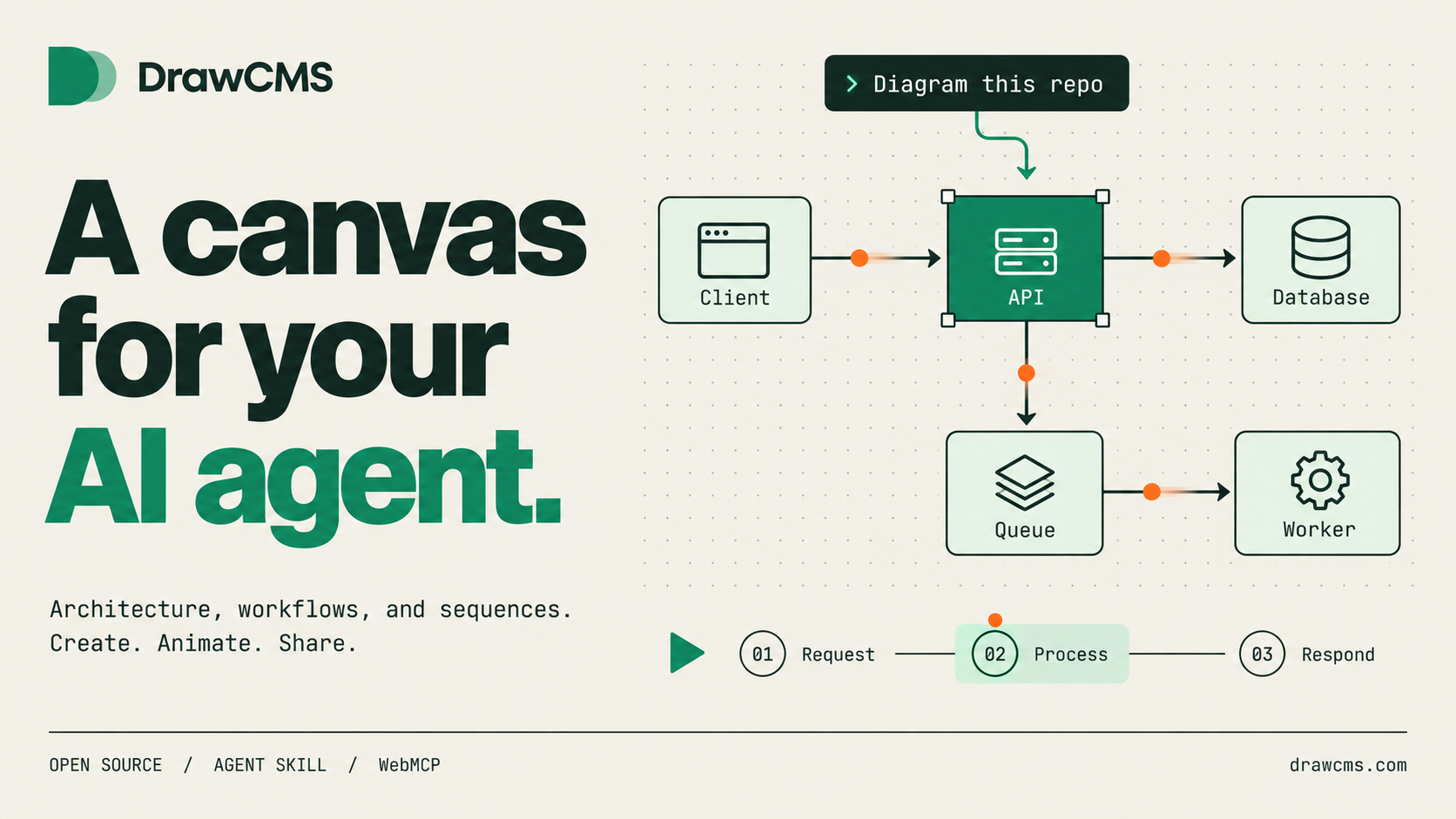
Describe a flow to your AI agent, or draw it yourself. DrawCMS turns it into an animated technical diagram you can narrate step by step, export as a GIF, and keep as a portable file. Local-first, no account required.
Documentation · Get started · Agent tools · Blog · License

The agent drives the editor. No API keys, no screenshots, no simulated clicks — it calls the editor's own tools.

The result. A sequence diagram with connector motion and a narrated step order
Works with Claude Code, Codex CLI, Cursor, and OpenCode.
npx skills add drawcms/drawcms-skill -g
Send this to your agent:
Use DrawCMS to diagram a checkout request: the browser hits the API gateway,
the gateway publishes to a queue, a worker writes to Postgres, and the
response flows back. Animate the request path and narrate it in three steps.
Then keep going — “add a Redis cache”, “highlight the failure path”, or “make the queue pulse slower”.
No repository required. Start from a description, or point the agent at a repository for a source-backed architecture diagram.
| Build the structure | Explain the movement | Narrate the story |
|---|---|---|
| 75 palette elements across 17 diagram types — architecture, sequence, UML, ER, BPMN, data flow, network, and more. | Attach motion presets to nodes and connectors independently, so the diagram shows how data actually travels. | Turn a static picture into an ordered walkthrough: each step highlights its own nodes and connectors. |
| Core concepts ↗ | Motion presets ↗ | Presentation steps ↗ |
Every diagram is one portable .drawcms file. Export it as PNG or an animated GIF, or hand the file to someone else and they get the motion and the narration with it.
The editor engine and the web application are a single Next.js project. Clone it, install it, run it — that is the entire setup.
git clone https://github.com/drawcms/drawcms.git drawcms
cd drawcms
npm install
npm run dev
Open http://localhost:3002. The app is the editor and redirects there from every route.
Picking a diagram type in the elements panel narrows the palette to the elements that notation actually uses, so a sequence diagram offers lifelines and activations rather than BPMN gateways.
| Type | Best for |
|---|---|
| System Architecture | Services, storage, boundaries, and the path a request takes through them |
| Sequence Diagram | Ordered interactions over time — calls, returns, async messages, self-calls |
| Flowchart | Decisions, branches, and terminal outcomes |
| Data Flow Diagram | Sources, transforms, stores, and the sensitivity boundaries between them |
| State Diagram | States, events, retries, and terminal conditions |
| Activity Diagram | Parallel work, forks, joins, and synchronization |
| Class Diagram | Types, attributes, operations, and their relationships |
| ERD | Entities, keys, and cardinality |
| Deployment Diagram | Hosts, nodes, and what runs inside each one |
| Component Diagram | Modules, interfaces, and dependencies |
| Use Case Diagram | Actors, goals, and system scope |
| Network Diagram | Routers, switches, servers, and topology |
| CI/CD Pipeline | Build, test, and deploy stages with gates |
| Timeline Diagram | Milestones along an axis |
| Org Chart | Roles and reporting lines |
| Mind Map | A central topic and its branches |
| User Flow Diagram | Screens, choices, and the routes between them |
Eighteen templates open with motion presets and presentation steps already applied, so a new document is animated before you touch it:
Architecture request flow · Deployment pipeline · Incident timeline · Secure sign-in sequence · Flowchart · Mind map · Org chart · Entity relationship diagram · Data flow diagram · Timeline · Class diagram · State diagram · Deployment diagram · Component diagram · Use case diagram · Network diagram · Activity diagram · User flow diagram
Alongside the notation sets, the palette carries AWS, GCP, Azure, and infrastructure icons (Docker, Kubernetes, Redis, PostgreSQL, and more), plus container elements — groups, regions, security and trust boundaries, processing stages, sequence frames, swimlanes, and BPMN pools — that accept dragged-in children.
| Motion is the point | The story is authored, not inferred |
|---|---|
| A static diagram shows topology. Animation shows behaviour: which way a request travels, what waits, what retries. | You decide the order and the wording of each step. Nothing is guessed from the graph. |
| Local-first and portable | Agents are first-class |
Autosave to browser storage, explicit save when you want it, and one self-contained .drawcms file. No account, no server. |
The WebMCP toolset is part of the editor, so an agent co-edits the canvas you are looking at. |
src/editor/index.ts) and a persistence boundary, so storage backends swap without touching canvas code.drawcms_validate_diagram checks the result against it.drawcms_edit_diagram applies a batch as a single history entry, reversible with one Mod+Z. Agent work and manual work share one undo stack.prefers-reduced-motion respected by every preset.DrawCMS is not a general-purpose drawing tool and not a Mermaid renderer. It exists to turn a system you understand into something someone else can follow.
| Step | What happens |
|---|---|
| Describe | You prompt an agent, or place elements yourself. |
| Recommend | drawcms_recommend_visuals maps entity roles and relationship meanings onto elements, connector types, routing, and motion presets. |
| Build | drawcms_replace_diagram lays the whole diagram out — lifeline columns for sequences, ranked layers for flowcharts and architecture, obstacle-aware connector routes. |
| Refine | drawcms_edit_diagram and drawcms_set_motion adjust structure and timing incrementally, each as one undoable batch. |
| Narrate | drawcms_set_story writes the scenes and steps, or you right-click a selection and add it as a step. |
| Validate | drawcms_validate_diagram reports unregistered elements, shape-purpose mismatches, unsuitable motion, and choreography problems. |
| Ship | Export PNG or animated GIF, or save the .drawcms document. |
The editor registers a WebMCP toolset with the browser's native navigator.modelContext API. In an agent-capable browser — ChatGPT's agentic browsing, or any WebMCP-compatible host — the agent creates animated diagrams directly on the live canvas. No API keys, no servers, no simulated pointer input. Browsers without WebMCP render the ordinary editor.
| Tool | What it does |
|---|---|
drawcms_get_diagram |
Read the current diagram — nodes, connectors, motion, presentation steps |
drawcms_get_visual_grammar |
Explore the visual dictionary: elements, semantic uses, motion guidance |
drawcms_recommend_visuals |
Recommend elements, connectors, motion presets, and playback order from a description |
drawcms_replace_diagram |
Build a complete animated diagram in one call |
drawcms_edit_diagram |
Add, update, delete, and connect elements as one undoable batch |
drawcms_tidy_diagram |
Re-derive positions and connector geometry without rebuilding |
drawcms_set_motion |
Retime animation without touching structure |
drawcms_set_story |
Write the presentation step sequence |
drawcms_validate_diagram |
Check a diagram against the visual grammar before committing it |
Because the agent edits the same canvas you do, working together is co-editing rather than file handoff. Agent authoring details live in docs/webmcp.md; the CLI skill is documented in docs/agent-skill.md.
Mod is Cmd on Apple platforms and Ctrl elsewhere. Menus format their hints from the same table that binds the keys, so a label and its binding cannot drift.
| Action | Keys |
|---|---|
| Undo / Redo | Mod+Z · Mod+Shift+Z |
| Cut / Copy / Paste / Duplicate | Mod+X · Mod+C · Mod+V · Mod+D |
| Select all / Deselect / Delete | Mod+A · Esc · Del |
| Add element / Replace element | N · R |
| Group / Ungroup / Lock | Mod+G · Mod+Shift+G · Mod+Shift+L |
| Reverse connector | Shift+R |
| Add selection as a presentation step | S |
| Font size up / down | Mod+Shift+. · Mod+Shift+, |
| Toggle elements panel | Mod+B |
| Pan tool / Area-select tool | H · V |
| Open element rail group 1–8 | 1 – 8 |
src/
  app/       Next.js application shell — layout, editor route, theme
             toggle, local persistence wiring (the "host" layer)
  editor/    The editor engine — canvas, element catalog, document
             format, motion, presentation, persistence boundary, WebMCP
             tools, templates, and the test suite
public/      Static assets (cloud provider icons, GIF worker)
docs/        Documentation content, rendered by site/
blog/        Blog posts, rendered by site-blog/
src/app wires the engine into a full product: autosave with a save-status pill, theming, and the “Made with DrawCMS” badge.
React 19 · React Flow v12 · GSAP · Next.js 16 · Tailwind CSS v4 · Vitest
npm run dev        # editor on :3002 with hot reload
npm run ci         # lint → format:check → typecheck → test → build → site builds
npm run docs:dev   # documentation site on :4321
npm run blog:dev   # blog on :4322
CI runs exactly npm ci && npm run ci on Node 24. The suite is 512 tests.
Guides and release notes live at drawcms.com/docs, the blog at drawcms.com/blog.
The docs and blog are part of this repository. Pages live in docs/, posts in blog/. Two Astro sites render them: site/ (docs, served at drawcms.com/docs) and site-blog/ (blog, served at drawcms.com/blog), both deployed as static assets on Cloudflare Workers next to the app worker and routed by path.
A merged pull request touching the sites or their content publishes. Blog posts support draft: true for merge-before-publish workflows. Deploys run through GitHub Actions — set the CLOUDFLARE_API_TOKEN and CLOUDFLARE_ACCOUNT_ID repository secrets — or manually with npm run docs:deploy and npm run blog:deploy. The main app deploys separately and never rebuilds for docs-only changes.
.drawio and .excalidraw imports produce a non-blocking report of what could not be carried acrossReal-time multiplayer editing, hosted sharing, and automatic Mermaid parsing are intentionally outside the current scope of this repository. Hosted collaboration lives in DrawCMS Cloud.
Contributions are welcome after accepting the Contributor License Agreement, which enables the project's dual AGPL and commercial licensing. Read CONTRIBUTING.md before opening a pull request.
The official repository is drawcms/drawcms — please open issues and pull requests here. (dimasna/drawcms-app is a hackathon-purpose repo only.)
Please report security issues privately using the process in SECURITY.md.
DrawCMS is open-source software licensed under GNU AGPL v3.0 only. If you modify it and make that version available to users over a network, the AGPL generally requires you to offer those users the corresponding source code under the AGPL.
The AGPL does not prohibit a compliant competing hosted service. The DrawCMS name and branding are covered separately by TRADEMARKS.md. Organizations that cannot use the AGPL may request a separate commercial license; see COMMERCIAL-LICENSE.md. No commercial rights are granted unless a separate agreement is signed.
drawcms/drawcms is a public repo on GitHub by drawcms. The animated diagram editor AI agents can draw on. Animated technical diagrams (architecture, sequence, BPMN, cloud icons) built by you and your agent together on the same live canvas, via WebMCP. Open-source, local-first.
It declares the AGPL-3.0 license on GitHub.
Its maker tagged it for macOS, Windows and Linux, or as Docker or cross-platform. That is declared by the maker; Take My Repo has not tested it.
Open "Take it" on its page: Take My Repo writes an install plan for your machine and hands it to your AI agent (Claude Code, Codex or Cursor), which asks you before each step. Take My Repo has not tested it on any machine.
Its last change on GitHub was on 2026-09-24. GitHub counts 13 open issues and pull requests. Take My Repo does not judge from that whether it is maintained.
Reverse engineer anything with agents, from app behavior down to native binaries.
Nobody has reviewed it on Take My Repo yet, which says nothing about its quality.
The agent that grows with you
Turn any idea, plan, or codebase into a beautiful interactive diagram. An agent skill for Claude Code, Codex, and more.
The agent harness performance optimization system. Skills, instincts, memory, security, and research-first development for Claude Code, Codex, Opencode, Cursor and beyond.
Agent skill + git-like CLI that turns a code repo into DrawCMS diagrams (Cloud or self-hosted).







