
MyProtractor
Легкий overlay-вимірювач кута для Windows: прозоре вікно поверх усіх інших.
- 0
- GPL-3.0
- 5 mo ago
Repo drfailov/MyProtractor, read from GitHub 8 h ago. drfailov has not joined Take My Repo.
In short
drfailov/MyProtractor is a public repo on GitHub by drfailov. Легкий overlay-вимірювач кута для Windows: прозоре вікно поверх усіх інших. It declares the GPL-3.0 license on GitHub. It is written mainly in Rust, has 0 stars and last changed on 2026-07-07. Nobody has reviewed it on Take My Repo yet, which says nothing about its quality. Read from GitHub on 2026-11-24.
📐 My Protractor
🇺🇦 Легкий overlay-вимірювач кута для Windows — прозоре вікно поверх усіх інших.
🇬🇧 Lightweight on-screen angle-measuring overlay for Windows — a transparent window that stays on top of everything.
🖼️ Скріншоти / Screenshots
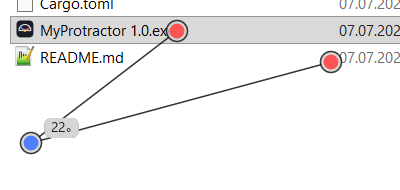 |
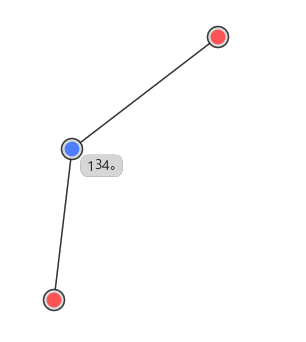 |
| 🇺🇦 Вимірювання кута прямо поверх Провідника Windows. 🇬🇧 Measuring an angle right over Windows Explorer. |
🇺🇦 Транспортир поверх будь-якого вмісту. 🇬🇧 The protractor over any content. |
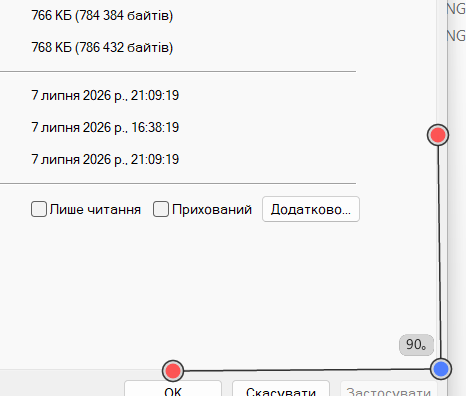 |
 |
| 🇺🇦 Точне вимірювання 90° поверх системного діалогу. 🇬🇧 Precise 90° measurement over a system dialog. |
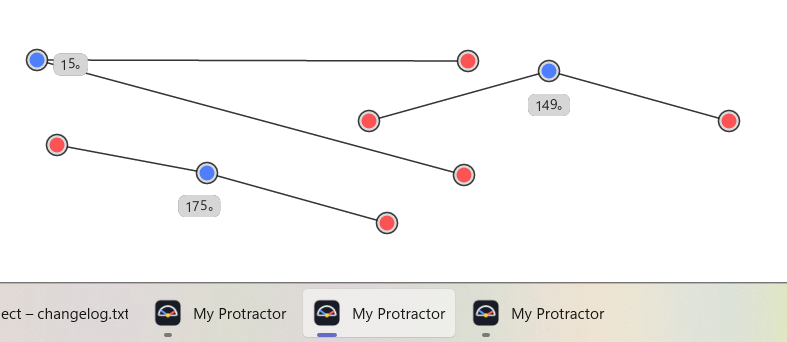
🇺🇦 Кілька екземплярів одночасно + значок на панелі задач. 🇬🇧 Several instances at once + a taskbar icon. |
 |
 |
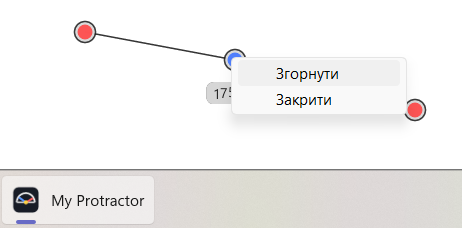
| 🇺🇦 Меню правої кнопки: «Згорнути» / «Закрити». 🇬🇧 Right-click menu: “Minimize” / “Close”. |
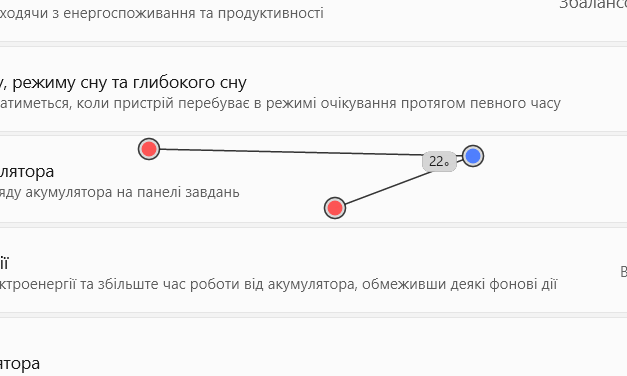
🇺🇦 Робота поверх «Параметрів» Windows. 🇬🇧 Working on top of the Windows Settings app. |
🚀 Використання / Usage
🇺🇦 Нічого встановлювати не потрібно — лише Windows і готовий
.exe.
🇬🇧 Nothing to install — just Windows and the ready-made.exe.
🇺🇦
- Завантажте
MyProtractor 1.0.exeз репозиторію. - Запустіть подвійним кліком — готово. ✅
Що потрібно: лише Windows.
Що НЕ потрібно: Rust, компілятор, Visual Studio, .NET, Node.js, Python — нічого з цього.
🇬🇧
- Download
MyProtractor 1.0.exefrom the repository. - Double-click to run — that's it. ✅
What you need: Windows only.
What you do NOT need: Rust, a compiler, Visual Studio, .NET, Node.js, Python — none of that.
🎮 Керування / Controls
| 🇺🇦 Дія / 🇬🇧 Action | 🇺🇦 Як / 🇬🇧 How |
|---|---|
| 🖱️ Перемістити вікно / Move the window | 🇺🇦 Ліва кнопка миші по вільному місцю/лінії + перетягування 🇬🇧 Left mouse button on empty space/line + drag |
| 🔵 Перемістити точку / Move an endpoint | 🇺🇦 Ліва кнопка миші по круглій точці + перетягування 🇬🇧 Left mouse button on a round dot + drag |
| 📋 Меню / Menu | 🇺🇦 Права кнопка миші → «Згорнути» / «Закрити» 🇬🇧 Right mouse button → “Minimize” / “Close” |
| 🔄 Скинути точки / Reset points | R |
| 👻 Клік-крізь / Click-through | 🇺🇦 T — перемикач (не блокує вікна під транспортиром)🇬🇧 T — toggle (doesn't block windows beneath the overlay) |
| 🚪 Вихід / Exit | Esc |
🔨 Збірка з вихідників / Build from source
🇺🇦 Цей розділ лише для розробників, які хочуть зібрати
.exeсамостійно.
🇬🇧 This section is for developers only who want to compile the.exethemselves.
Якщо ви просто хочете користуватися — дивіться розділ «Використання» вище. / If you just want to use the app — see the “Usage” section above.
📦 Що потрібно встановити / Prerequisites
🇺🇦
- Rust — https://rustup.rs
Після встановлення перезапустіть термінал і перевірте:rustc --version cargo --version - Компілятор C++ — один із варіантів:
- Рекомендовано: Build Tools for Visual Studio → робоче навантаження «Desktop development with C++» (MSVC toolchain).
- Альтернатива: GNU toolchain —
rustup toolchain install stable-x86_64-pc-windows-gnu(працює без Visual Studio).
Жодних .NET, Node.js чи Python не потрібно. ✅
🇬🇧
- Rust — https://rustup.rs
After installing, restart your terminal and verify:rustc --version cargo --version - A C++ compiler — one of:
- Recommended: Build Tools for Visual Studio → the “Desktop development with C++” workload (MSVC toolchain).
- Alternative: the GNU toolchain —
rustup toolchain install stable-x86_64-pc-windows-gnu(works without Visual Studio).
No .NET, Node.js or Python required. ✅
⚙️ Команди збірки / Build commands
cd path\to\MyProtractor
cargo build --release
🇺🇦 Готовий файл / 🇬🇧 The resulting binary:
target\release\my_protractor.exe
🇺🇦 Очікуваний розмір: приблизно 1 МБ (один автономний .exe).
🇬🇧 Expected size: about 1 MB (a single standalone .exe).
🇺🇦 Іконка .exe вбудовується під час cargo build (потрібен лише windres.exe у tools/w64devkit/bin/, ~1.4 МБ).
🇬🇧 The .exe icon is embedded during cargo build (only windres.exe in tools/w64devkit/bin/ is needed, ~1.4 MB).
📝 Примітки / Notes
🇺🇦
- Працює лише на Windows (використовує Win32 API для прозорого overlay). 🪟
- Вікно не з'являється в Alt+Tab (
WS_EX_TOOLWINDOW). - Завжди поверх інших вікон (
HWND_TOPMOST). ⬆️ - Кут рахується між двома лініями, що сходяться у синій центральній точці. 📐
- Застосунок відображається на панелі задач і підтримує згортання/розгортання.
- Максимальна довжина лінії: 1000 px.
- Іконка вікна та файлу
.exeгенерується з одного джерела (icon_gen). 🎨
🇬🇧
- Runs on Windows only (uses the Win32 API for the transparent overlay). 🪟
- The window doesn't show up in Alt+Tab (
WS_EX_TOOLWINDOW). - Always stays on top of other windows (
HWND_TOPMOST). ⬆️ - The angle is measured between two lines that meet at the blue central point. 📐
- The app appears in the taskbar and supports minimize/restore.
- Maximum line length: 1000 px.
- The window icon and the
.exeicon are generated from a single source (icon_gen). 🎨
Questions
What is MyProtractor?
drfailov/MyProtractor is a public repo on GitHub by drfailov. Легкий overlay-вимірювач кута для Windows: прозоре вікно поверх усіх інших.
Is MyProtractor open source?
It declares the GPL-3.0 license on GitHub.
Does MyProtractor run on macOS, Windows or Linux?
Its maker has not tagged a system, so it is unknown here. Its README says what it needs.
How do I install MyProtractor?
Open "Take it" on its page: Take My Repo writes an install plan for your machine and hands it to your AI agent (Claude Code, Codex or Cursor), which asks you before each step. Take My Repo has not tested it on any machine.