
dfm
Dylan's File Manager
- 98
- MIT
- 3 mo ago
Repo dylanaraps/dfm, read from GitHub 3 d ago. dylanaraps has not joined Take My Repo.
In short
dylanaraps/dfm is a public repo on GitHub by dylanaraps. Dylan's File Manager. It declares the MIT license on GitHub. It is written mainly in C, has 98 stars and last changed on 2026-08-17. Nobody has reviewed it on Take My Repo yet, which says nothing about its quality. Read from GitHub on 2026-11-22.
Similar repos

dfm (Dylan's File Manager)
A powerful, simple and snappy terminal file manager with minimal resource usage.

Initial Announcement: https://dylan.gr/1772192922
- Tiny (
CONFIG_SMALL: ~90KiB,CONFIG_TINY: ~40KiB,CONFIG_TINY+-static: ~150KiB) - Fast (should only be limited by IO)
- No dynamic memory allocation (~1.5MiB static)
- Does nothing unless a key is pressed
- No dependencies outside of POSIX/libc
- Manually implemented TUI
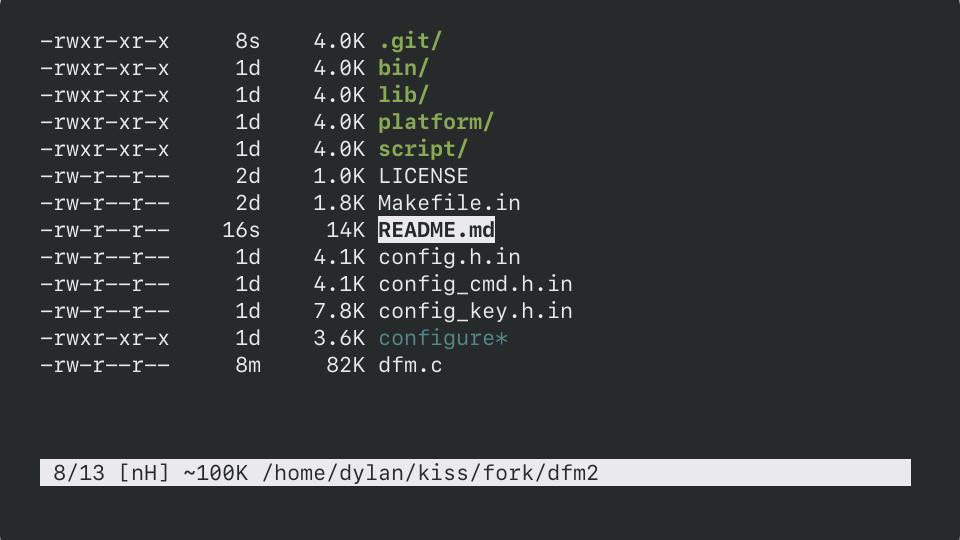
- Manually implemented interactive line editor
- Efficient low-bandwidth partial rendering
- UTF8 support (minus grapheme clusters and other unruly things)
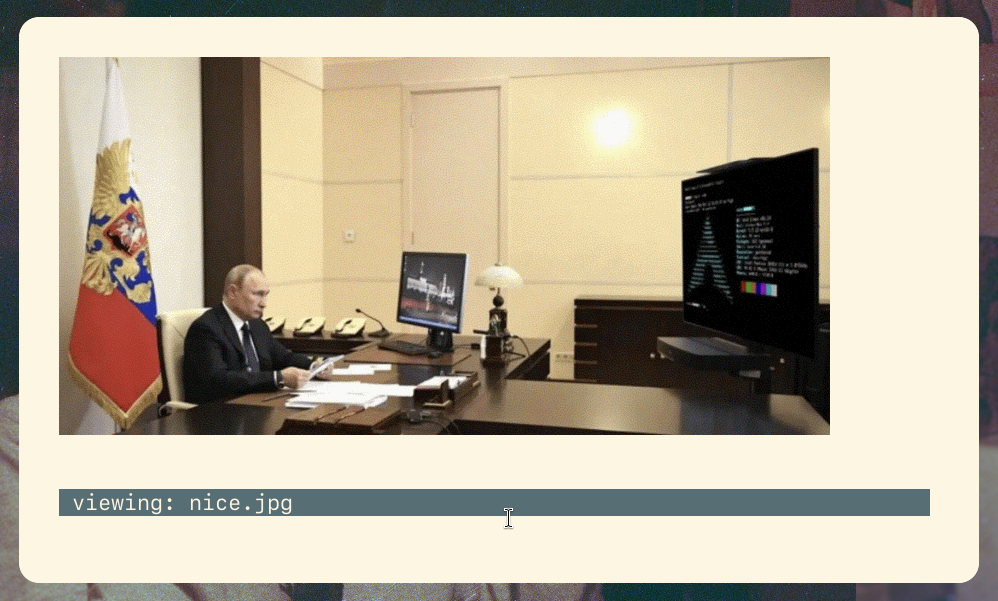
- Inline image viewing (sixel, kitty)
- Multiple view modes (name, size, permissions, mtime, ...)
- Multiple sort modes (name, extension, size, mtime, reverse, ...)
- Ranger-style bulk rename
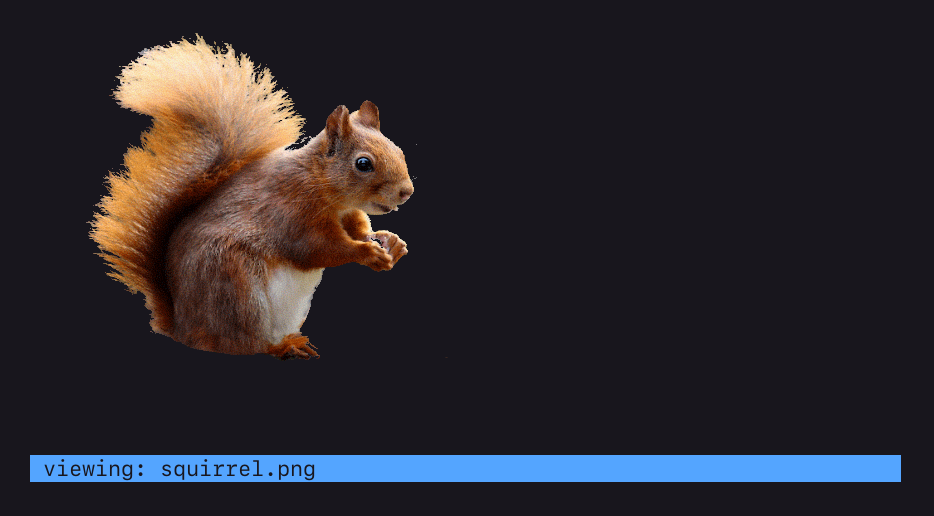
- Incremental as-you-type search
- Bookmarks
- Vim-like keybindings
- Customizable keybindings
- Command system
- Multi-entry marking
- Basic operations (open, copy, move, remove, link, etc)
- Watches filesystem for changes
- CD on exit
- And more...
Table of Contents
Dependencies
Required:
- POSIX
cat,cp,date,mkdir,printf,rm,sh - POSIX
make - POSIX libc
- C99 compiler
Optional:
strip(forCONFIG_SMALLandCONFIG_TINY)clang(forCONFIG_TINY)chafa(for image view usingsixel)kitty(for image view usingkitty)
Building
$ ./configure --prefix=/usr
$ make
$ make DESTDIR="" install
The configure script takes three forms of arguments.
- Long-opts:
--prefix=/usr,--help - Variables:
CC=/bin/cc,CFLAGS="-O3",LDFLAGS=" " - C macro definitions:
-DMACRO,-DMACRO=VALUE,-UMACRO
There are three different build configurations.
- Default:
-O2 CONFIG_SMALL:-Os+ aggressive compiler flagsCONFIG_TINY:-Oz+CONFIG_SMALL+ (you must setCC=clang)
- To produce a static binary, pass
-staticviaCFLAGS. - To enable LTO, pass
-fltoviaCFLAGS.
Everything contained within ./configure, Makefile.in, config.h.in,
config_cmd.h.in and config_key.h.in can be configured on the command-line
via ./configure. See ./configure --help and also refer to these files for
more information.
Bonus example:
./configure \
  --prefix=/usr \
  -DCONFIG_TINY=1 \
  CC=clang \
  CFLAGS="$CFLAGS -flto -static" \
  -DDFM_NO_COLOR \
  -DDFM_COL_NAV="VT_SGR(34,7)"
NOTE: If you are building for an environment without support for the XTerm
alternate screen, add -DDFM_CLEAR_EDIT to your configure flags.
Configuration
dfm is configured at compile-time via its config files.
./configure: Build system, compilation and installation.config.h.in: Default settings, colors, etc.config_key.h.in: Keybindings.config_cmd.h.in: Commands.
Refer to these files for more information.
DPP (Dylan's Preprocessor)
The config*.in files are processed by dpp (see bin/dpp) so POSIX shell
code can be used within them. Everything defined by ./configure is also
accessible within these files as variables.
See https://github.com/dylanaraps/dpp for more information.
Command-line
usage: dfm [options] [path]

options:
-H | +H        toggle hidden files (-H off, +H on)
-p             picker mode (print selected path to stdout and exit)
-o <opener>    program to use when opening files (default: xdg-open)
-c <name>      position cursor over 'name' instead of first entry
-q <query>     start in search results ("*query" for substring)
-s <mode>      change default sort
  n  name
  N  name reverse
  e  extension
  s  size
  S  size reverse
  d  date
  D  date reverse
-v <mode>      change default view
  n  name only
  s  size
  p  permissions
  t  time
  a  all

--help         show this help
--version      show version

path:
directory to open (default: ".")
Environment
A few things can be set at runtime via environment variables. If unset in the
environment, default values are derived from the config.h.in file.
- DFM_COPYER         (The clipboard tool to use when copying PWD or file
                      contents. The tool is fed the data via <stdin>)

- DFM_BOOKMARK_[0-9] (Directory bookmarks. set DFM_BOOKMARK_[0-9] and then
                      bind act_cd_bookmark_[0-9] to the keys of your choosing)

- DFM_OPENER         (Opener script to use when opening files. This could be
                      xdg-open or a custom script (see the script/ directory))

- DFM_TRASH          (Program to use when trashing files)

- DFM_TRASH_DIR      (Path to trash directory)

- DFM_IMG_MODE       (Image mode to use: 'chafa' (default), 'kitty')

- DFM_SU             (Privilege escalation tool to use: 'sudo' (default))
CD On Exit
There are two ways to exit dfm.
1) act_quit           (default 'q')
2) act_quit_print_pwd (default 'Q')
Exiting with 2) will make dfm output the absolute path to the directory it was
in. This output can be passed to cd to change directory automatically on exit.
$ cd "$(dfm)"
$ var=$(dfm)
$ dfm > file
Usage
dfm is a single column file-manager with VIM like keybindings. Its basic usage
is pretty straightforward and anything non-obvious can be divined by looking
at the actions each key is bound to.
Statusline
The statusline is as follows:
1 1/1 [RnHE] [1+] ~0B /path/to/current/directory/<query>

 1          - Shows nest level of dfm. Only shown if > 0.
 1/1        - The entry number under the cursor and the total visible entries.

 [RnHE]     - Indicators.

              R - Shown when dfm is running as root.
              n - Current sort mode: [n]ame, [N]ame reverse, [s]ize,
                  [S]ize reverse, [d]ate modified, [D]ate modified reverse,
                  [e]xtension. If the current directory is too large, in place
                  of sort mode, [T] is shown.
              H - Shown when hidden files are enabled.
              E - Shown when a command fails. This indicates that the user must
                  check the alternate buffer (bound to 'z' by default) to see
                  the error messages left by the command failure.

 [1+]       - Number of marked files, hidden when 0.

 ~0B        - Approximate size of directory (shallow, excludes sub-directories).

 /path/to   - The current directory.
 /<query>   - The search query if the list was filtered.
View Modes
There are five view modes: Normal, Size, Permissions, Date Modified and All.
The view mode can be cycled by pressing <Tab> by default.
All is the sum of the other view modes and gives an idea of what is shown:
-rwxr-xr-x    16m    4.0K .git/
-rwxr-xr-x     2h    4.0K bin/
-rwxr-xr-x     4d    4.0K script/
-rwxr-xr-x    32m    4.0K lib/
-rwxr-xr-x    16h    4.0K platform/
-rw-r--r--    16m      0B .config_macro.h
-rw-r--r--    16m     62B .gitignore
-rw-r--r--     4d    1.0K LICENSE.md
-rw-r--r--    16m    1.8K Makefile
-rw-r--r--     8h    1.8K Makefile.in
-rw-r--r--    32s    6.6K README.txt
-rw-r--r--    16m    4.0K config.h
-rw-r--r--    32m    4.0K config.h.in
-rw-r--r--    32m    6.5K config_cmd.h
-rw-r--r--    32m    6.5K config_cmd.h.in
-rw-r--r--    16m    6.5K config_key.h
-rw-r--r--    32m    6.5K config_key.h.in
-rwxr-xr-x    16m    3.5K configure*
-rwxr-xr-x    16m    130K dfm*
-rw-r--r--    32m     72K dfm.c

 2/20 [nH] ~268K /home/dylan/kiss/fork/dfm
Sort Modes
There are seven sort modes: name, name reverse, size, size reverse,
date modified, date modified reverse, extension. The sort mode can be
cycled by pressing '`' (backtick) by default.
The name sort performs a natural/human sort and puts directories before files.
Prompt
The area where searches and commands are inputted is a complete interactive line editor supporting all the usual actions (left/right scroll, insert, bracketed clipboard paste, backspace, delete, prev/next word, etc). The default keybindings match what is found in readline and POSIXy shells.
As of now there is no <Tab> complete or up/down arrow history cycling.
NOTE: The prompt is implemented as a gap buffer. There are two buffers, cursor left and cursor right with the cursor sitting inbetween both buffers. When it comes time to commit the input it is simply joined together. Make not of this detail as it is necessary to know it when creating your own bound commands.
Images
Images can be viewed inside of dfm by pressing i by default. This will
display the image and wait for a keypress before returning to the directory
listing. Two backends are supported: sixel (via chafa) and kitty.
The mode can be set in config.h.in or at runtime via an environment variable.
Searching
There are two search modes: startswith (default /) and substring
(default ?). They each perform a case-sensitive and incremental as-you-type
search on the current directory's entries.
Pressing <Enter> confirms the search and the results become navigable. If
there is only one match, pressing <Enter> will open the entry in a single
press.
Marking
Files can be marked and unmarked (<spacebar> by default). There are also
shortcuts to navigate between marks, select all, clear all and to invert the
selection.
The marks can be operated on in three ways.
- Foreach: A command is executed once per mark.
- Bulk: A command is executed once and given the list of marks as its argv.
- Shell: A shell command is executed (
sh -euc "<cmd>" <marks argv>)
- NOTE: All three can also be executed in the background.
- NOTE: If nothing is marked, the entry under the cursor is operated on.
These operations are defined as "commands" which can be typed or bound to keys. To avoid copying data, only the basenames of marks are passed to commands and the commands are exec'd in the directory containing them.
Example:
cp -f %m %d -> PWD=/path/to/mark_dir cp -f a b c /path/to/pwd
Marked entries can be operated on from another directory:
- Move the cursor over an entry and press
<spacebar>to mark it. - Press
;to open the:cdprompt, type a path and press<Enter>. - Run an operation on the marked entries.
The default operation keys are:
y  copy
m  move
s  link
d  remove
t  trash
The operation uses the directory containing the marks as its source and the current directory as its destination when applicable. If no entries are marked, the entry under the cursor is used instead.
Commands
Commands are simply strings which are minimally transformed into argvs and executed. Modifiers control how the string will be transformed and executed.
Press ; to change directory using the :cd prompt. Press : to open the
general command prompt.
:echo hello                -> echo hello
:echo %f world             -> foreach entry: echo <entry> world
:echo %m world             -> echo <entry_1> <entry_2> ... world'.
:<waycopy                  -> foreach entry: (stdin) waycopy
In addition to these modifiers are the following:
%p                         -> Path to PWD.
$WORD                      -> Expand environment variable.
&                          -> Run in background (must be last word)..
NOTE: None of the above transformations pass through or incur the cost of
running within a shell. They are merely pointer arrays passed to exec().
NOTE: %m and %f cannot be combined and only the first occurrence of %m or
%f is evaluated. Also, %m and %f must appear on their own.
If these are too limiting, prepending a ! bypasses dfm's internal command mode
and sends it all to the shell.
:!echo "$@"                -> sh -euc 'echo "$@"' <entry_1> <entry_2> ...
:!echo "$1" "$2"           -> sh -euc 'echo "$1" "$2"' <entry_1> <entry_2> ...
Privilege Escalation
Questions
What is dfm?
dylanaraps/dfm is a public repo on GitHub by dylanaraps. Dylan's File Manager.
Is dfm open source?
It declares the MIT license on GitHub.
Does dfm run on macOS, Windows or Linux?
Its maker has not tagged a system, so it is unknown here. Its README says what it needs.
How do I install dfm?
Open "Take it" on its page: Take My Repo writes an install plan for your machine and hands it to your AI agent (Claude Code, Codex or Cursor), which asks you before each step. Take My Repo has not tested it on any machine.
Is dfm still maintained?
Its last change on GitHub was on 2026-08-17. Take My Repo does not judge from that whether it is maintained.


