orca
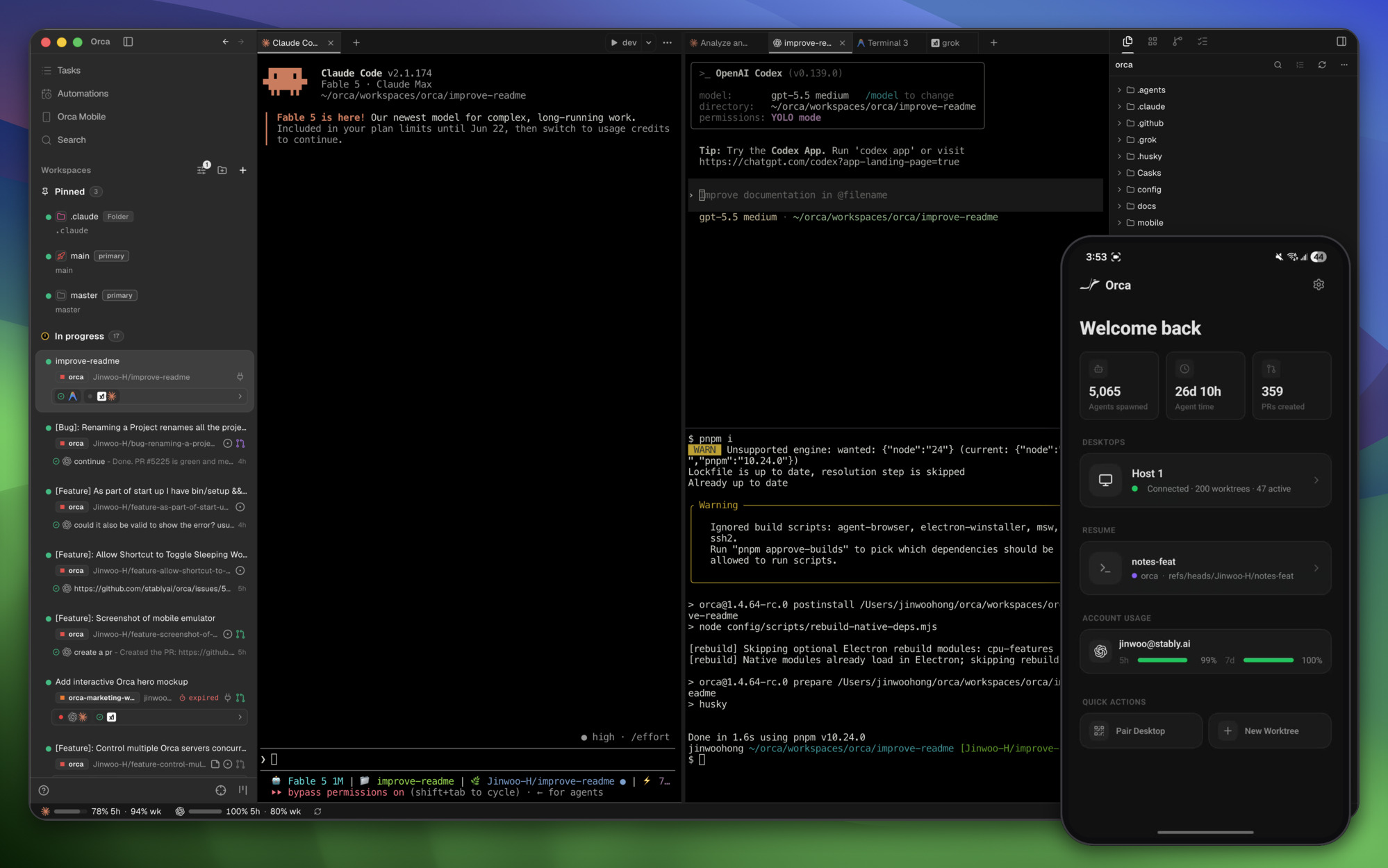
Orca lets you run a fleet of bots with your own subscription (e.g. Claude Code, Grok, Agy, Codex). Available on desktop, mobile and remote runtime.
- 133k
- TypeScript
- MIT
- 23 min ago
A Kotlin Library For Building Telegram Bots
Repo ehsannarmani/EasyBot, read from GitHub 10 h ago. ehsannarmani has not joined Take My Repo.
ehsannarmani/EasyBot is a public repo on GitHub by ehsannarmani. A Kotlin Library For Building Telegram Bots. It declares no license on GitHub. Public does not mean open source: without a license, nobody is granted the right to reuse it. It is written mainly in Kotlin, has 23 stars and last changed on 2023-03-31. Nobody has reviewed it on Take My Repo yet, which says nothing about its quality. Read from GitHub on 2026-11-22.
allprojects {
    repositories {
        ...
        maven { url 'https://jitpack.io' }
    }
}
    repositories {
        ...
        maven("https://jitpack.io")
    }

dependencies {
    implementation "com.github.ehsannarmani:EasyBot:latest_version"
}
dependencies {
    implementation("com.github.ehsannarmani:EasyBot:latest_version")
}
Bot(
    token = "put bot token here",
    onUpdate = {
        onText("test"){
            reply("lib working fine")
        }
    }
).startPolling()
bot.startPolling(timeout = 60)
bot.launch(
    port = 3000,
    host = "127.0.0.1",
    webhookUrl = "https://xxx.xx",
    dropPendingUpdates = true of false
)
ngrok http 3000
Bot(
    ...,
    onUpdate = { update->

    }
)
Bot(
    ...,
    onUpdate = { update->
        println(update?.message?.from?.id)
    }
)
Bot(
    ...,
    onTextUpdate = { update->
        println(update)
    }
)
val bot = Bot(token = "...")
bot.update.collect { update->
    println(update?.message?.text)
}
Bot(
    ...,
    onErrorThrown = { error->

    }
)
val bot = Bot(...)
bot.sendMessage(TextMessage(
    chatId = "@mrenk",
    text = "Hello!",
    parseMode = "markdown",
    ...
))
val bot = Bot(...)
bot.sendPhoto(PhotoMessage(
    chatId = "@mrenk",
    photo = "photo link here",
    caption = "Hello!",
    ...
))
Bot(
    ...,
    onUpdate = { update->
        sendMessage(TextMessage(
            chatId = update?.message?.chat?.id,
            text = "Hello, bot working successfully"
        ))
        sendPhoto(PhotoMessage(
            chatId = update?.message?.chat?.id,
            photo = "..."
        ))
        ...
    }
)
bot.sendMessage(TextMessage(
    chatId = "@mrenk",
    text = "Hey!",
    keyboard = InlineKeyboard(
        keyboard = listOf(
            listOf(
                InlineKeyboardItem(text = "Key1",callbackData = "key1Data"),
                InlineKeyboardItem(text = "Key2",callbackData = "key2Data"),
            ),
            listOf(
                InlineKeyboardItem(text = "Url",url = "https://github.com/ehsannarmani/EasyBot"),
            )
        )
    )
))
onUpdate = { update->
    if(update?.callbackQuery?.data == "key1Data"){
        println("Key1 clicked!")
    }
}
bot.sendMessage(TextMessage(
    chatId = "@mrenk",
    text = "Hey!",
    keyboard = ReplyKeyboard(
        keyboard = listOf(
            listOf(
                ReplyKeyboardItem(text = "Key1"),
                ReplyKeyboardItem(text = "Key2"),
            ),
            listOf(
                ReplyKeyboardItem(text = "Contact",requestContact = true),
            )
        ),
        resizeKeyboard = true,
    )
))
bot.sendMessage(TextMessage(
    chatId = "@mrenk",
    text = "Hey!",
    keyboard = ForceReply()
))
bot.sendMessage(TextMessage(
    chatId = "@mrenk",
    text = "Hey!",
    keyboard = RemoveKeyboard()
))
if (update.inlineQuery?.query == "hey"){
    answerInlineQuery(AnswerInlineQuery(
        inlineQueryId = update.inlineQuery?.id.toString(),
        results = listOf(
            InlineQueryResultArticle(
                title = "this is result",
                description = "this is description of result",
                isPersonal = true,
                ...
            )
        )
    ))
}else if (update.inlineQuery?.query == "hi"){
    answerInlineQuery(AnswerInlineQuery(
        inlineQueryId = update.inlineQuery?.id.toString(),
        results = listOf(
            InlineQueryResultPhoto(
                photoUrl = "url of photo",
                ...
            )
        )
    ))
}
...
Bot(
    ...,
    onUpdate = { update->
        onMessage{ message->
            println("Any messages received!")
        }
    }
)
Bot(
    ...,
    onUpdate = { update->
        onText{ text->
            println("a text message received!")
        }
    }
)
onText("hello"){
    println("User sent to me hello")
}
Bot(
    ...,
    onUpdate = { update->
        onCommand("start"){
            println("start command entered!")
        }
    }
)
onCommand("start",false){

}
Bot(
    ...,
    onUpdate = { update->
        onPhoto{ photo->
            println("a photo message received!")
        }
        onVoice{ voice->
            println("a voice message received!")
        }
        onConatct{ contact->
            println("a contact message received!")
        }
        // and all of other message types
    }
)
Bot(
    ...,
    onUpdate = { update->
        onCallbackQuery{ callbackQuery->
            print("callback query received")
        }
    }
)
onUpdate = { update->
    onCallbackQuery("key1Data"){
        println("key1Data pressed!")
    }
}
Bot(
    ...,
    onUpdate = { update->
        onInlineQuery{ inlineQuery->
            print("inline query update received!")
        }
    }
)
onUpdate = {update->
    onInlineQuery("hi"){
        println("hi inline query typed!")
    }
}
onUpdate = { update->
    onText("/start"){
        reply("Hey! You started bot.")
    }
}
onUpdate = { update->
    onCallbackQuery("key1Data"){ callbackQuery->
        callbackQuery.message.delete()
    }
    onText("Violent content"){
        update?.message?.delete()
    }
}
onUpdate = { update->
    onCallbackQuery("key1Data"){ callbackQuery->
        callbackQuery.message.editText(text = "New message text")
    }
}
onUpdate = { update->
    onCallbackQuery("key1Data"){ callbackQuery->
        callbackQuery.message.editKeyboard(newKeyboard = InlineKeyboard(
            keyboard= listOf(
                listOf(
                    InlineKeyboardItem(text = "Key8", callbackData = "key8Data")
                )
            )
        ))
    }
}
onUpdate = { update->
    onCallbackQuery("key1Data"){ callbackQuery->
        callbackQuery.answer("Hey! you clicked on Key1 button!",alert= true)
    }
}
bot.sendMessage(TextMessage(
    chatId = "@mrenk",
    text = "Hey!",
    keyboard = InlineKeyboard(
        keyboard = listOf(
            listOf(
                InlineKeyboardItem(text = "Key1",callbackData = "key1Data").onClick{ callbackQuery->
                    callbackQuery.answer("You clicked Key1!")
                },
                InlineKeyboardItem(text = "Key2",callbackData = "key2Data").onClick{
                    // do something
                },
            )
        )
    )
))
bot.sendMessage(TextMessage(
    chatId = "@mrenk",
    text = "Hey!",
    keyboard = ReplyKeyboard(
        keyboard = listOf(
            listOf(
                ReplyKeyboardItem(text = "Key1").onClick{ message->
                    reply("You clicked on Key1")
                },
                ReplyKeyboardItem(text = "Key2").onClick{
                    // do something
                },
            )
        )
    )
))
onUpdate = {
    onMessage {
        it.from.put(key = "foo",data = "this is data will saved in foo key")
        it.from.put(key = "age",data = 22)
        it.from.put(key = "grades",data = listOf(15,16,19,14))
    }
}
@Serializable
data class Student(@SerialName("name") val name:String,@SerialName("age") val age:Int)

@Serializable
data class Teacher<T>(@SerialName("name") val name:String, @SerialName("subset") val subset:T)

Bot(
    ...,
    onUpdate = {
        onMessage {
            it.from.put(key = "student",data = Student(name = "jax",age = 17))
            it.from.put(key = "teacher",data = Teacher(name = "mr. jace",subset = Student(name = "alaska",age = 18)))
        }
    }
)
onUpdate = {
    onMessage {
        val stringData = it.from.get<String>(key = "foo")
        val integerData:Int = it.from.get(key = "age")
        val listData = it.from.get<List<Int>>(key = "grades")
        val classData = it.from.get<Student>(key = "student")
    }
}
onUpdate = {
    onMessage {
        val allStringDataSavedForUser = it.from.get<String>()
        allStringDataSavedForUser.forEach{
            val user = it.user
            val key = it.key
            val data = it.data
        }
    }
}
val allStringsSaved = bot.get<String>()
onUpdate = {
    onMessage {
       it.from.editData(key = "foo", newData = "x")
       it.from.editData(key = "student", newData = Student(name = "alaska", age = 17))
    }
}
onUpdate = {
    onMessage {
       it.from.deleteData<String>(key = "foo")
       it.from.deleteData<Student>(key = "student")
    }
}
onUpdate = { update->
    update.message?.from?.register()
}
onUpdate = { update->
    update.message?.from?.reRegister()
}
onUpdate = { update->
    val self = update.message?.from?.getSelf()
}
onUpdate = { update->
    val usersList = update.message?.from?.getUsers()
    val usersCount = usersList.count()
    ...
}
onUpdate = { update ->
    onMessage { msg ->
        onCommand("start"){
            step("name")
            reply("send your name")
        }
    }
}
onUpdate = { update ->
    onMessage { msg ->
        onStep("name"){
            reply("name received, your name is: $it")
        }
    }
}
onUpdate = { update ->
    onMessage { msg ->
        onCommand("start"){
            step("name")
            reply("send your name")
        }
        onStep("name"){ enteredName->
            step("age")
            reply("your name received , send your age")
        }
        onStep("age"){ enteredAge->
            reply("your age received.")
        }
    }
}
onUpdate = { update->
  when(update.updateType){
    UpdateType.Message-> println("Message Update Received")
    UpdateType.EditMessage-> println("A Message Edited")
    UpdateType.ChannelPost-> println("A Channel Posted Something")
    UpdateType.ChannelPostEdit -> println("A Channel Edited Some Posts")
    UpdateType.JoinRequest -> println("Join Request Update Received")
    UpdateType.InlineResult -> println("Inline Result Update Received")
    UpdateType.PreCheckout -> println("PreCheckout Update Received")
    UpdateType.Shipping -> println("Shipping Update Received")
    UpdateType.CallbackQuery -> println("Callback Query Update Received")
    UpdateType.InlineQuery -> println("Inline Query Update Received")
    UpdateType.ChatMember -> println("Chat Member Update Received")
    UpdateType.MyChatMember -> println("MyChatMember Update Received")
    UpdateType.PollAnswer -> println("Someone put answer for a poll")
    UpdateType.Poll -> println("Poll Update Received")
  }
}
onUpdate = {
  onMessage { msg ->
    when(msg.messageType){
      MessageType.Text -> print("Text Message Received")
      MessageType.Photo -> print("Photo Message Received")
      MessageType.Audio -> print("Audio Message Received")
      MessageType.Voice -> print("Voice Message Received")
      MessageType.Document -> print("Document Message Received")
      MessageType.Gif -> print("Gif Message Received")
      MessageType.Sticker -> print("Sticker Message Received")
      MessageType.Poll -> print("Poll Message Received")
      MessageType.Game -> print("Game Message Received")
      MessageType.Invoice -> print("Invoice Message Received")
    }
  }
}
ehsannarmani/EasyBot is a public repo on GitHub by ehsannarmani. A Kotlin Library For Building Telegram Bots.
It declares no license on GitHub. Public does not mean open source: without a license, nobody is granted the right to reuse it.
Its maker has not tagged a system, so it is unknown here. Its README says what it needs.
Open "Take it" on its page: Take My Repo writes an install plan for your machine and hands it to your AI agent (Claude Code, Codex or Cursor), which asks you before each step. Take My Repo has not tested it on any machine.
Its last change on GitHub was on 2023-03-31. Take My Repo does not judge from that whether it is maintained.
Nobody has reviewed it on Take My Repo yet, which says nothing about its quality.
Orca lets you run a fleet of bots with your own subscription (e.g. Claude Code, Grok, Agy, Codex). Available on desktop, mobile and remote runtime.
AI Agent Assistant & development framework that integrates lots of IM platforms, LLMs, plugins and AI feature, and can be your openclaw alternative. ✨
Fair-code workflow automation platform with native AI capabilities. Combine visual building with custom code, self-host or cloud, 400+ integrations.
AI agent skill that researches any topic across Reddit, X, YouTube, HN, Polymarket, and the web - then synthesizes a grounded summary
A mirror that has been developed to download gradle dependencies without network interference and sanctions