cbirds
A flock of birds in your terminal: Craig Reynolds' boids, in braille in any terminal and as sprites in Kitty and Ghostty. One C99 program, no dependencies. Linux and macOS
- 320
- C
- MIT
- 4 d ago
A Nushell plugin that draws tables as pictures in the terminal, with kitty graphics or sixel
Repo fdncred/nu_plugin_render, read from GitHub 31 min ago. fdncred has not joined Take My Repo.
fdncred/nu_plugin_render is a public repo on GitHub by fdncred. A Nushell plugin that draws tables as pictures in the terminal, with kitty graphics or sixel. It declares the MIT license on GitHub. It is written mainly in Rust, has 3 stars and last changed on 2026-11-14. Nobody has reviewed it on Take My Repo yet, which says nothing about its quality. Read from GitHub on 2026-11-23.
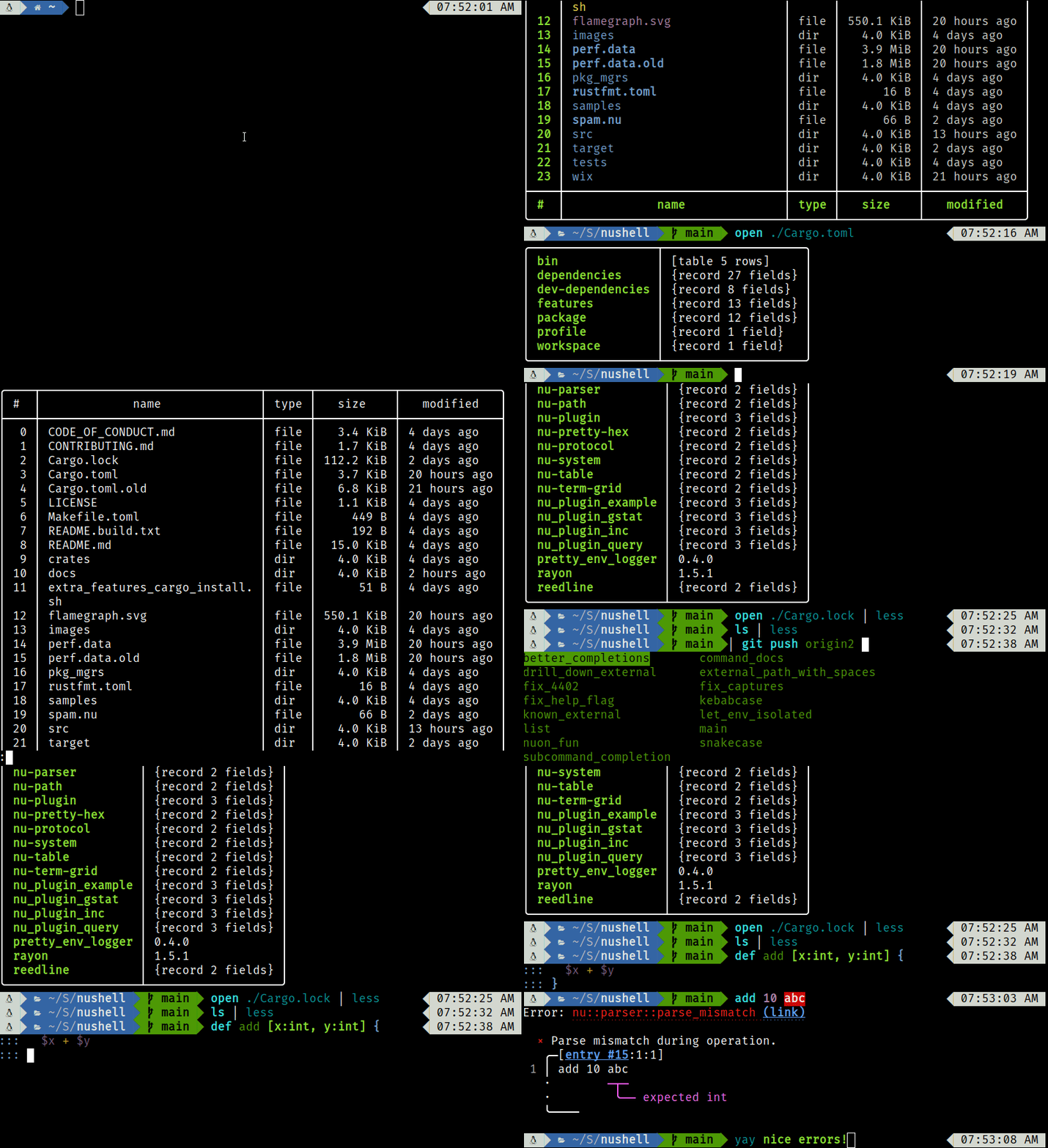
table lines columns up in characters. render lines them up in pixels.
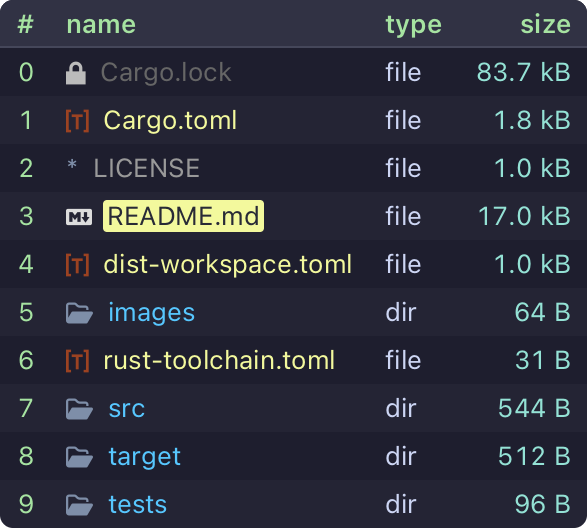
render is a Nushell plugin, still a prototype. It draws a table as an image
and shows it in the terminal with the kitty graphics protocol or sixel.
Columns line up exactly, emoji and CJK keep their width, and nested lists and
records become nested cards. A string draws as terminal text in its own ANSI
colors, so grid output keeps its layout. When the terminal can show neither
kind of image, render prints what table prints.
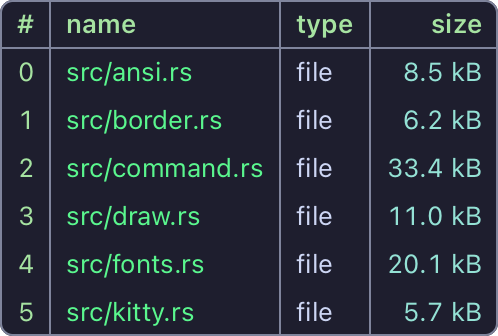
ls | select name type size | render --icons  # the picture above
open data.json | render -e                   # nested lists and records as nested cards
ls | grid -c -i name | render                # text that lines itself up stays lined up
ls | render --png | save ls.png              # the picture, without a terminal
ls | render --copy                           # the picture, on the clipboard
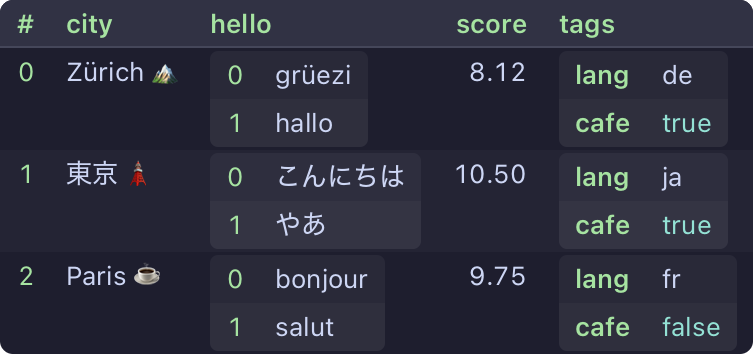
With -e, nested lists and records become cards inside their cells. Emoji
and CJK don't throw the columns off, and floats line up on the decimal point.
[
  {city: 'Zürich 🏔', hello: [grüezi hallo], score: 8.125, tags: {lang: de, cafe: true}}
  {city: '東京 🗼', hello: [こんにちは やあ], score: 10.5, tags: {lang: ja, cafe: true}}
  {city: 'Paris ☕', hello: [bonjour salut], score: 9.75, tags: {lang: fr, cafe: false}}
] | render -e
--theme draws the lines of a table theme instead of the card:
ls src | select name type size | first 6 | render -t rounded
A string, such as grid output, draws as terminal text in a monospace font,
Nerd Font icons included:
ls src tests | grid -c -i name | render

Every picture in this README is render --png -w 90 output.
render is built against nu-plugin 0.117.0, so it loads in Nushell
0.117.x.
Each release has
binaries for macOS, Linux and Windows, on x86_64 and ARM64.
cargo-binstall downloads the
one for your system into ~/.cargo/bin:
cargo binstall nu_plugin_render
plugin add ~/.cargo/bin/nu_plugin_render    # nu_plugin_render.exe on Windows
plugin use render
On any other system, binstall builds from source, as cargo install nu_plugin_render does. Nobody has run the Linux or Windows binaries yet.
To try a checkout without installing it:
cargo build --release
nu --plugins '[target/release/nu_plugin_render]'
| Flag | What it does |
|---|---|
--png |
Return the drawing as PNG bytes, cut to the card, instead of showing it. render paints and encodes it one band at a time, so a tall table needs no more memory than one band. |
--copy |
Copy the drawing to the clipboard as an image, cut to the card, instead of showing it. With --png as well, it also returns the PNG. |
--mono |
Draw a table in a monospace font instead of a sans-serif one. Strings always use monospace. |
--width, -w |
The widest the drawing may be, in terminal columns. Defaults to the terminal's width, or 160 with --png or --copy. |
--budget |
Draw at most this many million pixels. A table stops at a whole row and a string at a whole line, and a note such as … 1,941 more rows ends the drawing. Without it, render draws everything. |
These work as they do in table:
| Flag | What it does |
|---|---|
--expand, -e |
Draw nested lists and records as nested cards, however deep. Without it they show as summaries such as [table 3 rows]. |
--expand-deep, -d |
How many levels --expand nests. Deeper ones show their summary. |
--flatten |
With --expand, a list of plain values in a table's row shows on one line. A record's values don't flatten. |
--flatten-separator |
What --flatten joins with. Defaults to a space. |
--collapse, -c |
Merge nested tables into their cells. Each one fills its cell and shares its lines, with lines between all rows. Every level nests, and the index shows only with --index. On the card, the merged cells get quiet lines. |
--index, -i |
false hides the # column, true shows it, and a number starts it there. Nested tables count from 0. |
--abbreviated, -a |
Show only this many rows at the top and bottom, with a ... row between. Defaults to $env.config.table.abbreviated_row_count. |
--icons, -o |
Put a file icon from devicons before each path that LS_COLORS styles, as table --icons does. |
--theme, -t |
Draw the lines of a table theme, such as rounded, heavy or psql, instead of the card. card, the default, has no lines. |
--list, -l |
List the themes --theme takes, card first. |
When render falls back to table, it passes these flags and --width
along.
To see why render fell back, or how long each phase took, set
NU_PLUGIN_RENDER_DEBUG=1 in the environment Nushell starts with. render
writes the reason and the timings to stderr.
A table gets:
# index column as
$env.config.table.index_mode says.color_config, closures included.LS_COLORS colors on path columns, such as the name column of ls,
following table's rules:$env.LS_COLORS isn't set$env.config.ls.use_ls_colors is offREADME.md, drawn as a highlightfloat_precision.--expand, nested lists and records as smaller cards.footer_mode says.
With footer_inheritance, nested rows count toward it.show_empty, a dimmed empty list or empty record for an empty
value. Without it, nothing.$env.config.table.missing_value_symbol, centered in the empty color,
where a record in a list lacks one of the list's columns.When a table is wider than the screen, render fits it in these steps:
wrapping_try_keep_words is on. With trim.methodology: truncating, render cuts the text short instead and ends it with
truncating_suffix. Number columns shrink only when they alone are wider
than the screen.{record 39 fields}, when it
would get less than about two dozen characters, or when fitting it would
cut any column but its last, such as a record's keys.With --theme, render draws each theme's lines the way table draws them
in characters:
with_loverestructured's columnsIn the terminal there's no card behind the lines, so the text sits on the
terminal's own background. --png and --copy put the card's color behind
them, because an image pasted somewhere else has no background to sit on.
The lines take color_config.separator, or a muted text color without one.
padding sets the space beside each column, and one character of it is the
card's spacing. With header_on_separator, the header sits in a gap in the
top line, except in markdown and restructured.
A string, such as grid output, draws as terminal text instead:
unicode-width
gives it, and tabs stop every 8 cells.render drops other escape sequences, such as OSC 8 links.to json or
open --raw, goes through $env.config.hooks.display_output first, as it
would before nushell shows it. A hook that colors JSON with bat, or nuon
with nu-highlight, colors the drawing too.table, which would turn
them into text.render inside the hook doesn't run the hook again.render falls back, table
gets the string as it came, and nushell runs its own hook as usual.render skips it.│ and ─ draw as thin lines that join from line to line, in a quiet
rule color unless the text colors them.render asks Nerd Fonts first, since other fonts put
unrelated symbols there. It tries a Nerd Font's Mono variant last. Mono
shrinks icons to one character's width, and the other variants draw them
at the font's size, the way terminals show them.♥, comes from a text font. A
two-cell one, such as ⚡, comes from a color emoji font.On macOS:
| Terminal | Draws with | Result |
|---|---|---|
| Ghostty | kitty graphics | Works, tall drawings too. |
| kitty | kitty graphics | Works. |
| WezTerm | kitty graphics | Works. |
| iTerm2 3.7 | kitty graphics | Works. iTerm2 has sixel too, but kitty graphics come first. |
| Rex | kitty graphics | The top of a tall drawing stays blank. Rex's authors confirmed it's a Rex bug. |
| tmux in Ghostty | table |
Ghostty has no sixel, and kitty graphics don't pass through tmux. |
DEVELOPMENT.md explains how it works, lists the dependencies and their licenses, and covers the tests. RELEASE.md walks through making a release, and TODO.md lists what's unfinished or untested.
MIT. See LICENSE.
fdncred/nu_plugin_render is a public repo on GitHub by fdncred. A Nushell plugin that draws tables as pictures in the terminal, with kitty graphics or sixel.
It declares the MIT license on GitHub.
Its maker has not tagged a system, so it is unknown here. Its README says what it needs.
Open "Take it" on its page: Take My Repo writes an install plan for your machine and hands it to your AI agent (Claude Code, Codex or Cursor), which asks you before each step. Take My Repo has not tested it on any machine.
Its last change on GitHub was on 2026-11-14. Take My Repo does not judge from that whether it is maintained.
Nobody has reviewed it on Take My Repo yet, which says nothing about its quality.
A flock of birds in your terminal: Craig Reynolds' boids, in braille in any terminal and as sprites in Kitty and Ghostty. One C99 program, no dependencies. Linux and macOS
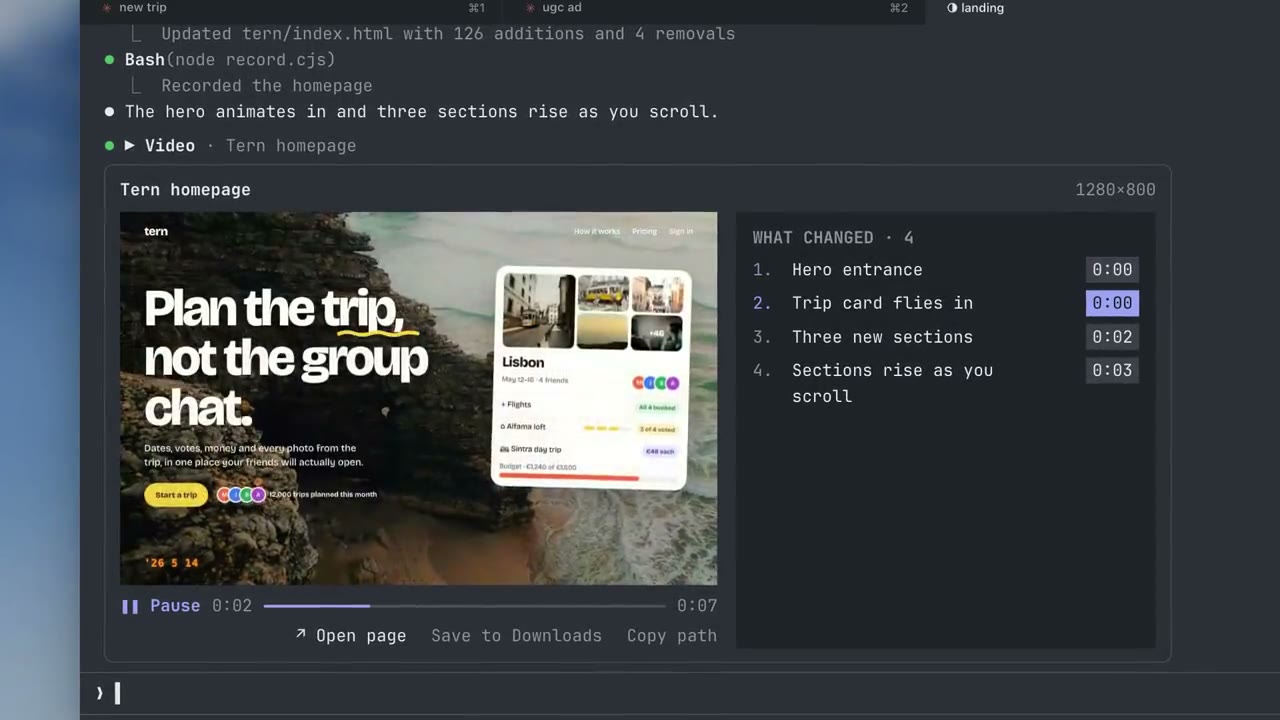
Claude Code plugin to see, review and iterate on your agent's work without leaving the terminal: show images, play videos, and run visual QA with Playwright recordings and before/after comparisons inside the Claude Code terminal. Works in any terminal that supports the kitty graphics protocol, fully cross-platform on macOS, Linux and Windows.
A nushell plugin that will inspect a file and return information based on it's magic number.
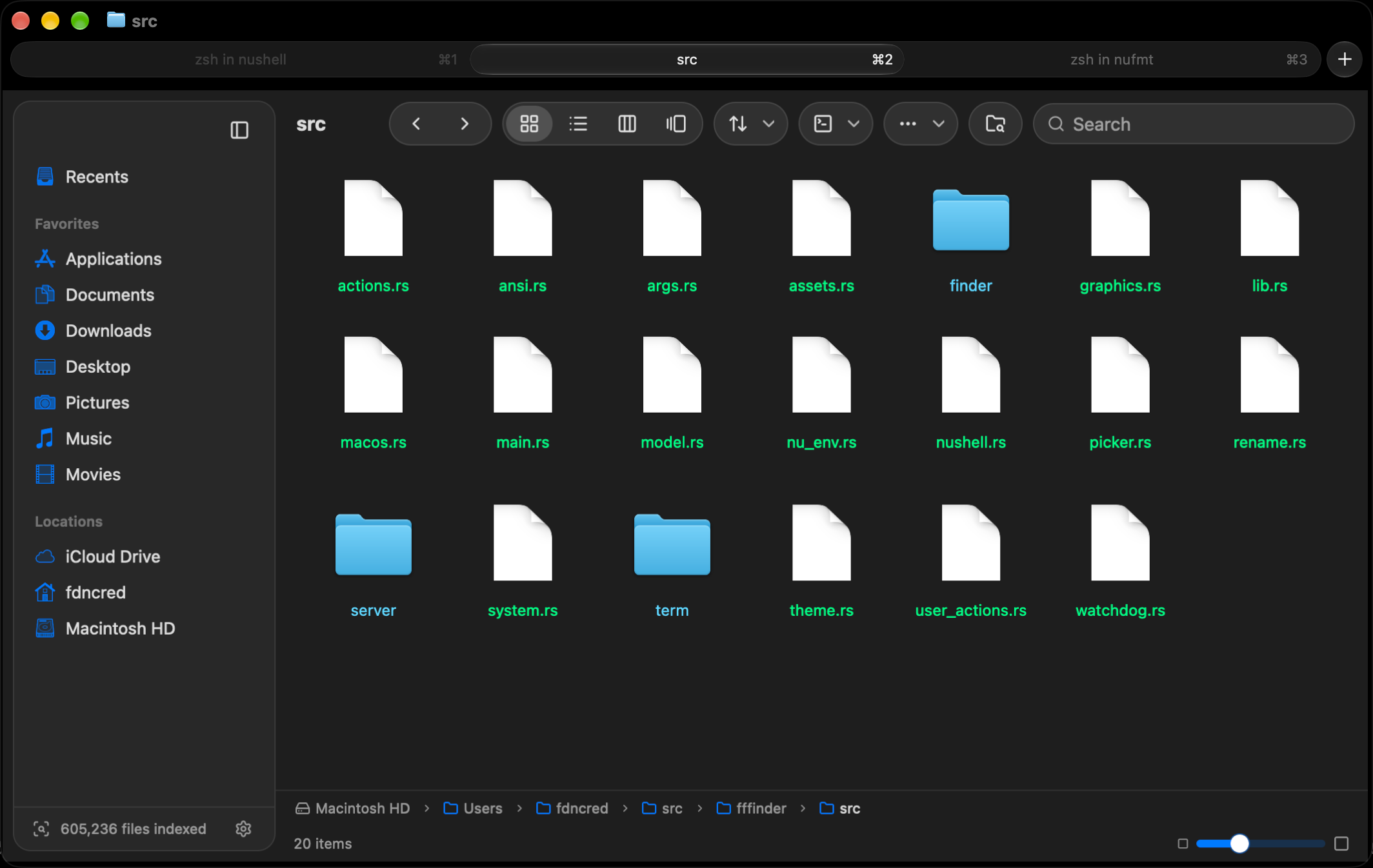
A finder GUI application that uses fff/fff-search to locate files quickly on MacOS, Linux, and Windows and integrates with Nushell.
A nushell plugin that makes finding and printing emojis easy in nushell
A nushell plugin for parsing json that uses the json path specification.