fastapi
FastAPI framework, high performance, easy to learn, fast to code, ready for production
- 105k
- Python
- MIT
- 4 d ago
Production-ready fullstack monorepo template with Next.js, FastAPI, Flutter, Terraform, and mise
Repo first-fluke/fullstack-starter, read from GitHub 12 min ago. first-fluke has not joined Take My Repo.
first-fluke/fullstack-starter is a public repo on GitHub by first-fluke. Production-ready fullstack monorepo template with Next.js, FastAPI, Flutter, Terraform, and mise. It declares the MIT license on GitHub. It is written mainly in TypeScript, has 225 stars and last changed on 2026-11-16. Nobody has reviewed it on Take My Repo yet, which says nothing about its quality. Read from GitHub on 2026-11-22.
English | 한국어 | 简体中文 | 日本語 | Português
Template versioning via Release Please — see CHANGELOG.md for release history.
Production-ready fullstack monorepo template with Next.js 16, Litestar, Flutter, and GCP infrastructure.
graph TB
    subgraph Client
        Web[Next.js 16<br/>React 19]
        Mobile[Flutter 3.44.8<br/>Riverpod]
    end

    subgraph GCP["GCP Cloud Run"]
        API[Litestar<br/>Python 3.14]
        Worker[Worker<br/>CloudTasks]
    end

    subgraph Data
        DB[(PostgreSQL 16)]
        Cache[(Redis 7)]
        Storage[(Cloud Storage)]
    end

    Web --> API
    Mobile --> API
    API --> DB
    API --> Cache
    API --> Worker
    Worker --> DB
    API --> Storage

    style Web fill:#0070f3,color:#fff
    style Mobile fill:#02569B,color:#fff
    style API fill:#009688,color:#fff
    style Worker fill:#009688,color:#fff
    style DB fill:#336791,color:#fff
    style Cache fill:#DC382D,color:#fff
    style Storage fill:#4285F4,color:#fff
| Layer | Technology |
|---|---|
| Frontend | Next.js 16, React 19, TailwindCSS v4, shadcn/ui, TanStack Query, Jotai |
| Backend | Litestar, msgspec, SQLAlchemy (async), PostgreSQL 16, Redis 7 |
| Mobile | Flutter 3.44.8, Riverpod 3, go_router 17, Firebase Crashlytics, Fastlane |
| Worker | Litestar + CloudTasks/PubSub |
| Infrastructure | Terraform, GCP (Cloud Run, Cloud SQL, Cloud Storage, CDN) |
| CI/CD | GitHub Actions, Workload Identity Federation |
| Tool Management | mise (unified Node, Python, Flutter, Terraform versions) |
API health/auth routes and worker health/task routes use Litestar Controllers. Routers group paths and dependencies. Worker health receives its scheduler through router-scoped dependency injection, keeping each application's runtime separate. The task controller's OIDC guard uses that application's settings and verifies each token once before background work runs, including when the controller is registered directly.
Why this tech stack? — Detailed reasoning behind each technology choice.
This template includes a multi-agent coordination workflow for complex cross-domain tasks.
graph TB
    subgraph Coordination["Coordination Layer"]
        User([User Request])
        PM[PM Agent<br/>Task Decomposition]
    end

    subgraph Execution["Parallel Execution"]
        FE[Frontend Agent<br/>Next.js/Flutter]
        BE[Backend Agent<br/>Litestar]
        Infra[Infra Agent<br/>Terraform]
    end

    subgraph Review["Quality Assurance"]
        QA[QA Agent<br/>Security/A11y/Perf]
    end

    User --> PM
    PM --> FE & BE & Infra
    FE & BE & Infra --> QA
    QA -->|Issues Found| FE & BE & Infra
    QA -->|Approved| Done([Complete])

    style PM fill:#8B5CF6,color:#fff
    style FE fill:#0070f3,color:#fff
    style BE fill:#009688,color:#fff
    style Infra fill:#F59E0B,color:#fff
    style QA fill:#EF4444,color:#fff
| Agent | Role |
|---|---|
| PM Agent | Analyzes requirements, defines API contracts, creates prioritized task breakdown |
| Domain Agents | Frontend, Backend, Mobile, Infra agents execute tasks in parallel by priority |
| QA Agent | Reviews security (OWASP), performance, accessibility (WCAG 2.1 AA) |
See
.agents/workflows/work.mdfor the full orchestration workflow.
Choose one of the following methods to start with this template:
# Create from CLI
bun create fullstack-starter my-app
# or
npm create fullstack-starter my-app
Or use GitHub:
Required for all platforms:
For mobile development (iOS/Android):
Optional:
# Install mise (if not installed)
curl https://mise.run | sh

# Trust project config (required on first clone)
mise trust

# Install all runtimes (Node 26, Python 3.14, Flutter 3, bun, uv, Terraform)
mise install
# Install all dependencies at once
mise run install
mise infra:up
This starts:
mise db:migrate
# Start API and Web services (recommended for web development)
mise dev:web

# Start API and Mobile services (recommended for mobile development)
mise dev:mobile

# Or start all services
mise dev
fullstack-starter/
├── package.json       # bun workspace (apps/web, packages/*)
├── pyproject.toml     # uv workspace (apps/api, apps/worker)
├── apps/
│   ├── api/           # Litestar backend
│   ├── web/           # Next.js frontend
│   ├── worker/        # Background worker
│   ├── mobile/        # Flutter mobile app
│   └── infra/         # Terraform infrastructure
├── packages/
│   ├── design-tokens/ # Shared design tokens (Source of Truth)
│   └── i18n/          # Shared i18n package (Source of Truth)
├── .agents/rules/      # AI agent guidelines
├── .serena/           # Serena MCP config
└── .github/workflows/ # CI/CD
This project uses mise monorepo mode with //path:task syntax.
# List all available tasks
mise tasks --all
| Command | Description |
|---|---|
mise db:migrate |
Run database migrations |
mise dev |
Start all services |
mise dev:web |
Start API and Web services |
mise dev:mobile |
Start API and Mobile services |
mise format |
Format all apps |
mise gen:api |
Generate OpenAPI schema and API clients |
mise i18n:build |
Build i18n files |
mise infra:down |
Stop local infrastructure |
mise infra:up |
Start local infrastructure |
mise lint |
Lint all apps |
mise run install |
Install all dependencies |
mise test |
Test all apps |
mise tokens:build |
Build design tokens |
mise typecheck |
Type check |
| Command | Description |
|---|---|
mise //apps/api:install |
Install dependencies |
mise //apps/api:dev |
Start development server |
mise //apps/api:test |
Run tests |
mise //apps/api:lint |
Run linter |
mise //apps/api:format |
Format code |
mise //apps/api:typecheck |
Type check |
mise //apps/api:migrate |
Run migrations |
mise //apps/api:migrate:create |
Create new migration |
mise //apps/api:gen:openapi |
Generate OpenAPI schema |
mise //apps/api:infra:up |
Start local infrastructure |
mise //apps/api:infra:down |
Stop local infrastructure |
| Command | Description |
|---|---|
mise //apps/web:install |
Install dependencies |
mise //apps/web:dev |
Start development server |
mise //apps/web:build |
Production build |
mise //apps/web:test |
Run tests |
mise //apps/web:lint |
Run linter |
mise //apps/web:format |
Format code |
mise //apps/web:typecheck |
Type check |
mise //apps/web:gen:api |
Generate API client |
| Command | Description |
|---|---|
mise //apps/mobile:install |
Install dependencies |
mise //apps/mobile:dev |
Run on device/simulator |
mise //apps/mobile:build |
Build |
mise //apps/mobile:test |
Run tests |
mise //apps/mobile:lint |
Run analyzer |
mise //apps/mobile:format |
Format code |
mise //apps/mobile:gen:l10n |
Generate localizations |
mise //apps/mobile:gen:api |
Generate API client |
| Command | Description |
|---|---|
mise //apps/worker:install |
Install dependencies |
mise //apps/worker:dev |
Start worker |
mise //apps/worker:test |
Run tests |
mise //apps/worker:lint |
Run linter |
mise //apps/worker:format |
Format code |
| Command | Description |
|---|---|
mise //apps/infra:gcp:init |
Initialize Terraform |
mise //apps/infra:gcp:plan |
Preview changes |
mise //apps/infra:gcp:apply |
Apply changes |
mise //apps/infra:gcp:plan:prod |
Preview production |
mise //apps/infra:gcp:apply:prod |
Apply production |
mise //apps/infra:vm:apply:prod |
Provision a single Compute Engine VM (Terraform) |
mise //apps/infra:vm:deploy |
Configure the VM and deploy images (Ansible) |
See apps/infra/README.md for all stacks (GCP, AWS, Azure, OCI, freemium, single VM).
| Command | Description |
|---|---|
mise //packages/i18n:install |
Install dependencies |
mise //packages/i18n:build |
Build i18n files for web and mobile |
mise //packages/i18n:build:web |
Build for web only |
mise //packages/i18n:build:mobile |
Build for mobile only |
| Command | Description |
|---|---|
mise //packages/design-tokens:install |
Install dependencies |
mise //packages/design-tokens:build |
Build tokens for web and mobile |
mise //packages/design-tokens:dev |
Watch mode for development |
mise //packages/design-tokens:test |
Run tests |
packages/i18n is the Single Source of Truth for i18n resources.
# Edit i18n files
packages/i18n/src/en.arb  # English (default)
packages/i18n/src/ko.arb  # Korean
packages/i18n/src/ja.arb  # Japanese

# Build and deploy to each app
mise i18n:build
# Generated files:
# - apps/web/src/config/messages/*.json (Nested JSON)
# - apps/mobile/lib/i18n/messages/app_*.arb (Flutter ARB)
packages/design-tokens is the Single Source of Truth for design tokens (colors, spacing, etc.).
# Edit tokens
packages/design-tokens/src/tokens.ts

# Build and distribute
mise tokens:build
# Generated files:
# - apps/web/src/app/[locale]/tokens.css (CSS variables)
# - apps/mobile/lib/core/theme/generated_theme.dart (Flutter Theme)
Copy example files and configure:
# API
cp apps/api/.env.example apps/api/.env

# Web
cp apps/web/.env.example apps/web/.env

# Infra
cp apps/infra/gcp/terraform.tfvars.example apps/infra/gcp/terraform.tfvars
Set these secrets in your repository:
| Secret | Description |
|---|---|
GCP_PROJECT_ID |
GCP project ID |
GCP_REGION |
GCP region (e.g., asia-northeast3) |
WORKLOAD_IDENTITY_PROVIDER |
From Terraform output |
GCP_SERVICE_ACCOUNT |
From Terraform output |
FIREBASE_SERVICE_ACCOUNT_JSON |
Firebase service account JSON (for mobile deployment) |
FIREBASE_ANDROID_APP_ID |
Firebase Android app ID |
dart pub global activate flutterfire_cli
cd apps/mobile
flutterfire configure
This generates lib/firebase_options.dart with your Firebase configuration.
Push to main branch triggers automatic deployment:
apps/api/ changes → Deploy APIapps/web/ changes → Deploy Webapps/worker/ changes → Deploy Workerapps/mobile/ changes → Build & Deploy to Firebase App Distribution# Build and push Docker images from the repository root
docker build -f apps/api/Dockerfile -t gcr.io/PROJECT_ID/api .
docker push gcr.io/PROJECT_ID/api
# Deploy to Cloud Run
gcloud run deploy api --image gcr.io/PROJECT_ID/api --region REGION
The mobile app uses Fastlane for build automation and deployment.
cd apps/mobile

# Install Ruby dependencies
bundle install

# Available lanes
bundle exec fastlane android build       # Build APK
bundle exec fastlane android firebase    # Deploy to Firebase App Distribution
bundle exec fastlane android internal    # Deploy to Play Store (internal)
bundle exec fastlane ios build           # Build iOS (no codesign)
bundle exec fastlane ios testflight_deploy  # Deploy to TestFlight
This template is designed to work with AI coding agents (Gemini, Claude, etc.).
.agents/rules/ - Guidelines for AI agents.serena/ - Serena MCP configurationTry oh-my-agent to maximize productivity with AI coding agents.
MIT
If this project helped you, please consider buying me a coffee!

Or leave a star:
gh api --method PUT /user/starred/first-fluke/fullstack-starter
first-fluke/fullstack-starter is a public repo on GitHub by first-fluke. Production-ready fullstack monorepo template with Next.js, FastAPI, Flutter, Terraform, and mise.
It declares the MIT license on GitHub.
Its maker has not tagged a system, so it is unknown here. Its README says what it needs.
Open "Take it" on its page: Take My Repo writes an install plan for your machine and hands it to your AI agent (Claude Code, Codex or Cursor), which asks you before each step. Take My Repo has not tested it on any machine.
Its last change on GitHub was on 2026-11-16. Take My Repo does not judge from that whether it is maintained.
Nobody has reviewed it on Take My Repo yet, which says nothing about its quality.
FastAPI framework, high performance, easy to learn, fast to code, ready for production
Flutter makes it easy and fast to build beautiful apps for mobile and beyond
f.k.a. Awesome ChatGPT Prompts. Share, discover, and collect prompts from the community. Free and open source — self-host for your organization with complete privacy.
Compress tool outputs, logs, files, and RAG chunks before they reach the LLM. 20% fewer tokens for coding agents, 60-95% fewer tokens for JSON, same answers. Library, proxy, MCP server.
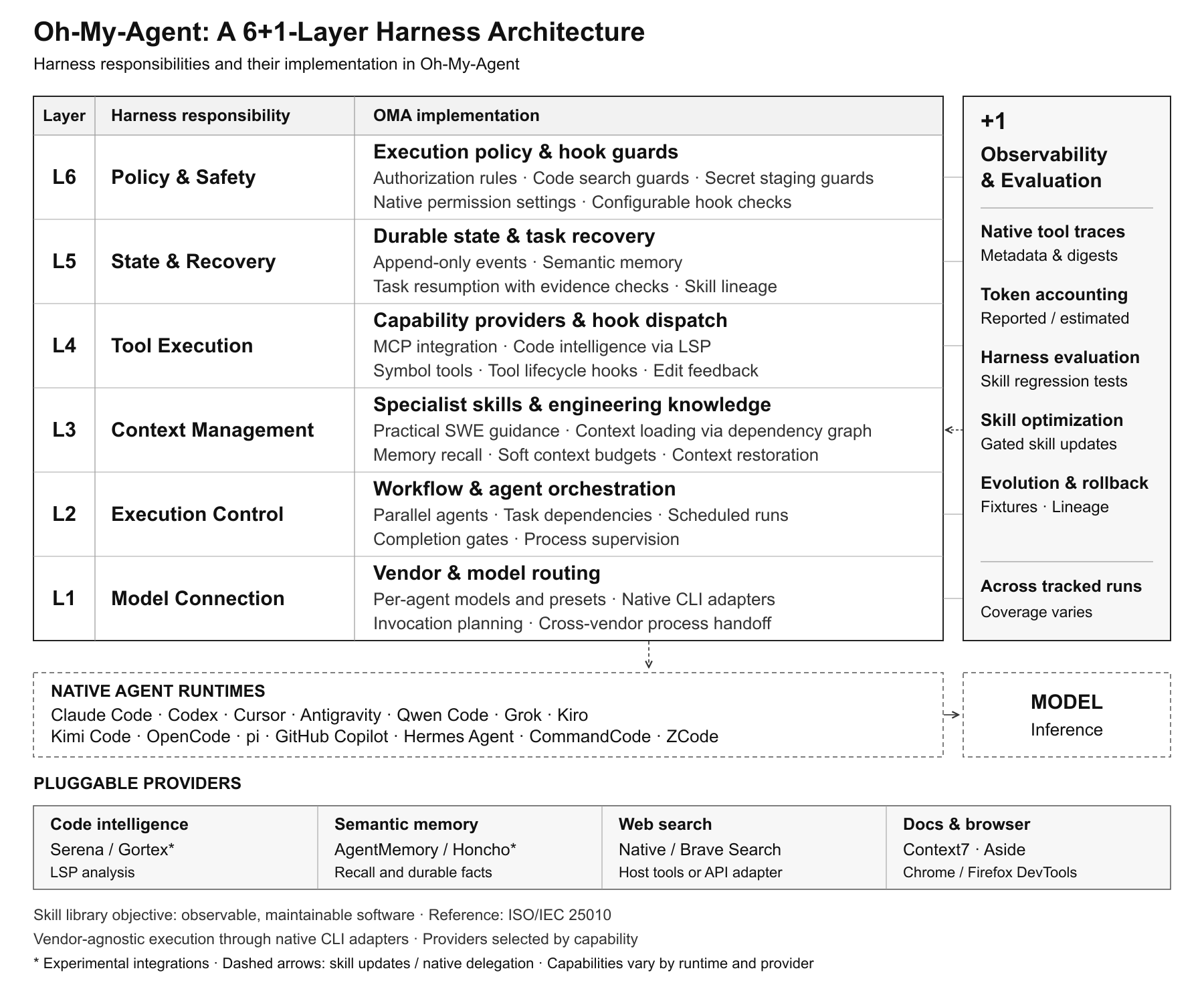
Agent skills and specialist teams for Claude Code, Codex, Cursor and other coding agents. Load one skill or install domain presets, project hooks and parallel workflows with test gates.
AI coding agent orchestration platform — dispatches Linear issues to Claude, Codex, and Gemini agents in isolated git worktrees
AI assistant that learns your workflows — auto-generates skills, routes to the cheapest LLM, and replays every execution. Telegram · Slack · Discord · Matrix. One Rust binary, zero setup.