ECC
The agent harness performance optimization system. Skills, instincts, memory, security, and research-first development for Claude Code, Codex, Opencode, Cursor and beyond.
- 309k
- JavaScript
- MIT
- 3 d ago
AI-driven, CLI-first dotfiles for Linux & macOS — chezmoi + mise, Fish, Neovim, and a typed Python CLI
Repo fmind/dot, read from GitHub 12 h ago. fmind has not joined Take My Repo.
fmind/dot is a public repo on GitHub by fmind. AI-driven, CLI-first dotfiles for Linux & macOS — chezmoi + mise, Fish, Neovim, and a typed Python CLI. It declares the MIT license on GitHub. It is written mainly in Python, has 13 stars and last changed on 2026-11-19. Nobody has reviewed it on Take My Repo yet, which says nothing about its quality. Read from GitHub on 2026-11-22.
Personal dotfiles for AI-driven, CLI-first development on Linux and macOS. Chezmoi manages files; mise manages tools and tasks. Read, borrow, or fork to build your own workstation.
Install · Use · Agents · Credentials · Adapt

agy, primary) and Copilot share one persona, skill catalog, and read-only reviewer suite.dot checks workstation health, manages multi-repo workspaces, handles provider logins and workspace trust, and enforces agent context budgets; with-secret scopes per-command keys.| Platform | Requirements | CI coverage |
|---|---|---|
| Linux x86-64 | glibc 2.39+ (Debian 13 / Ubuntu 24.04+) | All checks, tests, starter tests, and builds |
| Linux arm64 | glibc 2.39+ (Debian 13 / Ubuntu 24.04+) | Tool locks verified in CI; exercised locally |
| macOS Apple Silicon | macOS 15+, Xcode Command Line Tools | Templates, Python, and starter tests |
macOS follows Homebrew's supported versions; other platforms are untested. CI validates locks, templates, code, and builds without running the host installer end-to-end.
Install host packages first; everything else runs in user space:
# Debian / Ubuntu
sudo apt install -y git curl libatomic1 build-essential gnome-keyring xclip wl-clipboard fonts-noto-color-emoji

# macOS
xcode-select --install
The installer requires mise 2026.11.12 or newer and installs it if absent. Ghostty is the recommended terminal. Containers are optional: on macOS, mise installs Colima, Docker CLI, Compose, and Buildx (colima start); on Linux, install Docker Engine from your distribution.
[!WARNING] Personal dotfiles: adapt them and back up existing files first. Setup overwrites managed targets without backups, agents run with autonomous permissions, and
chezmoi applyauto-trusts your allowlisted GitHub repos under~/fmind(configured in~/.config/dot.yaml). Keep untrusted clones outside trusted folders and review trust behavior before use.
Inspect install.sh, then run:
git clone https://github.com/fmind/dot.git ~/.local/share/chezmoi
bash ~/.local/share/chezmoi/install.sh
Enter your own Git name, email, and personal-repo email at the prompts (defaults are mine), then open a new shell and run dot doctor.
On a fresh fork without personal age encryption or commit-signing keys, dot doctor exits 0 and prints ! ... MISSING warnings under Secrets & Encryption until you configure them:
Secrets & Encryption
  ! ~/.config/chezmoi/key.txt MISSING
  ! ~/.ssh/id_ed25519_signing MISSING
Rerun install.sh to resume setup (SKIP_GIT_PULL=true skips upstream fetch). On an initialized checkout, mise run full reapplies files and syncs locked tools, dot, and completions.
Ghostty and Zellij launch Fish without changing your login shell. Fish attaches to Zellij once on local interactive terminals (skipping agent, IDE, CI, and SSH shells) and drops back to a plain shell on detach or exit. Elsewhere, run fish or set your terminal shell to ~/.local/share/mise/shims/fish.
dot --help                # List commands
dot doctor                # Check workstation health
dot doctor --headroom     # Check disk and memory before large jobs
dot context --check       # Check global and project context budgets
dot privacy .             # Scan files and commits for private emails or workstation tokens
dot status --fetch        # Fetch remotes and show repo status
dot pull                  # Fast-forward clean repos
Edit sources in ~/.local/share/chezmoi, then preview and apply:
cd ~/.local/share/chezmoi
mise run diff
mise run apply
See the Dot CLI guide for all commands and recovery workflows.
Keyboard ergonomics:
a Antigravity (agy), g git (gl lazygit), m mise (mr mise run), v Neovim, y yazi, and h dot (full list in aliases.fish).Alt a agy, Alt g lazygit, Alt y yazi, Alt / sessions, Alt n new pane, and Ctrl o then d detach (full keymap in config.kdl).<leader>gm merge-base diff, Tab accept completion, and Enter newline (see nvim).Machine-local overrides live in unmanaged ~/.config/dot.yaml and merge over built-in defaults; select a ~/.config/dot.*.yaml profile via dot --config <path> or DOT_CONFIG_PATH.
Run from the checkout (mise tasks lists all tasks and aliases):
| Command | Purpose |
|---|---|
mise run diff |
Preview dotfile changes |
mise run apply |
Apply files and eligible hooks |
mise run doctor |
Check workstation health (dot, chezmoi, and mise) |
mise run full |
Install locked repo and global tools, apply dotfiles, deploy dot, completions |
mise run upgrade |
Upgrade dependencies, tools, theme pin, and plugins (includes full) |
mise run all |
Check, test, and build the repository (read-only; no file rewrites or deploy) |
Contributor guides: AGENTS.md and releases & qualification.

Antigravity and Copilot share dot_agents/AGENTS.md and skills/. Launching agy from Fish or Zellij (Alt a) prepends mise shims on PATH so commands resolve each project's tool pins.
Single-discipline fmind-review-* subagents (dot_agents/supagents/) compile via supagents across Antigravity and Copilot for independent read-only code, cloud/security, data/ML, docs, and visual reviews. Implementation tasks spawn each host's built-in subagents with the relevant skills instead of static roles; see subagent and cross-harness agents.
Setup links skills/ into ~/.agents/skills/ beside standalone installs (restart open sessions after catalog updates). See skill authoring (skillify) and catalog maintenance (dot-skills).
Common slash commands (agy -c resumes a session; /compact shrinks active context):
/humanize (clear prose), /draft (Google Docs, Sheets, Slides, Gmail drafts, and Typst PDF/PPTX decks), and /clipboard (copy last output)/full-review (repo/PR audit, smoke tests, HTTP probing) and /subagent (adversarial reviewers)/skillify (lesson capture, skill authoring, and token trimming) and /fmind (portfolio and daily news)dot login # Reconcile configured providers (auth.login); opens browser only if needed
dot login --check # Exit 1 if any configured provider needs login
dot login github # GitHub
dot login workspace # Google Workspace
dot login gcp # Google Cloud and Application Default Credentials (ADC)
GitHub pushes over SSH even for HTTPS clones (add keys in GitHub settings), while HTTPS fetches reuse gh credentials. dot login reconciles default providers (github, gcp, workspace); see authentication for OAuth setup and scopes.
Harnesses manage their own logins: run agy for Antigravity (self-updates) or copilot login for Copilot (locked by mise); see agent harnesses. Add optional MCP servers via mcp-setup.
Each machine signs commits and annotated tags with a dedicated passphraseless Ed25519 key (~/.ssh/id_ed25519_signing) so agents commit unattended and keys revoke per host; machines without it commit unsigned. Provision once (replace example.com with your own domain; dot login github drops the temporary signing scope afterward):
ssh-keygen -t ed25519 -N '' -C "git-signing@example.com" -f ~/.ssh/id_ed25519_signing
dot login github --grant write:ssh_signing_key
gh ssh-key add ~/.ssh/id_ed25519_signing.pub --type signing --title "git signing $(date +%F)"
dot login github
printf '*@example.com namespaces="git" %s\n' "$(cat ~/.ssh/id_ed25519_signing.pub)" >>"$(chezmoi source-path)/dot_config/git/allowed_signers"
chezmoi apply ~/.gitconfig ~/.config/git/allowed_signers
Commit allowed_signers for local verification (git log --show-signature), then enable vigilant mode in GitHub keys. To retire a machine while preserving historical verification, append valid-before="YYYYMMDD" (namespaces="git",valid-before="YYYYMMDD") and delete its GitHub key.
Secrets are never exported at shell startup:
Native credential seeds: Hugging Face credentials deploy only when absent so interactive logins persist across apply. Isolate client accounts via customer overrides.
Scoped secrets: inject a personal key from env or 0600/0400 ~/.config/dot/secrets/<NAME> into one command via with-secret (scoped credentials):
with-secret OPENROUTER_MANAGEMENT_KEY -- <command>
Collector configs: optional personal knowledge-collector (Brain Framework, bf) credentials under ~/.config/bf/credentials/ overwrite on apply; edit their encrypted .age sources only.
Encrypted sources: ~/.config/chezmoi/key.txt decrypts *.age files (apply skips them when absent). Back up the key, never copy it to customer machines, and manage *.age files via chezmoi.
Fork and replace personal defaults:
.chezmoi.toml.tmpl, clone URL in install.sh, and allowed_signers before commit signing. Put local Git overrides in unmanaged ~/.config/git/config.local..chezmoi.toml.tmpl and remove or re-encrypt *.age files before applying (Secret Management).dot_agents/AGENTS.md.pull.directories, trust.github_owners, and trust.agy_projects in ~/.config/dot.yaml, includeIf paths in dot_gitconfig.tmpl, and BRAIN_LOCATION in dot_config/mise/config.toml and env.fish if you use bf. Matching Git repositories are trusted in Antigravity (see the trust warning); manage mise trust via mise trust or unmanaged ~/.config/mise/conf.d/trust.toml..chezmoiexternal.toml.tmpl at your own theme repo instead of fmind/theme, which provides app themes, ~/.agents/DESIGN.md, and ~/.agents/themes/. mise run upgrade advances this pin.[!WARNING]
chezmoi purgedeletes~/.local/share/chezmoi(including uncommitted edits) and~/.config/chezmoi/key.txt(youragedecryption key).mise implode --configremoves~/.local/share/mise(including active Fish and Zellij binaries).
~/.config/chezmoi/key.txt and uncommitted edits, save chezmoi managed, and preview with chezmoi purge --dry-run. Then run chezmoi purge, switch to a system shell (bash/zsh) to run mise implode --config, and remove leftover deployed files, shell blocks, fonts, and agent state.mise run full followed by mise run vim to sync Neovim plugins, and verify with mise run doctor (newer files and app data remain).Report vulnerabilities via SECURITY.md.
MIT © Médéric Hurier (Fmind)
fmind/dot is a public repo on GitHub by fmind. AI-driven, CLI-first dotfiles for Linux & macOS — chezmoi + mise, Fish, Neovim, and a typed Python CLI.
It declares the MIT license on GitHub.
Its maker tagged it for macOS, Windows and Linux, or as Docker or cross-platform. That is declared by the maker; Take My Repo has not tested it.
Open "Take it" on its page: Take My Repo writes an install plan for your machine and hands it to your AI agent (Claude Code, Codex or Cursor), which asks you before each step. Take My Repo has not tested it on any machine.
Its last change on GitHub was on 2026-11-19. GitHub counts 0 open issues and pull requests. Take My Repo does not judge from that whether it is maintained.
Nobody has reviewed it on Take My Repo yet, which says nothing about its quality.
The agent harness performance optimization system. Skills, instincts, memory, security, and research-first development for Claude Code, Codex, Opencode, Cursor and beyond.
My personal dotfiles
Reverse engineer anything with agents, from app behavior down to native binaries.
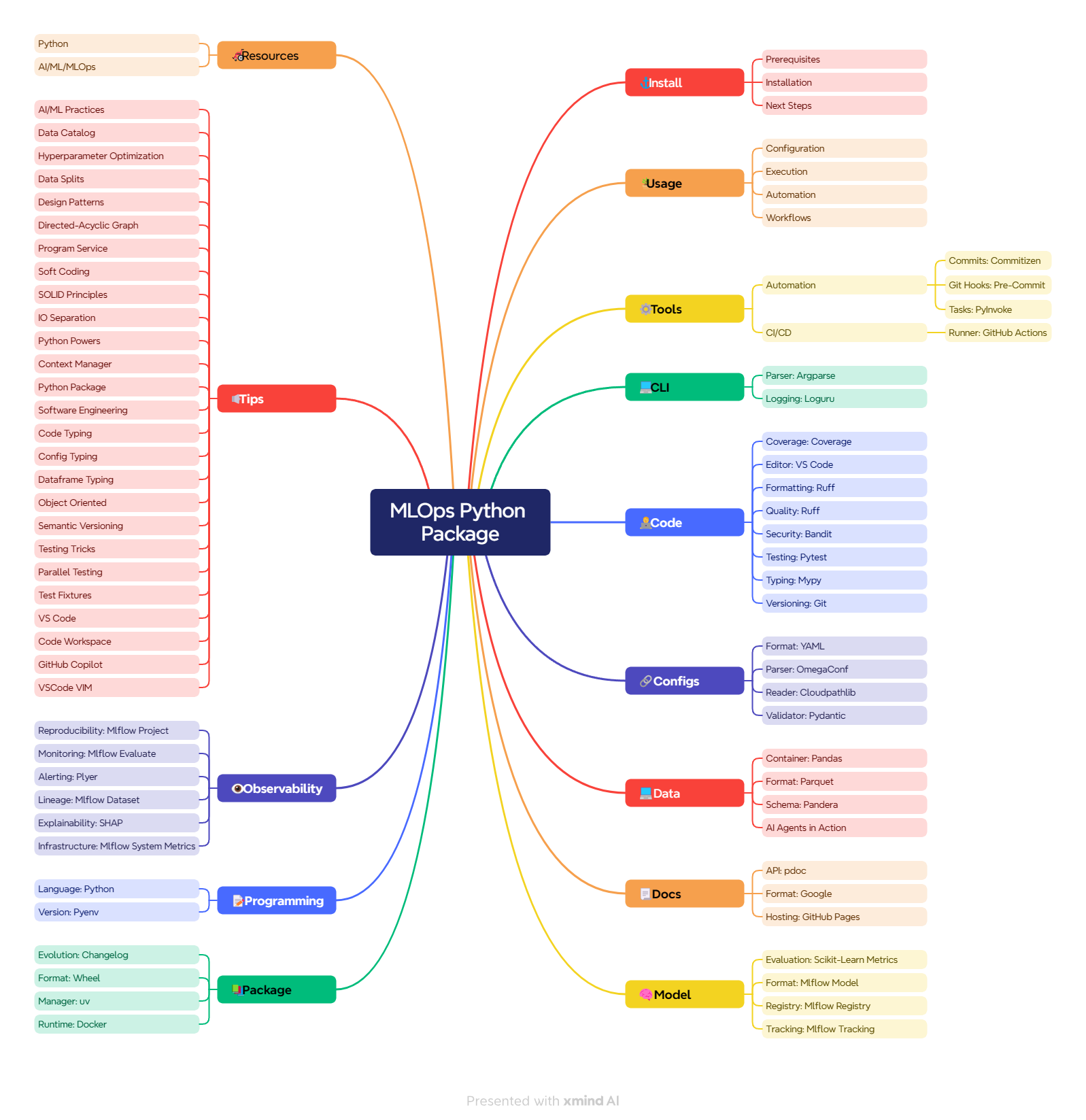
Production-shaped MLOps Python package and reference implementation of the MLOps Coding Course: MLflow, scikit-learn, Pydantic, Pandera, uv, and mise.
Learn how to create, develop, and maintain a state-of-the-art MLOps code base
Start building and deploying Python packages and Docker images for MLOps tasks.
A boilerplate and reference guide demonstrating the 5xP Context Framework for steering AI coding agents (like Gemini, Copilot, Cline) through context engineering.