
GIBBON
The Geometry and Image-Based Bioengineering add-On for MATLAB
- 220
- AGPL-3.0
- 3 mo ago
Repo gibbonCode/GIBBON, read from GitHub 12 h ago. gibbonCode has not joined Take My Repo.
In short
gibbonCode/GIBBON is a public repo on GitHub by gibbonCode. The Geometry and Image-Based Bioengineering add-On for MATLAB. It declares the AGPL-3.0 license on GitHub. It is written mainly in MATLAB, has 220 stars and last changed on 2026-08-21. Nobody has reviewed it on Take My Repo yet, which says nothing about its quality. Read from GitHub on 2026-11-24.


Cite GIBBON: 
License:
Join chat: 
Table of contents
- Project Summary
- Application highlights
- Installation
- Getting started
- Testing
- License
- Citing GIBBON
- Contributing
- Code of conduct
- Road Map
- Projects using GIBBON
Project summary
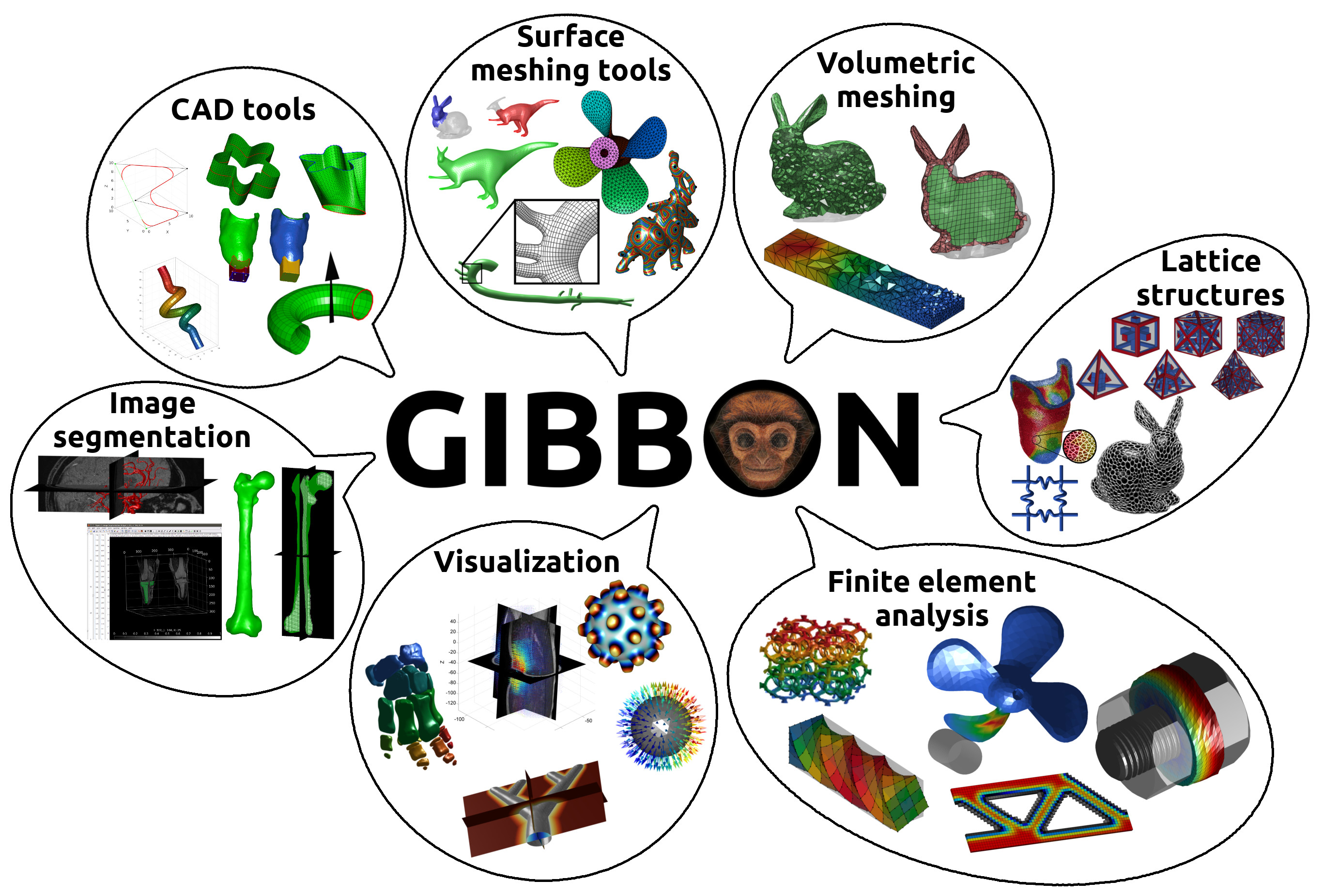
GIBBON (The Geometry and Image-Based Bioengineering add-ON) is an open-source MATLAB toolbox, which includes an array of image and geometry visualization and processing tools and is interfaced with free open source software such as TetGen, for robust tetrahedral meshing, and FEBio for finite element analysis. The combination provides a highly flexible image-based modelling environment and enables advanced inverse finite element analysis.
Application highlights
- Segmentation
- Computer Aided Design (CAD) tools
- Surface meshing tools
- Volumetric meshing
- Lattice structures
- Finite element analysis
- Visualization
Segmentation
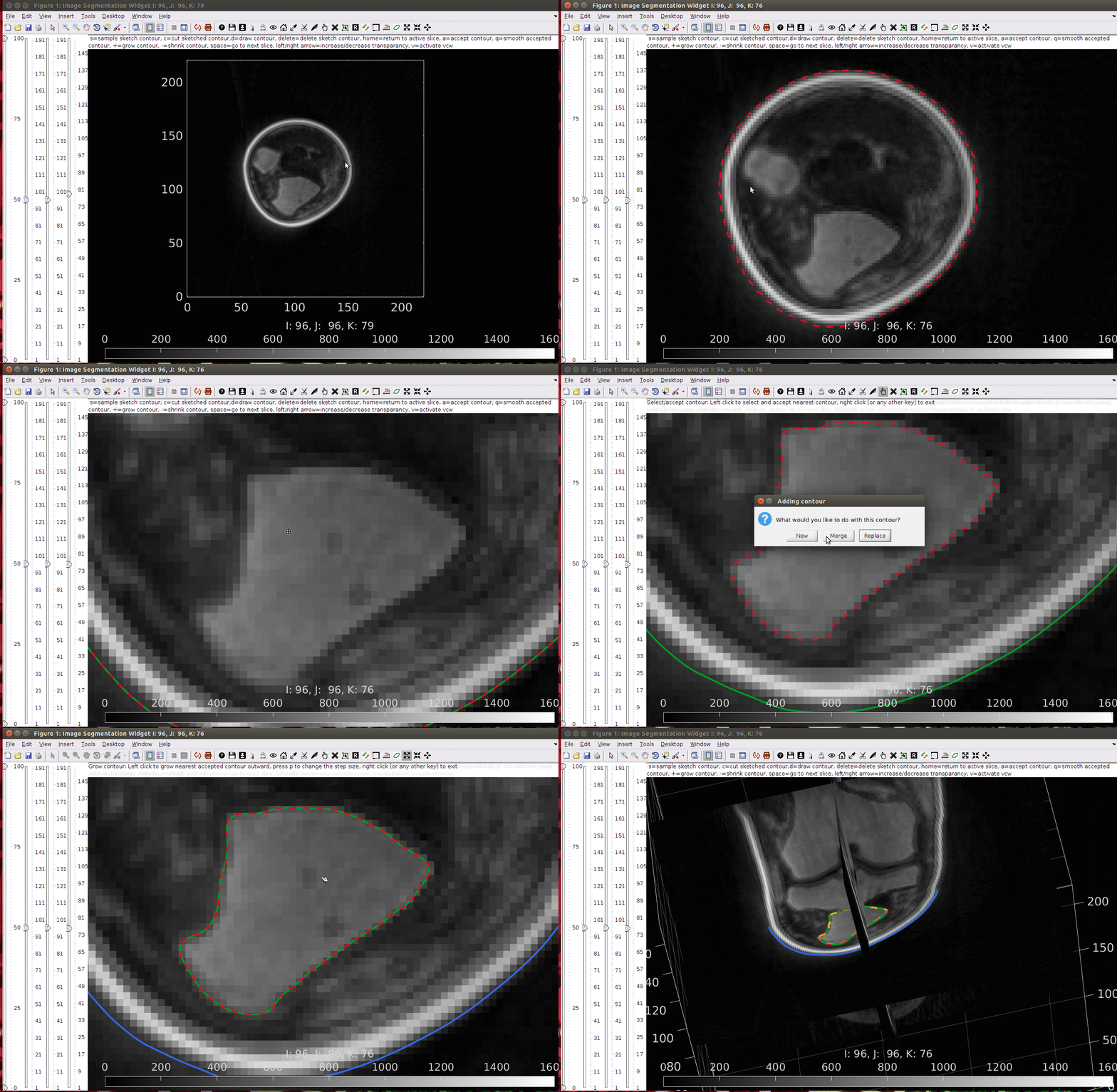
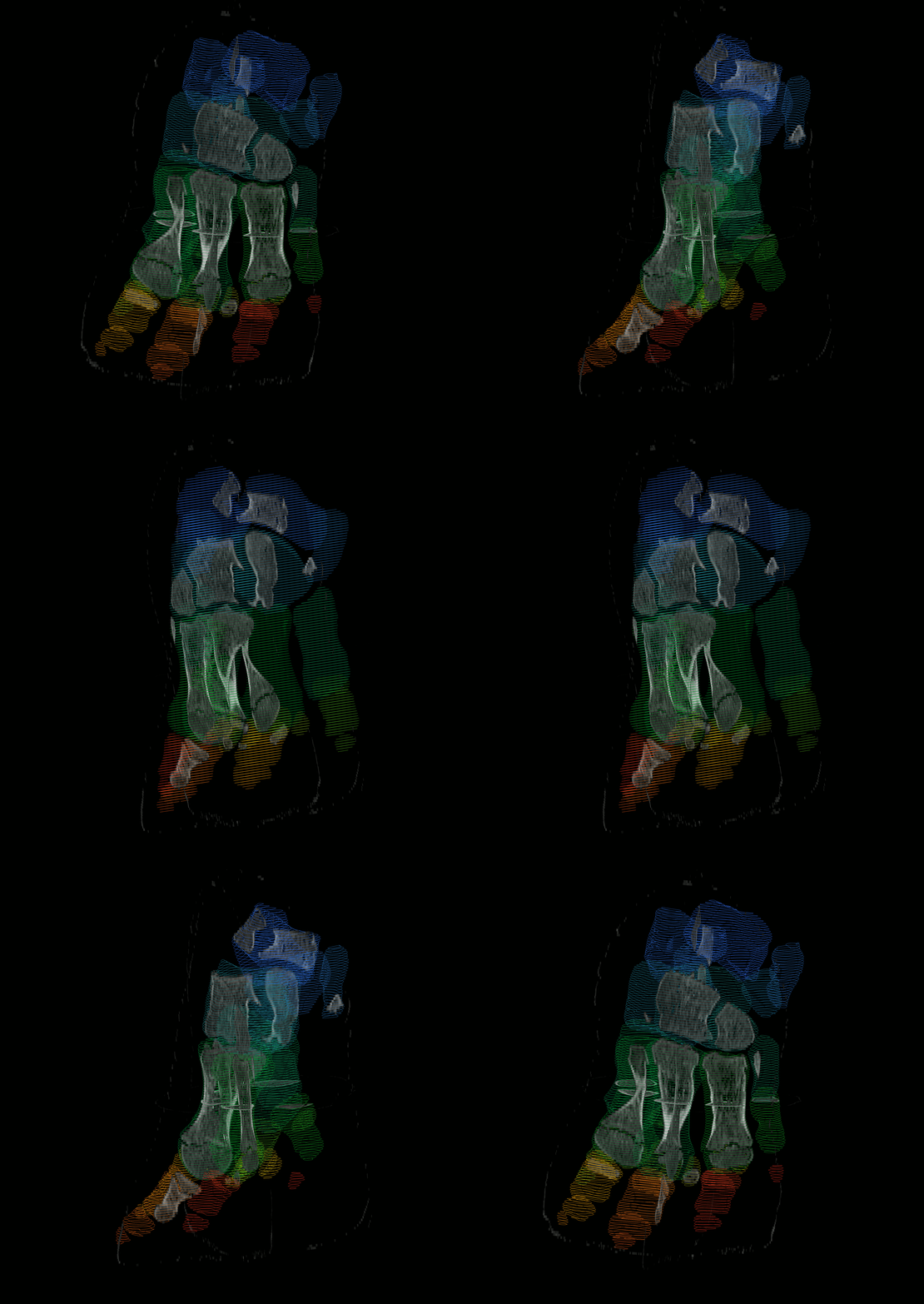
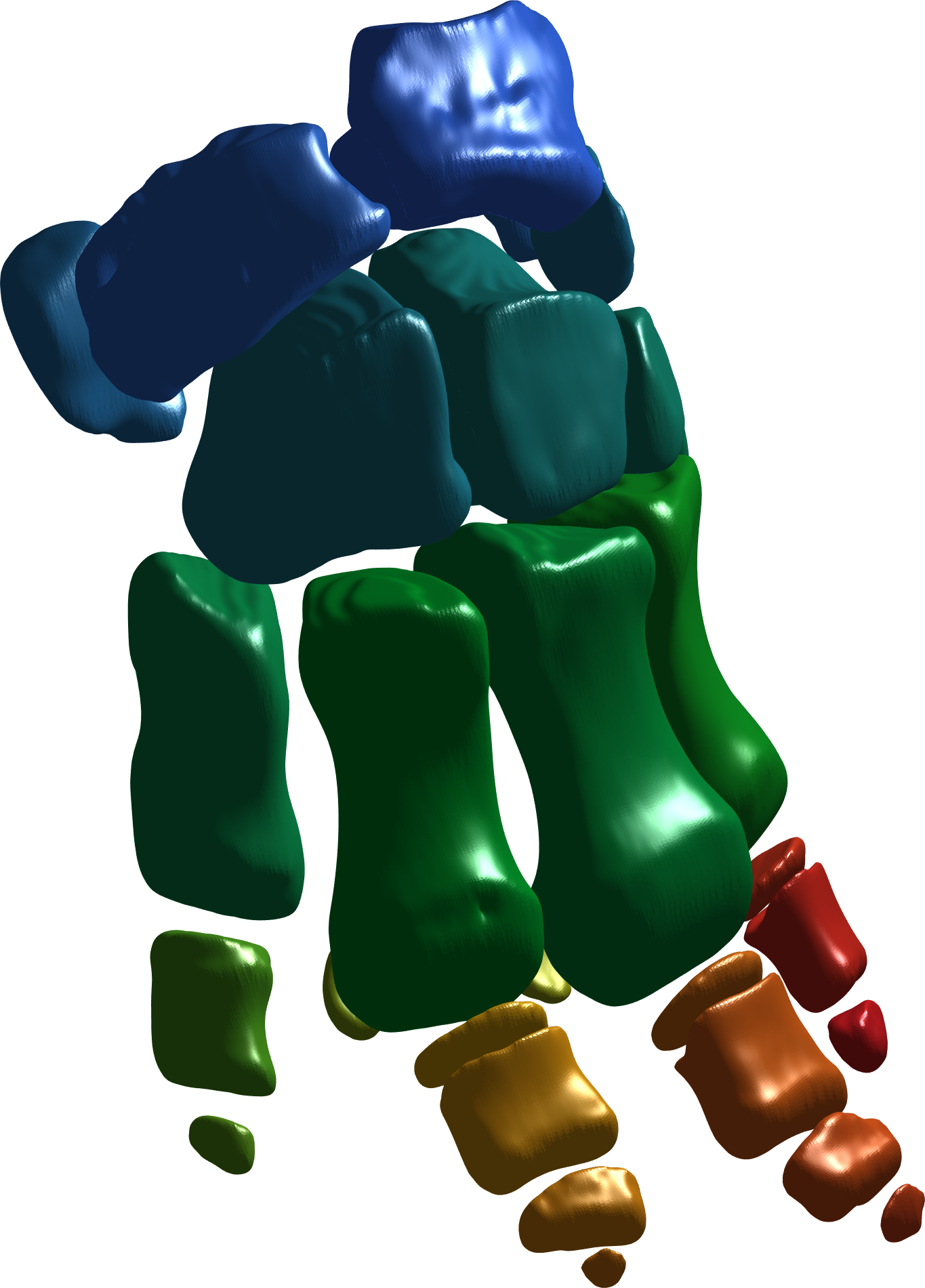
GIBBON offers image filtering and smoothing methods, and has a graphical user interface for 3D image segmentation (HELP_imx.m). The segmented image data can be converted to 3D surface models (DEMO_imx_levelset_surface_compare) which can be meshed for FEA (HELP_runTetGen).
Computer Aided Design (CAD) tools
Using GIBBON, geometry can be imported from common mesh based CAD files (such as STL, HELP_import_STL). For generating geometries within MATLAB®, GIBBON also provides several CAD-style commands such as polygon rounding (HELP_filletCurve), revolution (HELP_polyRevolve), extrusion (HELP_polyExtrude), and sweeping and lofting (HELP_polyLoftLinear and HELP_sweepLoft). Simple geometries such as spheres (HELP_geoSphere), boxes (HELP_quadBox), platonic solids (HELP_platonic_solid), and rhombic dodecahedra (HELP_rhombicDodecahedron) can also be directly created using GIBBON.
Surface meshing tools
2D multi-region triangular meshing (e.g. HELP_regionTriMesh2D and HELP_multiRegionTriMeshUneven2D), resampling meshes geodesically (DEMO_geodesic_remeshing), smoothing (DEMO_surface_smooth_methods), and surface mesh refinement (e.g. HELP_subtri, HELP_subTriDual and HELP_subQuad), mesh type conversions (e.g. HELP_tri2quad, HELP_quad2tri), and mesh dual computation (HELP_patch_dual). Geometries can also be exported to the STL format e.g. for computer aided manufacture and 3D printing.
Volumetric meshing
Tetrahedral meshing (and constrained Delaunay tessellation) of multi-region domains is enabled through an interface with the TetGen package (HELP_runTetGen and HELP_constrainedDelaunayTetGen). Hexahedral meshes for some geometry types can be directly coded (e.g. spheres HELP_hexMeshSphere, boxes HELP_hexMeshBox and lattices HELP_element2HexLattice). For general input surfaces multi-region mixed tetrahedral-hexahedral meshing is also available (e.g. DEMO_MixedTetHexMeshing).
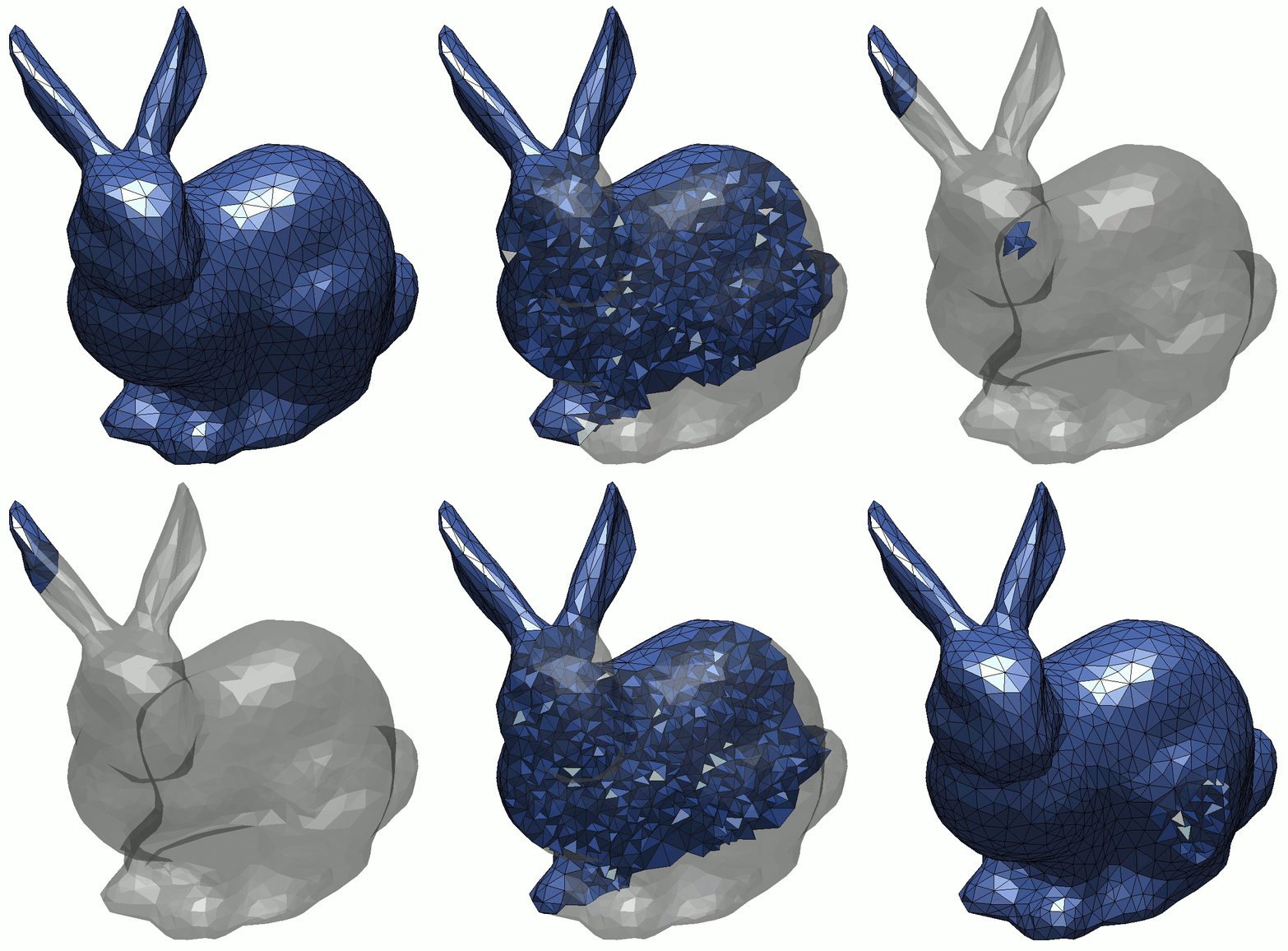
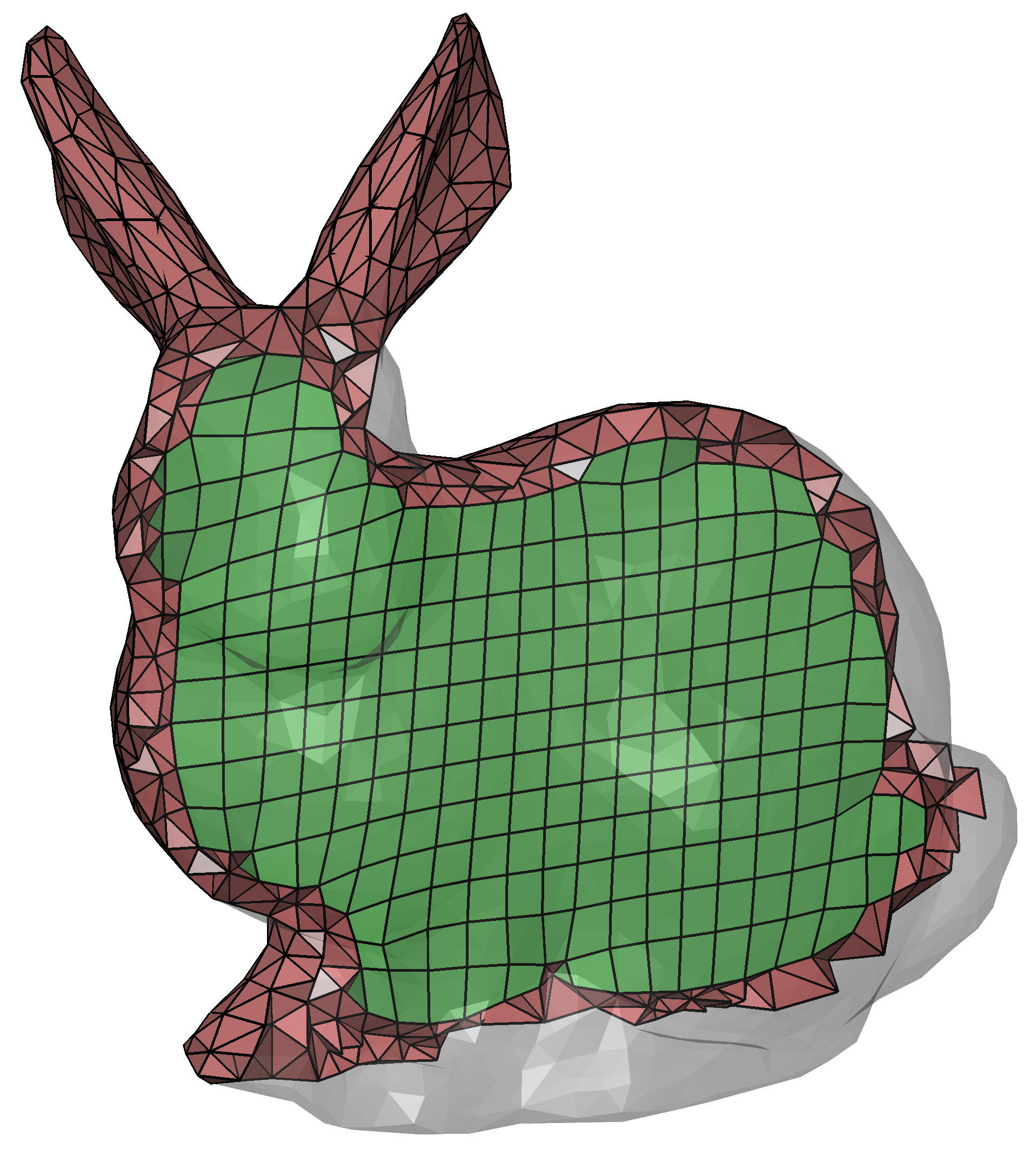
Lattice structures
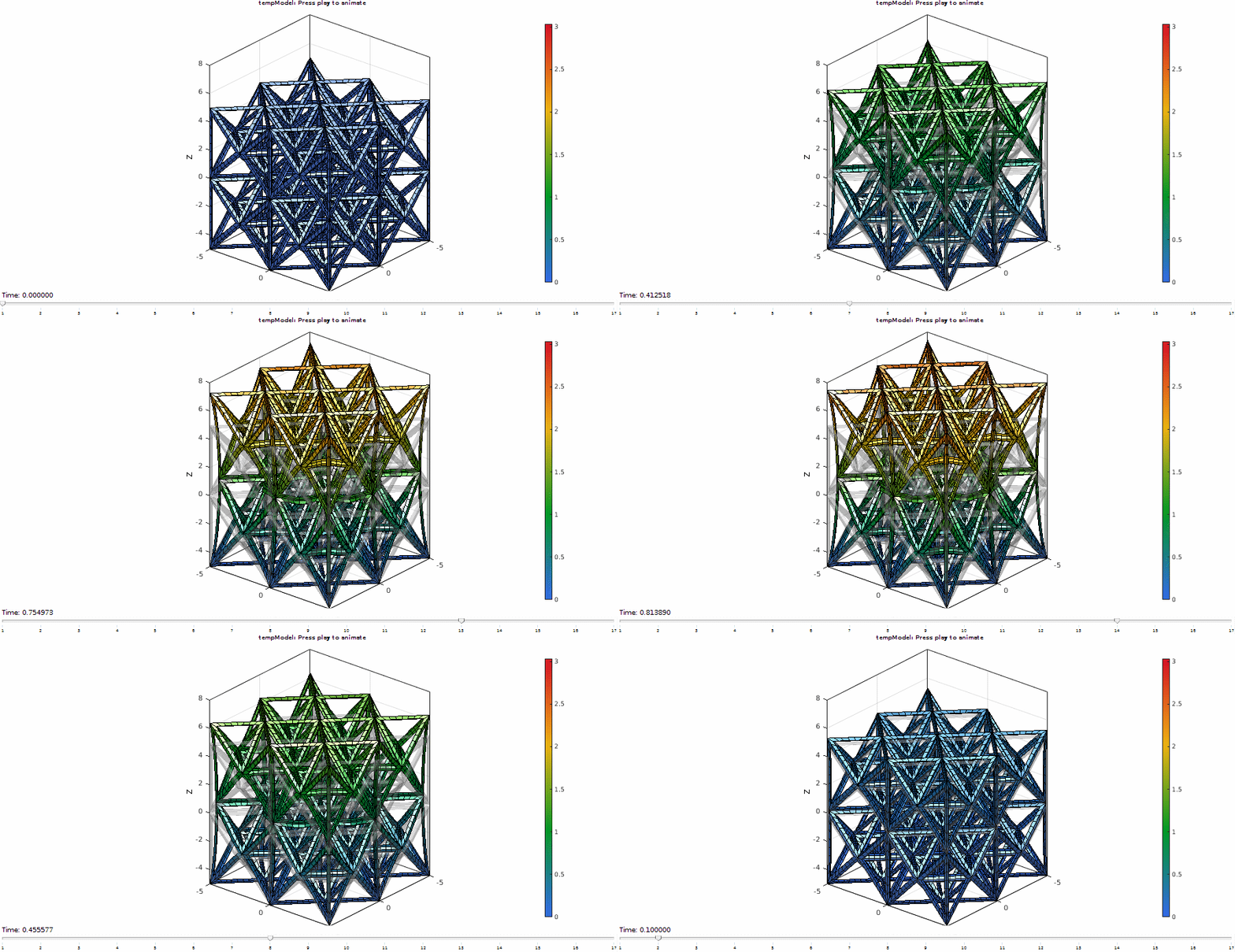
One method to generate surface geometry for lattices is the use of triply-periodic functions (HELP_triplyPeriodicMinimal). Functions to convert element descriptions, such as tetrahedral and hexahedral elements, to lattice structures have also been implemented (HELP_element2lattice and HELP_element2HexLattice). These allow for the creation of 3D boundary conforming lattice structures on arbitrary input geometry. Exporting of hexahedral elements is also supported allowing for FEA on the created lattice structures (DEMO_febio_0026_hexlattice_compression).
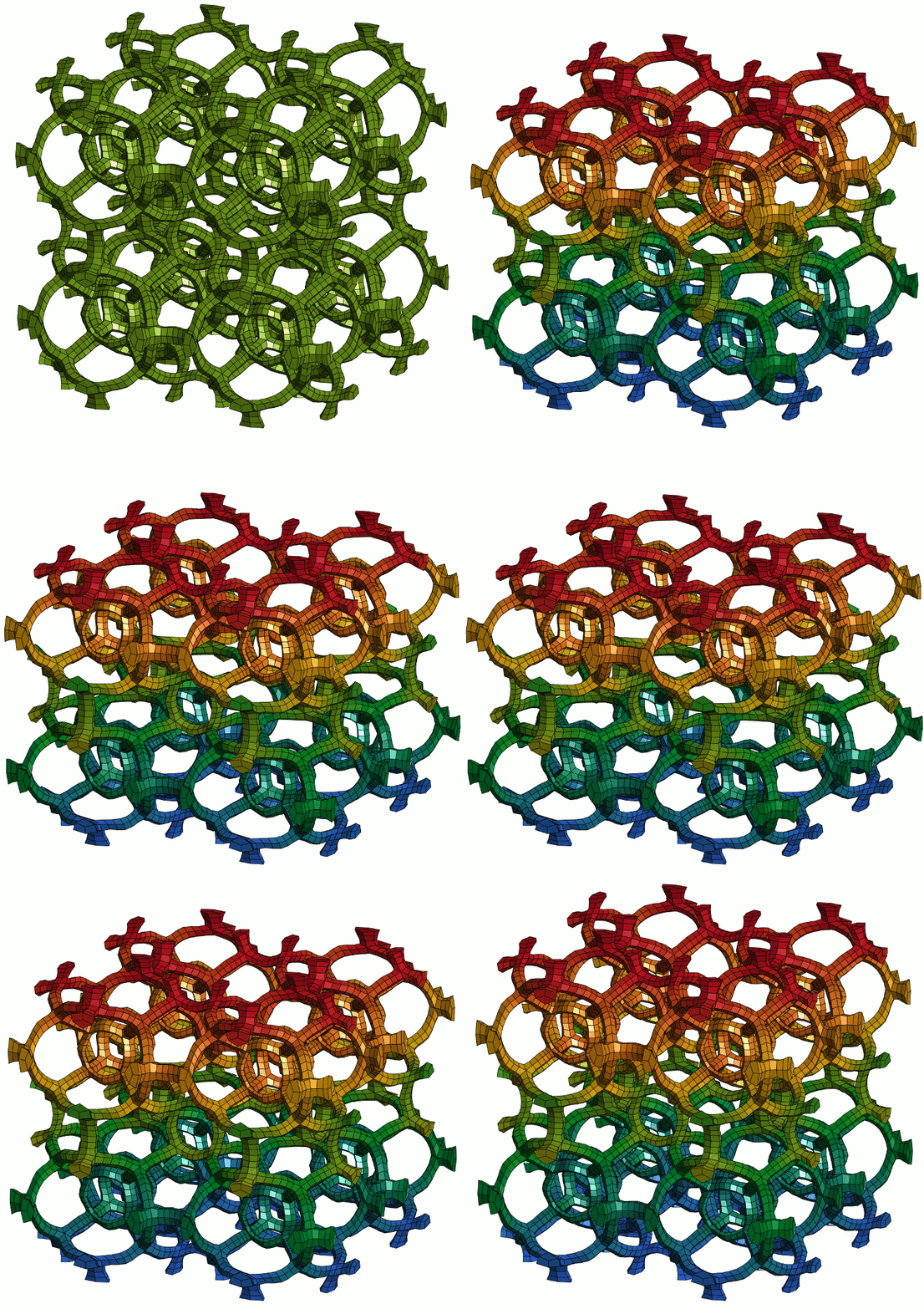
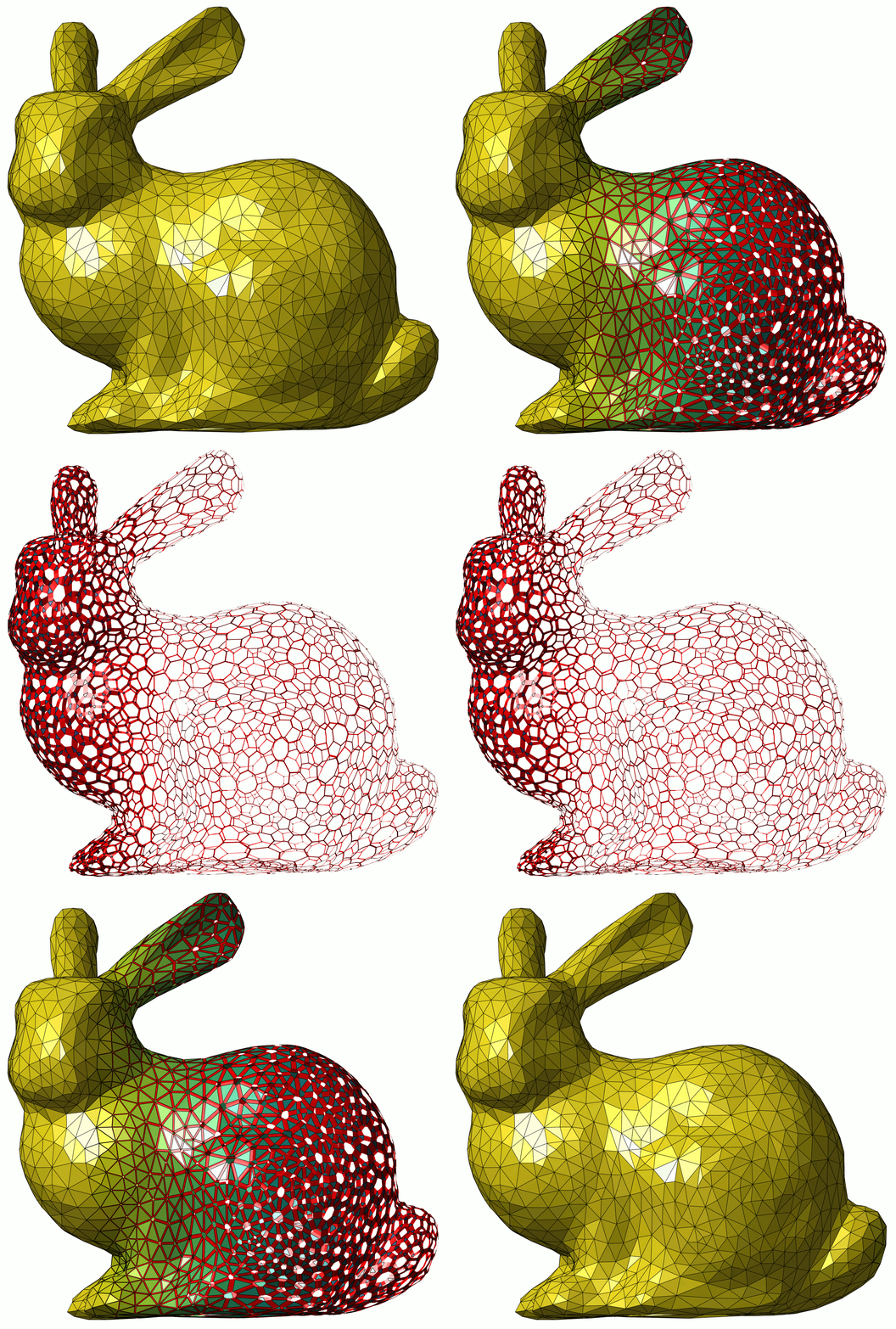
Finite Element Analysis
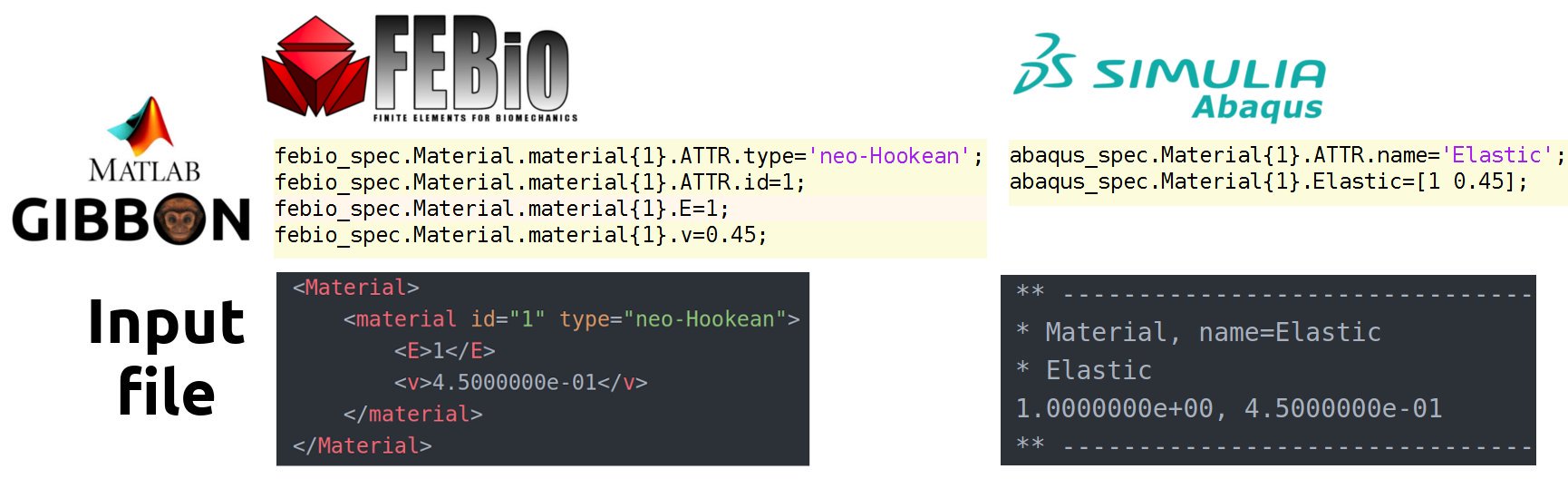
For finite element analysis GIBBON currently links with either the free and open source software FEBio or with Simulia ABAQUS. Both the FEBio and ABAQUS interface is based on MATLAB® structures. The image below shows the coding of a material section in a MATLAB® structure (top row) and how these components are represented in the input files for FEBio or ABAQUS (bottom row). Through this structure to input file conversion process any FEBio or ABAQUS functionality can be directly coded in MATLAB®.
FEBio
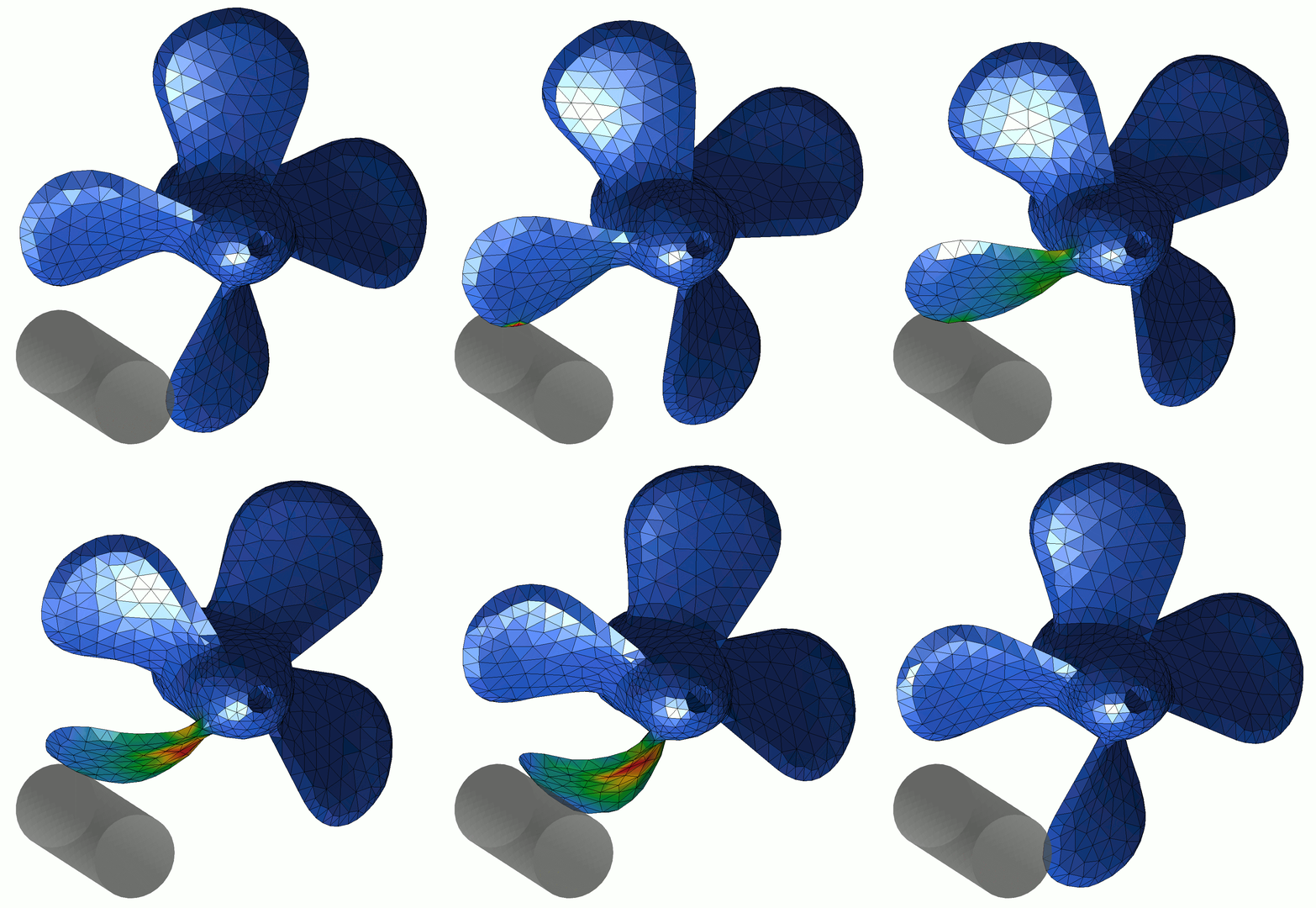
GIBBON can be used as a pre- and post- processor for FEBio as it enables code-based development of meshes, boundary conditions, and input files. FEBio files can be directly exported based on dedicated MATLAB® structures (HELP_febioStruct2xml). Furthermore, GIBBON can be used to start and control FEBio simulations. As such, iterative and inverse FEA (e.g. based on MATLAB® optimization routines) is also enabled. All DEMO_febio_... files are FEBio demos, e.g. DEMO_febio_0001_cube_uniaxial is a simple uniaxial loading example, and DEMO_febio_0042_inverse_FEA_cube_uniaxial is an example of inverse FEA.
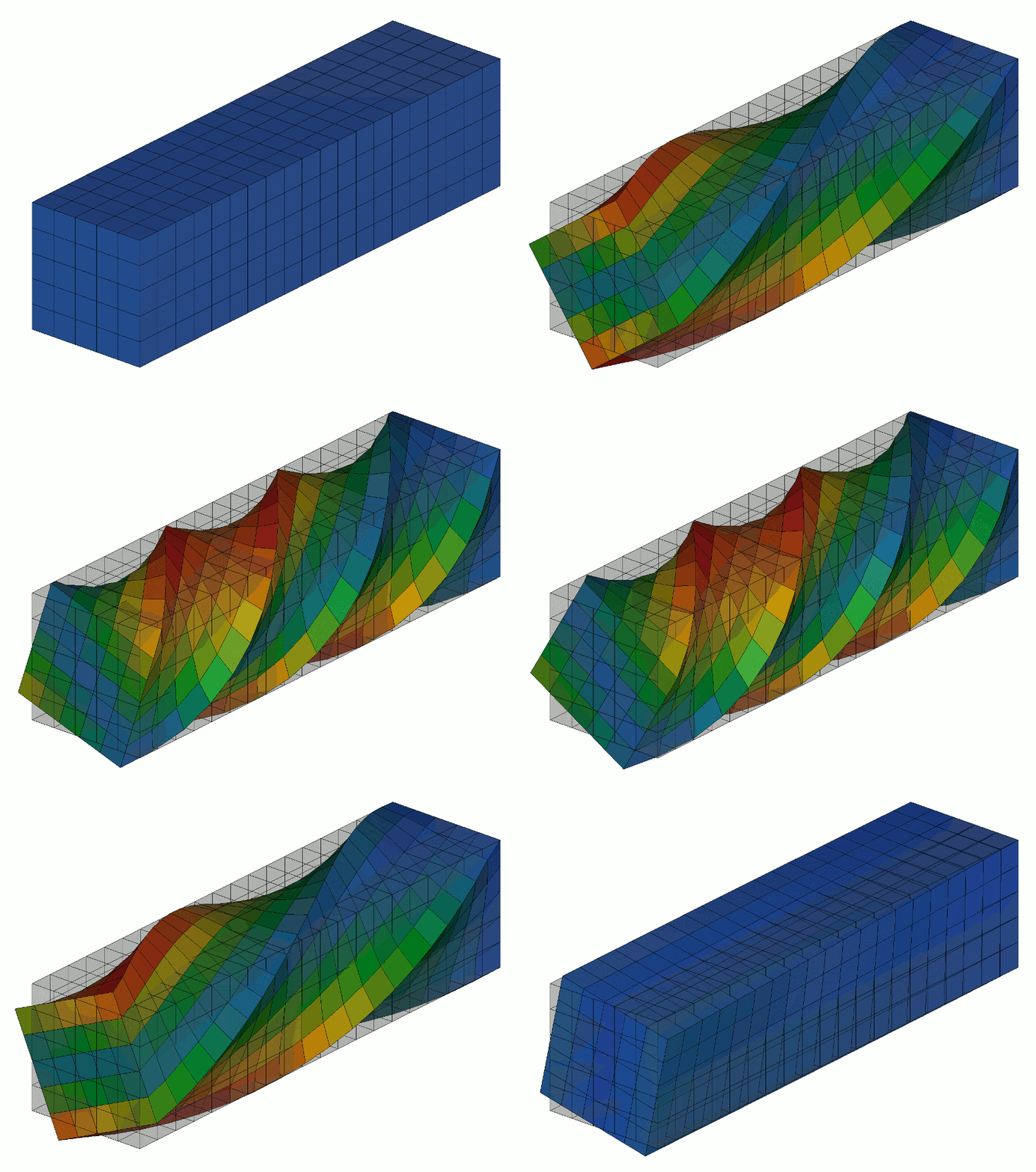
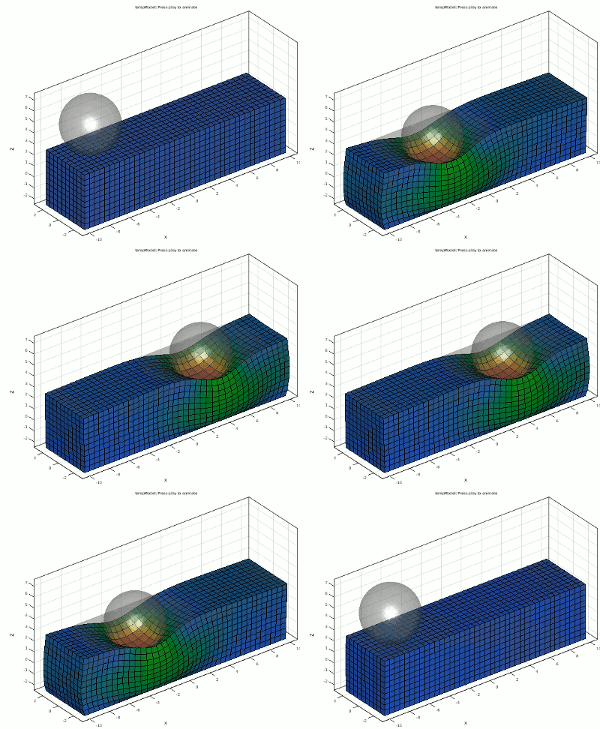
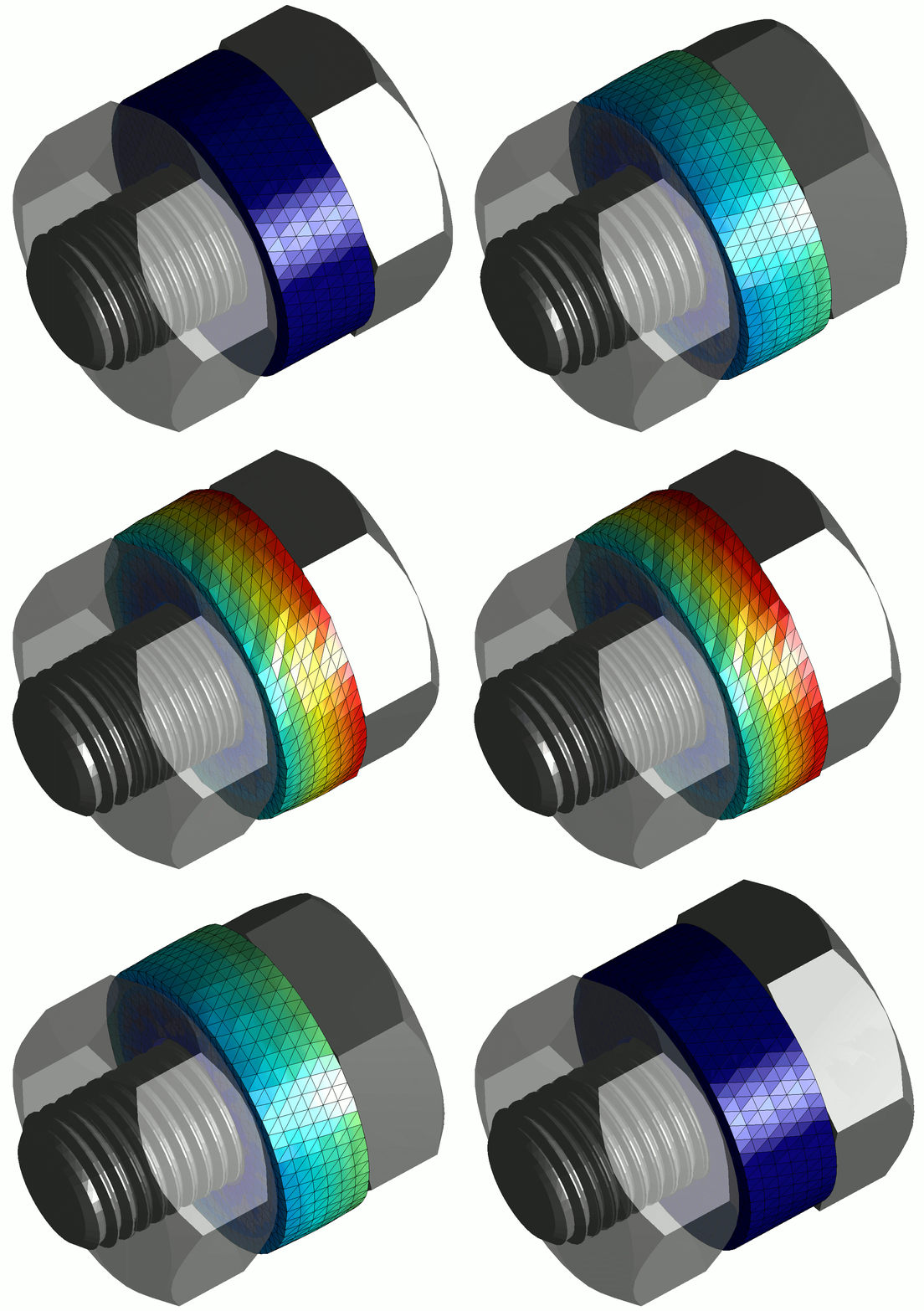
The image below is for large strain analysis of a twisting bar and stems from the demo DEMO_febio_0004_beam_twist. Other demos cover tension, compression, shear, applied forces, applied pressures, applied displacements, bending, poroelasticity, dynamic and viscoelastic analysis, contact and indentation problems, multi-generational materials for pre-load analysis.
Abaqus
The interface for ABAQUS is a recent development. Users can look at HELP_abaqusStruct2inp to study how input files are coded. The demo DEMO_abaqus_0001_cube_uniaxial is for uniaxial loading of a cube and steps through geometry creation, setting up the ABAQUS structure, saving the .inp file, running the job, and importing the results for visualization. Data is imported into MATLAB® using importAbaqusDat which parses ABAQUS .DAT files.
Visualization
GIBBON expands the standard MATLAB® visualization capabilities by adding 3D image and voxel visualization (HELP_im2patch and HELP_sliceViewer), meshed geometries (HELP_gpatch and HELP_meshView), finite element models (HELP_element2patch), and colormapped vector data (HELP_quiverVec), and all visualization methods enable multiple colormaps to be used in each figure or axis window. Furthermore GIBBON offers a custom figure window cFigure containing 3D rotation options (HELP_vcw) that mimic CAD behavior of 3D scene rendering, and high quality figure exporting options (HELP_efw). Advanced graphics animation creation and exporting capabilities through a figure window based GUI are also enabled (HELP_anim8).
Installation
Summary
- Download GIBBON
- Just run:
installGibbon.m(found in GIBBON's main folder) and provide a link to where FEBio is installed during installation
More detailed installation instructions
The steps below guide you through a streamlined installation procedure using the installGibbon.m function*.
*If you prefer manual installation do the following: 1) Add the GIBBON folder (with subfolders) to the path and save the path definitions, 2) Run createHelpDemoDocumentation.m to integrate the help and documentation, 3) For the 3rd party packages: Go to the config folder in ../GIBBON/config and edit the FEBioPath.txt file to contain the full path to the FEBio executable
1. Get a copy of GIBBON
To use GIBBON you need to create a copy on a local directory on your machine. Obtain a copy by downloading and unzipping the latest zip file or clone GIBBON instead e.g. using: git clone https://github.com/gibbonCode/GIBBON.git. You can place the GIBBON folder anywhere on your machine, however, MATLAB (and the 3rd party packages listed below) may have file permission limitations for some locations which you may need to address*.
* For instance, some of GIBBON's features, such as those associated with TetGen and FEBio, regularly create and delete temporary files. As such MATLAB (and the 3rd party packes) should have full permissions for these folders. First of all users should make sure MATLAB has full (e.g. read/write/delete) permissions for the entire GIBBON folder (and its sub-folders). On some platforms the 3rd party packages require special treatment. For instance some OSX users have found it necessary to give tetGen or FEBio particular file permissions. For instance in the case of TetGen related features using git update-index --chmod=+x path/to/tetgen.
2. Setting up 3rd party packages
Below is a list of 3rd party packages that are required for full functionality. All all included with GIBBON except for FEBio which users need to download and install. You may skip FEBio installation if finite element analysis (with FEBio) is not desired.
| Package | Description | Included? | Download |
|---|---|---|---|
FEBio  |
FEBio is a finite element solver and is used in GIBBON for all finite element analysis. Use of FEBio is featured in the many DEMO_FEBio... files. FEBio version 2.5.0 or newer is recommended. |
No | FEBio website |
export_fig 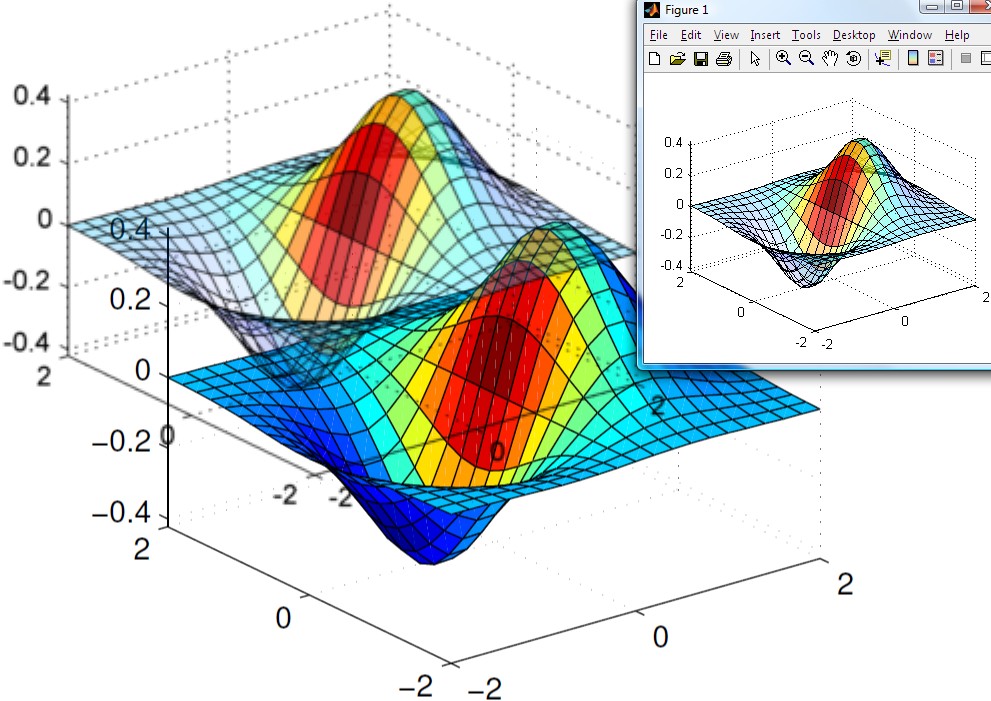 |
export_fig helps to export publication quality images (e.g. .png, .jpg, .pdf, .eps), in GIBBON it is integrated in the export figure widget efw to export such images from the cFigure window directly. export_fig is also used for exporting images for creation of .gif animations with the GIBBON anim8 function. |
Yes | export_fig page on GitHub |
Questions
What is GIBBON?
gibbonCode/GIBBON is a public repo on GitHub by gibbonCode. The Geometry and Image-Based Bioengineering add-On for MATLAB.
Is GIBBON open source?
It declares the AGPL-3.0 license on GitHub.
Does GIBBON run on macOS, Windows or Linux?
Its maker has not tagged a system, so it is unknown here. Its README says what it needs.
How do I install GIBBON?
Open "Take it" on its page: Take My Repo writes an install plan for your machine and hands it to your AI agent (Claude Code, Codex or Cursor), which asks you before each step. Take My Repo has not tested it on any machine.
Is GIBBON still maintained?
Its last change on GitHub was on 2026-08-21. Take My Repo does not judge from that whether it is maintained.


