composoft
how AI-native companies can build composable per-customer software
- 2
- MIT
- 7 mo ago
Repo githnm/composoft, read from GitHub 5 h ago. githnm has not joined Take My Repo.
In short
githnm/composoft is a public repo on GitHub by githnm. how AI-native companies can build composable per-customer software. It declares the MIT license on GitHub. It is written mainly in TypeScript, has 2 stars and last changed on 2026-05-05. Nobody has reviewed it on Take My Repo yet, which says nothing about its quality. Read from GitHub on 2026-11-23.
Similar repos

composoft
Per-customer software from a typed primitive registry
Alpha. Real but rough. Things will change.
What this is
We've been shipping software as an end-to-end product with a fixed UI, customers with different ways of working have to adapt to how the software is set to work. Composoft flips this - software that composes itself to fit how the customer already works - from a natural language brief - keeping key decision decisions, it's orginal form and primitives intact.
Composoft draws a hard boundary: developers ship stable, typed primitives; AI only composes them per customer, from a natural language brief.
It splits software into four typed layers:
- Adapters: typed reads (DB queries / API calls wrapped in schemas)
- Workflows: typed writes (mutations with input/output schemas)
- Blocks: React components that declare required adapters + exposed workflows (but don't implement them)
- Composition: per-customer pages/layout/config/state wiring
You publish the first three layers as a registry. The composer takes a natural-language brief and generates only the composition - so different customers get radically different apps, built from the same primitives, without hand-edits.
Demo
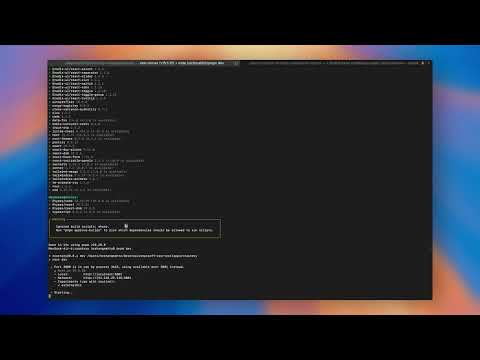
Example - Let's say we're a modern ERP software company that sells to mid-market consumer brands.
Same registry. Two customer briefs. Two genuinely different apps.
Customer 1: Roastery:
Roastery is a small DTC coffee roaster with one warehouse. Their brief asks for one page: KPIs, low-stock alerts, and a product table. No procurement, no vendors, no approvals.
Inventory dashboard for Roastery, a small DTC coffee roaster.
Roastery operates one warehouse where they roast and ship from.
Home page (Overview) is the only page they need:
KPI row: total SKUs, units in stock, low stock count, total value
Low-stock alerts showing what to reorder
Product table with current stock levels
Skip everything procurement-related: vendors, purchase orders, approvals.
One command:
bash
npx @composoft/composer@alpha compose \
  --brief brief-roastery.md \
  --registry ./cargo-registry \
  --customer Roastery \
  --out apps/roastery
Customer 2: Meridian Brands
Meridian Brands is a multi-brand consumer goods company with three warehouses, 50+ vendors, formal procurement workflows, and dedicated approval flows. Same registry, completely different brief.
Operations dashboard for Meridian Brands.
Meridian operates three warehouses with 50+ vendors and formal procurement.
Overview page: executive view with inventory + procurement KPIs.
Inventory page: product table, click to see per-location stock and transfer actions.
Procurement page: PO list, click to approve or receive.
Approvals page: dedicated approval workflow.
That's the whole pitch. One registry. One engineering team. Many customer apps, each shaped by what that customer actually does.
The composer also surfaces what it couldn't build. If your brief asks for something the registry doesn't support, you get a model note saying so — not a fake button that doesn't work. The framework knows what it can't do, and tells you.
The four primitives
Adapter. A typed read. Takes params, returns rows. Wraps a database query, an API call, or a calculation.
defineAdapter({
  id: "deals.list",
  params: z.object({ stage: z.string().optional() }),
  output: z.array(dealSchema),
  run: async ({ stage }) => db.deals.list({ stage }),
});
Workflow. A typed write. Takes input, performs side effects, returns output.
defineWorkflow({
  id: "deals.move-stage",
  input: z.object({ dealId: z.string(), stage: z.string() }),
  output: z.object({ dealId: z.string(), stage: z.string() }),
  run: async ({ dealId, stage }, context) => {
    await db.deals.update(dealId, { stage });
    return { dealId, stage };
  },
});
Block. A React component plus its data needs and action surface. The unit of UI composition.
defineBlock({
  id: "deals.pipeline",
  config: z.object({ defaultStage: z.string() }),
  data: {
    deals: {
      adapter: "deals.list",
      params: { stage: { kind: "from-config", path: "defaultStage" } },
    },
  },
  actions: { moveStage: { workflow: "deals.move-stage" } },
  writes: { selectedDealId: { kind: "page-state", path: "selection.dealId" } },
  component: DealPipeline,
});
Registry. A versioned npm package that exports adapters, workflows, blocks, plus optional product info (branding, navigation), reference data, and auth hooks.
Templates
I built a few templates as well - support tool, calendar booking system, ERP Operations and a Simple To-Do app.
@composoft/create ships with four working domain templates:
npx @composoft/create my-support --template support
npx @composoft/create my-booking --template booking
npx @composoft/create my-ops --template operations
npx @composoft/create my-todo --template todo
Or run interactively to pick:
npx @composoft/create my-registry
| Template | Domain | Counts | Highlights |
|---|---|---|---|
support |
Modern B2B customer support | 8 adapters, 5 workflows, 6 blocks | Multi-channel ticket queue, account context, escalation, macros |
booking |
Calendly-shaped scheduling | 7 adapters, 3 workflows, 5 blocks | Event types, calendar view, booking detail sidebar |
operations |
Inventory + procurement | 8 adapters, 4 workflows, 5 blocks | Product table, stock levels, PO list + approval flow |
todo |
Minimal baseline | 1/1/1 | Starting point — three primitives, no domain bias |
Each template ships realistic seed data, working manifests, and a sample brief in its README. Run pnpm install && pnpm test to confirm the template builds, then compose against it with the composer.
Install and try it
Scaffold a new registry:
npx @composoft/create@alpha my-registry
cd my-registry
pnpm install
pnpm test
The scaffolder generates a working in-memory registry. Pass --template <name> to start from a domain-specific baseline (support / booking / operations) instead of the minimal todo skeleton.
To run the composer against your registry:
pnpm add -D @composoft/composer@alpha
export ANTHROPIC_API_KEY=sk-ant-...
npx @composoft/composer@alpha compose \
  --brief brief.md \
  --registry ./my-registry \
  --customer "FirstCustomer" \
  --out apps/first-customer
The output is a Next.js 15 app with full chrome (shadcn navbar, sidebar, page headers), pointed at your registry. Run it with pnpm dev.
Try the reference examples
The repo includes two reference registries you can run end-to-end:
registry-example-crm — in-memory CRM with leads, deals, contacts. No database setup required. Used to demonstrate the per-customer-tailoring story.
pnpm install
pnpm --filter @composoft/composer compose:northwind
pnpm --filter @composoft/composer compose:acme
pnpm --filter <generated-name> dev
registry-example-postgres — production-grade Postgres example with audit logging, real persistence, page-state coordination. Requires a Postgres connection string.
export DATABASE_URL=postgres://...
export ANTHROPIC_API_KEY=sk-ant-...
pnpm --filter @composoft/registry-example-postgres seed
pnpm --filter @composoft/composer compose:brewline
Inspect across customers
After you've generated a few apps, the framework remembers what it built and what it couldn't build. Run composoft inspect from your workspace root.
$ npx @composoft/composer@alpha inspect
CUSTOMER         BRIEF              PAGES  BLOCKS  NOTES  GENERATED
Meridian Brands  brief-meridian.md  4      9       4      2026-05-04
Roastery         brief-roastery.md  1      3       4      2026-05-04
The default view lists every customer app generated in your workspace. Each row reads from a .composoft-meta.json sidecar that the composer writes next to every generated app.
To see which gaps customers asked for most often:
$ npx @composoft/composer@alpha inspect --gaps
GAPS FLAGGED ACROSS 2 CUSTOMERS

2x  No dedicated approvals block in the registry
     Asked in: Meridian Brands, Haldermann & Sons

1x  No stock-movement feed block exists in the registry
     Asked in: Meridian Brands
This is the FDE meta-view. With one customer, gaps are noise. With ten, they cluster. The blocks and adapters that show up most often are your registry roadmap, sourced from real customer asks.
For full detail on one customer:
$ npx @composoft/composer@alpha inspect Roastery
Customer:        Roastery
Brief:           brief-roastery.md
Generated:       2026-05-04T14:23:11Z
Registry:        cargo-registry@0.0.1
Pages (1):
  /              3 blocks
Model notes (4):
  1. ...
The framework turns from a one-shot generator into a record of what your customers want.
Migrating an existing codebase
If you already have a React/Next.js app and you're sizing what a composoft adoption looks like, @composoft/migrate is the v0 of the migration tooling.
# Static analysis — catalog reads, writes, and components ranked by extraction difficulty
npx @composoft/migrate@alpha analyze ./your-app

# Interactive walkthrough — accept/reject/skip each candidate, persist decisions
npx @composoft/migrate@alpha walkthrough ./your-app

# Resume or share progress
npx @composoft/migrate@alpha status ./your-app
analyze produces .composoft-migrate/analysis.json + analysis.md — a ranked list of read patterns (potential adapters), write patterns (potential workflows), and components scored by extraction difficulty. Honest about what it skipped (class components, Redux, server-side Prisma queries, server actions, GraphQL).
walkthrough is decision-driven, single-key shortcuts. You accept, reject, or skip each candidate. State persists in .composoft-migrate/state.json so you can quit and resume.
The state file is a forward-compatible contract. Future tooling — a block extractor that consumes the queue and drafts refactored components, plus an embeddable runtime that lets composoft blocks render inside an existing React app — reads from the same file. v0 ships analyzer + walkthrough; the rest is on the roadmap.
What's shipped
- Three primitives (adapters, workflows, blocks) with typed manifests.
- A composer CLI that turns briefs into Next.js 15 apps using Claude.
- A runtime that resolves data, binds actions, hosts page state. Auto-skips null/undefined values from page state cleanly, so first-render and pre-selection states render an empty state instead of crashing.
- Cross-block coordination via shared page state. Click in one block, another updates.
- Composer-time nav filtering: generated apps never ship orphan navigation links. If your brief skips a page, the sidebar drops the matching nav item automatically.
- Honest gap reporting. The composer tells you what your brief asked for that the registry can't satisfy, in plain text, before the app ships.
- Per-app metadata sidecar +
composoft inspect. Workspace-level visibility into briefs, pages, and gap patterns across every customer. - Migration analyzer + interactive walkthrough for adopting composoft in existing React/Next.js codebases (v0 — analyzer + decision-driven walkthrough; block extractor and embeddable runtime in subsequent alphas).
- Auth hooks: registries declare
authenticateandauthorize, runtime enforces them. - Reference data: registries publish their canonical ids so the composer doesn't hallucinate them.
- Product branding and navigation: registries declare
product.name,product.navigation,product.accentColor. Generated apps inherit consistent chrome. - Per-customer branding via
--customerflag. - shadcn-based generated apps. Full shadcn library vendored into every generated app's
components/ui/. - Four domain templates in
@composoft/create: todo, support, booking, operations. Each ships seed data, working manifests, and a sample brief. - Two reference registries (in-memory CRM and Postgres-backed operations).
- A scaffolder for new registries.
What's missing
- Block-level permissions (today, all auth lives in the registry's
authorizefunction). - Workflow-level customization from briefs. The composer can route which workflow appears on which block, but can't generate new workflow logic. Workflow code stays registry-author territory.
- Multi-region layouts beyond main + sidebar.
- Hosted runtime (today, you deploy the generated app yourself).
- Per-customer theming beyond accent color.
- Block extractor that consumes the migration walkthrough's queue and produces refactored components (v0 ships analyzer + walkthrough; extractor is next).
- Embeddable runtime that lets composoft blocks render inside an existing React app (gradual migration path).
- Typed page-state and context schemas.
- Base composition + brief-as-overlay (today, every brief generates a full app from scratch).
- Agent-assisted registry extension: an agent writes candidate adapters and blocks for FDE review, sourcing from the gaps
inspectsurfaces. On the roadmap.
Architecture
Five published packages, two reference registries, multiple example apps.
@composoft/spec — manifest types and validators. Defines what a block is, what an adapter is, what a workflow is. Zero runtime dependencies.
@composoft/runtime — resolves data slots, binds actions, manages page state, gates auth. React Server Components plus a client renderer.
@composoft/composer — CLI that calls Claude. Reads your registry, reads a brief, writes a composition, generates a Next.js 15 app with shadcn-styled chrome. Persists per-app metadata, surfaces workspace-wide patterns via inspect.
Questions
What is composoft?
githnm/composoft is a public repo on GitHub by githnm. how AI-native companies can build composable per-customer software.
Is composoft open source?
It declares the MIT license on GitHub.
Does composoft run on macOS, Windows or Linux?
Its maker has not tagged a system, so it is unknown here. Its README says what it needs.
How do I install composoft?
Open "Take it" on its page: Take My Repo writes an install plan for your machine and hands it to your AI agent (Claude Code, Codex or Cursor), which asks you before each step. Take My Repo has not tested it on any machine.