Unofficial-Godot-Engine-Raspberry-Pi
Unofficial Godot Engine binaries for the Raspberry Pi.
- 301
- MIT
- 3 d ago
Repo hiulit/Unofficial-Godot-Engine-Raspberry-Pi, read from GitHub 1 min ago. hiulit has not joined Take My Repo.
In short
hiulit/Unofficial-Godot-Engine-Raspberry-Pi is a public repo on GitHub by hiulit. Unofficial Godot Engine binaries for the Raspberry Pi. It declares the MIT license on GitHub. It has 301 stars and last changed on 2026-11-20. Nobody has reviewed it on Take My Repo yet, which says nothing about its quality. Read from GitHub on 2026-11-23.
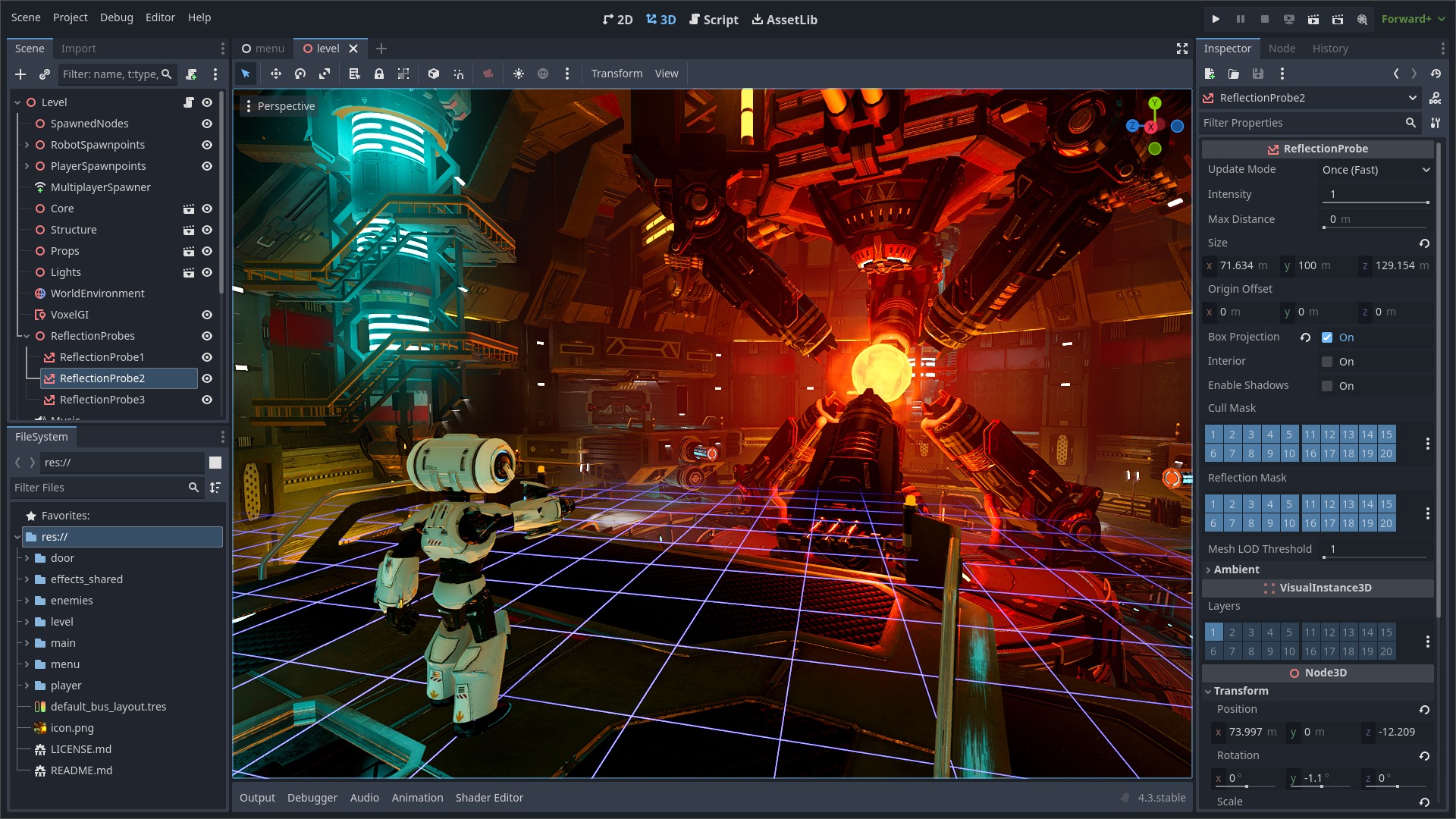
Unofficial Godot Engine for the Raspberry Pi
Unofficial Godot Engine binaries for the Raspberry Pi.

Limitations
- The Raspberry Pi only supports GLES2.
- The Raspberry Pi doesn't support GPU particles, only CPU particles.
- We don't have
3.0.6binaries because it doesn't have GLES2 support, only GLES3. - We don't have
headlessandserverbinaries for2.1.6. We can compile them on the Raspberry Pi. - If the export templates from this repository don't work, you can try the ones from FRT: a Godot "platform" targeting single board computers, which offers support for multiple Raspberry Pi revisions and other single-board computers and are well tested.
- We don't offer any kind of support. The binaries are distributed as-is 🙃.
If you would like official Godot support for the Raspberry Pi, there is a proposal about it. Go there and give us a thumbs up so we can get it 👍 😉 !
Table of contents
- Compiling
- Status
- Downloads
- How to launch the Editor
- How to export a game using the Export Templates
- How to export an independent PCK file
- How to run a game
- Troubleshooting
Compiling
See COMPILING.
Status
This table refers to the Raspberry Pi 4 only. Other versions are untested.
| 2.1.6 | 3.1.2 | 3.2.3 | 3.3.4 | 3.4.5 | 3.5.3 | 3.6.3 | |
|---|---|---|---|---|---|---|---|
| Editor | ✓ | * | * | ✓ | ✓ | ✓ | ✓ |
| Export template | ✓ | ✓ | ✓ | ✓ | ✓ | ✓ | ✓ |
| Headless | - | ✓ | ✓ | ✓ | ✓ | ✓ | ✓ |
| Server | - | ✓ | ✓ | ✓ | ✓ | ✓ | ✓ |
- ✓: Works perfectly.
*: It works, but it's laggy/unresponsive at fullscreen (1920x1200). Making the editor 1/2 or 1/3 of that size makes it run better.-: Not available.
📥 Downloads
Each ZIP file contains: Editor, Export Template, Headless and Server.
Godot 2.1.6: ZIP files only contain Editor and Export Template.
Raspberry Pi Portable is a binary that is compatible with versions 3, 4, and 5.
2.1.6
| Platform | Download |
|---|---|
| Raspberry Pi 4 | Download |
| Raspberry Pi 3/4 (64-bit) | Download |
3.1.2
| Platform | 32-bit | 64-bit |
|---|---|---|
| Raspberry Pi 3 | Download | Download |
| Raspberry Pi 4 | Download | Download |
| Raspberry Pi 5 | Download | Download |
| Raspberry Pi Portable | Download | Download |
3.2.3
| Platform | 32-bit | 64-bit |
|---|---|---|
| Raspberry Pi 3 | Download | Download |
| Raspberry Pi 4 | Download | Download |
| Raspberry Pi 5 | Download | Download |
| Raspberry Pi Portable | Download | Download |
3.3.4
| Platform | 32-bit | 64-bit |
|---|---|---|
| Raspberry Pi 3 | Download | Download |
| Raspberry Pi 4 | Download | Download |
| Raspberry Pi 5 | Download | Download |
| Raspberry Pi Portable | Download | Download |
3.4.5
| Platform | 32-bit | 64-bit |
|---|---|---|
| Raspberry Pi 3 | Download | Download |
| Raspberry Pi 4 | Download | Download |
| Raspberry Pi 5 | Download | Download |
| Raspberry Pi Portable | Download | Download |
3.5.3
| Platform | 32-bit | 64-bit |
|---|---|---|
| Raspberry Pi 3 | Download | Download |
| Raspberry Pi 4 | Download | Download |
| Raspberry Pi 5 | Download | Download |
| Raspberry Pi Portable | Download | Download |
3.6.3
| Platform | 32-bit | 64-bit |
|---|---|---|
| Raspberry Pi 3 | Download | Download |
| Raspberry Pi 4 | Download | Download |
| Raspberry Pi 5 | Download | Download |
| Raspberry Pi Portable | Download | Download |
🚀 How to launch the Editor
To open the editor, run:
./godot_x.x.x_rpi4_editor.bin
(where x.x.x is the version of Godot).
You might need to give executable permissions to the binary. If that's the case, run:
sudo chmod +x godot_x.x.x_rpi4_editor.bin
🤖 How to export a game using the Export Templates
You don't have to use a Raspberry Pi to export a game for it. You can use any computer running any OS supported by Godot.
Godot 2.x
- In the editor, go to
Export. - Select the
Linux/X11template. - In
Debug, uncheckDebugging Enabled. - In
Custom Binary -> Release, select the version of the export template that matches the version of your project. - In
Binary, uncheck64 bits*. - Click
Export. - You can use the
.rpiextension when naming the exported game.
* Only for 32-bit binaries.
Godot 3.x
- In the editor, go to
Project -> Export. - Select the
Linux/X11template. - In
Binary Format, uncheck64 bits*. - In
Custom template -> Release, select the version of the export template that matches the version of your project. - Click
Export Project. - Uncheck
Export With Debug. - Optionally, after the game is packed, you can rename the extension of the game's executable binary from
.x86to.rpito avoid confusion.
* Only for 32-bit binaries.
🗃️ How to export an independent PCK file
You can export a .pck file and run it with the export templates from this repository.
Godot 2.x
- In the editor, go to
Export. - Select the
Linux/X11template. - In
Binary, uncheck64 bits*. - Click
Export PCK/ZIP. - Enter the name of your game with the
.pckextension. - Click
OK.
* Only for 32-bit binaries.
Godot 3.x
- In the editor, go to
Project -> Export. - Select the
Linux/X11template. - In
Binary Format, uncheck64 bits*. - Click
Export PCK/ZIP. - Uncheck
Export With Debug. - Enter the name of your game with the
.pckextension. - Click
Save.
* Only for 32-bit binaries.
🎮 How to run a game
Case 1
- The is no
.pckfile (meaning that it's embedded in the executable binary). - The
.pckfile has the same name as the executable binary and they are both in the same directory.
You can just run the executable binary, like this:
./name_of_your_godot_game.ext
Case 2
- The
.pckfile has a different name than the executable binary. - The
.pckfile is in a different directory than the executable binary. - You are using an independent
.pckfile (without an executable binary).
You'll have to pass the .pck file's path using the --main-pack option, like this:
./godot_x.x.x_rpi4_export-template.bin --main-pack "/path/to/the/pck/file.pck"
On Godot 2.x, use -main_pack instead of --main-pack.
ℹ️ Troubleshooting
A game doesn't launch or crashes
If the game you are trying to play doesn't work, it will most likely be because it was made with another version of Godot.
It could also be because it uses GDNative or C#, which the Raspberry Pi binaries doesn't support.
Force Godot to use the GLES2 video render
If you get this error when trying to play a game:
Your video card driver does not support any of the supported OpenGL versions. Please update your drivers or if you have a very old or integrated GPU upgrade it.
It means that the game you are trying to run uses the GLES3 video driver, which the Raspberri Pi doesn't support.
You'll have to force Godot to use the GLES2 video driver by passing the --video-driver GLES2 parameter, like this:
./godot_x.x.x_rpi4_export-template.bin --main-pack "/path/to/the/pck/file.pck" --video-driver GLES2
On Godot 2.x, use -vd instead of --video-driver.
🗒️ Changelog
See CHANGELOG.
👤 Author
- hiulit
🤝 Contributing
Feel free to:
- Open an issue if you find a bug.
- Create a pull request if you have a new cool feature to add to the project.
🙌 Supporting this project
If you love this project or find it helpful, please consider supporting it through any size donations to help make it better.
If you can't, consider sharing it with the world...
... or giving it a star.
Thank you very much!
👏 Credits
Thanks to:
- Juan Linietsky (@reduz), Ariel Manzur (@punto-), Rémi Verschelde (@akien-mga) and all the Godot contributors - For creating and maintaining the Godot Engine.
- Emanuele Fornara (@efornara) - For creating FRT - A Godot "platform" targeting single board computers.
- Krzysztof Jankowski @w84death - For the Raspberry Pi 4 as Perfect Indie Console blog post.
📝 Licenses
- Source code: MIT License.
- Godot - Game Engine: MIT License.
Questions
What is Unofficial-Godot-Engine-Raspberry-Pi?
hiulit/Unofficial-Godot-Engine-Raspberry-Pi is a public repo on GitHub by hiulit. Unofficial Godot Engine binaries for the Raspberry Pi.
Is Unofficial-Godot-Engine-Raspberry-Pi open source?
It declares the MIT license on GitHub.
Does Unofficial-Godot-Engine-Raspberry-Pi run on macOS, Windows or Linux?
Its maker tagged it for Linux. That is declared by the maker; Take My Repo has not tested it.
How do I install Unofficial-Godot-Engine-Raspberry-Pi?
Open "Take it" on its page: Take My Repo writes an install plan for your machine and hands it to your AI agent (Claude Code, Codex or Cursor), which asks you before each step. Take My Repo has not tested it on any machine.
Is Unofficial-Godot-Engine-Raspberry-Pi still maintained?
Its last change on GitHub was on 2026-11-20. GitHub counts 1 open issue and pull requests. Take My Repo does not judge from that whether it is maintained.