
codex-docker
🐳 Multi-arch OpenAI Codex CLI Docker image built from official upstream releases (amd64/arm64)
- 11
- 16 h ago
Repo icoretech/codex-docker, read from GitHub 1 min ago. icoretech has not joined Take My Repo.
In short
icoretech/codex-docker is a public repo on GitHub by icoretech. 🐳 Multi-arch OpenAI Codex CLI Docker image built from official upstream releases (amd64/arm64). It declares no license on GitHub. Public does not mean open source: without a license, nobody is granted the right to reuse it. It is written mainly in Shell, has 11 stars and last changed on 2026-11-20. Nobody has reviewed it on Take My Repo yet, which says nothing about its quality. Read from GitHub on 2026-11-20.
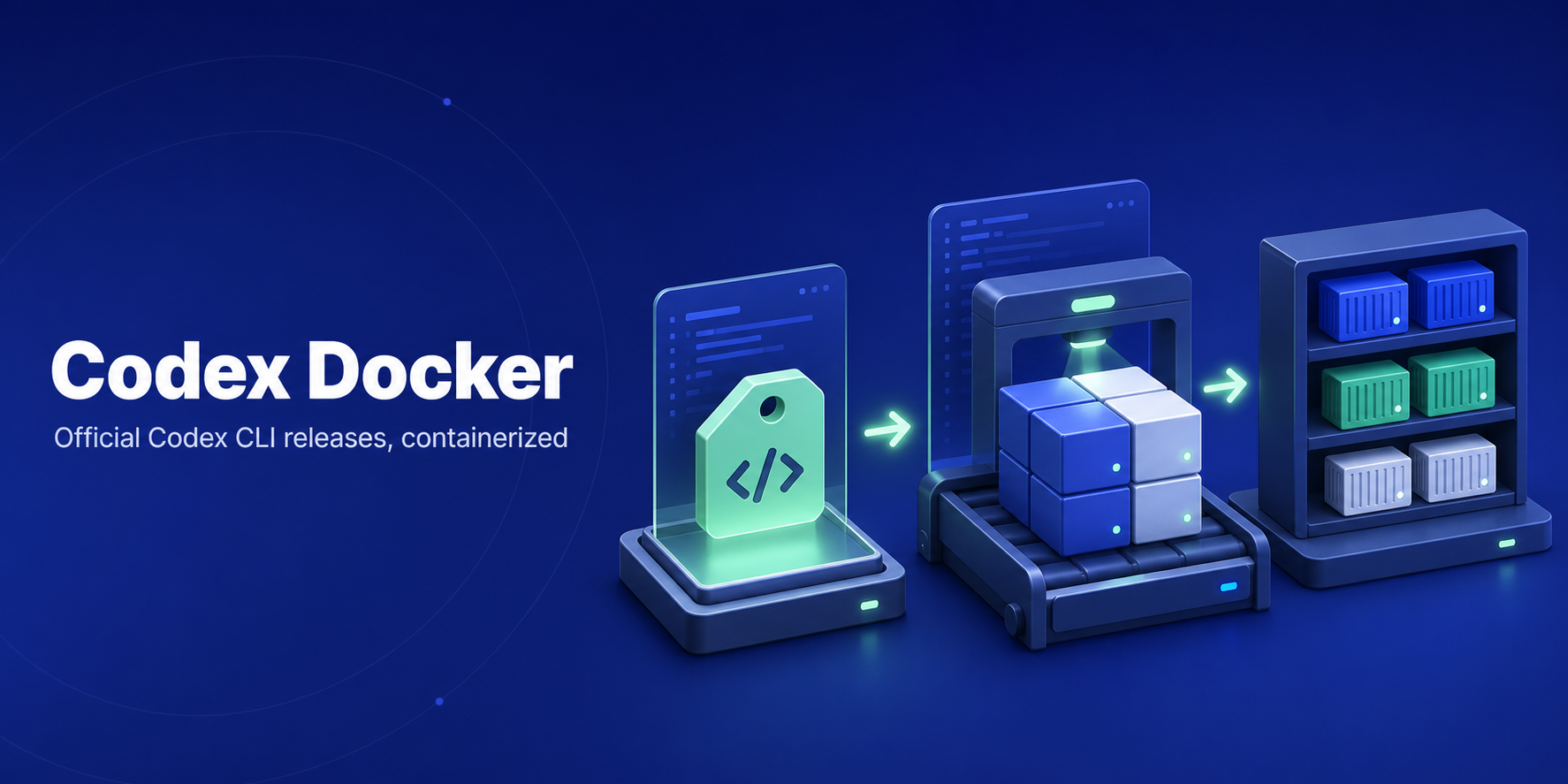
Codex Docker
OpenAI Codex CLI Docker images for repeatable agent automation.

Run the official OpenAI Codex CLI
without installing it on the host. This repository builds minimal multi-arch
Docker images from upstream Linux musl release assets, verifies the downloaded
package archive digest, retains its executors and runtime resources, and publishes
matching tags to GHCR for linux/amd64 and
linux/arm64.
If this saves you from rebuilding Codex containers by hand, star the repo so other agent-infra users can find it.
Quick Start
Prerequisites: Docker, and an OpenAI/Codex auth method when running commands that call the model.
Set the image version once:
# renovate: datasource=github-releases depName=openai/codex extractVersion=^rust-v(?<version>.+)$
CODEX_VERSION=0.171.0
Pull and run Codex:
docker pull ghcr.io/icoretech/codex-docker:${CODEX_VERSION}
docker run --rm -it ghcr.io/icoretech/codex-docker:${CODEX_VERSION} --help
Persist Codex config, auth, and logs across runs:
mkdir -p ./.codex

docker run --rm -it \
  -e CODEX_HOME=/home/codex/.codex \
  -v "$PWD/.codex:/home/codex/.codex" \
  -v "$PWD:/workspace" \
  ghcr.io/icoretech/codex-docker:${CODEX_VERSION}
Use latest only for quick trials. Pin ${CODEX_VERSION} for CI, runners, and
reproducible agent workflows.
Why This Image
- No host install: run Codex from Docker on workstations, CI jobs, and remote runners.
- Version-matched tags: image tags mirror upstream Codex CLI releases, with
latestas a convenience tag. - Multi-arch by default: the publish workflow pushes
linux/amd64andlinux/arm64images to GHCR. - Sandbox-ready base: the Debian runtime image includes
bubblewrap,git,openssh-client, andripgrep. - Non-root runtime: commands run as the
codexuser inside/workspace. - Agent-facing entry points: use the same image for
codex,codex exec,remote-control start, and websocketapp-server. - Packaged executors: both published Linux architectures retain the matching
upstream
codex-code-mode-host,codex-exec-server, package manifest and runtime resources. Code Mode is selected by the upstream Codex client and model configuration, not by a Docker-specific command. - Container auth helpers:
codex-bootstrapsupports file-backed API-key, access-token, and device-auth login flows.
The downloader stage uses Alpine 3.24.4; the runtime uses Debian 13.7 slim.
Code Mode
The image keeps the complete official package under /opt/codex, preserving
its relative executor and resource paths. codex, codex-code-mode-host and
codex-exec-server are exposed in PATH through symlinks to that package.
The glibc runtime supports the GNU-linked helpers included in the upstream
Linux package. All bundled executables match the pinned ${CODEX_VERSION} release for both
linux/amd64 and linux/arm64. Use the same pinned image invocation as a
normal Codex session:
docker run --rm -it \
  -e CODEX_HOME=/home/codex/.codex \
  -v "$PWD/.codex:/home/codex/.codex" \
  -v "$PWD:/workspace" \
  ghcr.io/icoretech/codex-docker:${CODEX_VERSION}
The upstream Codex client and model configuration select Code Mode; the image does not require a Docker-specific Code Mode command. The container-local host executes the Code Mode runtime. If the Codex client is configured to use a Pooler, its model Responses traffic may travel through Pooler while the local host still executes Code Mode; Pooler does not provide or spawn this binary. Code Mode availability remains subject to the selected model and account features.
Common Commands
Run an interactive CLI session:
docker run --rm -it \
  -e CODEX_HOME=/home/codex/.codex \
  -v "$PWD/.codex:/home/codex/.codex" \
  -v "$PWD:/workspace" \
  ghcr.io/icoretech/codex-docker:${CODEX_VERSION}
Run a one-shot codex exec command against the current directory:
docker run --rm -it \
  -e CODEX_HOME=/home/codex/.codex \
  -v "$PWD/.codex:/home/codex/.codex" \
  -v "$PWD:/workspace" \
  ghcr.io/icoretech/codex-docker:${CODEX_VERSION} \
  exec --skip-git-repo-check --ephemeral -C /workspace "summarize this workspace"
Check the available container helper commands:
docker run --rm -it \
  ghcr.io/icoretech/codex-docker:${CODEX_VERSION} codex-bootstrap help
Available tags are listed on the GitHub Packages page.
Login Helpers
The image defaults to Codex's native CLI. Use codex-bootstrap when a container
login flow should force Codex auth state into mounted CODEX_HOME files.
Export the credential variable in your shell before running these commands.
Passing its name with -e keeps the value out of Docker's command-line arguments.
API key login:
docker run --rm -it \
  -e OPENAI_API_KEY \
  -e CODEX_HOME=/home/codex/.codex \
  -v "$PWD/.codex:/home/codex/.codex" \
  ghcr.io/icoretech/codex-docker:${CODEX_VERSION} codex-bootstrap api-key-login
Codex access token login:
docker run --rm -it \
  -e CODEX_ACCESS_TOKEN \
  -e CODEX_HOME=/home/codex/.codex \
  -v "$PWD/.codex:/home/codex/.codex" \
  ghcr.io/icoretech/codex-docker:${CODEX_VERSION} codex-bootstrap access-token-login
Device auth and status:
docker run --rm -it \
  -e CODEX_HOME=/home/codex/.codex \
  -v "$PWD/.codex:/home/codex/.codex" \
  ghcr.io/icoretech/codex-docker:${CODEX_VERSION} codex-bootstrap device-auth

docker run --rm -it \
  -e CODEX_HOME=/home/codex/.codex \
  -v "$PWD/.codex:/home/codex/.codex" \
  ghcr.io/icoretech/codex-docker:${CODEX_VERSION} codex-bootstrap status
For trusted enterprise automation, Codex access tokens can also be provided ephemerally without writing auth state:
docker run --rm -it \
  -e CODEX_ACCESS_TOKEN \
  -v "$PWD:/workspace" \
  ghcr.io/icoretech/codex-docker:${CODEX_VERSION} \
  exec --skip-git-repo-check --ephemeral -C /workspace "summarize this workspace"
Use Platform API keys for general API-backed automation. Use Codex access tokens only when a trusted private runner needs ChatGPT workspace identity, ChatGPT-managed Codex entitlements, or enterprise workspace controls.
Compose Demo
examples/compose.yml demonstrates the supported invocation modes with one
shared codex_home volume.
cli: interactivecodexfor manual local sessions.exec: one-shot automation withcodex exec,--skip-git-repo-check,--ephemeral, and-C /workspace.remote-control: headlesscodex remote-control start.app-server-ws: authenticated websocketcodex app-serverfor local websocket client testing.native-login-*: built-incodex loginflows.helper-*: file-backedcodex-bootstrapauth flows.
Run the demo image from GHCR:
docker compose -f examples/compose.yml --profile cli run --rm cli
docker compose -f examples/compose.yml --profile exec run --rm exec
docker compose -f examples/compose.yml \
  --profile app-server-ws run --rm app-server-ws --help
Exercise a locally built image with the same Compose file:
docker build -t codex-docker:local .
CODEX_IMAGE=codex-docker:local \
  docker compose -f examples/compose.yml --profile exec run --rm exec
examples/workspace/ is bind-mounted as /workspace; put a real repository
there before replacing the demo exec --help command with an actual prompt.
Remote Control and Websocket App Server
codex remote-control start starts Codex's headless app-server path for remote
Codex clients. The foreground command uses a private local Unix socket
internally; it does not publish the 4500 websocket port shown by the separate
app-server example.
mkdir -p ./.codex

docker run --rm -it \
  -e CODEX_HOME=/home/codex/.codex \
  -v "$PWD/.codex:/home/codex/.codex" \
  -v "$PWD:/workspace" \
  ghcr.io/icoretech/codex-docker:${CODEX_VERSION} remote-control start
For a local websocket app-server, generate a separate private credential for each installation. From this repository checkout, choose a new directory beneath an existing private parent; the generator refuses to overwrite any existing path:
CODEX_WS_CREDENTIAL_DIR="$HOME/.codex-websocket"
sh scripts/generate-websocket-token.sh "$CODEX_WS_CREDENTIAL_DIR"
export CODEX_WS_TOKEN_SHA256
CODEX_WS_TOKEN_SHA256=$(cat "$CODEX_WS_CREDENTIAL_DIR/token.sha256")
The generator requires OpenSSL, creates a mode-0700 directory with mode-0600 files, and prints no credential. Keep the generated files private and reuse them for the matching server and client. The server receives only the derived digest:
docker run --rm -it \
  -e CODEX_HOME=/home/codex/.codex \
  -v "$PWD/.codex:/home/codex/.codex" \
  -v "$PWD:/workspace" \
  -p 127.0.0.1:4500:4500 \
  ghcr.io/icoretech/codex-docker:${CODEX_VERSION} \
  app-server --listen ws://0.0.0.0:4500 \
  --ws-auth capability-token \
  --ws-token-sha256 "${CODEX_WS_TOKEN_SHA256:-}"
Alternatively, use the same exported digest with Compose:
CODEX_IMAGE="ghcr.io/icoretech/codex-docker:${CODEX_VERSION}" \
  docker compose -f examples/compose.yml --profile app-server-ws up app-server-ws
An absent, empty or malformed digest refuses websocket startup. Other Compose profiles do not require websocket credentials. The host port remains loopback-only; the wildcard listener inside the container does not publish a public host port.
In a second terminal, read the same installation token into the client environment:
CODEX_WS_CREDENTIAL_DIR="$HOME/.codex-websocket"
export CODEX_REMOTE_AUTH_TOKEN
CODEX_REMOTE_AUTH_TOKEN=$(cat "$CODEX_WS_CREDENTIAL_DIR/token")
codex --remote ws://127.0.0.1:4500 \
  --remote-auth-token-env CODEX_REMOTE_AUTH_TOKEN
unset CODEX_REMOTE_AUTH_TOKEN
Keep the raw token in the private file or environment; do not put it in command-line arguments or share it. To rotate it, generate a new directory and restart the server with the new digest before connecting with its matching token.
Do not expose unauthenticated websocket listeners on public interfaces. For
shared or non-loopback listeners, prefer SSH port forwarding, TLS behind a
trusted proxy, or Codex websocket auth with secret-backed --ws-token-file,
--ws-token-sha256, or signed bearer tokens.
AI Agent and MCP Integration
Use the image anywhere an agent can invoke a local command. Codex 0.154.0
removed the stdio codex mcp-server mode; use the websocket app-server
profile for programmatic clients, and codex mcp to manage the external MCP
servers Codex itself connects to.
For pinned agent runners, replace latest with the version from
Quick Start. For workflows that need repository context, add a
bind mount for the target workspace and pass -C /workspace to codex exec.
Local Verification
Build and smoke-test the image:
docker build -t codex-docker:local .
IMAGE=codex-docker:local ./scripts/smoke-test.sh
Run the GitHub Actions build workflow locally with act:
act pull_request --container-architecture linux/amd64 -W .github/workflows/build.yml
The build and publish workflows use ubuntu-26.04 explicitly and Node.js 24
Docker actions. Renovate tracks their versions alongside the Codex release pins.
The smoke test checks:
codex --versionmatchesARG CODEX_RELEASE_TAG- core help output renders
- login help includes API key, access token, and device auth flows
exec,mcp(external MCP server management),remote-control start, andapp-serverhelp paths respondbubblewrapis available for Codex Linux sandboxingcodex-code-mode-hostis installed, executable, resolves onPATH, and responds to--helpcodex-bootstrap helpexposes the container helper commands
Contributing
Open pull requests against main.
Keep version bumps aligned with Renovate's Dockerfile and README markers, and
run the local verification commands before merging behavior changes.
Support
- Image packaging issues: open an issue in icoretech/codex-docker.
- Codex CLI behavior: check the upstream openai/codex repository.
- Published images: inspect tags on the GHCR package page.
License
This repository packages upstream OpenAI Codex CLI release assets into Docker images. No repository license metadata is currently published here; review the upstream OpenAI Codex repository and its license or terms before redistributing, mirroring, or deploying the packaged software.
Star History
Questions
What is codex-docker?
icoretech/codex-docker is a public repo on GitHub by icoretech. 🐳 Multi-arch OpenAI Codex CLI Docker image built from official upstream releases (amd64/arm64).
Is codex-docker open source?
It declares no license on GitHub. Public does not mean open source: without a license, nobody is granted the right to reuse it.
Does codex-docker run on macOS, Windows or Linux?
Its maker tagged it for macOS, Windows and Linux, or as Docker or cross-platform. That is declared by the maker; Take My Repo has not tested it.
How do I install codex-docker?
Open "Take it" on its page: Take My Repo writes an install plan for your machine and hands it to your AI agent (Claude Code, Codex or Cursor), which asks you before each step. Take My Repo has not tested it on any machine.
Is codex-docker still maintained?
Its last change on GitHub was on 2026-11-20. Take My Repo does not judge from that whether it is maintained.