comfyui-h3-editor
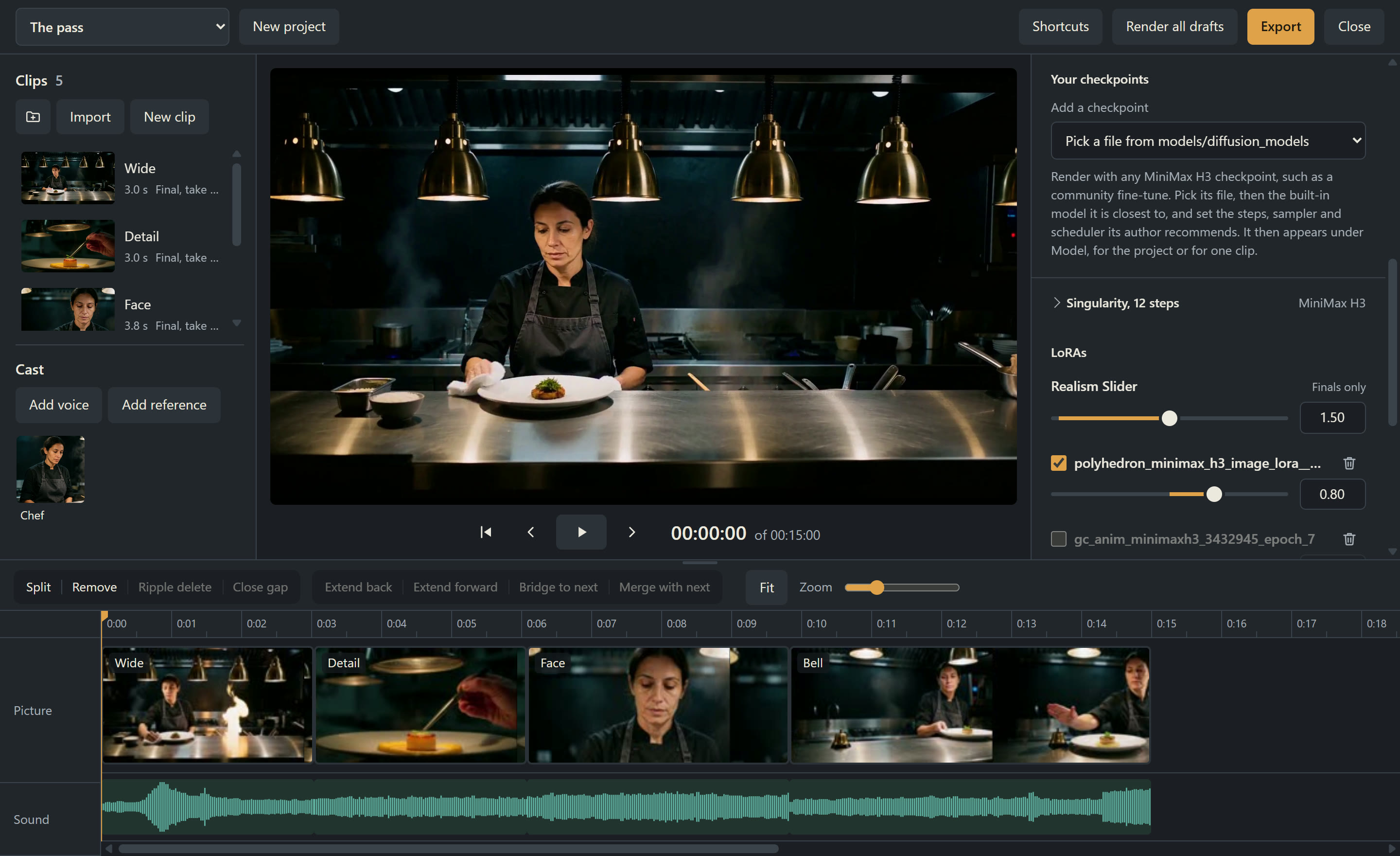
A timeline video editor for MiniMax H3 inside ComfyUI: write shots, render them on your own GPU, cut picture and sound together, or let an agent make the video.
- 110
- Python
- GPL-3.0
- 53 min ago
The maintainer has not written a description at the source.
Repo igorls/shellport, read from GitHub 1 min ago. igorls has not joined Take My Repo.
igorls/shellport is a public repo on GitHub by igorls. It declares the MIT license on GitHub. It is written mainly in TypeScript, has 0 stars and last changed on 2026-10-30. Nobody has reviewed it on Take My Repo yet, which says nothing about its quality. Read from GitHub on 2026-11-22.

Encrypted terminal-over-the-web in a single binary.
Zero dependencies · E2E AES-256-GCM · TOTP 2FA · Built-in canvas terminal · Tailscale ready
Share your shell over the network with end-to-end AES-256-GCM encryption, TOTP two-factor authentication, a custom canvas terminal emulator, and multi-session tabs — all packed into one file powered by Bun. No xterm.js. No node_modules. No config files.
shellport server
Then open the URL printed in your terminal. That's it.
By default ShellPort spawns the operator's $SHELL (whitelisted via SAFE_SHELLS). Pass -- followed by an executable and its arguments to run a specific command instead:
shellport server --port 7681 --no-totp --no-secret --dev -- bun run my-tui.ts
When --cmd-style argv is provided, the SAFE_SHELLS check is bypassed — the operator chose the command. Useful for embedding a single-purpose CLI behind a web terminal, for visual e2e testing of TUIs, or for shipping a lightweight "share this script" gateway.
For programmatic introspection of the rendered terminal — useful for visual e2e tests, agent-driven UIs, or automation — append ?test=1 (or #test=1) to the page URL. ShellPort then exposes window.shellport with:
| Method | Purpose |
|---|---|
shellport.size() |
{ cols, rows } of the active terminal |
shellport.cursor() |
{ x, y, visible } |
shellport.dumpRow(y) |
text content of row y (right-trimmed) |
shellport.dumpGrid() |
full JSON dump: { cols, rows, cursor, altScreen, lines, cells[] } where each cell has { char, fg, bg, bold, dim, italic, underline, inverse, strike } |
shellport.send(text) |
send bytes to the PTY (bypasses DOM keystrokes) |
shellport.sessions(), activeSessionId() |
for multi-tab introspection |
The flag is fully opt-in: in production deployments without ?test=1, no API is exposed and window.shellport is undefined.
Most web terminal tools either force you to haul in xterm.js + a Node.js runtime, or sacrifice encryption entirely. ShellPort takes a different approach:
| Problem | ShellPort's Answer |
|---|---|
| Heavy frontend deps (xterm.js, hterm) | NanoTermV2 — custom Canvas2D renderer, ~50 KB, zero deps |
| No built-in encryption | E2E AES-256-GCM with PBKDF2 key derivation (100K iterations) |
| No 2FA support | TOTP 2FA — pair with any authenticator app via QR code |
| Complex setup | Single command — bunx shellport server |
| Multiple services needed | One binary — HTTP server, WebSocket, PTY, and frontend all included |
| Can't share publicly | Tailscale integration — one flag for public HTTPS (requires Tailscale CLI) |
ShellPort is designed with security-first principles:
#secret) — never sent to the server--totp-reset to regenerate the pairing secret| Mode | Command | Auth | Encryption | Use Case |
|---|---|---|---|---|
| Full security | shellport server |
Secret + TOTP | AES-256-GCM | Default — maximum security |
| Encrypted only | shellport server --no-totp |
URL secret | AES-256-GCM | Trusted environment |
| TOTP only | shellport server --no-secret |
TOTP code | None* | Remote via VPN/Tailscale |
| Plaintext | shellport server --no-secret --no-totp |
None | None | Localhost dev only |
* When using TOTP-only mode over Tailscale/WireGuard, the VPN tunnel provides encryption.
--dev flag)# Full security — encrypted + TOTP 2FA (default) shellport server # Encrypted only, no TOTP shellport server --no-totp # TOTP only — ideal for VPN/Tailscale shellport server --no-secret # Development mode (relaxes origin checks) shellport server --dev # Reset TOTP pairing shellport server --totp-reset
~/.shellport-totp-secret — protect this file⚠️ For production use, keep TOTP enabled (it's on by default) and keep approval mode on. Use
--no-secretonly with TOTP over a VPN, or on isolated trusted networks.
serve or funnel in one flag@types/bun for developmentbunx shellport server
Download from GitHub Releases:
curl -fsSL https://github.com/igorls/shellport/releases/latest/download/shellport-linux-x64 -o shellport
chmod +x shellport
./shellport server
git clone https://github.com/igorls/shellport.git
cd shellport
bun install
bun run dev          # Run locally
bun run build        # Build single binary (current platform)
bun run build:binaries  # Cross-compile all platforms
# Start with full security — encrypted + TOTP 2FA (default)
shellport server
# → Prints: 🌐 Open in browser: http://localhost:7681/#<random-secret>
# → On first run, shows QR code for authenticator pairing

# Encrypted only, skip TOTP
shellport server --no-totp

# TOTP only — no encryption (use over VPN/Tailscale)
shellport server --no-secret

# Fixed secret (not recommended — prefer auto-generated)
shellport server --secret your-secret-here

# Plaintext mode (trusted network only)
shellport server --no-secret --no-totp

# Custom port
shellport server --port 8080

# Public via Tailscale Funnel
shellport server --tailscale funnel
The server prints the full URL with the secret — just open it in your browser.
Connect from another machine's terminal:
shellport client ws://host:7681/ws --secret your-secret-here
| Option | Description | Default |
|---|---|---|
--port, -p |
Server port | 7681 |
--secret, -s |
Fixed encryption secret | (auto-generated) |
--no-secret |
Disable encryption (plaintext) | (off) |
--no-totp |
Disable TOTP 2FA authentication | (off) |
--totp-reset |
Regenerate TOTP pairing secret | (off) |
--no-approval |
Disable connection approval prompts | (off) |
--allow-localhost, --dev |
Allow localhost origin bypass | (off) |
--tailscale |
serve or funnel |
(disabled) |
--quiet, -q |
Suppress non-essential output | (off) |
| Variable | Description |
|---|---|
SHELLPORT_SECRET |
E2E encryption key (avoids exposing secret in ps) |
SHELLPORT_APPROVAL_MODE |
Set to disabled to skip approval prompts |
The canvas terminal emulator can be used independently in any web project:
<script src="https://unpkg.com/shellport/src/frontend/nanoterm.js"></script>
<script>
  const term = new NanoTermV2(document.getElementById('terminal'), data => {
    ws.send(data); // Handle user input
  });

  term.write('Hello, world!\r\n');
</script>
Or via module import:
import "shellport/nanoterm";

const term = new NanoTermV2(container, sendFn, {
  fontSize: 14,
  fontFamily: "'JetBrains Mono', monospace",
  cursorStyle: 'block',    // 'block' | 'underline' | 'bar'
  cursorBlink: true,
  scrollback: 10000,
  theme: {
    background: '#0a0a0a',
    foreground: '#e0e0e0',
    cursor: '#a78bfa',
  }
});
How does ShellPort stack up against other terminal-sharing tools?
| ShellPort | ttyd | GoTTY | sshx | tmate | Upterm | |
|---|---|---|---|---|---|---|
| E2E Encryption | ✅ AES-256 | ❌ | ❌ | ✅ Argon2 | ✅ SSH | ✅ SSH |
| 2FA (TOTP) | ✅ | ❌ | ❌ | ❌ | ❌ | ❌ |
| Web UI | ✅ | ✅ | ✅ | ✅ | ✅ | ❌ |
| Multi-Session | ✅ | ❌ | ❌ | ✅ | ✅ | ❌ |
| CLI Client | ✅ | ❌ | ❌ | ❌ | ✅ | ✅ |
| Zero Deps | ✅ | ❌ | ✅ | ❌ | ❌ | ✅ |
| Single Binary | ✅ | ✅ | ✅ | ✅ | ❌ | ✅ |
| ShellPort | ttyd | GoTTY | sshx | tmate | Upterm | |
|---|---|---|---|---|---|---|
| Collaboration | — | — | — | ✅ Live cursors | ✅ Shared | ✅ Shared |
| File Transfer | — | ✅ ZMODEM | — | — | — | ✅ SFTP |
| NAT Traversal | ✅ Tailscale | — | — | ✅ Relay | ✅ Relay | ✅ Rev. SSH |
| Language | TS (Bun) | C | Go | Rust | C | Go |
| Terminal | Canvas2D | xterm.js | hterm | WASM | tmux | SSH |
| Active | ✅ | ✅ | ⚠️ | ✅ | ✅ | ⚠️ |
src/
├── index.ts          # CLI entry — argument parsing & routing
├── server.ts         # HTTP + WebSocket + PTY server (Bun.serve)
├── client.ts         # CLI WebSocket client (raw terminal mode)
├── crypto.ts         # AES-256-GCM engine (PBKDF2 key derivation)
├── totp.ts           # TOTP 2FA (RFC 6238) — secret, QR, verify
├── qr.ts             # QR code generator (terminal-rendered)
├── types.ts          # TypeScript types, constants, SeqQueue
└── frontend/
    ├── index.html    # HTML shell
    ├── styles.css    # Terminal + sidebar UI styles
    ├── nanoterm/     # Standalone terminal library (Canvas backend)
    │   ├── index.js           # NanoTermV2 terminal emulator
    │   ├── canvas-renderer.js # Canvas2D backend renderer
    │   └── constants.js       # Palettes, layout, utilities
    ├── app.js        # Session manager & UI logic
    ├── bundle.ts     # NanoTermV2 ES module bundler
    └── build.ts      # HTML assembler (inlines all assets)
Browser                          Server
  │                                │
  │  1. Server sends nonce         │
  │◀──────────────────────────────│
  │                                │
  │  2. Client sends nonce         │
  │──────────────────────────────▶│
  │  (per-session key derived)     │
  │                                │
  │  3. TOTP challenge (if enabled)│
  │◀──────────────────────────────│
  │                                │
  │  4. TOTP code response         │
  │──────────────────────────────▶│──▶ Verify code
  │                                │
  │  WebSocket (binary frames)     │
  │──────────────────────────────▶│
  │  [iv(12)][AES-GCM ciphertext] │
  │                                │──▶ PTY (shell process)
  │◀──────────────────────────────│
  │  [iv(12)][AES-GCM ciphertext] │
  │                                │
  └── URL fragment #secret         │
      (never leaves the browser)   │
| Layer | Mechanism |
|---|---|
| Default Mode | Random 128-bit secret auto-generated per session |
| Per-Session Salt | SHA-256(server_nonce || client_nonce || prefix) |
| Key Derivation | PBKDF2 · 100,000 iterations · SHA-256 |
| Encryption | AES-256-GCM (authenticated encryption) |
| IV | 12-byte random nonce per message |
| Authentication | Mutual nonce exchange + successful decryption |
| TOTP 2FA | RFC 6238 · SHA-1 · 6 digits · 30s window |
| Connection Approval | Interactive terminal prompt (default ON) |
| Secret Transport | URL fragment (#secret) — not sent in HTTP requests |
| Origin Validation | Strict same-origin enforcement |
| Rate Limiting | 5 attempts per IP per minute |
| Session Cap | Max 10 concurrent PTY sessions |
| Security Headers | CSP, X-Frame-Options, nosniff |
| TOTP-only Mode | --no-secret for VPN/Tailscale setups (TOTP on by default) |
| Plaintext Mode | Available with --no-secret (for localhost / VPN) |
⚠️ ShellPort is designed for private terminal access, not multi-tenant hosting. Keep approval mode enabled for production use.
bun install          # Install dev dependencies
bun run dev          # Start dev server
bun test             # Run tests
bun run typecheck    # TypeScript check
MIT — see LICENSE
igorls/shellport is a public repo on GitHub by igorls. Its maker has not written a description.
It declares the MIT license on GitHub.
Its maker has not tagged a system, so it is unknown here. Its README says what it needs.
Open "Take it" on its page: Take My Repo writes an install plan for your machine and hands it to your AI agent (Claude Code, Codex or Cursor), which asks you before each step. Take My Repo has not tested it on any machine.
Its last change on GitHub was on 2026-10-30. Take My Repo does not judge from that whether it is maintained.
Nobody has reviewed it on Take My Repo yet, which says nothing about its quality.
A timeline video editor for MiniMax H3 inside ComfyUI: write shots, render them on your own GPU, cut picture and sound together, or let an agent make the video.
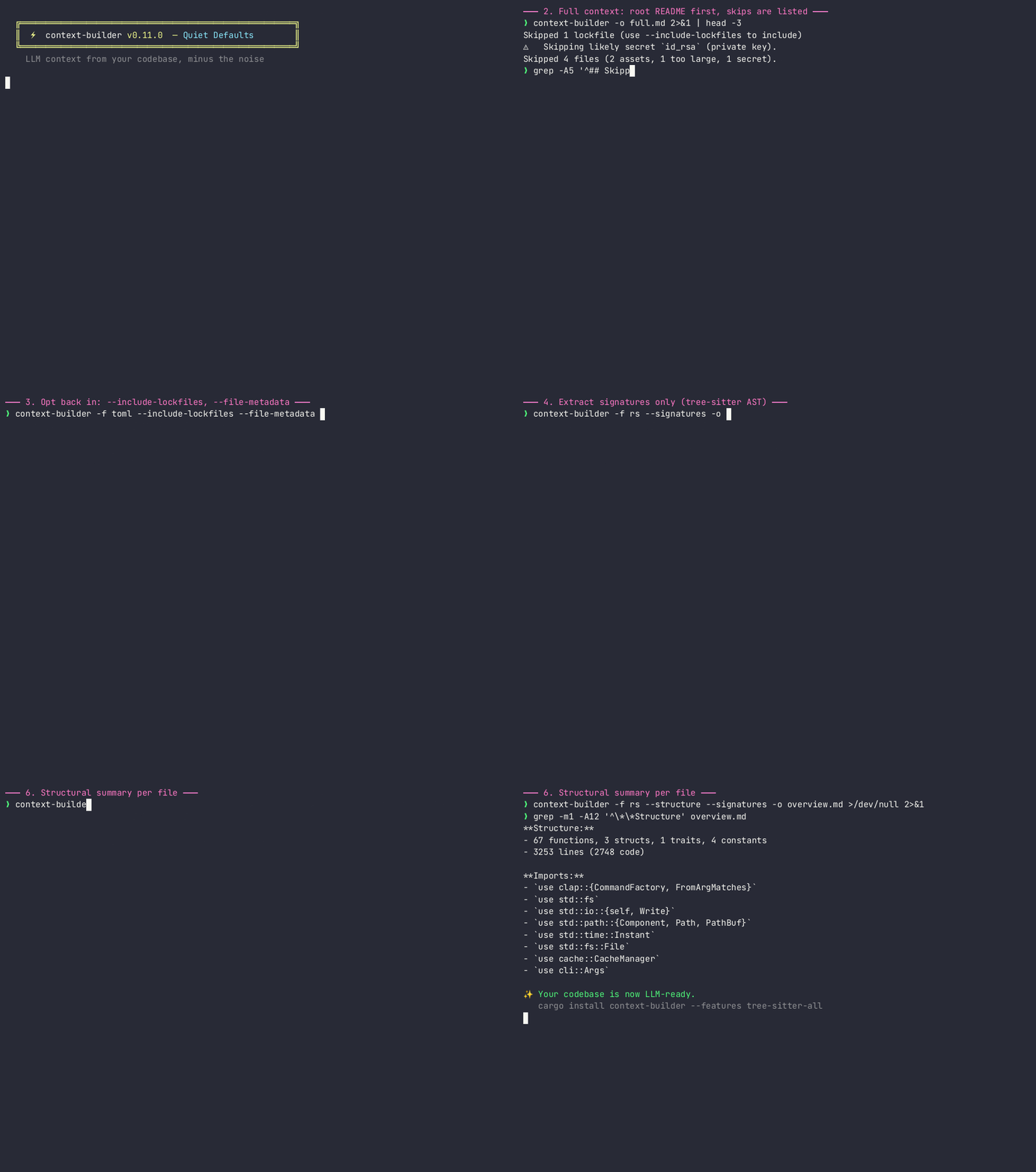
Fast Rust CLI that packs a codebase into one LLM-friendly markdown file