
react-planet
A react lib for building circular menus in a very easy and handy way.
- 203
- MIT
- 5 y ago
Repo innFactory/react-planet, read from GitHub 23 min ago. innFactory has not joined Take My Repo.
In short
innFactory/react-planet is a public repo on GitHub by innFactory. A react lib for building circular menus in a very easy and handy way. It declares the MIT license on GitHub. It is written mainly in TypeScript, has 203 stars and last changed on 2021-08-31. Nobody has reviewed it on Take My Repo yet, which says nothing about its quality. Read from GitHub on 2026-11-22.
react-planet
A react lib for building circular menus in a very easy and handy way.
Live-Demo: STORYBOOK
Read the full story @ Medium or innFactory-Blog
install
npm install --save react-planet
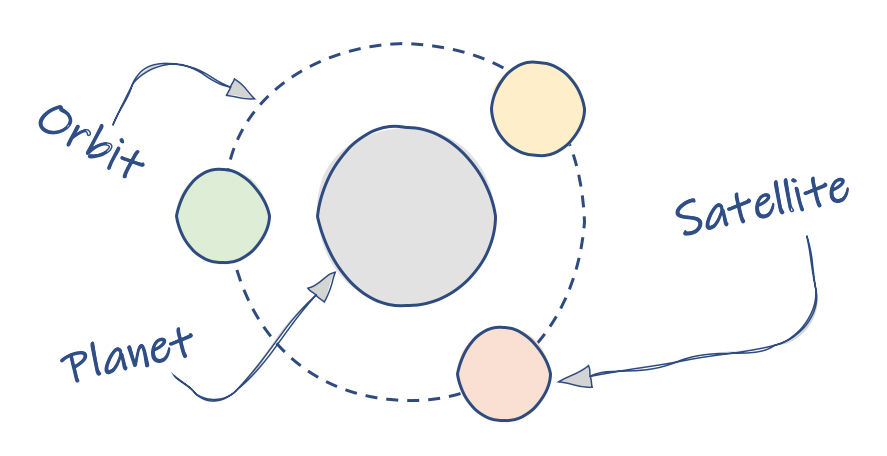
Concept
Basic Example
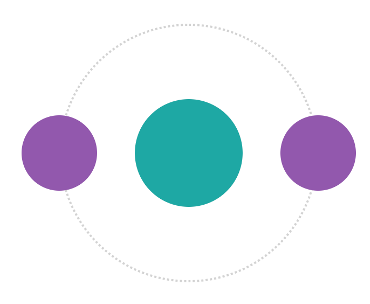
import { Planet } from 'react-planet';

export function MyPlanet() {
	return (
		<Planet
			centerContent={
				<div
					style={{
						height: 100,
						width: 100,
						borderRadius: '50%',
						backgroundColor: '#1da8a4',
					}}
				/>
			}
			open
			autoClose
		>
			<div
				style={{
					height: 70,
					width: 70,
					borderRadius: '50%',
					backgroundColor: '#9257ad',
				}}
			/>
			<div
				style={{
					height: 70,
					width: 70,
					borderRadius: '50%',
					backgroundColor: '#9257ad',
				}}
			/>
		</Planet>
	);
}
Change the orbit
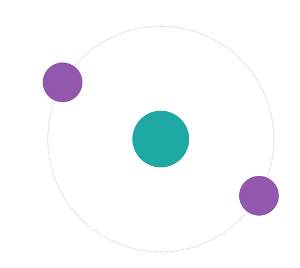
<Planet centerContent={div style={...yourStlye}/>}
        open
        orbitRadius={120}
        rotation={30}
        ...
>
Orbit Style
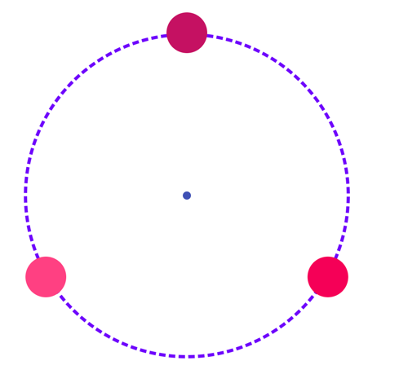
<Planet
	orbitStyle={(defaultStyle) => ({
		...defaultStyle,
		borderWidth: 4,
		borderStyle: 'dashed',
		borderColor: '#6f03fc',
	})}
	centerContent={<div className={classes.planetSmall} />}
	open
>
	<div className={classes.satellite1} />
	<div className={classes.satellite2} />
	<div className={classes.satellite3} />
</Planet>
Weird satellites and their orientation
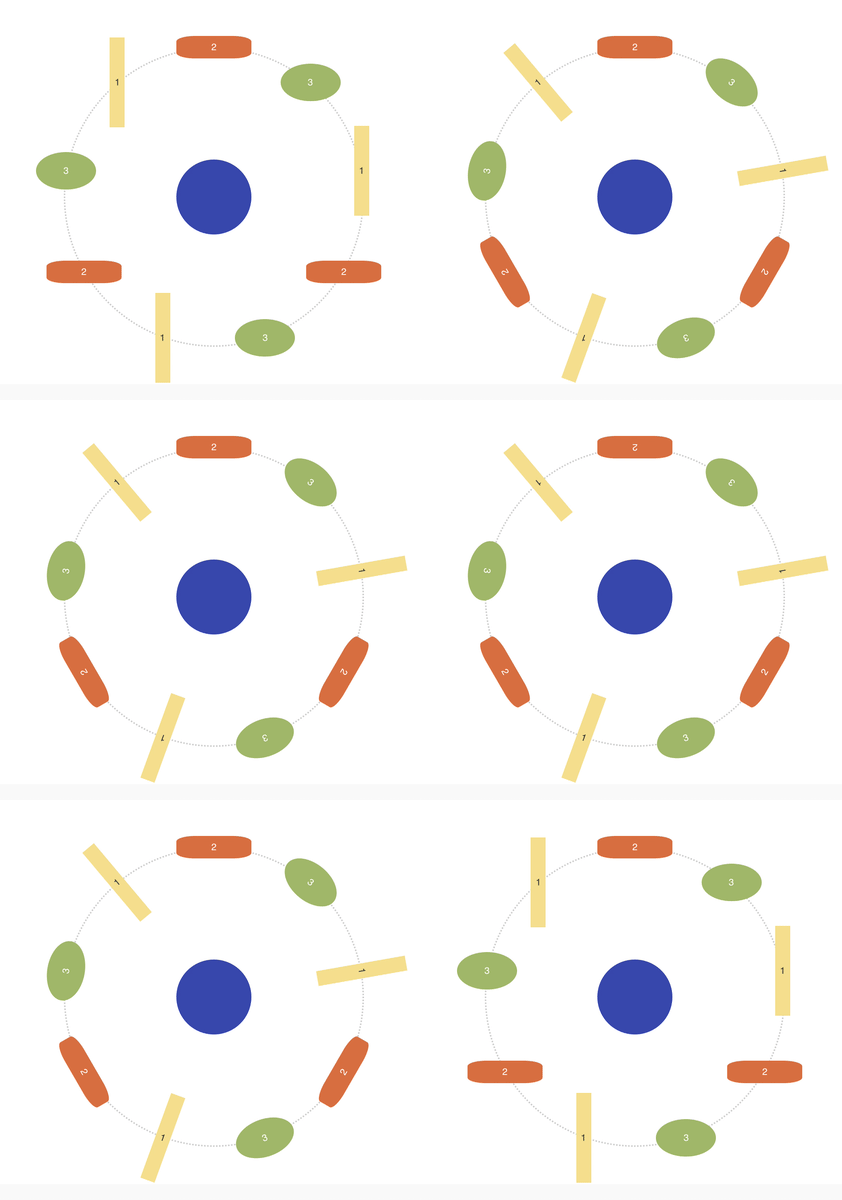
<Planet
    // set one of the orientations
    satelliteOrientation="INSIDE"
Bring it to life
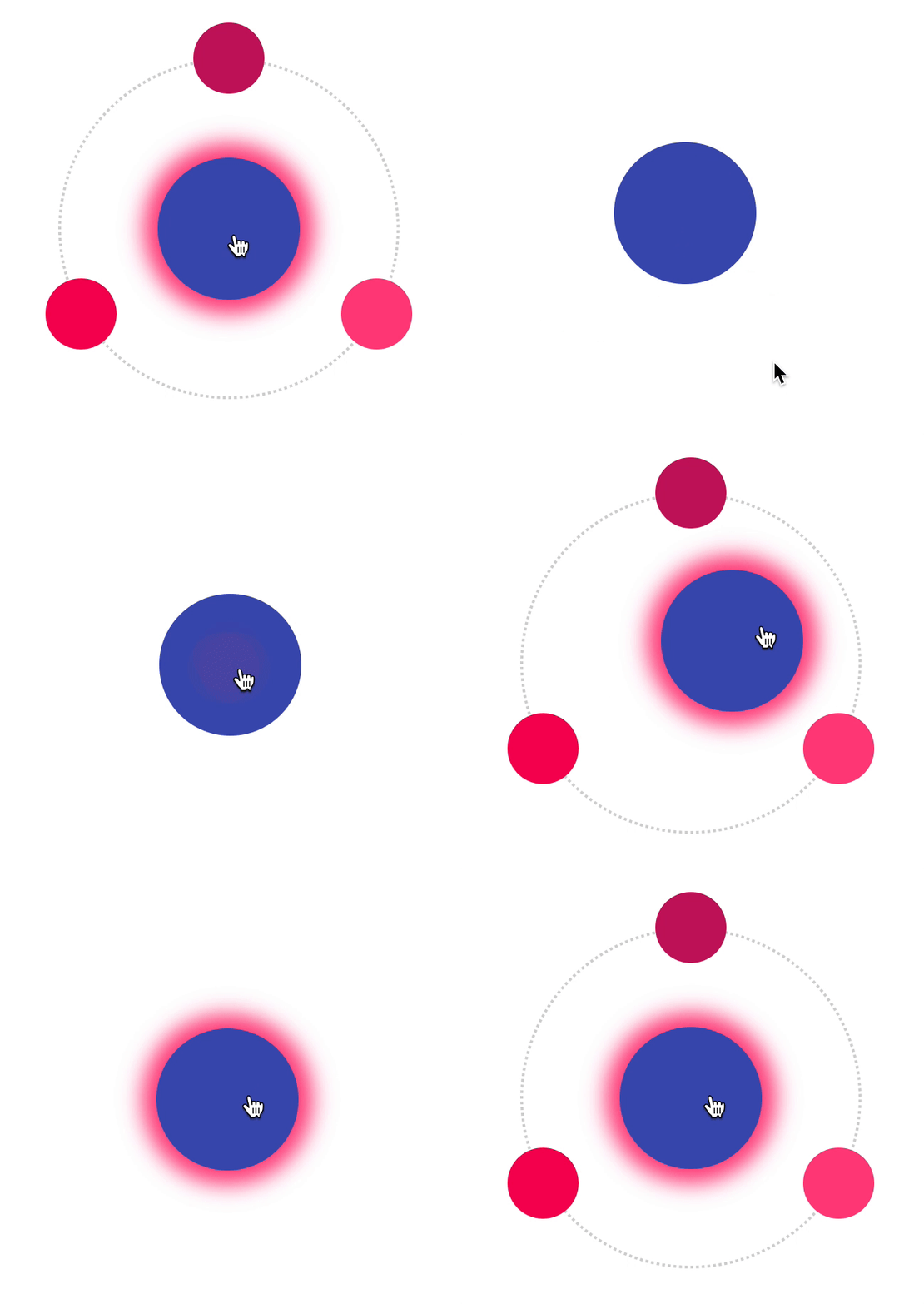
<Planet
    dragablePlanet
    dragRadiusPlanet={20}
    bounce
Planetception
Nested planets
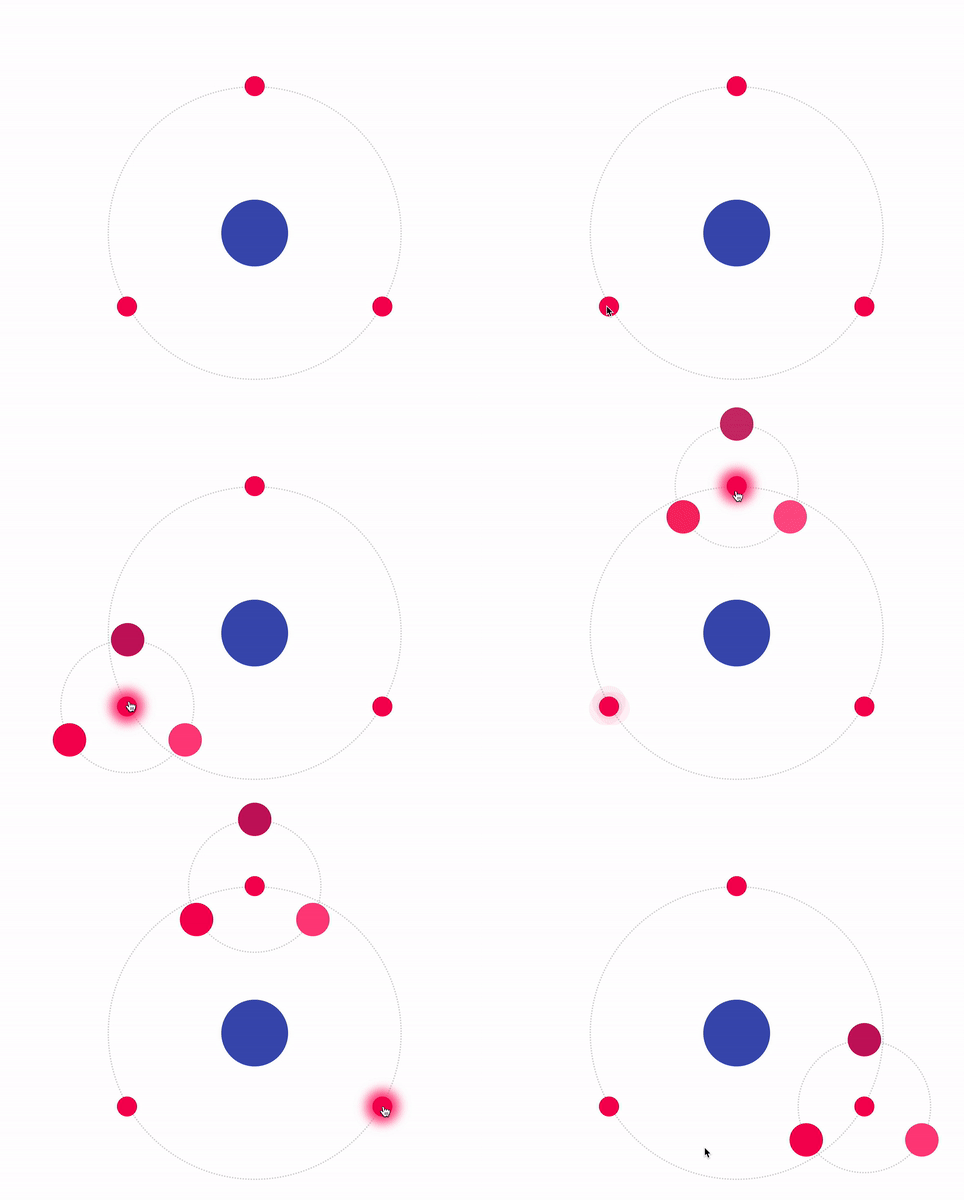
Code: /src/stories/Planetception.stories.tsx
Fake the space
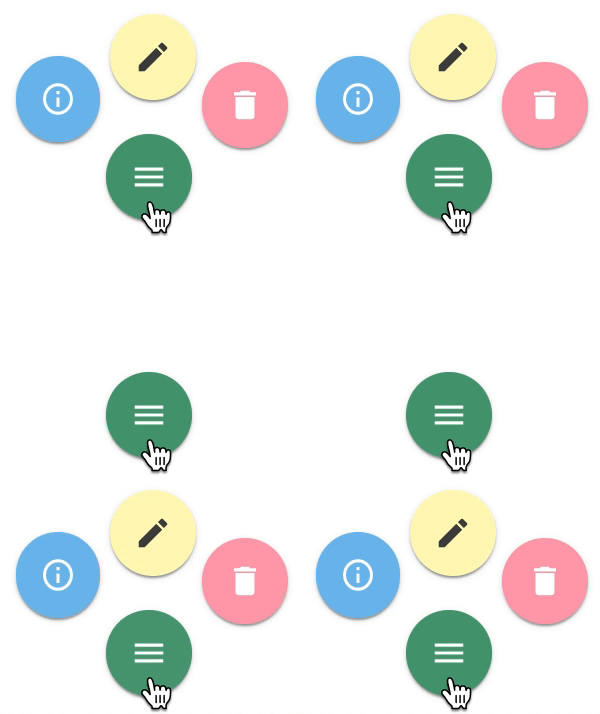
<Planet
	centerContent={<YourButton0 />}
	hideOrbit
	autoClose
	orbitRadius={60}
	bounceOnClose
	rotation={105}
	// the bounce direction is minimal visible
	// but on close it seems the button wobbling a bit to the bottom
	bounceDirection="BOTTOM"
>
	<YourButton1 />
	<YourButton2 />
	<YourButton3 />
	<div />
	<div />
	<div />
	<div />
</Planet>
Alter the physics
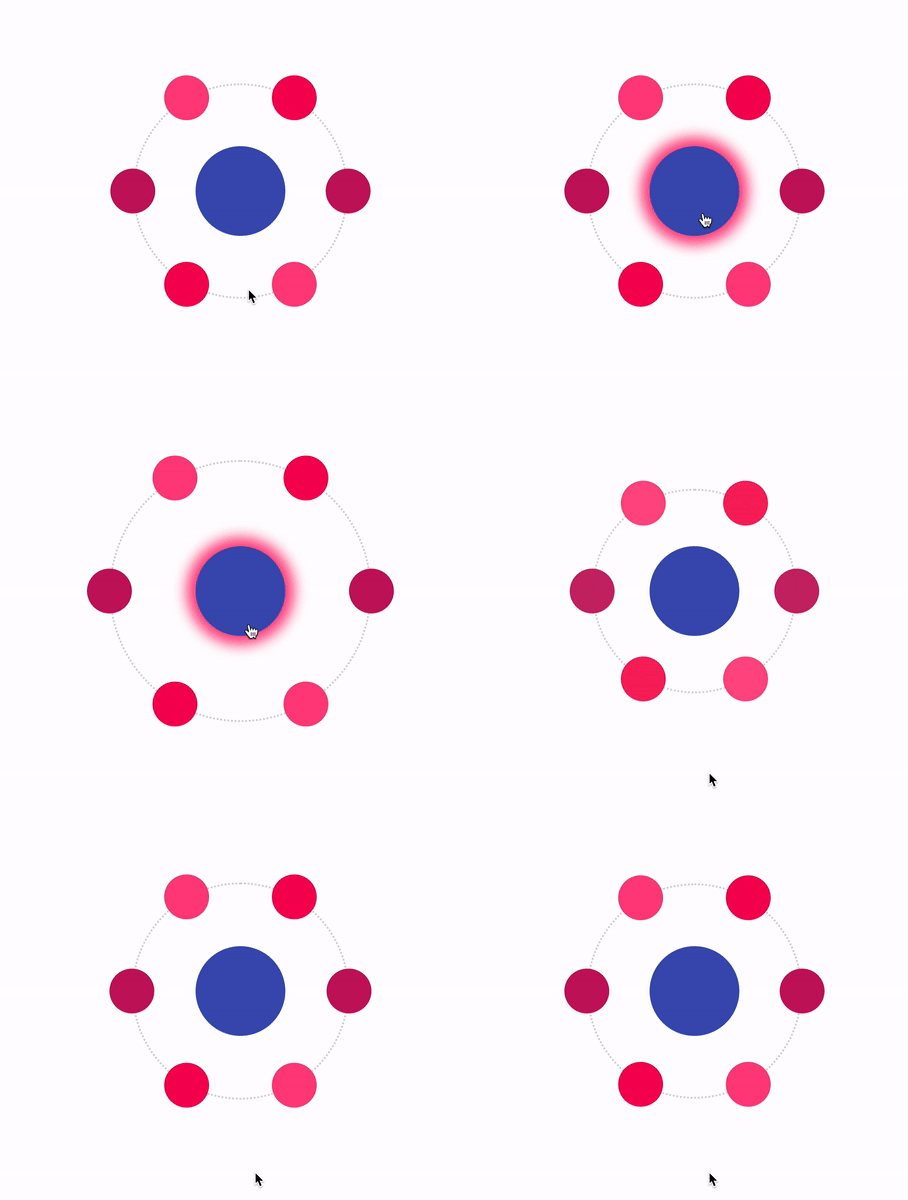
<Planet
      mass={4}
      tension={500}
      friction={19}
Props
| name | type | example /default | description |
|---|---|---|---|
| centerContent | React.Node? | The planet component | |
| orbitRadius | number? | 120 | How far the satellites are away from the planet |
| open | boolean? | false | Set the open/close state from outside |
| autoClose | boolean? | false | If true the planet handles the open/close state by itself |
| hideOrbit | boolean? | false | If true the orbit is hidden / not rendered |
| rotation | number? | 0 | The angle for the rotation of all satellites around the planet |
| satelliteOrientation | DEFAULT INSIDE OUTSIDE READABLE | undefined / DEFAULT | The angle for the rotation of one satellite itself |
| dragableSatellites | boolean? | false | If true you can click and drag a satellite |
| dragRadiusSatellites | number? | 12 | Defines how much you can drag the satellites |
| dragablePlanet | boolean? | false | If true you can click and drag the planet |
| dragRadiusPlanet | number? | 12 | Defines how much you can drag the planet |
| bounce | boolean? | false | If true the planet bounces on open and close |
| bounceOnOpen | boolean? | false | If true the planet bounces only on open |
| bounceOnClose | boolean? | false | If true the planet bounces only on close |
| bounceRadius | number? | 3 | Defines how much the planet bounces |
| bounceDirection | TOP BOTTOM LEFT RIGHT | undefined | On hight bounceRadius you can see a direction |
| tension | number? | 500 | a react-spring animation physic value |
| friction | number? | 17 | a react-spring animation physic value |
| mass | number? | 1 | a react-spring animation physic value |
| orbitStyle | (default: CSSProperties)=>CSSProperties | () => ({borderWidth: 4}) | You can override or set a new style for the orbit |
| onClick | (e: MouseEvent)=>void | ()=>{} | The function is triggered if you click on the centerComponent |
| onClose | (e: MouseEvent)=>void | ()=>{} | The function is triggered if the planet wants to close |
Start Storybook local
npm install
npm start
Made by:

Questions
What is react-planet?
innFactory/react-planet is a public repo on GitHub by innFactory. A react lib for building circular menus in a very easy and handy way.
Is react-planet open source?
It declares the MIT license on GitHub.
Does react-planet run on macOS, Windows or Linux?
Its maker has not tagged a system, so it is unknown here. Its README says what it needs.
How do I install react-planet?
Open "Take it" on its page: Take My Repo writes an install plan for your machine and hands it to your AI agent (Claude Code, Codex or Cursor), which asks you before each step. Take My Repo has not tested it on any machine.
Is react-planet still maintained?
Its last change on GitHub was on 2021-08-31. Take My Repo does not judge from that whether it is maintained.
What do people who ran react-planet say?
Nobody has reviewed it on Take My Repo yet, which says nothing about its quality.