extension-documentation
Documentation, AI-generated, human-reviewed orientation docs for every repository and package, as a first-party intentic extension
- 0
- TypeScript
- MIT
- 4 d ago
The reference intentic extension — one contribution of every kind, built the way the docs say to build one.
Repo intentic/extension-example, read from GitHub 15 h ago. intentic has not joined Take My Repo.
intentic/extension-example is a public repo on GitHub by intentic. The reference intentic extension — one contribution of every kind, built the way the docs say to build one. It declares no license on GitHub. Public does not mean open source: without a license, nobody is granted the right to reuse it. It is written mainly in TypeScript, has 1 stars and last changed on 2026-10-25. Nobody has reviewed it on Take My Repo yet, which says nothing about its quality. Read from GitHub on 2026-11-21.
intentic/extension-example is a public repo on GitHub by intentic. The reference intentic extension — one contribution of every kind, built the way the docs say to build one.
It declares no license on GitHub. Public does not mean open source: without a license, nobody is granted the right to reuse it.
Its maker has not tagged a system, so it is unknown here. Its README says what it needs.
Open "Take it" on its page: Take My Repo writes an install plan for your machine and hands it to your AI agent (Claude Code, Codex or Cursor), which asks you before each step. Take My Repo has not tested it on any machine.
Its last change on GitHub was on 2026-10-25. Take My Repo does not judge from that whether it is maintained.
Documentation, AI-generated, human-reviewed orientation docs for every repository and package, as a first-party intentic extension
Nobody has reviewed it on Take My Repo yet, which says nothing about its quality.
Issues — the inbox of bugs your users reported, as a first-party intentic extension
Knowledge, a markdown folder that is also a typed graph: the owner's notes, entities and relationships, browsable here and queryable by the agent
The sandbox debug log surface as a standalone intentic extension — terminal captures, run logs and the daemon log
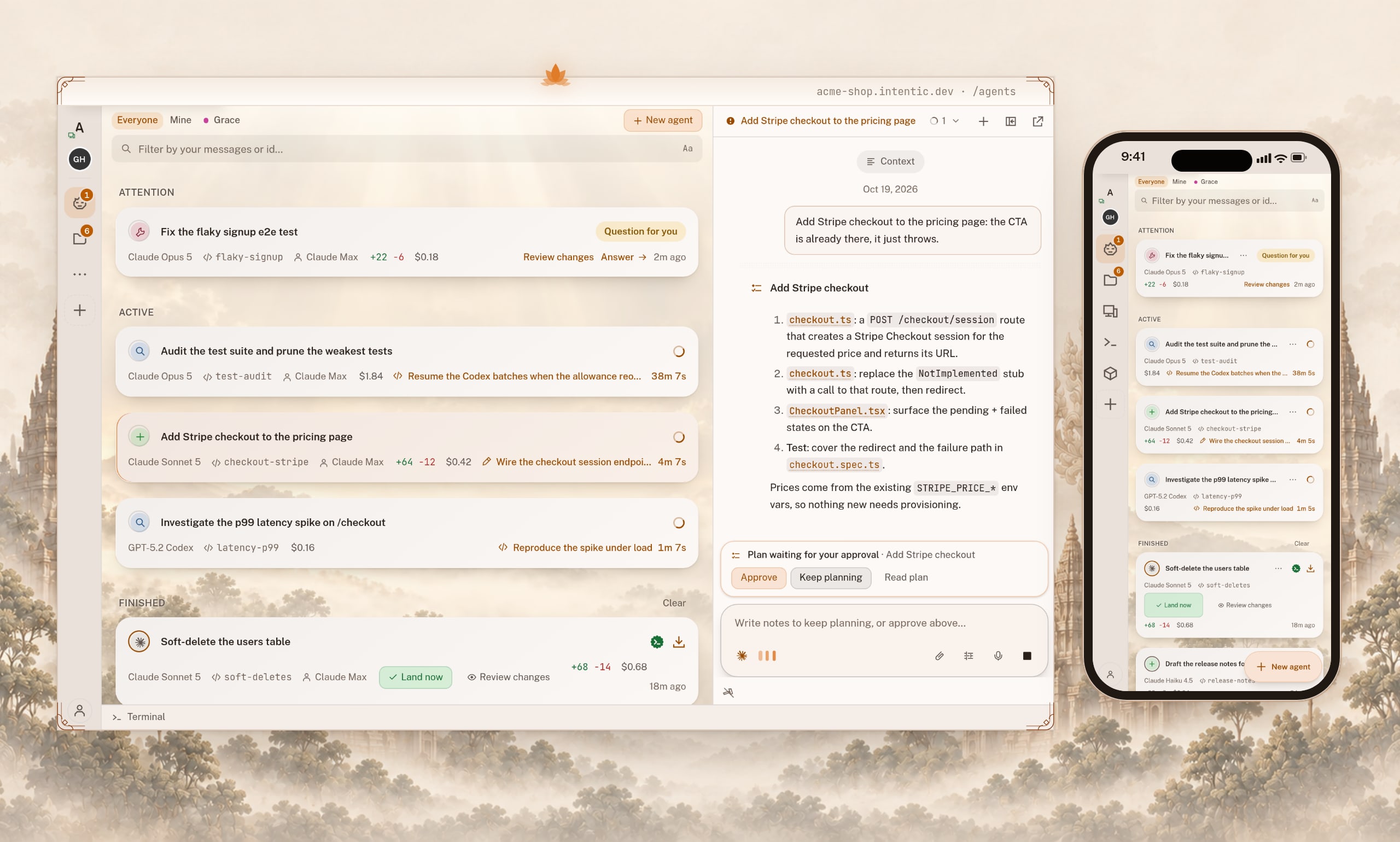
An open-source workspace for coding agents, running on your own machine. More work. Less AI waste. Same subscriptions.
Claude Code plugins from the intentic workstation: iq (agent-native workspace search) and trim (Bash output cleaning). Add with: /plugin marketplace add intentic/claude-plugins
Run your intentic agent from CI — block on an agent-judged release gate, or wake the agent with the event payload
The intentic extension registry — a list of pointers. Listing costs a pull request and nothing else.
Acceptance, user stories and their acceptance criteria, walked through the running app by agents driving real browsers
Deployments — container health, incidents and one-click redeploys over a connected Komodo, as a first-party intentic extension