
dash
Modern Dashboard / Analytics Platform
- 0
- MIT
- 8 d ago
Repo jaredwray/dash, read from GitHub 2 d ago. jaredwray has not joined Take My Repo.
In short
jaredwray/dash is a public repo on GitHub by jaredwray. Modern Dashboard / Analytics Platform. It declares the MIT license on GitHub. It is written mainly in TypeScript, has 0 stars and last changed on 2026-11-16. Nobody has reviewed it on Take My Repo yet, which says nothing about its quality. Read from GitHub on 2026-11-23.
Dash
AI-first analytics: dashboards, charts, and data sources you can drive from the UI or from MCP.
Dash is a modern Tableau / Looker-style workspace. Agents can list warehouses, run structured queries, and add chart widgets to dashboard pages through the built-in MCP server.
Screenshots
The screenshots show the Fernway sample company in Postgres, BigQuery, and MongoDB. To get the same dashboards, see Sample company data. The Claude Code screenshot comes from an earlier build with a built-in sample warehouse.
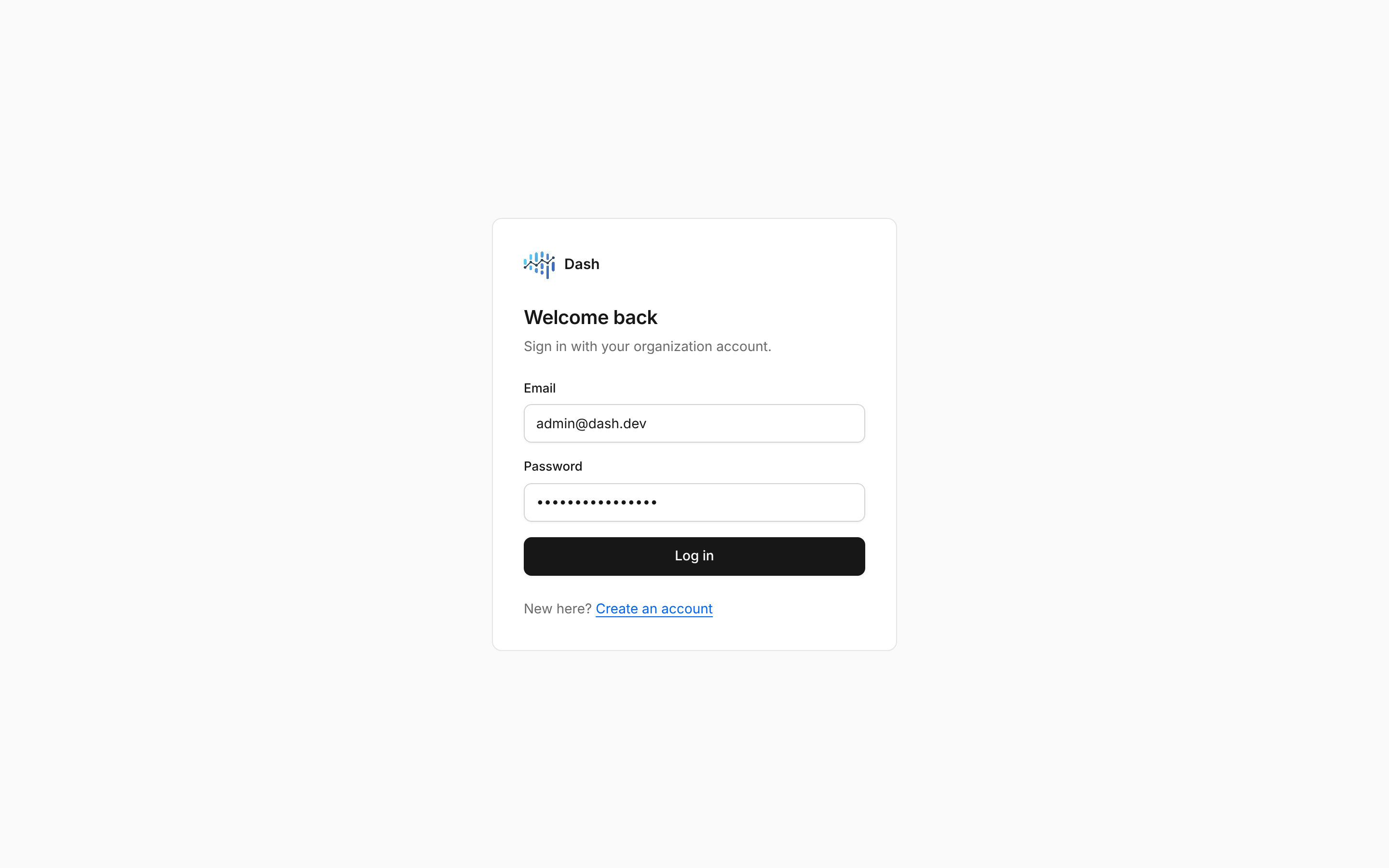
Sign in
/ opens this page until you are signed in. A signed-in visit goes straight to dashboards.
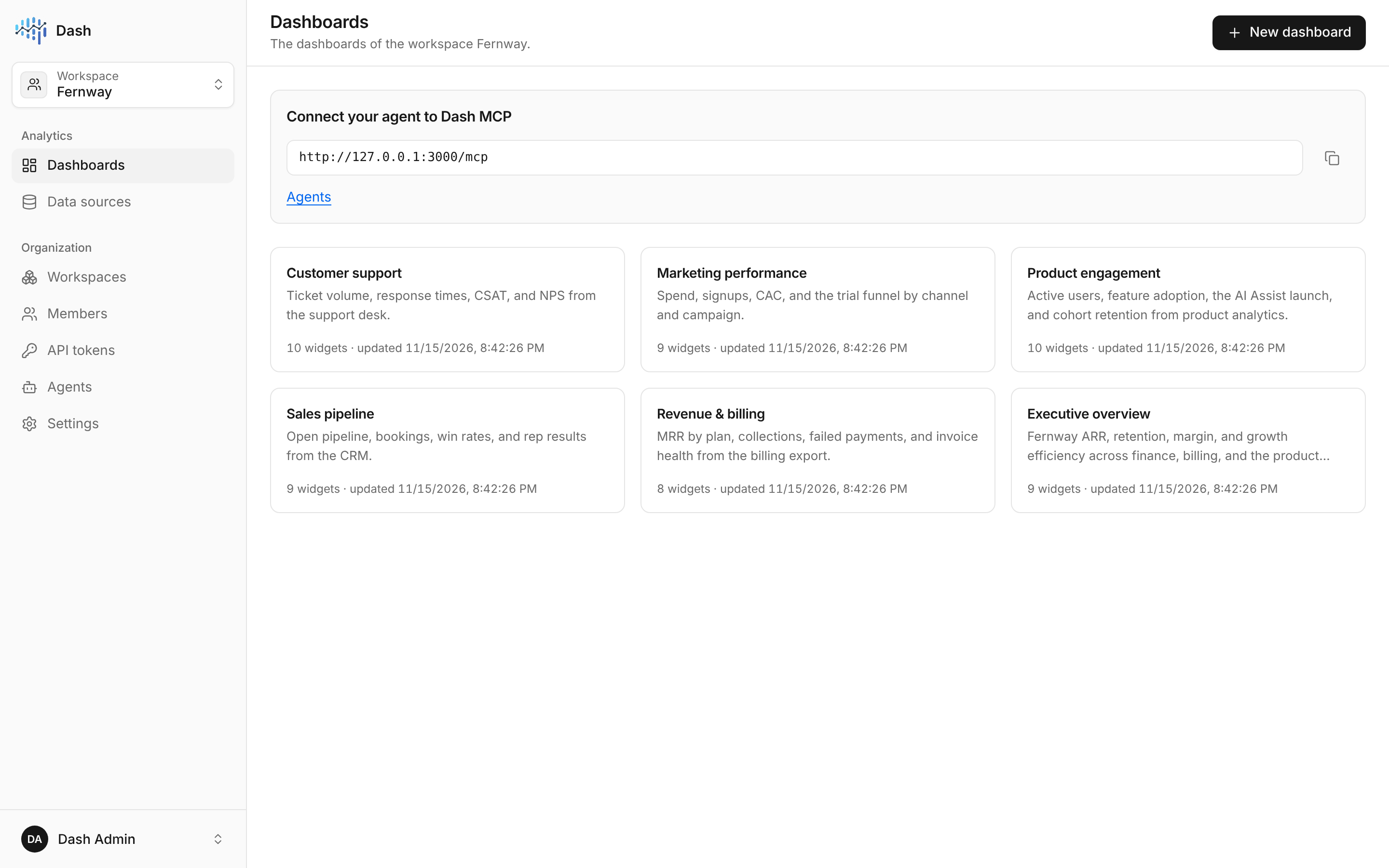
Dashboards
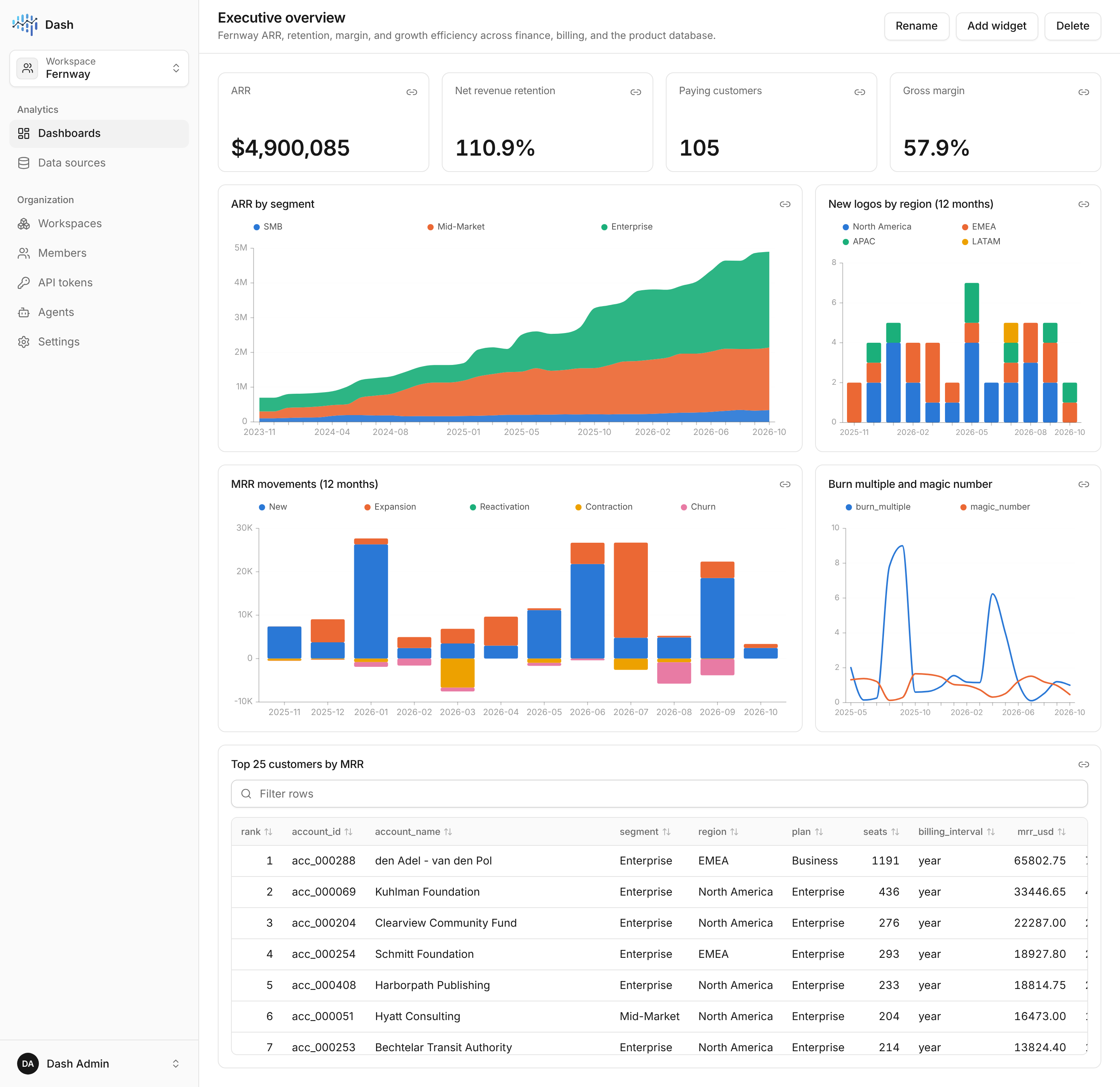
Executive overview
ARR, net revenue retention, paying customers, and gross margin. Charts show ARR by segment, new logos by region, MRR movements, and the burn multiple. A table lists the top 25 customers. The data comes from the finance warehouse in BigQuery, and from the product database and the billing export in Postgres.
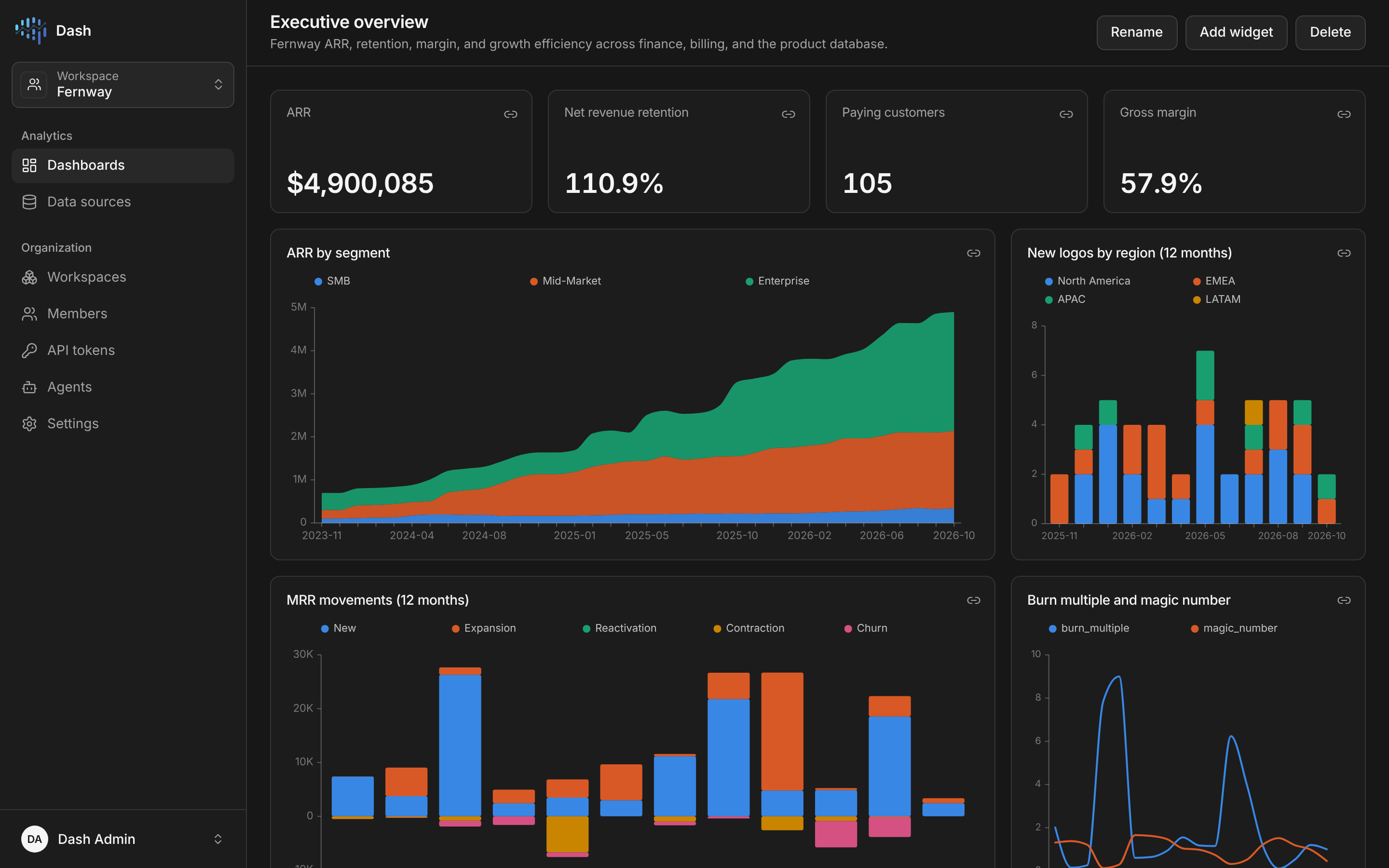
Dark appearance
Select Dark in the account panel at the bottom of the sidebar. System follows the device.
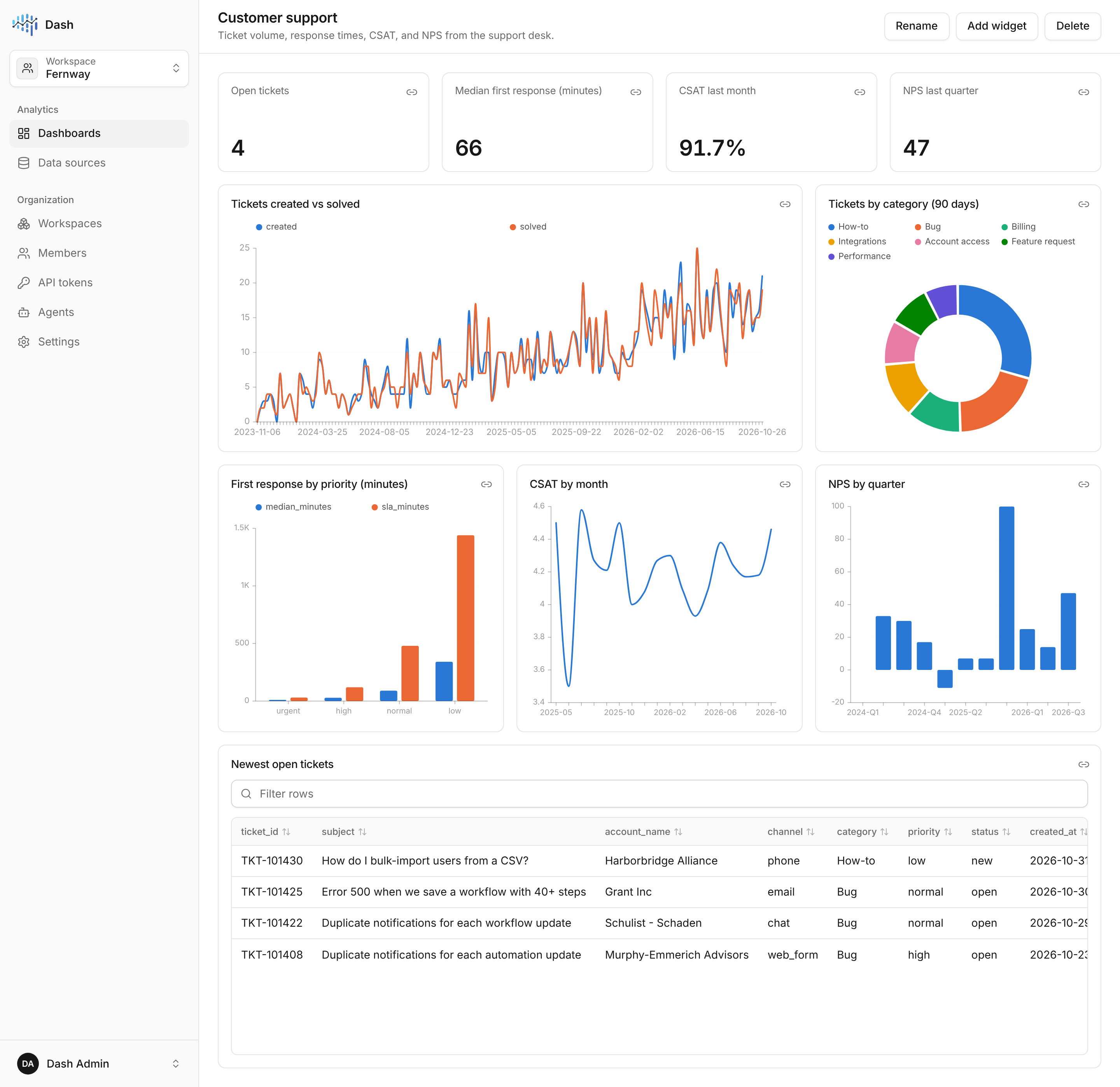
Customer support
Open tickets, first response time, CSAT, and NPS. Charts show ticket volume, categories, response time by priority, and survey results. The data comes from the support collections in MongoDB.
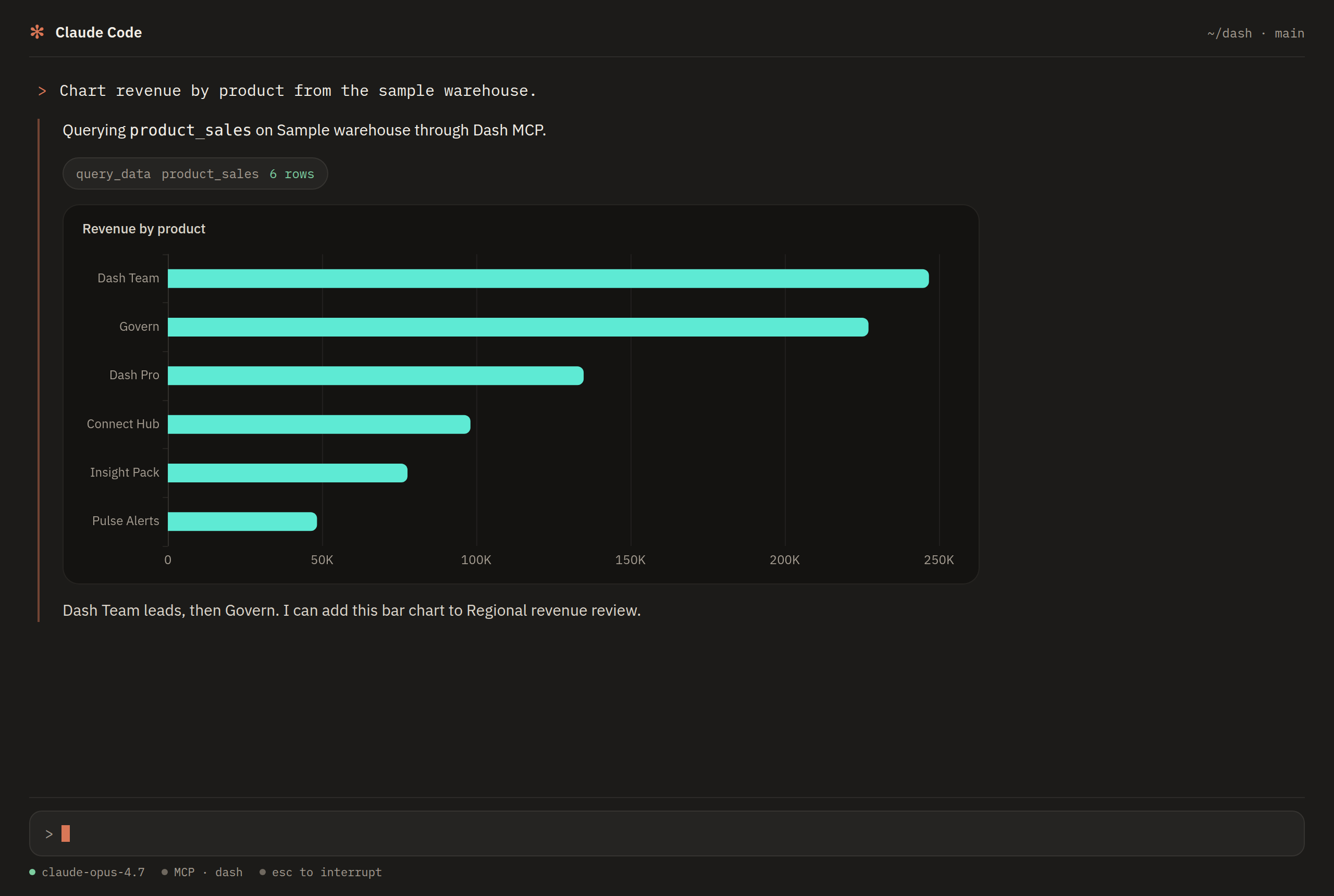
In Claude Code
The same product-revenue chart, drawn in the session after a Dash MCP query against the sample warehouse.
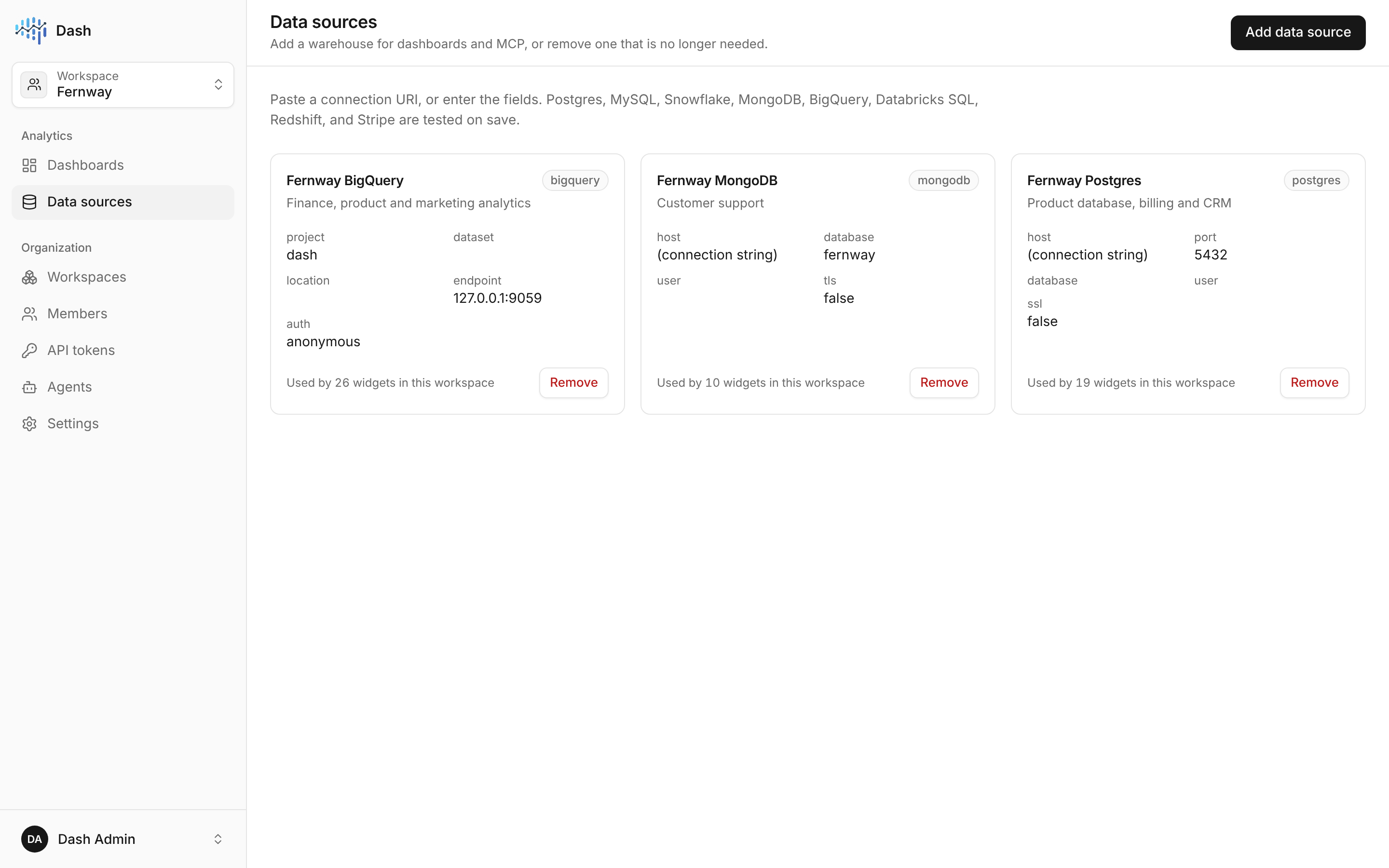
Data sources
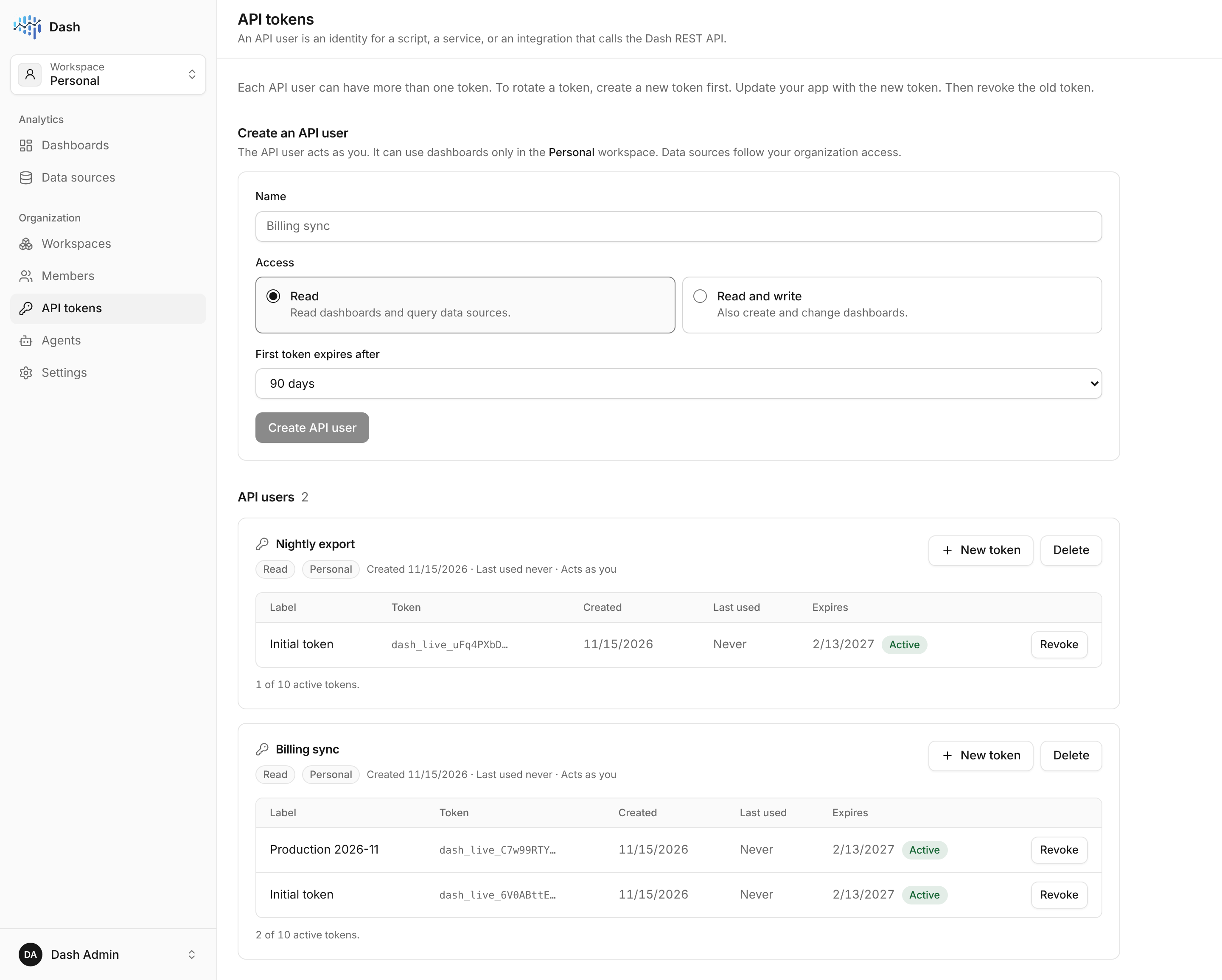
API tokens
An API user is an identity for a script or a service that calls the REST API. Each API user can have more than one token, so you can rotate a token without downtime. Revoke a token to stop only that token. Delete the API user to revoke all of its tokens.
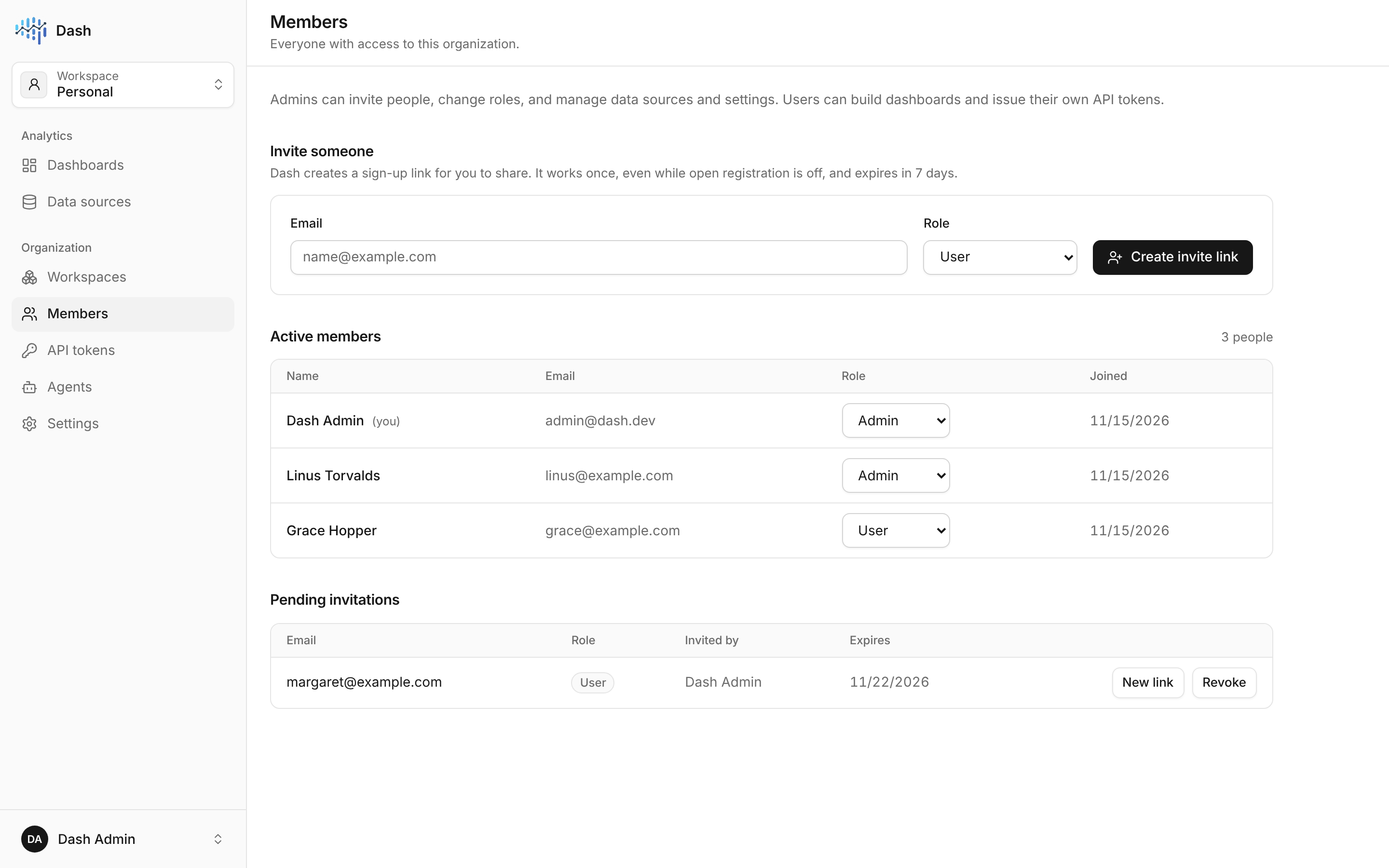
Members
Everyone in the organization with their role. Administrators invite people with a single-use link and switch members between User and Admin.
Settings
Profile
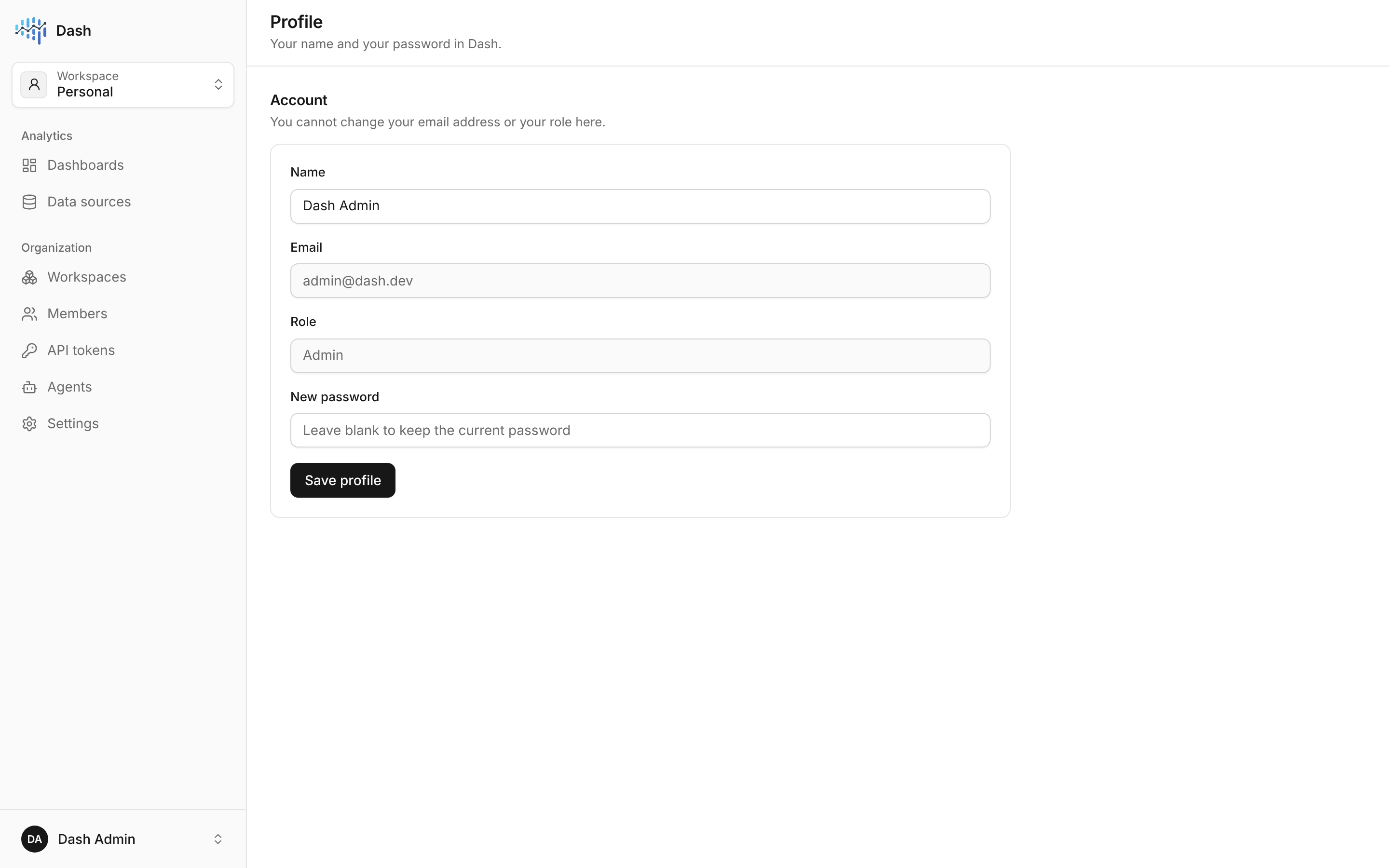
Open the account panel at the bottom of the sidebar and select Profile.
Requirements
- Node.js 24 (Active LTS)
- pnpm 12 (pinned to 12.16.1 in
package.json) - MongoDB. App state is the database named in
MONGODB_URI.
Monorepo
packages/web/                @dash/web              UX + REST API + MCP (TanStack Start)
packages/site/               @dash/site             Public website (Next.js, static export)
packages/core/               @dash/core             Shared types and adapter interfaces
packages/seed/               @dash/seed             Development seed: Fernway sample company and writers
packages/postgres-adapter/   @dash/adapter-postgres
packages/mysql-adapter/      @dash/adapter-mysql
packages/mariadb-adapter/    @dash/adapter-mariadb
packages/hana-adapter/       @dash/adapter-hana
packages/snowflake-adapter/  @dash/adapter-snowflake
packages/mongodb-adapter/    @dash/adapter-mongodb
packages/bigquery-adapter/   @dash/adapter-bigquery
packages/databricks-adapter/ @dash/adapter-databricks
packages/redshift-adapter/   @dash/adapter-redshift
packages/stripe-adapter/     @dash/adapter-stripe
packages/db2-adapter/        @dash/adapter-db2
packages/opensearch-adapter/ @dash/adapter-opensearch
packages/documentdb-adapter/ @dash/adapter-documentdb
packages/cockroachdb-adapter/ @dash/adapter-cockroachdb
packages/couchbase-adapter/   @dash/adapter-couchbase
packages/neo4j-adapter/      @dash/adapter-neo4j
packages/cassandra-adapter/  @dash/adapter-cassandra
packages/oracle-adapter/     @dash/adapter-oracle
packages/clickhouse-adapter/ @dash/adapter-clickhouse
packages/dynamodb-adapter/   @dash/adapter-dynamodb
Workspaces are declared in the root pnpm-workspace.yaml.
Quick start
pnpm install
cp .env.example .env
pnpm dev
Open http://localhost:3000. The app starts with no users. Sign-in points at /register. The first account becomes the administrator.
Set MONGODB_URI in .env or the environment before starting the app. pnpm dev reads the repo .env; a variable already set in the environment wins. The path is the database name (/dash). Dash creates that database the first time it connects. A username without authSource authenticates against admin, where Atlas stores SCRAM users, and that user needs the readWrite role on the database. Change DASH_SECRET before exposing the app.
Public website
packages/site (@dash/site) is the public website. It tells visitors that Dash is open source and free to host, and it describes the paid Dash Cloud service. The stack is Next.js, Tailwind CSS, Biome, and Vitest.
pnpm dev:site
Open http://localhost:3001. The marketing pages need no database. Dash Cloud accounts need MongoDB:
- Start the clusters with
pnpm test:services:start, or use a different MongoDB server. - Copy
packages/site/.env.exampletopackages/site/.env.local. - Set
DASH_CLOUD_MONGODB_URI. The path is the database name, for examplemongodb://dash:dash@127.0.0.1:27029/dash_cloud?authSource=admin.
pnpm --filter @dash/site build makes a Node.js server, and pnpm --filter @dash/site start runs it on port 3001.
- The website uses the design tokens of the app and follows the light or dark mode of the device. The tokens are in
packages/site/src/app/globals.css. See Design and ADR 0018. - Repository, Dash Cloud, and contact links are in
packages/site/src/lib/site.ts. - Plan names, prices, and features are in
packages/site/src/content/plans.ts. Change a price there, not in a component. ADR 0019 gives the cost of a compute hour and the margin rule. - Dash Cloud runs in this website, not on a separate host. Sign-up at
/register/creates an account and an organization on the Free plan. Sign-in is at/login/, and/account/shows the account. Search engines do not index these pages. - Passwords use scrypt. A session lasts 30 days in an
HttpOnlycookie. After 10 failed sign-ins for one email, sign-in for that email stops for 15 minutes. - Password reset, email verification, billing, and the hosted Dash workspace are not built yet.
- The prices and the
hello@dash.ioaddress are placeholders until launch.
First account
The app starts with no users. The login page does not show a demo account.
There is no separate user-admin CLI. Accounts are created in the product:
- Open the app. With no users, sign-in points at
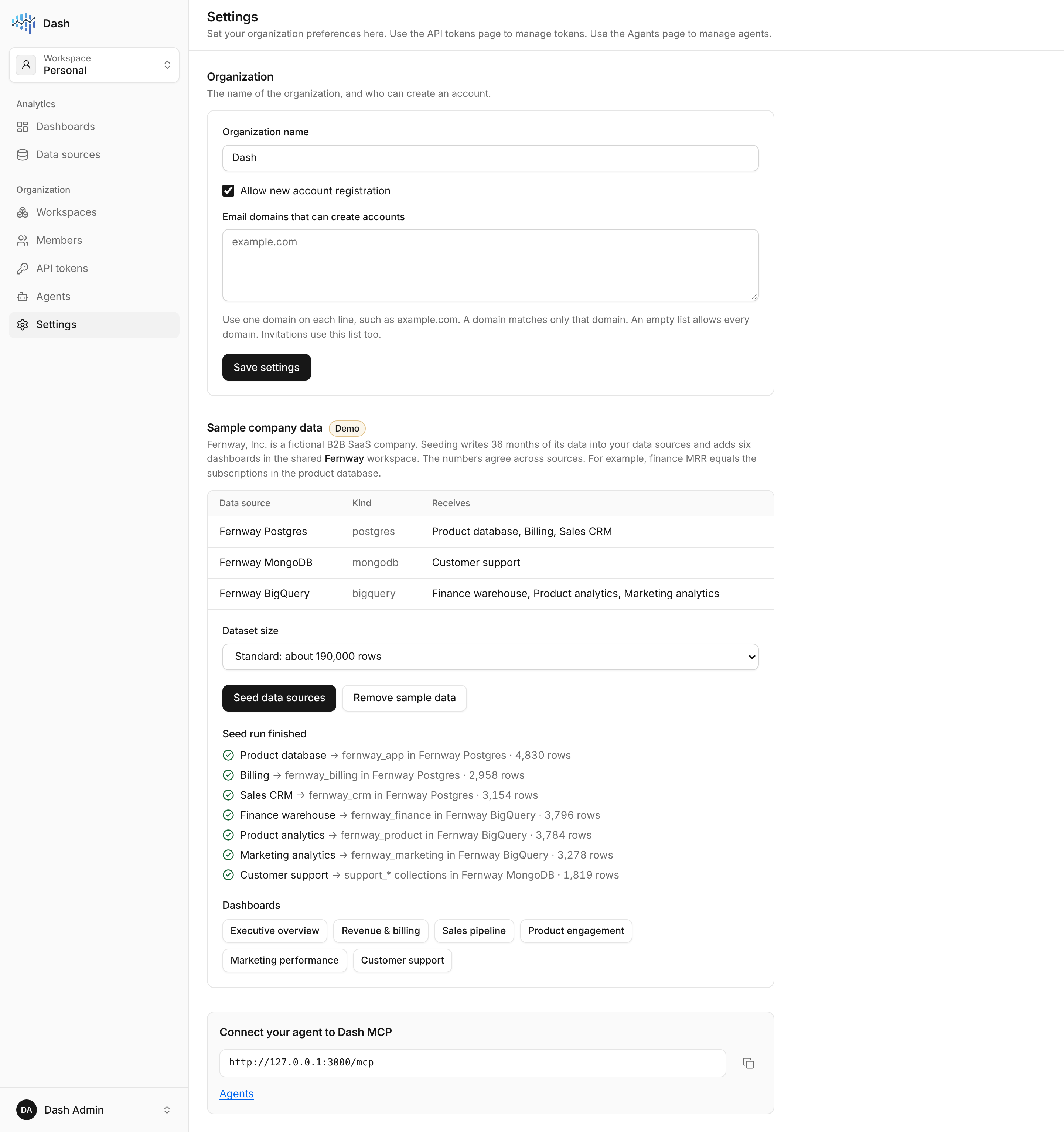
/register. The first account becomes the administrator. - Later people use the same registration form while Settings → Allow new account registration is on.
- An administrator turns that setting off to keep the organization closed. Registration stays available while there are no users, so a fresh database can always create its first admin.
- With registration closed, an administrator adds people from Members: enter an email, pick User or Admin, and share the sign-up link. Dash does not send email. A link works once and expires after 7 days.
GET /api/auth/bootstrap is public. It reports whether the organization still needs that first account, and whether registration is open.
Sample company data (development)
Dash can write a realistic dataset into the data sources that you configured. The dataset is for Fernway, Inc., a fictional B2B SaaS company. It has 36 months of history that ends with the last full month. Use it to test dashboards, charts, and agents against real engines.
The numbers agree across sources. Finance MRR equals the subscriptions in the product database. Collections equal the successful charges. Each account id is the same in every source. At the standard size, Fernway grows from about $7M to about $35M ARR, with about 110% net revenue retention.
| Domain | Contents | Kinds, in order of preference |
|---|---|---|
| Product database | Accounts, users, plans, subscriptions, subscription events | Postgres, BigQuery, MongoDB |
| Billing | Customers, invoices, charges, refunds, and disputes in the shape of a Stripe export | Postgres, BigQuery, MongoDB |
| Sales CRM | Sales reps, leads, opportunities, stage history | Postgres, BigQuery, MongoDB |
| Finance warehouse | GL entries, opex, headcount, MRR movements, SaaS KPIs | BigQuery, Postgres, MongoDB |
| Product analytics | Raw events, account usage, active users, feature adoption, cohort retention | BigQuery, Postgres, MongoDB |
| Marketing analytics | Campaigns, ad spend, web sessions, signup funnel | BigQuery, Postgres, MongoDB |
| Customer support | Tickets with conversations, CSAT, NPS, agents, incidents | MongoDB, Postgres, BigQuery |
Each domain goes to the oldest source of the first kind on its list. A Postgres or BigQuery source receives one fernway_<domain> schema or dataset for each domain. A MongoDB source receives <domain>_<table> collections in its configured database. Each domain has raw tables and mart_* tables. Dash queries do not join or group rows, so the charts read the marts.
To seed the local clusters:
- Start the clusters with
pnpm test:services:start. - In
.env, setMONGODB_URI=mongodb://dash:dash@127.0.0.1:27029/dash_app?authSource=adminandDEMO_ENVIRONMENT=true. - Run
pnpm devand sign in as an administrator. - On Data sources, add these sources:
- Postgres:
postgres://dash:dash@127.0.0.1:54329/fernway - MongoDB:
mongodb://dash:dash@127.0.0.1:27029/fernway?authSource=admin - BigQuery: project
dash, API endpointhttp://127.0.0.1:9059, and no default dataset
- Postgres:
- Open Settings, go to Sample company data, select a size, and click Seed data sources.
Do not point a source at the dash fixture database. The adapter tests expect only their fixture tables there. The Postgres cluster creates an empty fernway database for this purpose. Use the Small size with the BigQuery emulator, because the emulator keeps all data in its 1 GiB of memory.
The run continues in the background. The panel shows each domain and its row count. When the run is complete, the shared Fernway workspace has six dashboards: Executive overview, Revenue & billing, Sales pipeline, Product engagement, Marketing performance, and Customer support. Remove sample data drops the data that the seeder wrote and deletes those dashboards.
Safety rules:
- The feature is off unless
DEMO_ENVIRONMENT=true.demo.dash.iosets this value. The flag works in production. - A seed run skips a data source when its database is not available. The run writes the other sources. BigQuery is one example.
Questions
What is dash?
jaredwray/dash is a public repo on GitHub by jaredwray. Modern Dashboard / Analytics Platform.
Is dash open source?
It declares the MIT license on GitHub.
Does dash run on macOS, Windows or Linux?
Its maker has not tagged a system, so it is unknown here. Its README says what it needs.
How do I install dash?
Open "Take it" on its page: Take My Repo writes an install plan for your machine and hands it to your AI agent (Claude Code, Codex or Cursor), which asks you before each step. Take My Repo has not tested it on any machine.
Is dash still maintained?
Its last change on GitHub was on 2026-11-16. Take My Repo does not judge from that whether it is maintained.