rea
Reverse engineer anything with agents, from app behavior down to native binaries.
- 474k
- TypeScript
- MIT
- 2 min ago
[DEPRECATED] 更方便的将各个rom厂商自己的推送服务进行集成,并统一管理
Repo jiang111/AndroidPush, read from GitHub 3 d ago. jiang111 has not joined Take My Repo.
jiang111/AndroidPush is a public repo on GitHub by jiang111. [DEPRECATED] 更方便的将各个rom厂商自己的推送服务进行集成,并统一管理. It declares the Apache-2.0 license on GitHub. It is written mainly in Java, has 232 stars and last changed on 2021-03-19. Nobody has reviewed it on Take My Repo yet, which says nothing about its quality. Read from GitHub on 2026-11-20.
更方便的将各个rom厂商自己的推送服务进行集成,并统一管理,使用前还是需要熟悉各个平台的相关文档
作为底层码农,每天忙于coding,可能没有太多的时间及时更新各个平台的sdk,所以这里只是写了一些思想性的东西,大家可以在此基础上根据需求自己优化功能.另外, 推送这种东西,各家app的做法都不相同,通过自己动手集成能了解各个平台推送特点,方便以后遇到问题自己可以解决,而且各个厂商的SDK更新不同,自己修改起来更方便。
- 将如下4个SDK集成到项目中
- 配置APP下的Manifest.xml文件 [注意:如出现推送不成功请仔细检查manifest里对该平台集成是否正确!!!]
//权限通用配置
 <uses-permission android:name="android.permission.RECEIVE_USER_PRESENT" />
<uses-permission android:name="android.permission.INTERNET" />
<uses-permission android:name="android.permission.WAKE_LOCK" />
<uses-permission android:name="android.permission.READ_PHONE_STATE" />
<uses-permission android:name="android.permission.WRITE_EXTERNAL_STORAGE" />
<uses-permission android:name="android.permission.READ_EXTERNAL_STORAGE" />
<uses-permission android:name="android.permission.VIBRATE" />
<uses-permission android:name="android.permission.MOUNT_UNMOUNT_FILESYSTEMS" />
<uses-permission android:name="android.permission.ACCESS_NETWORK_STATE" />
<uses-permission android:name="android.permission.WRITE_SETTINGS" />
<uses-permission android:name="android.permission.ACCESS_WIFI_STATE" />
<!-- Optional. Required for location feature 建议不需要的不用加-->
<uses-permission android:name="android.permission.SYSTEM_ALERT_WINDOW" /> <!-- 用于开启 debug 版本的应用在6.0 系统上 层叠窗口权限 -->
<uses-permission android:name="android.permission.ACCESS_COARSE_LOCATION" />
<uses-permission android:name="android.permission.CHANGE_WIFI_STATE" />
<uses-permission android:name="android.permission.ACCESS_FINE_LOCATION" />
<uses-permission android:name="android.permission.ACCESS_LOCATION_EXTRA_COMMANDS" />
<uses-permission android:name="android.permission.CHANGE_NETWORK_STATE" />
<uses-permission android:name="android.permission.GET_TASKS" />
//小米的权限
<permission android:name="${PNAME}.permission.MIPUSH_RECEIVE" android:protectionLevel="signature" />
<!--这里com.xiaomi.mipushdemo改成app的包名-->
<uses-permission android:name="${PNAME}.permission.MIPUSH_RECEIVE" />
<!--这里com.xiaomi.mipushdemo改成app的包名-->
//华为的权限
//魅族的权限
<!--兼容flyme5.0以下版本,魅族内部集成pushSDK必填,不然无法收到消息-->
<uses-permissionandroid:name="com.meizu.flyme.push.permission.RECEIVE"></uses-permission>
<permissionandroid:name="${PNAME}.push.permission.MESSAGE"android:protectionLevel="signature"/>
<uses-permissionandroid:name="${PNAME}.push.permission.MESSAGE"></uses-permission>
<!--兼容flyme3.0配置权限-->
<uses-permissionandroid:name="com.meizu.c2dm.permission.RECEIVE"/>
<permissionandroid:name="${PNAME}.permission.C2D_MESSAGE"android:protectionLevel="signature"></permission>
<uses-permissionandroid:name="${PNAME}.permission.C2D_MESSAGE"/>
//极光的配置
<!-- Required -->
<permission
    android:name="${PNAME}.permission.JPUSH_MESSAGE"
    android:protectionLevel="signature" />
<!-- Required -->
<uses-permission android:name="${PNAME}.permission.JPUSH_MESSAGE" />
  <uses-permission android:name="com.coloros.mcs.permission.RECIEVE_MCS_MESSAGE" />
//下面的配置需要复制到 application 节点下面
//小米
<service
  android:enabled="true"
  android:process=":pushservice"
  android:name="com.xiaomi.push.service.XMPushService"/>
<service
  android:name="com.xiaomi.push.service.XMJobService"
  android:enabled="true"
  android:exported="false"
  android:permission="android.permission.BIND_JOB_SERVICE"
  android:process=":pushservice" />
<!--注:此service必须在3.0.1版本以后(包括3.0.1版本)加入-->
<service
  android:enabled="true"
  android:exported="true"
  android:name="com.xiaomi.mipush.sdk.PushMessageHandler" />
<service android:enabled="true"
  android:name="com.xiaomi.mipush.sdk.MessageHandleService" />
<!--注:此service必须在2.2.5版本以后(包括2.2.5版本)加入-->
<receiver
  android:exported="true"
  android:name="com.xiaomi.push.service.receivers.NetworkStatusReceiver" >
  <intent-filter>
    <action android:name="android.net.conn.CONNECTIVITY_CHANGE" />
    <category android:name="android.intent.category.DEFAULT" />
  </intent-filter>
</receiver>
<receiver
  android:exported="false"
  android:process=":pushservice"
  android:name="com.xiaomi.push.service.receivers.PingReceiver" >
  <intent-filter>
    <action android:name="com.xiaomi.push.PING_TIMER" />
  </intent-filter>
</receiver>
<receiver
  android:exported="true"
  android:name=".push.miui.MiuiReceiver">
  <!--这里com.xiaomi.mipushdemo.DemoMessageRreceiver改成app中定义的完整类名-->
  <intent-filter>
    <action android:name="com.xiaomi.mipush.RECEIVE_MESSAGE" />
  </intent-filter>
    <intent-filter>
    <action android:name="com.xiaomi.mipush.MESSAGE_ARRIVED" />
  </intent-filter>
  <intent-filter>
    <action android:name="com.xiaomi.mipush.ERROR" />
  </intent-filter>
</receiver>
//魅族
<!--push应用定义消息receiver声明-->
<receiver android:name=".push.flyme.FlymeReceiver">
    <intent-filter>
        <!--接收push消息-->
        <action android:name="com.meizu.flyme.push.intent.MESSAGE"/>
        <!--接收register消息-->
        <action android:name="com.meizu.flyme.push.intent.REGISTER.FEEDBACK"/>
        <!--接收unregister消息-->
        <action android:name="com.meizu.flyme.push.intent.UNREGISTER.FEEDBACK"/>
        <!--兼容低版本Flyme3推送服务配置-->
        <action android:name="com.meizu.c2dm.intent.REGISTRATION"/>
        <action android:name="com.meizu.c2dm.intent.RECEIVE"/>
        <category android:name="${PNAME}"></category>
    </intent-filter>
</receiver>
//华为
<receiver android:name=".push.emui.EMHuaweiPushReceiver" >
	<intent-filter>
	    <action android:name="com.huawei.android.push.intent.REGISTRATION" />
	    <action android:name="com.huawei.android.push.intent.RECEIVE" />
	    <action android:name="com.huawei.android.push.intent.CLICK" />
	    <action android:name="com.huawei.intent.action.PUSH_STATE" />
	</intent-filter>
</receiver>
<receiver android:name="com.huawei.hms.support.api.push.PushEventReceiver" >
	<intent-filter>
	    <action android:name="com.huawei.intent.action.PUSH" />
	</intent-filter>
</receiver>

//极光
 <!-- Required SDK 核心功能-->
<!-- 可配置android:process参数将PushService放在其他进程中 -->
<service
    android:name="cn.jpush.android.service.PushService"
    android:enabled="true"
    android:exported="false" >
    <intent-filter>
      <action android:name="cn.jpush.android.intent.REGISTER" />
      <action android:name="cn.jpush.android.intent.REPORT" />
      <action android:name="cn.jpush.android.intent.PushService" />
      <action android:name="cn.jpush.android.intent.PUSH_TIME" />
    </intent-filter>
</service>
<!-- since 1.8.0 option 可选项。用于同一设备中不同应用的JPush服务相互拉起的功能。 -->
<!-- 若不启用该功能可删除该组件,将不拉起其他应用也不能被其他应用拉起 -->
 <service
     android:name="cn.jpush.android.service.DaemonService"
     android:enabled="true"
     android:exported="true">
     <intent-filter >
 <action android:name="cn.jpush.android.intent.DaemonService" />
 <category android:name="${JPUSH_CHANNEL}"/>
     </intent-filter>
 </service>
<!-- Required SDK核心功能-->
<receiver
    android:name="cn.jpush.android.service.PushReceiver"
    android:enabled="true" >
  <intent-filter android:priority="1000">
      <action android:name="cn.jpush.android.intent.NOTIFICATION_RECEIVED_PROXY" />
      <category android:name="${JPUSH_CHANNEL}"/>
    </intent-filter>
    <intent-filter>
      <action android:name="android.intent.action.USER_PRESENT" />
      <action android:name="android.net.conn.CONNECTIVITY_CHANGE" />
    </intent-filter>
    <!-- Optional -->
    <intent-filter>
      <action android:name="android.intent.action.PACKAGE_ADDED" />
      <action android:name="android.intent.action.PACKAGE_REMOVED" />
      <data android:scheme="package" />
    </intent-filter>
</receiver>
<!-- Required SDK核心功能-->
<activity
    android:name="cn.jpush.android.ui.PushActivity"
    android:configChanges="orientation|keyboardHidden"
    android:theme="@android:style/Theme.NoTitleBar"
    android:exported="false" >
    <intent-filter>
      <action android:name="cn.jpush.android.ui.PushActivity" />
      <category android:name="android.intent.category.DEFAULT" />
      <category android:name="${JPUSH_CHANNEL}" />
    </intent-filter>
</activity>
<!-- SDK核心功能-->
<activity
    android:name="cn.jpush.android.ui.PopWinActivity"
    android:configChanges="orientation|keyboardHidden"
    android:exported="false"
    android:theme="@style/MyDialogStyle">
    <intent-filter>
      <category android:name="android.intent.category.DEFAULT" />
      <category android:name="${JPUSH_CHANNEL}" />
    </intent-filter>
</activity>
<!-- Required SDK核心功能-->
<service
    android:name="cn.jpush.android.service.DownloadService"
    android:enabled="true"
    android:exported="false" >
</service>
<!-- Required SDK核心功能-->
<receiver android:name="cn.jpush.android.service.AlarmReceiver" />
<!-- User defined. 用户自定义的广播接收器-->
 <receiver
     android:name=".push.jpush.JPushReceiver"
     android:enabled="true">
     <intent-filter>
       <!--Required 用户注册SDK的intent-->
       <action android:name="cn.jpush.android.intent.REGISTRATION" />
       <!--Required 用户接收SDK消息的intent-->
       <action android:name="cn.jpush.android.intent.MESSAGE_RECEIVED" />
       <!--Required 用户接收SDK通知栏信息的intent-->
       <action android:name="cn.jpush.android.intent.NOTIFICATION_RECEIVED" />
       <!--Required 用户打开自定义通知栏的intent-->
       <action android:name="cn.jpush.android.intent.NOTIFICATION_OPENED" />
       <!-- 接收网络变化 连接/断开 since 1.6.3 -->
       <action android:name="cn.jpush.android.intent.CONNECTION" />
       <category android:name="${PNAME}" />
     </intent-filter>
 </receiver>
<!-- Required. For publish channel feature -->
<!-- JPUSH_CHANNEL 是为了方便开发者统计APK分发渠道。-->
<!-- 例如: -->
<!-- 发到 Google Play 的APK可以设置为 google-play; -->
<!-- 发到其他市场的 APK 可以设置为 xxx-market。 -->
<!-- 渠道统计报表位于控制台页面的 “统计”-“用户统计”-“渠道分布” 中-->
<meta-data android:name="JPUSH_CHANNEL" android:value="${JPUSH_CHANNEL}"/>
<!-- Required. AppKey copied from Portal -->
<meta-data android:name="JPUSH_APPKEY" android:value="${JPUSH_APPKEY}"/>


     <!--推送服务需要配置的 service、activity-->
        <service
            android:name="com.vivo.push.sdk.service.CommandClientService"
            android:exported="true" />
        <activity
            android:name="com.vivo.push.sdk.LinkProxyClientActivity"
            android:exported="false"
            android:screenOrientation="portrait"
            android:theme="@android:style/Theme.Translucent.NoTitleBar" />
        <!--推送配置项-->
        <meta-data
            android:name="com.vivo.push.api_key"
            android:value="xxxxxxxx" />
        <meta-data
            android:name="com.vivo.push.app_id"
            android:value="xxxx" />
        <!-- push 应用定义消息 receiver 声明 -->
        <receiver android:name=".vivo.PushMessageReceiverImpl">
            <intent-filter>
                <!-- 接收 push 消息 -->
                <action android:name="com.vivo.pushclient.action.RECEIVE" />
            </intent-filter>
        </receiver>
        <service android:name="com.coloros.mcssdk.PushService">
            <intent-filter>
                <action android:name="com.coloros.mcs.action.RECEIVE_MCS_MESSAGE" />
            </intent-filter>
        </service>
- 在app下的gradle文件加上如下这几句话
//app下的gradle
android {
    ...
    defaultConfig {
        ndk {
            abiFilters 'armeabi', 'armeabi-v7a', 'armeabi-v8a'
        }
        //如果有多渠道,请将下面的代码同样放一份到多渠道里面
        manifestPlaceholders = [
                JPUSH_APPKEY : "替换成自己的appkey",
                JPUSH_CHANNEL : " 替换成自己的channel",
                PNAME : applicationId
        ]
    }
}
至此,集成已经全部搞定。
@Override
    public void onCreate() {
        super.onCreate();
	    //设置小米和魅族的推送id和key
        Const.setMiUI_APP("APP_MIUI_ID", "APP_MIUI_KEY");
        Const.setFlyme_APP("APP_FLYME_ID", "APP_FLYME_KEY");
        Const.setColor_APP("key", "secret");
	    //初始化推送
        Push.register(this, BuildConfig.ISDEBUG, new PushInterfaceImpl(this));
}
public class PushInterfaceImpl implements  PushInterface {
...
}
目前为止,推送已经集成了,可以去各平台测试。
-------------------------分步介绍-----------------------------
在使用推送之前,请在gradle中配置JPUSH_APPKEY字段为jpush平台的key,华为不需要配置key,他会在注册的时候自动生成key,在小米和魅族开放平台申请的id和key进行配置,小米和魅族的配置方法:
Const.setMiUI_APP("APP_MIUI_ID", "APP_MIUI_KEY");
Const.setFlyme_APP("APP_FLYME_ID", "APP_FLYME_KEY");
Push.register(this, BuildConfig.DEBUG); //BuildConfig.DEBUG代表是否开启各个推送服务的debug功能.
Push.setPushInterface(pushInterface);
RomUtil.rom();
Push.unregister(getApplicationContext()); //取消注册
Push.resume(getApplicationContext());   //开启推送
Push.pause(getApplicationContext());   //暂停推送
Push.setAlias(getApplicationContext(), "ALIAS"); //设置别名
请参考 https://github.com/jiang111/AndroidPush/blob/master/push/proguard-rules.pro
小米和极光推送做的都差不多,通知栏和透传消息都可以自己控制,没什么可说的.
flyme推送 无法对通知栏做任何的控制(除了改改样式),一切都由后台控制 透传消息的话,在Receiver的onMessage()的回调中使用.
华为推送 如果推送的消息类型为透传消息的话,则无法使用extra字段,只可以用onPushMsg()回调中的 byte[] msg 参数. 通知栏的话,由于点击动作和魅族一样,都是由后台控制.
参考自: http://www.jianshu.com/p/6e6828755667
- android开发不得不收集的小知识点 https://github.com/jiang111/awesome-android-tips
- 仿iOS下载按钮 https://github.com/jiang111/CProgressButton
- 可指定任意位置的指向性对话框 https://github.com/jiang111/IndicatorDialog
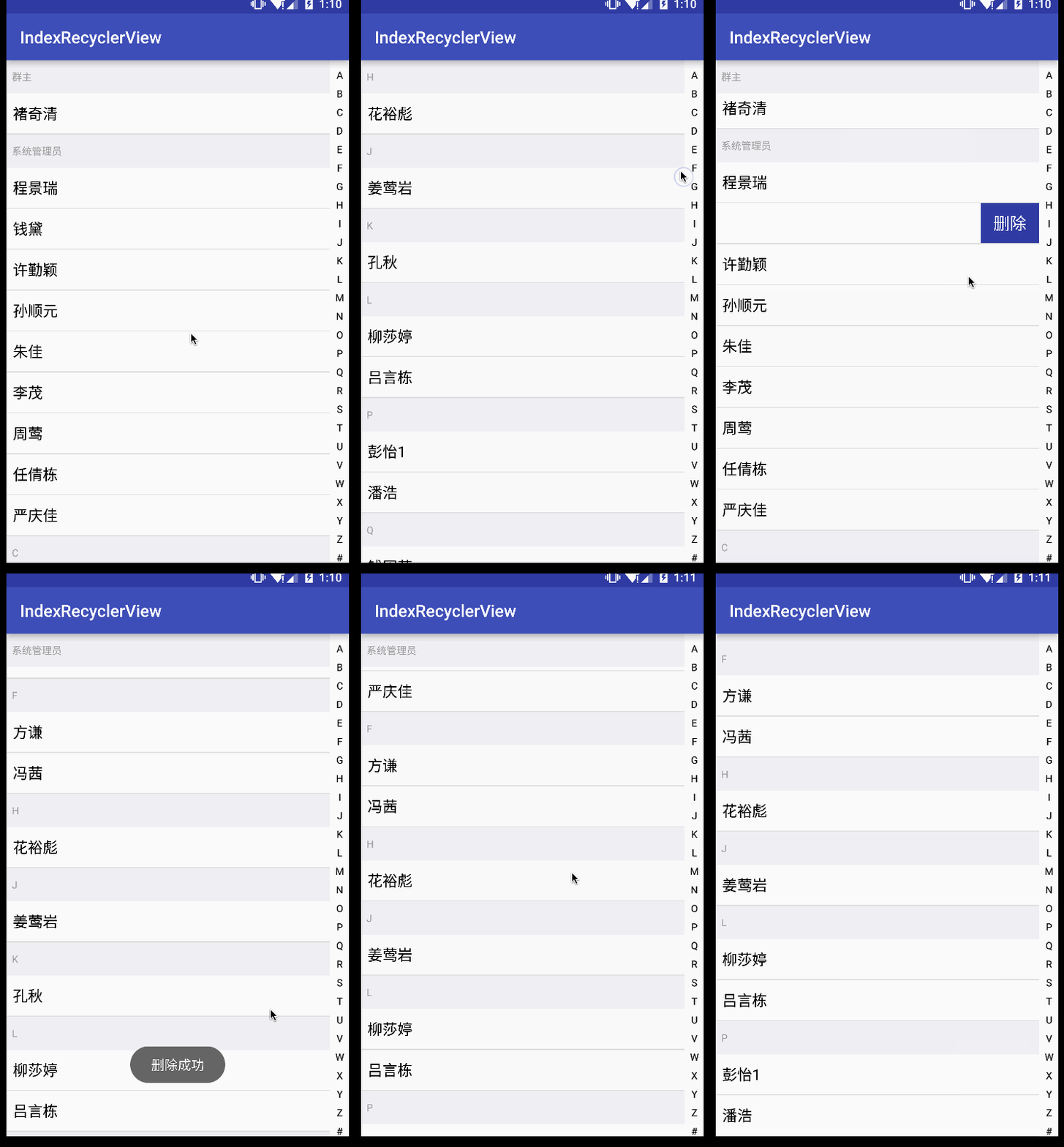
- 通过RecyclerView实现的联系人 https://github.com/jiang111/IndexRecyclerView
- 学习RxJava操作符的APP https://github.com/jiang111/RxJavaApp
如果您觉得本项目对您有帮助,欢迎请作者一杯咖啡

Copyright 2016 NewTab

Licensed under the Apache License, Version 2.0 (the "License");
you may not use this file except in compliance with the License.
You may obtain a copy of the License at

    http://www.apache.org/licenses/LICENSE-2.0

Unless required by applicable law or agreed to in writing, software
distributed under the License is distributed on an "AS IS" BASIS,
WITHOUT WARRANTIES OR CONDITIONS OF ANY KIND, either express or implied.
See the License for the specific language governing permissions and
limitations under the License.
jiang111/AndroidPush is a public repo on GitHub by jiang111. [DEPRECATED] 更方便的将各个rom厂商自己的推送服务进行集成,并统一管理.
It declares the Apache-2.0 license on GitHub.
Its maker has not tagged a system, so it is unknown here. Its README says what it needs.
Open "Take it" on its page: Take My Repo writes an install plan for your machine and hands it to your AI agent (Claude Code, Codex or Cursor), which asks you before each step. Take My Repo has not tested it on any machine.
Its last change on GitHub was on 2021-03-19. Take My Repo does not judge from that whether it is maintained.
Nobody has reviewed it on Take My Repo yet, which says nothing about its quality.
Reverse engineer anything with agents, from app behavior down to native binaries.
JPush's officially supported React Native plugin (Android & iOS). 极光推送官方支持的 React Native 插件(Android & iOS)。
Flutter makes it easy and fast to build beautiful apps for mobile and beyond
f.k.a. Awesome ChatGPT Prompts. Share, discover, and collect prompts from the community. Free and open source — self-host for your organization with complete privacy.
JPush's officially supported PhoneGap/Cordova plugin (Android & iOS). 极光推送官方支持的 PhoneGap/Cordova 插件(Android & iOS)。