
rea
Reverse engineer anything with agents, from app behavior down to native binaries.
- 471k
- TypeScript
- MIT
- 2 h ago
🧑💻 Turning ideas into testable specs and implementation-ready work for human and agents.
Repo jonaskahn/specwright, read from GitHub 1 min ago. jonaskahn has not joined Take My Repo.
jonaskahn/specwright is a public repo on GitHub by jonaskahn. 🧑💻 Turning ideas into testable specs and implementation-ready work for human and agents. It declares the MIT license on GitHub. It is written mainly in Python, has 1 stars and last changed on 2026-11-13. Nobody has reviewed it on Take My Repo yet, which says nothing about its quality. Read from GitHub on 2026-11-20.

From raw idea to implementation-ready work.
Eight portable agent skills. One trail of evidence.
SHAPE ▸ SPEC ▸ REVIEW ▸ PLAN ▸ MARKDOWN READY
01 — What you getA rough idea goes in. A story, a plan, and a task list come out. Product, engineering, and QA can read the same files.
| You ask for | Skill | You get |
|---|---|---|
| Start or resume | sw-start |
A board for one item, and a guarded next step |
| Ingest evidence | sw-ingest |
A frozen snapshot, plus quoted impacts. The story stays as it is |
| Shape | sw-shape |
A problem-led brief, an accepted split, and reserved features |
| Specify | sw-spec |
Requirements and acceptance criteria you can observe. Diagrams when they help |
| Review | sw-review |
Your plain-words accept, bound to a content hash; formal sign-off when you require it |
| Plan | sw-plan |
An approach and tasks checked against the current story |
| Publish | sw-publish |
A delivery you asked for, including a guarded Jira write |
| View | sw-view |
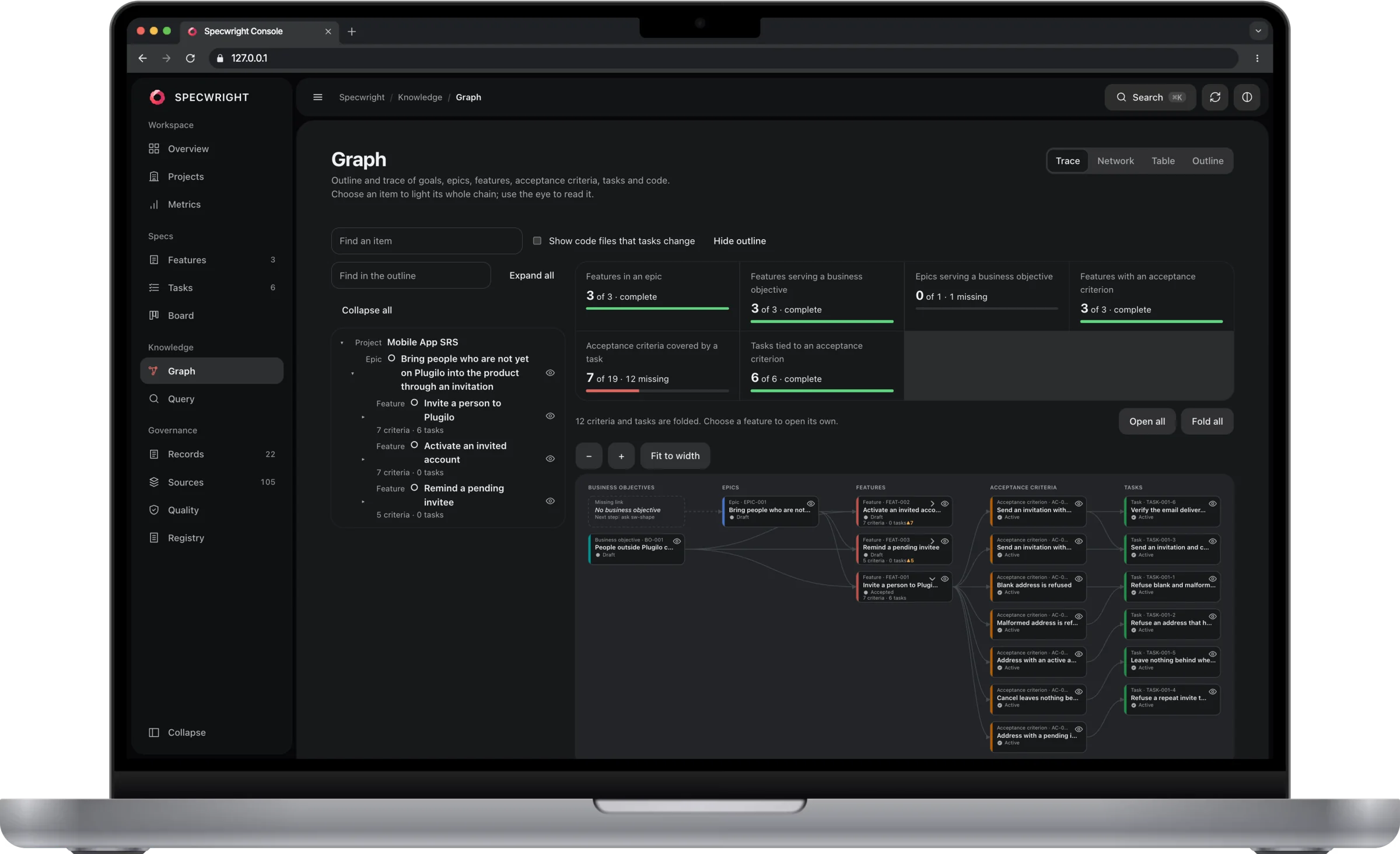
A local, read-only web console: overview, metrics, features, tasks, a kanban board, and the knowledge graph (trace, network, table, outline) with queries |
sw-view opens a local, read-only console on 127.0.0.1. It never writes a spec file.
The trace. Objectives, epics and features sit side by side. A feature's criteria and tasks stay folded into a count (7 criteria · 6 tasks, ▲ for open work) until you choose it. Then only its own fan out beside it, and the previous one folds back.

The story, with its picture. Choose any item and its file opens in a panel on the right: the story with the criterion lines marked, and the flow diagram that sw-spec drew, embedded in the story as an SVG.

Every artifact has a stable ID, a title and aliases, and graph.py show <any name> finds it by a legacy ID, a remote page ID or a title fragment. The build also writes _meta/INDEX.md, CROSSWALK.tsv and READ-FIRST.md, so a new session can start from one short list instead of crawling folders. A project that already runs many capabilities starts from its legacy register (sw-start routes it), imports a page tree in one logged batch, and checks every citation by script.
02 — InstallFour ways in. Pick the one that matches the machine in front of you.
curl or irm. No Node, no Python.sw-view): Node 24+. sw-start offers to install it, and only after you say yes.A new docs workspace starts a Git repo only when it is not already inside one. An embedded workspace reuses the code repo, including worktrees. Setup does not change Git config or stage files. Each skill command then ends with a checkpoint commit of its own spec files (see House rules). New workspaces default to Markdown.
Tip
The easy door. All eight skills, for the agents you pick. All projects is the default.
All projects:
curl -fsSL https://raw.githubusercontent.com/jonaskahn/specwright/main/install.sh | shThis project:
curl -fsSL https://raw.githubusercontent.com/jonaskahn/specwright/main/install.sh | sh -s -- --projectNamed agents, no questions:
curl -fsSL https://raw.githubusercontent.com/jonaskahn/specwright/main/install.sh | sh -s -- --agent cursor --agent claude-code -yWindows, all projects:
irm https://raw.githubusercontent.com/jonaskahn/specwright/main/install.ps1 | iex
Windows, this project:
& ([scriptblock]::Create((irm https://raw.githubusercontent.com/jonaskahn/specwright/main/install.ps1))) -Project
Windows, named agents, no questions:
& ([scriptblock]::Create((irm https://raw.githubusercontent.com/jonaskahn/specwright/main/install.ps1))) -Agent cursor,claude-code -Yes
curl or wget, plus tar. Windows needs PowerShell and tar.--project / -Project installs into this project only.-y / -Yes. Detected agents are used. If none show up, Universal gets the skills.main.sw-* skill is replaced. A same-named folder that is not Specwright stops the install.Note
Same eight skills, through npx. Node comes along for the ride.
All projects:
npx skills add jonaskahn/specwright -g
This project:
npx skills add jonaskahn/specwright
This path and the Claude plugin install the skills as they are in the repo, including all 20 diagram types. Zip builds from workshop/tools/package.py default to the smaller set of 10.
Note
Claude Code, from the marketplace.
Add the marketplace:
/plugin marketplace add jonaskahn/specwright
Install the plugin:
/plugin install specwright@specwright
Warning
No network. A checkout, Python 3.10+, and a couple of local scripts.
Install into a project:
python3 workshop/tools/install.py --target /absolute/path/to/spec-repo
Build skill zips:
python3 workshop/tools/package.py --zip --out dist
This one also writes project instruction files.
Plain language is enough. sw-start finds the workspace and sends you to the right skill.
"start a spec for the refunds flow"
"turn this doc into testable acceptance criteria"
"draw the refunds flow as a diagram"
"resume REF:FEAT-004"
"show the board for EPIC-001"
"send FEAT-004 to review"
"plan FEAT-004 after its approval"
"step FEAT-004 back to spec"
"does this new policy conflict with FEAT-004?"
"publish FEAT-004 to Jira"
Each stage reads the files before it asks you anything, so you can close the chat and come back later.
03 — How a feature moves
One feature walks the path after its epic split is accepted. Its siblings mind their own stations: FEAT-004 can sit in spec while FEAT-002 already has a plan.
Shared helpers for knowledge, trace, lint, status, assets, and visuals live in skills/_shared/. Packaging copies what each skill needs into its own folder.
The board is rebuilt from saved files: station, condition, blockers, and what you can do next.
04 — House rulesTraceable changes. Explicit reviews. Deliberate publishing.
sw-publish is the only writer to Jira or Confluence. It wants an accepted story, a quality gate, a three-way dry-run, and a fresh yes for that exact plan. A plan is not needed, and Jira is used only when configured or asked for.<skill>: <what changed>, no trailer) and, when the repository has a remote, pushed: never forced, never past a failing hook, never touching your other work. Set checkpoint: commit or off in project.yaml (or workspace.yaml) to stop pushing or committing. See skills/_shared/references/checkpoint.md.sw-review records it: your plain accept with the matching hash, or with signoff: required a named role, the item, a URL, and a matching hash. Old evidence cannot revive an invalidated approval. See skills/_shared/references/governance.md.05 — More to read06 — If you hack on thisLint first:
make lint
Then the tests, in Docker. The repo is mounted read-only. Git is there for workspace fixtures:
docker run --rm -v "$PWD:/workspace:ro" -w /workspace python:3.13-slim \
  sh -ec 'apt-get update -qq &&
          apt-get install -y -qq --no-install-recommends git &&
          PYTHONDONTWRITEBYTECODE=1 python -m unittest discover -s tests -t .'
skills/_shared/. Each skill folder carries a generated copy so it still works alone.workshop/tools/vendor.py --write refreshes those copies. --check verifies them.07 — LicenseSPECWRIGHT · MAKE THE WORK TRACEABLE
jonaskahn/specwright is a public repo on GitHub by jonaskahn. 🧑💻 Turning ideas into testable specs and implementation-ready work for human and agents.
It declares the MIT license on GitHub.
Its maker has not tagged a system, so it is unknown here. Its README says what it needs.
Open "Take it" on its page: Take My Repo writes an install plan for your machine and hands it to your AI agent (Claude Code, Codex or Cursor), which asks you before each step. Take My Repo has not tested it on any machine.
Its last change on GitHub was on 2026-11-13. Take My Repo does not judge from that whether it is maintained.
Nobody has reviewed it on Take My Repo yet, which says nothing about its quality.
Reverse engineer anything with agents, from app behavior down to native binaries.
把书、长视频、播客等高价值内容蒸馏成可执行的 Agent Skills(Distill high-value content from books, long-form videos, podcasts, and more into executable Agent Skills)
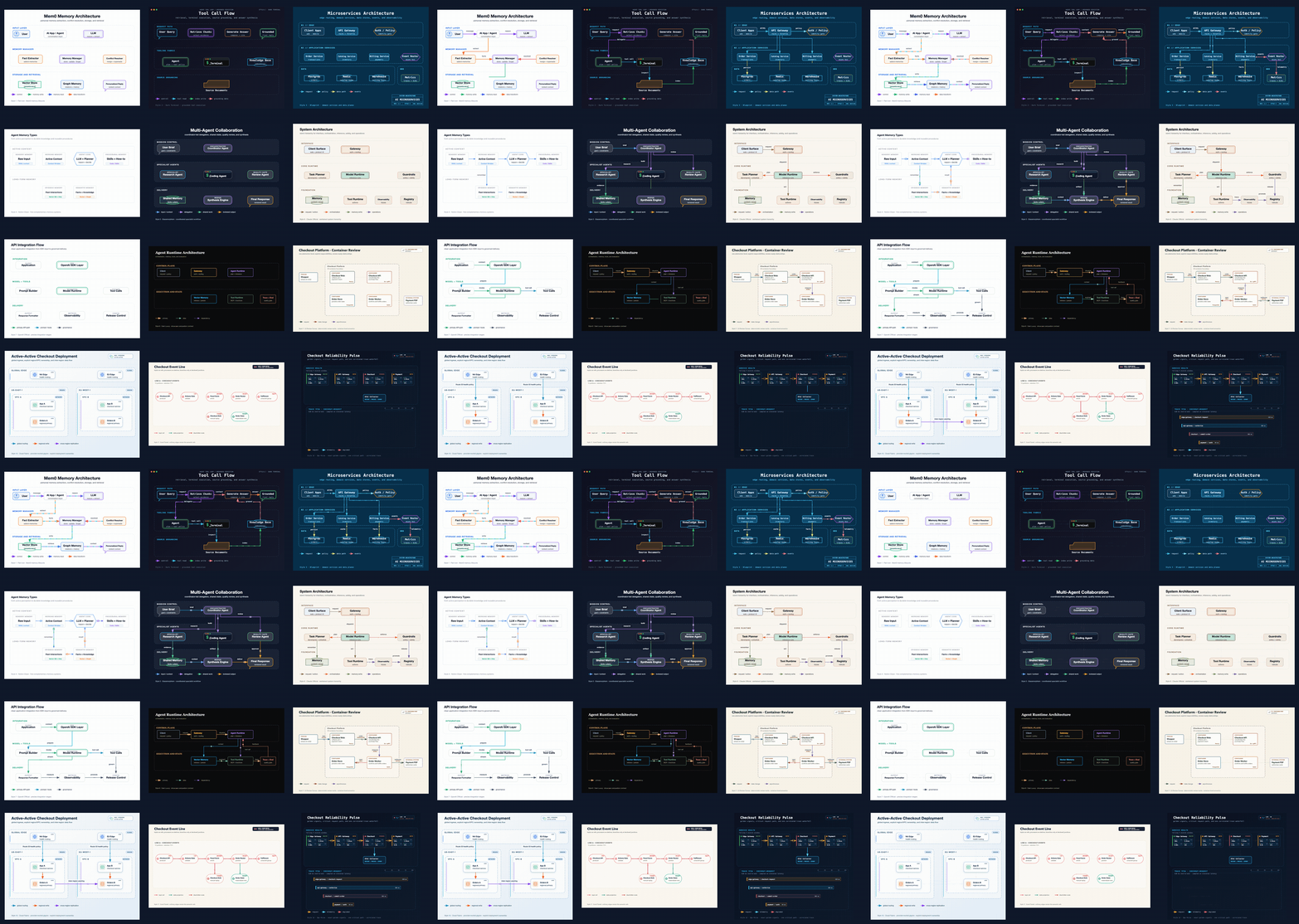
Generate production-quality SVG+PNG technical diagrams from natural language. 7 styles, UML support, and AI/Agent workflow patterns.
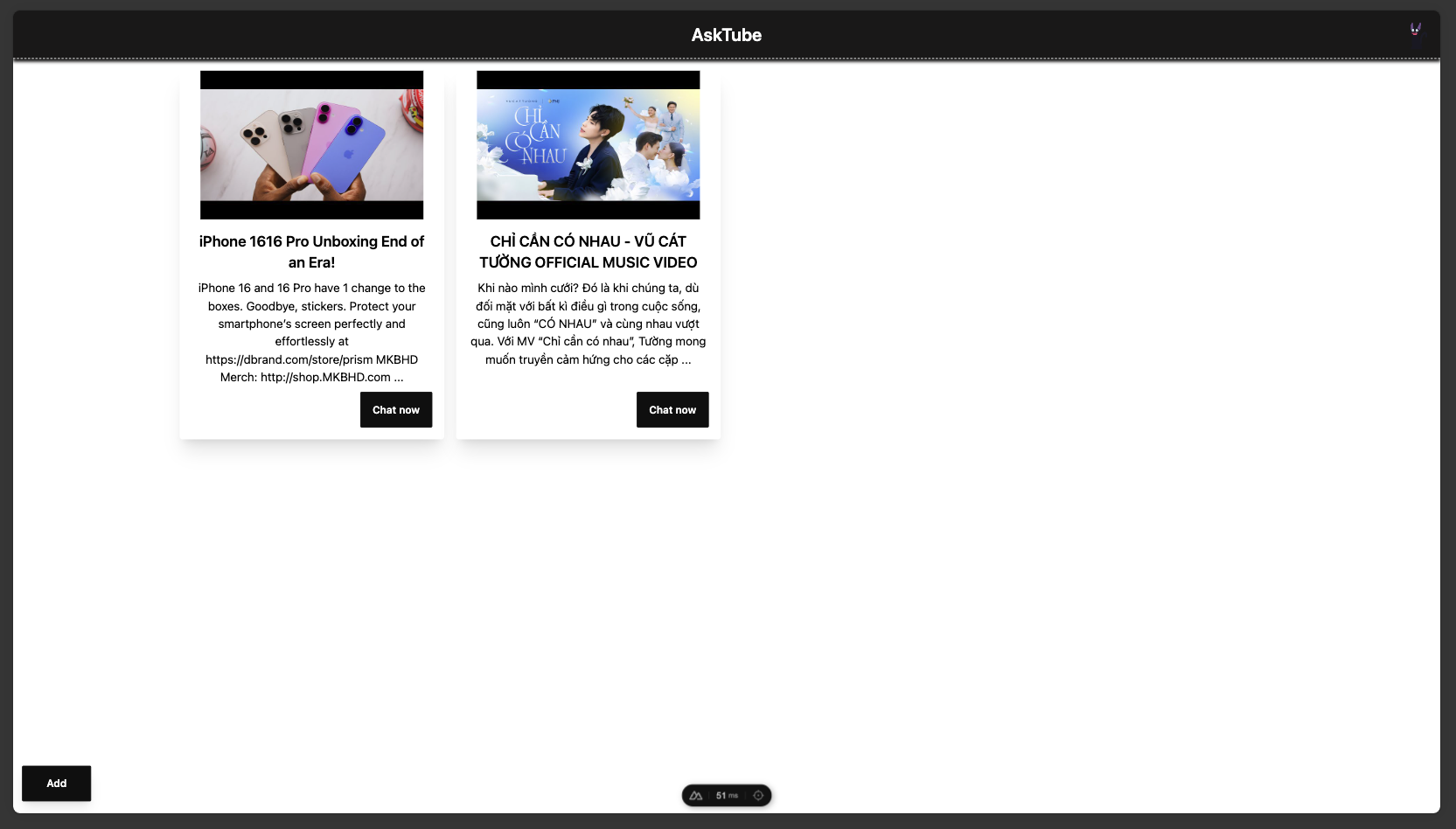
AskTube - An AI-powered YouTube video summarizer and QA assistant powered by Retrieval Augmented Generation (RAG) 🤖. Run it entirely on your local machine with Ollama, or cloud-based models like Claude, OpenAI, Gemini, Mistral, and more.
Unofficial API for Livecounts.io to retrieve live counts for users and videos on TikTok, YouTube, Twitter, Twitch, KickLive, Vlive, and Odysee
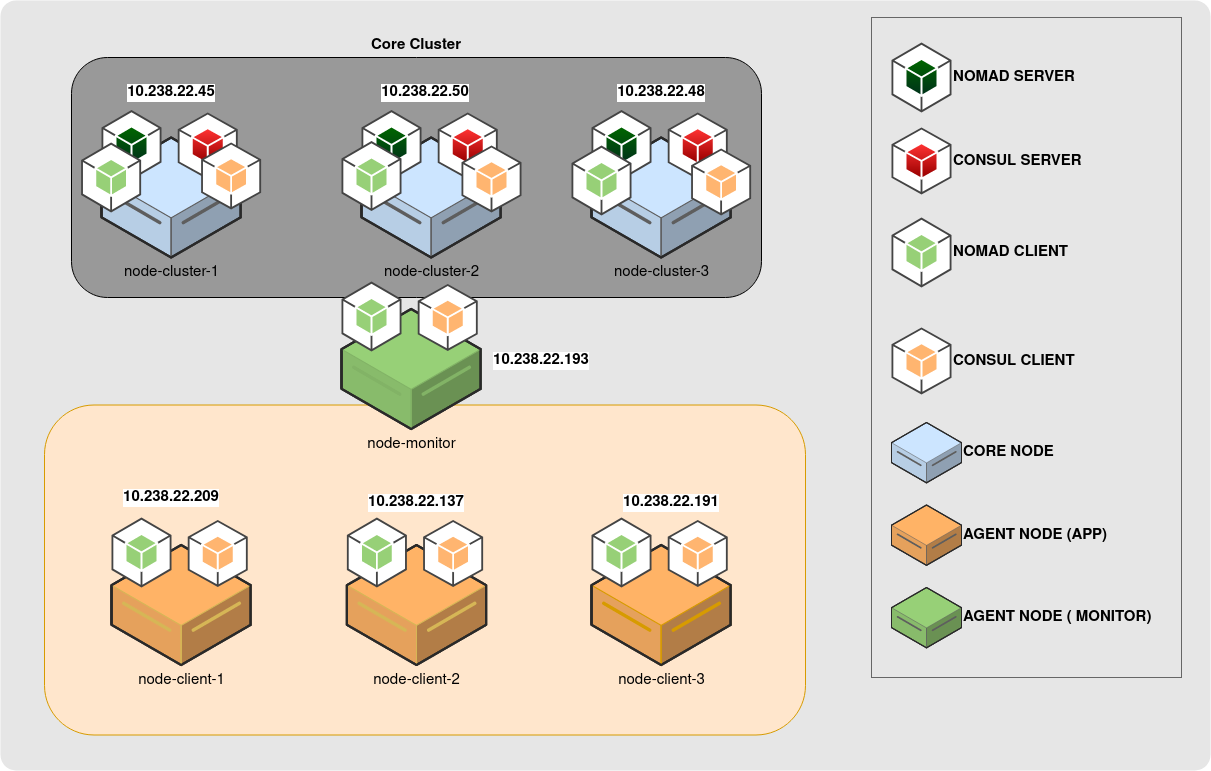
Practice/Learn Nomad, Consul and Vault before you go production
An admin template with Spring Boot 4 and Vue 3 (Using PrimeVue/SakaiVue)