MetalIconMorphView
A lightweight raster-based UIKit icon morphing view rendered directly with Metal.
- 10
- MIT
- 3 mo ago
Repo kylehowells/MetalIconMorphView, read from GitHub 13 min ago. kylehowells has not joined Take My Repo.
In short
kylehowells/MetalIconMorphView is a public repo on GitHub by kylehowells. A lightweight raster-based UIKit icon morphing view rendered directly with Metal. It declares the MIT license on GitHub. It is written mainly in Swift, has 10 stars and last changed on 2026-08-25. Nobody has reviewed it on Take My Repo yet, which says nothing about its quality. Read from GitHub on 2026-11-24.
Similar repos
flutter
Flutter makes it easy and fast to build beautiful apps for mobile and beyond

MetalIconMorphView
A lightweight, raster-based icon morphing view for UIKit, rendered directly with Metal.
MetalIconMorphView accepts ordinary UIImage values—including SF Symbols—and turns them into smooth metaball-style silhouette transitions. It is intended for small, responsive controls such as play/pause, mute/unmute, favourite, bookmark, and mode buttons.
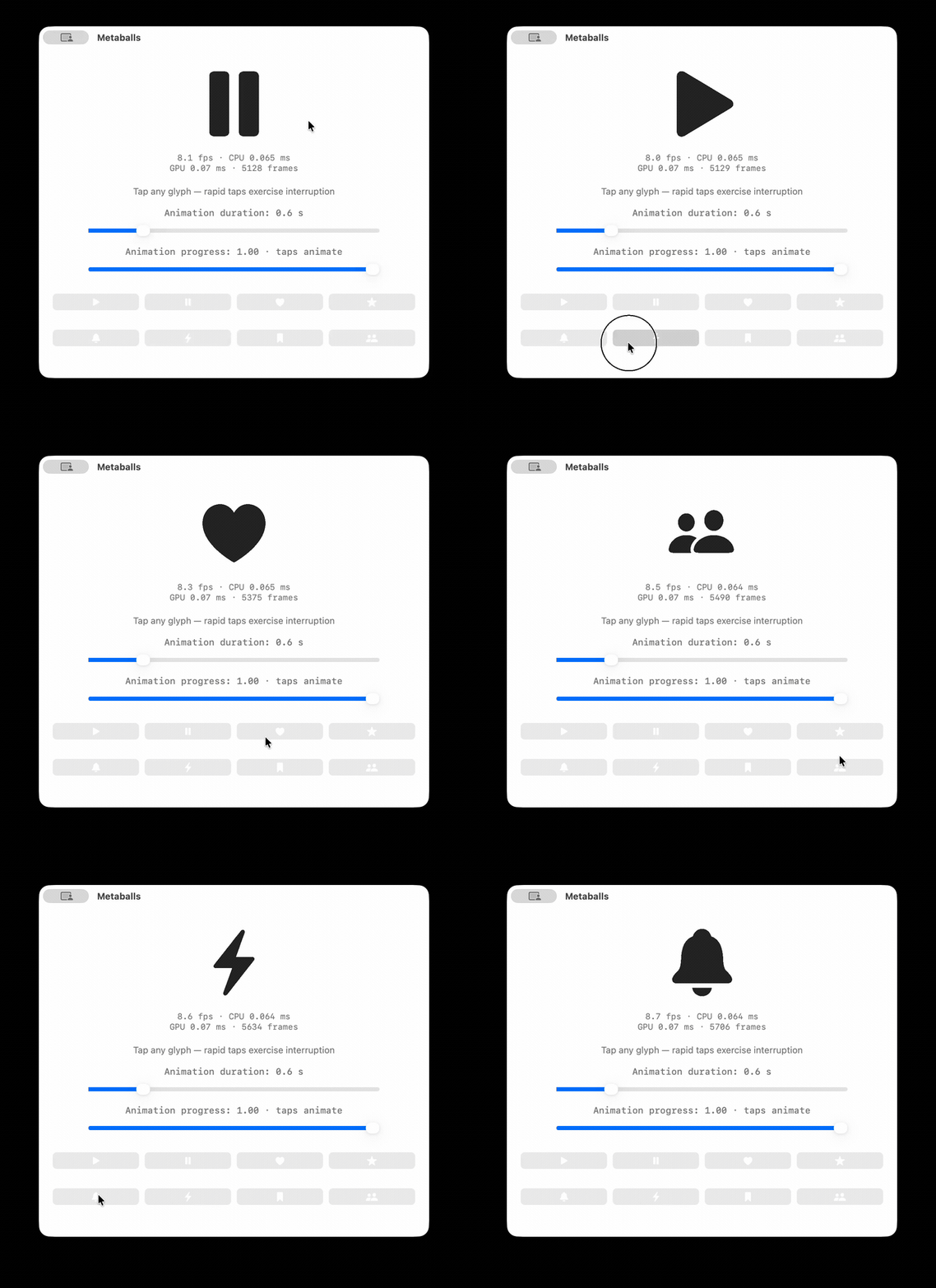
Click the preview to open the original 120fps H.264 demo video.
Requirements
- iOS 15 or later
- Mac Catalyst 15 or later
- A Metal-capable device
- Swift 5.9 or later
Installation
Add the package in Xcode using:
https://github.com/kylehowells/MetalIconMorphView.git
Or add it to Package.swift:
dependencies: [
	.package(
		url: "https://github.com/kylehowells/MetalIconMorphView.git",
		from: "2.0.0"
	),
]
Then import the module:
import MetalIconMorphView
Basic usage
let morphView: MetalIconMorphView = MetalIconMorphView()
morphView.iconSize = CGSize(width: 44, height: 44)
morphView.maximumBlurRadius = 4
morphView.iconColor = UIColor.label

let playImage: UIImage = UIImage(systemName: "play.fill")!
let pauseImage: UIImage = UIImage(systemName: "pause.fill")!

// Establish the pair, cache both textures, and initially show play.
morphView.display(
	sourceImage: playImage,
	targetImage: pauseImage,
	progress: 0
)

// Later, for example when the control is tapped:
morphView.animateTo(
	targetImage: pauseImage,
	duration: 0.35
)
iconSize is always measured in UIKit points. The view creates its backing textures at iconSize × displayScale, so the control keeps the same logical size on 1x, 2x, and 3x screens. Its intrinsic content size is also iconSize.
Add the view to a normal UIKit hierarchy and size it with either its intrinsic content size, Auto Layout, or a manually assigned frame.
The two primary methods are intentionally explicit:
func display(
	sourceImage: UIImage,
	targetImage: UIImage,
	progress: CGFloat = 0
)

func animateTo(
	sourceImage: UIImage? = nil,
	targetImage: UIImage,
	duration: TimeInterval = 0.35,
	completion: ((AnimationResult) -> Void)? = nil
)
display rasterises and caches both images, then replaces the render state with an exact canonical pair. Calling it with progress zero is also how you prepare a pair before interaction. animateTo preserves the current on-screen presentation while it continues, reverses, or retargets that pair.
Scrubbing
display(sourceImage:targetImage:progress:) renders an exact point between two images without starting an animation:
@objc private func sliderChanged(_ slider: UISlider) {
	morphView.display(
		sourceImage: playImage,
		targetImage: pauseImage,
		progress: CGFloat(slider.value)
	)
}
The method is authoritative. Every call replaces the configured pair, stops any automatic animation, discards its private interruption snapshot, and displays only the requested progress between those two images.
To let go halfway and animate through the rest of the configured pair, pass the already configured target:
morphView.animateTo(
	targetImage: pauseImage,
	duration: 0.35
)
duration describes a complete zero-to-one transition. Starting at progress 0.4 therefore animates the remaining 0.6 in 60% of the supplied duration.
Completing an animation leaves the pair intact at progress == 1. It does not silently promote the target and discard the source, so the same pair remains reversible and scrubbable:
// After play → pause has completed, this reverses cleanly back to play.
morphView.animateTo(targetImage: playImage, duration: 0.35)
Retargeting and interruptions
Calls to animateTo preserve the image currently visible on screen:
morphView.animateTo(
	targetImage: heartImage,
	duration: 0.35,
	completion: { result in
		switch result {
		case .finished:
			break
		case .interrupted:
			break
		}
	}
)
- Passing the configured target continues from the current progress.
- Passing the configured source reverses the pair and continues from
1 - progress. - Passing a third image captures the complete on-screen mask into a private Metal texture, establishes a new source/target pair, and fades the captured contribution away as the new pair morphs.
- Interrupting that transition again captures the complete three-way presentation into the same private snapshot, so repeated rapid changes remain continuous.
- Replaced animation completions receive
.interrupted; an animation that reaches its target receives.finished.
You may also explicitly replace both sides of the canonical pair while preserving the current presentation:
morphView.animateTo(
	sourceImage: heartImage,
	targetImage: starImage,
	duration: 0.35
)
The public state always describes the canonical pair:
morphView.sourceImage
morphView.targetImage
morphView.progress
morphView.isAnimating
The private interruption texture is presentation-only and is never exposed as the logical source. Once its contribution reaches zero, it is discarded.
Appearance and profiling
morphView.iconColor = UIColor.systemBlue
morphView.maximumBlurRadius = 5

// Enable only while profiling. Command-buffer timing callbacks add work.
morphView.metricsHandler = { metrics in
	print(metrics.framesPerSecond)
	print(metrics.averageCPUTimeMilliseconds)
	print(metrics.averageGPUTimeMilliseconds as Any)
}
Dynamic UIColor values such as UIColor.label are resolved again when the interface appearance changes. The view uses targeted trait registration on iOS 17 and later, with traitCollectionDidChange(_:) retained as the iOS 15 and 16 fallback.
How it works
The original implementation passed sprites through SpriteKit and Core Image. This package performs the complete effect directly with two Metal compute passes:
UIImage → cached r8Unorm alpha masks ─┐
                                      ├→ three-field mix + horizontal Gaussian blur
interrupted presentation snapshot ────┘→ vertical Gaussian blur + threshold → drawable
Each UIImage is aspect-fitted into a single-channel alpha texture. Under normal conditions, the renderer mixes the source and target. During an interrupted retarget it also mixes in the GPU-captured presentation snapshot, whose influence fades from one to zero. The combined alpha field is then blurred and thresholded back into one solid antialiased silhouette.
The Gaussian blur is separable, reducing its sampling cost from roughly radius² to 2 × radius. Input textures and 65 Gaussian kernels are cached, while intermediate, output-mask, and interruption textures stay private on the GPU. No interrupted image is read back to the CPU.
Every frame uses the thresholded output. This prevents the first and last portions of the transition from becoming a translucent overlay of both input images.
Rendering lifecycle
The internal MTKView is paused whenever it is not needed:
display(sourceImage:targetImage:progress:)and appearance changes render one frame and pause.animateTo(sourceImage:targetImage:duration:completion:)unpauses for the animation.- The final frame retains the canonical pair at progress one and pauses again.
No draw callbacks or Metal command buffers are produced while the view is idle.
The renderer requests the screen's maximum frame rate during an animation. To allow 120Hz presentation on supported iPhones, add this key to the host application's Info.plist:
<key>CADisableMinimumFrameDurationOnPhone</key>
<true/>
Actual presentation rate is still controlled by the physical device and display.
Input images
The image's alpha channel defines its silhouette. SF Symbols, glyphs, and transparent PNGs work well. Source RGB colours are discarded and the final silhouette uses iconColor.
Images with fully opaque backgrounds become rectangular masks, so remove the background before passing them to the view.
The view is @MainActor, like other UIKit view APIs.
Performance
- Two direct Metal compute passes
- Cached
r8Unorminput textures - A private
r16Floatblur intermediate - 65 precomputed Gaussian kernels
- GPU-only snapshots for interrupted transitions
- No continuous rendering while idle
- Optional metrics disabled by default
In a Release-mode Simulator stress test using a 112-point icon and continuous target replacement, CPU command encoding measured approximately 0.06–0.07ms per frame and GPU execution approximately 0.20ms per frame. A physical ProMotion device is required to validate actual 120Hz presentation.
Background
This package is the direct-Metal version of the technique described in:
The original example project, including the SpriteKit/Core Image implementation, is available at kylehowells/metaballs-ios.
License
MetalIconMorphView is available under the MIT License. See LICENSE.
Questions
What is MetalIconMorphView?
kylehowells/MetalIconMorphView is a public repo on GitHub by kylehowells. A lightweight raster-based UIKit icon morphing view rendered directly with Metal.
Is MetalIconMorphView open source?
It declares the MIT license on GitHub.
Does MetalIconMorphView run on macOS, Windows or Linux?
Its maker tagged it for macOS. That is declared by the maker; Take My Repo has not tested it.
How do I install MetalIconMorphView?
Open "Take it" on its page: Take My Repo writes an install plan for your machine and hands it to your AI agent (Claude Code, Codex or Cursor), which asks you before each step. Take My Repo has not tested it on any machine.