apps-script-samples
Apps Script samples for Google Workspace products.
- 5.3k
- JavaScript
- Apache-2.0
- 4 mo ago
Setup a local development environment inside Visual Studio Code and build Google Workspace add-ons with Google Apps Script
Repo labnol/apps-script-starter, read from GitHub 13 h ago. labnol has not joined Take My Repo.
labnol/apps-script-starter is a public repo on GitHub by labnol. Setup a local development environment inside Visual Studio Code and build Google Workspace add-ons with Google Apps Script. It declares the MIT license on GitHub. It is written mainly in JavaScript, has 1,253 stars and last changed on 2026-11-22. Nobody has reviewed it on Take My Repo yet, which says nothing about its quality. Read from GitHub on 2026-11-24.
Apps Script samples for Google Workspace products.
A modern development environment for building Google Apps Script projects with modern web development tools.
This starter kit provides a boilerplate for developing Google Apps Script projects using modern JavaScript (ES6+) and a local development environment. It includes a curated selection of tools to enhance your development workflow, including code bundling, linting, testing, and deployment.
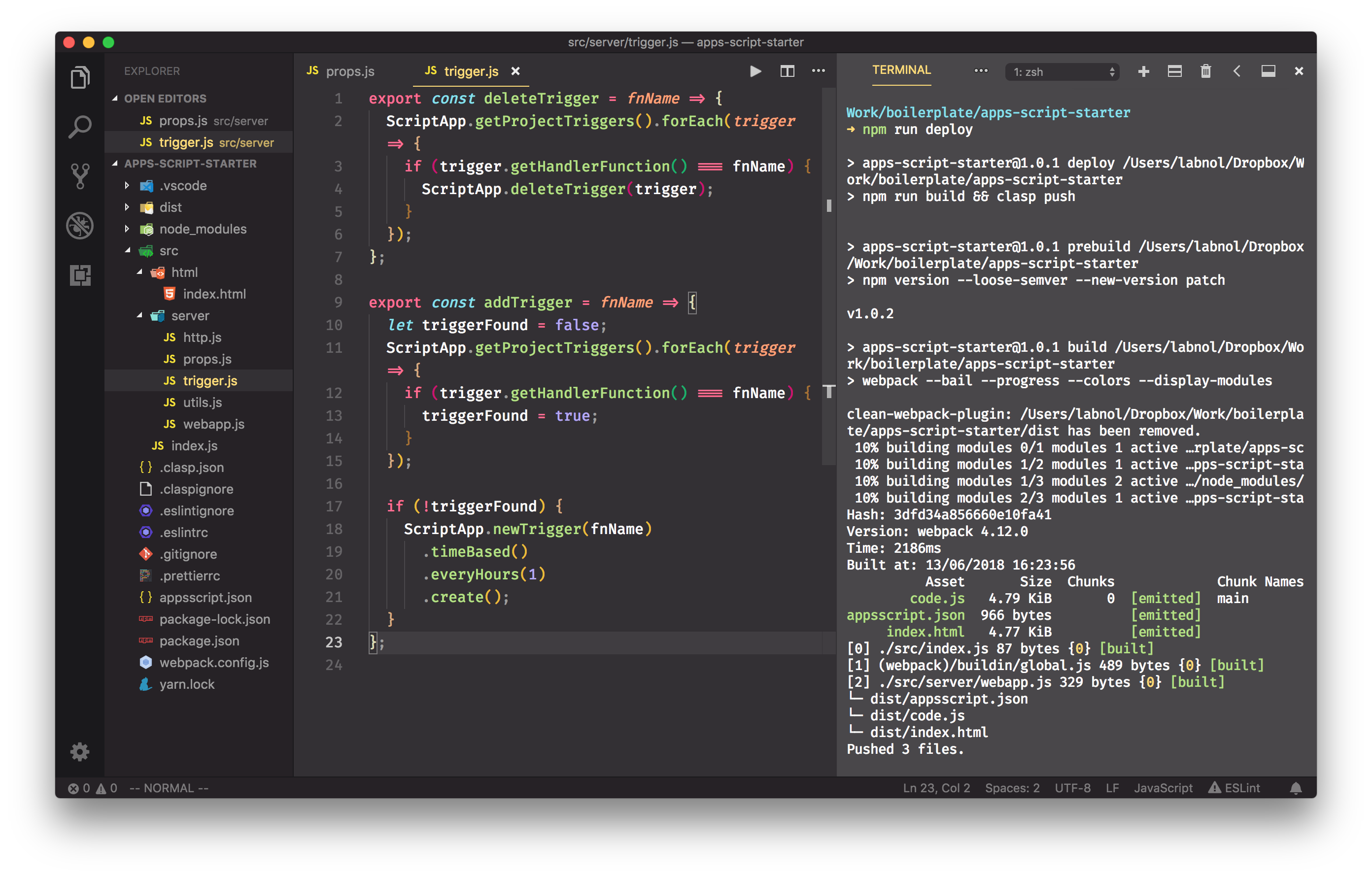
Please follow the 👉 step-by-step video tutorial 👈 for quickly getting started with Apps Script development inside Visual Studio Code. It is recommended that you install the Extension Pack for working with Apps Script files in VS Code.
You can build Google Workspace add-ons (for Google Docs, Slides, Gmail and Google Sheets), web applications and workflow automation routines with next-generation JavaScript.
The starter kit is used by Digital Inspiration for building popular Google add-ons including Gmail Mail Merge, Google Forms Notifications and Document Studio.
This starter kit comes with a pre-configured set of tools to help you write high-quality Google Apps Script code:
@labnol/js-config: Shared ESLint and Prettier settings. This kit loads the Apps Script preset, which already knows globals such as SpreadsheetApp, Logger, and google.script.run, and points Prettier at the same package. See Linting and formatting.Follow these steps to get your development environment set up and running.
Before you begin, ensure you have the following installed on your system:
Clone the repository:
npx degit labnol/apps-script-starter my-project
cd my-project
Install dependencies:
npm install
.npmrc sets allow-git=root so this install can fetch apps-script-oauth2 from GitHub. package.json depends on it as github:googleworkspace/apps-script-oauth2, and the build copies OAuth2.gs into dist.
Log in to clasp:
Authorize clasp to manage your Google Apps Script projects using your Google account.
npx clasp login
Create a new Google Apps Script project:
Create a new script project bound to a Google Sheet or as a standalone script.
npx clasp create --type sheets --title "My Apps Script Project" --rootDir ./dist
This will create a new Google Sheet and a bound script project in your Google Drive.
This starter kit provides a streamlined development workflow to help you build your Google Apps Script projects efficiently.
To start the development server, run the following command:
npm run dev
This command will watch for changes in your source files and automatically rebuild the project.
The main source code for your application is located in the src directory.
src/index.js: The main entry point for your application.src/html/: Contains the HTML files for your user interface.src/server/: Contains the server-side code for your application.You can write your code using modern JavaScript (ES6+) features. Vite will automatically transpile your code to a format that is compatible with the Google Apps Script V8 runtime.
@labnol/js-config holds the lint and format rules for this kit.
eslint.config.js. That preset defines Apps Script globals, sorts imports, lints JSON, and leaves formatting to Prettier.package.json with "prettier": "@labnol/js-config/prettier" (120-character lines, single quotes, semicolons, LF line endings).eslint.config.js only adds what is specific to this kit:
describe, it, expect, and the rest) for *.test.js and *.spec.js.no-unused-vars turned off for functions/**/*.js, because those files are Sheet custom functions and stay as global entry points.npm run lint
npm run format
This starter kit uses Jest for unit testing.
To run the tests, use the following command:
npm run test
You can write tests for your code in files with a .test.js extension. The tests are located alongside the files they are testing.
Note: You cannot directly test code that has dependencies on Google Apps Script services (e.g., SpreadsheetApp, Logger). You will need to mock these services in your tests.
To deploy your project to Google Apps Script, run the following command:
npm run deploy
This command will build your project and then use clasp to push the bundled code to your Google Apps Script project.
The starter kit includes several configuration files to customize the development environment:
appsscript.json: The manifest file for your Google Apps Script project. You can use this file to specify dependencies, OAuth scopes, and other settings..clasp.json: The configuration file for clasp. This file specifies the scriptId and rootDir for your project.vite.config.js: The configuration file for Vite. You can use this file to customize the build process.eslint.config.js: Loads the Apps Script preset from @labnol/js-config, plus the local overrides described above.package.json: Sets "prettier": "@labnol/js-config/prettier" so formatting uses the shared Prettier config. It also depends on apps-script-oauth2 from GitHub..npmrc: Sets allow-git=root so npm install can install that GitHub dependency.Contributions, issues, and feature requests are welcome. If you are using this starter kit and have fixed a bug for yourself, please consider submitting a pull request!
@labnol/js-config. See Linting and formatting..test.js extension.This project is licensed under the MIT License. See the LICENSE file for details.
Developed by Amit Agarwal | Digital Inspiration
labnol/apps-script-starter is a public repo on GitHub by labnol. Setup a local development environment inside Visual Studio Code and build Google Workspace add-ons with Google Apps Script.
It declares the MIT license on GitHub.
Its maker has not tagged a system, so it is unknown here. Its README says what it needs.
Open "Take it" on its page: Take My Repo writes an install plan for your machine and hands it to your AI agent (Claude Code, Codex or Cursor), which asks you before each step. Take My Repo has not tested it on any machine.
The world's best AI personal assistant for email. Open source app to help you reach inbox zero fast.
Google Workspace CLI — one command-line tool for Drive, Gmail, Calendar, Sheets, Docs, Chat, Admin, and more. Dynamically built from Google Discovery Service. Includes AI agent skills.
Its last change on GitHub was on 2026-11-22. Take My Repo does not judge from that whether it is maintained.
Nobody has reviewed it on Take My Repo yet, which says nothing about its quality.
Take My Repo cannot say: it does not audit code and has not run apps-script-starter. What is known comes from GitHub. It declares the MIT license on GitHub. Its last change was on 2026-11-22. It has 1,253 stars, which measure popularity, not safety. Nobody has reviewed it on Take My Repo yet, which says nothing about its quality. Read the source before you run it. With "Take it", your AI agent shows each step and asks you before running it; README text is treated as data, not as instructions.