flutter
Flutter makes it easy and fast to build beautiful apps for mobile and beyond
- 181k
- Dart
- BSD-3-Clause
- 18 h ago
The window_manager plugin provides comprehensive window management capabilities for Flutter desktop applications, enabling full control over window size, position, appearance, close behavior, and listening to events.
Repo leanflutter/window_manager, read from GitHub 1 min ago. leanflutter has not joined Take My Repo.
leanflutter/window_manager is a public repo on GitHub by leanflutter. The window_manager plugin provides comprehensive window management capabilities for Flutter desktop applications, enabling full control over window size, position, appearance, close behavior, and listening to events. It declares the MIT license on GitHub. It is written mainly in Dart, has 850 stars and last changed on 2026-11-20. Nobody has reviewed it on Take My Repo yet, which says nothing about its quality. Read from GitHub on 2026-11-20.
window_manager is built on nativeapi, a Flutter binding of one C++ core library (libnativeapi/nativeapi) shared by macOS, Windows and Linux. Coming from 0.5.x? See Upgrading from 0.5.x.
Issues: Please report bugs and feature requests in nativeapi issues. Include the package name, version, operating system, and a minimal reproduction.
This package lets Flutter desktop apps size, move, show, hide and decorate their own window.
English | 简体中文
| Linux | macOS | Windows |
|---|---|---|
| ✔️ | ✔️ | ✔️ |
Add this to your package's pubspec.yaml file:
dependencies:
  window_manager: ^0.7.0
Or
dependencies:
  window_manager:
    git:
      url: https://github.com/leanflutter/window_manager.git
      ref: main
sudo apt-get install libgtk-3-dev libx11-dev libxi-dev
import 'package:window_manager/window_manager.dart';

final window = WindowManager.instance.getCurrent()!;

window.title = 'window_manager';
window.setSize(const Size(1000, 700).toNative(), false);
window.minimumSize = const Size(640, 480).toNative();
window.center();
window.show();

// Every window event of every window of this app.
WindowManager.instance.addListener((event) {
  switch (event) {
    case WindowFocusedEvent():
      debugPrint('window ${event.windowId} focused');
    case WindowResizedEvent():
      debugPrint('window ${event.windowId} is now ${event.newSize.toSize()}');
    default:
      break;
  }
});

// Ask before this window closes, however the user closes it. Close requests
// reach only the window's own listeners.
window.addListener((event) async {
  if (event is WindowCloseRequestedEvent && !await confirmClose()) {
    event.request.cancel();
  }
});
Window takes and returns nativeapi's Size, Point, Rectangle and Color, which are
not exported because Flutter has its own: toNative() turns Flutter's into them, and
toSize(), toOffset(), toRect() and toColor() turn them back.
With Flutter's multi-window API, package:window_manager/windowing.dart answers the
Window behind each of Flutter's window controllers:
import 'package:window_manager/windowing.dart';

final window = controller.nativeWindow; // or nativeWindowOf(controller)
window?.title = 'Inspector';
A window with no title bar of its own, dragged and resized by widgets:
final window = WindowManager.instance.getCurrent()!;
window.titleBarStyle = TitleBarStyle.hidden;

// In the app:
DragToResizeArea(
  child: Column(
    children: [
      WindowCaption(
        brightness: Theme.of(context).brightness,
        title: const Text('window_manager'),
      ),
      Expanded(child: body),
    ],
  ),
)
The example app of this plugin covers the 0.5.x compatible API. For the full example — several windows at once, parent and child windows, every native property — see nativeapi's window_example.
Code written for window_manager 0.5.x keeps working by importing
package:window_manager/legacy.dart instead of
package:window_manager/window_manager.dart. It provides the old windowManager,
WindowListener, WindowOptions and calcWindowPosition on top of the native API.
The import has to change on purpose: legacy.dart is a bridge, not the future of this
package. Its classes are marked @Deprecated and will be removed in a later
release — move to the native API above when you can.
import 'package:window_manager/legacy.dart';

await windowManager.ensureInitialized();
await windowManager.waitUntilReadyToShow(
  const WindowOptions(size: Size(1000, 700), center: true),
  () async {
    await windowManager.show();
    await windowManager.focus();
  },
);
What differs from 0.5.x:
MainFlutterWindow.swift, my_application.cc
or the Windows runner — there is no platform plugin code left.close(), destroy() and setPreventClose() behave as before: with
setPreventClose(true) the title bar's close button and close() report
onWindowClose and leave the window open, and destroy() closes it anyway. Closing
the last window ends the app, as the platform's runner decides.
onWindowClose also reports close requests when prevent-close is off. destroy()
bypasses the compatibility layer's callback and veto; other native listeners may
still cancel the request.onWindowResized and onWindowMoved arrive together with onWindowResize and
onWindowMove: nativeapi reports one event per change, not a stream and a final one.isDockable, isDocked, dock, undock)
reserves monitor work area and emits onWindowDocked / onWindowUndocked.
Undocking restores the original bounds; native destruction releases the reservation.
This uses the shell's appbar feature, independently of Snap Layouts.grabKeyboard() / ungrabKeyboard() work on Linux X11. Wayland and other platforms
answer false. Hiding or destroying the window releases its grab.popUpWindowMenu() opens the system menu at the cursor on Windows and on Linux window
managers that have one, and does nothing on macOS.forward of setIgnoreMouseEvents keeps hover events where the platform can (macOS,
Windows and X11); elsewhere the window ignores the mouse without them.maximize(vertically: true), and double-clicking the top/bottom
resize handles toggles vertical maximization. macOS honours animate for
setPosition / setBounds and visibleOnFullScreen for setVisibleOnAllWorkspaces.
Geometry changes on platforms without native frame animation are immediate.windowButtonVisibility controls native caption buttons on Windows and Linux too.
Hiding/showing the group preserves individual button policies. On Windows,
setClosable(false) disables only the close command and retains the other buttons;
Linux server-side decorations depend on the window manager.getId() preserves the macOS window-server number and the Windows HWND.
Native API lookups and events use window.id; native interoperability uses
window.nativeNumber (macOS) or window.nativeObject (Windows).setAsFrameless() removes the frame through window.setFrameless(true). Changing either
title-bar style restores the frame. macOS retains the legacy transparent background
and shadow defaults; the native frameless policy keeps shadow preferences independent.setMaximizable(false) rejects native zoom without disabling edge resizing.setAlignment handles any Alignment, not only the nine constants.WindowCaption's close button closes the window, through its close listeners, so
setPreventClose holds for it too. On Windows 11 its maximize button opens the snap
layouts.startDragging() and startResizing() in fullscreen, as in 0.5.x;
this guard and native owner-thread dispatch now live in core.screen_retriever and path are no longer dependencies.package:flutter/widgets.dart alone; the full one is nativeapi's
window_example.Linux X11/XWayland: transparent shadows with a hidden title bar
The GTK window must use an RGBA visual to draw a transparent client-side shadow.
On KDE, a stock Flutter runner can create a 24-bit RGB window before Dart starts.
CSS cannot make that native surface transparent. To enable the full shadow, add
this immediately after gtk_application_window_new in
linux/runner/my_application.cc, before showing or realizing the window or its
Flutter view:
GdkScreen* screen = gtk_window_get_screen(window);
GdkVisual* visual = gdk_screen_get_rgba_visual(screen);
if (visual != nullptr && gdk_screen_is_composited(screen)) {
  gtk_widget_set_visual(GTK_WIDGET(window), visual);
}
This is a host-window requirement, not plugin registration. The nativeapi core
fix for #594 falls back
to no client-side shadow or reserved shadow margin when the existing surface cannot
be transparent. It preserves the content size and the requested hasShadow policy,
without recreating the Flutter view. That fallback is not included in nativeapi
0.6.0; the runner setup above also works with that release. Additional transparent
window CSS is unnecessary with its existing shadow-background fix.
0.5.x (legacy.dart) |
Native API (window_manager.dart) |
|---|---|
windowManager (the app's one window) |
WindowManager.instance.getCurrent() — or get(id), getAll(), getWindowAtPoint(); every window is a Window of its own |
await windowManager.getSize(), setSize(size) |
window.size.toSize(), window.setSize(size.toNative(), animate) — synchronous, no await |
getBounds() / setBounds(rect) |
window.bounds.toRect(), window.bounds = rect.toNative(); window.contentBounds for the area without decorations |
getPosition() / setPosition(offset) |
window.position.toOffset(), window.position = offset.toNative() |
setMinimumSize / setMaximumSize / setAspectRatio |
window.minimumSize, window.maximumSize, window.aspectRatio |
show() / show(inactive: true) / hide() |
window.show() / window.showInactive() / window.hide() |
focus(), blur(), isFocused() |
window.focus(), window.blur(), window.isFocused |
maximize(), unmaximize(), minimize(), restore() |
the same names on window, without await |
setFullScreen(bool) / isFullScreen() |
window.isFullScreen |
setResizable, setMovable, setMinimizable, setMaximizable, setClosable |
window.isResizable, isMovable, isMinimizable, isMaximizable, isClosable — also isFullScreenable |
setAlwaysOnTop / setAlwaysOnBottom |
window.isAlwaysOnTop / window.isAlwaysOnBottom |
setSkipTaskbar(true) |
window.isVisibleInTaskbar = false |
setTitle / getTitle |
window.title |
setAsFrameless() |
window.setFrameless(true) (also hides the title bar and native buttons) |
getId() |
window.nativeNumber on macOS; window.nativeObject.address on Windows |
setTitleBarStyle(style, windowButtonVisibility:) |
window.titleBarStyle, window.isWindowControlButtonsVisible — also setTitleBarColors() |
setHasShadow, setOpacity, setBackgroundColor |
window.hasShadow, window.opacity, window.backgroundColor — also window.visualEffect |
setIgnoreMouseEvents(ignore, forward:) |
window.setIgnoreMouseEvents(ignore, forward) |
close() / destroy() |
window.close(), which asks the window's close listeners first |
setPreventClose(true) with onWindowClose |
window.addListener((event) { if (event is WindowCloseRequestedEvent) event.request.cancel(); }) |
popUpWindowMenu() |
window.showSystemMenu(position) — Window.isSystemMenuSupported() says where it works |
setVisibleOnAllWorkspaces(bool) |
window.isVisibleOnAllWorkspaces |
visibleOnFullScreen: |
window.setVisibleOnFullScreen(bool), window.isVisibleOnFullScreen |
setBounds(rect, animate: true) |
window.animateBounds(rect.toNative()); fall back to window.bounds if false |
maximize(vertically: true) |
window.setMaximizedVertically(true) / false, window.isMaximizedVertically |
dock(side:, width:), undock(), isDocked() |
window.dock(WindowDockSide.left, width), window.undock(), window.dockSide |
grabKeyboard(), ungrabKeyboard() |
the same names on window; Window.isKeyboardGrabSupported() checks the display |
startDragging() / startResizing(edge) |
the same names on window; DragToMoveArea and DragToResizeArea call them for you |
setProgressBar, setBadgeLabel, setIcon, setBrightness |
Application.instance — they belong to the app, not to one window |
WindowListener |
window.addListener((event) { switch (event) { case WindowFocusedEvent(): … } }) for one window, WindowManager.instance.addListener for all — also WindowBlurredEvent, WindowMinimizedEvent, WindowMaximizedEvent, WindowRestoredEvent, WindowMovedEvent, WindowResizedEvent, WindowEnteredFullScreenEvent, WindowExitedFullScreenEvent, WindowCreatedEvent, WindowClosedEvent |
calcWindowPosition(size, alignment) |
DisplayManager.instance — getAll(), getPrimary(), getCursorPosition(), and each Display's workArea |
waitUntilReadyToShow, ensureInitialized and getDevicePixelRatio
have no native counterpart: set the properties you want and call window.show() when
you are ready.
window_manager now re-exports the windowing APIs of nativeapi — Window,
WindowManager, TitleBarStyle, ResizeEdge, VisualEffect, the window events with
EventRequest for answering a close, and from nativeapi_flutter the DragToMoveArea,
DragToResizeArea and MaximizeButtonArea widgets and the type conversions —
alongside its own WindowCaption, WindowCaptionButton and VirtualWindowFrame. Import
package:window_manager/legacy.dart only for code that still uses the 0.5.x API.
leanflutter/window_manager is a public repo on GitHub by leanflutter. The window_manager plugin provides comprehensive window management capabilities for Flutter desktop applications, enabling full control over window size, position, appearance, close behavior, and listening to events.
It declares the MIT license on GitHub.
Its maker tagged it for macOS, Windows and Linux, or as Docker or cross-platform. That is declared by the maker; Take My Repo has not tested it.
Open "Take it" on its page: Take My Repo writes an install plan for your machine and hands it to your AI agent (Claude Code, Codex or Cursor), which asks you before each step. Take My Repo has not tested it on any machine.
Its last change on GitHub was on 2026-11-20. Take My Repo does not judge from that whether it is maintained.
Flutter makes it easy and fast to build beautiful apps for mobile and beyond
Nobody has reviewed it on Take My Repo yet, which says nothing about its quality.
🎧 Open source music streaming app! Available for both desktop & mobile!
🦌 Flutter 练习项目(包括集成测试、可访问性测试)。内含完整UI设计图,更贴近真实项目的练习。Flutter practice project (including integration testing and accessibility testing). Contains complete UI design drawings for a more realistic practice project.
Reverse engineer anything with agents, from app behavior down to native binaries.
An open-source remote desktop application designed for self-hosting, as an alternative to TeamViewer.
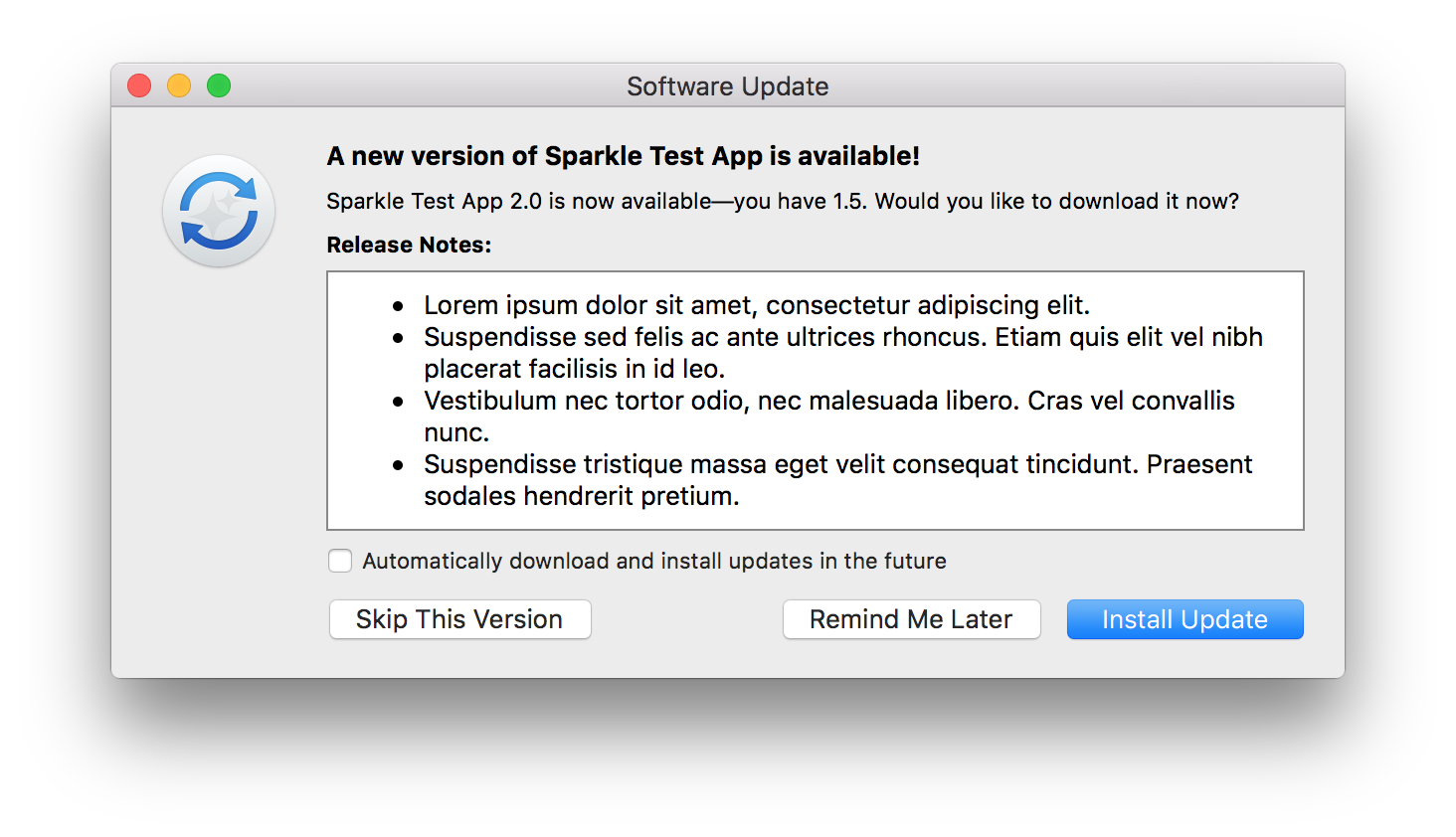
This plugin allows Flutter desktop apps to automatically update themselves (based on sparkle and winsparkle).
This plugin allows Flutter desktop apps to defines system/inapp wide hotkey (i.e. shortcut).
This plugin allows Flutter desktop apps to Auto launch on startup / login.