github-readme-stats
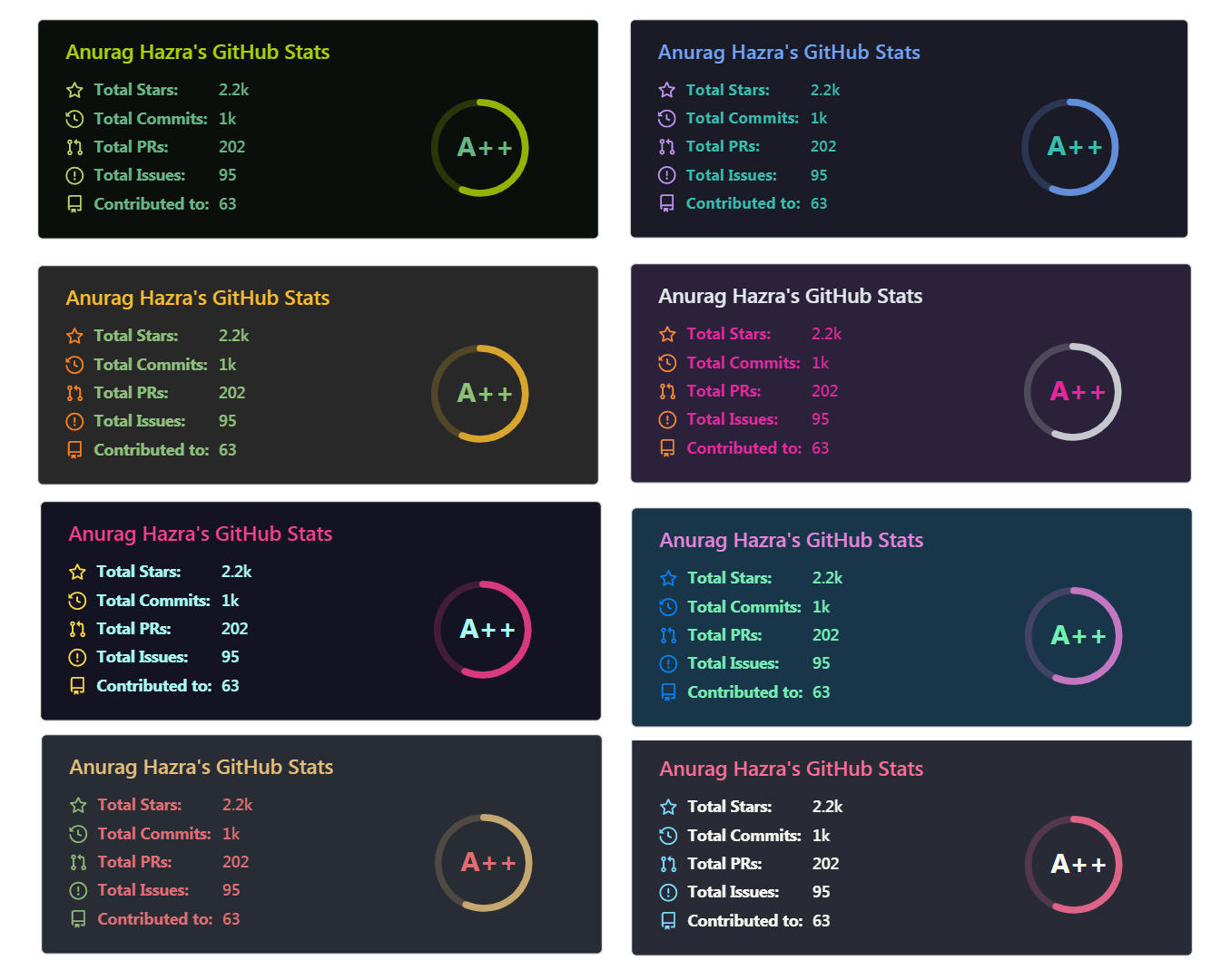
:zap: Dynamically generated stats for your github readmes
- 80k
- JavaScript
- MIT
- 8 wk ago
Elevate Your Kendo UI Experience with this ASP.NET Core's Free Package!
Repo linmasaki/KendoNET.DynamicLinq, read from GitHub 1 min ago. linmasaki has not joined Take My Repo.
linmasaki/KendoNET.DynamicLinq is a public repo on GitHub by linmasaki. Elevate Your Kendo UI Experience with this ASP.NET Core's Free Package! It declares the MIT license on GitHub. It is written mainly in C#, has 47 stars and last changed on 2026-11-20. Nobody has reviewed it on Take My Repo yet, which says nothing about its quality. Read from GitHub on 2026-11-24.
:zap: Dynamically generated stats for your github readmes
 KendoNET.DynamicLinq
 implements server paging, filtering, sorting, grouping, and aggregating to Kendo UI via Dynamic Linq for .NET 10.
ObjectToInferredTypesConverter to your JsonSerializerOptions since System.Text.Json doesn't deserialize inferred types to object properties, see
the sample code
and reference.parameterMap: function(options, type) { return kendo.stringify(options); }
schema of the dataSource.schema: { data: "Data", total: "Total", aggregates: "Aggregates", groups: "Groups", errors: "Errors" }
..... Other kendo grid code .....

dataSource: {
    schema:
    {
        data: "Data",
        total: "Total",
        aggregates: "Aggregates",
        groups: "Groups",
        errors: "Errors",
        ...
    },
    transport: {
        read: {
            url: 'read url',
            dataType: 'json',
            contentType: 'application/json; charset=utf-8',
            type: 'POST'
        },
        create: {
            url: 'create url',
            dataType: "json",
            contentType: 'application/json; charset=utf-8',
            type: 'POST'
        },
        parameterMap: function (data, operation) {
            return kendo.stringify(data);
        }
    },
    error: function(e) {
        console.log(e.errors); // Your error information
        e.sender.cancelChanges();
    },
    pageSize: 20,
    serverPaging: true,
    serverFiltering: true,
    serverSorting: true,
    ...
}

..... Other kendo grid code .....
ToDataSourceResult extension method to apply paging, filtering, grouping, aggregating and sorting.using KendoNET.DynamicLinq; [WebMethod] public static DataSourceResult<ProductViewModel> Products(int take, int skip, Filter filter, IEnumerable<Group> groups, IEnumerable<Aggregator> aggregates, IEnumerable<Sort> sorts) { using (var northwind = new Northwind()) { return northwind.Products .OrderBy(p => p.ProductID) // EF requires ordering for paging .Select(p => new ProductViewModel // Use a view model to avoid serializing internal Entity Framework properties as JSON { ProductID = p.ProductID, ProductName = p.ProductName, UnitPrice = p.UnitPrice, UnitsInStock = p.UnitsInStock, Discontinued = p.Discontinued }) .ToDataSourceResult(take, skip, filter, groups, aggregates, sorts); } }
or from Kendo UI request
using KendoNET.DynamicLinq;

[HttpPost]
public IActionResult Products([FromBody] DataSourceRequest requestModel)
{
    using (var northwind = new Northwind())
    {
        var result = northwind.Products.Select(p => new ProductViewModel // Use a view model to avoid serializing internal Entity Framework properties as JSON
            {
                ProductID = p.ProductID,
                ProductName = p.ProductName,
                UnitPrice = p.UnitPrice,
                UnitsInStock = p.UnitsInStock,
                Discontinued = p.Discontinued
            }).ToDataSourceResult(requestModel);

        return Ok(result);
    }
}
ToDataSourceResultAsync takes the same arguments, or a DataSourceRequest, plus an optional CancellationToken.
[HttpPost]
public async Task<IActionResult> Products([FromBody] DataSourceRequest requestModel, CancellationToken cancellationToken)
{
    var result = await _northwind.Products
        .Select(p => new ProductViewModel
        {
            ProductID = p.ProductID,
            ProductName = p.ProductName
        })
        .ToDataSourceResultAsync(requestModel, cancellationToken);

    return Ok(result);
}
| Async method | EF Core | MongoDB | EF6 | NHibernate | linq2db |
|---|---|---|---|---|---|
CountAsync |
✓ | ✓ | – | – | – |
SumAsync |
✓ | ✓ | – | – | – |
AverageAsync |
✓ | ✓ | – | – | – |
MinAsync |
✓ | ✓ | – | – | – |
MaxAsync |
✓ | ✓ | – | – | – |
ToListAsync |
✓ | ✓ | – | – | – |
✓ Tested.
– Not tested yet; tests are planned.
ℹ️ A query whose provider lacks the matching async method runs synchronously, with the same results.
Filter values are read as instants in UTC. The server's own time zone is never consulted, so the same request returns the same rows wherever the application is deployed.
| Value in the request | Read as |
|---|---|
2025-11-29T16:00:00.000Z |
2025-11-29 16:00 UTC |
2025-11-30T00:00:00+08:00 |
2025-11-29 16:00 UTC |
2025-11-29 |
2025-11-29 00:00 UTC, since no zone was stated |
DateTime, DateTime?, DateTimeOffset and DateTimeOffset? columns are all supported.
Store UTC in the database and let the client convert for display. The Kendo DataSource already sends UTC, since JSON.stringify serializes a JavaScript Date to a UTC ISO string.
eq matches an exact instantAn eq filter matches only the instant supplied as the filter value. To match everything recorded on one day, filter with a gte/lt range instead. There are two ways to produce that range:
Let the user set it. The Grid's filter menu offers a second condition by default, so a user can choose the start and end of the day themselves. No code required.
Expand a single date before the request is sent. The server cannot do it for you: 2025-11-30 picked in UTC+8 arrives as 2025-11-29T16:00:00.000Z, and nothing in the request says which zone that value came from, so the day the user meant cannot be recovered. Only the client knows the zone; see Filter a Whole Day on a Date Column below.
The following configurations are optional. They can be omitted when the default Grid and server behavior is sufficient.
ignoreCase to the ServerUse Filter.IgnoreCase to enable case-insensitive matching for eq, neq, contains, doesnotcontain, startswith, and endswith on string fields; leave it unset to keep the existing case-sensitive behavior. If you build DataSourceRequest/Filter manually instead of going through the Grid, just set this property directly.
When serverFiltering is enabled, the Grid column setting filterable.ignoreCase is not automatically included in the request sent to the server. Use parameterMap to copy the ignoreCase value from the column whose field matches the filter descriptor's field.
For example:
linmasaki/KendoNET.DynamicLinq is a public repo on GitHub by linmasaki. Elevate Your Kendo UI Experience with this ASP.NET Core's Free Package!
It declares the MIT license on GitHub.
Its maker has not tagged a system, so it is unknown here. Its README says what it needs.
Open "Take it" on its page: Take My Repo writes an install plan for your machine and hands it to your AI agent (Claude Code, Codex or Cursor), which asks you before each step. Take My Repo has not tested it on any machine.
jQuery JavaScript Library
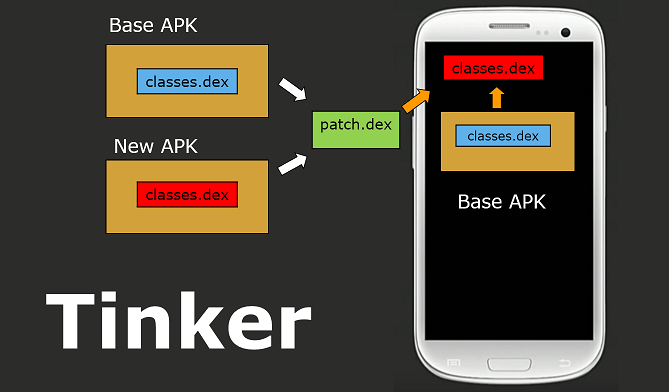
Tinker is a hot-fix solution library for Android, it supports dex, library and resources update without reinstall apk.
开放式跨端跨框架解决方案,支持使用 React/Vue 等框架来开发微信/京东/百度/支付宝/字节跳动/ QQ 小程序/H5/React Native 等应用。
Its last change on GitHub was on 2026-11-20. GitHub counts 1 open issue and pull requests. Take My Repo does not judge from that whether it is maintained.
Nobody has reviewed it on Take My Repo yet, which says nothing about its quality.
Take My Repo cannot say: it does not audit code and has not run KendoNET.DynamicLinq. What is known comes from GitHub. It declares the MIT license on GitHub. Its last change was on 2026-11-20. It has 47 stars, which measure popularity, not safety. Nobody has reviewed it on Take My Repo yet, which says nothing about its quality. Read the source before you run it. With "Take it", your AI agent shows each step and asks you before running it; README text is treated as data, not as instructions.