dsh-purge
dsh-purge Community · DeepSeek Harness 社区维护版:宿主兼容、状态诊断、提示词管理、更新与本机备份回滚。基于小杨 / YuJunZhiXue 的 dsh-purge。
- 11k
- JavaScript
- MIT
- 4 d ago
Path-based CLI for searching, inspecting, patching, and debugging JSON/JSONL files.
Repo lo2589/JSONSEEK, read from GitHub 23 h ago. lo2589 has not joined Take My Repo.
lo2589/JSONSEEK is a public repo on GitHub by lo2589. Path-based CLI for searching, inspecting, patching, and debugging JSON/JSONL files. It declares the MIT license on GitHub. It is written mainly in Python, has 5 stars and last changed on 2026-11-07. Nobody has reviewed it on Take My Repo yet, which says nothing about its quality. Read from GitHub on 2026-11-21.
JSON/JSONL parsing toolkit, designed for LLMs.
jsonseek ships as a native DeepSeek Harness (dsh) bundle. Once installed, every jsonseek <sub-command> becomes a model-callable tool inside a dsh agent — and jsonseek shows up in Settings → Plugin list alongside the dsh built-ins.
# 1. Install the Python CLI (the dsh plugin shells out to it)
pip install jsonseek

# 2. Install the dsh bundle into the profile you boot with `dsh web`
dsh plugin --profile web add jsonseek-dsh

# 3. Restart dsh — jsonseek-dsh now appears in Plugin list,
#    and the agent has 14 jsonseek_* tools available.
dsh restart    # or your usual restart command
That's the whole install. No source patches to JSONSEEK, no fork — the npm bundle is a separate data-only package that translates each jsonseek_<cmd>({...}) call into the corresponding jsonseek CLI invocation.
After install the dsh agent can do things like:
"Use jsonseek_shape to inspect
data.jsonand jsonseek_query to find every record mentioning 'password'."
The model picks the right tool, your CLI handles the file.
Documentation:
npm/QUICKSTART.md — 30-second install + verificationnpm/README.md — full usage, publishing, troubleshootingLoading a JSON file into an LLM context window is expensive. A 10 MB JSON is roughly 2.5M tokens — on Claude Opus that's ~$15 per task for one file.
jsonseek gives you surgical commands so you pay only for what you actually need:
jsonseek shape file.json       # skeleton, ~50 tokens
jsonseek fields file.json      # keys + types, ~200 tokens
jsonseek query file.json 'X'   # search content, ~100 tokens
jsonseek get file.json path    # fetch one value, ~50 tokens
10 MB → 5 KB. Same answer, 1000× cheaper.
When LLMs touch JSON, they should
shapefirst,querysecond, nevercatthe whole file. When humans touch JSON, the same rules apply — just with a keyboard instead of a context window.
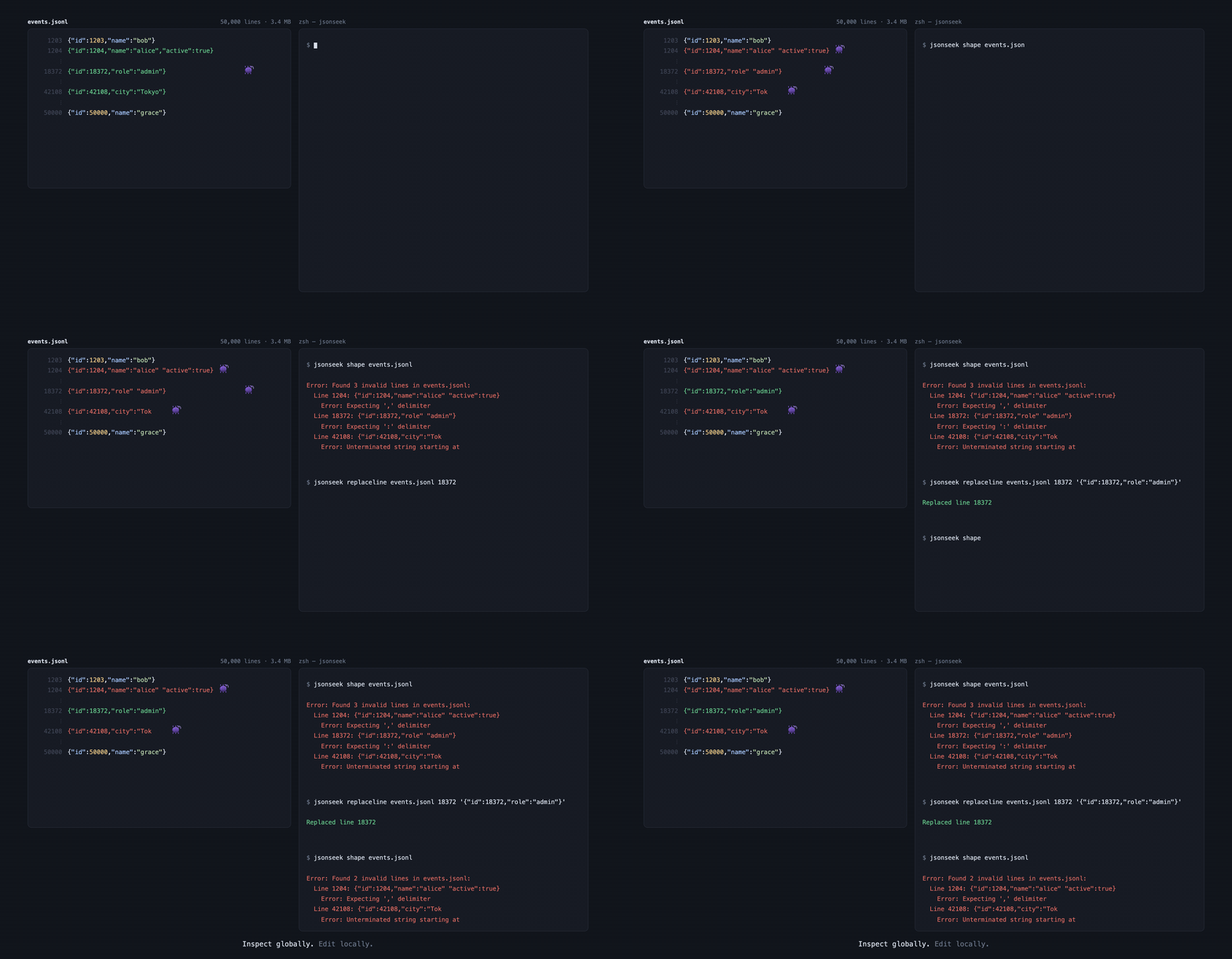
三条记录被咬坏。
shape一次全部找出来,replaceline只改第 18372 行,其余 49,997 行逐字未变。上面的输出是真跑出来的,不是排版出来的。
When something's wrong, jsonseek reports the exact line and the parser's own message — so the LLM (or you) can fix it in one shot instead of guessing:
$ jsonseek shape broken.jsonl
Error: Found 2 invalid lines in broken.jsonl:
  Line 2: {"id": 2, "name": "unterminated
    Error: Unterminated string starting at
  Line 4: {"id": 4,,}
    Error: Expecting property name enclosed in double quotes
$ jsonseek shape broken.json
Error: Invalid JSON at line 4 in broken.json
  Line 4:   "c": 3
  Expecting ',' delimiter
JSONL reports every bad line. JSON reports only the first. Each JSONL record is independent; a JSON document is not — once it's broken, only the first error is recoverable.
Then fix in place:
jsonseek replaceline broken.jsonl 2 '{"id": 2, "name": "fixed"}'
jsonseek replaceline broken.jsonl 4 '{"id": 4, "name": "fixed"}'
jsonseek is an LLM-friendly parser and partial editor for large JSON / JSONL files. The core principle: never let an LLM cat an entire JSON file into context. Run shape for the skeleton, query / get for precise lookup, then set / add / del / append for the smallest possible edit.
Supports structural understanding, field summaries, partial queries, partial edits, bug localization and repair — for both JSON and JSONL with one command set.
Tell your agent "use jsonseek" and it just works. Skills live below — read on demand.
| Skill | Link | Use |
|---|---|---|
| SKILL.md | 👉 View on GitHub | Agent startup: triggers, command cheatsheet, the three iron rules for writes, Windows API fallback |
| commands.md | 👉 View on GitHub | On demand: every flag / example / output format |
| path-syntax.md | 👉 View on GitHub | On demand: full path syntax (dot / bracket / mixed / array / escape) |
Skills on GitHub: lo2589/jsonseek/skills/jsonseek/
Plug into an agent (Claude Code / Cursor / Codex / etc.):
git clone https://github.com/lo2589/JSONSEEK.git
ln -s ../jsonseek/skills/jsonseek/SKILL.md ~/.claude/skills/jsonseek.md
# or ~/.cursor/skills/   ~/.codex/skills/
JSON is the de facto standard for modern data exchange. From ML experiment logs, API configs, application log streams, to microservice registries and crawler dumps — JSON / JSONL is everywhere:
The problem: the bigger the JSON, the more expensive it is to process. cat-ing a 10MB JSON into LLM context burns millions of tokens. Even human developers suffer scanning thousands of nested lines.
jsonseek solves this — replace full reads with partial operations, replace manual scanning with structured queries. For LLM coding agents and developers handling JSON / JSONL frequently, this is essential tooling.
When you (or your running Claude / Kimi / Cursor / Codex agent) face a 10MB JSON, full cat into context is catastrophic token waste. jsonseek lets the agent:
shape for the skeleton, fields for the field list, without reading contentquery to search keywords, ls to browse a layer, get for a precise valueset / add / del / append only where needed| File size | Operation | Full read | jsonseek output |
Savings |
|---|---|---|---|---|
| 100KB config JSON | shape |
~25K tokens | ~100 tokens | 99%+ |
| 100KB config JSON | fields |
~25K tokens | ~300 tokens | 98%+ |
| 100KB config JSON | get single value |
~25K tokens | ~10 tokens | 99%+ |
| 100KB config JSON | query hit a few |
~25K tokens | ~100 tokens | 99%+ |
| 10MB log JSONL | shape sampled |
~2.5M tokens | ~200 tokens | 99.9%+ |
| 10MB log JSONL | query hit dozens |
~2.5M tokens | ~1K tokens | 99.9%+ |
Rough estimate: 1 token ≈ 4 bytes of English. Actual ratios vary by content and tokenizer, but the order of magnitude is stable — the bigger the file, the bigger the savings.
# 1. Read the skeleton — no content needed
jsonseek shape data.jsonl

# 2. See the field list
jsonseek fields data.jsonl --top

# 3. Search a keyword
jsonseek query data.jsonl password --record-id-field id --max-results 5

# 4. Read a specific value
jsonseek get data.jsonl '[3].password'

# 5. Modify (**always start with --dry-run**)
jsonseek set data.jsonl '[3].password' 'newpass' --dry-run
jsonseek set data.jsonl '[3].password' 'newpass' --backup
pip install jsonseek
Requires Python 3.8+. Zero dependencies, zero configuration — install and run.
$ jsonseek --version
jsonseek <current_version>
| Command | Purpose |
|---|---|
shape FILE |
Display structure / skeleton tree |
fields FILE [keyword] |
List all fields and types |
ls FILE [path] |
List children at a path |
get FILE path |
Get a value at a path |
query FILE keyword |
Search keys or values |
extract PATTERN path |
Batch-extract the same path from many JSON files |
concat PATTERN |
Merge multiple JSON files into JSONL |
| Command | Purpose |
|---|---|
set FILE path value |
Modify a field |
add FILE path value |
Add a new key |
del FILE path |
Delete a key or array element |
append FILE path value |
Append one item to an array |
extend FILE path json_array |
Extend an array from a JSON array |
cutline FILE N |
Extract a specific JSONL line to a temp file |
replaceline FILE N |
Replace a specific JSONL line |
| Flag | Purpose |
|---|---|
--output json |
Machine-readable output (required when piping to another tool / agent) |
--backup |
Create a .bak backup before any write |
--dry-run |
Always use this before any write to preview |
--kind {json,jsonl} |
Force file type (auto-detected by default) |
--encoding ENCODING |
Force encoding (auto-detected by default; e.g. gbk) |
--context N |
Lines of context around the target (JSONL only, default 2) |
| Style | Example | Meaning |
|---|---|---|
| Dot | a.b.c |
a -> b -> c |
| Bracket | a[key1][key2] |
a -> key1 -> key2 |
| Mixed | a[key1].b[0] |
a -> key1 -> b -> 0 |
| Array index | items[0][1] |
items -> 0 -> 1 |
⚠️ zsh users: paths containing
[N]must be wrapped in single quotes (or usenoglob), because zsh tries to glob-expand brackets:# ❌ zsh: "no matches found" jsonseek del file.json services[0].deprecated # ✅ either of these works jsonseek del file.json 'services[0].deprecated' noglob jsonseek del file.json services[0].deprecatedbash / fish / zsh-with-quotes all work fine.
--dry-run first:jsonseek set file.json path value --dry-run
# [DRY-RUN] Before: path = old
# [DRY-RUN] After: path = new
--backup:jsonseek set file.json path value --backup
# → creates file.json.bak
--output json:jsonseek query file.json keyword --output json | jq '.hits[0]'
jsonseek's design philosophy is the LLM's token budget:
--output json, agents parse directlyset / add / del has --dry-run, agents preview the diff before invokingjsonseek shape on a 10MB JSONL only reads the first 100 lines (--sample-size adjustable), token usage is boundedTypical agent workflow:
read  → shape / fields / ls / query / get
        ↓ (understand structure)
locate → query / get
        ↓ (find target)
write  → set / add / del / append   (--dry-run first → --backup for real)
        ↓ (verify)
read   → query / get
shape / fields / get / query / ls / extract / concat) work fine via CLI. Write commands strip double quotes through PowerShell, so complex values fail — use the Python API insteadWindows write Python API:
import sys
sys.path.insert(0, '.')

from jsonseek.commands.set_cmd import set_value
from jsonseek.commands.add_cmd import add_value
from jsonseek.commands.append_cmd import append_value
from jsonseek.commands.extend_cmd import extend_value
from jsonseek.commands.del_cmd import del_value
from jsonseek.commands.replaceline_cmd import replace_line

# Set/Add/Append/Extend complex values — no shell quoting issues
set_value('file.json', 'path', {"key": "value"})
add_value('file.json', 'path', ["item1", "item2"])
append_value('file.json', 'items', {"id": 1})
extend_value('file.json', 'items', [{"id": 2}, {"id": 3}])

# Delete
del_value('file.json', 'path')

# JSONL whole-line replacement
replace_line('file.jsonl', 5, '{"id": 5, "name": "fixed"}')
CLI write commands print a patch preview on success and Error: ... on failure. Python API write helpers are silent on success and raise on failure.
cat a JSON file)jsonseek is built for the "find the bad record, fix it, move on" workflow. When an LLM (or a human) sees a parse error, the wrong shape, a missing field, or a broken value — the right move is NOT to dump the whole file. Use the diagnostic ladder:
| Step | Command | What it tells you | When to use it |
|---|---|---|---|
| 1 | jsonseek shape file.json |
High-level skeleton — array? object? nested? | You have no idea what's in the file |
| 2 | jsonseek fields file.json |
Every key, every type, occurrence count | You suspect a field is wrong or missing |
| 3 | jsonseek fields file.json 'keyword' |
Fields whose path matches the keyword | You know roughly where to look |
| 4 | jsonseek query file.json 'pattern' |
Records/values whose content matches | You're hunting a specific value |
| 5 | jsonseek get file.json 'path' |
The exact value at a path | You know the path, want the value |
| 6 | jsonseek ls file.json 'path' |
Children of a path (object keys / array indices) | You have a path, want to drill in |
For JSONL files (one record per line), the fastest way is usually:
# Find the offending line with a Python one-liner
python3 -c "
import json
for i, line in enumerate(open('broken.jsonl'), 1):
    try: json.loads(line)
    except Exception as e: print(f'line {i}: {e} — {line[:80]!r}')
"

# Then fix it
jsonseek replace_line broken.jsonl <line_number> '{"id": ..., "fixed": true}'
For JSON files (single document), shape will fail with a parser error pointing at the byte offset:
$ jsonseek shape broken.json
Error: <tool name>: Expecting value at line 42 column 7 (char 1823)
# That `char 1823` is your offset — open the file at byte 1823 to inspect.
# Step 1: see the skeleton
jsonseek shape data.json

# Step 2: list all fields + types + occurrence counts
jsonseek fields data.json
#   id        : int    (100%)
#   name      : str    (100%)
#   email     : str    (87%)     <-- only 87%! 13% missing
#   tags      : array  (60%)
#   score     : float  (40%)     <-- type inconsistent? check
# Step 3: drill into the suspicious field
jsonseek query data.json 'email == null'
jsonseek get data.json '$.records[5].email'
# Step 4: fix the smallest possible patch
jsonseek set data.json '$.records[5].email' '"fixed@example.com"' --backup
For JSONL with one record per line:
# Re-read the bad line first (avoid guessing)
jsonseek get broken.jsonl <line_number>

# Replace it
jsonseek replace_line broken.jsonl <line_number> '{"id": 42, "name": "corrected"}'
cat the whole file. A 10 MB JSON is 2.5M tokens — your context window is gone.shape first. You can't fix what you can't see.query or get before set. Confirm the location, then patch.--backup on every write. Default is to write a .bak next to the file.Shape → Fields → Query → Get → Fix. Skip a step only if you already know the answer.
Every command's full signature, every flag, and every output format. For the most up-to-date list, run jsonseek <command> --help.
shape FILEShow structure / skeleton tree.
--kind {json,jsonl}        Force file kind (auto-detected by default)
--output {pretty,json}     Output format (default: pretty)
--encoding ENCODING        Force encoding (auto-detected by default)
--max-depth N              Limit traversal depth (default: unlimited)
--array-mode {sample,full} JSONL array mode; `sample` is default, `full` walks every element
--sample-size N            JSONL: number of records to sample (default: 100)
fields FILE [keyword]List all fields with type / occurrence count.
--top                      Show only top-level fields
--kind / --output / --encoding    (same as above)
ls FILE [path]List children at a path. JSONL: path must start with [N] or records[N].
--kind / --output / --encoding (same as above)
get FILE pathRead a value at a path. Output respects --output.
--kind / --output / --encoding (same as above)
query FILE termSearch keys or values.
--case-sensitive           Case-sensitive matching (default: insensitive)
--exact                    Exact match (default: substring)
--match-mode {key,value,both}    What to match (default: both)
--max-results N            Limit number of results
--record-id-field FIELD    JSONL: use FIELD as record ID in output
--preview-field FIELD      JSONL: also show FIELD as preview
--kind / --output / --encoding / --context N    (same as above)
extract PATTERN pathBatch-extract the same path from many JSON files matched by a glob pattern.
--include-missing          Include files where the path does not exist (default: skip)
--output {pretty,json}     Output format (default: pretty)
concat PATTERNConcatenate multiple JSON files into a single JSONL.
-o, --output-file FILE     Output file (default: stdout)
--no-sort                  Preserve glob order (default: sort by filename)
--backup first)set FILE path valueModify an existing value at a path.
--create-missing           Auto-create intermediate paths (default: error if missing)
--from-file FILE           Read the new value from a file (avoids shell quoting issues)
--backup                   Create FILE.bak before writing
--dry-run                  Preview only, no changes
add FILE path valueAdd a new key to an object. Errors if the key already exists.
--create-missing           Auto-create intermediate paths
--from-file FILE           Read the value from a file
--backup / --dry-run       Same as above
del FILE pathDelete a key or an array element.
-y, --yes                  Skip the confirmation prompt
--backup / --dry-run       Same as above
append FILE path valueJSON: append one item to an array. Path must end at an array. JSONL: append a record at root level (no path needed).
--from-file FILE           Read the value from a file
--backup / --dry-run       Same as above
extend FILE path json_arrayExtend an array with all items from a JSON array (unpacked).
--from-file FILE           Read the array from a file
--backup / --dry-run       Same as above
cutline FILE LINEExtract a specific JSONL line (1-indexed) to a temp file. Used to repair corrupt lines.
--save-temp Save to a temp file and print the path; otherwise print to stdout
replaceline FILE LINE [CONTENT]Replace a specific JSONL line. Use --from-file to avoid quoting issues.
--from-file FILE Read the replacement content from a file
--kind {json,jsonl}        Force file kind (auto-detected by default)
--output {pretty,json}     pretty (default) is human-readable; json is for agent / pipe consumption
--encoding ENCODING        Force encoding (auto-detected; e.g. `gbk`, `utf-8`)
--backup                   Create FILE.bak before any write
--dry-run                  Preview the change without writing
--context N                JSONL: lines of context around the target (default: 2)
Always use
--dry-runfirst. Then add--backupfor the real run.
| Code | Meaning |
|---|---|
| 0 | Success |
| 1 | Generic error (invalid path, missing file, write error, etc.) |
| 2 | Invalid CLI arguments |
| Var | Effect |
|---|---|
PYTHONIOENCODING |
Force stdout encoding (helps with Chinese output on Windows) |
| Doc | Content |
|---|---|
| commands.md | Every command's flags, parameters, examples |
| path-syntax.md | Full path syntax — dot / bracket / mixed / array indices / negative indices / escapes |
Skills links are also given earlier in the "🤖 Skills for LLM Coding Agents" section.
| Resource | Link |
|---|---|
| PyPI | https://pypi.org/project/jsonseek/ |
| GitHub | https://github.com/lo2589/JSONSEEK |
| Issues | https://github.com/lo2589/JSONSEEK/issues |
MIT — see LICENSE.
lo2589/JSONSEEK is a public repo on GitHub by lo2589. Path-based CLI for searching, inspecting, patching, and debugging JSON/JSONL files.
It declares the MIT license on GitHub.
Its maker has not tagged a system, so it is unknown here. Its README says what it needs.
Open "Take it" on its page: Take My Repo writes an install plan for your machine and hands it to your AI agent (Claude Code, Codex or Cursor), which asks you before each step. Take My Repo has not tested it on any machine.
Its last change on GitHub was on 2026-11-07. Take My Repo does not judge from that whether it is maintained.
Nobody has reviewed it on Take My Repo yet, which says nothing about its quality.
dsh-purge Community · DeepSeek Harness 社区维护版:宿主兼容、状态诊断、提示词管理、更新与本机备份回滚。基于小杨 / YuJunZhiXue 的 dsh-purge。
The agent harness performance optimization system. Skills, instincts, memory, security, and research-first development for Claude Code, Codex, Opencode, Cursor and beyond.
Persistent Context Across Sessions for Every Agent – Captures everything your agent does during sessions, compresses it with AI, and injects relevant context back into future sessions. Works with Claude Code, OpenClaw, Codex, Gemini, Hermes, Copilot, OpenCode + More
Reverse engineer anything with agents, from app behavior down to native binaries.
Open-source auth gateway connecting 1700+ SaaS providers to AI agents through SDK, CLI, MCP, HTTP, and OpenAPI.
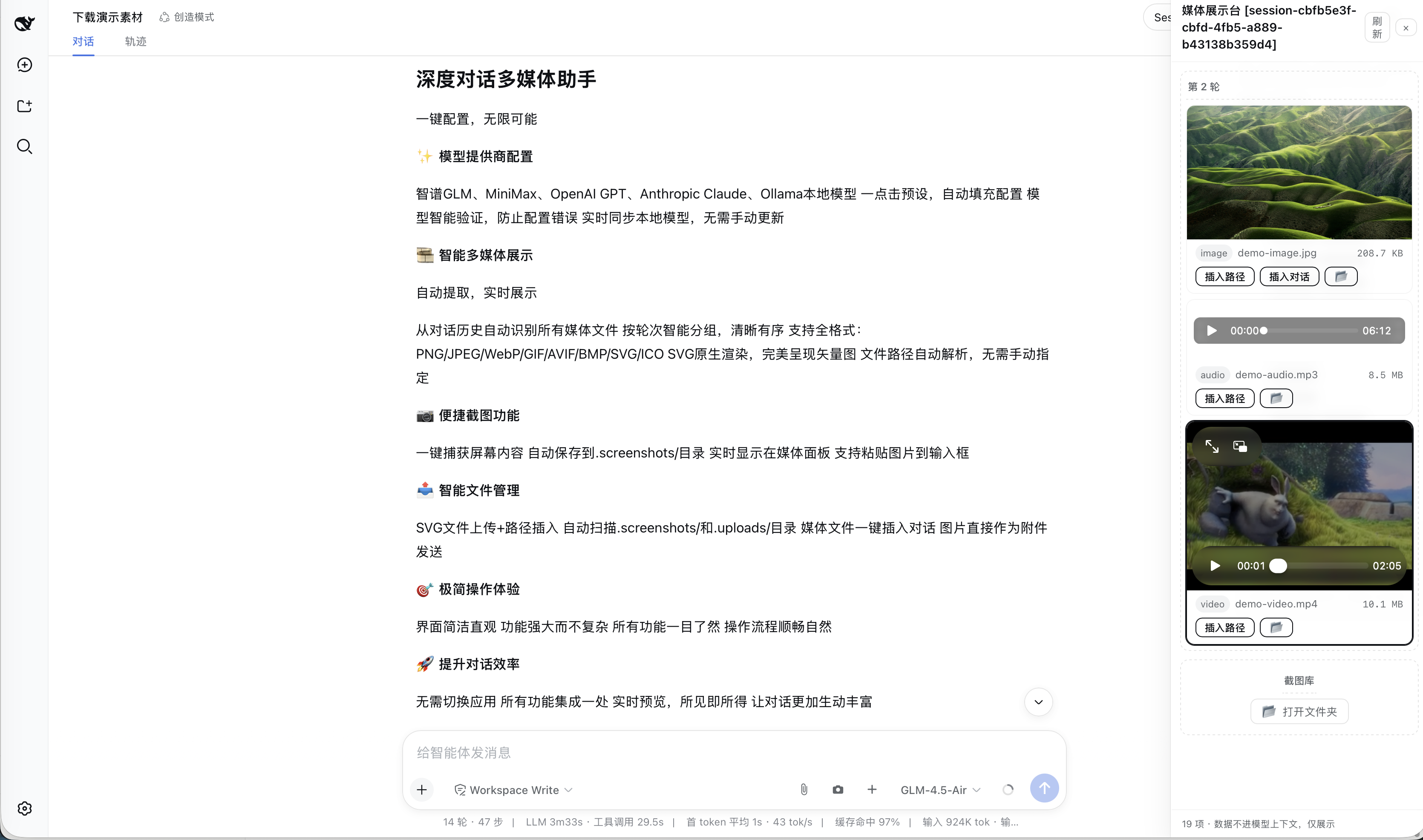
use glm/minimax/openai/claude api in your deepseek harness
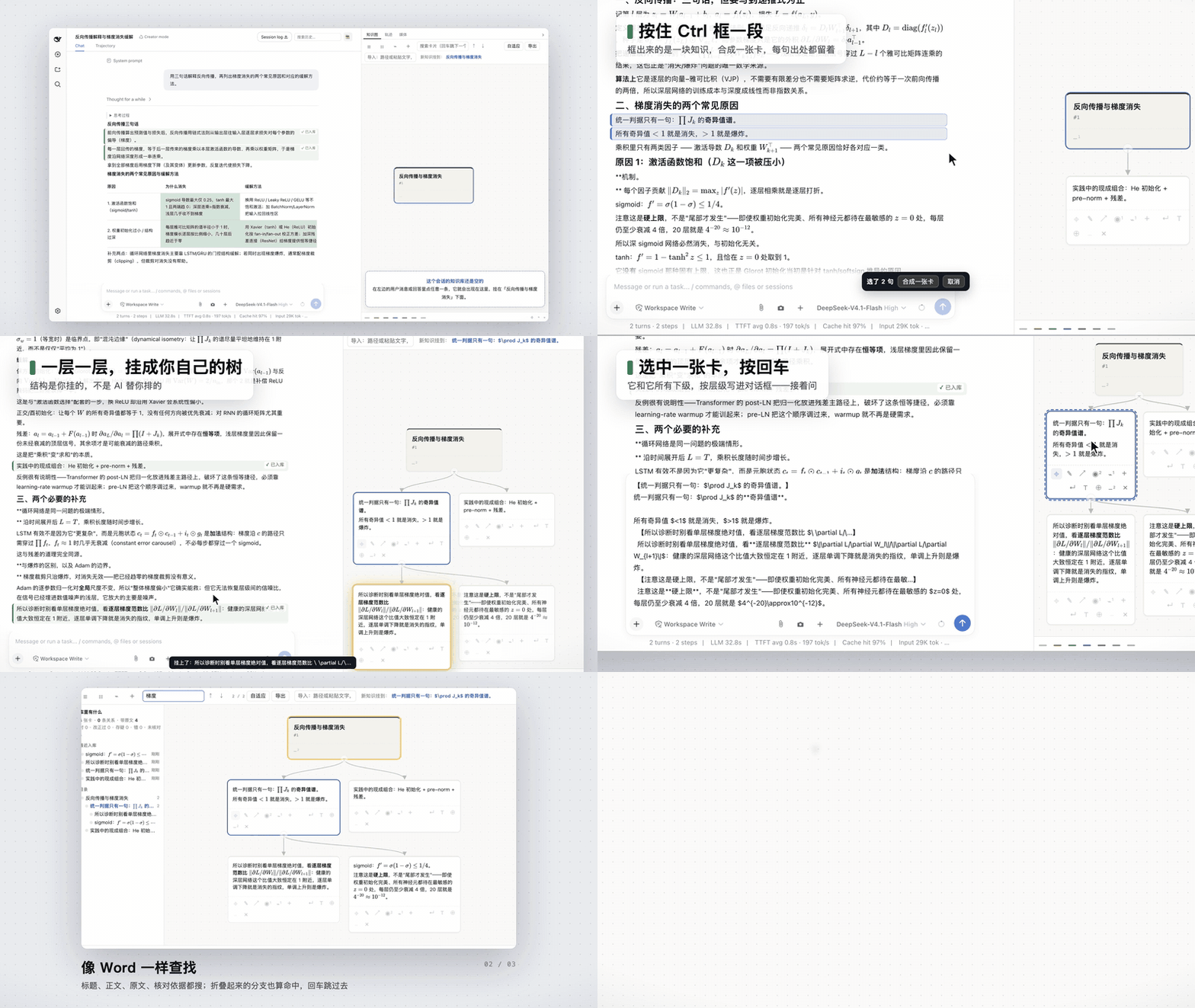
Click any sentence in an AI chat to turn it into a card, then hang the cards into your own knowledge tree. DeepSeek Harness (dsh) plugin + standalone web app. 从对话里把有用的句子挑出来,挂成自己的知识树。
Nexel is a minimal Python interaction DSL that turns functions, UI nodes, and data-flow connections into fully working web interfaces with almost zero frontend code.
AST-based code navigation for AI agents: static analysis and call graphs instead of vector search. Includes an MCP server (cdd-mcp).