
LLM-API-Key-Proxy
Universal LLM Gateway: One API, every LLM. OpenAI/Anthropic-compatible endpoints with multi-provider translation and intelligent load-balancing.
- 565
- Python
- 3 wk ago
Security API Key Authentication Implementation for ASP.NET Core
Repo loresoft/AspNetCore.SecurityKey, read from GitHub 1 min ago. loresoft has not joined Take My Repo.
loresoft/AspNetCore.SecurityKey is a public repo on GitHub by loresoft. Security API Key Authentication Implementation for ASP.NET Core. It declares the MIT license on GitHub. It is written mainly in C#, has 13 stars and last changed on 2026-11-11. Nobody has reviewed it on Take My Repo yet, which says nothing about its quality. Read from GitHub on 2026-11-22.
In the maintainer's words. Shown from GitHub; Take My Repo does not keep a copy.
A flexible and lightweight API key authentication library for ASP.NET Core applications that supports multiple authentication patterns and integrates seamlessly with ASP.NET Core's authentication and authorization infrastructure.
AspNetCore.SecurityKey provides a complete API key authentication solution for ASP.NET Core applications with support for modern development patterns and best practices.
Feature List:
Install the package:
dotnet add package AspNetCore.SecurityKey
Configure your API key in appsettings.json:
{
  "SecurityKey": "your-secret-api-key-here"
}
Register services and secure endpoints:
builder.Services.AddSecurityKey();
app.UseSecurityKey(); // Secures all endpoints
Call your API with the key:
curl -H "X-API-KEY: your-secret-api-key-here" https://yourapi.com/endpointThe library is available on nuget.org via package name AspNetCore.SecurityKey.
Install-Package AspNetCore.SecurityKeydotnet add package AspNetCore.SecurityKey
<PackageReference Include="AspNetCore.SecurityKey" />
AspNetCore.SecurityKey supports multiple ways to pass API keys in requests, providing flexibility for different client scenarios:
The most common and secure approach for API-to-API communication:
GET https://api.example.com/users
Accept: application/json
X-API-KEY: 01HSGVBSF99SK6XMJQJYF0X3WQ
Useful for simple integrations or when headers cannot be easily modified:
GET https://api.example.com/users?X-API-KEY=01HSGVBSF99SK6XMJQJYF0X3WQ
Accept: application/json
⚠️ Security Note: When using query parameters, be aware that API keys may appear in server logs, browser history, and referrer headers. Headers are generally preferred for production use.
Ideal for browser-based applications or when API keys need persistence:
GET https://api.example.com/users
Accept: application/json
Cookie: X-API-KEY=01HSGVBSF99SK6XMJQJYF0X3WQ
Configure your API keys in appsettings.json:
{
  "SecurityKey": "01HSGVBSF99SK6XMJQJYF0X3WQ"
}Support multiple valid API keys using semicolon separation:
{
  "SecurityKey": "01HSGVBGWXWDWTFGTJSYFXXDXQ;01HSGVBSF99SK6XMJQJYF0X3WQ;01HSGVAH2M5WVQYG4YPT7FNK4K8"
}For advanced scenarios with IP whitelisting and multiple keys, use the enhanced configuration format:
{
  "SecurityKey": {
    "AllowedKeys": [
      "01HSGVBGWXWDWTFGTJSYFXXDXQ",
      "01HSGVBSF99SK6XMJQJYF0X3WQ",
      "01HSGVAH2M5WVQYG4YPT7FNK4K8"
    ],
    "AllowedAddresses": [
      "192.168.1.100",
      "10.0.0.1",
      "203.0.113.50",
      "::1"
    ],
    "AllowedNetworks": [
      "192.168.0.0/16",
      "10.0.0.0/8",
      "172.16.0.0/12",
      "2001:db8::/32"
    ]
  }
}Customize key extraction and validation behavior:
builder.Services.AddSecurityKey(options =>
{
    // Custom configuration path
    options.ConfigurationName = "Authentication:ApiKey";

    // Customize header name (default: "x-api-key")
    options.HeaderName = "API-KEY";

    // Customize query parameter name (default: "x-api-key")
    options.QueryName = "apikey";

    // Customize cookie name (default: "x-api-key")
    options.CookieName = "app-api-key";

    // Case-sensitive key comparison (default: case-insensitive)
    options.KeyComparer = StringComparer.Ordinal;

    // Custom authentication scheme name
    options.AuthenticationScheme = "CustomApiKey";

    // Claims configuration
    options.ClaimNameType = ClaimTypes.Name;
    options.ClaimRoleType = ClaimTypes.Role;

    // Optional caching for performance
    options.CacheTime = TimeSpan.FromMinutes(5);
});
AspNetCore.SecurityKey provides built-in IP address whitelisting capabilities to restrict API access based on client IP addresses. This feature supports both IPv4 and IPv6 addresses, individual IPs, and network ranges using CIDR notation.
IP whitelisting is configured using the enhanced configuration format in appsettings.json:
{
  "SecurityKey": {
    "AllowedKeys": ["your-api-key-here"],
    "AllowedAddresses": [
      "192.168.1.100",      // Specific IPv4 address
      "10.0.0.1",           // Another IPv4 address
      "::1",                // IPv6 localhost
      "2001:db8::1"         // Specific IPv6 address
    ],
    "AllowedNetworks": [
      "192.168.0.0/16",     // Private network range
      "10.0.0.0/8",         // Class A private network
      "172.16.0.0/12",      // Class B private network
      "2001:db8::/32"       // IPv6 network range
    ]
  }
}AllowedAddresses nor AllowedNetworks are configured, all IP addresses are allowedAllowedAddresses list for exact matchesAllowedNetworks list using CIDR notationAllow only local development machines:
{
  "SecurityKey": {
    "AllowedKeys": ["dev-key-123"],
    "AllowedAddresses": [
      "127.0.0.1",          // IPv4 localhost
      "::1"                 // IPv6 localhost
    ],
    "AllowedNetworks": [
      "192.168.0.0/16"      // Local network
    ]
  }
}Allow only internal corporate networks:
{
  "SecurityKey": {
    "AllowedKeys": ["corporate-api-key"],
    "AllowedNetworks": [
      "10.0.0.0/8",         // Corporate internal network
      "172.16.0.0/12",      // Secondary corporate network
      "203.0.113.0/24"      // Public-facing servers
    ]
  }
}When running behind a reverse proxy (like nginx, IIS, or cloud load balancers), ensure proper configuration to get the real client IP:
// Configure forwarded headers
builder.Services.Configure<ForwardedHeadersOptions>(options =>
{
    options.ForwardedHeaders = ForwardedHeaders.XForwardedFor | ForwardedHeaders.XForwardedProto;
    options.KnownProxies.Clear();
    options.KnownNetworks.Clear();
});

var app = builder.Build();

// Use forwarded headers before SecurityKey middleware
app.UseForwardedHeaders();
app.UseSecurityKey();
0.0.0.0/0 or ::/0 as they allow all addressesAspNetCore.SecurityKey supports multiple integration patterns to fit different application architectures and security requirements.
Apply API key requirement to all endpoints in your application:
var builder = WebApplication.CreateBuilder(args);

// Register services
builder.Services.AddAuthorization();
builder.Services.AddSecurityKey();

var app = builder.Build();

// Apply security to ALL endpoints
app.UseSecurityKey();
app.UseAuthorization();

// All these endpoints require valid API keys
app.MapGet("/weather", () => WeatherService.GetForecast());
app.MapGet("/users", () => UserService.GetUsers());
app.MapGet("/products", () => ProductService.GetProducts());

app.Run();
Apply API key requirement to specific controllers or actions:
[ApiController]
[Route("[controller]")]
public class UsersController : ControllerBase
{
    // This action requires API key
    [SecurityKey]
    [HttpGet]
    public IEnumerable<User> GetUsers()
    {
        return UserService.GetUsers();
    }

    // This action is public (no API key required)
    [HttpGet("public")]
    public IEnumerable<User> GetPublicUsers()
    {
        return UserService.GetPublicUsers();
    }
}

// Or apply to entire controller
[SecurityKey]
[ApiController]
[Route("[controller]")]
public class SecureController : ControllerBase
{
    // All actions in this controller require API key
    [HttpGet]
    public IActionResult Get() => Ok();
}
Secure specific minimal API endpoints:
var builder = WebApplication.CreateBuilder(args);

builder.Services.AddAuthorization();
builder.Services.AddSecurityKey();

var app = builder.Build();

app.UseAuthorization();

// Public endpoint (no API key required)
app.MapGet("/health", () => "Healthy");

// Secured endpoint using filter
app.MapGet("/users", () => UserService.GetUsers())
   .RequireSecurityKey();

// Multiple endpoints can be grouped
var securedGroup = app.MapGroup("/api/secure")
                     .RequireSecurityKey();

securedGroup.MapGet("/data", () => "Secured data");
securedGroup.MapPost("/action", () => "Secured action");

app.Run();
Integrate with ASP.NET Core's authentication system:
var builder = WebApplication.CreateBuilder(args);

// Register authentication with SecurityKey scheme
builder.Services
    .AddAuthentication()
    .AddSecurityKey();

builder.Services.AddAuthorization();
builder.Services.AddSecurityKey();

var app = builder.Build();

app.UseAuthentication();
app.UseAuthorization();

// Use standard authorization attributes
app.MapGet("/users", () => UserService.GetUsers())
   .RequireAuthorization();

// Can also be combined with role-based authorization
app.MapGet("/admin", () => "Admin data")
   .RequireAuthorization("AdminPolicy");

app.Run();
Implement custom validation logic by creating a class that implements ISecurityKeyValidator:
public class DatabaseSecurityKeyValidator : ISecurityKeyValidator
{
    private readonly IApiKeyRepository _repository;
    private readonly ILogger<DatabaseSecurityKeyValidator> _logger;

    public DatabaseSecurityKeyValidator(
        IApiKeyRepository repository,
        ILogger<DatabaseSecurityKeyValidator> logger)
    {
        _repository = repository;
        _logger = logger;
    }

    public async ValueTask<bool> Validate(string? value, IPAddress? ipAddress = null, CancellationToken cancellationToken = default)
    {
        if (string.IsNullOrEmpty(value))
            return false;

        try
        {
            var apiKey = await _repository.GetApiKeyAsync(value, cancellationToken);

            if (apiKey == null)
            {
                _logger.LogWarning("Invalid API key attempted: {Key}", value);
                return false;
            }

            if (apiKey.IsExpired)
            {
                _logger.LogWarning("Expired API key used: {Key}", value);
                return false;
            }

            // Validate IP address if restrictions are configured
            if (!IsIpAddressAllowed(ipAddress, apiKey.AllowedIpAddresses, apiKey.AllowedNetworks))
            {
                _logger.LogWarning("API key {Key} used from unauthorized IP: {IpAddress}", value, ipAddress);
                return false;
            }

            // Update last used timestamp
            await _repository.UpdateLastUsedAsync(value, DateTime.UtcNow, cancellationToken);

            return true;
        }
        catch (Exception ex)
        {
            _logger.LogError(ex, "Error validating API key");
            return false;
        }
    }

    public async ValueTask<ClaimsIdentity> Authenticate(string? value, IPAddress? ipAddress = null, CancellationToken cancellationToken = default)
    {
        if (string.IsNullOrEmpty(value))
            return new ClaimsIdentity();

        var apiKey = await _repository.GetApiKeyAsync(value, cancellationToken);
        if (apiKey?.User == null)
            return new ClaimsIdentity();

        var identity = new ClaimsIdentity(SecurityKeyAuthenticationDefaults.AuthenticationScheme);
        identity.AddClaim(new Claim(ClaimTypes.Name, apiKey.User.Name));
        identity.AddClaim(new Claim(ClaimTypes.NameIdentifier, apiKey.User.Id));

        // Add role claims
        foreach (var role in apiKey.User.Roles)
        {
            identity.AddClaim(new Claim(ClaimTypes.Role, role));
        }

        return identity;
    }

    private bool IsIpAddressAllowed(IPAddress? ipAddress, string[]? allowedAddresses, string[]? allowedNetworks)
    {
        // Use the built-in whitelist functionality
        return SecurityKeyWhitelist.IsIpAllowed(ipAddress, allowedAddresses, allowedNetworks);
    }
}

// Register custom validator
builder.Services.AddScoped<IApiKeyRepository, ApiKeyRepository>();
builder.Services.AddSecurityKey<DatabaseSecurityKeyValidator>();
Create custom extraction logic for non-standard scenarios:
public class CustomSecurityKeyExtractor : ISecurityKeyExtractor
{
    private readonly ILogger<CustomSecurityKeyExtractor> _logger;

    public CustomSecurityKeyExtractor(ILogger<CustomSecurityKeyExtractor> logger)
    {
        _logger = logger;
    }

    public string? GetKey(HttpContext? context)
    {
        if (context == null)
            return null;

        // Try multiple sources in priority order

        // 1. Authorization header with Bearer scheme
        if (context.Request.Headers.TryGetValue("Authorization", out var authHeader))
        {
            var auth = authHeader.FirstOrDefault();
            if (!string.IsNullOrEmpty(auth) && auth.StartsWith("Bearer ", StringComparison.OrdinalIgnoreCase))
            {
                return auth.Substring(7); // Remove "Bearer " prefix
            }
        }

        // 2. Custom header
        if (context.Request.Headers.TryGetValue("X-API-TOKEN", out var tokenHeader))
        {
            return tokenHeader.FirstOrDefault();
        }

        // 3. Query parameter
        if (context.Request.Query.TryGetValue("access_token", out var queryToken))
        {
            return queryToken.FirstOrDefault();
        }

        // 4. Form data (for POST requests)
        if (context.Request.HasFormContentType &&
            context.Request.Form.TryGetValue("api_key", out var formKey))
        {
            return formKey.FirstOrDefault();
        }

        _logger.LogDebug("No API key found in request");
        return null;
    }
}

// Register both custom validator and extractor
builder.Services.AddSecurityKey<DatabaseSecurityKeyValidator, CustomSecurityKeyExtractor>();
Combine with ASP.NET Core rate limiting for enhanced security:
builder.Services.AddRateLimiter(options =>
{
    options.AddPolicy("ApiKeyPolicy", context =>
    {
        // Extract API key for rate limiting
        var apiKey = context.Request.Headers["X-API-KEY"].FirstOrDefault();

        return RateLimitPartition.GetFixedWindowLimiter(
            partitionKey: apiKey ?? "anonymous",
            factory: _ => new FixedWindowRateLimiterOptions
            {
                AutoReplenishment = true,
                PermitLimit = 100,
                Window = TimeSpan.FromMinutes(1)
            });
    });
});

var app = builder.Build();

app.UseRateLimiter();
app.UseSecurityKey();

app.MapGet("/api/data", () => "Data")
   .RequireRateLimiting("ApiKeyPolicy");
AspNetCore.SecurityKey emits tracing and metrics using the built-in .NET diagnostics APIs, so applications can export authentication telemetry with OpenTelemetry without adding a separate instrumentation package.
Use these stable names when configuring OpenTelemetry:
AspNetCore.SecurityKeyAspNetCore.SecurityKey| Metric | Unit | Description |
|---|---|---|
securitykey.auth.requests |
{request} |
Number of SecurityKey authentication attempts. |
securitykey.auth.failures |
{failure} |
Number of failed SecurityKey authentication attempts. |
securitykey.auth.duration |
ms |
Duration of SecurityKey authentication attempts. |
| Tag | Description |
|---|---|
securitykey.auth.scheme |
Authentication scheme name when using the authentication handler. |
securitykey.auth.result |
Authentication result, such as success or failure. |
securitykey.auth.failure_reason |
Failure reason, such as invalid_client or authentication_error. |
securitykey.auth.pattern |
Integration pattern, such as middleware, endpoint_filter, or mvc_filter. |
securitykey.client |
SHA-256 hash of the API key for tracking client usage without exposing raw keys. |
securitykey.endpoint |
Resolved endpoint display name or request path. |
builder.Services.AddOpenTelemetry()
    .WithTracing(tracing => tracing
        .AddSource("AspNetCore.SecurityKey")
        .AddAspNetCoreInstrumentation()
        .AddOtlpExporter())
    .WithMetrics(metrics => metrics
        .AddMeter("AspNetCore.SecurityKey")
        .AddAspNetCoreInstrumentation()
        .AddOtlpExporter());
The example assumes your application already references the OpenTelemetry packages required by the exporters and instrumentation you choose.
Issue: API key not being extracted from requests
Solution: Check header/query parameter names match configuration:
builder.Services.AddSecurityKey(options =>
{
    options.HeaderName = "X-API-KEY"; // Must match client header
    options.QueryName = "apikey";     // Must match query parameter
});
Issue: Authentication works but authorization fails
Solution: Ensure authentication scheme is properly configured:
// For controller attributes
[Authorize(AuthenticationSchemes = SecurityKeyAuthenticationDefaults.AuthenticationScheme)]

// Or set as default scheme
builder.Services
    .AddAuthentication(SecurityKeyAuthenticationDefaults.AuthenticationScheme)
    .AddSecurityKey();
Issue: Custom validator not being called
Solution: Verify registration order and dependencies:
// Register dependencies first
builder.Services.AddScoped<IApiKeyRepository, ApiKeyRepository>();
// Then register validator
builder.Services.AddSecurityKey<CustomValidator>();
Issue: IP whitelisting not working correctly
Solution: Check reverse proxy configuration and enable debug logging:
// Configure forwarded headers
builder.Services.Configure<ForwardedHeadersOptions>(options =>
{
    options.ForwardedHeaders = ForwardedHeaders.XForwardedFor | ForwardedHeaders.XForwardedProto;
});

var app = builder.Build();
app.UseForwardedHeaders(); // Must be before UseSecurityKey()
app.UseSecurityKey();
Enable detailed logging to troubleshoot issues:
{
  "Logging": {
    "LogLevel": {
      "AspNetCore.SecurityKey": "Debug",
      "Microsoft.AspNetCore.Authentication": "Debug"
    }
  }
}For complete working examples, see the samples in this repository:
Each sample includes:
We welcome contributions! Please see our contributing guidelines for details.
This project is licensed under the MIT License - see the LICENSE file for details.
loresoft/AspNetCore.SecurityKey is a public repo on GitHub by loresoft. Security API Key Authentication Implementation for ASP.NET Core.
It declares the MIT license on GitHub.
Its maker has not tagged a system, so it is unknown here. Its README says what it needs.
Open "Take it" on its page: Take My Repo writes an install plan for your machine and hands it to your AI agent (Claude Code, Codex or Cursor), which asks you before each step. Take My Repo has not tested it on any machine.
Its last change on GitHub was on 2026-11-11. GitHub counts 2 open issues and pull requests. Take My Repo does not judge from that whether it is maintained.
Nobody has reviewed it on Take My Repo yet, which says nothing about its quality.
Universal LLM Gateway: One API, every LLM. OpenAI/Anthropic-compatible endpoints with multi-provider translation and intelligent load-balancing.
Clean Architecture Solution Template for ASP.NET Core
Roadmap to becoming an ASP.NET Core developer in 2026
Reverse engineer anything with agents, from app behavior down to native binaries.

A list of Free Software network services and web applications which can be hosted on your own servers

Automated QwenCloud account registration & API key harvester with multi-threading, TUI dashboard, proxy rotation, and Gmail OAuth
The MSBuild Community Tasks Project is an open source project for MSBuild tasks.
Generate Entity Framework Core model from an existing database
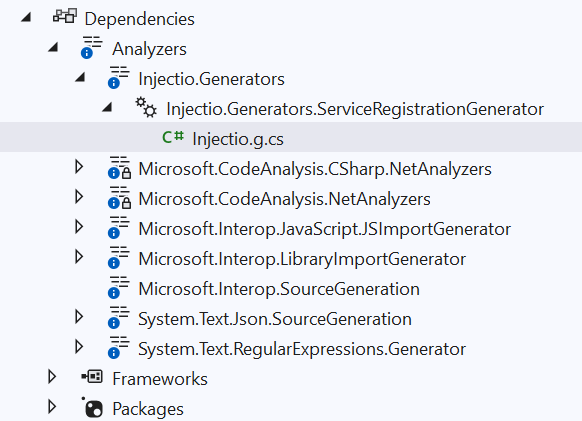
Source generator that helps register attribute marked services in the dependency injection ServiceCollection
A comprehensive collection of high-quality Blazor components
A library for using FluentValidation with Blazor EditForm components. Provides seamless integration between FluentValidation and Blazor forms with support for real-time validation, nested objects, async validation, and rule sets.
Calculator.NET - Calculator that evaluates math expressions
Take My Repo has not tested this on your machine. Requirements come from the project's own documentation.


