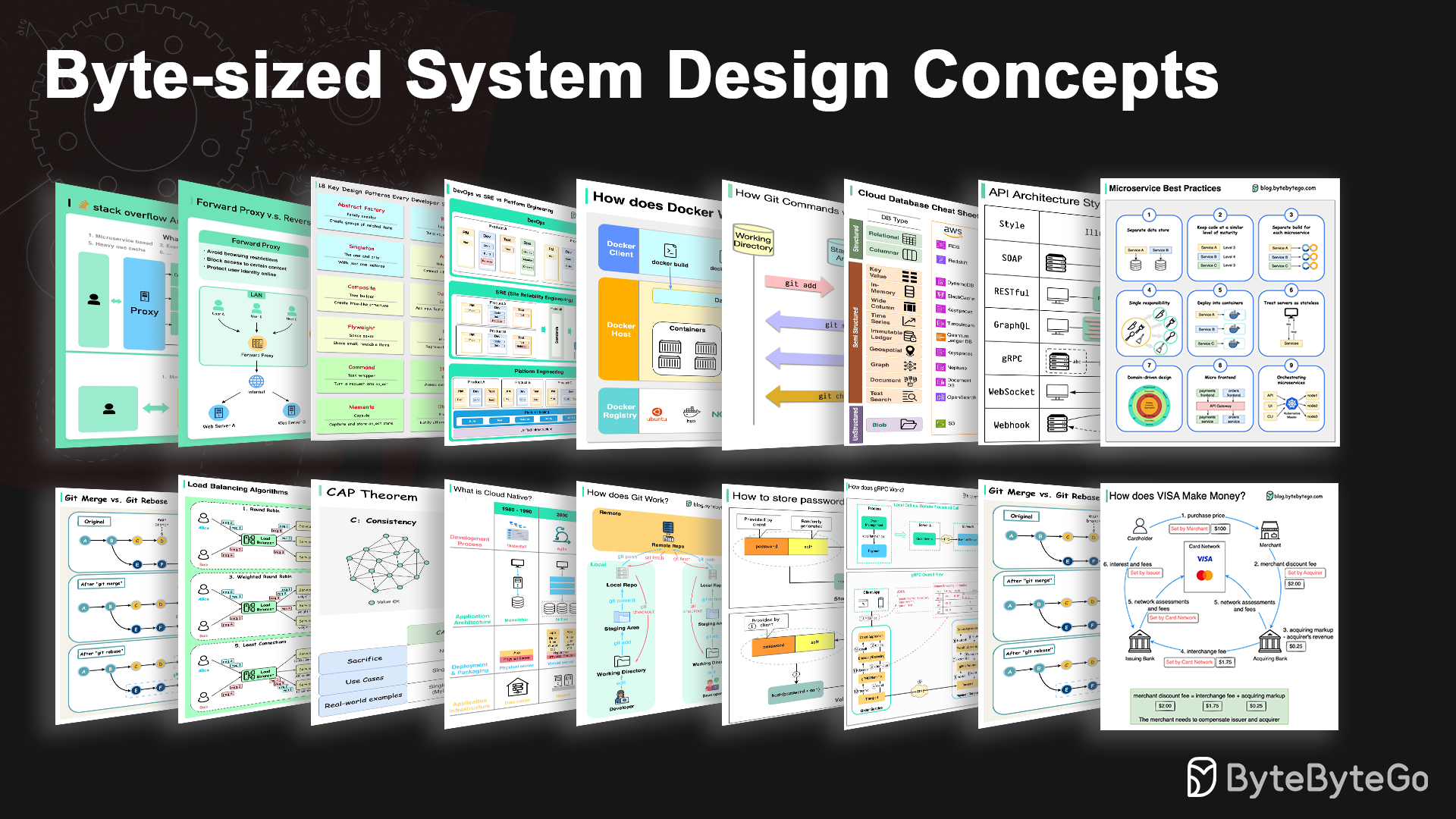
system-design-101
Explain complex systems using visuals and simple terms. Help you prepare for system design interviews.
- 91k
- 20 mo ago
Storage library provides a universal interface for accessing and manipulating data in different cloud blob storage providers
Repo managedcode/Storage, read from GitHub 1 min ago. managedcode has not joined Take My Repo.
managedcode/Storage is a public repo on GitHub by managedcode. Storage library provides a universal interface for accessing and manipulating data in different cloud blob storage providers. It declares the MIT license on GitHub. It is written mainly in C#, has 137 stars and last changed on 2026-11-19. Nobody has reviewed it on Take My Repo yet, which says nothing about its quality. Read from GitHub on 2026-11-20.
Cross-provider blob storage toolkit for .NET and ASP.NET streaming scenarios.
docs/:
docs/Development/setup.mddocs/Development/credentials.mddocs/Testing/strategy.mddocs/Features/index.mddocs/ADR/index.mddocs/API/storage-server.mddotnet add package ManagedCode.Storage.FileSystem
IStorageusing ManagedCode.Storage.Core; using ManagedCode.Storage.FileSystem.Extensions; var builder = WebApplication.CreateBuilder(args); builder.Services.AddFileSystemStorageAsDefault(options => { options.BaseFolder = Path.Combine(builder.Environment.ContentRootPath, "storage"); });
IStorageusing ManagedCode.Storage.Core; public sealed class MyService(IStorage storage) { public Task UploadAsync(CancellationToken ct) => storage.UploadAsync("hello", options => options.FileName = "hello.txt", ct); }
using ManagedCode.Storage.Server.Extensions.DependencyInjection;
using ManagedCode.Storage.Server.Extensions;

builder.Services.AddControllers();
builder.Services.AddStorageServer();
builder.Services.AddStorageSignalR(); // optional

var app = builder.Build();
app.MapControllers(); // /api/storage/*
app.MapStorageHub();  // /hubs/storage
ManagedCode.Storage wraps vendor SDKs behind a single IStorage abstraction so uploads, downloads, metadata, streaming, and retention behave the same regardless of provider. Swap between Azure Blob Storage, Azure Data Lake, Amazon S3, Google Cloud Storage, OneDrive, Google Drive, Dropbox, CloudKit (iCloud app data), SFTP, browser storage with IndexedDB metadata and OPFS-backed payloads, and a local file system without rewriting application code — and optionally use the Virtual File System (VFS) overlay for a file/directory API on top of any configured IStorage. Pair it with our ASP.NET controllers, SignalR client, and Orleans grain persistence provider to deliver chunked uploads, ranged downloads, real-time progress, and actor-state persistence end to end.
Cloud storage vendors expose distinct SDKs, option models, and authentication patterns. That makes it painful to change providers, run multi-region replication, or stand up hermetic tests. ManagedCode.Storage gives you a universal surface, consistent Result<T> handling, and DI-aware registration helpers so you can plug in any provider, test locally, and keep the same code paths in production.
IStorage abstraction covering upload, download, streaming, metadata, deletion, container management, and legal hold operations backed by Result<T> responses.ManagedCode.Storage.Orleans lets Orleans grains persist IPersistentState<TState> through any registered ManagedCode IStorage, including typed and keyed DI setups.ManagedCode.Storage.Client brings streaming uploads/downloads, CRC32 helpers, and MIME discovery via MimeHelper to any .NET app. Downloads without an explicit destination use independent temporary files, so identical remote filenames cannot overwrite one another. Dispose each returned LocalFile after use.UploadOptions, DownloadOptions, DeleteOptions, MetadataOptions, LegalHoldOptions, etc.) let you configure directories, metadata, and legal holds in one place.null after the last page, including empty listings. Listing and properties reads expose the same opaque ETag for the same revision.IVirtualFileSystem) on top of the configured IStorage and can cache metadata for faster repeated operations, including browser storage verified through real Playwright flows in both Blazor WebAssembly and Interactive Server hosts.IVirtualFileSystem.StorageFileExistsAsync bypasses that cache and propagates provider errors. WriteBytesIfAbsentOrSameAsync and its streaming form WriteIfAbsentOrSameAsync (declared length, multipart staging) use an atomic provider capability and accept only an exact immutable retry. ManagedCode.Storage.Core.Primitives.VerifiedContentSnapshot verifies bounded reads by length and SHA-256.IVirtualFile.GetMetadataAsync, including Unicode values and legacy VFS-prefixed user fields. Reserved VFS bookkeeping fields remain private to the overlay.128 MiB browser large-file lane, and a separate 256 MiB browser stress lane in both Interactive Server and Blazor WebAssembly hosts.Package links open the latest stable release on NuGet; badges update automatically.
| Package | Latest version | Downloads | Description |
|---|---|---|---|
| ManagedCode.Storage.Core | Core abstractions, option models, CRC32/MIME helpers, and DI extensions. | ||
| ManagedCode.Storage.VirtualFileSystem | Virtual file system overlay on top of IStorage (file/directory API + caching; not a provider). |
||
| ManagedCode.Storage.TestFakes | Provider doubles for unit/integration tests without hitting cloud services. |
| Package | Latest version | Downloads | Description |
|---|---|---|---|
| ManagedCode.Storage.Azure | Azure Blob Storage implementation with metadata, streaming, and legal hold support. | ||
| ManagedCode.Storage.Azure.DataLake | Azure Data Lake Gen2 provider on top of the unified abstraction. | ||
| ManagedCode.Storage.Aws | Amazon S3 provider with Object Lock and legal hold operations. | ||
| ManagedCode.Storage.Gcp | Google Cloud Storage integration built on official SDKs. | ||
| ManagedCode.Storage.Browser | Browser storage provider with Blazor DI helpers, MVC/static-asset helpers, IndexedDB metadata, and OPFS-backed payload streaming. | ||
| ManagedCode.Storage.Cartograph | Read-only provider for files inside immutable Cartograph artifacts, with mapped streaming, catalog metadata, and directory listings. | ||
| ManagedCode.Storage.FileSystem | Local file system implementation for hybrid or on-premises workloads. | ||
| ManagedCode.Storage.Sftp | SFTP provider powered by SSH.NET for regulated and air-gapped environments. | ||
| ManagedCode.Storage.OneDrive | OneDrive provider built on Microsoft Graph. | ||
| ManagedCode.Storage.GoogleDrive | Google Drive provider built on the Google Drive API. | ||
| ManagedCode.Storage.Dropbox | Dropbox provider built on the Dropbox API. | ||
| ManagedCode.Storage.CloudKit | CloudKit (iCloud app data) provider built on CloudKit Web Services. |
ManagedCode.Storage.Cartograph exposes files inside a Cartograph .ctg artifact through IStorage. Reads use Cartograph's mapped records and checksums without extracting or buffering the whole file.
dotnet add package ManagedCode.Storage.Cartograph
using ManagedCode.Storage.Cartograph.Extensions;
using ManagedCode.Storage.Core;
using Microsoft.Extensions.DependencyInjection;

var services = new ServiceCollection();
services.AddCartographStorageAsDefault(options =>
    options.ArtifactPath = Path.GetFullPath("documents.ctg"));

await using var provider = services.BuildServiceProvider();
var storage = provider.GetRequiredService<IStorage>();
var result = await storage.GetStreamAsync("reports/annual.pdf");
if (result.IsFailed)
    throw new IOException(result.Problem?.Detail);

await using var content = result.Value;
await using var destination = File.Create("annual.pdf");
await content.CopyToAsync(destination);
Use AddCartographStorage for ICartographStorage, keyed overloads for multiple artifacts, or AddStorageFactory with CreateCartographStorage to open artifacts dynamically. Metadata, recursive directory listings, existence checks, and DownloadAsync use the same Storage APIs. Returned streams are sequential, read-only, and own their artifact until disposed.
The artifact must already contain a Cartograph file catalog. CreateContainerAsync validates it; upload, delete, container removal, and legal-hold operations return unsupported results because artifacts are immutable. The module uses the published Cartograph.Catalog 0.1.0-alpha package and requires a 64-bit process. Keep artifacts unchanged while their streams are open. See the Cartograph provider guide for catalog requirements and full wiring examples.
iCloud Drive does not expose a public server-side file API.
ManagedCode.Storage.CloudKittargets CloudKit Web Services (iCloud app data), not iCloud Drive.
Credential guide: docs/Development/credentials.md.
These providers follow the same DI patterns as the other backends: use Add*StorageAsDefault(...) to bind IStorage, or Add*Storage(...) to inject the provider interface (IOneDriveStorage, IGoogleDriveStorage, IDropboxStorage, ICloudKitStorage).
Most cloud-drive providers expect you to create the official SDK client (Graph/Drive/Dropbox) with your preferred auth flow and pass it into the storage options. ManagedCode.Storage does not run OAuth flows automatically.
Keyed registrations are available as well (useful for multi-tenant apps):
using ManagedCode.Storage.Core;
using ManagedCode.Storage.Dropbox.Extensions;

builder.Services.AddDropboxStorageAsDefault("tenant-a", options =>
{
    options.AccessToken = configuration["Dropbox:AccessToken"]; // obtained via OAuth (see Dropbox section below)
    options.RootPath = "/apps/my-app";
});

var tenantStorage = app.Services.GetRequiredKeyedService<IStorage>("tenant-a");
OneDrive / Microsoft Graph
Install the provider package and import DI extensions:
dotnet add package ManagedCode.Storage.OneDrive
dotnet add package Azure.Identity
using ManagedCode.Storage.OneDrive.Extensions;
Docs: Register an app, Microsoft Graph auth.
Create an app registration in Azure Active Directory (Entra ID) and record the Application (client) ID, Directory (tenant) ID, and a client secret.
In API permissions, add Microsoft Graph permissions:
Files.ReadWrite.All (or Sites.ReadWrite.All for SharePoint drives), then Grant admin consent.Create the Graph client (example uses client credentials):
using Azure.Identity;
using Microsoft.Graph;

var tenantId = configuration["OneDrive:TenantId"]!;
var clientId = configuration["OneDrive:ClientId"]!;
var clientSecret = configuration["OneDrive:ClientSecret"]!;

var credential = new ClientSecretCredential(tenantId, clientId, clientSecret);
var graphClient = new GraphServiceClient(credential, new[] { "https://graph.microsoft.com/.default" });
Register OneDrive storage with the Graph client and the drive/root you want to scope to:
builder.Services.AddOneDriveStorageAsDefault(options =>
{
    options.GraphClient = graphClient;
    options.DriveId = "me";                   // or a specific drive ID
    options.RootPath = "app-data";            // folder will be created when CreateContainerIfNotExists is true
    options.CreateContainerIfNotExists = true;
});
If you need a concrete drive id, fetch it via Graph (example):
var drive = await graphClient.Me.Drive.GetAsync();
var driveId = drive?.Id;
Google Drive
Install the provider package and import DI extensions:
dotnet add package ManagedCode.Storage.GoogleDrive
using ManagedCode.Storage.GoogleDrive.Extensions;
Docs: Drive API overview, OAuth 2.0.
In Google Cloud Console, create a project and enable the Google Drive API.
Create credentials:
Create a DriveService.
Service account example:
using Google.Apis.Auth.OAuth2;
using Google.Apis.Drive.v3;
using Google.Apis.Services;

var credential = GoogleCredential
    .FromFile("service-account.json")
    .CreateScoped(DriveService.Scope.Drive);

var driveService = new DriveService(new BaseClientService.Initializer
{
    HttpClientInitializer = credential,
    ApplicationName = "MyApp"
});
If you use a service account, share the target folder/drive with the service account email (or use a Shared Drive) so it can see your files.
Register the Google Drive provider with the configured DriveService and a root folder id:
builder.Services.AddGoogleDriveStorageAsDefault(options =>
{
    options.DriveService = driveService;
    options.RootFolderId = "root"; // or a specific folder id you control / shared team drive folder id
    options.CreateContainerIfNotExists = true;
    options.SupportsAllDrives = true; // To support shared/team drives
});
Store tokens in user secrets or environment variables; never commit them to source control.
Dropbox
Install the provider package and import DI extensions:
dotnet add package ManagedCode.Storage.Dropbox
using ManagedCode.Storage.Dropbox.Extensions;
Docs: Dropbox App Console, OAuth guide.
Create an app in the Dropbox App Console and choose Scoped access with the Full Dropbox or App folder type.
Record the App key and App secret (Settings tab).
Under Permissions, enable files.content.write, files.content.read, files.metadata.read, and files.metadata.write (plus any additional scopes you need) and save changes.
Obtain an access token:
using Dropbox.Api;

var appKey = configuration["Dropbox:AppKey"]!;
var appSecret = configuration["Dropbox:AppSecret"]!;
var redirectUri = configuration["Dropbox:RedirectUri"]!; // must be registered in Dropbox app console

// 1) Redirect user to:
// var authorizeUri = DropboxOAuth2Helper.GetAuthorizeUri(OAuthResponseType.Code, appKey, redirectUri, tokenAccessType: TokenAccessType.Offline);
//
// 2) Receive the 'code' on your redirect endpoint, then exchange it:
var auth = await DropboxOAuth2Helper.ProcessCodeFlowAsync(code, appKey, appSecret, redirectUri);
var accessToken = auth.AccessToken;
var refreshToken = auth.RefreshToken; // store securely if you requested offline access
Register Dropbox storage with a root path (use / for full access apps or /Apps/<your-app> for app folders). You can let the provider create the SDK client from credentials:
builder.Services.AddDropboxStorageAsDefault(options =>
{
    var accessToken = configuration["Dropbox:AccessToken"]!;
    options.AccessToken = accessToken;
    options.RootPath = "/apps/my-app";
    options.CreateContainerIfNotExists = true;
});
Or, for production, prefer refresh tokens (offline access):
builder.Services.AddDropboxStorageAsDefault(options =>
{
    options.RefreshToken = configuration["Dropbox:RefreshToken"]!;
    options.AppKey = configuration["Dropbox:AppKey"]!;
    options.AppSecret = configuration["Dropbox:AppSecret"]; // optional when using PKCE
    options.RootPath = "/apps/my-app";
});
Store tokens in user secrets or environment variables; never commit them to source control.
CloudKit (iCloud app data)
Install the provider package and import DI extensions:
dotnet add package ManagedCode.Storage.CloudKit
using ManagedCode.Storage.CloudKit.Extensions;
using ManagedCode.Storage.CloudKit.Options;
In Apple Developer / CloudKit Dashboard, configure the container you want to use and note its container id (example: iCloud.com.company.app).
ContainerId is an identifier (not a secret) and is typically derived from your App ID / bundle id.Ensure the file record type exists (default MCStorageFile).
Add these fields to the record type:
path (String) — must be queryable/indexed for prefix listing.contentType (String) — optional but recommended.file (Asset) — stores the binary content.Configure authentication:
ckAPIToken): create an API token for your container in CloudKit Dashboard and store it as a secret..p8 private key, keep the key id).Register CloudKit storage:
builder.Services.AddCloudKitStorageAsDefault(options =>
{
    options.ContainerId = "iCloud.com.company.app"; // identifier, not a secret
    options.Environment = CloudKitEnvironment.Production;
    options.Database = CloudKitDatabase.Public;
    options.RootPath = "app-data";

    // Choose ONE auth mode:
    options.ApiToken = configuration["CloudKit:ApiToken"];
    // OR:
    // options.ServerToServerKeyId = configuration["CloudKit:KeyId"];
    // options.ServerToServerPrivateKeyPem = configuration["CloudKit:PrivateKeyPem"]; // paste PEM (.p8) contents

    // Optional: provide a custom HttpClient (proxy, retries, test handler).
    // options.HttpClient = new HttpClient();
});
CloudKit Web Services impose size limits; keep files reasonably small and validate against your current CloudKit quotas.
| Package | Latest version | Downloads | Description |
|---|---|---|---|
| ManagedCode.Storage.Orleans | Orleans grain persistence provider that stores grain state through any ManagedCode IStorage registration. |
||
| ManagedCode.Storage.Server | ASP.NET controllers, chunk orchestration services, and the SignalR storage hub. | ||
| ManagedCode.Storage.Client | .NET client SDK for uploads, downloads, metadata, and SignalR negotiations. | ||
| ManagedCode.Storage.Client.SignalR | SignalR streaming client for browsers and native applications. |
The topology below shows how applications talk to the shared IStorage surface, optional Virtual File System, and keyed provider factories before landing on the concrete backends.
flowchart LR
    subgraph Applications
        API["ASP.NET Controllers"]
        SignalRClient["SignalR Client"]
        Workers["Background Services"]
    end

    subgraph Abstraction
        Core["IStorage Abstractions"]
        VFS["Virtual File System"]
        Factories["Keyed Provider Factories"]
    end

    subgraph Providers
        Azure["Azure Blob"]
        AzureDL["Azure Data Lake"]
        Aws["Amazon S3"]
        Gcp["Google Cloud Storage"]
        OneDrive["OneDrive (Graph)"]
        GoogleDrive["Google Drive"]
        Dropbox["Dropbox"]
        CloudKit["CloudKit (iCloud app data)"]
        Cartograph["Cartograph artifacts (read-only)"]
        Fs["File System"]
        Sftp["SFTP"]
    end

    Applications --> Core
    Core --> VFS
    Core --> Factories
    Factories --> Azure
    Factories --> AzureDL
    Factories --> Aws
    Factories --> Gcp
    Factories --> OneDrive
    Factories --> GoogleDrive
    Factories --> Dropbox
    Factories --> CloudKit
    Factories --> Cartograph
    Factories --> Fs
    Factories --> Sftp
Keyed provider registrations let you resolve multiple named instances from dependency injection while reusing the same abstraction across Azure, AWS, Google Cloud Storage, Google Drive, OneDrive, Dropbox, CloudKit, SFTP, and local file system storage.
Immutable uploads can call WriteIfAbsentOrSameAsync on IObjectStorage with a declared length. The operation streams and verifies the content, and an identical retry with matching content type, encoding, and metadata returns the existing object revision. A different payload or placement metadata keeps the storage conflict.
Payloads already in memory can use the ReadOnlyMemory<byte> overloads of WriteObjectAsync and StagePartAsync (and WriteBytesIfAbsentOrSameAsync for immutable writes). Array-backed memory, including slices, is written in place without copying.
When the caller already knows the content digest, the WriteIfAbsentOrSameAsync and WriteBytesIfAbsentOrSameAsync overloads with an expectedSha256 (64 hexadecimal characters) verify it before committing. A mismatch throws StorageUploadDigestException and leaves no object behind.
Controllers in ManagedCode.Storage.Server expose minimal routes that stream directly between HTTP clients and blob providers. Uploads arrive as multipart forms or raw streams, flow through the unified IStorage abstraction, and land in whichever provider is registered. Downloads return FileStreamResult responses so browsers, SDKs, or background jobs can read blobs without buffering the whole payload in memory.
sequenceDiagram
    participant Client as Client App
    participant Controller as StorageController
    participant Storage as IStorage
    participant Provider as IStorage Provider

    Client->>Controller: POST /storage/upload (stream)
    Controller->>Storage: UploadAsync(stream, UploadOptions)
    Storage->>Provider: Push stream to backend
    Provider-->>Storage: Result<BlobMetadata>
    Storage-->>Controller: Upload response
    Controller-->>Client: 200 OK + metadata

    Client->>Controller: GET /storage/download?file=video.mp4
    Controller->>Storage: DownloadAsync(file)
    Storage->>Provider: Open download stream
    Provider-->>Storage: Result<Stream>
    Storage-->>Controller: Stream payload
    Controller-->>Client: Chunked response
Controllers remain thin: consumers can inherit and override actions to add custom routing, authorization, or telemetry while leaving the streaming plumbing intact.
Pass two configured IStorage instances and the relative paths in each storage.
using ManagedCode.Storage.Core.Extensions;

var copy = await incomingStorage.CopyToAsync("uploads/report.pdf", archiveStorage, "2026/report.pdf", cancellationToken);
var move = await incomingStorage.MoveToAsync("uploads/raw.csv", archiveStorage, "2026/raw.csv", cancellationToken);
Both operations return Result<BlobMetadata> for the destination. A move deletes the source only after the destination write succeeds. See the transfer contract for coordination and recovery.
Want a file/directory API on top of any configured IStorage (with optional metadata caching)? The ManagedCode.Storage.VirtualFileSystem package provides IVirtualFileSystem, which routes all operations through your registered storage provider.
using ManagedCode.Storage.FileSystem.Extensions;
using ManagedCode.Storage.VirtualFileSystem.Core;
using ManagedCode.Storage.VirtualFileSystem.Extensions;

// 1) Register any IStorage provider (example: FileSystem)
builder.Services.AddFileSystemStorageAsDefault(options =>
{
    options.BaseFolder = Path.Combine(builder.Environment.ContentRootPath, "storage");
});

// 2) Add VFS overlay
builder.Services.AddVirtualFileSystem(options =>
{
    options.DefaultContainer = "vfs";
    options.EnableCache = true;
});

// 3) Use IVirtualFileSystem
public sealed class MyVfsService(IVirtualFileSystem vfs)
{
    public async Task WriteAsync(CancellationToken ct)
    {
        var file = await vfs.GetFileAsync("avatars/user-1.png", ct);
        await file.WriteAllTextAsync("hello", cancellationToken: ct);
    }
}
VFS is an overlay: it does not replace your provider. In tests, pair VFS with ManagedCode.Storage.TestFakes or the FileSystem provider pointed at a temp folder to avoid real cloud accounts.
Every provider ships with default and provider-specific registrations, but you can also assign multiple named instances using .NET's keyed services. This makes it easy to route traffic to different containers/buckets (e.g. azure-primary vs. azure-dr) or to fan out a file to several backends:
using Amazon;
using Amazon.S3;
using ManagedCode.MimeTypes;
using Microsoft.Extensions.DependencyInjection;
using System.IO;
using System.Threading;
using System.Threading.Tasks;

builder.Services
    .AddAzureStorage("azure-primary", options =>
    {
        options.ConnectionString = configuration["Storage:Azure:Primary:ConnectionString"]!;
        options.Container = "assets";
    })
    .AddAzureStorage("azure-dr", options =>
    {
        options.ConnectionString = configuration["Storage:Azure:Dr:ConnectionString"]!;
        options.Container = "assets-dr";
    })
    .AddAWSStorage("aws-backup", options =>
    {
        options.PublicKey = configuration["Storage:Aws:AccessKey"]!;
        options.SecretKey = configuration["Storage:Aws:SecretKey"]!;
        options.Bucket = "assets-backup";
        options.OriginalOptions = new AmazonS3Config
        {
            RegionEndpoint = RegionEndpoint.USEast1
        };
    });

public sealed class AssetReplicator
{
    private readonly IAzureStorage _primary;
    private readonly IAzureStorage _disasterRecovery;
    private readonly IAWSStorage _backup;

    public AssetReplicator(
        [FromKeyedServices("azure-primary")] IAzureStorage primary,
        [FromKeyedServices("azure-dr")] IAzureStorage secondary,
        [FromKeyedServices("aws-backup")] IAWSStorage backup)
    {
        _primary = primary;
        _disasterRecovery = secondary;
        _backup = backup;
    }

    public async Task MirrorAsync(Stream content, string fileName, CancellationToken cancellationToken = default)
    {
        var uploadOptions = new UploadOptions(fileName, mimeType: MimeHelper.GetMimeType(fileName));

        if (content.CanSeek)
        {
            content.Position = 0;
            await _primary.UploadAsync(content, uploadOptions, cancellationToken);

            content.Position = 0;
            await _disasterRecovery.UploadAsync(content, uploadOptions, cancellationToken);

            content.Position = 0;
            await _backup.UploadAsync(content, uploadOptions, cancellationToken);
            return;
        }

        await using var bufferFile = LocalFile.FromRandomNameWithExtension(fileName);
        await bufferFile.CopyFromStreamAsync(content, cancellationToken);

        await _primary.UploadAsync(bufferFile.FileInfo, uploadOptions, cancellationToken);
        await _disasterRecovery.UploadAsync(bufferFile.FileInfo, uploadOptions, cancellationToken);
        await _backup.UploadAsync(bufferFile.FileInfo, uploadOptions, cancellationToken);
    }
}
Keyed services can also be resolved via IServiceProvider.GetRequiredKeyedService<T>("key") when manual dispatching is required.
Want to double-check data fidelity after copying? Pair uploads with Crc32Helper:
var download = await _backup.DownloadAsync(fileName, cancellationToken);
download.IsSuccess.ShouldBeTrue();

await using var local = download.Value;
var crc = Crc32Helper.CalculateFileCrc(local.FilePath);
logger.LogInformation("Backup CRC for {File} is {Crc}", fileName, crc);
The test suite includes end-to-end scenarios that mirror payloads between Azure, AWS, the local file system, and virtual file systems; multi-gigabyte flows execute by default across every provider using 4 MB units per "GB" to keep runs fast while still exercising streaming paths.
ManagedCode.Storage.Orleans plugs Orleans IGrainStorage into the same provider-agnostic IStorage surface as the rest of the repository. That means a grain can persist through FileSystem today, then move to Azure Blob Storage, S3, or another backend later without rewriting grain code.
Typed DI registration resolves a specific storage service from the container:
using ManagedCode.Storage.FileSystem;
using ManagedCode.Storage.FileSystem.Extensions;
using Orleans.Hosting;
using Orleans.Runtime;

builder.Services.AddFileSystemStorageAsDefault(options =>
{
    options.BaseFolder = Path.Combine(builder.Environment.ContentRootPath, "grain-state");
});

builder.UseOrleans(siloBuilder =>
{
    siloBuilder.AddGrainStorage<IFileSystemStorage>("profiles", options =>
    {
        options.StateDirectory = "orleans";
        options.DeleteStateOnClear = true;
    });
});

public sealed class ProfileGrain(
    [PersistentState("profile", "profiles")] IPersistentState<ProfileState> profile)
    : Grain, IProfileGrain
{
    public async Task SetNameAsync(string name)
    {
        profile.State.Name = name;
        await profile.WriteStateAsync();
    }
}
If you already fan out storages via keyed DI, point Orleans at the keyed instance instead:
using ManagedCode.Storage.FileSystem.Extensions;
using Orleans.Hosting;

builder.Services.AddFileSystemStorageAsDefault("tenant-a", options =>
{
    options.BaseFolder = Path.Combine(builder.Environment.ContentRootPath, "tenant-a-state");
});

builder.UseOrleans(siloBuilder =>
{
    siloBuilder.AddGrainStorage("profiles", "tenant-a", options =>
    {
        options.StateDirectory = "orleans";
        options.PathBuilder = context =>
            $"state/{context.ProviderName}/{context.StateName}/{context.GrainId}.state";
    });
});
Registration resolves backing storage in this order: StorageFactory, StorageServiceType + StorageKey, StorageServiceType, StorageKey, then default IStorage. The provider also stores a logical Orleans ETag alongside the serialized state and throws InconsistentStateException when a stale write is detected during its read-before-write check.
The ManagedCode.Storage.Server package surfaces upload/download controllers that pipe HTTP streams straight into the storage abstraction. Files can be sent as multipart forms or raw streams, while downloads return FileStreamResult so large assets flow back to the caller without buffering in memory.
// Program.cs / Startup.cs
builder.Services.AddStorageServer(options =>
{
    options.EnableRangeProcessing = true;              // support range/seek operations
    options.InMemoryUploadThresholdBytes = 512 * 1024;  // spill to disk after 512 KB
    options.InMemoryDownloadThresholdBytes = 512 * 1024; // guard APIs that materialize bytes in memory
});

app.MapControllers(); // exposes /api/storage/* endpoints by default
When you need custom routes, validation, or policies, inherit from the base controller and reuse the same streaming helpers:
[Route("api/files")]
public sealed class FilesController : StorageControllerBase<IMyCustomStorage>
{
    public FilesController(
        IMyCustomStorage storage,
        ChunkUploadService chunks,
        StorageServerOptions options)
        : base(storage, chunks, options)
    {
    }
}

// Upload a form file directly into storage
public Task<IActionResult> Upload(IFormFile file, CancellationToken ct) =>
    UploadFormFileAsync(file, ct);

// Stream a blob to the client in real time
public Task<IActionResult> Download(string fileName, CancellationToken ct) =>
    DownloadAsStreamAsync(fileName, ct);
Need resumable uploads or live progress UI? Call AddStorageSignalR() to enable the optional hub and connect with the ManagedCode.Storage.Client.SignalR package; otherwise, the controllers alone cover straight HTTP streaming scenarios.
Each provider supports two DI patterns:
IStorage (you have one default storage).IAzureStorage, IAWSStorage, etc.) and/or multiple storages via keyed services.Cloud-drive providers (OneDrive, Google Drive, Dropbox) and CloudKit are configured in Configuring OneDrive, Google Drive, Dropbox, and CloudKit; the same default/provider-specific rules apply.
The Blazor browser-local provider follows the same Add*StorageAsDefault(...) and Add*Storage(...) pattern, but it is Scoped because it relies on Blazor IJSRuntime.
Default mode connection:
// Startup.cs
services.AddAzureStorageAsDefault(new AzureStorageOptions
{
    Container = "{YOUR_CONTAINER_NAME}",
    ConnectionString = "{YOUR_CONNECTION_STRING}",
});
Using in default mode:
// MyService.cs
public class MyService
{
    private readonly IStorage _storage;

    public MyService(IStorage storage)
    {
        _storage = storage;
    }
}
Provider-specific mode connection:
// Startup.cs
services.AddAzureStorage(new AzureStorageOptions
{
    Container = "{YOUR_CONTAINER_NAME}",
    ConnectionString = "{YOUR_CONNECTION_STRING}",
});
Using in provider-specific mode
// MyService.cs
public class MyService
{
    private readonly IAzureStorage _azureStorage;

    public MyService(IAzureStorage azureStorage)
    {
        _azureStorage = azureStorage;
    }
}
Need multiple Azure accounts or containers? Call
services.AddAzureStorage("azure-primary", ...)and decorate constructor parameters with[FromKeyedServices("azure-primary")].
Default mode connection:
// Startup.cs
services.AddGCPStorageAsDefault(opt =>
{
    opt.GoogleCredential = GoogleCredential.FromFile("{PATH_TO_YOUR_CREDENTIALS_FILE}.json");

    opt.BucketOptions = new BucketOptions()
    {
        ProjectId = "{YOUR_API_PROJECT_ID}",
        Bucket = "{YOUR_BUCKET_NAME}",
    };
});
Using in default mode:
// MyService.cs
public class MyService
{
    private readonly IStorage _storage;

    public MyService(IStorage storage)
    {
        _storage = storage;
    }
}
Provider-specific mode connection:
// Startup.cs
services.AddGCPStorage(new GCPStorageOptions
{
    BucketOptions = new BucketOptions()
    {
        ProjectId = "{YOUR_API_PROJECT_ID}",
        Bucket = "{YOUR_BUCKET_NAME}",
    }
});
Using in provider-specific mode
// MyService.cs
public class MyService
{
    private readonly IGCPStorage _gcpStorage;
    public MyService(IGCPStorage gcpStorage)
    {
        _gcpStorage = gcpStorage;
    }
}
Need parallel GCS buckets? Register them with
AddGCPStorage("gcp-secondary", ...)and inject via[FromKeyedServices("gcp-secondary")].
Default mode connection:
// Startup.cs
// Tip for LocalStack: configure the client and set ServiceURL to the emulator endpoint.
var awsConfig = new AmazonS3Config
{
    RegionEndpoint = RegionEndpoint.EUWest1,
    ForcePathStyle = true,
    UseHttp = true,
    ServiceURL = "http://localhost:4566" // LocalStack default endpoint
};

services.AddAWSStorageAsDefault(opt =>
{
    opt.PublicKey = "{YOUR_PUBLIC_KEY}";
    opt.SecretKey = "{YOUR_SECRET_KEY}";
    opt.Bucket = "{YOUR_BUCKET_NAME}";
    opt.OriginalOptions = awsConfig;
});
Using in default mode:
// MyService.cs
public class MyService
{
    private readonly IStorage _storage;

    public MyService(IStorage storage)
    {
        _storage = storage;
    }
}
Provider-specific mode connection:
// Startup.cs
services.AddAWSStorage(new AWSStorageOptions
{
    PublicKey = "{YOUR_PUBLIC_KEY}",
    SecretKey = "{YOUR_SECRET_KEY}",
    Bucket = "{YOUR_BUCKET_NAME}",
    OriginalOptions = awsConfig
});
Using in provider-specific mode
// MyService.cs
public class MyService
{
    private readonly IAWSStorage _storage;
    public MyService(IAWSStorage storage)
    {
        _storage = storage;
    }
}
Need parallel S3 buckets? Register them with
AddAWSStorage("aws-backup", ...)and inject via[FromKeyedServices("aws-backup")].
Default mode connection:
// Program.cs
builder.Services.AddBrowserStorageAsDefault(options =>
{
    options.ContainerName = "drafts";
    options.DatabaseName = "managedcode-storage";
    options.ChunkSizeBytes = 4 * 1024 * 1024;
    options.ChunkBatchSize = 4;
});
Recommended tuning for large browser-local files:
ChunkSizeBytes = 4 * 1024 * 1024 keeps browser read windows reasonable without forcing giant single-message allocations.ChunkBatchSize = 4 lets uploads and reads move 4 contiguous chunks per JS interop window instead of one-by-one.HubOptions.MaximumReceiveMessageSize >= 32 * 1024 * 1024 when using the 4 MiB x 4 read window.Using in default mode:
// DraftService.cs
public sealed class DraftService
{
    private readonly IStorage _storage;

    public DraftService(IStorage storage)
    {
        _storage = storage;
    }
}
Provider-specific mode connection:
// Program.cs
builder.Services.AddBrowserStorage(options =>
{
    options.ContainerName = "drafts";
    options.DatabaseName = "managedcode-storage";
    options.ChunkSizeBytes = 4 * 1024 * 1024;
    options.ChunkBatchSize = 4;
});
Using in provider-specific mode:
// DraftService.cs
public sealed class DraftService
{
    private readonly IBrowserStorage _storage;

    public DraftService(IBrowserStorage storage)
    {
        _storage = storage;
    }
}
If an MVC or Razor Pages application needs the packaged browser module path for custom JavaScript integration, use ManagedCode.Storage.Browser.Mvc.BrowserStorageStaticAssetPaths.ModulePath.
Browser caveats: use this provider only after the app becomes interactive. In Blazor Server, don't call it during prerendering and keep
HubOptions.MaximumReceiveMessageSizealigned with your effective read window, not just a single chunk. WithChunkSizeBytes = 4 MiBandChunkBatchSize = 4, keep the receive limit at32 MiBor higher. Prefer WebAssembly for the heaviest client-local media workflows. Treat browser storage as user-visible and user-modifiable.
Browser payloads use the browser Origin Private File System (OPFS). IndexedDB stays in the design only for blob metadata and list or lookup operations. If OPFS is unavailable in the current browser, uploads fail fast instead of silently falling back to a second payload backend.
The real Playwright browser hosts in this repo verify small-file saves and overwrites, concurrent tabs, VFS flows, a default
128 MiBlarge-file path, and a separate256 MiBbrowser stress lane in both Blazor WebAssembly and Interactive Server. The large-file flows emit progress logs every100 MiB, and both the small-file and large-file paths assert that payload storage resolves to OPFS.
Default mode connection:
// Startup.cs
services.AddFileSystemStorageAsDefault(opt =>
{
    opt.BaseFolder = Path.Combine(Environment.CurrentDirectory, "{YOUR_BUCKET_NAME}");
});
Using in default mode:
// MyService.cs
public class MyService
{
    private readonly IStorage _storage;

    public MyService(IStorage storage)
    {
        _storage = storage;
    }
}
Provider-specific mode connection:
// Startup.cs
services.AddFileSystemStorage(new FileSystemStorageOptions
{
    BaseFolder = Path.Combine(Environment.CurrentDirectory, "{YOUR_BUCKET_NAME}"),
});
Using in provider-specific mode
// MyService.cs
public class MyService
{
    private readonly IFileSystemStorage _fileSystemStorage;
    public MyService(IFileSystemStorage fileSystemStorage)
    {
        _fileSystemStorage = fileSystemStorage;
    }
}
Mirror to multiple folders? Use
AddFileSystemStorage("archive", options => options.BaseFolder = ...)and resolve them via[FromKeyedServices("archive")].
We assume that below code snippets are placed in your service class with injected IStorage:
public class MyService
{
    private readonly IStorage _storage;
    public MyService(IStorage storage)
    {
        _storage = storage;
    }
}
await _storage.UploadAsync(new Stream());
await _storage.UploadAsync("some string content");
await _storage.UploadAsync(new FileInfo("D:\\my_report.txt"));
await _storage.DeleteAsync("my_report.txt");
var localFile = await _storage.DownloadAsync("my_report.txt");
await _storage.GetBlobMetadataAsync("my_report.txt");
If you need more flexibility, you can use native client for any IStorage<T>
_storage.StorageClient
In summary, Storage library provides a universal interface for accessing and manipulating data in different cloud blob storage providers, plus ready-to-host ASP.NET controllers, SignalR streaming endpoints, keyed dependency injection, and a memory-backed VFS. It makes it easy to switch between providers or to use multiple providers simultaneously, without having to learn and use multiple APIs, while staying in full control of routing, thresholds, and mirroring. We hope you find it useful in your own projects!
managedcode/Storage is a public repo on GitHub by managedcode. Storage library provides a universal interface for accessing and manipulating data in different cloud blob storage providers.
It declares the MIT license on GitHub.
Its maker has not tagged a system, so it is unknown here. Its README says what it needs.
Open "Take it" on its page: Take My Repo writes an install plan for your machine and hands it to your AI agent (Claude Code, Codex or Cursor), which asks you before each step. Take My Repo has not tested it on any machine.
Its last change on GitHub was on 2026-11-19. Take My Repo does not judge from that whether it is maintained.
Nobody has reviewed it on Take My Repo yet, which says nothing about its quality.
Explain complex systems using visuals and simple terms. Help you prepare for system design interviews.
Database migrations. CLI and Golang library.
21 Lessons, Get Started Building with Generative AI
Linux, Jenkins, AWS, SRE, Prometheus, Docker, Python, Ansible, Git, Kubernetes, Terraform, OpenStack, SQL, NoSQL, Azure, GCP, DNS, Elastic, Network, Virtualization. DevOps Interview Questions
A 100% free modern JS SaaS boilerplate (React, NodeJS, Prisma). Full-featured: Auth (email, google, github, slack, MS), Email sending, Background jobs, Landing page, Payments (Stripe, Polar.sh), Shadcn UI, S3 file upload. AI-ready with tailored AGENTS.md, skills, and Claude Code plugin. One cmd deploy. Powered by Wasp full-stack framework.
One of the largest .NET-focused skill collections for AI coding assistants, with a catalog, CLI, and orchestration agents for Codex, Claude Code, GitHub Copilot, Gemini, and Junie.
Result pattern for .NET that replaces exceptions with type-safe return values. Features railway-oriented programming, ASP.NET Core integration, RFC 7807 Problem Details, and built-in pagination. Designed for production systems requiring explicit error handling without the overhead of throwing exceptions.
MCAF is a framework for building software products together with AI coding agents.
Browser-first teleprompter, rehearsal, and live presentation studio built with .NET 10 and Blazor WebAssembly.
Orleans.SignalR is a lightweight, open-source library that enables easy integration of SignalR with Orleans, a distributed virtual actor model framework for building scalable, fault-tolerant systems. The library provides a SignalR backplane, allowing you to effortlessly add real-time communication capabilities to your distributed systems.
This is a library for Microsoft Orleans that provides a set of rate limiting algorithms for controlling the flow of requests in your distributed applications. It is designed to be easy to use and to integrate with your Orleans-based applications seamlessly.