mxcli - Mendix CLI for AI-Assisted Development
WARNING: Alpha-quality software. This project is in early stages and has been largely vibe-engineered with AI coding assistants. Expect bugs, missing features, and rough edges. mxcli can corrupt your Mendix project files — always work on a copy or use version control. Use at your own risk. This has been developed and tested against Mendix 11.6, other versions are currently not validated.
Do not edit a project with mxcli while it is open in Studio Pro. Studio Pro maintains in-memory caches that cannot be updated externally. Close the project in Studio Pro first, run mxcli, then re-open the project.
A command-line tool that enables AI coding assistants (Claude Code, GitHub Copilot, OpenCode, Cursor, Continue.dev, Windsurf, Aider, and others) to read, understand, and modify Mendix application projects.
Read the documentation | Use the bootstrap prompt -- the fastest way to spin up a Mendix project: paste it into a Claude Code cloud session on an empty repo, no local install needed
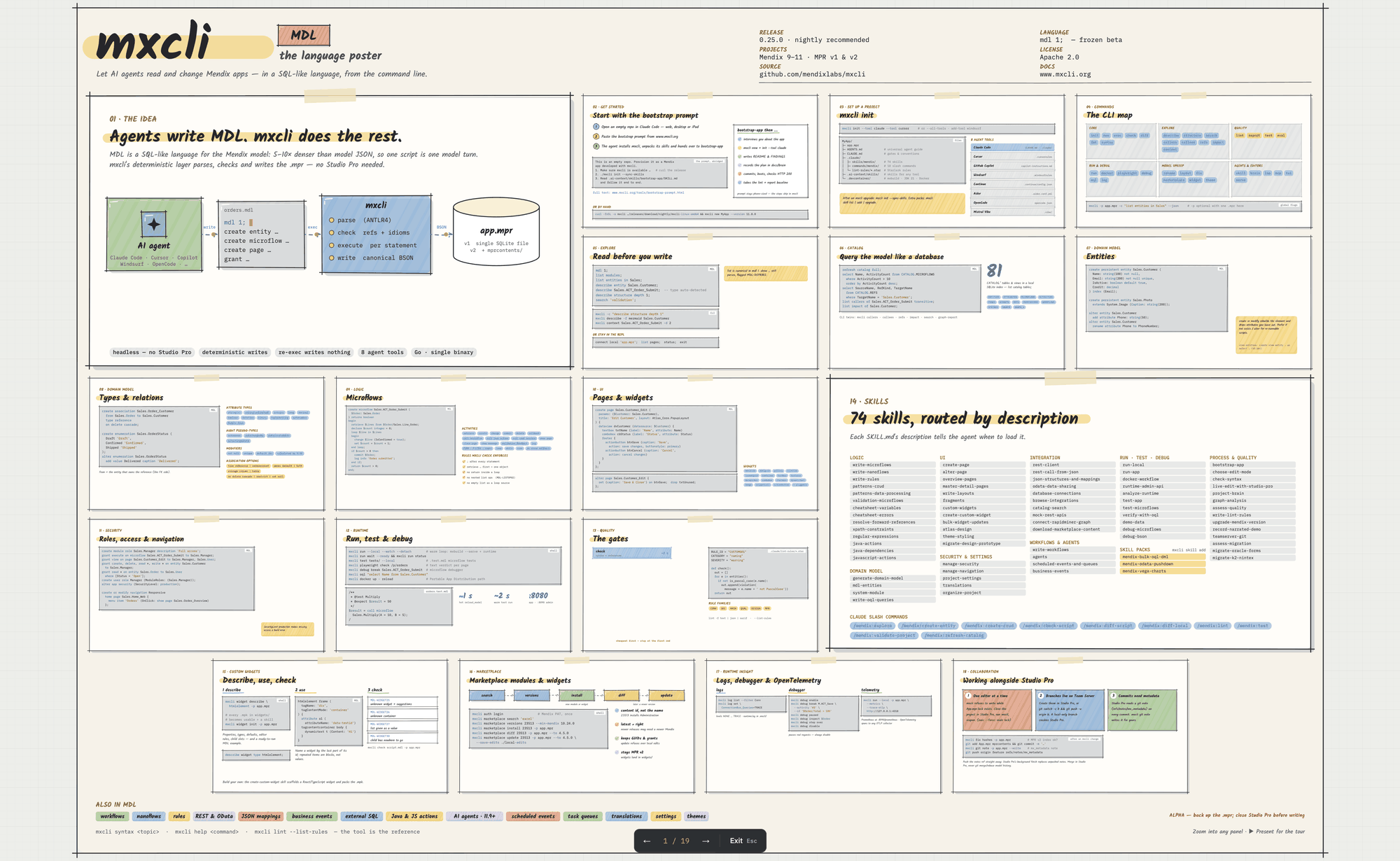
Click the poster to open the interactive version.
Why mxcli?
Mendix projects are stored in binary .mpr files that AI agents can't read directly. mxcli bridges this gap by providing:
- MDL (Mendix Definition Language) - A SQL-like syntax for querying and modifying Mendix models
- Multi-tool support - Works with Claude Code, GitHub Copilot, OpenCode, Cursor, Continue.dev, Windsurf, Aider, and more
- Full-text search - Search across all strings, messages, and source definitions
- Code navigation - Find callers, callees, references, and impact analysis
- Catalog queries - SQL-based querying of project metadata
- Linting - Check projects for common issues
- Unix pipe support - Output formats designed for scripting and chaining
Design principles
mxcli is built on a single bet: the agent writes a compact, human-readable DSL, and mxcli's deterministic layer turns it into the many low-level mutations, validations, and tool calls a real model change requires. The differentiators that follow:
- Token efficiency - the agent emits one larger MDL script instead of many small, chatty tool calls. MDL is 5-10x denser than raw model JSON, and one script is one model turn -- less orchestration overhead means lower cost and faster runs.
- Complexity in the deterministic layer - one MDL statement maps deterministically to multiple documents (or MCP tool calls). The LLM states intent; mxcli carries the fan-out, ordering, and read-modify-write bookkeeping.
- Human-readable DSL - MDL is inspired by SQL, Ada, and PL/SQL. LLM-generated scripts are easy for humans to review, audit, and author. Readable code is reviewable code.
- Headless agentic loop - build and test Mendix applications without ever opening Studio Pro.
- Understanding large applications - a queryable catalog and dependency-graph tables let agents explore complex apps through straightforward SQL.
- Precise skills - a concrete DSL lets skill files embed specific, copyable examples of exactly the MDL to produce, for more reliable output.
- Power with safety -
mxcli init provisions a Dev Container that scopes exactly what the agent can see, do, and modify.
- Deterministic verification -
mxcli check and mxcli lint verify generated projects against deterministic rules -- no LLM judgement -- keeping the feedback loop fast and reliable.
- Longer-term: smaller local models - generating a constrained DSL is simpler for an LLM than orchestrating tool calls, and a grammar can be enforced via grammar-constrained decoding.
See Design Principles in the documentation for the full rationale.
What is mxcli?
Mxcli is a tool that enables some of the following use cases.
A textual DSL for mendix models
MDL, Mendix Definition Language, is a DSL that provides textual models at the same abstraction level as the visual models in Studio Pro.
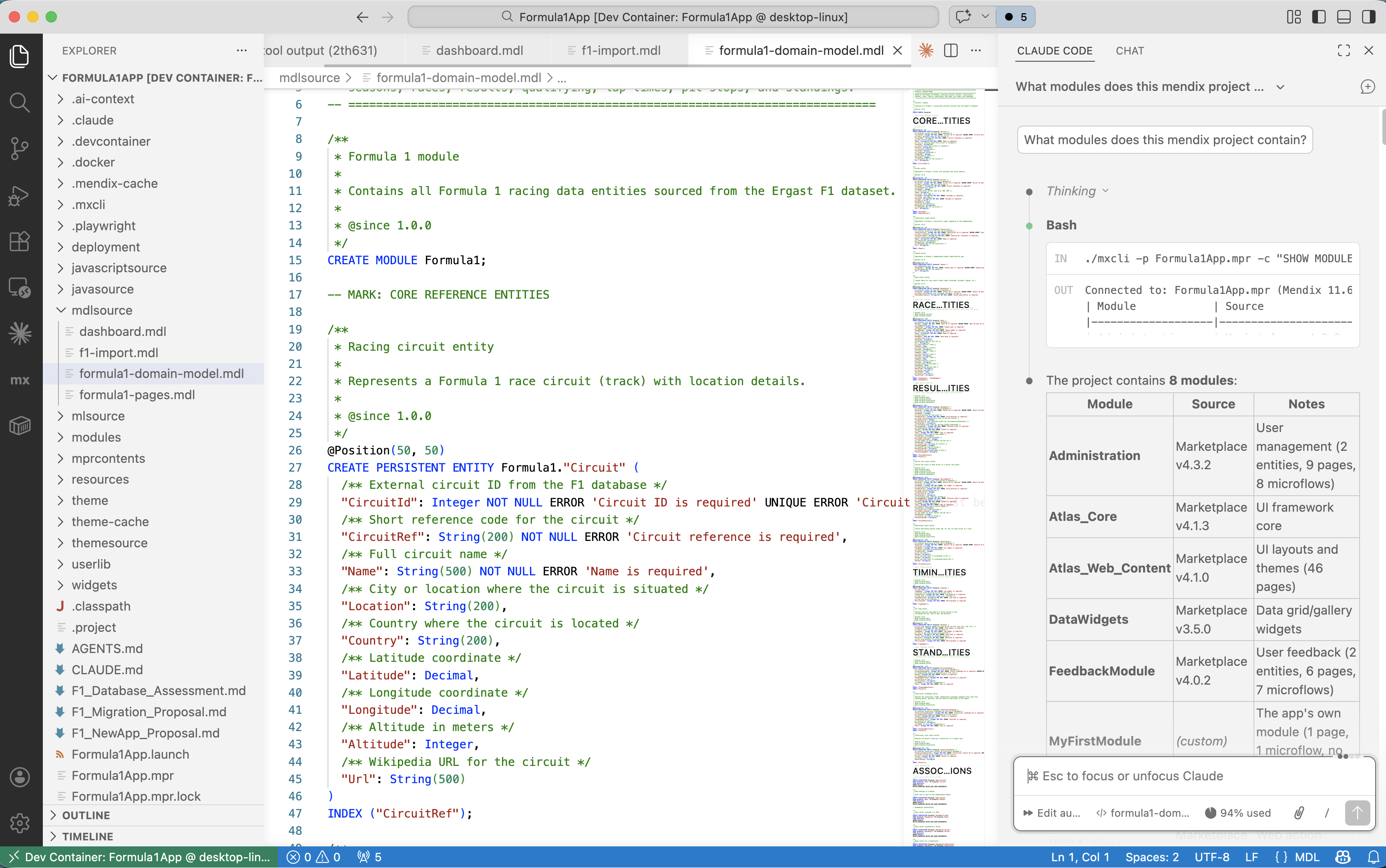
Command line tool to work with Mendix projects
Mxcli command line tool allows you to run commands against your project to investigate your project and make changes.
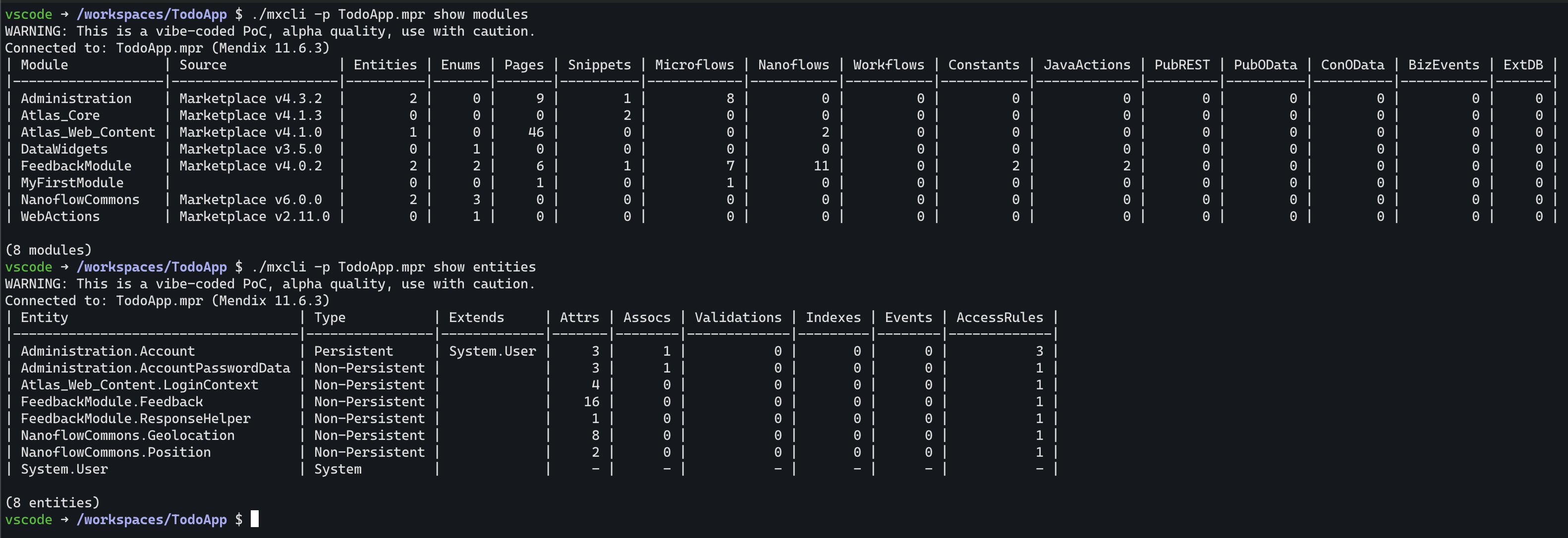
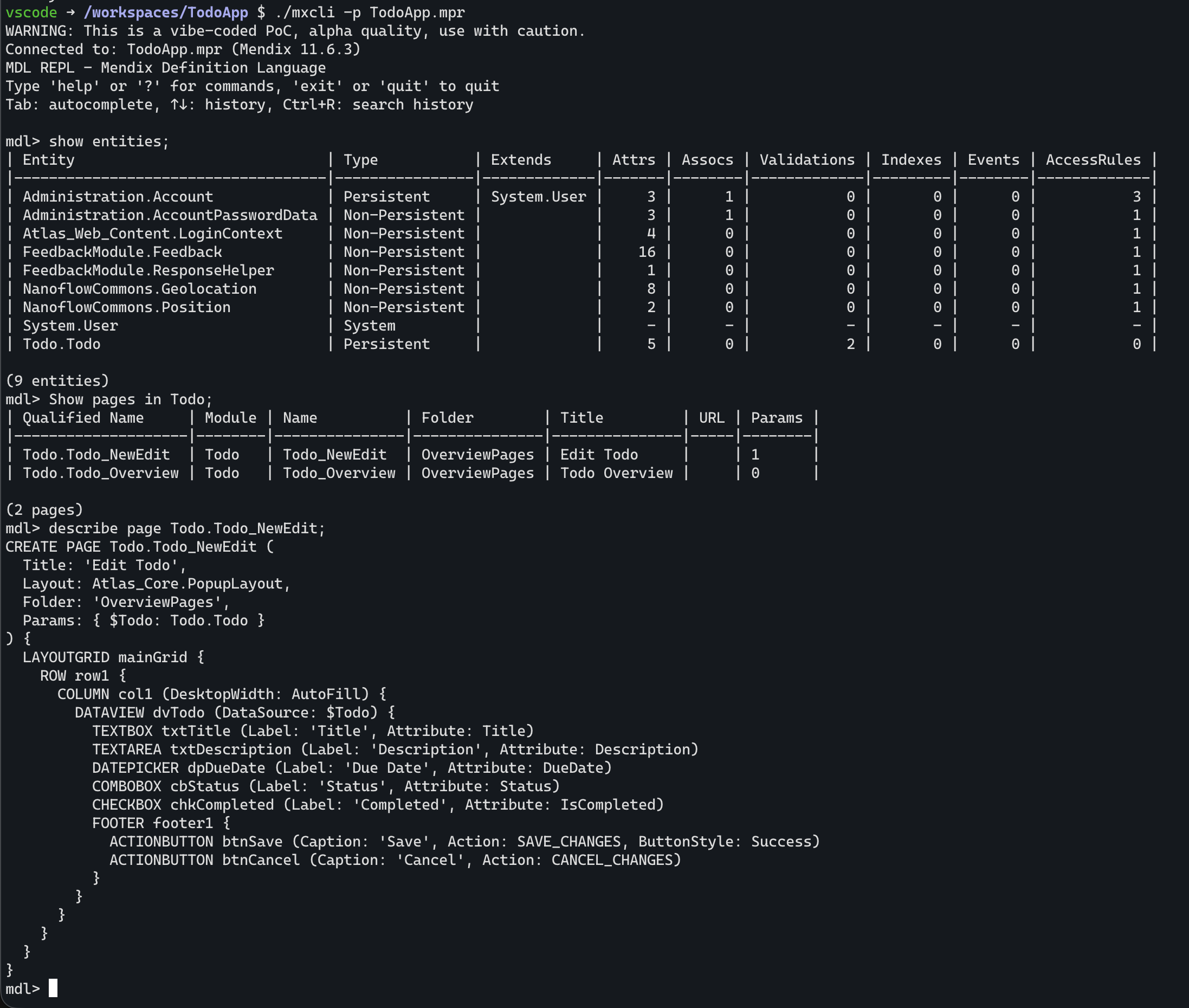
A REPL to work with Mendix projects
In repl mode mxcli allows you to interactively work with a Mendix project. This is similar to psql or sqlplus when working with databases. You can list the available Mendix documents, view the MDL source, and make changes.
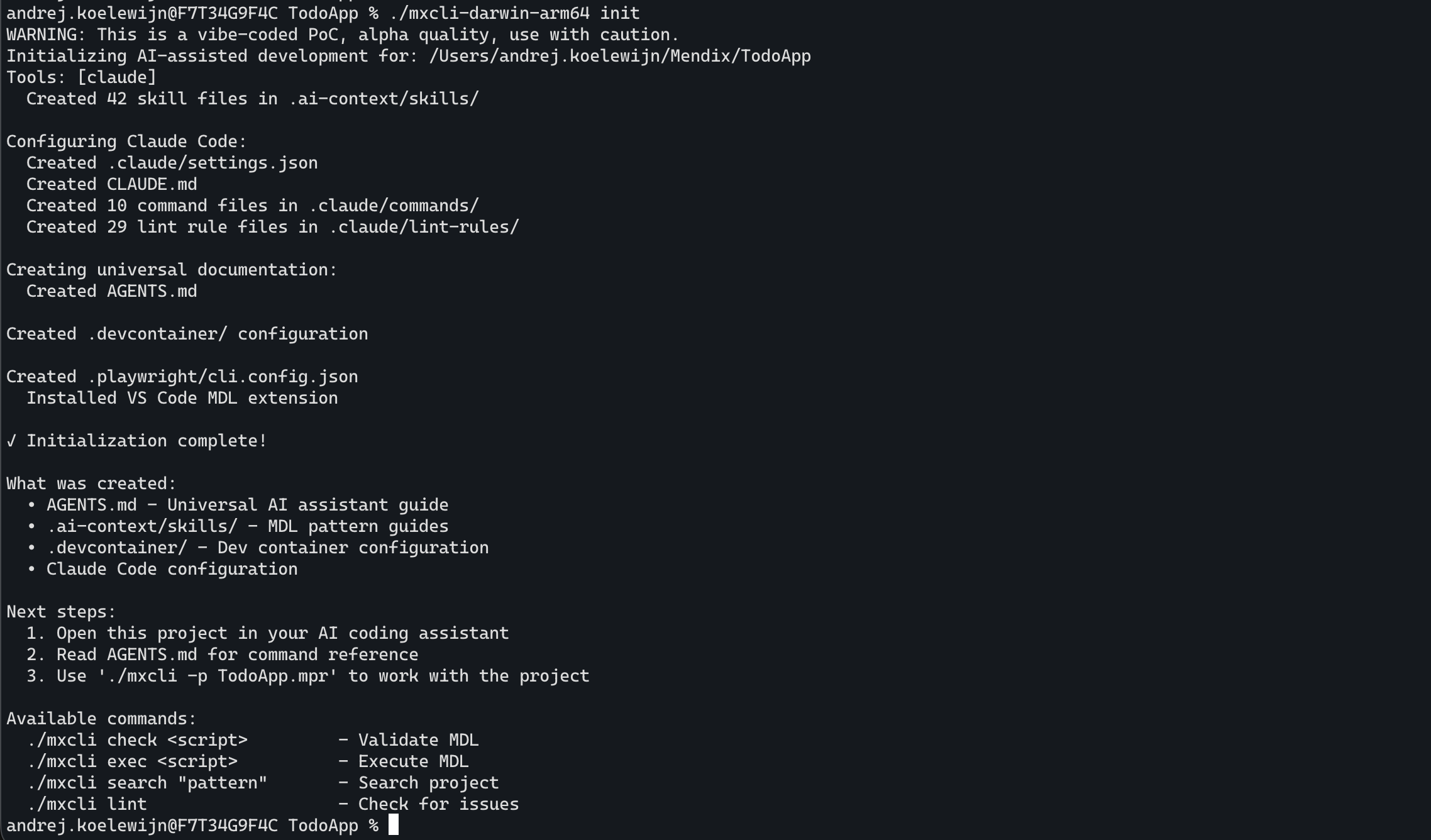
Skills and configuration to enable Agentic Coding on Mendix projects
Running mxcli init will install configuration files for agentic coding tools like AGENTS.md, CLAUDE.md, and Mendix specific skills. It will also configure a devcontainer that you can use when opening the project in Vscode, so you limit what your agentic coder can impact and see.
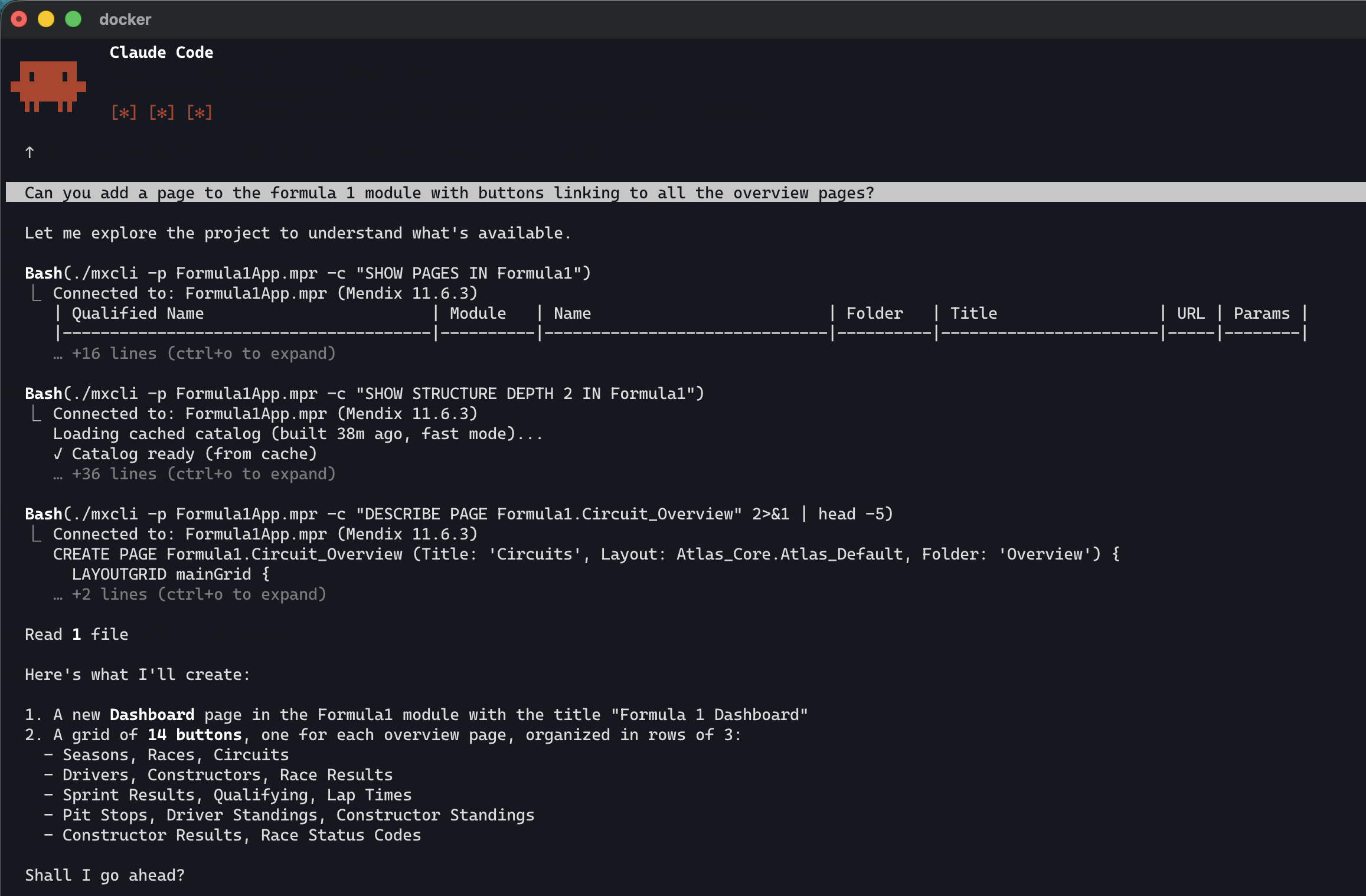
This screenshot shows how Claude uses mxcli command to do agentic search on your Mendix project to understand what is available. It gets a list of pages that are in the specified module, it uses structure to get an overview of all the documents in the module, and then it describes the soure of a specifc page. Based on this info it can make a plan how to modify your project.
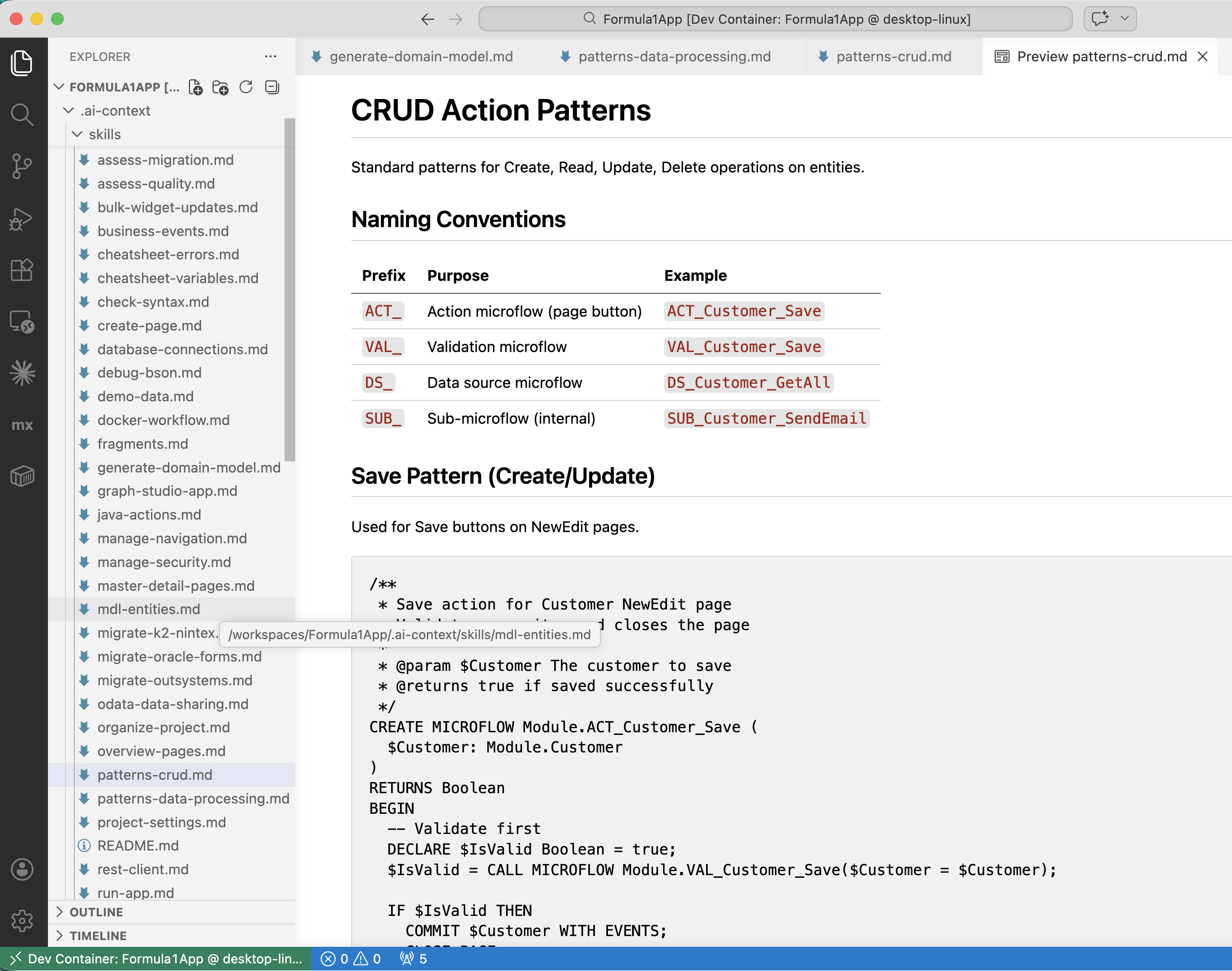
A set of extensible skills
The skills documents teach agentic coding tools how to build Mendix projects. You can add your own skills with design patterns and best practices. Using MDL you can be very specific how the agent should generate the required Mendix documents.
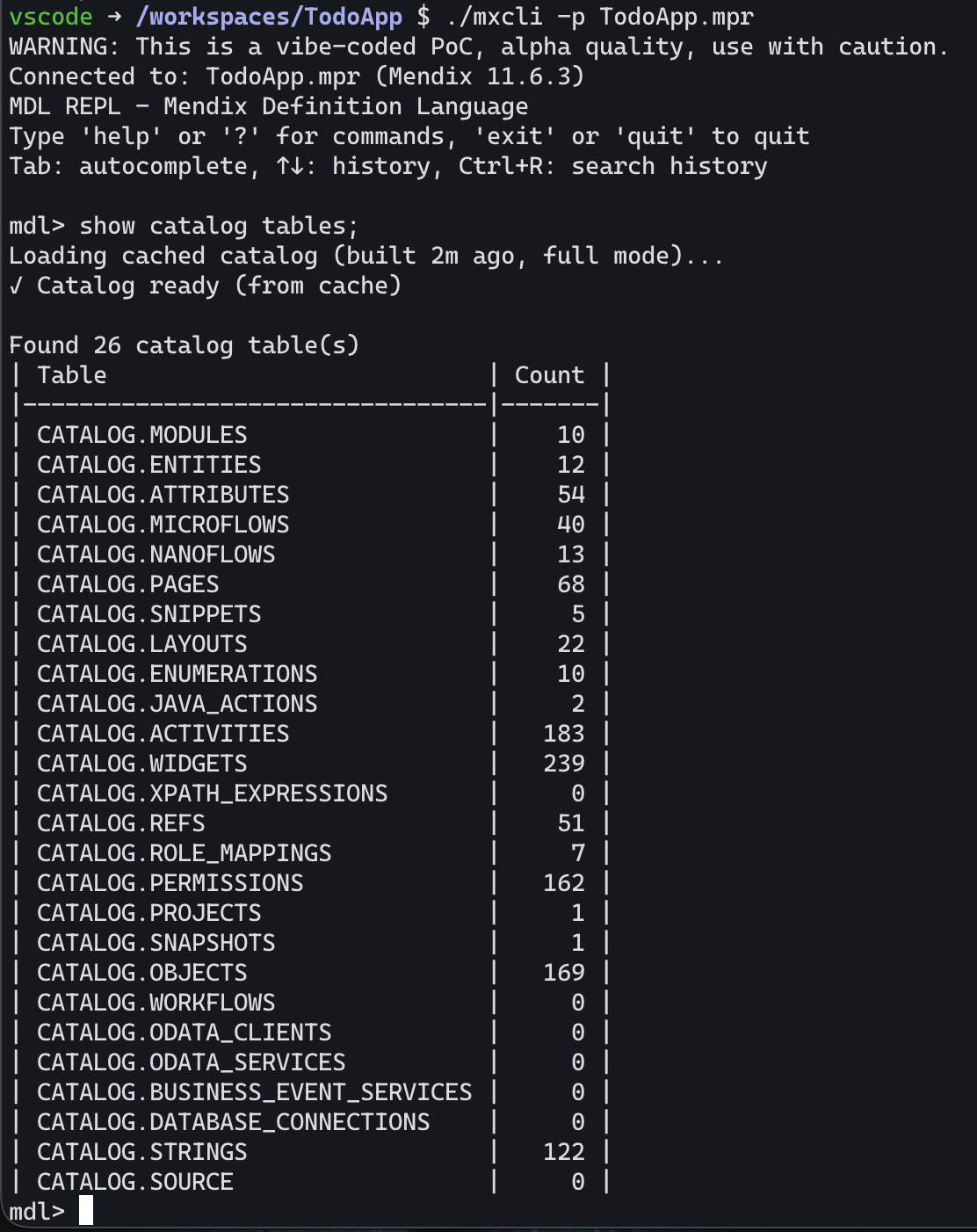
Metadata Catalog
Mxcli builds up a set of database tables with information about your project. This allows for flexible agentic search on your project documents.
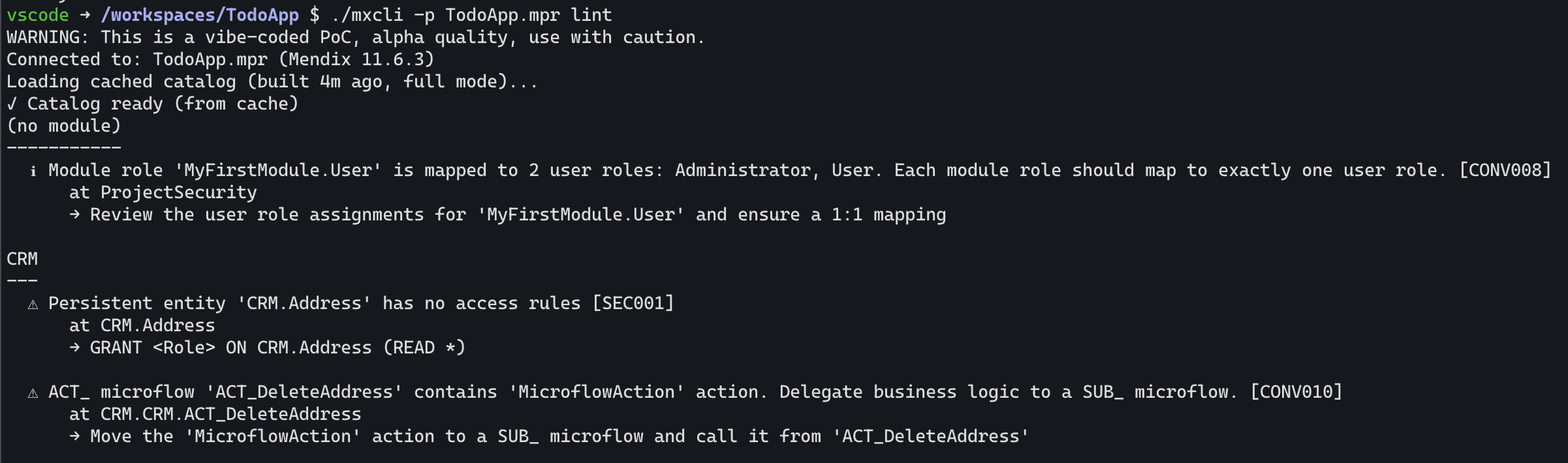
A Mendix project linter
The catalog tables are exposed as Starlark APIs so you can use the available data in custom Mendix linter rules.
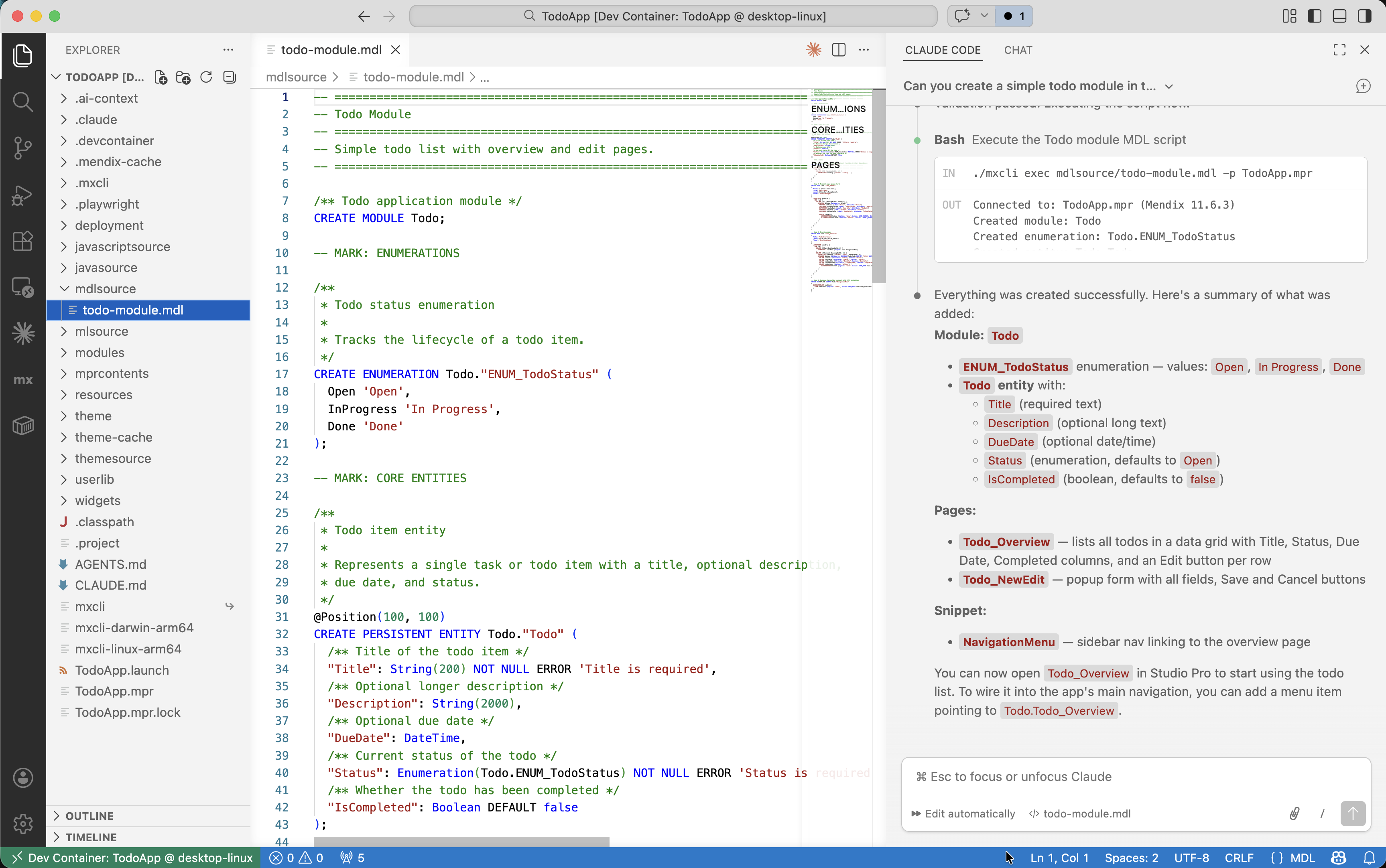
VSCode for Mendix projects
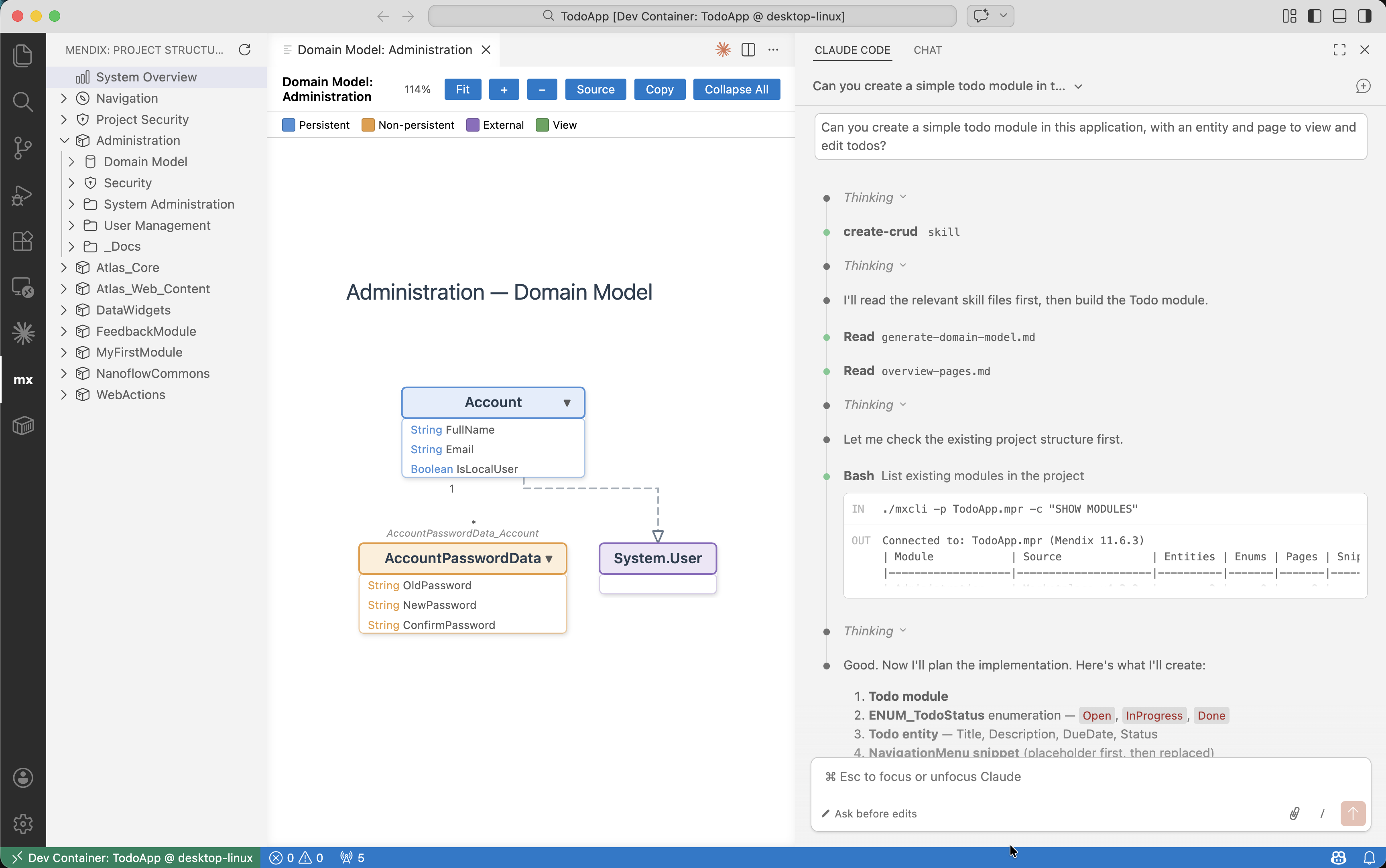
The easiest way to use mxcli is in vscode. You can run Claude Code inside vscode, mxcli installs a Mendix vscode extension that helps you review and understand your Mendix project.
The project structure shows you all modules with document, similar to the app explorer in Mendix Studio Pro. The VSCode extension also provides visualizations for some Mendix document types, ensuring you can review the generated documents without leaving VSCode.
Run and test your Mendix projects
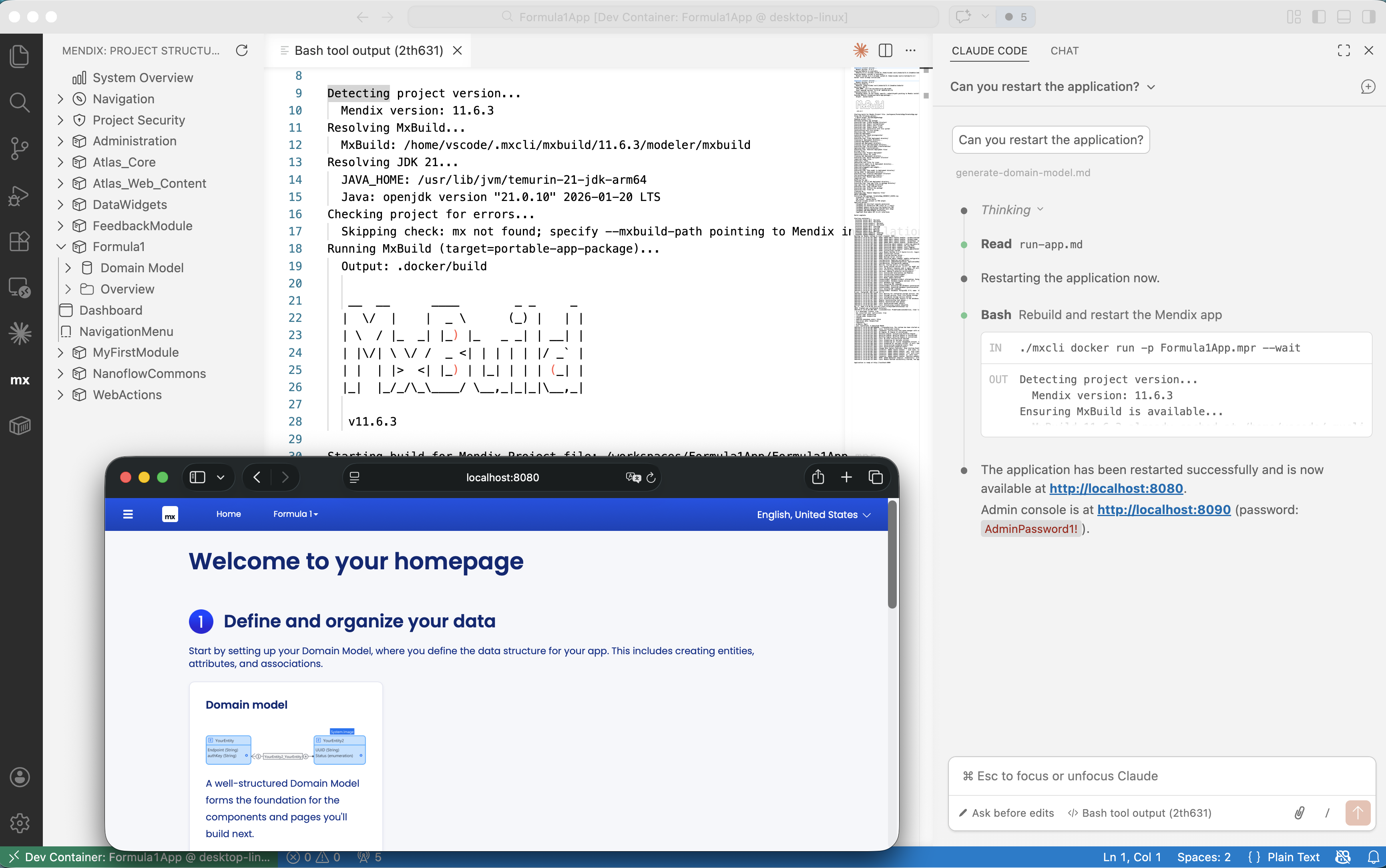
Claude code can start your Mendix project using PAD (portable application distribution). This will run the Mendix runtime in a docker container, and postgres in another docker container. This allows you to test your Mendix project without leaving vscode.
Automated Playwright-cli testing for Mendix projects
The devcontainer is configured for use with playwright-cli so Claude Code can test your running application.
Data migration for Mendix projects
Claude code can migrate existing data, or generate demo data in the postgres container when you run your application.
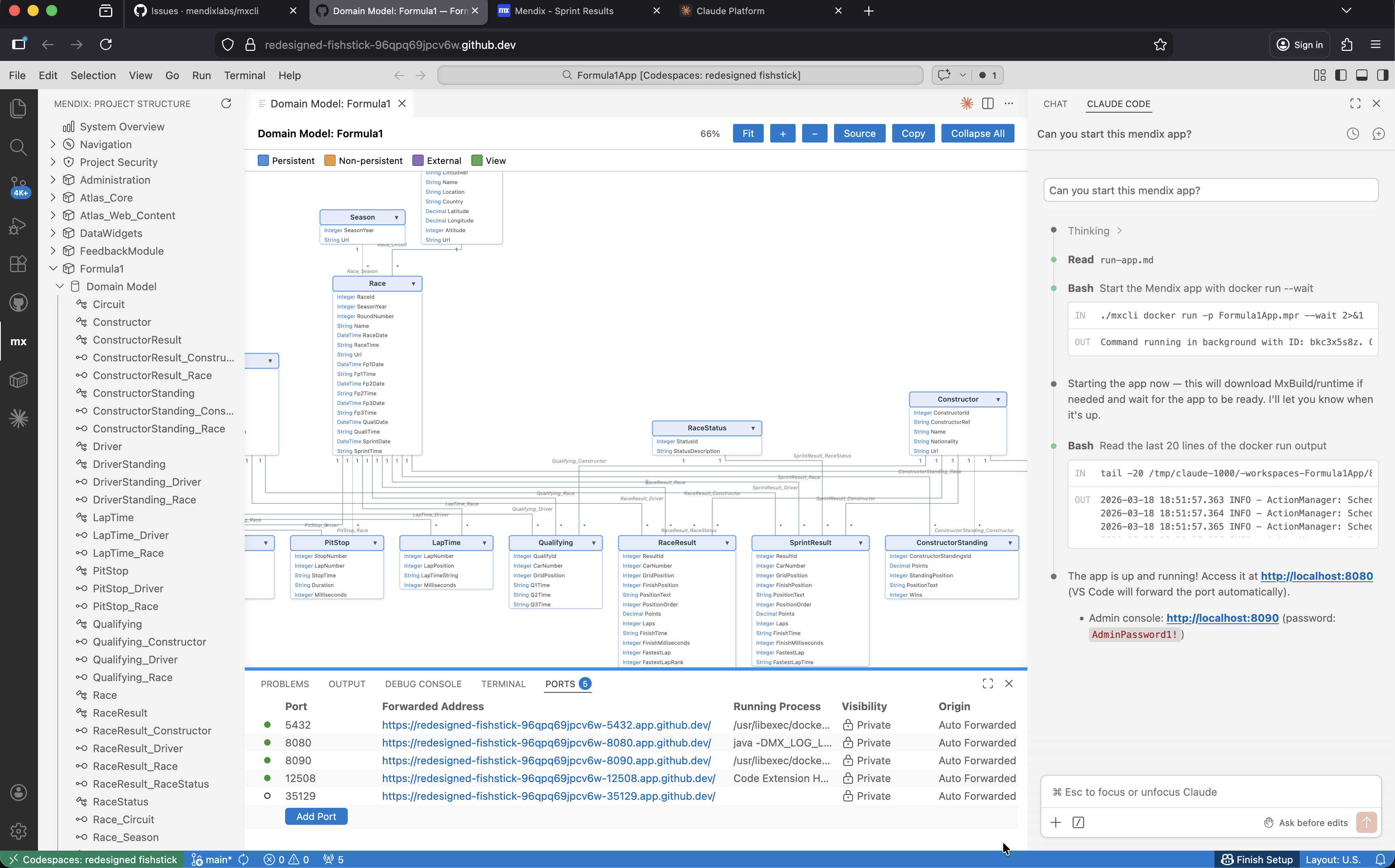
Edit your Mendix Project in the browser with GitHub Codespaces
Quick Start
Starting from scratch
Create a new Mendix project with everything configured in one command:
mxcli new MyApp --version 11.8.0
This downloads MxBuild, creates a blank Mendix project, sets up AI tooling and a Dev Container, and installs the correct mxcli binary. Open the resulting folder in VS Code and reopen in the Dev Container — you're ready to go.
From the web or an iPad (empty repo, no local install)
No machine with a CLI? Build a Mendix app entirely in the browser with
Claude Code on the web (works on an iPad) — mxcli
provisions the whole toolchain in the cloud container and commits it so future
sessions self-bootstrap. You don't need to pick a GitHub template. The full
workflow:
- Create an empty GitHub repo — this is where the app lives and where sessions run.
- (Optional) Get a hub key for a browser preview: open https://hub.mxcli.org/cli, sign in with GitHub, and Create a hub key.
- Create a Claude Code environment on the repo. Set
MXCLI_HUB_KEY=<key> (from step 2) and allow outbound HTTPS to GitHub Releases, Mendix's CDN, and hub.mxcli.org.
- Paste the bootstrap prompt into a session. The agent installs mxcli, runs
mxcli new → mxcli init, starts a FINDINGS.md, commits the config, and boots the app with mxcli run --local --setup --ensure-db so it comes up testable.
- Iterate with the warm loop below; add
--hub https://hub.mxcli.org for a shareable browser preview.
Developing on the Web (Claude Code) walks the whole workflow, and Bootstrap Prompt has the exact copy-paste text.
Then iterate with the warm local dev loop — a Docker-free ~1-second edit→test cycle:
mxcli run --local -p app.mpr --watch --screenshot # hot-reload + auto screenshots
mxcli run --local keeps mxbuild --serve and a standalone runtime hot: a page/microflow edit is hot-applied in seconds (a hot reload_model, or a restart + DDL for entity changes), and --screenshot captures each page with Playwright. See Local Dev Loop.
Add --hub to preview the running app in a browser at a public URL — the app stays local and reverse-tunnels out over a single 443 connection, so it works even from egress-only environments (e.g. Claude Code on the web):
mxcli run --hub https://hub.example.com -p app.mpr # -> a shareable preview URL
mxcli tunnel-hub --domain example.com is the static relay you run once on a small VPS; it can front many previews at per-subdomain hosts across projects, solutions, branches, and worktrees, with a sortable availability overview at hub.example.com/. See Local Dev Loop → External browser preview.
--hub and tunnel-hub are Linux-only. The tunnel exists to get a preview out of a Linux container — the only place it ever ran — so it is built for Linux alone. Embedding a general-purpose tunnelling tool in the Windows and macOS binaries, which can never use it, got them flagged by Microsoft Defender and enterprise EDR, blocking mxcli on the managed corporate laptops most Mendix developers work on. On those platforms the commands still exist and show help, but fail with an explanatory message; run mxcli inside the project's devcontainer to use --hub. Everything else in mxcli run --local is unaffected. We did not obfuscate the dependency to dodge the scanners — the fix is not shipping the capability where it is unused. Rationale: ADR-0009.
Existing project
For an existing Mendix project, use mxcli init to add AI tooling and a Dev Container: