
metabase
The easy-to-use open source Business Intelligence and Embedded Analytics tool that lets everyone work with data :bar_chart:
- 50k
- Clojure
- 30 min ago
`mb` is a command-line client for Metabase
Repo metabase/metabase-cli, read from GitHub 17 min ago. metabase has not joined Take My Repo.
metabase/metabase-cli is a public repo on GitHub by metabase. `mb` is a command-line client for Metabase. It declares the AGPL-3.0 license on GitHub. It is written mainly in TypeScript, has 20 stars and last changed on 2026-11-23. Nobody has reviewed it on Take My Repo yet, which says nothing about its quality. Read from GitHub on 2026-11-23.
In the maintainer's words. Shown from GitHub; Take My Repo does not keep a copy.
Command-line client for Metabase. Logs in to an instance in your browser (OAuth, Metabase v62.3.3+) or with an API key, and stores credentials securely on your machine.
The CLI is built against Metabase majors 58 through 65 (the client's KNOWN_RANGE), the latest patch of each; a newer release runs as the major after the newest known one, with one stderr notice per run; a development build (master or a local build, reporting a tag such as vUNKNOWN) is treated as newer than every release, with every version-gated command available and no notice; and an older one keeps its real major and gets one stderr notice per run pointing at a Metabase upgrade; a command the server refuses for a feature it lacks names that feature and the version it needs.
Every command declares the client methods it calls, and each method names the server features it needs — a feature is a minimum major version, a premium token feature, or both. The server decides whether a request is allowed: every command sends its requests, and when the server refuses one (an endpoint it does not serve, or a premium feature it does not grant), the CLI probes the server once and reports what is missing with an actionable message (exit code 2):
remote_sync, content_translation, library) that isn't enabled.A license activated or a server upgraded after mb auth login takes effect on the next command; nothing has to be refreshed first. A request is refused before it is sent only where a server without the feature would answer wrongly without a word: a parameter it would drop or rewrite (table list --unused-only without the dependencies feature lists every table), or a call whose answer it would misread (git-sync's synced collections). The tracked branch is read from the same probe that judges it, and refused there before it is answered. The notes on table list, table update, table bulk-edit, field update, field set-sensitivity, card query, query, subscription create, search, git-sync status, git-sync import, git-sync export and git-sync export-preflight name the parameters and calls refused this way. Such a refusal is judged against a probe taken in the same run, never the cached one, so the command costs at most one request more than it would otherwise, even when the cache grants the feature: a cache can be wrong in that direction too, after a license lapses.
These refusals are the CLI's own judgement, read from its table of which release and which premium feature brings each feature, so a feature backported to an older release, or a rule the table gets wrong, is refused although the server would serve it. --skip-preflight, taken by every command that takes --url and --api-key (all but auth list, auth status, auth logout, skills, uuid and upgrade, none of which makes these checks), or MB_CLI_SKIP_PREFLIGHT=1 in the environment, skips them, sends the request anyway and lets the server answer; a refusal of a feature the server lacks names the flag. Each check it lets through prints one stderr warning naming what was skipped, because a server that truly lacks the feature may ignore or rewrite what it does not support and answer without saying so; when the server cannot be checked at all, the request goes out unchecked with one warning per run. It skips nothing else: input the CLI rejects, a refusal read from the server's own settings (pivoted exports turned off, an unset or unreadable tracked branch), and a refusal the server answers itself stand as they are.
mb auth status --json reports the window as knownRange and where the server sits as skew. A release above the window is read as the major after the newest known one: its additions pass through, and one stderr notice per run points at mb upgrade. A development build is development, ahead of every release, and prints no notice; a server below the window is older-than-known, still evaluated at its own major, with a notice naming the oldest major the CLI supports. A response the CLI cannot parse under a cached profile triggers one fresh probe: if the server's version or premium features changed since the cache was written, the profile is refreshed and the error says so — retry the command.
npm install -g @metabase/cli
mb --help
Or build from source:
bun install
bun run build
node packages/cli/dist/cli.mjs --help
The binary is mb. Examples below use that name.
File paths in this document are relative to the repository root, so they resolve in a checkout of https://github.com/metabase/metabase-cli rather than in the installed package — the npm tarball carries only dist, skills and skill-data.
mb auth login --url https://metabase.example.com
mb auth status
Every list and get verb takes the same output flags. The per-command flag tables below list only what is specific to that command.
| Flag | Description |
|---|---|
--json |
Emit JSON. Auto-enabled on non-TTY. Shorthand for --format json. |
--format <format> |
auto | json | text (default auto). |
--full |
Return every field. The default is a compact projection. |
--fields <paths> |
Project comma-separated dot-paths. Mutually exclusive with --full. On list verbs the paths are relative to each data[] item. |
--max-bytes <n> |
Output size cap, default 24576; 0 disables. On a list, trailing items are dropped and truncated is set. |
-p, --profile <n> |
Named profile (default default). |
Every list verb additionally takes a window:
| Flag | Description |
|---|---|
--limit <n> |
How many items this call returns. Default: as many as fit the output cap. |
--offset <n> |
Where the window starts (default 0). Pass the previous call's next_offset to continue. |
List verbs answer with a single envelope:
{
  "returned": 2,
  "offset": 0,
  "limit": 2,
  "total": 42,
  "has_more": true,
  "next_offset": 2,
  "truncated": { "reason": "max_bytes", "bytes": 123456 },
  "data": []
}
| Field | Meaning |
|---|---|
data |
The items in this window. |
returned |
How many items are in data. |
offset |
Where this window starts. |
limit |
Present only when you passed --limit. |
total |
The server's count where the endpoint reports one, otherwise null. A display value, not a bound. |
has_more |
Whether more items remain. This — not returned against total — is what says to keep going. |
next_offset |
Pass back as --offset for the next window; null when the walk is over. |
truncated |
Present when --max-bytes dropped trailing items; bytes is what the full answer would have measured. |
When the cap leaves no room for even one item, the list comes back empty with next_offset: null — narrow it with --fields or raise the cap. A get whose single item is over the cap fails instead, with exit 2.
Credentials are stored per-profile. The default profile is named default. Use --profile <name> to manage additional profiles.
mb auth loginLog in to a Metabase instance and save the credential to a profile. Interactive login offers two methods:
Against an older server the CLI detects the missing OAuth support and falls back to the API key prompt automatically. Supplying an API key (flag, env, or stdin) always skips the browser flow, so CI and scripts behave exactly as before.
On success the server is probed once — the rendered output shows the user, role (Admin/User), Metabase version and skew (--json adds edition, knownRange and features), and the probe is cached in <configDir>/profiles.json so later commands skip re-probing. Failure of either the auth probe (/api/user/current) or the server probe (/api/session/properties) rejects the login; an existing profile keeps its last-known-good credential and gains a lastFailure entry.
| Flag | Description |
|---|---|
--url <url> |
Metabase URL, including any subpath if the instance is hosted under one (https://my.org.com/metabase). Falls back to MB_URL, then prompts. |
--api-key <value> |
API key. Skips the browser flow. Visible in shell history — pipe on stdin instead; --api-key - reads the key from piped stdin. |
--client-id <id> |
Pre-registered OAuth client id (only needed when dynamic client registration is disabled on the server). |
--profile <name>, -p |
Profile to write to (default: default). |
--skip-verify |
Save without contacting the server (no probe, no cache). |
Non-interactive (non-TTY) login requires an API key; resolution order: --api-key → piped stdin → MB_API_KEY (first non-empty wins). Without one, non-interactive login fails rather than prompting.
mb auth login                                            # interactive: browser or API key
echo "$MB_KEY" | mb auth login --url https://m.example.com
mb auth login --url https://m.example.com < key.txt
mb auth login --url https://m.example.com --api-key - < key.txt
mb auth statusShow whether a profile is authenticated. The output includes the auth method (OAuth or API key) alongside the cached user, role, server version and skew (supported, older than this CLI supports (vN min), newer than this CLI knows (vN max), or unknown version). --json adds what the CLI derives from the cached probe: edition, skew, knownRange and the features map an explained refusal names.
mb auth status
mb auth status --json
mb auth status --profile staging
| Flag | Description |
|---|---|
--profile <name>, -p |
Profile to inspect (default: default). |
--json |
Emit JSON. Auto-enabled on non-TTY. |
mb auth listList configured authentication profiles. All profile metadata (URL, auth method, last successful probe, last failure) lives in <configDir>/profiles.json at mode 0600; the secrets (API key, or OAuth access/refresh tokens) sit in the OS keychain when available, or inline in the same file when the keychain is unavailable.
auth list re-probes every profile, one at a time — a probe can refresh and rewrite an expired OAuth token, so probes are serialized to avoid racing on the shared profiles.json. On success it refreshes lastProbe (Metabase version, token features, user identity) and clears lastFailure; on failure it updates lastFailure and leaves the prior lastProbe/url/credential untouched. Rendered columns: Profile | URL | Auth | Status | Role | Version | Skew | Last probed; --json rows carry the same derived edition, skew, knownRange and features as auth status. Failed rows append a one-line footer pointing at mb auth login --profile <name>.
mb auth list
mb auth list --json
| Flag | Description |
|---|---|
--json |
Emit JSON. Auto-enabled on non-TTY. |
mb auth logoutClear stored credentials for a profile. For an OAuth profile the refresh token is also revoked server-side, best-effort: local credentials are cleared first and a revocation failure only warns, so a slow or offline server never blocks the logout.
mb auth logout --yes
mb auth logout --profile staging --yes
| Flag | Description |
|---|---|
--profile <name>, -p |
Profile to clear (default: default). |
--yes |
Skip the interactive confirmation prompt. In non-TTY contexts the prompt is skipped automatically (kubectl/gh/docker convention). |
CRUD on /api/transform. Requires Metabase v59 or newer. Bodies for create / update are JSON; resolution order: --body → --file → piped stdin (auto-detected when stdin is not a TTY).
mb transform listmb transform list
mb transform list --json
mb transform get <id>mb transform get 1 --json
mb transform dependencies <id>List the upstream transforms this transform depends on (the ones that must run before it). The positional id is a transform id.
mb transform dependencies 1 --json
mb transform createcat transform.json | mb transform create
mb transform create --file transform.json
| Flag | Description |
|---|---|
--body <json> |
Inline JSON body. |
--file <path> |
Path to JSON body file. |
mb transform update <id>mb transform update 1 --body '{"name":"renamed"}'
Same --body / --file resolution as create. Stdin is auto-detected when not a TTY.
mb transform delete <id>mb transform delete 1 --yes
| Flag | Description |
|---|---|
--yes |
Skip the interactive confirmation prompt. In non-TTY contexts the prompt is skipped automatically (kubectl/gh/docker convention). |
mb transform run <id>Trigger a manual run. Returns {message, run_id} and exits immediately. Pass --wait to poll until the run reaches a terminal status (succeeded, failed, timeout, canceled); the final field on the result holds the polled run state, and the command exits 1 if the final status is anything but succeeded. Pass --sync to additionally wait until the run's output table is registered and surface its target_table_id, so you can build MBQL cards against it — the run registers the table itself, so no separate db sync-schema is needed; --sync implies --wait.
mb transform run 1
mb transform run 1 --wait --json
mb transform run 1 --sync --json
| Flag | Description |
|---|---|
--wait |
Poll until the run reaches a terminal status. |
--sync |
After a successful run, wait until the output table is registered and return its target_table_id (implies --wait). |
--timeout <ms> |
Polling timeout in ms (default 600000). Used with --wait. |
--interval <ms> |
Polling interval in ms (default 2000). Used with --wait. |
mb transform cancel <id>Cancel the currently-running run for a transform. Exits 0 with {canceled: true, id} on success; exits 1 with a 404 if the transform has no active run.
mb transform cancel 1
mb transform cancel 1 --json
mb transform get-run <run-id>Fetch a single run by run id (not transform id). Same compact / --full projection convention as transform get.
mb transform get-run 1 --json
mb transform runsList recent transform runs across all transforms, or filter to one. /api/transform/run is server-paged: the CLI pulls only as far as the output cap can display, then reports has_more / next_offset so you can continue.
mb transform runs
mb transform runs --transform-id 1 --json
mb transform runs --limit 10 --json
| Flag | Description |
|---|---|
--transform-id <id> |
Filter to runs of a single transform id. |
Plus the shared output and window flags — see Output.
CRUD on /api/transform-job. Requires Metabase v59 or newer. Bodies for create / update follow the same --body / --file / stdin pattern as transforms.
mb transform-job listmb transform-job list --json
mb transform-job get <id>mb transform-job get 1 --json
mb transform-job createmb transform-job create --body '{"name":"daily","schedule":"0 0 0 * * ?"}'
| Flag | Description |
|---|---|
--body <json> |
Inline JSON body. |
--file <path> |
Path to JSON body file. |
mb transform-job update <id>mb transform-job update 1 --body '{"schedule":"0 0 6 * * ?"}'
mb transform-job delete <id>mb transform-job delete 1 --yes
| Flag | Description |
|---|---|
--yes |
Skip the interactive confirmation prompt. In non-TTY contexts the prompt is skipped automatically (kubectl/gh/docker convention). |
mb transform-job run <id>Trigger a job manually and return immediately. The job runs every transform carrying one of the job's tags, plus those transforms' dependencies.
mb transform-job run 1
mb transform-job run 1 --force-refresh --json
| Flag | Description |
|---|---|
--force-refresh |
Re-run the whole plan, including dependency transforms that are already fresh (skipped by default). |
mb transform-job transforms <id>List the transforms a job would run, resolved by the job's tags. The positional id is a job id.
mb transform-job transforms 1 --json
mb transform-job set-active <true|false>Activate or deactivate every transform job at once (admin only; requires Metabase v61 or newer). Inactive jobs do not run on schedule; manual runs ignore the flag.
mb transform-job set-active false
mb transform-job set-active true --json
CRUD on /api/transform-tag. Requires Metabase v59 or newer. Tags group transforms and jobs; reference them by id via the tag_ids field on a transform or job. The four built-in tags (hourly, daily, weekly, monthly) drive the built-in jobs. There is no get-by-id endpoint — use list.
mb transform-tag listmb transform-tag list --json
mb transform-tag createmb transform-tag create --body '{"name":"nightly"}'
| Flag | Description |
|---|---|
--body <json> |
Inline JSON body. |
--file <path> |
Path to JSON body file. |
mb transform-tag update <id>mb transform-tag update 5 --body '{"name":"renamed"}'
mb transform-tag delete <id>mb transform-tag delete 5 --yes
| Flag | Description |
|---|---|
--yes |
Skip the interactive confirmation prompt. In non-TTY contexts the prompt is skipped automatically (kubectl/gh/docker convention). |
CRUD and run on /api/ee/transform-test. Requires Metabase v65 or newer with the transforms-testing premium feature. A transform test pins a transform's behaviour: every table the transform reads is replaced by an input fixture, the transform runs into a temp table, and each expectation checks that output. The temp tables are dropped when the run ends. The transform and the expectations read only those temp tables; a format: "sql" input runs verbatim against the transform's source database, so it may read real tables. Only query transforms (native SQL or MBQL) can be tested, on Postgres, MySQL, H2, ClickHouse, Redshift or SQL Server.
An input names its table and carries either format: "sql" with a sql query or format: "rows" with columns (each a name and a cast_type the warehouse accepts as a CAST target) and rows; every row carries exactly the declared columns.
An expectation is either type: "empty" with the sql that must return no rows, or type: "equals" with format: "rows" and the columns and rows the output must hold exactly. Expectation names are unique within a test. Expectation SQL may name only the transform's target table and its declared input tables, which are rewritten to the run's temp tables; any other table, or a column qualified by a table name rather than an alias, is refused with transform-test.unremapped-reference.
Create and update bodies are closed at every level, so a test read back with get --full has to shed id, entity_id, creator_id, created_at and updated_at before it can be sent back:
mb transform-test get 1 --full --json \
  | jq 'del(.id, .entity_id, .creator_id, .created_at, .updated_at)' \
  | mb transform-test update 1
mb transform-test listmb transform-test list --json
mb transform-test list --transform-id 1
| Flag | Description |
|---|---|
--transform-id <id> |
Only the tests of this transform id. |
mb transform-test get <id>The compact form carries the id, transform, name and description; --full adds the inputs and expectations themselves.
mb transform-test get 1
mb transform-test get 1 --full --json
mb transform-test createmb transform-test create --file transform-test.json
| Flag | Description |
|---|---|
--body <json> |
Inline JSON body. |
--file <path> |
Path to JSON body file. |
mb transform-test update <id>Only the fields the body carries are patched; inputs and expectations replace what is stored rather than merging into it.
mb transform-test update 1 --body '{"name":"renamed"}'
mb transform-test delete <id>mb transform-test delete 1 --yes
| Flag | Description |
|---|---|
--yes |
Skip the interactive confirmation prompt. In non-TTY contexts the prompt is skipped automatically (kubectl/gh/docker convention). |
mb transform-test run <id>Runs the transform against the fixtures and reports what each expectation found. Exits 1 when the test does not pass, so it drops straight into CI.
mb transform-test run 1
mb transform-test run 1 --json
mb transform-test run 1 --timeout 300000
| Flag | Description |
|---|---|
--timeout <ms> |
Request timeout in ms (default 30000); the run is one synchronous request. |
Read warehouse metadata from /api/database. The db group exposes the full database list, the per-database record with optional table/field hydration, schema and table inspection, and the two manual-sync triggers.
db is aliased to database.
Agent traversal — the hydration ladder: start with
db get <db-id> --include tables, the compact table map (id, name, schema, description per table) — one call that fits most databases. Pick the relevant tables, then fetch fields per table withtable fields <table-id>(bounded: a table has at most a few hundred fields).--include tables.fieldsis the full rollup — small databases only. When output outgrows the--max-bytescap, the error message names the next command down the ladder. On warehouses with hundreds of tables, traverse by schema (db schemas <db-id>→db schema-tables <db-id> <schema>) or find tables by name (mb search <term> --models table --db-id <db-id>).
mb db listmb db list
mb db list --json
mb db list --saved --json
mb db list --include tables --json # every db with its compact table map
| Flag | Description |
|---|---|
--include <which> |
Hydrate related entities. Currently only tables is supported (each database is returned with its compact tables). To map a single warehouse, prefer db get <id> --include tables. |
--saved |
Include the Saved Questions virtual database in the list. The virtual db has id -1337 and no engine, and its --include tables are the saved questions, each with a card__<id> string id. |
mb db get <id>mb db get 1
mb db get 1 --json
mb db get 1 --include tables --json # + compact table map (fits most databases)
mb db get 1 --include tables.fields --json # + every field of every table (small databases only)
| Flag | Description |
|---|---|
--include <which> |
Hydrate related entities. tables is the compact table map — the recommended first call for schema discovery. tables.fields is the full rollup and fits only small databases; on anything larger, take the map and fetch fields per table with table fields <table-id>, or traverse by schema (see above). |
mb db schemas <id>List the schemas in a database. Schemas with no tables are excluded. Cheap and bounded — this is the right entry point for an agent walking a warehouse.
mb db schemas 1
mb db schemas 1 --json
mb db schema-tables <id> <schema>List the tables in one schema, sorted by display name. Returns compact projections without fields — pair with table get --include fields (or table fields <id>) per table you actually need to introspect.
mb db schema-tables 1 public
mb db schema-tables 1 analytics --json
mb db sync-schema <id>Trigger a manual schema sync (POST /api/database/:id/sync_schema). Returns { id, status: "ok" } once the sync has been queued; the actual work happens asynchronously on the server. Pass --wait to poll the database until its initial_sync_status reports complete (a database that has already finished its initial sync returns at once). To wait for a specific newly-materialized transform table to register, prefer mb transform run <id> --sync.
mb db sync-schema 1
mb db sync-schema 1 --wait --json
| Flag | Description |
|---|---|
--wait |
Poll until initial_sync_status reports complete. |
--timeout <ms> |
Polling timeout in ms (default 600000). Used with --wait. |
--interval <ms> |
Polling interval in ms (default 2000). Used with --wait. |
mb db rescan-values <id>Trigger a rescan of cached field values (POST /api/database/:id/rescan_values). Returns { id, status: "ok" } once the rescan has been queued.
mb db rescan-values 1
mb db rescan-values 1 --json
mb db set-data-actions <id> <true|false>Enable or disable data actions for a database (PUT /api/database/:id with settings: {"database-enable-actions": …}), the Data actions toggle of Admin → Databases. While it is off, data actions on the database can be neither created nor run. Needs an admin, and a driver that lists actions in its features. Returns the database with its settings; a value other than true or false is refused before the request (exit 2).
mb db set-data-actions 2 true
mb db set-data-actions 2 false --json
Inspect and edit warehouse tables via /api/table. For agent-driven field introspection, table get --include fields is the default — it returns the table plus its columns in a single bounded response.
mb table listReturns every table in the chosen database (or across all databases) as a flat compact list — no fields, no per-table hydration. On a real warehouse with hundreds of tables this is still bounded (kilobytes), but db schema-tables <db-id> <schema> is the better starting point when you know the schema.
mb table list
mb table list --db-id 1 --json
mb table list --term order --can-query --json
mb table list --data-layer hidden --orphan-only --json
--db-id narrows the list on the client; every other flag is applied by the server. --unused-only, --published-only, --can-query, --can-write and --include-transform-targets are refused before the request (exit 2) on a server without the feature their row names, judged against a probe of the server taken in the same run, because such a server drops a filter it does not know without a word.
| Flag | Description |
|---|---|
--db-id <id> |
Filter tables by their database id. |
--term <text> |
Match table names and display names by prefix; * is a wildcard (--term 'order*', --term ite also matches Order Items). |
--visibility-type <type> |
Only tables with this visibility: hidden, technical, cruft. |
--data-layer <layer> |
Only tables in this data layer: final, internal, hidden (Metabase v58 names them gold, silver, bronze, copper). |
--data-source <source> |
Only tables from this data source: unknown, ingested, metabase-transform, transform, source-data, upload. |
--owner-user-id <id> |
Only tables owned by this user id. |
--owner-email <email> |
Only tables owned by this email. |
--orphan-only |
Only tables with no owner. |
--unused-only |
Only tables nothing depends on. Needs the dependencies premium feature. |
--published-only |
Only tables published to the library (Metabase v63+). |
--can-query |
Only tables you can run queries against (Metabase v59+). |
--can-write |
Only tables whose metadata you can edit (Metabase v59+). |
--include-transform-targets |
Also list the inactive tables a transform writes to, which carry active: false (Metabase v60+). |
mb table get <id>Returns the basic table record (no fields). Pass --include fields to route through /api/table/:id/query_metadata so the response carries the table's columns compact-projected as fields — this is the default agent path for field introspection (the response also carries FK targets and dimensions under --full). Use mb table fields <id> if you only want the fields as a list envelope.
mb table get 42
mb table get 42 --json
mb table get 42 --include fields --json
| Flag | Description |
|---|---|
--include <which> |
Hydrate related entities. Currently only fields is supported (bundles compact-projected columns). |
mb table fields <id>List the fields on a table (a thin projection over query_metadata.fields). Use this when you want just the field array without the surrounding table metadata.
mb table fields 42
mb table fields 42 --json
mb table fks <id>List the foreign keys pointing at a table: every active field whose fk_target_field_id is an active, unretired field of this one, the table's own self-references included. The server leaves out origin fields in inactive tables and in tables the caller cannot read, so a non-admin sees only the foreign keys from tables it can read. Each row carries the origin field with its table (id, name, display_name, schema, db_id), the destination field and the relationship (Mt1); the text table names the origin as <schema>.<table>.<field>, or <table>.<field> on a database without schemas. A table nothing points at answers an empty list.
mb table fks 42
mb table fks 42 --json
mb table update <id>Patch a table (PUT /api/table/:id). Body fields: display_name, description, caveats, points_of_interest, entity_type, visibility_type, field_order, show_in_getting_started, data_authority, data_source, data_layer, owner_email, owner_user_id, collection_id. Pass the body via --body, --file, or stdin (exactly one). display_name, entity_type, show_in_getting_started, field_order and collection_id take no null: the server would drop it and leave the value as it was. Two values a server would take without doing what they ask are refused before the request, judged against a probe of the server taken in the same run: data_authority: null before Metabase 64, which the server writes into a column that takes no null and fails with a bare 500 or stores something other than a withdrawal; and a medallion data_layer (gold, silver, bronze, copper) on a server that names its layers final / internal / hidden, which maps it onto one of those. A collection_id is checked against the table the server answers instead, because whether an update moves a table depends on the server's patch release: one that drops it applies the rest of the update and leaves the table where it was, and the command reports that partial write as a partial-write error (exit 1) naming the collection asked for and the one the table stayed in.
mb table update 42 --body '{"display_name":"Customers"}'
mb table update 42 --file patch.json
echo '{"description":"Customer dimension"}' | mb table update 42
Publish status surfaces on the table itself — table get/table list carry is_published (and collection_id under --full). Publishing tables to the Library is done with mb library publish.
mb table sync-schema <id>Trigger a manual sync of one table (POST /api/table/:id/sync_schema): it re-reads the table's columns, fingerprints them, and refreshes the table's cached field values. It never discovers new tables; a table the warehouse just gained needs mb db sync-schema <id>. Returns { id, status: "ok" } once the sync has been queued; the work happens asynchronously on the server, which reports no completion to wait on. A warehouse the server cannot connect to is refused with a 422. To sync a set of tables use mb table bulk-sync-schema.
mb table sync-schema 42
mb table sync-schema 42 --json
mb table rescan-values <id>Trigger a rescan of one table's cached field values (POST /api/table/:id/rescan_values). Only the sets already cached and read in the last 14 days are refreshed; a set never read, discarded, or unread for longer is skipped until a read rebuilds or revives it. Returns { id, status: "success" } once the rescan has been queued.
mb table rescan-values 42
mb table rescan-values 42 --json
mb table discard-values <id>Discard one table's cached field values (POST /api/table/:id/discard_values), and with them any custom display values set on those values. No scan recreates a discarded set, neither mb table rescan-values nor the database's scheduled scan; Metabase rebuilds a set, without its display values, the next time it is read (a filter dropdown, mb field values <id>). Asks for confirmation on a terminal and refuses without --yes when stdin is not a TTY. Returns { id, discarded, aborted }.
mb table discard-values 42 --yes
mb table discard-values 42
mb table bulk-editSet the same metadata on every table a selector picks out (POST /api/data-studio/table/edit, Metabase v59+). The body selects tables with any of table_ids, database_ids, and schema_ids (each schema id is "<db-id>:<schema>", e.g. 1:public; the selectors are unioned) and sets any of data_authority, data_source, data_layer, entity_type, owner_email, owner_user_id on all of them. A configured data_authority cannot be set back to unconfigured, and data_source never moves to or from metabase-transform. A selected table that breaks either rule fails the call: before Metabase 64 no table is edited, while on 64 the selected tables Metabase held no user edits for may already carry the new values. Before Metabase 64, null clears a field, null for data_authority is refused before the request (exit 2), judged against a probe of the server taken in the same run, and the next scheduled analysis overwrites entity_type with the type it derives from the table name. On Metabase 64, null withdraws the edit: data_source and data_layer read back empty, while entity_type, owner_email, owner_user_id, and data_authority fall back to the values Metabase keeps for the table, which are the name-derived entity type and the owner and data authority from before the upgrade (no owner and unconfigured for a table published then or created since). A body that selects nothing or sets nothing is refused before any request. Pass the body via --body, --file, or stdin (exactly one). The server answers {} whether or not a selector matched a table, so the command returns the accepted request restated, { accepted: true, ...body }, and cannot say which tables were edited. Metabase 58 serves the same edit only on Enterprise, at /api/ee/data-studio/table/edit with the medallion layer names; the command does not reach it, because a method's requirements cannot say "58 with the data-studio token, or 59 and later", and the medallion names do not map onto the final / internal / hidden layers the body takes.
mb table bulk-edit --body '{"table_ids":[42,43],"owner_email":"dba@example.com"}'
mb table bulk-edit --body '{"schema_ids":["1:public"],"data_layer":"final"}' --json
cat edit.json | mb table bulk-edit
mb table bulk-sync-schema / bulk-rescan-values / bulk-discard-valuesThe selector forms of sync-schema, rescan-values, and discard-values (POST /api/data-studio/table/sync-schema, /rescan-values, /discard-values, Metabase v59+). Select tables with --table-ids, --db-ids, or --schemas (comma-separated; each schema id is "<db-id>:<schema>" with a positive database id, and 1: selects the tables of database 1 that have no schema); the selectors are unioned. Only an admin or a data analyst may call them; anyone else gets a 403. bulk-sync-schema first tests the connection of every database behind the selection and is refused with a 422 if one fails. bulk-discard-values asks for confirmation like discard-values and needs --yes when stdin is not a TTY. The server answers no body whether or not a selector matched a table, so each command returns the accepted request restated, e.g. { accepted: true, schema_ids: ["1:public"] } (bulk-discard-values adds aborted).
mb table bulk-sync-schema --schemas 1:public
mb table bulk-rescan-values --db-ids 1 --json
mb table bulk-discard-values --table-ids 42,43 --yes
Inspect and edit individual columns via /api/field.
mb field get <id>Get one field (GET /api/field/:id). Its data_sensitivity is the label mb field set-sensitivity sets, or null when the field has none; a server older than Metabase v64 has no such label, so the key and the Sensitivity column are left out.
mb field get 100
mb field get 100 --json
mb field values <id>Fetch the cached distinct values list (GET /api/field/:id/values). Returns the FieldValues envelope ({ values, field_id, has_more_values }); empty values on fields whose has_field_values is none or search.
mb field values 100 --json
mb field summary <id>Row count and distinct count for the field (GET /api/field/:id/summary). Metabase returns this as an array-of-pairs; the CLI normalizes it to { field_id, count, distincts }.
mb field summary 100
mb field summary 100 --json
mb field update <id>Patch a field (PUT /api/field/:id). Body fields: display_name, description, caveats, points_of_interest, semantic_type, coercion_strategy, data_sensitivity, fk_target_field_id, visibility_type, has_field_values, settings, nfc_path, json_unfolding. Pass the body via --body, --file, or stdin. A data_sensitivity label (see field set-sensitivity) is refused before the request on a server older than Metabase v64 (exit 2), judged against a probe of the server taken in the same run, because such a server drops the key without a word.
mb field update 100 --body '{"description":"customer email","semantic_type":"type/Email"}'
mb field update 100 --file patch.json
mb field search <id> <search-id>Search the values of one field and answer them paired with another field's values (GET /api/field/:id/search/:search-id). Each row is { value, label }: a distinct pair of a value of <id> and the value of <search-id> on the same warehouse row, ordered by value. A FK on either side is followed to the key it points at, so searching an id column by a name column answers id/name pairs; after that both fields must be on one table, and a pair that is not answers no rows rather than an error, as does any failure of the warehouse query. --value keeps the rows whose <search-id> value contains it, case-insensitively; without it the first --limit rows are answered, so one of the two is required. label is null when <id> and <search-id> resolve to the same field once FKs are followed. A field with custom display values answers every mapped value instead, with its display value as label, matching --value against the display value and ignoring <search-id>. The endpoint takes no offset and reports no count, so total is null, every request asks for the rows from the first, at most 1000 at first and twice as many on each request after until the window is covered, and has_more is proven by one row fetched past it.
mb field search 100 101 --value ada
mb field search 100 101 --value ada --limit 5 --json
mb field search 100 101 --limit 20 --json
| Flag | Description |
|---|---|
--value <text> |
Text the searched values must contain (case-insensitive). |
--limit <n> |
Max rows to return; required when --value is absent. |
--offset <n> |
Start at this row index; pass the previous next_offset. |
mb field remapping <id> <remapped-id> <value>Look up another field's value on the one row where a field equals a value (GET /api/field/:id/remapping/:remapped-id). Answers { found: true, value, label } with label the value of <remapped-id>, or { found: false } when no row matches. A FK <id> is followed to the key it points at, and <remapped-id> must be on that key's table: the server answers a pair that is not, and any failure of the warehouse query, as { found: false } rather than an error. When <id> is numeric the server reads the leading number of <value> and ignores any text after it (20abc looks up 20), failing only a value with no leading number; a value starting with - goes after -- (mb field remapping 100 101 -- -5). In text mode the label prints bare, so NAME=$(mb field remapping 100 101 20 --format text) composes; an empty line means either no row matched or the matched label is empty, which --json tells apart.
mb field remapping 100 101 20
mb field remapping 100 101 20 --json
mb field set-sensitivity <id> <label|none>Label a field's data sensitivity by hand (PUT /api/field/:id with data_sensitivity). A label set here is a person's call that the server's classifier never overwrites; none withdraws it, and the field then shows the label the classifier wrote, if it wrote one (the classifier is off unless the server enables it, and a label it wrote stays after it is switched off), else none. Labels, most severe first: SEC_KEY, SYS_TELEMETRY, PHI, BIO_GEN, PCI_FIN, SENS_PERS, PII, CORP_IP, BIZ_CONF, PUBLIC. Answers the field with its data_sensitivity; mb field get <id> reads it back. Requires Metabase v64 or newer, and is refused before the request on an older server (exit 2), judged against a probe of the server taken in the same run, because a server without the column drops the label and answers the field as if it had never been sent.
mb field set-sensitivity 100 PII
mb field set-sensitivity 100 none
mb field set-sensitivity 100 PHI --json
Load CSV/TSV data into the warehouse via /api/upload. Requires an uploads database configured on the server (Admin → Settings → Uploads); the destination db and schema are set there, not per-command. append/replace target a table created by a prior upload, and the CSV columns must match.
mb upload csvCreate a new table plus a model over it from a CSV file. Prints the new model id and table id.
mb upload csv --file data.csv
mb upload csv --file data.csv --collection 5
mb upload csv --file data.csv --json
| Flag | Description |
|---|---|
--file <path> |
Path to the CSV/TSV file to upload (required). |
--collection <id> |
Target collection id for the created model, or root (default: root). |
mb upload append <table-id>Insert a CSV file's rows into an existing uploaded table.
mb upload append 42 --file more-rows.csv
mb upload append 42 --file more-rows.csv --json
mb upload replace <table-id>Replace an existing uploaded table's contents with a CSV file's rows.
mb upload replace 42 --file rows.csv
mb upload replace 42 --file rows.csv --json
Download and replace Metabase's content translation dictionary through /api/ee/content-translation. These commands require an admin credential and the content_translation premium feature. The dictionary is independent of Remote Sync: importing or exporting a Git repository does not deploy it.
mb content-translation downloadStream the complete active dictionary as CSV. Redirect stdout to keep it as a file. An empty dictionary downloads as Metabase's four-row sample, not a header-only file.
mb content-translation download > metabase-content-translations.csv
mb content-translation download --profile prod > translations.csv
mb content-translation uploadReplace every active content translation with one complete CSV. The upload is not a partial merge; keep the canonical complete dictionary in version control and download the active dictionary before replacing it. Metabase accepts dictionaries up to 1.5 MiB.
mb content-translation upload --file translations.csv
mb content-translation upload --file translations.csv --profile prod --json
| Flag | Description |
|---|---|
--file <path> |
Complete content translation dictionary CSV (required). |
CRUD plus query execution on /api/card. A "card" is a Metabase question, model, or metric. The query subcommand runs the card and either returns Metabase's JSON envelope or streams a raw CSV / XLSX export.
mb card listmb card list
mb card list --filter archived --json
mb card list --filter using_model --model-id 42 --json
| Flag | Description |
|---|---|
--filter <preset> |
One of all (default), mine, bookmarked, database, table, archived, using_model, using_segment. |
--model-id <id> |
Required when --filter is database, table, using_model, or using_segment. |
mb card get <id>mb card get 1
mb card get 1 --json --full
mb card query <id>Run the card's query. Without --export-format, returns the Metabase JSON envelope (status, row_count, data: { rows, cols }, …), whose rows stop at the server's row limit for an API run: when it cut them, data.rows_truncated carries the limit and the text summary says so. A result served from the cache carries the time it was computed in cached (--fields cached or --full); --ignore-cache runs the query against the database instead. With --export-format csv, --export-format json, or --export-format xlsx, the export bytes stream straight to stdout, capped at the server's download row limit. An export refuses --full, --fields, --max-bytes and --limit, which shape only the JSON output; --json and --format still pick the shape of an error.
mb card query 1 --json
mb card query 1 --json --limit 20
mb card query 1 --ignore-cache
mb card query 1 --export-format csv > export.csv
mb card query 1 --export-format json > export.json
mb card query 1 --export-format xlsx > export.xlsx
mb card query 1 --parameters '[{"type":"category","value":"A","target":["variable",["template-tag","c"]]}]'
| Flag | Description |
|---|---|
--export-format <fmt> |
Stream the export instead of the JSON envelope. One of csv, json, xlsx. |
--parameters <json> |
JSON array of Metabase parameter objects (the same shape Metabase POSTs from a dashboard). |
--limit <n> |
Cap rows kept in the JSON envelope. Refused with --export-format. |
--ignore-cache |
Run the query against the database even when Metabase would serve a cached result (default false). Refused with --export-format. |
--format-rows |
Streamed exports only: format values as Metabase displays them, the card's column settings included (default false). Refused without --export-format. |
--pivot-results |
With --export-format csv or xlsx: lay a pivot question's rows out as the pivot, with its subtotals (default false). Refused when the server has pivoted exports turned off (the enable-pivoted-exports setting). |
--csv-include-bom |
With --export-format csv: open the file with a UTF-8 byte order mark, so Excel reads it as UTF-8 (default false). Metabase v63+; refused before the request on an older server (exit 2), judged against a probe of the server taken in the same run, because an older server drops the parameter and exports the file without the mark. |
mb card alerts <id>List the alerts watching this card. Manage them with mb alert create|update|send|archive, which take the alert id printed here.
mb card alerts 94
mb card alerts 94 --include-inactive --json
| Flag | Description |
|---|---|
--include-inactive |
Include archived (inactive) alerts. |
mb card createcat card.json | mb card create
mb card create --file card.json
mb card create --body '{"name":"x","display":"table","dataset_query":{...},"visualization_settings":{}}'
| Flag | Description |
|---|---|
--body <json> |
Inline JSON body. |
--file <path> |
Path to JSON body file. |
mb card update <id>Patch a card. Body is a partial subset of the create shape (name, display, dataset_query, visualization_settings, description, archived, collection_id, dashboard_id, cache_ttl, parameters, parameter_mappings, etc.). Only the keys you send are touched. If dataset_query is MBQL 5 (lib/type: "mbql/query") it goes through the same pre-flight validation as card create and mb query; pass --skip-validate to bypass.
cat patch.json | mb card update 1
mb card update 1 --file patch.json
mb card update 1 --body '{"name":"renamed"}'
mb card update 1 --body '{"display":"bar"}'
mb card update 1 --body '{"archived":true}'
mb card update 1 --file patch.json --skip-validate
| Flag | Description |
|---|---|
--body <json> |
Inline JSON body. |
--file <path> |
Path to JSON body file. |
--skip-validate |
Skip the local MBQL 5 pre-flight validation; let the server be the authority. Use only when the bundled schema disagrees with what the server accepts. |
mb card verify <id>Mark a card verified, or withdraw the mark with --remove (POST /api/moderation-review with moderated_item_type: "card"). Admins only. Verified content carries a check mark in the product and ranks higher in search (search --verified). Each call adds a review and makes it the card's most recent one; --remove records a review with no status, which withdraws the verification. Changing the card's query (card update with a new dataset_query, or a revision revert) withdraws it too: the server records a review with no status and a note saying the edit unverified it. card get <id> --fields moderation_reviews --json reads the card's reviews, newest first; the first one's status is the current state. Prints the review: id, moderated_item_id, moderated_item_type, status (verified or null), text, most_recent; --full adds moderator_id and the timestamps. Needs the content_verification premium feature (Pro/Enterprise); without it the server refuses the request, and the error names the feature.
mb card verify 1
mb card verify 1 --text "Reviewed the joins" --json
mb card verify 1 --remove
| Flag | Description |
|---|---|
--text <note> |
Note stored with the review. |
--remove |
Withdraw the verification instead of granting it. |
mb card archive <id>Soft-delete a card by setting archived: true. The archived card stays available via card list --filter archived and card get <id> until permanently deleted server-side. To unarchive (or otherwise toggle the flag) use mb card update <id> --body '{"archived":false}'.
mb card archive 1
mb card archive 1 --json
Read and write dashboards on /api/dashboard. A dashboard groups cards (questions, models, metrics) into a single layout. Each card on a dashboard is a "dashcard" — a placement record with its own id, position (row/col), and size (size_x/size_y). Dashcards live nested inside the parent dashboard's dashcards array; the API has no per-dashcard endpoint, so single-dashcard edits round-trip through PUT /api/dashboard/:id.
mb dashboard listmb dashboard list
mb dashboard list --json
mb dashboard list --filter archived --json
| Flag | Description |
|---|---|
--filter <preset> |
One of all (default), mine, archived. |
mb dashboard get <id>mb dashboard get 1
mb dashboard get 1 --json
mb dashboard get 1 --json --full
--full returns the full hydrated dashboard including the dashcards and tabs arrays. The default compact view returns only id, name, description, archived, and collection_id.
mb dashboard cards <id>List the dashcards on a dashboard.
mb dashboard cards 1
mb dashboard cards 1 --json
mb dashboard subscriptions <id>List the subscriptions delivering this dashboard. Manage them with mb subscription create|update|archive, which take the subscription id printed here.
mb dashboard subscriptions 10
mb dashboard subscriptions 10 --json
| Flag | Description |
|---|---|
--archived |
Show archived subscriptions instead of active ones. |
A dashboard's parameters are its filter widgets. They're typed (Parameter schema): an invalid type is rejected at the CLI boundary with a message that echoes the full allowed enum (string/=, string/contains, number/between, date/range, category, id, temporal-unit, …).
Read them off the dashboard with mb dashboard get <id> --fields parameters --json (or --full for the whole record). There is no separate read verb — they're part of the dashboard.
Editing replaces the whole parameters array, so it's a read-modify-write loop: read the current set, modify it, and send it all back via mb dashboard create/mb dashboard update --body '{"parameters":[…]}'; omitting a parameter deletes it. Each parameter's id is a descriptive string you choose (reuse the slug, e.g. order_status), unique within the dashboard — Metabase stores any non-blank string as-is, so there is no need to generate a random id (use mb uuid only if you genuinely want an opaque one). Bind a parameter to a card column through a dashcard's parameter_mappings, whose parameter_id must match a parameter id exactly.
mb dashboard parameter-values <dashboard-id> <parameter-id>Fetch the selectable values for one dashboard parameter ({values, has_more_values}). Values come from the parameter's static list, its source card, or — for a parameter mapped to a field — the field's live distinct values (chain-filtered).
mb dashboard parameter-values 1 order_status --json
mb dashboard parameter-values 1 order_status --query Cam --json
mb dashboard parameter-values 1 product_name --constraints '{"category":["Gizmo","Widget"]}' --json
| Flag | Description |
|---|---|
--query <substr> |
Case-insensitive substring search (first 1000 matches) instead of the full value list. |
--constraints <json> |
Other parameters' values by parameter id, which narrow the values of a parameter linked to them. An array sets several values. |
mb dashboard createThe body accepts the same dashboard-level fields as the underlying POST /api/dashboard (name, description, parameters, cache_ttl, collection_id, collection_position). It also accepts optional dashcards and tabs: when either is present, the CLI chains a PUT /api/dashboard/:id after the create and returns the updated dashboard with its dashcards/tabs applied. Every dashcard must carry card_id explicitly: use a positive card id for a saved question or null for a virtual card. Use a negative id on a dashcard to indicate one the server should newly create.
cat dashboard.json | mb dashboard create
mb dashboard create --file dashboard.json
mb dashboard create --body '{"name":"My Dashboard","collection_id":4}'
mb dashboard create --body '{"name":"D","dashcards":[{"id":-1,"card_id":42,"row":0,"col":0,"size_x":12,"size_y":6}]}'
| Flag | Description |
|---|---|
--body <json> |
Inline JSON body. |
--file <path> |
Path to JSON body file. Use - to read from stdin. |
mb dashboard update <id>Patch a dashboard. To edit the dashcard set, send the entire dashcards array — IDs not in the array get deleted, and a negative id indicates a new dashcard the server should create. Every entry must carry card_id explicitly, including existing dashcards; use null for virtual cards.
cat patch.json | mb dashboard update 1
mb dashboard update 1 --file patch.json
mb dashboard update 1 --body '{"name":"renamed"}'
mb dashboard update 1 --body '{"dashcards":[{"id":-1,"card_id":42,"row":0,"col":0,"size_x":12,"size_y":6}]}'
mb dashboard update-dashcard <dashboard-id> <dashcard-id>Patch a single dashcard's layout or settings. The command does the round-trip for you: GET /api/dashboard/:id, merges the patch into the targeted dashcard while preserving every other dashcard verbatim, then PUTs the whole array back.
mb dashboard update-dashcard 1 5 --body '{"row":2,"col":0}'
mb dashboard update-dashcard 1 5 --body '{"size_x":12,"size_y":4}'
cat patch.json | mb dashboard update-dashcard 1 5
| Patch field | Type |
|---|---|
row, col |
non-negative integer |
size_x, size_y |
positive integer |
dashboard_tab_id |
integer or null |
parameter_mappings |
array of parameter-mapping objects |
inline_parameters |
array of strings |
visualization_settings |
object |
The patch must contain at least one field; an empty object is rejected before the network round-trip.
mb dashboard copy <id>Copy a dashboard, with its tabs and dashcards, into a collection (POST /api/dashboard/:id/copy). The copy references the source cards; --deep duplicates its questions and metrics into the target collection instead and keeps referencing its models. A dashboard holding dashboard questions (cards saved inside the dashboard) must be copied with --deep. Copied into the source dashboard's own collection, a duplicated card's name gets the suffix - Duplicate, translated into the user's Metabase language. Archived cards, cards you cannot read, and every card on a dashcard whose main card you cannot read are left out, and the output lists them by id as uncopied, once per dashcard they sat on (the text summary names each id once). A left-out main card takes its dashcard with it; a left-out series card stays on a dashcard whose main card is referenced and is dropped from one whose main card is duplicated. Action, link and placeholder dashcards are not copied. Prints the new dashboard.
mb dashboard copy 1
mb dashboard copy 1 --name "Orders (copy)" --collection-id 4 --json
mb dashboard copy 1 --deep --json
| Flag | Description |
|---|---|
--name <name> |
Name for the copy (default: the source name). |
--description <text> |
Description for the copy (default: the source description). |
--collection-id <id> |
Collection to copy into (default: the root collection). |
--collection-position <n> |
Pin the copy at this position in the collection. |
--deep |
Duplicate the questions and metrics instead of referencing them. |
mb dashboard verify <id>Mark a dashboard verified, or withdraw the mark with --remove (POST /api/moderation-review with moderated_item_type: "dashboard"). Admins only. Verified content carries a check mark in the product and ranks higher in search (search --verified). Each call adds a review and makes it the dashboard's most recent one; --remove records a review with no status, which withdraws the verification. dashboard get <id> --fields moderation_reviews --json reads the dashboard's reviews, newest first; the first one's status is the current state. Prints the review: id, moderated_item_id, moderated_item_type, status (verified or null), text, most_recent; --full adds moderator_id and the timestamps. Needs the content_verification premium feature (Pro/Enterprise); without it the server refuses the request, and the error names the feature.
mb dashboard verify 1
mb dashboard verify 1 --text "Reviewed the joins" --json
mb dashboard verify 1 --remove
| Flag | Description |
|---|---|
--text <note> |
Note stored with the review. |
--remove |
Withdraw the verification instead of granting it. |
mb dashboard archive <id>Soft-delete a dashboard by setting archived: true. The archived dashboard stays available via dashboard list --filter archived and dashboard get <id> until permanently deleted server-side. To unarchive use mb dashboard update <id> --body '{"archived":false}'.
mb dashboard archive 1
mb dashboard archive 1 --json
CRUD on /api/native-query-snippet. A snippet is a named, reusable piece of native (SQL) query text — referenced from cards via {{snippet: Name}}. The list endpoint returns either active or archived rows (mutually exclusive — pass --archived to swap).
mb snippet listmb snippet list
mb snippet list --json
mb snippet list --archived --json
| Flag | Description |
|---|---|
--archived |
Show archived snippets instead of active ones. |
mb snippet get <id>mb snippet get 1
mb snippet get 1 --json --full
mb snippet createcat snippet.json | mb snippet create
mb snippet create --file snippet.json
mb snippet create --body '{"name":"active","content":"WHERE active = true"}'
| Flag | Description |
|---|---|
--body <json> |
Inline JSON body. |
--file <path> |
Path to JSON body file. |
Body fields: name (required), content (required), description (optional), collection_id (optional positive integer).
mb snippet update <id>Patch a snippet. Body is a partial subset of the create shape plus archived. Only the keys you send are touched.
cat patch.json | mb snippet update 1
mb snippet update 1 --file patch.json
mb snippet update 1 --body '{"name":"renamed"}'
mb snippet update 1 --body '{"archived":true}'
| Flag | Description |
|---|---|
--body <json> |
Inline JSON body. |
--file <path> |
Path to JSON body file. |
mb snippet archive <id>Soft-delete a snippet by setting archived: true. To unarchive use mb snippet update <id> --body '{"archived":false}'.
mb snippet archive 1
mb snippet archive 1 --json
CRUD on /api/action plus execute. A data action is a table action, which inserts, updates, or deletes one row of a table, or a query action, a parameterized native SQL write (INSERT, UPDATE, DELETE), filed in a collection. Data actions are off by default: an admin must enable them on the target database first (mb db set-data-actions <id> true). mb data-action create authors data actions without a model — no model_id — and needs a server whose data actions do not require a model.
mb data-action listmb data-action list
mb data-action list --json
mb data-action get <id>mb data-action get 1
mb data-action get 1 --json --full
mb data-action createcat data-action.json | mb data-action create
mb data-action create --file data-action.json
mb data-action create --file data-action.json --skip-validate
mb data-action create --body '{"name":"Add customer","type":"implicit","kind":"row/create","table_id":12}'
| Flag | Description |
|---|---|
--body <json> |
Inline JSON body. |
--file <path> |
Path to JSON body file. |
--skip-validate |
Skip the local MBQL 5 pre-flight validation; let the server be the authority. Use only when the bundled schema disagrees with what the server accepts. |
Body fields: name (required), type (required, "implicit" for a table action or "query"), kind (required for a table action: row/create, row/update, or row/delete), table_id (required for a table action: a table with exactly one primary key, whose columns become the parameters), dataset_query (required for a query action: a native query whose {{tag}} placeholders are its inputs and whose database the action writes to), parameters (a query action's, one per template tag), collection_id (optional; a collection in the data-actions or data-apps namespace, such as one made by mb collection create --namespace data-actions, or the data actions root when omitted — a regular collection is refused), description, visualization_settings.
mb data-action update <id>Patch a data action; the body carries only the fields to change (name, dataset_query or kind and table_id, parameters, collection_id, description, visualization_settings, archived).
cat patch.json | mb data-action update 1
mb data-action update 1 --body '{"name":"Rename an order"}'
mb data-action archive <id>mb data-action archive 1
mb data-action delete <id>Delete a data action and the dashboard buttons that run it.
mb data-action delete 1 --yes
mb data-action execute <id>Run a data action. The body is {"parameters": {...}} keyed by parameter id; the result reports rows-affected for a query action, and rows-updated, rows-deleted, or the created-row for a table action.
mb data-action execute 1 --body '{"parameters":{"id":1,"note":"rush"}}'
mb data-action execute 1 --file values.json
A data app is a React app built into one JavaScript bundle, which Metabase serves in a sandbox at /apps/<slug>. It lives in the synced git repository under data_apps/<slug>/, with its questions and actions in its collection's files under collections/data_apps/, and changes in Metabase only through an import of the repository. Data apps need the data-apps premium feature. Admins see every app, but a disabled one opens only in Data Studio and an outdated one not at all; other users see only the apps they can open, with just their id, slug, name, enabled and outdated. The data-app skill covers building one, with data-app-ui, data-app-data, data-app-filters, data-app-actions and data-app-testing for its parts.
mb data-app scaffold <slug>Run from the root of the synced repository. Copy the Vite + React + TypeScript project template into data_apps/<slug>/, which must be missing or empty, and write the app's data_app.yaml and its collection's file, with new entity IDs. Needs no server. Install the SDK tag matching the instance (npm install @metabase/embedding-sdk-react@<tag>, with the tag mb data-app sdk-version answers) before npm install.
mb data-app scaffold sales-overview
mb data-app sdk-versionName the @metabase/embedding-sdk-react tag that matches the instance. Reads the instance's version afresh and the package's npm dist-tags, and answers the most mature tag published for that Metabase major: <major>-stable, or while the major has none, <major>-beta, then <major>-alpha. A development build (vUNKNOWN, vLOCAL_DEV, a -SNAPSHOT tag) matches no published SDK and fails with exit code 2, as does a major npm has no tag for. Text output is the bare tag.
mb data-app sdk-version --json # {"metabaseVersion":"v1.65.1","tag":"65-stabl
metabase/metabase-cli is a public repo on GitHub by metabase. `mb` is a command-line client for Metabase.
It declares the AGPL-3.0 license on GitHub.
Its maker tagged it for macOS, Windows and Linux, or as Docker or cross-platform. That is declared by the maker; Take My Repo has not tested it.
Open "Take it" on its page: Take My Repo writes an install plan for your machine and hands it to your AI agent (Claude Code, Codex or Cursor), which asks you before each step. Take My Repo has not tested it on any machine.
Its last change on GitHub was on 2026-11-23. GitHub counts 23 open issues and pull requests. Take My Repo does not judge from that whether it is maintained.
Nobody has reviewed it on Take My Repo yet, which says nothing about its quality.
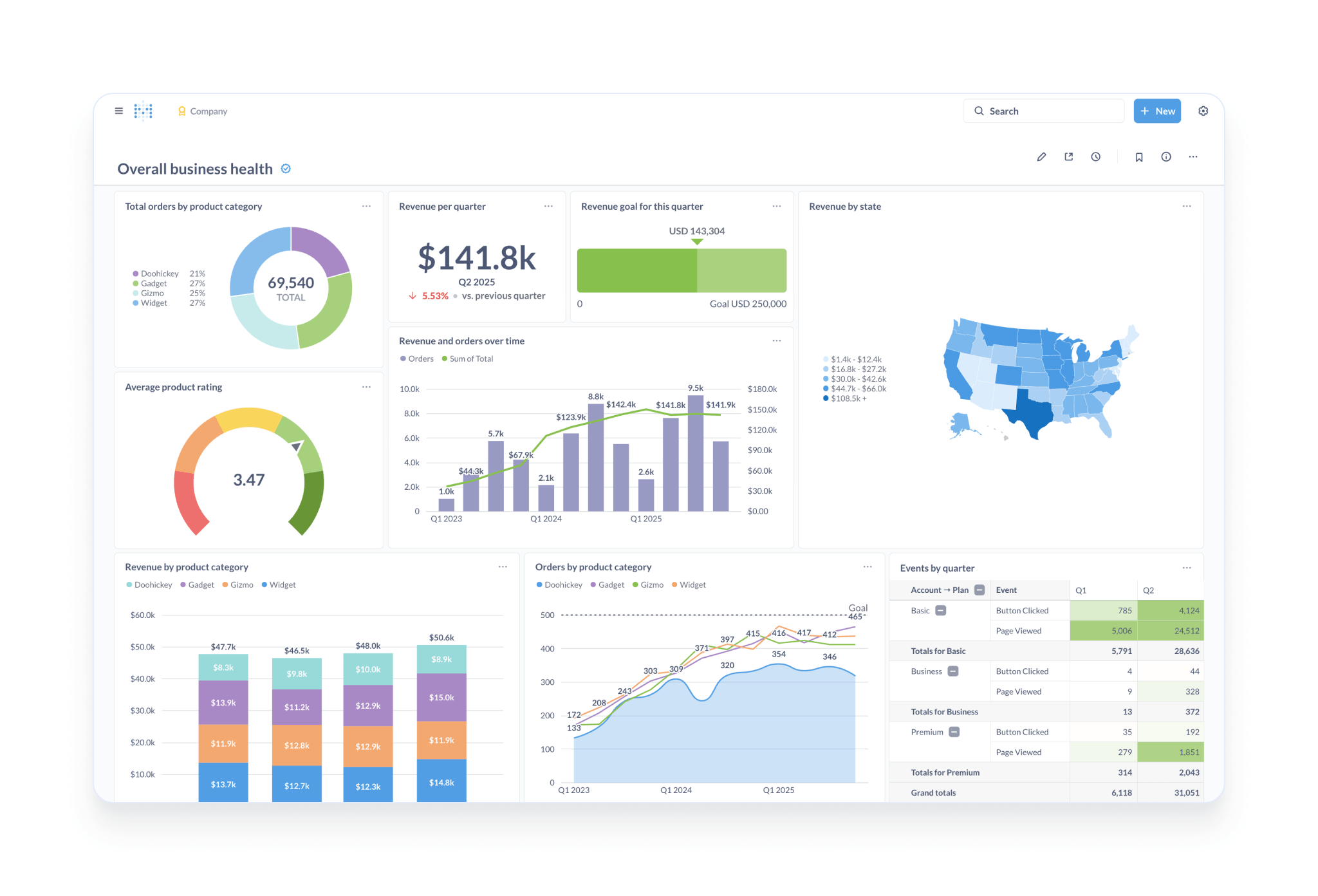
The easy-to-use open source Business Intelligence and Embedded Analytics tool that lets everyone work with data :bar_chart:
AI Dataset Generator – Create realistic datasets for demos, learning, and dashboards
A classy high-level Clojure library for defining application models and retrieving them from a DB

Reference applications for common web frameworks showing how to embed Metabase charts

It watches your code like a hawk! You like tests, right? Then run them with our state-of-the-art Clojure test runner.
This page is also available as structured data, with the same sources and dates.
/api/v1/resources/gh/metabase/metabase-cliTake My Repo has not tested this on your machine. Requirements come from the project's own documentation.
