mcp-foundry
A MCP Server for Azure AI Foundry: it's now moved to cloud, check the new Foundry MCP Server
- 261
- Python
- MIT
- 5 mo ago
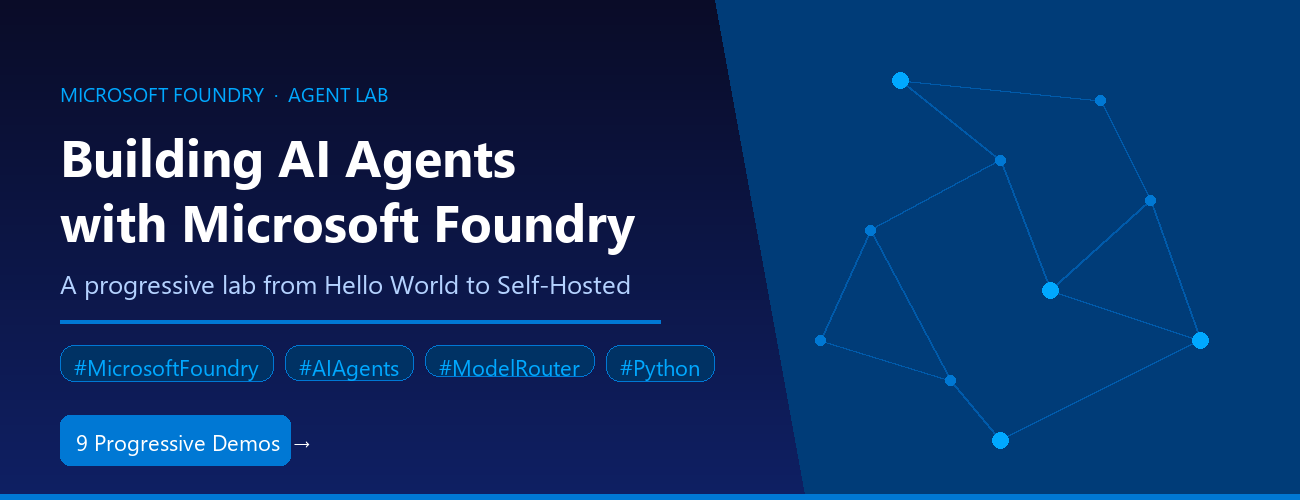
Ready-to-use structured and progressively complex agent demos with demo scripts and How-it works.
Repo microsoft-foundry/Foundry-Agent-Lab, read from GitHub 2 h ago. microsoft-foundry has not joined Take My Repo.
microsoft-foundry/Foundry-Agent-Lab is a public repo on GitHub by microsoft-foundry. Ready-to-use structured and progressively complex agent demos with demo scripts and How-it works. It declares the MIT license on GitHub. It is written mainly in Python, has 39 stars and last changed on 2026-05-21. Nobody has reviewed it on Take My Repo yet, which says nothing about its quality. Read from GitHub on 2026-11-23.
A progressive series of demos showing how to build AI agents with the Microsoft Foundry SDK. Each demo builds on the previous one, adding one new concept at a time.
| # | Folder | Description | Concept | Tool | UX | Default Model |
|---|---|---|---|---|---|---|
| 0 | hello-demo/ |
Simplest prompt agent — chat in the terminal | Agent creation, conversations, Responses API | None | Terminal | Model Router |
| 1 | tools-demo/ |
Function calling with a live weather API | Function tools, tool-calling loop, live API integration | FunctionTool | Terminal | Model Router |
| 2 | desktop-demo/ |
Same agent, desktop GUI window | Same agent with a different UI (CLI → desktop) | None | Desktop (Tkinter) | Model Router |
| 3 | websearch-demo/ |
Built-in web search with citations | Built-in tools (server-side), no client tool loop needed | WebSearchTool | Terminal | Model Router |
| 4 | code-demo/ |
Code interpreter with Gradio web UI | Code execution in sandbox, web UI with Gradio | CodeInterpreterTool | Web (Gradio) | Model Router |
| 5 | rag-demo/ |
File search grounded in your documents (RAG) | Document upload, vector stores, RAG grounding | FileSearchTool | Terminal | Model Router |
| 6 | mcp-demo/ |
External tools via Model Context Protocol | MCP servers, human-in-the-loop approval, open standard | MCPTool | Terminal | Model Router |
| 7 | toolbox-demo/ |
Centralized tool governance via Toolbox | Toolbox versioning, curated tool subsets, single MCP endpoint | Toolbox (GitHub Issues + Repos) | Terminal | Model Router |
| 8 | hosted-demo/ |
Self-hosted agent with Responses protocol | Custom agent server, streaming, deploy to Foundry container hosting | None (custom server) | Terminal + Agent Inspector | gpt-4.1-mini |
All agents in this repo use model-router as their model deployment. No model pinning, no per-agent model selection, no routing logic in your code:
MODEL_DEPLOYMENT=model-router
Model Router is a Microsoft Foundry capability that intelligently routes each request to the optimal model in real time — balancing quality, latency, and cost. A simple greeting might be handled by a lightweight model, while a complex tool-calling chain gets routed to a frontier model. You get the best of all available models without deploying or managing any of them individually.
Key benefits observed across these demos:
For a deep-dive analysis showing which models the router selected for each demo (and why), see MODEL-ROUTER.md.
.bat files at the root run everything end-to-end (venv activation, agent creation, chat).env file with sensible defaults; change one demo without affecting otherslog to any launch command to capture the full session (input + output) to chat-log.txt for slides and documentationreset.bat to delete agents and resources, so demos are repeatableDEMO-GUIDE.md covers recommended demo order, time-budget combos, recovery tips, and key messages to landDEMO-SCRIPT.md with step-by-step talking points and suggested prompts, so presenters can walk through each demo confidentlyrequirements.txt and one .venv at the root; no per-demo install stepsaz login for authentication)git clone https://github.com/microsoft-foundry/Foundry-Agent-Lab.git
cd Foundry-Agent-Lab
A virtual environment isolates this project's dependencies from your global Python installation.
Windows (Command Prompt or PowerShell):
python -m venv .venv
macOS / Linux:
python3 -m venv .venv
Tip: Verify your Python version first with
python --version. Python 3.10 or higher is required.
You must activate the venv before installing packages or running any demo.
| Shell | Command |
|---|---|
| Windows Command Prompt | .venv\Scripts\activate.bat |
| Windows PowerShell | .venv\Scripts\Activate.ps1 |
| macOS / Linux (bash/zsh) | source .venv/bin/activate |
Your prompt will show (.venv) when the environment is active.
PowerShell note: If you see an execution policy error, run
Set-ExecutionPolicy -Scope CurrentUser -ExecutionPolicy RemoteSignedonce, then retry.
pip install -r requirements.txt
All demos share this single install — no per-demo setup required.
In each demo folder you plan to run, copy .env.sample to .env and fill in
your Microsoft Foundry project endpoint:
copy hello-demo\.env.sample hello-demo\.env
Then edit .env with your values:
PROJECT_ENDPOINT=https://your-resource.ai.azure.com/api/projects/your-project
MODEL_DEPLOYMENT=model-router
Find your
PROJECT_ENDPOINTon the Overview page of your Foundry project in the Azure portal.
When you are done, deactivate with:
deactivate
az login                        (once per session)
0-hello-demo                    (run from repo root)
1-tools-demo
2-desktop-demo
...
Each numbered .bat file activates the venv and runs the demo end-to-end.
To capture the full console session to a text file (for slides/docs):
0-hello-demo log
This creates hello-demo\chat-log.txt with the complete session transcript
including your input and the agent's responses.
my-agent-demos/
├── requirements.txt          Python dependencies (shared)
├── DEMO-GUIDE.md             Presenter best practices & recommended flows
├── _tee.py                   Console logging utility
├── .gitignore
├── 0-hello-demo.bat          Root launchers (pass-through)
├── 1-tools-demo.bat
├── ...
├── hello-demo/               Demo 0: Basic prompt agent
│   ├── create_agent.py
│   ├── chat.py
│   ├── demo.bat
│   ├── reset.bat
│   ├── .env / .env.sample
│   ├── README.md
│   ├── HOW-IT-WORKS.md
│   └── DEMO-SCRIPT.md
├── tools-demo/               Demo 1: Function calling
├── desktop-demo/             Demo 2: Tkinter GUI
├── websearch-demo/           Demo 3: Built-in web search
├── code-demo/                Demo 4: Code interpreter + Gradio
├── rag-demo/                 Demo 5: File search / RAG
│   └── data/                 Sample documents
├── mcp-demo/                 Demo 6: MCP integration
├── toolbox-demo/             Demo 7: Centralized toolbox
└── hosted-demo/              Demo 8: Self-hosted agent (Responses protocol)
    ├── main.py
    ├── chat.py
    ├── demo.bat
    ├── agent.yaml
    ├── Dockerfile
    ├── .env
    ├── README.md
    ├── HOW-IT-WORKS.md
    └── DEMO-SCRIPT.md
Each demo has its own .env file with three variables:
| Variable | Purpose |
|---|---|
PROJECT_ENDPOINT |
Your Foundry project endpoint (required) |
AGENT_NAME |
Name registered in Foundry (has a sensible default) |
MODEL_DEPLOYMENT |
Model to use (default: model-router) |
Each demo folder includes a reset.bat that deletes the agent (and any
associated resources like vector stores). Use it if a demo crashes mid-run
or you want a clean slate:
hello-demo\reset.bat
tools-demo\reset.bat
All demos share one requirements.txt:
azure-ai-projects — Agent creation and managementazure-identity — Azure authenticationpython-dotenv — Environment variable loadingrequests — HTTP calls (weather API in Demo 1)gradio — Web UI (Demo 4 only)azure-ai-agentserver-responses — Hosted agent server (Demo 8 only)Contributions are welcome! Please read CONTRIBUTING.md for guidelines on how to submit pull requests, report issues, and follow the Microsoft Open Source Code of Conduct.
This repo uses DefaultAzureCredential — no API keys in code. Never commit .env files.
To report a security vulnerability, see SECURITY.md.
This project is licensed under the MIT License.
Copyright (c) 2026 Microsoft Corporation.
microsoft-foundry/Foundry-Agent-Lab is a public repo on GitHub by microsoft-foundry. Ready-to-use structured and progressively complex agent demos with demo scripts and How-it works.
It declares the MIT license on GitHub.
Its maker has not tagged a system, so it is unknown here. Its README says what it needs.
Open "Take it" on its page: Take My Repo writes an install plan for your machine and hands it to your AI agent (Claude Code, Codex or Cursor), which asks you before each step. Take My Repo has not tested it on any machine.
Its last change on GitHub was on 2026-05-21. Take My Repo does not judge from that whether it is maintained.
Nobody has reviewed it on Take My Repo yet, which says nothing about its quality.
A MCP Server for Azure AI Foundry: it's now moved to cloud, check the new Foundry MCP Server
GitHub Copilot enabled repo for building and deploying a web application with Entra ID authentication and integrated with Azure AI Foundry Agents.
Microsoft Foundry Local - Workshop - Build AI apps locally with Foundry Local - RAG, agents, and multi-agent workflows in Python, JS, and C#. No cloud required.
This repo includes a collection of tutorials to help you get started with building Generative AI applications using Azure AI Foundry. Each tutorial is designed to be self-contained and provides step-by-step instructions to guide you in the development process.
Hands-on workshop to build, test, and deploy single-agent and multi-agent Hosted Agents to Microsoft Foundry from VS Code using Foundry Toolkit and Agent Framework (Python)