

ECC
The agent harness performance optimization system. Skills, instincts, memory, security, and research-first development for Claude Code, Codex, Opencode, Cursor and beyond.
- 309k
- JavaScript
- MIT
- 3 d ago
AI-designed social preview images for GitHub repos. Paste a link, get four unique 1280x640 cards. Web app, bulk export, API, MCP server for AI agents, CLI and GitHub Action on Cloudflare Workers.
Repo nirholas/RepoCard, read from GitHub 2 d ago. nirholas has not joined Take My Repo.
nirholas/RepoCard is a public repo on GitHub by nirholas. AI-designed social preview images for GitHub repos. Paste a link, get four unique 1280x640 cards. Web app, bulk export, API, MCP server for AI agents, CLI and GitHub Action on Cloudflare Workers. It declares the MIT license on GitHub. It is written mainly in TypeScript, has 1 stars and last changed on 2026-11-20. Nobody has reviewed it on Take My Repo yet, which says nothing about its quality. Read from GitHub on 2026-11-21.
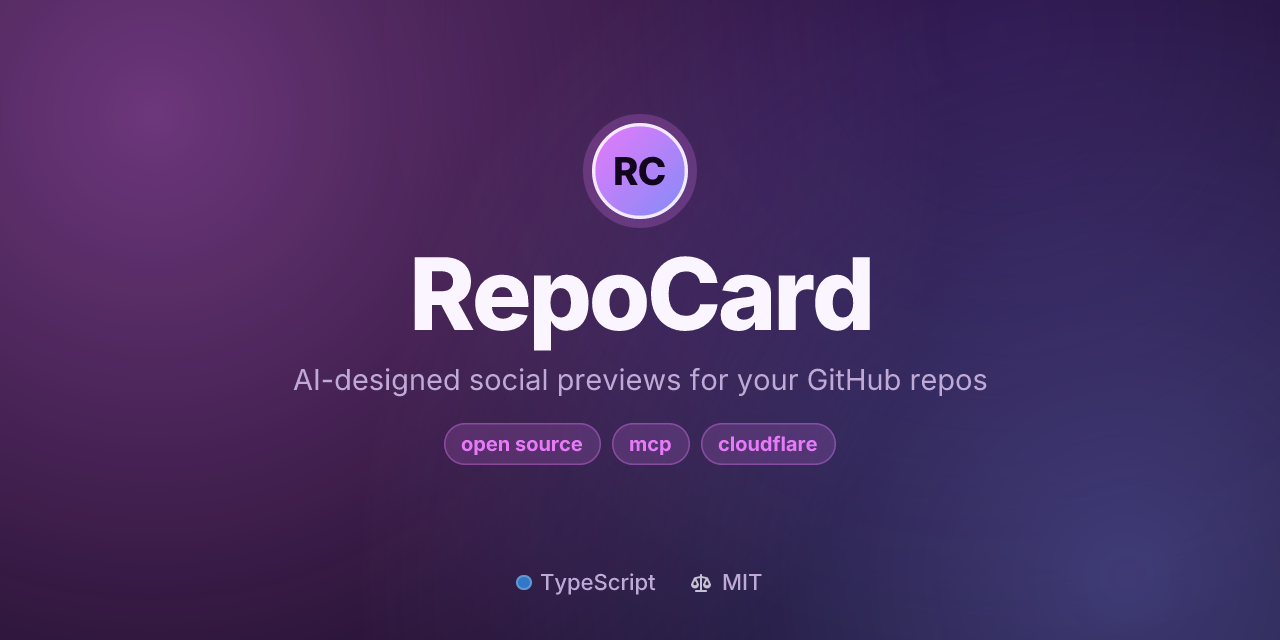
AI-designed social preview images for your GitHub repos.
Paste a link. RepoCard reads your README, designs four original cards, and renders crisp 1280×640 PNGs.
Website · Bulk export · Docs · MCP server · CLI
If RepoCard gives your repo a better first impression, please ⭐ star it. It helps other developers find it.
The social preview is the image people see when your repository link is shared on X, LinkedIn, Slack, Discord or iMessage. Most repos show GitHub's generic card, and template generators put every project on the same layout. RepoCard designs a card that fits your project instead.
llms.txt, so AI agents can design and explain setup for you.| GitHub default | Template generators | RepoCard | |
|---|---|---|---|
| Design fits the project | No | Same layout for every repo | Yes, art-directed from your README |
| Choices per repo | 1 | 1 template | 4 concepts + fine-tuning |
| Tagline | Raw description | Raw description | Written for the card |
| Contrast and legibility checks | n/a | No | WCAG-checked palettes |
| Whole account at once | No | No | Bulk export, CLI upload, Action |
| AI agents | No | No | MCP server, OpenAPI, llms.txt |
| Self-hostable | No | Varies | Yes, one Cloudflare Worker (MIT) |
Use cases: launching a project on Hacker News, X or Product Hunt; giving an organization's repos a consistent look; README header banners; letting your coding agent ship a preview with every new repo.
On the web: open repocard.xyz, paste a repository link, pick a concept, and click Download PNG.
As a URL (embed anywhere):
https://repocard.xyz/card/OWNER/REPO.png
https://repocard.xyz/card/OWNER/REPO.png?variant=2&palette=paper
From the terminal:
npx repocard card vercel/next.js          # one card
npx repocard bulk your-username           # every public repo of an account
npx repocard apply your-username --yes    # upload them all (see below)
GitHub has no public API for the social preview: it can be read (openGraphImageUrl in GraphQL) but not set. That's why RepoCard offers three ways to cover many repositories:
| What it does | |
|---|---|
| Bulk export | Cards for every public repo of a user or org, one-click settings links, ZIP download with an index of links. |
repocard apply |
Uploads each card through your own logged-in browser (Playwright). Dry run by default, keeps existing custom previews unless --overwrite, and verifies each upload through the API. |
| GitHub Action | Regenerates .github/social-preview.png on a schedule and can keep it as a README banner. |
npm install -g playwright && npx playwright install chromium   # once

npx repocard apply your-username          # dry run: renders cards, shows the plan
npx repocard apply your-username --yes    # opens a browser; sign in; it uploads each card
You sign in to GitHub yourself in the browser window, and RepoCard never sees your password or cookies. With a token (GITHUB_TOKEN, GH_TOKEN or gh auth login), it skips repos where you aren't an admin and confirms each upload took effect. It drives GitHub's web UI, so a settings-page redesign can break it; failures print the settings link and PNG path so you can finish by hand.
# .github/workflows/social-preview.yml
name: Social preview
on:
  workflow_dispatch:
  schedule:
    - cron: '0 6 * * 1'
permissions:
  contents: write
jobs:
  card:
    runs-on: ubuntu-latest
    steps:
      - uses: actions/checkout@v4
      - uses: nirholas/RepoCard@v1
        with:
          readme-banner: true
Inputs: variant, layout, palette, font, path (default .github/social-preview.png), readme-banner, readme-path, commit, commit-message, endpoint. See action.yml.
RepoCard is an MCP server (Streamable HTTP, no auth):
claude mcp add --transport http repocard https://repocard.xyz/mcp
// Cursor (.cursor/mcp.json)
{ "mcpServers": { "repocard": { "url": "https://repocard.xyz/mcp" } } }
// VS Code (.vscode/mcp.json)
{ "servers": { "repocard": { "type": "http", "url": "https://repocard.xyz/mcp" } } }
| Tool | Purpose |
|---|---|
create_social_preview |
Design and render a card. Returns the PNG inline, a stable URL, the design and setup steps. |
get_design_concepts |
The four concepts with rationale and URLs (refresh for new ones). |
list_account_cards |
Card and settings URLs for every public repo of an account. |
how_to_set_social_preview |
Step-by-step instructions and automation options. |
get_design_options |
The full design vocabulary. |
Plain HTTP agents can use /llms.txt and /openapi.json.
| Endpoint | Returns |
|---|---|
GET /card/{owner}/{repo}.png |
PNG. Errors return a PNG explaining the problem, with the matching status. |
GET /card/{owner}/{repo}.svg |
SVG. |
GET /api/v1/cards/{owner}/{repo} |
Four concepts with specs, PNG/SVG URLs, Markdown, HTML and setup steps. |
POST /api/v1/cards |
Same, from {"repo": "<any GitHub URL>", "refresh": true}. |
GET /api/v1/users/{owner}/repos |
Public repos with card and settings URLs (?forks=1&archived=1&limit=300). |
GET /api/v1/options |
All layouts, palettes, fonts, backgrounds and parameters. |
POST /mcp |
MCP endpoint. |
Card parameters: variant (1-4), layout, palette, font, background, mark, emoji, accent, title, tagline, chips, stats=0, owner=0, mode=fast. Full reference in the docs.
flowchart LR
  A[Repository link] --> B[GitHub API<br/>metadata · README · languages]
  B --> C{Stored design?}
  C -- yes --> E
  C -- no --> D[LLM art director<br/>4 concepts from a closed vocabulary]
  D -->|invalid, slow or unavailable| F[Deterministic fallback]
  D --> V[Validate · clamp text · enforce contrast]
  F --> V
  V --> K[(KV)] --> E[Satori layout → native SVG backgrounds → resvg PNG]
  E --> G[Edge cache → 1280×640 PNG]
git clone https://github.com/nirholas/RepoCard && cd RepoCard
npm install
npx wrangler login
npx wrangler secret put GITHUB_TOKEN    # fine-grained, public repositories, read-only
npm run deploy                          # KV and rate limiters are provisioned on first deploy
Before deploying your own copy, edit wrangler.jsonc: replace the repocard.xyz entries in routes with your domain (or remove routes and set "workers_dev": true), and set PUBLIC_URL to match.
Plan requirement: new renders need more than the Free plan's 10 ms of CPU per request, so use the Workers Paid plan. Use a custom domain in production: the Workers Cache API, which caches rendered images at the edge, isn't available on
*.workers.dev.
| Setting | Kind | Purpose |
|---|---|---|
AI |
binding | Workers AI. Remove for deterministic designs only. |
DESIGNS |
KV binding | Stores designs so each repo keeps a stable look. |
RENDER_LIMITER, AI_LIMITER |
rate limit bindings | Per-IP limits for new renders (60/min) and AI generations (10/min). |
GITHUB_TOKEN |
secret | 5,000 instead of 60 GitHub API requests/hour. Strongly recommended. |
AI_PROVIDER |
var | workers-ai (default), openai-compatible, or none. |
AI_MODEL |
var | Default @cf/meta/llama-3.3-70b-instruct-fp8-fast. |
LLM_BASE_URL, LLM_MODEL, LLM_API_KEY |
var / secret | Any OpenAI-compatible endpoint (Groq, OpenRouter, Gemini, Together, Ollama). |
PUBLIC_URL |
var | Canonical origin for returned URLs. |
npm install
npm run dev                                   # local Worker at http://localhost:8787
npm test                                      # unit, API, MCP and real rendering tests
npm run typecheck
npm run preview -- vercel/next.js             # render cards to ./preview with Node
npm run preview -- --matrix nirholas/three.ws # every layout × sample palettes
src/
  design/     vocabulary, palettes, contrast, AI designer, deterministic fallback
  render/     Satori layouts, native SVG backgrounds, fonts, render engine
  lib/        repo link parsing, GitHub client, HTTP helpers
  app.ts      routes · service.ts caching and designs · mcp.ts MCP server
public/       website (generator, bulk export, docs)
packages/cli/ the `repocard` npm package
action.yml    the GitHub Action
test/         Vitest suites
See CONTRIBUTING.md, CODE_OF_CONDUCT.md and SUPPORT.md. Report vulnerabilities privately per SECURITY.md. Coding agents: start with AGENTS.md and llms.txt.
Does it work with private repos? No. It reads public data through the GitHub API and never asks for account access.
Which model designs the cards? An open model on Cloudflare Workers AI by default; any OpenAI-compatible endpoint when self-hosting. If the model fails, RepoCard falls back to deterministic designs, so you always get a card.
Why does X/LinkedIn still show the old image? Platforms cache link previews for days. Most have a tool to refresh a URL.
If RepoCard helped, a ⭐ on GitHub means a lot. Share it: X · LinkedIn · Reddit · Hacker News
MIT. Fonts are bundled under the SIL Open Font License (notices); emoji are Twemoji (CC-BY 4.0). RepoCard is not affiliated with GitHub.
nirholas/RepoCard is a public repo on GitHub by nirholas. AI-designed social preview images for GitHub repos. Paste a link, get four unique 1280x640 cards. Web app, bulk export, API, MCP server for AI agents, CLI and GitHub Action on Cloudflare Workers.
It declares the MIT license on GitHub.
Its maker has not tagged a system, so it is unknown here. Its README says what it needs.
Open "Take it" on its page: Take My Repo writes an install plan for your machine and hands it to your AI agent (Claude Code, Codex or Cursor), which asks you before each step. Take My Repo has not tested it on any machine.
Its last change on GitHub was on 2026-11-20. Take My Repo does not judge from that whether it is maintained.
Nobody has reviewed it on Take My Repo yet, which says nothing about its quality.
The agent harness performance optimization system. Skills, instincts, memory, security, and research-first development for Claude Code, Codex, Opencode, Cursor and beyond.
Reverse engineer anything with agents, from app behavior down to native binaries.
Fair-code workflow automation platform with native AI capabilities. Combine visual building with custom code, self-host or cloud, 400+ integrations.
Memory and context engine + app that is extremely fast, scalable, and can be run fully locally. The Memory API for the AI era.
Record of the former nirholas/claude-code mirror: the DMCA, the leak timeline and the x402 correction. No Anthropic code
X/Twitter automation toolkit: scrapers, CLI and an MCP server with approval-gated write actions, no paid API.
Free crypto news API aggregating 300+ sources with REST, RSS, search, sentiment and an MCP server.
Give your AI agent a 3D body: rigged GLB avatars from text or a photo, an LLM brain, a Solana wallet, a one-tag embed.
TypeScript SDK, pump CLI and MCP server for the Pump protocol on Solana: bonding curves, AMM pools and creator fees.
Bootable Debian 12 live USB that runs Ollama locally for a private, offline AI desktop on x86_64 and ARM64.


