
SidebarPresentation
The maintainer has not written a description at the source.
- 22
- MIT
- 4 wk ago
Repo noppefoxwolf/SidebarPresentation, read from GitHub 23 h ago. noppefoxwolf has not joined Take My Repo.
In short
noppefoxwolf/SidebarPresentation is a public repo on GitHub by noppefoxwolf. It declares the MIT license on GitHub. It is written mainly in Swift, has 22 stars and last changed on 2026-10-29. Nobody has reviewed it on Take My Repo yet, which says nothing about its quality. Read from GitHub on 2026-11-23.
SidebarPresentation
SidebarPresentation is a UIKit library for building interactive sidebars on iOS.
Supports iOS 18 and later.
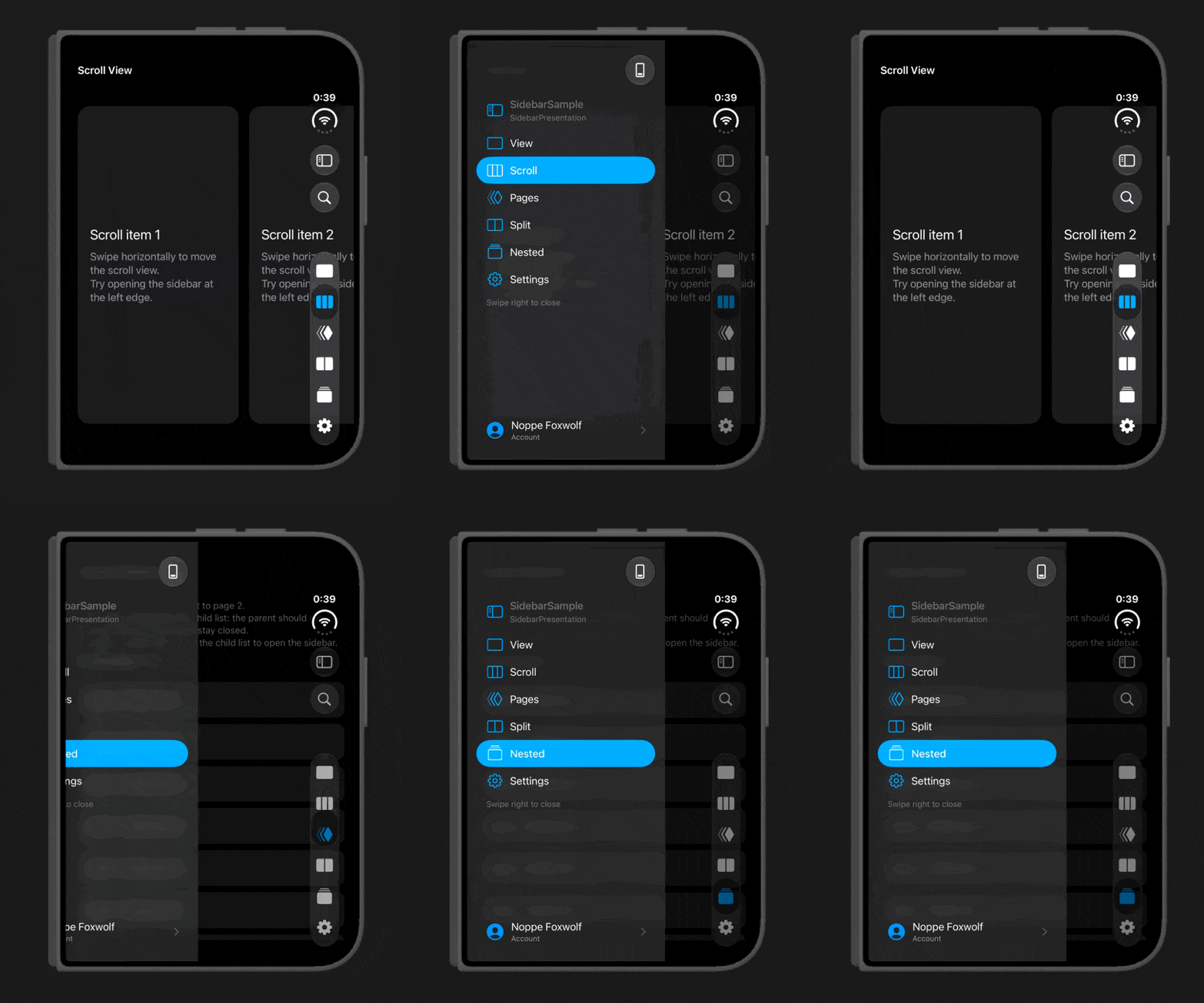
Products
The package provides two layers:
| Product | Use it when |
|---|---|
AlternativeSidebar |
You want a ready-to-use sidebar for a UITabBarController with native-sidebar fallback support. |
SidebarPresentation |
You want to provide your own sidebar view controller, presentation style, width, or transition behavior. |
AlternativeSidebar uses SidebarPresentation internally.
Installation
Add the package to your Swift package dependencies:
dependencies: [
    .package(
        url: "https://github.com/noppefoxwolf/SidebarPresentation",
        from: "0.5.0"
    )
]
Then choose the product that matches your needs:
.target(
    name: "YourApp",
    dependencies: [
        .product(
            name: "AlternativeSidebar",
            package: "SidebarPresentation"
        )
    ]
)
Use .product(name: "SidebarPresentation", package: "SidebarPresentation") instead when building a custom presentation.
Ready-to-use sidebar
Wrap your tab bar controller in AlternativeSidebarController. The container
owns the tab bar controller as a child and hosts the embedded sidebar presentation above it:
import AlternativeSidebar
import UIKit

@MainActor
final class TabBarController: UITabBarController {
    func configureSidebars() {
        let header = UIListContentConfiguration.header()
        let footer = UIListContentConfiguration.footer()

        // Configure the native sidebar on the tab bar controller.
        sidebar.headerContentConfiguration = header
        sidebar.footerContentConfiguration = footer
        sidebar.bottomBarView = makeSidebarBottomView()
    }
}

@MainActor
func makeRootViewController() -> UIViewController {
    let tabs = TabBarController()
    let container = AlternativeSidebarController(tabBarController: tabs)

    container.alternativeSidebar.headerContentConfiguration = UIListContentConfiguration.header()
    container.alternativeSidebar.footerContentConfiguration = UIListContentConfiguration.footer()
    container.alternativeSidebar.bottomBarView = makeSidebarBottomView()
    return container
}

func makeSidebarBottomView() -> UIView {
    UIView()
}
preferredSidebar presents the native sidebar when it is available on iOS 27 and later. Otherwise, it presents the container's alternativeSidebar. On iOS 26 and earlier, the alternative interaction is enabled only in a compact horizontal size class.
container.alternativeSidebar is the configuration object for the fallback sidebar. The container installs the underlying interaction automatically, manages tab selection, and dismisses the sidebar after a tab is selected.
Inside the embedded tab bar controller, use tabBarController.alternativeSidebar to access the same configuration object. It is nil unless the tab bar controller is hosted by AlternativeSidebarController.
Use container.alternativeSidebar.isEnabled to disable the fallback interaction and
container.alternativeSidebar.isHidden to control it directly. Use
container.preferredSidebar.isHidden when you want the native sidebar on iOS 27 and later and the
alternative sidebar on earlier systems.
Custom presentation
Use the SidebarPresentation product when you need full control over the sidebar view controller and presentation behavior:
import SidebarPresentation
import UIKit

@MainActor
final class ViewController: UIViewController, SidebarInteractionDelegate {
    private lazy var sidebarInteraction = SidebarInteraction(
        delegate: self,
        presentation: .modal
    )

    override func viewDidLoad() {
        super.viewDidLoad()
        view.addInteraction(sidebarInteraction)
    }

    func presentSidebar() {
        sidebarInteraction.present()
    }

    func viewController(for interaction: SidebarInteraction) -> UIViewController {
        self
    }

    func sidebarInteraction(
        _ interaction: SidebarInteraction,
        widthForSidebar sidebarViewController: UIViewController
    ) -> CGFloat {
        SidebarTransitionController.defaultSidebarWidth
    }

    func sidebarInteraction(
        _ interaction: SidebarInteraction,
        presentingViewControllerFor viewController: UIViewController
    ) -> UIViewController? {
        CustomSidebarViewController()
    }
}
Choose .embedded instead of .modal when the sidebar should be embedded in the presenting view controller:
let interaction = SidebarInteraction(
    delegate: self,
    presentation: .embedded
)
view.addInteraction(interaction)
presentation accepts any SidebarInteractionPresentation implementation, so you can provide a custom presentation strategy with the same initializer.
For lower-level transition control, use SidebarTransitionController directly as a view controller transitioning delegate.
Build and test
This repository is an iOS Swift package. Use xcodebuild with an iOS Simulator destination.
List available simulator destinations:
xcodebuild -scheme SidebarPresentation -sdk iphonesimulator -showdestinations
Build the package:
xcodebuild \
    -scheme SidebarPresentation \
    -destination 'generic/platform=iOS Simulator' \
    build
Run tests on a specific simulator:
xcodebuild \
    -scheme SidebarPresentation \
    -destination 'platform=iOS Simulator,name=iPhone 17 Pro,OS=26.5' \
    test
Build the Example app:
cd Example.swiftpm
xcodebuild \
    -scheme Playground \
    -destination 'generic/platform=iOS Simulator' \
    build
Contributing
Bug reports and pull requests are welcome.
Apps using SidebarPresentation

License
This project is licensed under the terms of the MIT license. See the LICENSE file for details.
Questions
What is SidebarPresentation?
noppefoxwolf/SidebarPresentation is a public repo on GitHub by noppefoxwolf. Its maker has not written a description.
Is SidebarPresentation open source?
It declares the MIT license on GitHub.
Does SidebarPresentation run on macOS, Windows or Linux?
Its maker has not tagged a system, so it is unknown here. Its README says what it needs.
How do I install SidebarPresentation?
Open "Take it" on its page: Take My Repo writes an install plan for your machine and hands it to your AI agent (Claude Code, Codex or Cursor), which asks you before each step. Take My Repo has not tested it on any machine.