

AutoGPT
AutoGPT is the vision of accessible AI for everyone, to use and to build on. Our mission is to provide the tools, so that you can focus on what matters.
- 188k
- Python
- 12 min ago
The fast, zero-runtime TUI that discovers every MCP client on your machine and syncs them all. 26 client adapters, 110 audited servers, one native Rust binary.
Repo nordicnode/mcpforge, read from GitHub 19 h ago. nordicnode has not joined Take My Repo.
nordicnode/mcpforge is a public repo on GitHub by nordicnode. The fast, zero-runtime TUI that discovers every MCP client on your machine and syncs them all. 26 client adapters, 110 audited servers, one native Rust binary. It declares no license on GitHub. Public does not mean open source: without a license, nobody is granted the right to reuse it. It is written mainly in Rust, has 2 stars and last changed on 2026-09-05. Nobody has reviewed it on Take My Repo yet, which says nothing about its quality. Read from GitHub on 2026-11-24.
AutoGPT is the vision of accessible AI for everyone, to use and to build on. Our mission is to provide the tools, so that you can focus on what matters.
The TUI that discovers every MCP client on your machine and syncs them all.
One native binary. 27 client adapters. 110 audited servers. Zero config fragmentation.
Overview • Why MCPForge? • Screenshots • Supported Clients • Installation • Usage • Architecture • License
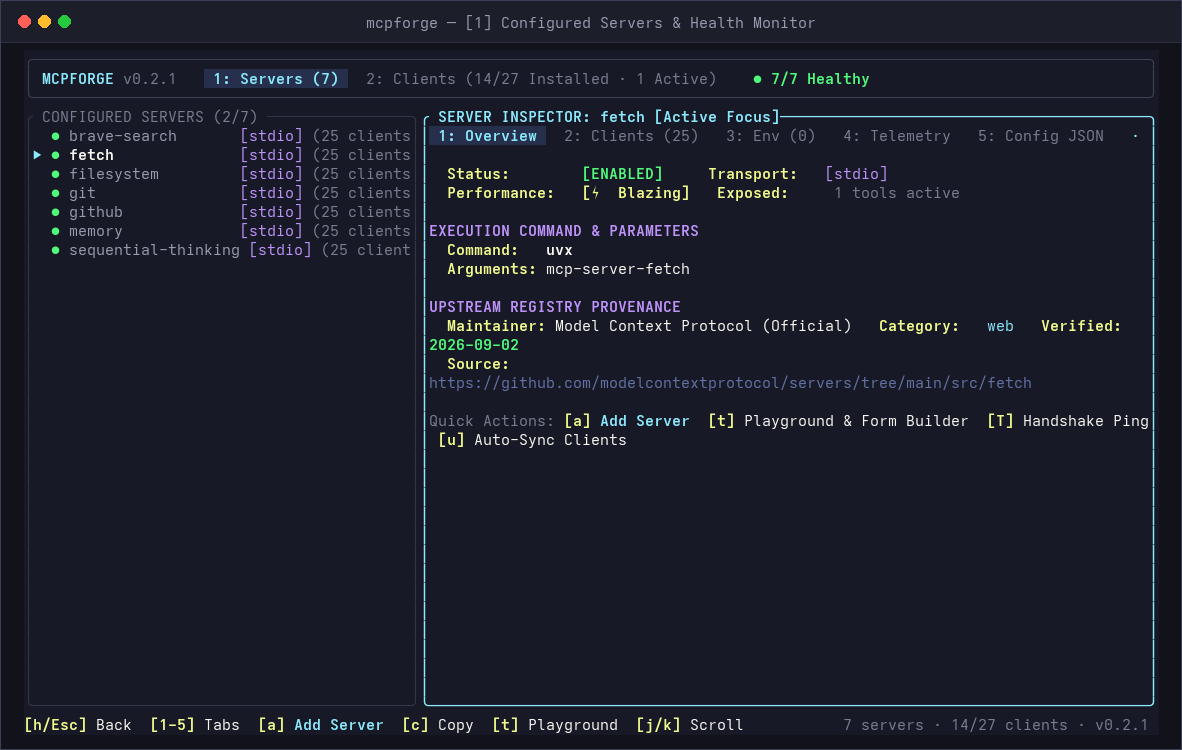
As the Model Context Protocol ecosystem has grown, every AI client, autonomous agent harness, and code editor has introduced its own configuration format and path. Your tools end up fragmented across:
~/.agents/mcp.json (Freebuff Desktop & CLI)~/.claude.json (Claude Code)~/.deepseek/config.json (DeepSeek Harness)~/.config/goose/config.yaml (Goose - YAML)~/.hermes/config.yaml (Hermes Agent - YAML)~/.codex/config.toml (Codex - TOML)~/.grok/config.toml (Grok Build - TOML)~/.config/opencode/opencode.jsonc (OpenCode - JSONC)~/.pi/agent/mcp.json (Pi Coding Agent)MCPForge eliminates this fragmentation. Built in Rust with a fast, zero-flicker Ratatui terminal UI, MCPForge gives you an interactive command center to inspect live client processes, provision audited MCP servers, verify schema drift, and sync configurations across all 27 clients simultaneously.
| Capability | MCPForge | mcpm (mcpm.sh) | mcpman | Microsoft APM | mcps |
|---|---|---|---|---|---|
| Interface | Interactive TUI + Scriptable CLI | Pure CLI | Pure CLI | Pure CLI | Pure CLI |
| Runtime | Single native binary (Rust, zero Node.js) | Node.js / npm | Node.js / npm | Python 3 | Node.js / npm |
| Supported Clients | 27 Clients (JSON, JSONC, YAML, TOML) | 2 Clients | 3 Clients | 1 Client | 2 Clients |
| Client Process Discovery | Live OS process watcher + scanner | None (manual) | None | None | None |
| Format Preservation | Non-destructive AST round-tripping | Clobbers root keys | Overwrites config | Specific format only | Drops unmanaged keys |
| Comment Resilience | Zero-loss JSONC comment tolerance | Crashes / strips | Strips comments | N/A | Strips comments |
| Diff Preview | Unified color diff before disk write | None | None | None | None |
| Configuration Rollback | Instant 1-command snapshot restore | None | None | None | None |
| Targeted Testing | Live handshake sandbox (mcpforge test) |
None | None | None | None |
| Schema Drift Audit | mcpforge verify built-in |
None | None | None | None |
| Catalog Provenance | 110 audited servers with upstream audit dates | Unverified list | Unverified list | Microsoft-only subset | Unverified registry |
| Self-Healing Doctor | Sub-millisecond ping + safe auto-fix | None | Basic ping | None | None |
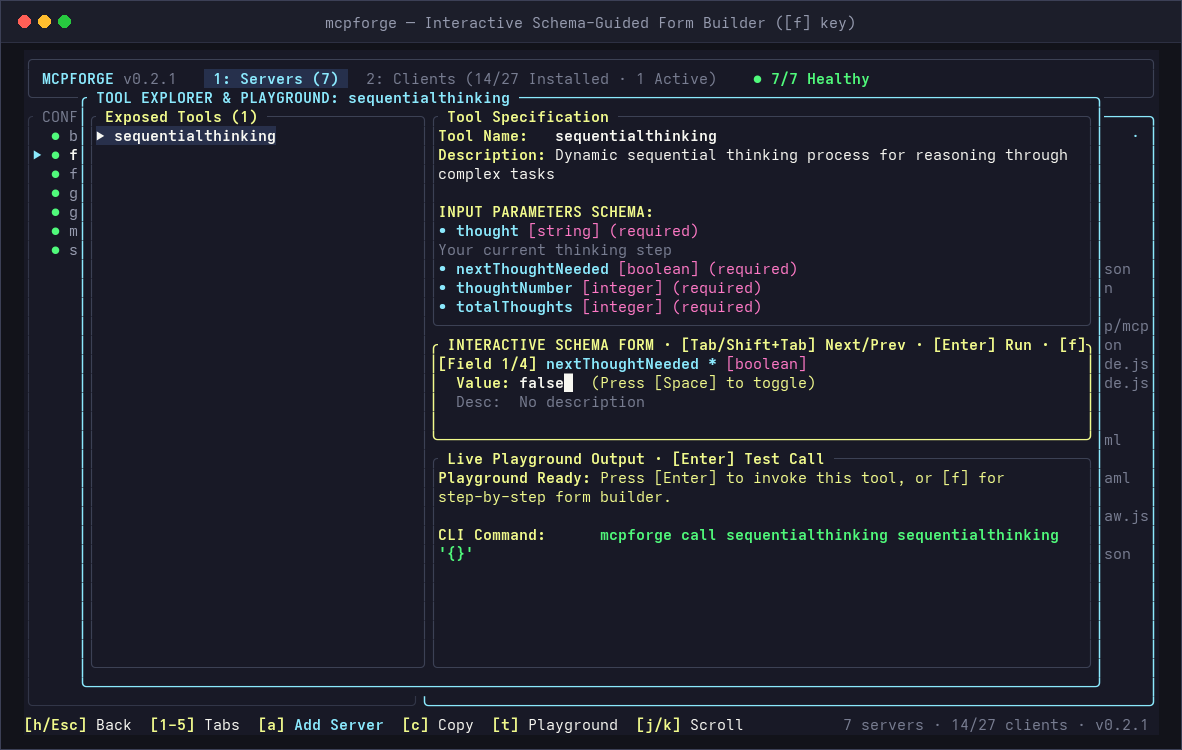
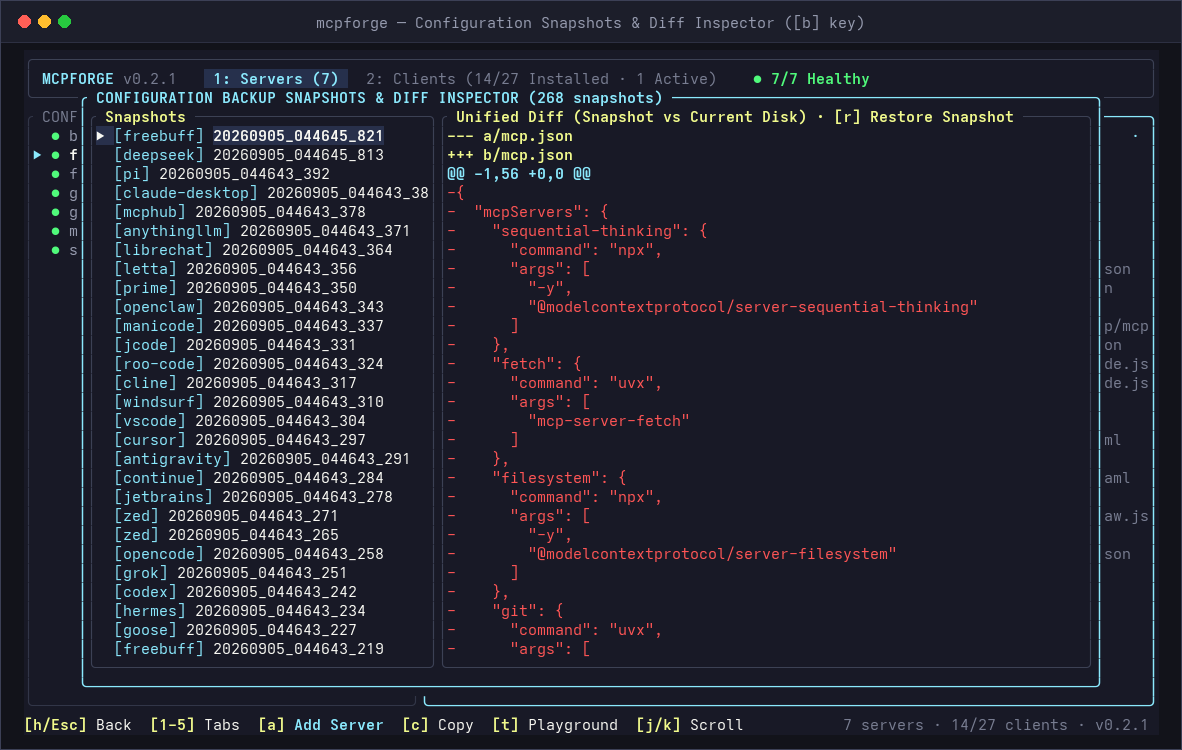
[f] key): Synthesizes input form fields directly from tool JSON schemas with boolean toggles and type validation.[v] / [c]): Fullscreen scrollable pager with line numbering and native OSC 52 clipboard export.[b] key): Browse automatic backup snapshots, view colorized unified diffs against current disk files, and restore in 1 click ([r]).mcpforge verify) detects syntax corruption, missing properties, or format shifts across all 27 clients in local environments and CI pipelines.// or /* */ comments and trailing commas without configuration loss.mcpforge rollback [--client <id>] or inspect differences with mcpforge backup diff.mcpforge test): Interactively test single servers or raw executable commands with live JSON-RPC handshakes, tool counts, and latency measurements without altering configurations.Enter or l on any server to focus the inspector pane with sub-tabs for Overview, Client Associations, Environment Variables, Telemetry, and syntax-highlighted JSON snippets with 1-click clipboard export (c).Navigate configured servers with instant search filtering (/), two-pane focus navigation (Enter / Esc), and live sub-millisecond runtime health telemetry.
Drill into server configurations without vertical clutter. Seamlessly cycle across Overview, Clients, Environment Variables, Telemetry, and Canonical JSON with number keys 1–5, [ / ], or Tab, with independent j/k scrolling.
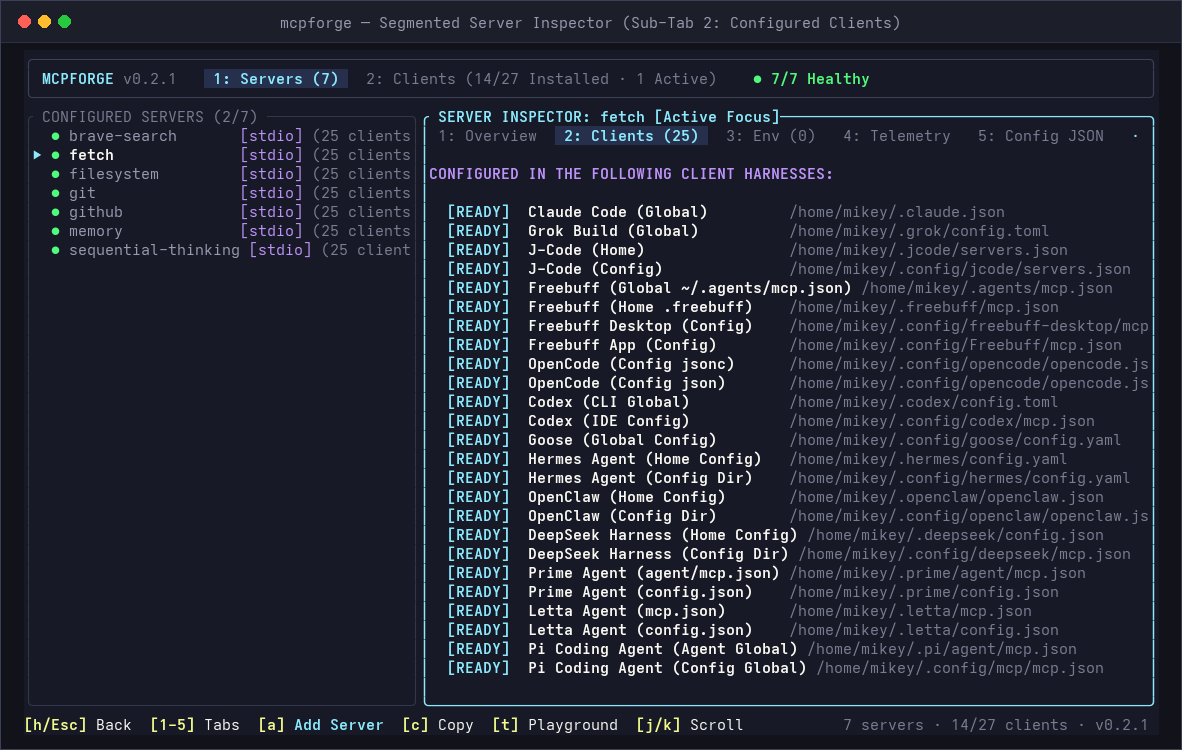
View all 27 supported AI harnesses, categorized by lifecycle state (ACTIVE, RUNNING, READY, AVAILABLE), with binary detection, disk paths, and configured servers.
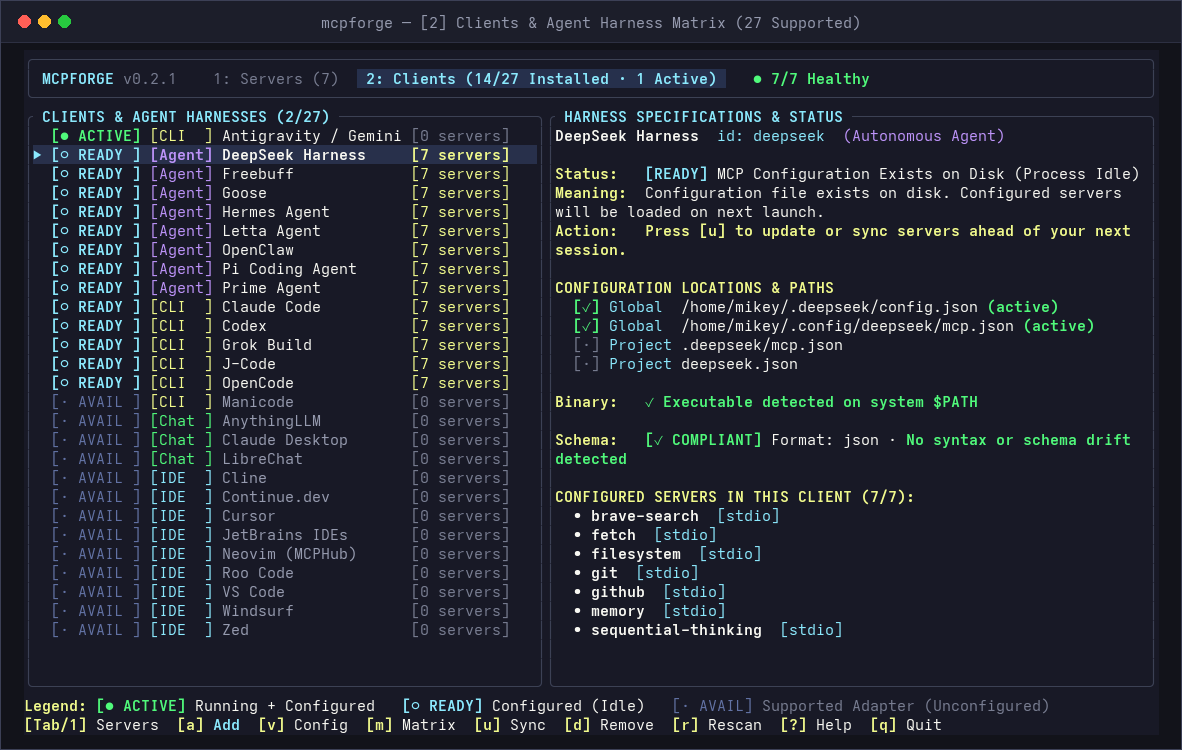
Filter pre-tested MCP servers by category (Agents, Dev Tools, Data & DBs, Web, Git, Cloud, Productivity) with real-time environment variable validation.
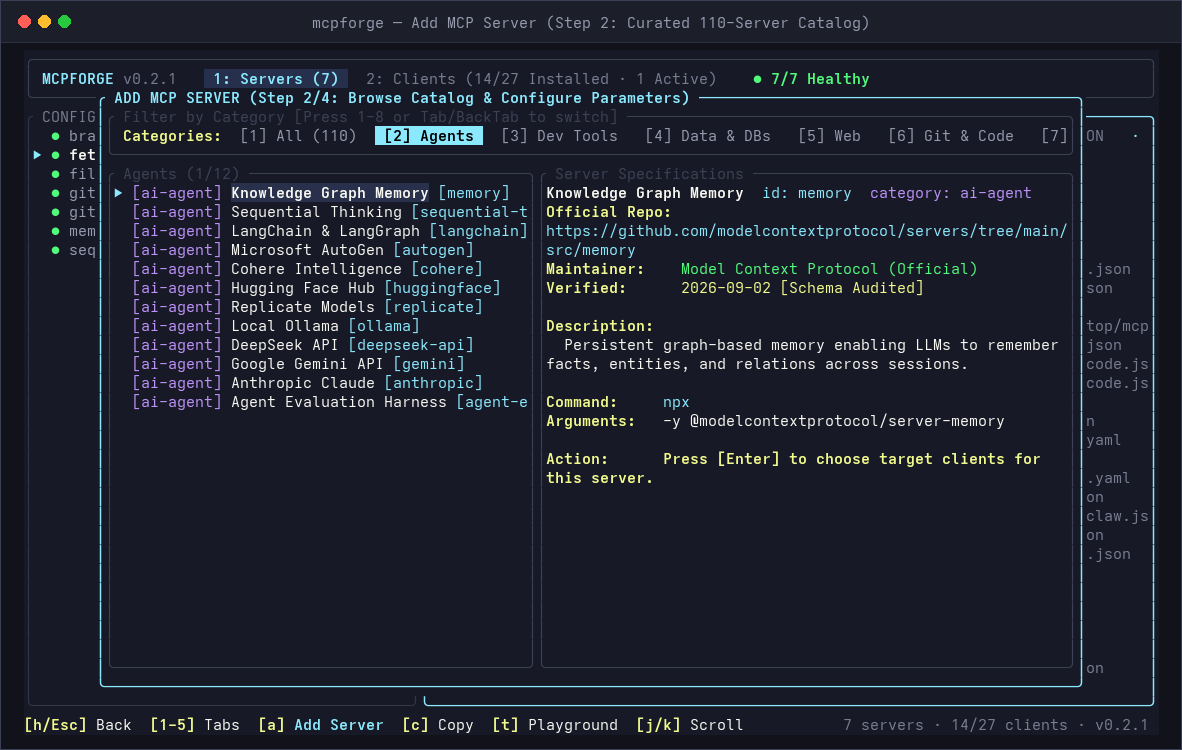
Preview the exact unified diff generated for each client adapter before applying, guaranteeing zero accidental deletions or syntax corruption.
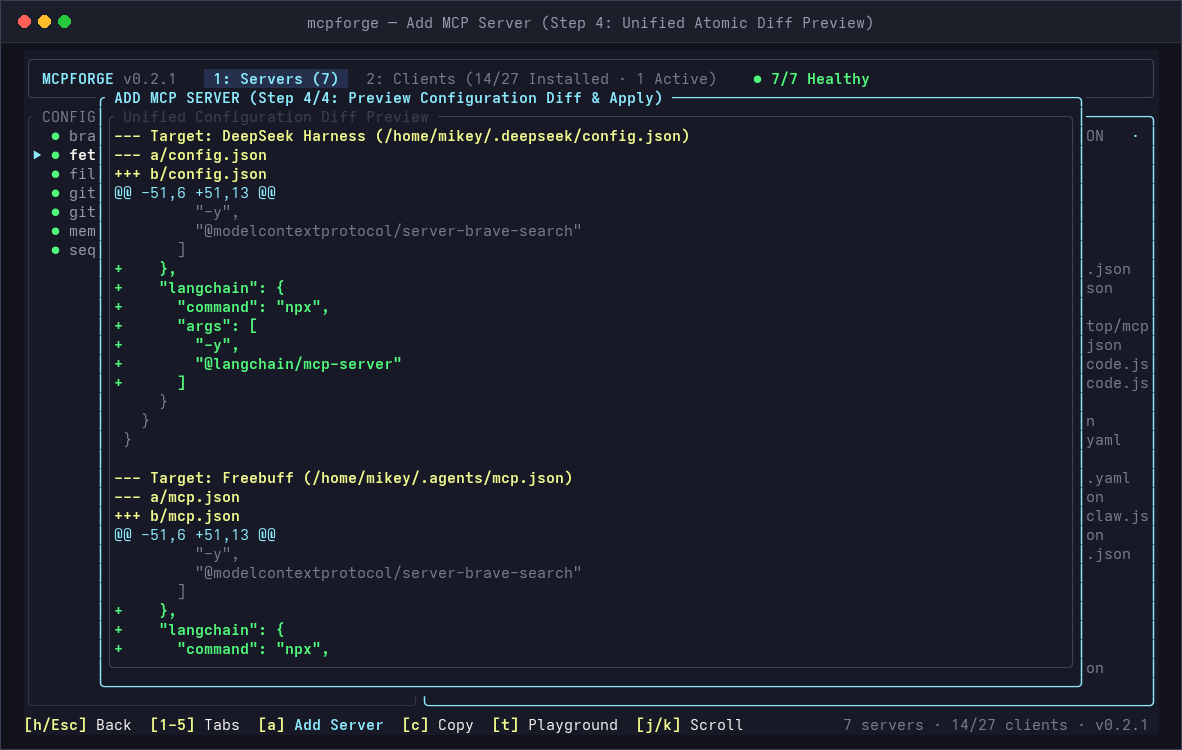
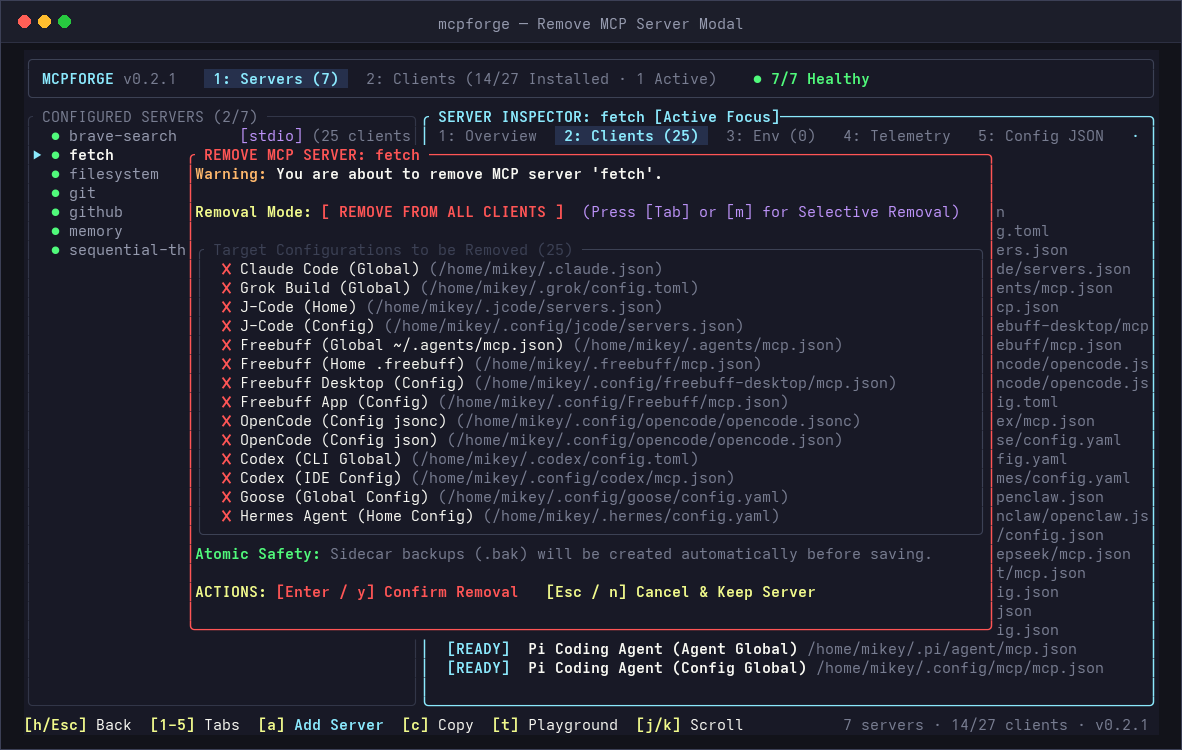
Safely decommission servers from all clients at once, or use the interactive checklist to remove from specific clients with automatic .bak backups.
[f] Key)Invoke any tool without handwriting JSON. The form builder auto-synthesizes input forms directly from JSON schemas with real-time field validation, boolean toggles, and enum selectors.
[b] Key)Inspect automatic backup snapshots taken before every mutation. View colorized unified diffs against live disk configs, and instantly restore previous versions with 1 click ([r]).
[v] Key in Clients View)Inspect any client harness's raw configuration file directly in-terminal with line numbers, file statistics, and scrollable modal viewer.
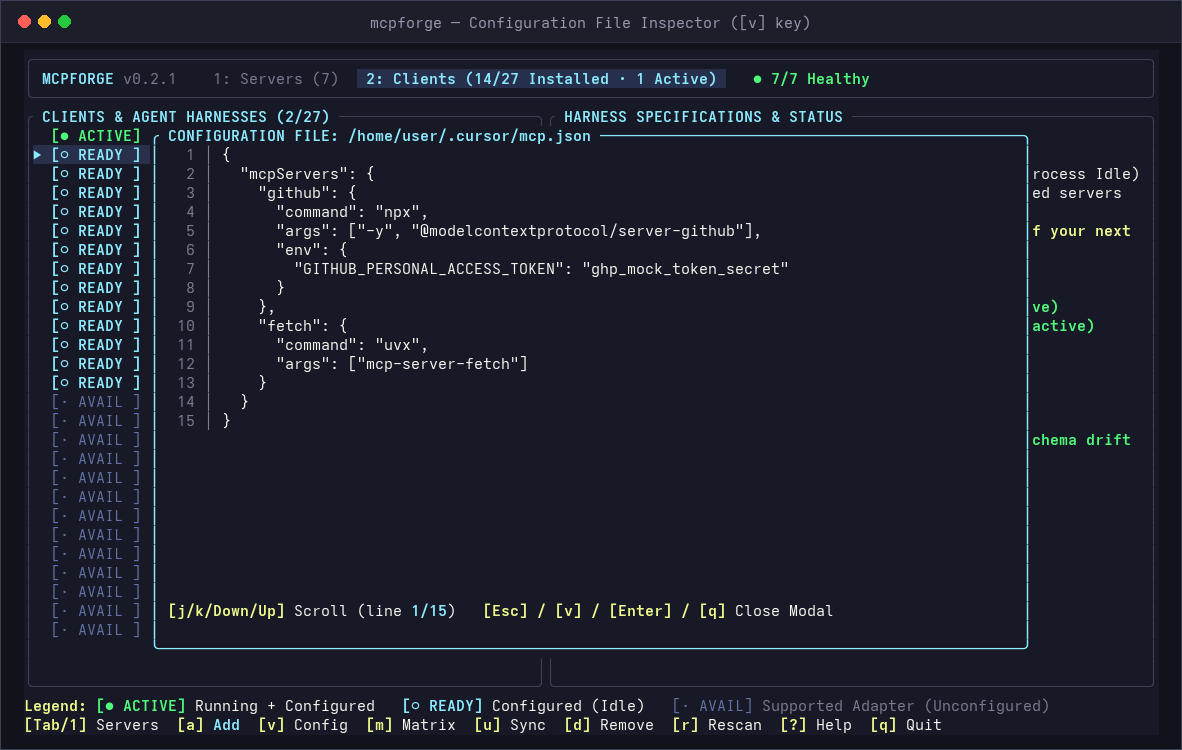
MCPForge provides native, format-preserving adapters for 27 distinct AI clients and harnesses:
| Category | Client / Harness | Config Path | Format | Status |
|---|---|---|---|---|
| Agent | Freebuff Desktop & CLI | ~/.agents/mcp.json |
JSON | Supported |
| Agent | Pi Coding Agent | ~/.pi/agent/mcp.json |
JSON | Supported |
| Agent | DeepSeek Harness | ~/.deepseek/config.json |
JSON | Supported |
| Agent | Goose | ~/.config/goose/config.yaml |
YAML | Supported |
| Agent | Hermes Agent | ~/.hermes/config.yaml |
YAML | Supported |
nordicnode/mcpforge is a public repo on GitHub by nordicnode. The fast, zero-runtime TUI that discovers every MCP client on your machine and syncs them all. 26 client adapters, 110 audited servers, one native Rust binary.
It declares no license on GitHub. Public does not mean open source: without a license, nobody is granted the right to reuse it.
Its maker has not tagged a system, so it is unknown here. Its README says what it needs.
The agent harness performance optimization system. Skills, instincts, memory, security, and research-first development for Claude Code, Codex, Opencode, Cursor and beyond.
Reverse engineer anything with agents, from app behavior down to native binaries.
Orchestrate Claude, Codex and Grok in one app. Open-source (MIT), reuses the subscriptions you already pay for.
Build Agentic workflows, RAG pipelines, with rich AI model and tool support on one collaborative workspace. Deploy on cloud, VPC, or self-hosted, so teams move from prototype to production without rebuilding the stack.
Open "Take it" on its page: Take My Repo writes an install plan for your machine and hands it to your AI agent (Claude Code, Codex or Cursor), which asks you before each step. Take My Repo has not tested it on any machine.
Its last change on GitHub was on 2026-09-05. Take My Repo does not judge from that whether it is maintained.
Nobody has reviewed it on Take My Repo yet, which says nothing about its quality.
Take My Repo cannot say: it does not audit code and has not run mcpforge. What is known comes from GitHub. It declares no license on GitHub. Public does not mean open source: without a license, nobody is granted the right to reuse it. Its last change was on 2026-09-05. It has 2 stars, which measure popularity, not safety. Nobody has reviewed it on Take My Repo yet, which says nothing about its quality. Read the source before you run it. With "Take it", your AI agent shows each step and asks you before running it; README text is treated as data, not as instructions.




