ECC
The agent harness performance optimization system. Skills, instincts, memory, security, and research-first development for Claude Code, Codex, Opencode, Cursor and beyond.
- 310k
- JavaScript
- MIT
- 2 d ago
A lightweight task and notes manager for you and your AI agents
Repo pablormier/microtask, read from GitHub 18 min ago. pablormier has not joined Take My Repo.
pablormier/microtask is a public repo on GitHub by pablormier. A lightweight task and notes manager for you and your AI agents. It declares the MIT license on GitHub. It is written mainly in Python, has 1 stars and last changed on 2026-11-24. Nobody has reviewed it on Take My Repo yet, which says nothing about its quality. Read from GitHub on 2026-11-25.
The agent harness performance optimization system. Skills, instincts, memory, security, and research-first development for Claude Code, Codex, Opencode, Cursor and beyond.

A task and notes manager for you and your AI agents.
Each task and note is a Markdown file in a folder you own, synced through your own private Git repository.
You work with the mt command in a terminal. mt web opens a dashboard in
your browser, served from your own machine. Your editor and your agents read
and change the same files.
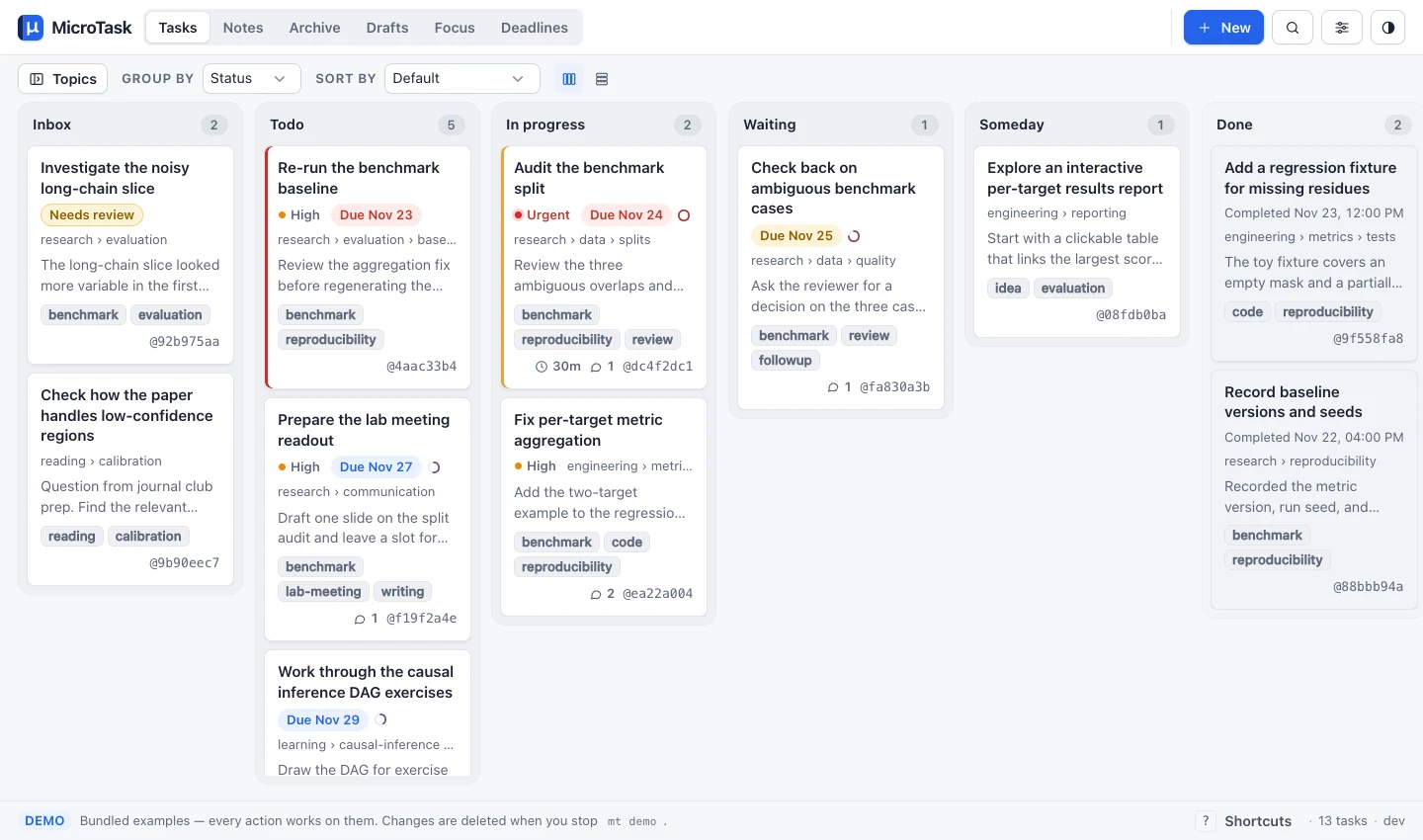
mt needs Bash and Python 3, which macOS and Linux already have. There is no
account and no server.AGENTS.md and the
microtask skill tell it how, and mt refuses edits made from an outdated
copy of a card.mt sync commits your changes and keeps your machines in step through your
private repository.curl -fsSL https://raw.githubusercontent.com/pablormier/microtask/main/install.sh | bash
The installer downloads the latest release and asks where to put the app and
your cards. Enter accepts each default. It adds mt to your shell config.
Or clone the repository and create its workspace:
git clone https://github.com/pablormier/microtask.git && cd microtask && ./mt init
Then, in a new terminal (or with ./mt in the clone):
mt add "Call the dentist" --status active
mt list
mt move @4e91a7c2 doing      # use the @reference that mt list prints
mt done @4e91a7c2
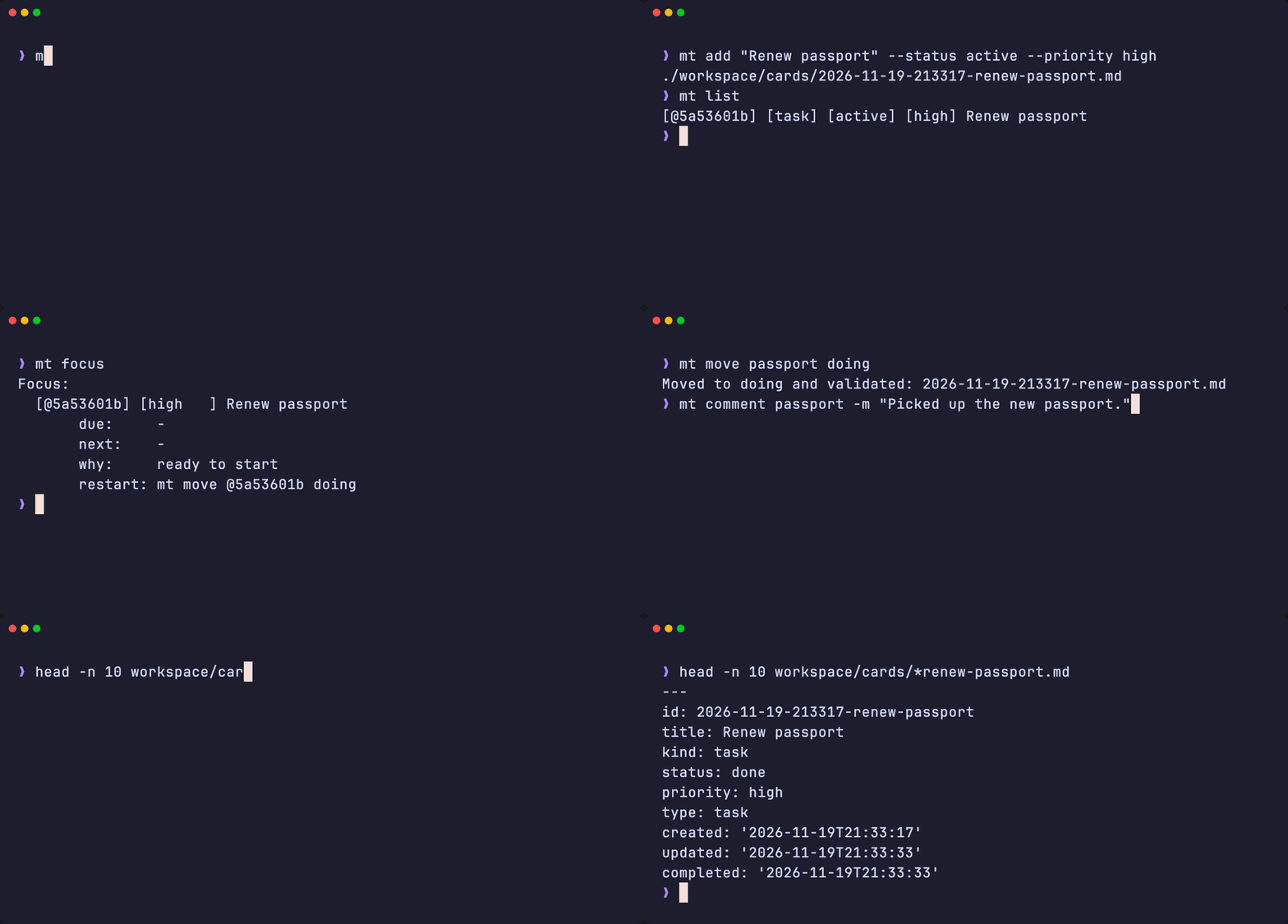
To try microtask with example cards first, run mt demo. It opens the
dashboard on a temporary workspace and deletes it when you stop it.
To sync across machines, create an empty private repository and give its URL when the installer asks. Do not fork microtask for this, because GitHub keeps forks of public repositories public. On another machine, run the installer again with the same URL to get your cards there.
microtask/                 the app, replaced as a whole by mt update
  mt  scripts/  tools/  templates/  .agents/skills/  ...
  workspace/               your data, created by the installer or ./mt init
    cards/  drafts/  attachments/  settings.yaml    shared by mt sync
    AGENTS.md  CLAUDE.md                            for agents started here
    settings.local.yaml  .mt/                       this machine only
The workspace can be its own Git repository, which is how mt sync reaches
your private repository. To keep it somewhere else, such as a synced folder,
the installer records its path as MT_WORKSPACE in your shell config.
mt update --check     # current, next and latest version, and what would change
mt update             # install the next release
mt update replaces the app files with a release and leaves your workspace
alone. In a Git clone, use git pull instead.
Coming from a version before 0.2.0, where the app and your cards shared one
folder? Run mt migrate in that folder first. See
Moving an old install.
---
id: 2026-11-09-140000-fix-login-timeout-bug
title: Fix login timeout bug
kind: task
status: active
priority: high
type: bug
topic: work
due: '2026-11-10'
due_kind: deadline
tags:
- bug
- auth
next_action: Reproduce the timeout with a throttled browser session.
comments:
- at: '2026-11-10T09:10:00'
  text: Suspect the refresh token call is not retried.
---
Users on slow connections get logged out after 30 seconds.

## Plan

- [x] Reproduce with network throttling
- [ ] Start the idle timer on `load` instead of `navigationStart`
Properties live in the frontmatter. The body is ordinary Markdown with tables, checklists, code, math and images. See Card files.
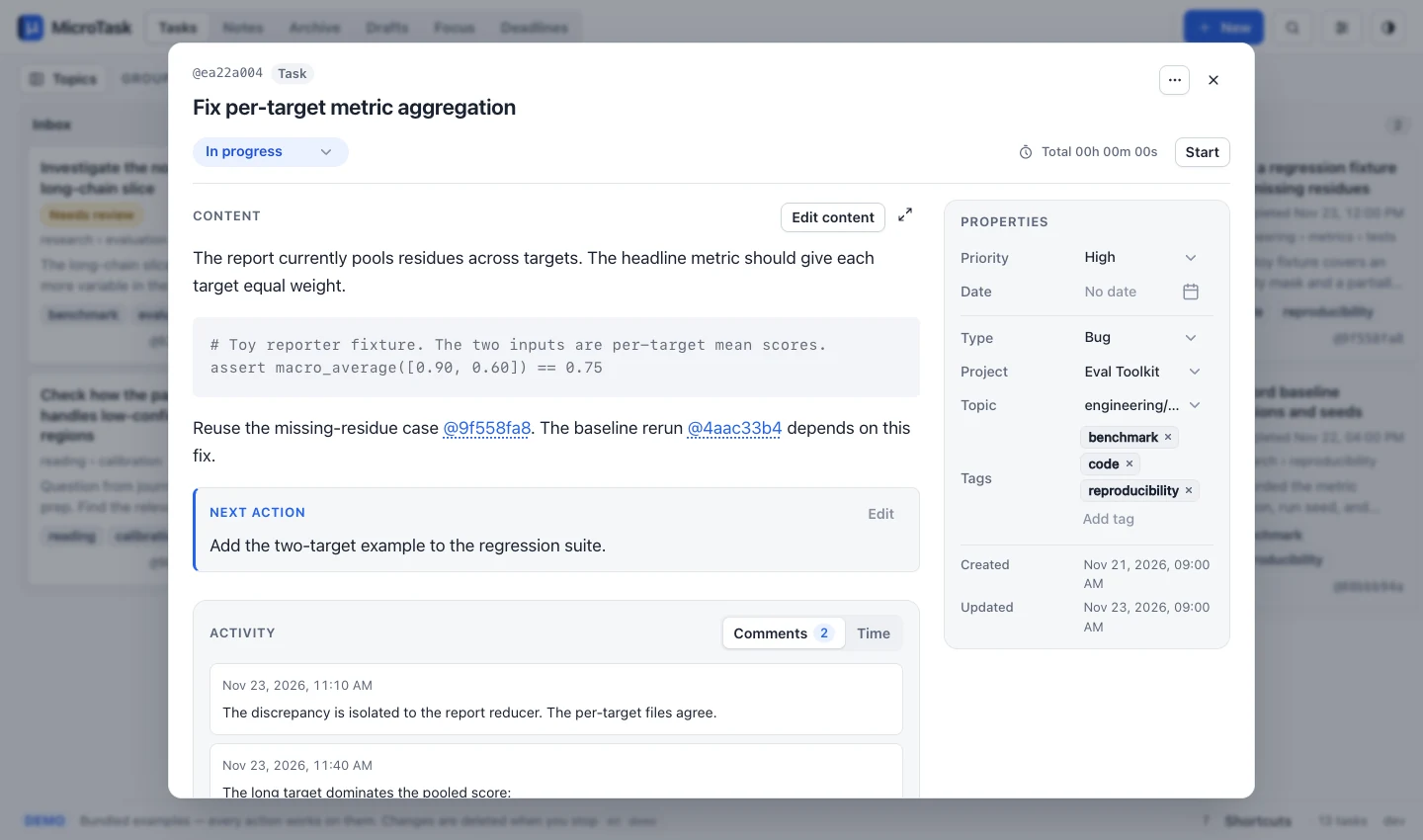
mt web opens a board in your browser and stops when you press Ctrl+C. You can
edit cards, comment, track time, and paste images there.
Start your agent in your workspace with mt run, from any folder. The
agent's mt then works on that workspace:
mt run claude # or: mt run codex, mt run agy
New workspaces get the bundled skills during setup, and mt update keeps them
current. To add them to an existing workspace, run mt skills install --workspace
in it.
Then ask in plain language:
The agent follows the workspace instructions and the installed
microtask skill. It shows new cards for
your approval before creating them, claims a task before working on it, and
asks before completing or deleting anything. Coding agents such as Codex and
Antigravity read AGENTS.md directly. The workspace's CLAUDE.md imports it
for Claude Code.
Skills in .agents/skills cover common workflows:
To let agents in another project track their work here, run
mt skills install --project NAME in that project. See
Agents in another project.
mt help and mt COMMAND --help: every command and optionTo contribute, read CONTRIBUTING.md and the test guide.
microtask is released under the MIT License. It bundles PyYAML under its own MIT license (scripts/vendor/PyYAML-LICENSE).
pablormier/microtask is a public repo on GitHub by pablormier. A lightweight task and notes manager for you and your AI agents.
It declares the MIT license on GitHub.
Its maker has not tagged a system, so it is unknown here. Its README says what it needs.
Open "Take it" on its page: Take My Repo writes an install plan for your machine and hands it to your AI agent (Claude Code, Codex or Cursor), which asks you before each step. Take My Repo has not tested it on any machine.
Reverse engineer anything with agents, from app behavior down to native binaries.
Fair-code workflow automation platform with native AI capabilities. Combine visual building with custom code, self-host or cloud, 400+ integrations.
A cross-platform desktop All-in-One assistant for Claude Code, Codex, OpenCode,DeepSeek Harness and more. Only official website: ccswitch.io
Its last change on GitHub was on 2026-11-24. Take My Repo does not judge from that whether it is maintained.
Nobody has reviewed it on Take My Repo yet, which says nothing about its quality.
Take My Repo cannot say: it does not audit code and has not run microtask. What is known comes from GitHub. It declares the MIT license on GitHub. Its last change was on 2026-11-24. It has 1 stars, which measure popularity, not safety. Nobody has reviewed it on Take My Repo yet, which says nothing about its quality. Read the source before you run it. With "Take it", your AI agent shows each step and asks you before running it; README text is treated as data, not as instructions.