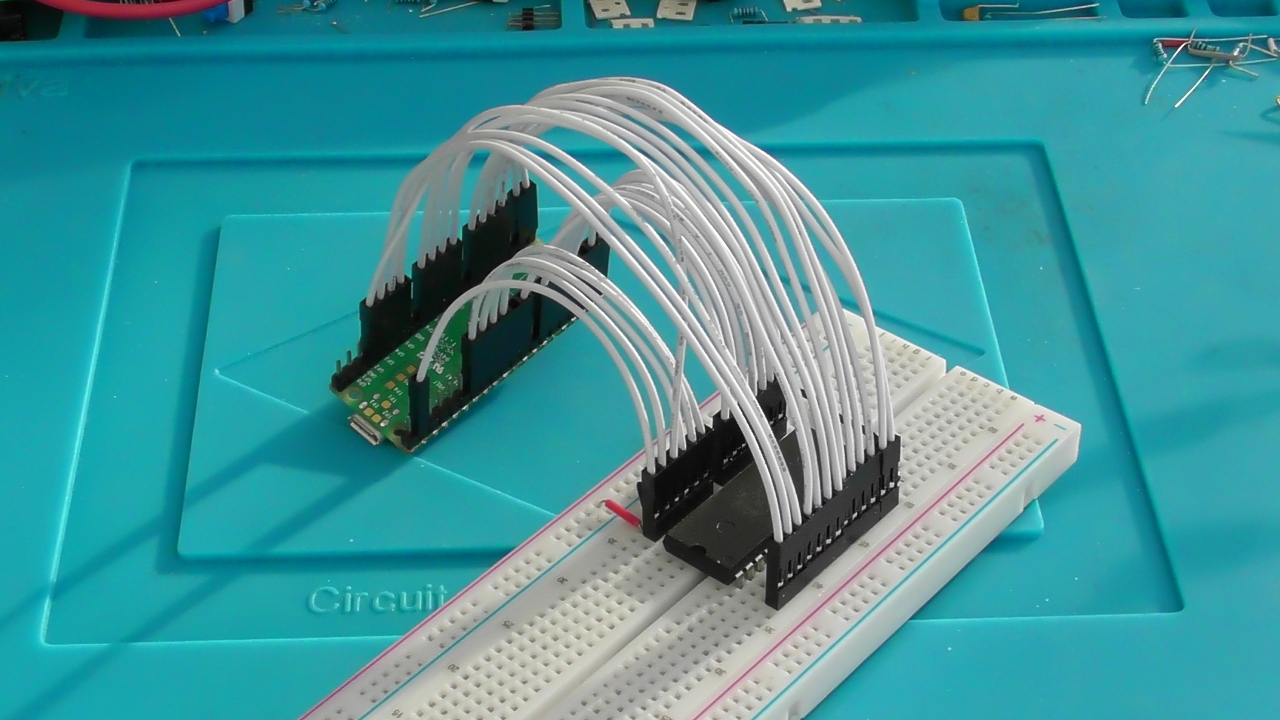
installACMModule
Install the CDC ACM and USB to Serial Modules for the Jetson TX1 or Jetson TX2 Development Kit
- 34
- Shell
- MIT
- 9 y ago
Software for use with a CH341
Repo packetThrower/etch341, read from GitHub 10 h ago. packetThrower has not joined Take My Repo.
packetThrower/etch341 is a public repo on GitHub by packetThrower. Software for use with a CH341. It declares the GPL-3.0 license on GitHub. It is written mainly in Rust, has 6 stars and last changed on 2026-11-23. Nobody has reviewed it on Take My Repo yet, which says nothing about its quality. Read from GitHub on 2026-11-24.
Install the CDC ACM and USB to Serial Modules for the Jetson TX1 or Jetson TX2 Development Kit
macOS (Apple Silicon and Intel)
Windows (x64 and ARM64)
Linux (amd64 and arm64)
The GUI uses the GPUI rendering stack, which on Linux requires a
Vulkan-capable GPU with current Mesa drivers. The headless CLI
(cargo install --no-default-features or etch341 <subcommand> on
the released binary) has no graphics requirements.
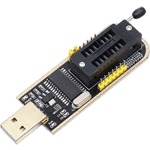
Cross-platform CLI + GUI flash programmer for the CH341A USB SPI/I²C interface. Userspace USB on Linux + macOS (no driver to install). Windows uses the built-in WinUSB kernel driver, but it needs a one-time Zadig bind to the CH341A — see Install → Windows.
Working programmer for SPI NOR up to 32 MB+, on both 3.3V and 1.8V chips (with a CH341A V1.7+ module for the 1.8V parts). Chips ≤ 16 MB use standard 3-byte addressing; > 16 MB chips use the 4-byte opcode variants (0x13 / 0x12 / 0x21 / 0xDC) automatically based on the chip's size. Round-trip validated against a real Macronix MX25U4033E on an NVIDIA GTX 1060 — full erase → blank-check → write → verify cycle landed byte-identical (SHA-256 match) to the original VBIOS.
| Feature | CLI | GUI |
|---|---|---|
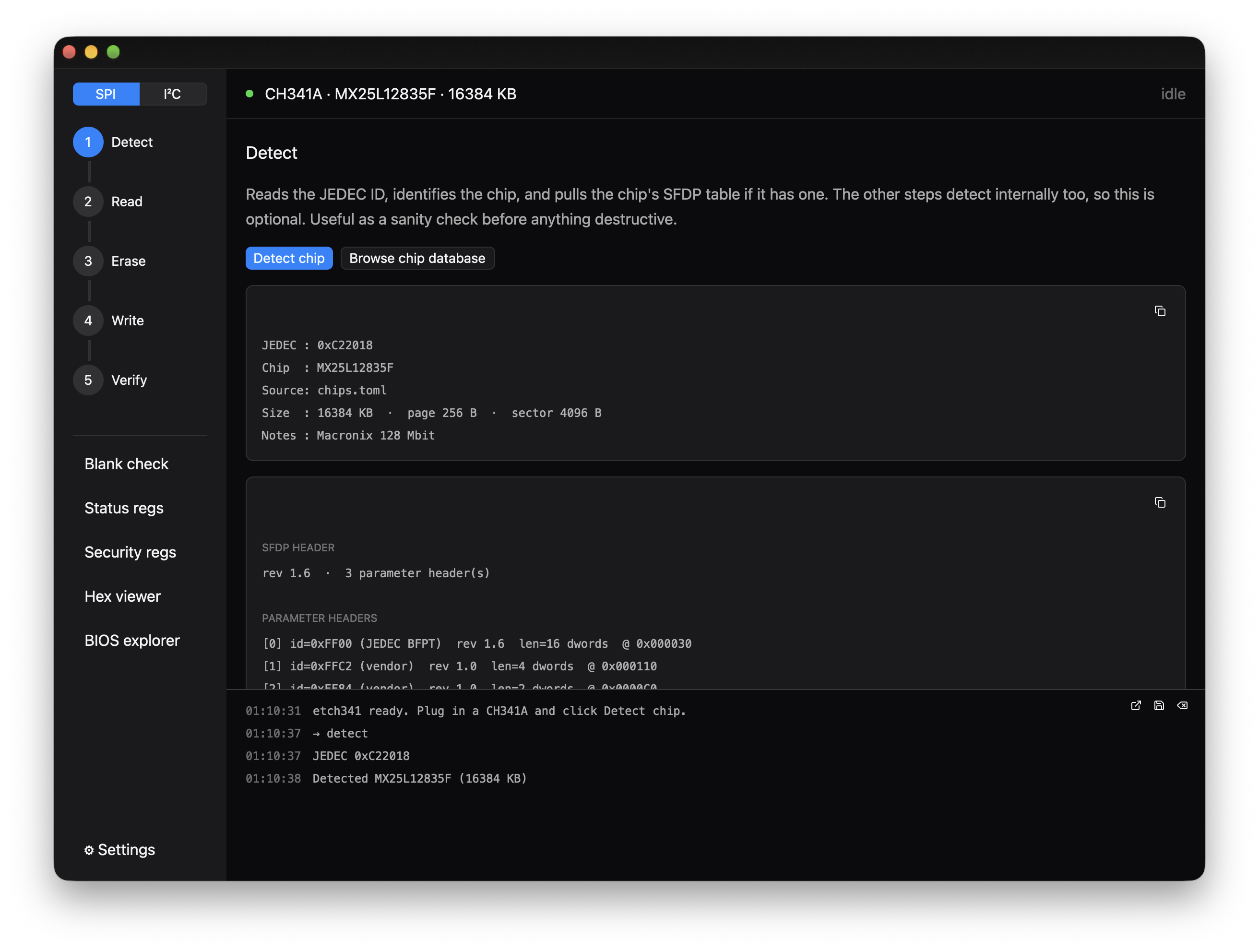
| Detect (JEDEC ID → chip lookup) | ✅ | ✅ |
| Read | ✅ | ✅ |
| Erase (full + range) | ✅ | ✅ (arm/confirm) |
| Write (with erase + verify) | ✅ | ✅ (arm/confirm + file picker) |
| Verify | ✅ | ✅ (file picker) |
| Blank check | ✅ | ✅ |
| Status registers (SR1/2/3 decode) | ✅ (sr) |
✅ |
| SFDP parameter table | ✅ (sfdp) |
✅ (Detect pane) |
| Security registers / OTP (read / erase / write) | ✅ (otp) |
✅ (arm/confirm) |
| Settings (clock, accent, updates, …) | ✅ (--speed) |
✅ |
| 4-byte addressing (>16 MB chips) | ✅ | ✅ |
| I²C scan / read / write / verify / blank-check / erase * | ✅ | ✅ |
| UEFI BIOS Setup explorer (read-only) | ✅ (bios) |
✅ (BIOS explorer pane) |
| Intel Flash Descriptor / region map | ✅ (ifd) |
✅ (BIOS explorer strip) |
| Offline dump inspection (strings / search / diff) | ✅ | ✅ (Hex viewer) |
* Silicon-validated on all three addressing schemes: a 24C02 (1-byte address), a 24C08 (bit-stuffed: high address bits in the device address) and a 24C64 (2-byte address). Read / write / verify / blank-check / erase round-trip byte-exact (24C02 at 20 and 100 kHz, 24C08 at 100 kHz, 24C64 at 20, 100 and 400 kHz). The other sizes share one of those code paths but haven't each been run on a chip. I²C defaults to 100 kHz and refuses anything above 400 kHz — over-clocking bricked a part during bring-up.
104 unit tests covering the SPI / I²C protocols (including the SFDP
parser and the OTP / security-register ops), the high-level ops, the
inspect/search primitives, the UEFI firmware parsers (firmware-volume
walk, IFR/HII decode, NVRAM stores) and the Intel Flash Descriptor
parser — all running against mock transports or pure inputs.
Hardware-touching tests are gated behind --features hardware.
read / write / erase /
verify / blank-check all round-trip byte-exact (24C02 at 20 and
100 kHz, 24C08 at 100 kHz, 24C64 at 20, 100 and 400 kHz), and
non-zero --straps move the chip's bus address as expected. The
24C02 bring-up shook out two real bugs (writes always timed out
polling an ACK the CH341 never exposes; multi-byte reads weren't
NACK-terminated and corrupted past ~30 bytes) — both fixed.
The 24C04 / 16 and 24C32 / 128 / 256 / 512 share those code paths
but haven't each been run on a chip. scan can't see a blank
EEPROM — the CH341 doesn't expose the ACK bit, so an all-0xFF chip
is indistinguishable from an empty bus; address it directly with
--chip.Other chips in chips/chips.toml are entered from datasheets but
haven't been individually exercised against silicon. If you run a
JEDEC detect on a chip and the response decodes correctly to a
named entry, the rest of the operations are very likely to work
(they're chip-agnostic at the protocol level).
rusb builds libusb-1.0 from source
and links it statically into the binary, so there's no
system-wide libusb install needed at build or runtimeIf you'd rather grab a pre-built artifact instead of compiling, head to the Releases page — each release ships native installers for arm64 + amd64 on all three platforms:
| Platform | Installer / Package | Also |
|---|---|---|
| macOS | etch341-<ver>-<arch>-macos.dmg (drag-to-install) |
etch341-macOS-<arch>-<ver>.zip (bare .app bundle) |
| Windows | etch341-<ver>-<arch>-windows-setup.exe (NSIS) |
etch341-<ver>-<arch>-windows.msi (MSI, stable tags only) |
| Windows | — | etch341-<ver>-<arch>-windows.zip (portable bare .exe) |
| Linux (Debian/Ubuntu) | etch341-<ver>-<arch>-linux.deb |
— |
| Linux (Fedora/openSUSE/RHEL) | etch341-<ver>-1.<rpm-arch>.rpm |
— |
| Linux (Arch) | etch341-<ver>-1-<rpm-arch>.pkg.tar.zst |
— |
| Linux (any) | etch341-<ver>-<arch>-linux.AppImage (universal) |
— |
That's 19 artifacts per release (6 macOS + 6 Windows + 8 Linux,
plus a SHA256SUMS line for everything). The Linux .deb /
.rpm / .pkg.tar.zst installs drop the udev rule into
/usr/lib/udev/rules.d/ automatically; the AppImage and bare
binaries don't (run the manual sudo cp step from the Linux
section below the first time).
The easiest path is the Homebrew tap, which always tracks the
latest stable release and auto-updates with brew upgrade:
brew tap packetThrower/tap
brew trust packetThrower/tap   # Homebrew 6.0.0+: trust the tap before installing
brew install packetThrower/tap/etch341
Or build from source:
cargo install --path .
No driver setup needed — macOS leaves the CH341A's vendor interface alone, and libusb is bundled into the binary.
sudo cp platform/udev/99-ch341a.rules /etc/udev/rules.d/
sudo udevadm control --reload
cargo install --path .
The udev rule lets unprivileged users open the device. Without it you'll
hit PermissionDenied.
Windows doesn't ship a generic userspace USB driver, so the CH341A either enumerates as an unknown device or gets claimed by a vendor serial-port driver — either way, libusb can't open it. The one-time fix is to bind the WinUSB generic driver to the device:
Plug in the CH341A.
Run Zadig (≈600 KB, no installer).
In Zadig's Options menu, enable List All Devices.
Select the entry with VID 0x1A86 / PID 0x5512, choose WinUSB
from the driver dropdown, and click Install Driver.
Install etch341 from the Scoop bucket (auto-updates via scoop update):
scoop bucket add packetThrower https://github.com/packetThrower/scoop-bucket
scoop install etch341
Or build from source: cargo install --path ..
You only need to do steps 1–4 once per machine. If etch341 detect
reports DeviceNotFound on Windows after running it once, the driver
binding is usually the cause — re-check in Zadig that the device is
still bound to WinUSB and not to a vendor driver that took over after
an update.
etch341 detect                       # identify the chip
etch341 read -o bios.bin             # dump entire chip to file
etch341 read -o -                    # dump to stdout (pipe to anything)
etch341 read -o - | sha256sum        # hash a chip without a temp file
etch341 read -o head.bin --length 0x1000   # first 4 KB only
etch341 write -i bios.bin            # erase + program + verify
etch341 write -i bios.bin --no-erase --no-verify   # raw program
etch341 erase                        # full chip erase
etch341 erase --range 0x10000:0x10000   # erase one 64 KB block
etch341 verify -i bios.bin           # compare without writing
etch341 verify -i bios.bin --diff    # ...and show where, as a hex diff
etch341 blank-check                  # confirm all 0xFF
etch341 sr                           # dump SR1/SR2/SR3 with decoded bits
etch341 sfdp                         # decode the chip's SFDP table
etch341 otp read                     # dump the security / OTP registers
I²C EEPROMs (24Cxx family) use the nested i2c subcommand.
✅ The I²C path is silicon-validated on a 24C02 (1-byte address), a 24C08 (bit-stuffed) and a 24C64 (2-byte address): scan / read / write / verify / blank-check / erase are byte-exact. One gotcha —
i2c scancan't see a blank EEPROM: the CH341 never exposes the I²C ACK bit, so an all-0xFFchip reads like an empty bus; address it directly with-c.
Unlike SPI NOR there's no JEDEC ID register, so the chip must be
selected explicitly with -c:
etch341 i2c scan                            # list 7-bit addrs that ACK
etch341 -c 24C256 i2c read -o eeprom.bin    # dump entire chip
etch341 -c 24C256 i2c write -i eeprom.bin   # program + verify
etch341 -c 24C256 i2c verify -i eeprom.bin  # compare without writing
etch341 -c 24C02 i2c blank-check            # confirm all 0xFF
etch341 -c 24C02 i2c erase                  # write 0xFF to every byte
--straps <0..7> selects the A0/A1/A2 pin value if the chip is wired
non-default. The 24C04/08/16 use bit-stuffing in the slave address
for their high memory bits; this is handled automatically.
Supported families: 24C01 / 02 / 04 / 08 / 16 / 32 / 64 / 128 / 256 /
512. Other 24Cxx chips work if you add an entry to chips/i2c_chips.toml.
The CLI also has four offline inspection commands that work on flash dump files (no hardware required):
etch341 chips                            # list every supported chip
etch341 chips --find mx25                # substring filter on name or JEDEC
etch341 chips --bus i2c                  # filter to one bus family

etch341 strings -i dump.bin              # printable ASCII strings ≥4 chars
etch341 strings -i dump.bin --min-len 8  # noisier-but-richer threshold

etch341 search "55 AA" -i dump.bin       # find hex pattern (spaces optional)
etch341 search "Award" -i dump.bin       # ASCII (case-insensitive)
etch341 search "DEADBEEF" -i dump.bin --context 32   # widen the gutter

etch341 diff old.bin new.bin             # side-by-side hex diff of two dumps
search parses the pattern as hex when the condensed form is even-length
and all hex digits (55AA, DE AD BE EF); anything else is taken as
ASCII. Matched bytes print in upper-case hex; surrounding context stays
lower-case for an at-a-glance visual contrast.
diff compares two files and prints only the differing regions as a
side-by-side hex view — red for the left file, green for the right —
with a couple of context lines around each run. It exits 1 on any
difference and 0 when identical, so it drops into scripts like
diff(1)/cmp(1). Colour is automatic: on for a terminal, off when
piped or when NO_COLOR is set. The same byte-level view is available
against live hardware with verify --diff (file vs chip read-back), and
the GUI's Verify pane offers it as "View diff in Hex" — all three share
one region-grouping core, so they highlight identically.
Two more offline commands decode the structure of a BIOS/firmware dump rather than just its bytes:
etch341 bios settings -i dump.bin            # UEFI Setup options: label, value, choices
etch341 bios settings -i dump.bin --find vt-d    # filter by label substring
etch341 bios settings -i dump.bin --changed      # only options that differ from default
etch341 bios settings -i dump.bin --json         # machine-readable, for archival/diffing
etch341 bios diff -a old.bin -b new.bin       # Setup options that changed between two dumps
etch341 bios boot -i dump.bin                 # decode BootOrder + Boot#### entries
etch341 bios id   -i dump.bin                 # vendor / project / platform identity

etch341 ifd -i dump.bin                       # Intel Flash Descriptor: region map + lock state
bios
packetThrower/etch341 is a public repo on GitHub by packetThrower. Software for use with a CH341.
It declares the GPL-3.0 license on GitHub.
Its maker has not tagged a system, so it is unknown here. Its README says what it needs.
Open "Take it" on its page: Take My Repo writes an install plan for your machine and hands it to your AI agent (Claude Code, Codex or Cursor), which asks you before each step. Take My Repo has not tested it on any machine.
Its last change on GitHub was on 2026-11-23. Take My Repo does not judge from that whether it is maintained.
Program allow you to program flash memory on the protocols spi, I2C, MicroWire. Supports CH341a, CH347, UsbAsp, AVRISP(LUFA), Arduino, FT232H.
A Hardware Hacking Tool with Web-Based CLI That Speaks Every Protocol
IMSProg - software for CH341A/CH347T/FT232H-based programmers to work with I2C, SPI and MicroWire EEPROM/Flash chips
Nobody has reviewed it on Take My Repo yet, which says nothing about its quality.
Take My Repo cannot say: it does not audit code and has not run etch341. What is known comes from GitHub. It declares the GPL-3.0 license on GitHub. Its last change was on 2026-11-23. It has 6 stars, which measure popularity, not safety. Nobody has reviewed it on Take My Repo yet, which says nothing about its quality. Read the source before you run it. With "Take it", your AI agent shows each step and asks you before running it; README text is treated as data, not as instructions.