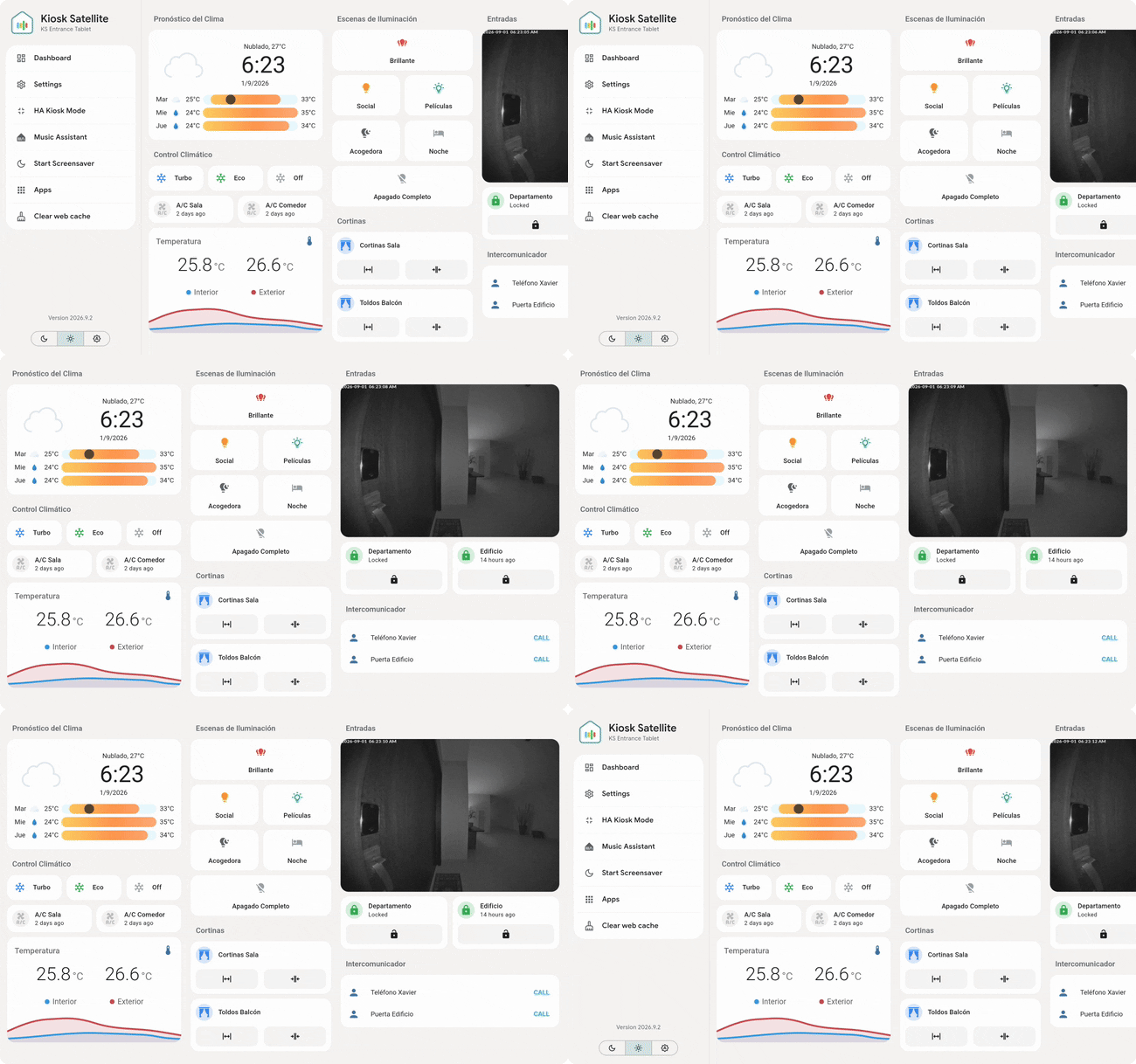
kiosk-satellite
Turn any Android device into a beautiful, dedicated Home Assistant kiosk. Purpose-built for Home Assistant from the ground up.
- 2.9k
- Dart
- 6 h ago
100% local ESPHome & LVGL 8 firmware for 1.28' circular ESP32-S3 smart display with Home Assistant notifications, live weather & BLE proxy
Repo pasmimmo/SmartDisplay, read from GitHub 15 min ago. pasmimmo has not joined Take My Repo.
pasmimmo/SmartDisplay is a public repo on GitHub by pasmimmo. 100% local ESPHome & LVGL 8 firmware for 1.28' circular ESP32-S3 smart display with Home Assistant notifications, live weather & BLE proxy. It declares the MIT license on GitHub. It has 2 stars and last changed on 2026-10-25. Nobody has reviewed it on Take My Repo yet, which says nothing about its quality. Read from GitHub on 2026-11-22.
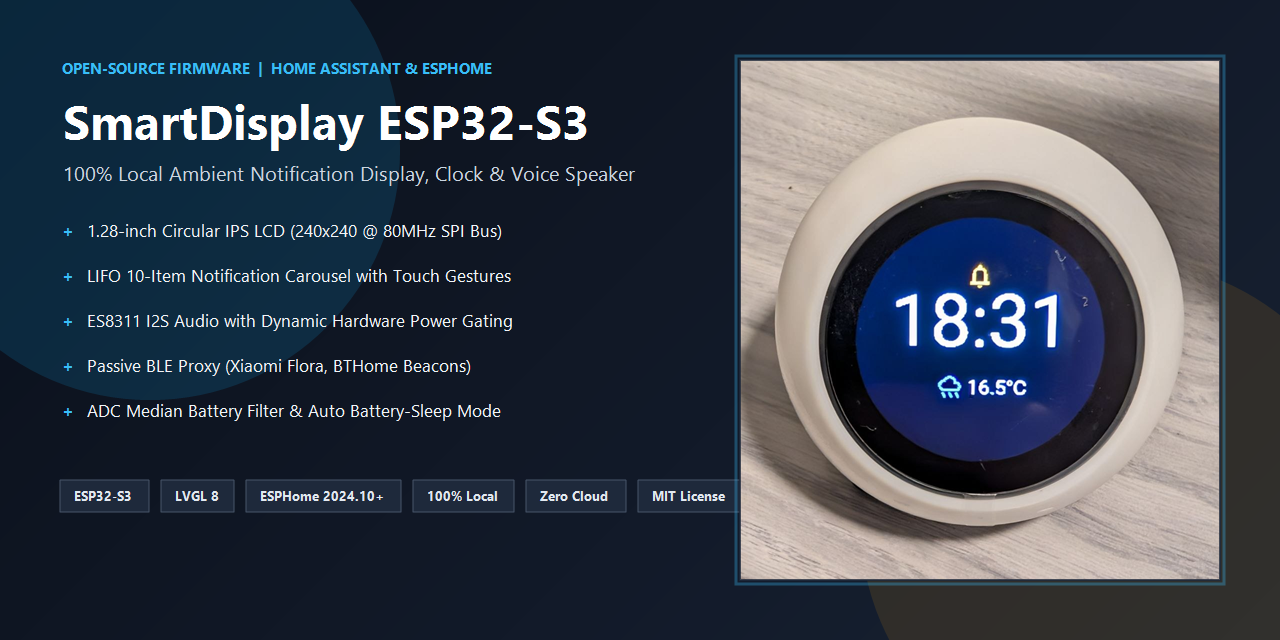
SmartDisplay is a modern, modular, open-source firmware based on ESPHome and LVGL 8 designed for the SP-ESP32-S3-1.28-BOX circular smart display.
It repurposes the popular AliExpress Xiaozhi AI desktop box (originally running cloud-locked firmware from 78/xiaozhi-esp32) into a 100% local, private, full-featured Home Assistant notification display, desktop clock, weather widget, and TTS voice announcement speaker.
High-level architecture connecting Home Assistant, the Smart Display, and nearby Bluetooth Low Energy (BLE) devices:
flowchart LR
    HA["🏠 <b>Home Assistant</b>"]
    SD["🔮 <b>Smart Display</b><br><i>(ESP32-S3)</i>"]
    BLE["📡 <b>BLE Devices</b><br><i>(Sensors & Beacons)</i>"]

    HA -->|"🔔 Notifications & Alerts"| SD
    HA -->|"⛅ Weather & Time Sync"| SD
    HA -->|"🔊 TTS Voice Stream"| SD
    SD -->|"📶 Proxied BLE Telemetry"| HA
    SD -->|"🔋 Battery & Diagnostics"| HA

    BLE -->|"📡 Beacons & Sensor Data<br><i>(Xiaomi Flora, BTHome)</i>"| SD
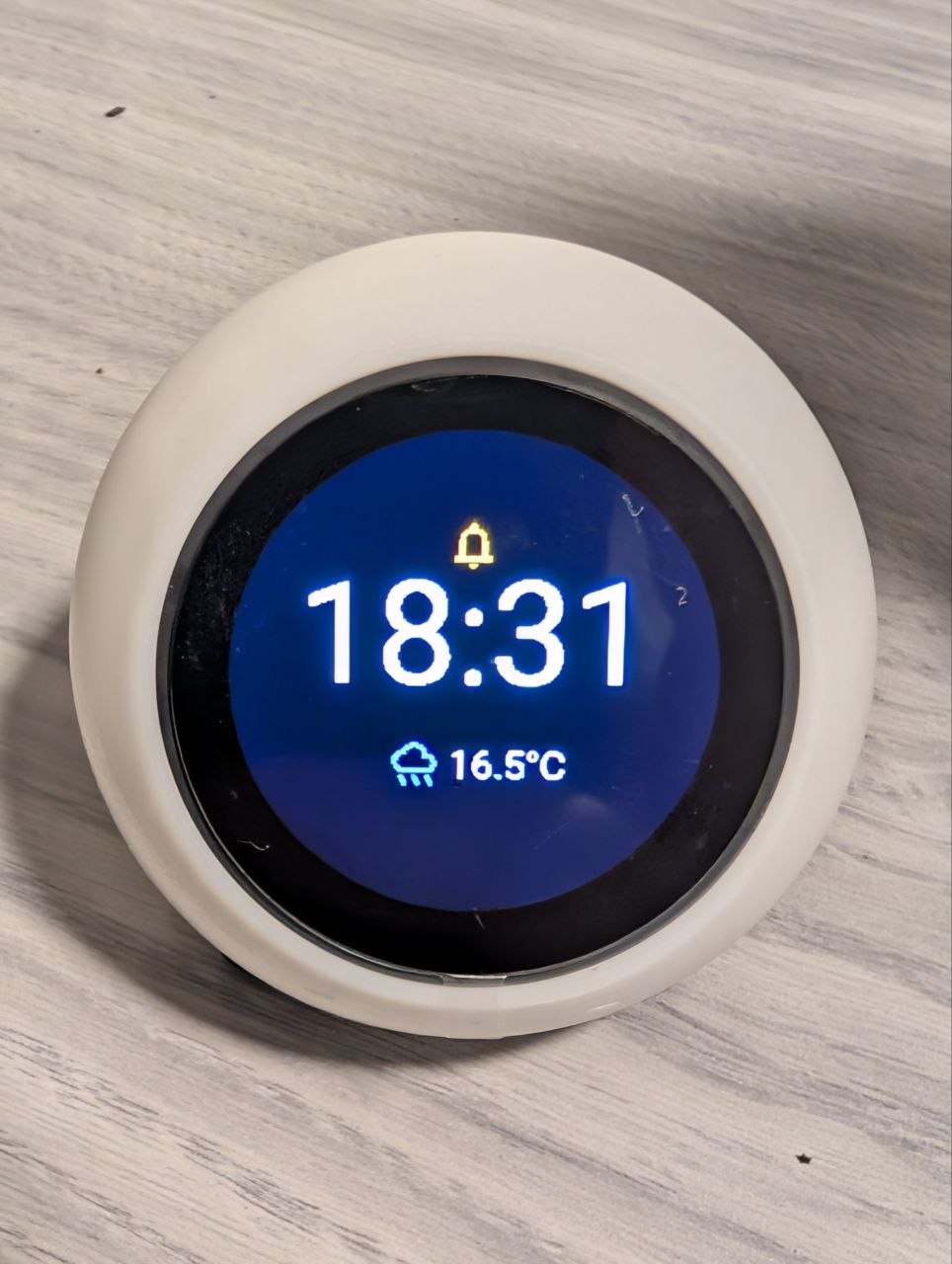
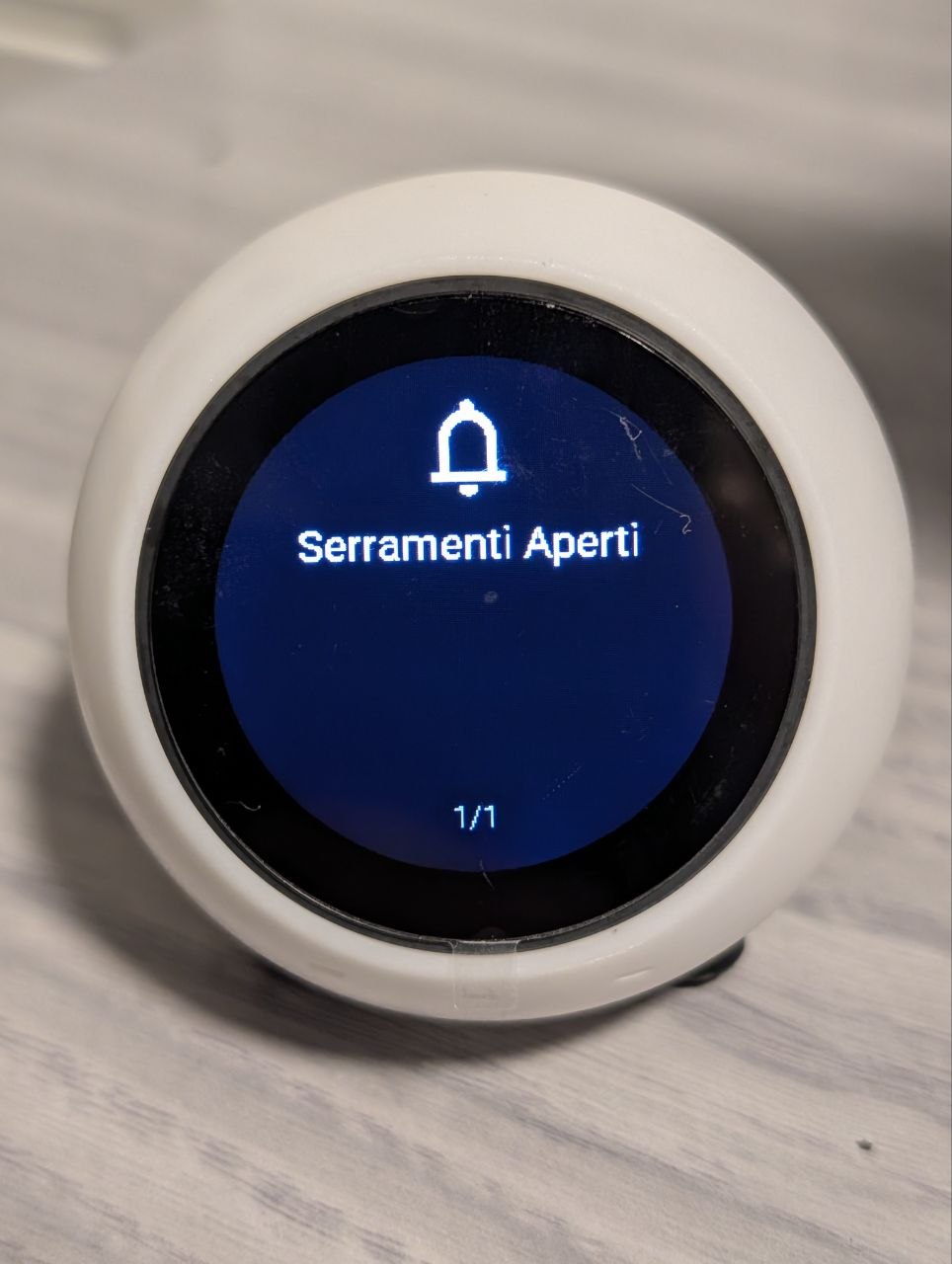
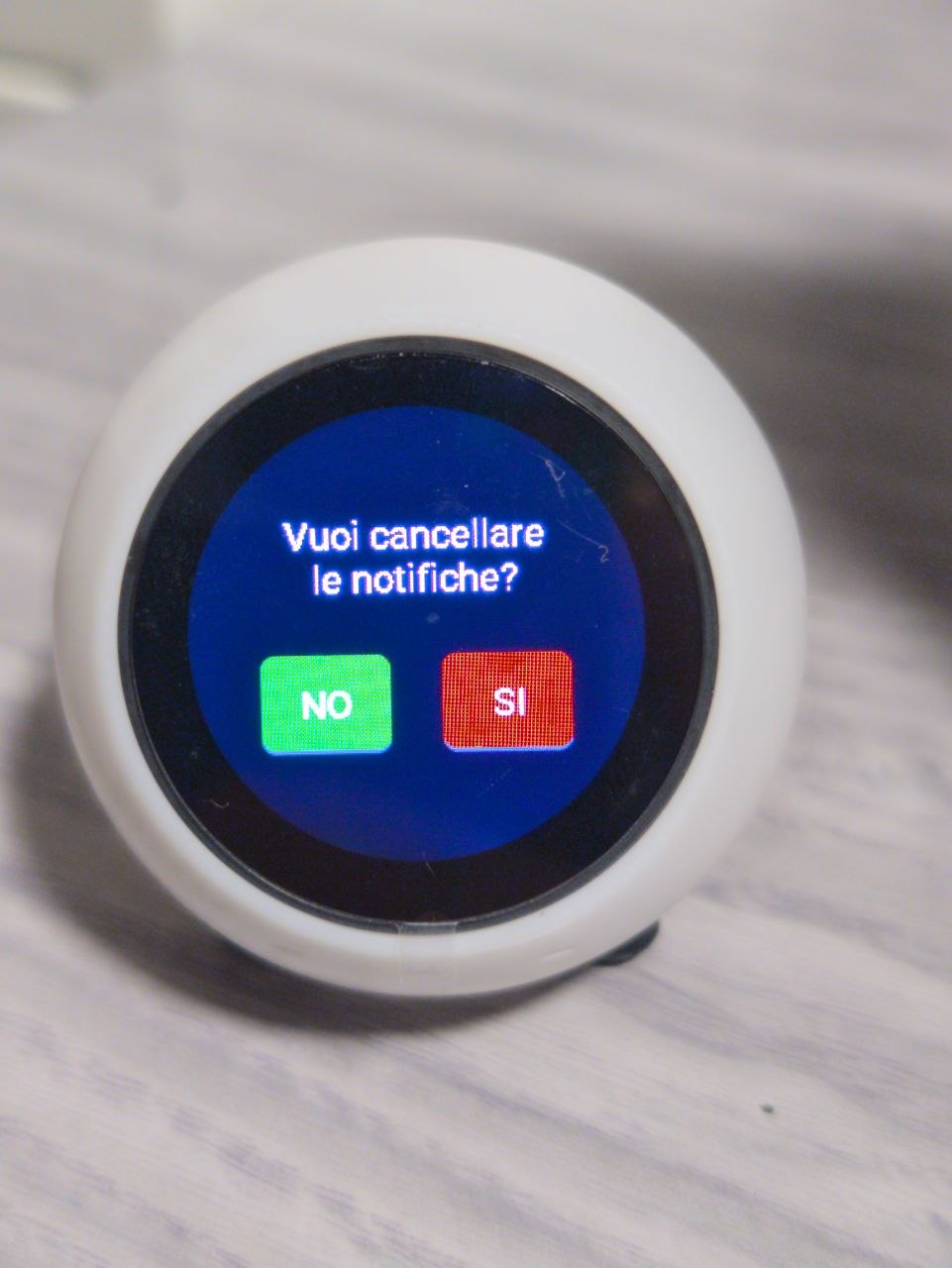
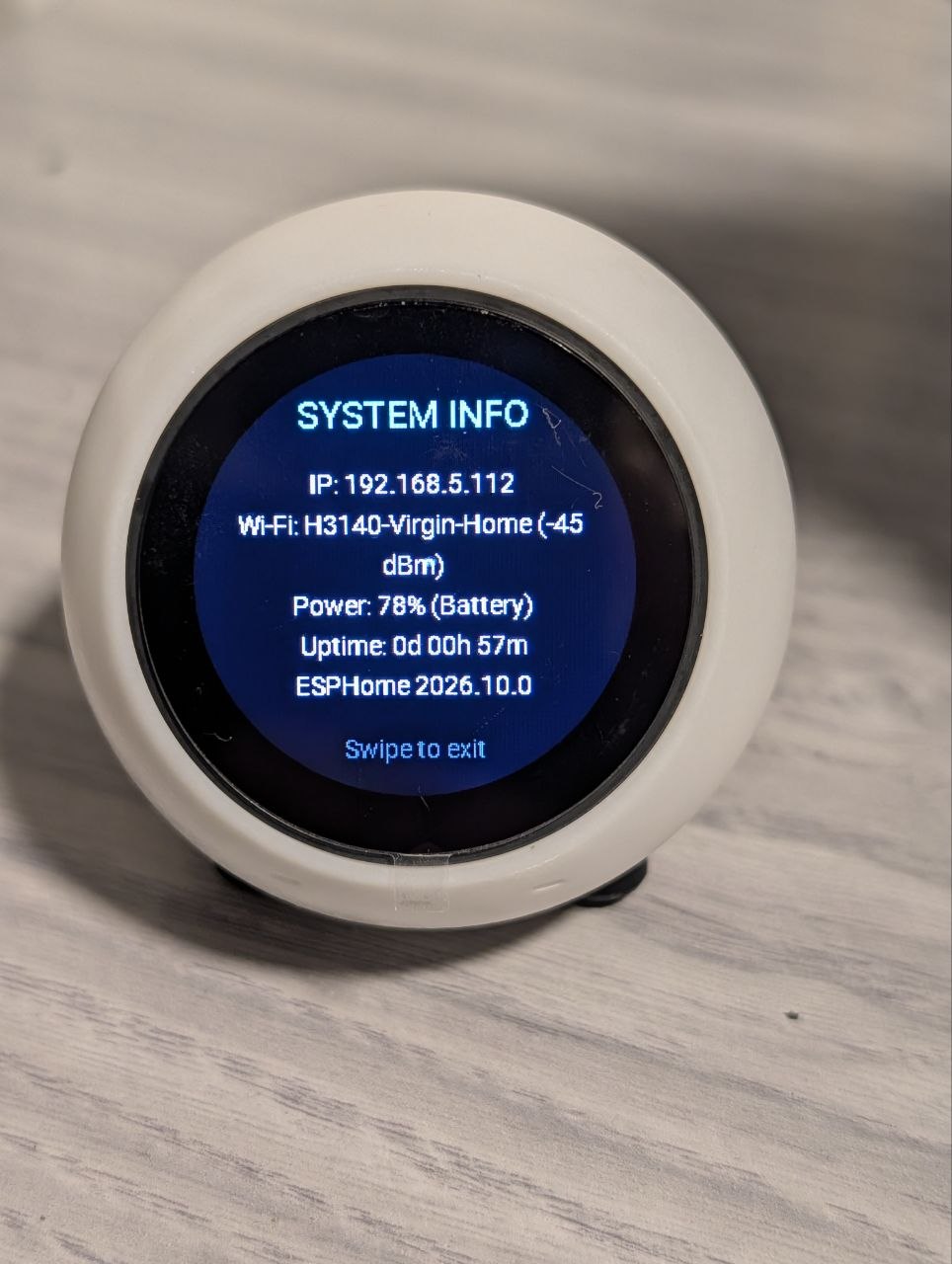
| 🕒 Standby Clock & Weather | 📬 Notification Card | 🗑️ Modal Confirmation | ⚙️ System Diagnostics |
|---|---|---|---|
| Event-driven clock with live rain/temp and unread alert badge | Preemptive LIFO alert with Material Symbol icon | Destructive action confirmation with color-coded safety buttons | IP address, Wi-Fi RSSI (dBm), battery gauge & uptime |
announcement_pipeline.GPIO1).GPIO41).GPIO46) in standby, saving ~20mA and eliminating background hiss.| Item | Details |
|---|---|
| Product Link | AliExpress ESP32-S3 1.28" Display Box |
| Original Stock FW | 78/xiaozhi-esp32 (GitHub) |
| SoC | Espressif ESP32-S3 (8MB Octal PSRAM, 16MB Flash) |
| Display | 1.28-inch IPS Circular LCD (240x240, GC9A01A over SPI) |
| Touchscreen | CST816D capacitive touch (I2C) |
| Audio DAC | Everest ES8311 + onboard speaker amp |
| Battery | Internal rechargeable 1S LiPo + USB-C charging port |
[!WARNING] Hardware Revisions & Pinout Notice: AliExpress vendors occasionally release revised PCB revisions or clones with slightly different GPIO pin assignments (e.g., audio amp enable or touch interrupt). The pinout documented here is verified for the SP-ESP32-S3-1.28-BOX. Always inspect your board's silkscreen markings or verify with your seller's schematic if a peripheral doesn't respond!
👉 For full pinout tables, schematics, and factory firmware backup instructions, see Hardware Reference.
Want to get running in under 3 minutes? Check our ⚡ Lapidary Quickstart Guide or the GitHub Wiki!
smartdisplay, and skip the wizard.smartdisplay_standalone.yaml (or use the modular packages/ setup).substitutions: at the top:substitutions:
device_name: "smartdisplay"
friendly_name: "SmartDisplay"
timezone: "Europe/Rome"
weather_entity: "weather.forecast_casa"
sleep_timeout: "300s"
secrets.yaml:wifi_ssid: "YOUR_WIFI_SSID"
wifi_password: "YOUR_WIFI_PASSWORD"
Call the esphome.<device_name>_send_notification action from any automation or script:
action: esphome.smartdisplay_send_notification
data:
  message: "Front door was unlocked!"
  icon: "lock_open"
  text_color: "orange"
  timeout: 30
| Icon Keyword | Material Symbol | Recommended Use |
|---|---|---|
notifications |
🔔 | General notifications / reminders |
warning |
⚠️ | Critical alarms, water leaks, faults |
info |
ℹ️ | Informational notices |
home |
🏠 | Presence, welcome home, doorbell |
thermometer |
🌡️ | Temperature alerts / climate |
window |
🪟 | Window / door left open |
lightbulb |
💡 | Lighting automation alerts |
lock / lock_open |
🔒 / 🔓 | Door locks, alarm armed/disarmed |
sentiment_satisfied |
😊 | Friendly greetings, tasks finished |
delete |
🗑️ | Bin collection reminders |
Accepts common color names (white, cyan, green, yellow, orange, red, magenta, blue), hex strings (#FF9900, 0xFF9900), or raw hex (FF9900).
Send speech announcements directly through the internal speaker:
action: tts.speak
target:
  entity_id: tts.google_en_com # or tts.piper / cloud TTS
data:
  media_player_entity_id: media_player.smartdisplay_speaker
  message: "Laundry cycle is complete."
The standby clock screen features a live outdoor weather widget displaying your local condition icon and temperature.
In smartdisplay.yaml (or smartdisplay_standalone.yaml), simply set weather_entity in substitutions: to match your Home Assistant weather entity ID:
substitutions:
  # Replace with your actual Home Assistant weather entity (e.g. weather.home, weather.forecast_home)
  weather_entity: "weather.forecast_casa"
The firmware automatically maps Home Assistant weather states to matching Google Material Symbols and accent colors:
| Home Assistant Weather State | Icon | Theme Accent Color | Visual Representation |
|---|---|---|---|
sunny |
\uE81A |
Warm Amber (#FFB300) |
☀️ Sunny / Clear Day |
clear-night |
\uF159 |
Night Sky Blue (#80D8FF) |
🌙 Clear Night Sky |
partlycloudy |
\uF172 |
Golden Yellow (#FFCA28) |
⛅ Sun behind clouds |
cloudy |
\uF15C |
Soft Grey (#B0BEC5) |
☁️ Overcast clouds |
rainy, pouring |
\uF176 |
Rain Blue (#42A5F5) |
🌧️ Rain showers |
lightning, lightning-rainy |
\uEBDB |
Vivid Yellow (#FFD54F) |
⛈️ Thunderstorm |
snowy, snowy-rainy, hail |
\uEB3B |
Ice Cyan (#E0F7FA) |
❄️ Snow / Ice |
fog |
\uE818 |
Mist Grey (#90A4AE) |
🌫️ Fog & Mist |
windy, windy-variant |
\uF15C |
Slate Grey (#B0BEC5) |
💨 High winds |
[!TIP] Offline / Safe Fallback: If Home Assistant is rebooting, disconnected, or your weather integration is unavailable, the screen automatically defaults to
--°Cwith a neutral thermometer icon (\uE846), preventing any graphical distortion or crashes.
The display backlight is controlled by a 1kHz PWM signal on GPIO42, exposed in Home Assistant as a dimmable light entity: light.smartdisplay_backlight.
light.smartdisplay_backlight gives you a 0% to 100% brightness slider.action: light.turn_on
target:
entity_id: light.smartdisplay_backlight
data:
brightness_pct: 20
transition: 2
The firmware integrates ESPHome's passive Bluetooth Proxy (bluetooth_proxy: active: false), allowing the SmartDisplay to double as a long-range Bluetooth antenna for Home Assistant.
By placing the SmartDisplay in your living room, bedroom, or office, Home Assistant can automatically discover and communicate with nearby Bluetooth smart devices without requiring expensive dedicated hubs:
LYWSD03MMC), Qingping Air Monitors, ThermoPro BLE sensors, and BTHome beacons.The author specifically built this setup to monitor house plants in the room!
- The Problem: Xiaomi Mi Flora (Flower Care) soil moisture and fertility probes broadcast telemetry using Bluetooth Low Energy (BLE), but their small antennas often fail to reach the main Home Assistant server across multiple walls.
- The Solution: Sitting on a desk or plant stand, the SmartDisplay passively captures the BLE broadcast packets (soil moisture, fertilizer conductivity, sunlight lux, and temperature) and seamlessly forwards them to Home Assistant over Wi-Fi.
- Why Passive Mode? Active Bluetooth pairing consumes heavy RAM and can cause audio stuttering. Passive mode (
active: false) captures 100% of the plant telemetry without establishing connections, keeping TTS audio crystal-clear while ensuring your plants never dry out!- Full Circle Automation: When soil moisture drops below 20%, Home Assistant automatically triggers a notification card directly on the SmartDisplay:
action: esphome.smartdisplay_send_notification
data:
  message: "Ficus lyrata needs water! Soil moisture is at 15%."
  icon: "home"
  text_color: "green"
  timeout: 60
Prefer creating automations with a friendly UI rather than writing YAML? We provide a pre-built blueprint!
https://github.com/pasmimmo/SmartDisplay/blob/main/blueprint/smartdisplay_notification.yaml
Copy blueprint/smartdisplay_notification.yaml directly into your Home Assistant directory:
/config/blueprints/automation/smartdisplay/smartdisplay_notification.yaml
Then go to Developer Tools > YAML and click Automations to reload.
flowchart TD
    Clock["🕒 <b>Standby Clock & Weather</b>"]
    Notifs["📬 <b>Notification Cards</b> (Swipe Left / Right to browse)"]
    Modal["🗑️ <b>Clear Confirmation</b> (Tap SI or NO)"]
    Diag["⚙️ <b>Diagnostics Screen</b> (IP, Wi-Fi, Battery)"]

    Clock -->|"Swipe Down (or new alert)"| Notifs
    Notifs -->|"Swipe Up"| Clock
    Notifs -->|"Swipe Down"| Modal
    Modal -->|"Tap 'NO'"| Notifs
    Modal -->|"Tap 'SI'"| Clock
    Clock -->|"Long Press (2s)"| Diag
    Diag -->|"Tap to exit"| Clock
| Gesture | Screen | Action |
|---|---|---|
| Swipe Down | Standby Clock | Open latest notification card |
| Swipe Up | Notifications | Return to Standby Clock |
| Swipe Left / Right | Notifications | Browse 10-card notification history |
| Swipe Down | Notifications | Open confirmation modal to clear all notifications |
| Long Press (2s) | Standby Clock | Open circular System Diagnostics screen |
| Double Tap | Anywhere | Toggle display backlight sleep / wake |
We believe in documenting the engineering rationale behind hardware and software trade-offs. The full decision log is maintained in docs/ARCHITECTURE_DECISIONS.md:
.
├── .github/
│   ├── workflows/ci.yml         # GitHub Actions: yamllint + ESPHome config verification
│   ├── ISSUE_TEMPLATE/          # Structured YAML forms for Bug Reports & Feature Requests
│   ├── pull_request_template.md # PR submission checklist & verification protocol
│   └── assets/                  # Banner, real hardware photos, diagrams & visual assets
├── packages/                    # Modular ESPHome packages
│   ├── core.yaml                # ESP32-S3, PSRAM, Wi-Fi, OTA, SNTP time
│   ├── display.yaml             # GC9A01A (80MHz SPI), CST816D touch, Backlight PWM
│   ├── audio.yaml               # ES8311, I2S DAC, Dynamic amp gating, Media Player
│   ├── sensors.yaml             # Battery ADC median filter, charging detection, Wi-Fi RSSI
│   ├── fonts.yaml               # Roboto typography & Material Symbols glyphs
│   ├── notifications.yaml       # LIFO 10-card ring buffer & API action call
│   ├── weather.yaml             # Home Assistant weather synchronization & offline fallbacks
│   └── ui.yaml                  # LVGL pages, custom widgets, and touch gesture engine
├── examples/home-assistant/     # Production-ready automations & notification scripts
│   ├── automations.yaml         # Doorbell, laundry, temperature, weather automations
│   └── script_send_notification.yaml
├── blueprint/                   # Home Assistant visual blueprint
│   └── smartdisplay_notification.yaml
├── docs/                        # Formal documentation & engineering records
│   ├── QUICKSTART.md            # 3-step rapid setup guide
│   ├── HARDWARE.md              # 19-GPIO pinout, schematics, flash backup guide
│   ├── ARCHITECTURE_DECISIONS.md # Detailed ADR records (ADR-01 to ADR-05)
│   └── community/               # Community post & devices.esphome.io submission templates
├── smartdisplay.yaml             # Modular entrypoint (with substitutions)
├── smartdisplay_standalone.yaml  # Standalone all-in-one file (single-file install)
├── secrets.yaml.example         # Credentials template
├── requirements-ci.txt          # Python dependencies for CI pipeline
├── .yamllint.yml                # YAML linting configuration
├── CONTRIBUTING.md              # Contributor guide, branching model, Conventional Commits
├── CODE_OF_CONDUCT.md           # Contributor Covenant v2.1
├── RELEASE_NOTES.md             # Release changelog
└── LICENSE                      # MIT License
Contributions are what make the open-source community such an amazing place to learn, inspire, and create. Any contributions you make are greatly appreciated.
Please review our Contributing Guidelines and Code of Conduct before opening a Pull Request.
pasmimmo/SmartDisplay is a public repo on GitHub by pasmimmo. 100% local ESPHome & LVGL 8 firmware for 1.28' circular ESP32-S3 smart display with Home Assistant notifications, live weather & BLE proxy.
It declares the MIT license on GitHub.
Its maker has not tagged a system, so it is unknown here. Its README says what it needs.
Open "Take it" on its page: Take My Repo writes an install plan for your machine and hands it to your AI agent (Claude Code, Codex or Cursor), which asks you before each step. Take My Repo has not tested it on any machine.
Its last change on GitHub was on 2026-10-25. Take My Repo does not judge from that whether it is maintained.
Nobody has reviewed it on Take My Repo yet, which says nothing about its quality.
Turn any Android device into a beautiful, dedicated Home Assistant kiosk. Purpose-built for Home Assistant from the ground up.
Predatory ESP32 Firmware
π RuView turns commodity WiFi signals into real-time spatial intelligence, vital sign monitoring, and presence detection — all without a single pixel of video.
Ava turns any Android 5+ device into a voice-first Home Assistant kiosk. Native C++ under the hood, so a 10-year-old tablet still listens, talks, and runs the house - with AirPlay-grade audio in every room, all in sync.
Manina AI: let an AI model use a real iPhone with a $7 ESP32: AirPlay eyes, USB HID hands, any OpenAI-compatible vision model. No Mac, no developer account, no jailbreak.
Programmazione Distribuita aa 18/19 Università di Saleno