
cmd
Go·Hardware·Lean - Ready-to use tools
- 38
- Apache-2.0
- 11 d ago
Repo periph/cmd, read from GitHub 1 min ago. periph has not joined Take My Repo.
In short
periph/cmd is a public repo on GitHub by periph. Go·Hardware·Lean - Ready-to use tools. It declares the Apache-2.0 license on GitHub. It is written mainly in Go, has 38 stars and last changed on 2026-11-09. Nobody has reviewed it on Take My Repo yet, which says nothing about its quality. Read from GitHub on 2026-11-20.
periph - Peripherals I/O in Go
Documentation is at https://periph.io
Join us for a chat on gophers.slack.com/messages/periph, get an invite here.
cmd - ready-to-use executables
This directory contains directly usable tools installable via:
go install periph.io/x/cmd/...@latest
Push
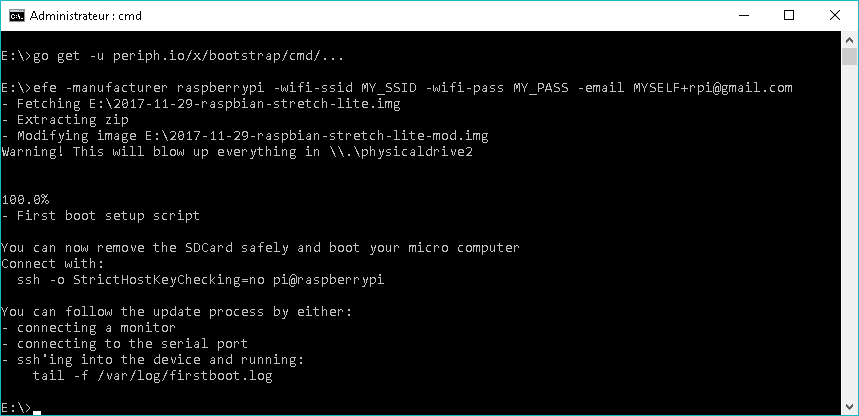
If you prefer to build on your workstation and push the binaries to the micro
computer, install push from periph.io/x/bootstrap to cross compile and efficiently push via
rsync:
go install periph.io/x/bootstrap/cmd/push@latest
push -host pi@raspberrypi periph.io/x/cmd/...
Recommended first use
Try first periph-info. It will print out if any driver failed to run, for
example if you have to run as root to access certain drivers.
Then run headers-list to list all the headers on your board and confirm that
you get the expected output. If your board is missing, you can contribute
it.
Devices
- apa102: Writes to a LED strip of APA-102 (sometimes called Dotstar). Can show an image animating on the Y axis.
- bmxx80: Reads the temperature, pressure and humidity off a bmp180/bme280/bmp280. Humidity sensing is only supported on bme280.
- cap1xxx: Reads the capacitive sensor family.
- ir: Reads codes (button presses) on an InfraRed remote sensor.
- led: Reads the state of on-board LEDs.
- ssd1306: Writes text, an image or an animated GIF to an OLED display.
- tm1637: Writes to a segment digits display.
Buses
- gpio-list: Looking for the GPIO pins per functionality? Prints the state of each GPIO pin.
- gpio-read: Read the input value of a GPIO pin and change input resistor.
- gpio-write: Change the output value of a GPIO pin.
- headers-list: Pinrts the location of the pin on the header to connect your GPIO. This is the perfect tool to know where to connect the wires.
- i2c-io: Reads and/or writes to an I²C device.
- i2c-list: Lists which I²C buses are enabled and where the pins are.
- spi-io: Reads and/or writes to an SPI device.
- spi-list: Lists which SPI ports are enabled and where the pins are.
Other
- periph-info: Lists which periph drivers loaded and which failed.
- periph-smoketest: Runs one of the smoke test for the drivers. The smoke test differs from unit tests as they require real hardware to confirm that the driver being tested works.
- videosink: Demonstrates how to provide display contents to HTTP clients.
Troubleshooting
Having trouble getting the tools to run? File an issue or better visit the Slack channel. You can get an invite here.
Authors
periph was initiated with ❤️️ and passion by Marc-Antoine
Ruel. The full list of contributors is in
AUTHORS and
CONTRIBUTORS.
Questions
What is cmd?
periph/cmd is a public repo on GitHub by periph. Go·Hardware·Lean - Ready-to use tools.
Is cmd open source?
It declares the Apache-2.0 license on GitHub.
Does cmd run on macOS, Windows or Linux?
Its maker has not tagged a system, so it is unknown here. Its README says what it needs.
How do I install cmd?
Open "Take it" on its page: Take My Repo writes an install plan for your machine and hands it to your AI agent (Claude Code, Codex or Cursor), which asks you before each step. Take My Repo has not tested it on any machine.
Is cmd still maintained?
Its last change on GitHub was on 2026-11-09. Take My Repo does not judge from that whether it is maintained.
What do people who ran cmd say?
Nobody has reviewed it on Take My Repo yet, which says nothing about its quality.
More from periph
gohci
Go on Hardware CI: 100% free open source CI to run on RPis, macOS and Windows