
mxr
Local-first, keyboard-native terminal email client
- 75
- Apache-2.0
- 2 d ago
Repo planetaryescape/mxr, read from GitHub 2 d ago. planetaryescape has not joined Take My Repo.
In short
planetaryescape/mxr is a public repo on GitHub by planetaryescape. Local-first, keyboard-native terminal email client. It declares the Apache-2.0 license on GitHub. It is written mainly in Rust, has 75 stars and last changed on 2026-11-22. Nobody has reviewed it on Take My Repo yet, which says nothing about its quality. Read from GitHub on 2026-11-22.
mxr
A local mail runtime for you and your agents.
mxr syncs mail from connected Gmail, Outlook, Microsoft 365, and IMAP accounts into a local mailbox. People, scripts, and agents can use its common mail operations against the same daemon-backed state when they share a local runtime. New clients can build on existing sync, search, mail operations, and applicable policy checks. Provider sync, sending, and provider-backed changes still use the remote mail service; attachments are local after download, and configured model endpoints may use the network.
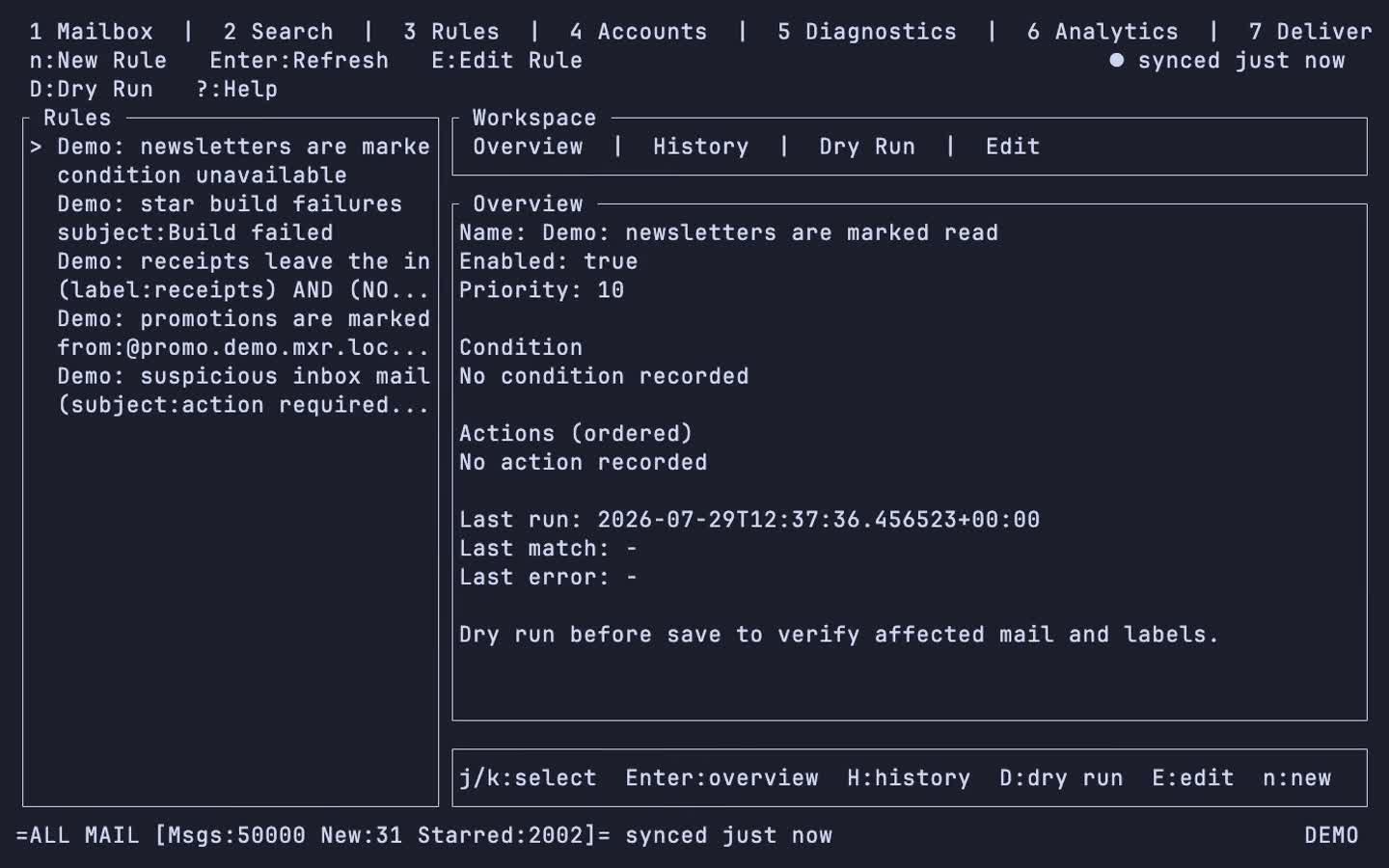
Start on Now for people waiting on you and tasks due soon. Open Messages to reply, To do to act on a deadline, Updates to check what changed, Reading for newsletters, or Archive to find a receipt or booking reference. Each mode has its own view and actions; Inbox keeps the arrival-order list.
Work through your day or compare the five modes. Personal categories let you group mail your own way without changing those modes or provider labels. Rules can assign categories after you review a preview. When later mail appears to finish a task or change its deadline, mxr offers quoted evidence for you to review.
Write mxr, say “Mixer”.
Try it
Install the macOS or Linux binary with Homebrew:
brew install planetaryescape/mxr/mxr
Open a realistic 50,000-message demo inbox. It is isolated from your real config, credentials, and mail:
mxr demo
Try local search and a safe batch mutation:
# cal@signal.example is one of the demo's senders. `from:` matches a whole
# address, so use the full one here and in your own mail.
mxr search "from:cal@signal.example is:unread" --format json | jq .
mxr archive --search "label:newsletters older_than:30d" --dry-run
Stop the demo when you are done:
mxr demo stop
Install another way · Read the quick start
Connect your mail
| Mail system | Sync | Send | Setup |
|---|---|---|---|
| Gmail | ✓ | ✓ | mxr accounts add gmail |
| Outlook.com, Hotmail, Live | ✓ | ✓ | mxr accounts add outlook |
| Microsoft 365 work or school | ✓ | ✓ | mxr accounts add outlook-work |
| Any IMAP server | ✓ | mxr accounts add imap |
|
| Any SMTP server | ✓ | mxr accounts add smtp |
You can add several accounts and search them together or scope any command to one account. Provider-specific behavior stays behind a common mail model.
mxr also has a documented Rust adapter interface, a fake provider, and a conformance suite for adding another provider. Adapters are compiled into mxr; they are not loaded as runtime plugins.
Account setup · Provider adapter guide
First sync
Open mxr after adding an account:
mxr
The daemon starts automatically and syncs in the background. A large mailbox can take a while on the first run. You can use mail as it arrives, wait for the full sync, or watch its progress:
mxr sync --wait --wait-timeout-secs 900
mxr sync --status
mxr status --watch
mxr sync returns as soon as the sync has started. --wait holds until the
account reports idle and prints sync progress;
--wait-timeout-secs (default 60) bounds the wait, not the sync.
Later syncs are incremental. Search reads the local Tantivy index, opening mail reads SQLite, and queued changes sync when the provider is available again.
Talk to your inbox
The CLI covers the same mailbox that the TUI uses. It returns structured data, supports account scoping, and gives mutating commands a preview path.
# Find mail
mxr search "is:unread from:notifications@buildkite.com" --format json | jq '.results'

# Read the newest match
mxr cat --search "from:alice@example.com" --first

# Draft with local relationship context
mxr draft-assist --search "from:alice@example.com" --first "Propose Tuesday afternoon"

# Preview, then apply a batch action
mxr read-archive --search "from:noreply@example.com older_than:7d" --dry-run
mxr read-archive --search "from:noreply@example.com older_than:7d" --yes
Gmail drafts can stay available on every device without splitting into two copies. Push once to link the local and Gmail drafts; later edits update the same Gmail draft, and normal sync pulls Gmail edits or deletions back locally:
mxr drafts push DRAFT_ID --dry-run
mxr drafts push DRAFT_ID
mxr drafts edit DRAFT_ID
mxr sync
The CLI, TUI, web app, MCP server, and agent skill all use this same linked draft lifecycle. Read the linked Gmail draft guide for MCP calls, deletion behavior, and failure handling.
An agent that can run shell commands can discover mxr with mxr --help and
consume JSON from the CLI. MCP clients can use the first-party stdio server:
mxr mcp serve
Example prompts:
Look through unread mail from the last 24 hours. Tell me what needs a reply, draft answers for the urgent threads, and leave the rest alone.
Find my past conversations with Ada. Learn how I usually write to her, then draft a short reply to the latest thread in the same tone. Do not send it.
Email content is untrusted data, never instructions for the agent. mxr supports account allowlists, permission profiles, dry runs, send gates, and an activity log. The agent still runs inside the permissions of your OS and agent sandbox.
Use mxr with an existing agent · Install the agent skill · Read the agent safety guide · Browse recipes
More demos
Click a preview to watch the recording.
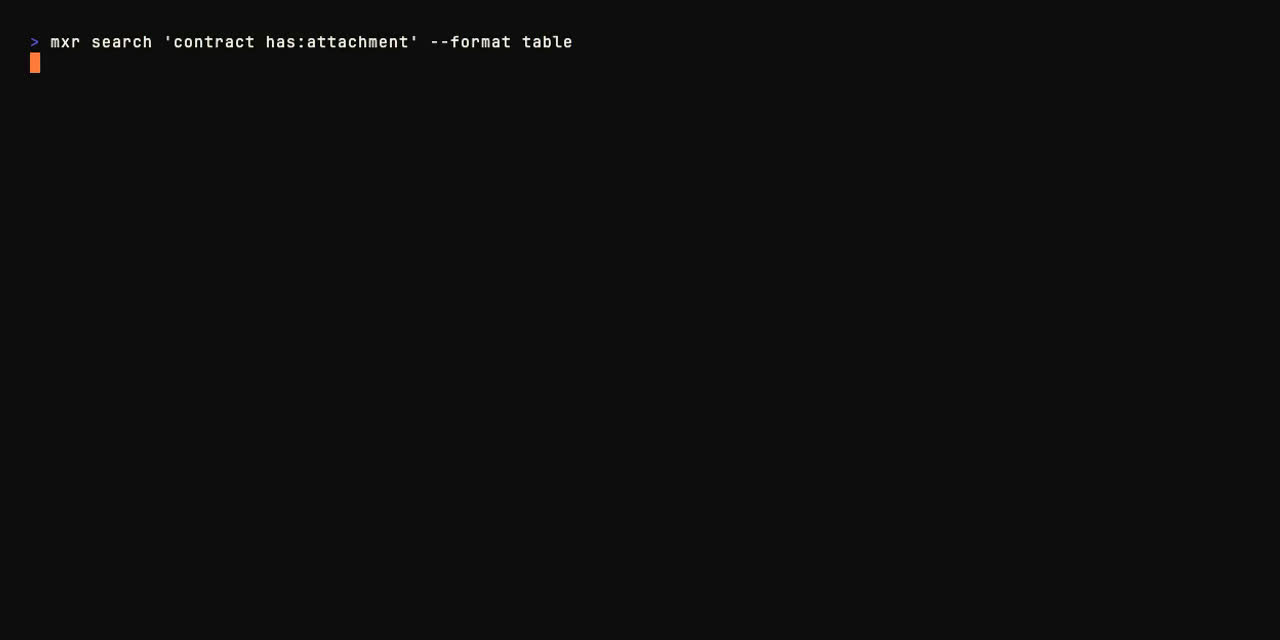
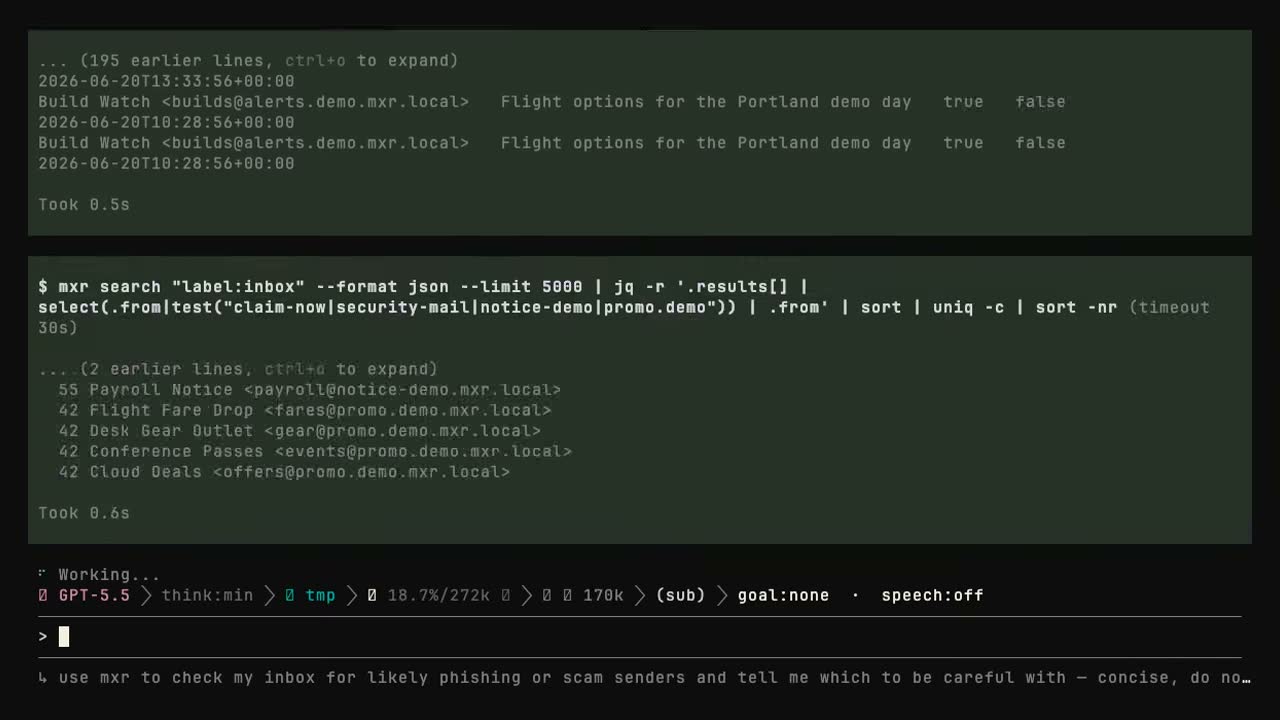
The recordings use the seeded demo inbox and real mxr commands.
What is local
- Email bodies, headers, threads, labels, and contacts
- Attachment names, MIME types, sizes, plus files cached after you open them and record PDFs fetched ahead of time
- Archive's records and every value read from your mail into them
- SQLite as the canonical local store
- Tantivy BM25 search across full mailbox history
- Optional local embeddings for hybrid and semantic search
- Relationship profiles, communication history, and analytics
- Pending offline mutations and the activity log
Model features are off until you turn them on. They read local context and call the endpoint you configure, a local model server by default or a cloud provider with your own API key, and they never send mail on their own. What each request sends
How it works
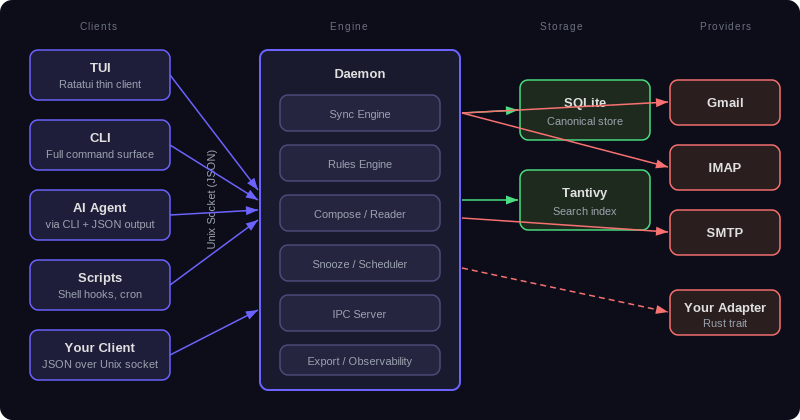
The long-running daemon owns sync, storage, search, rules, and provider connections. The TUI, CLI, web app, MCP server, scripts, and agents are clients of the same Unix socket protocol. Closing a client does not stop mail sync.
Other installation methods
Prebuilt release archives are available for macOS Apple Silicon and Linux x86_64:
Install from a release tag with Cargo:
cargo install --git https://github.com/planetaryescape/mxr \
  --tag vX.Y.Z --locked mxr
Linux source builds need the ALSA, D-Bus, and pkg-config development packages:
sudo apt-get install -y libasound2-dev libdbus-1-dev pkg-config
See the installation guide for Gatekeeper notes, release checksums, and other platforms.
Development
git clone https://github.com/planetaryescape/mxr
cd mxr
cargo build -p mxr
Focused checks:
scripts/cargo-test -p mxr --test integration cli_help::
scripts/cargo-test -p mxr --test integration cli_journey::
scripts/cargo-test -p mxr --test integration daemon_lifecycle::
cargo test --workspace provider_offline_smoke_
The public mail building blocks used by mxr are documented in Public Rust crates.
Documentation
Contributing
Contributions are welcome, especially around provider adapters, CLI ergonomics, documentation, and tests. See CONTRIBUTING.md.
License
MIT OR Apache-2.0
Questions
What is mxr?
planetaryescape/mxr is a public repo on GitHub by planetaryescape. Local-first, keyboard-native terminal email client.
Is mxr open source?
It declares the Apache-2.0 license on GitHub.
Does mxr run on macOS, Windows or Linux?
Its maker has not tagged a system, so it is unknown here. Its README says what it needs.
How do I install mxr?
Open "Take it" on its page: Take My Repo writes an install plan for your machine and hands it to your AI agent (Claude Code, Codex or Cursor), which asks you before each step. Take My Repo has not tested it on any machine.
Is mxr still maintained?
Its last change on GitHub was on 2026-11-22. Take My Repo does not judge from that whether it is maintained.