RestClient
🦄 A Promise based REST and HTTP client for Unity 🎮
- 1.3k
- MIT
- 8 mo ago
Repo proyecto26/RestClient, read from GitHub 1 min ago. proyecto26 has not joined Take My Repo.
In short
proyecto26/RestClient is a public repo on GitHub by proyecto26. 🦄 A Promise based REST and HTTP client for Unity 🎮. It declares the MIT license on GitHub. It is written mainly in C#, has 1,315 stars and last changed on 2026-03-22. Nobody has reviewed it on Take My Repo yet, which says nothing about its quality. Read from GitHub on 2026-11-22.
RestClient for Unity 🤘

This HTTP/REST Client is based on Promises to avoid the Callback Hell ☠️ and the Pyramid of doom 💩 working with Coroutines in Unity 🎮, example:
var api = "https://jsonplaceholder.typicode.com";
RestClient.GetArray<Post>(api + "/posts", (err, res) => {
  RestClient.GetArray<Todo>(api + "/todos", (errTodos, resTodos) => {
    RestClient.GetArray<User>(api + "/users", (errUsers, resUsers) => {
      //Missing validations to catch errors!
    });
  });
});
But working with Promises we can improve our code, yay! 👏
RestClient.GetArray<Post>(api + "/posts").Then(response => {
  EditorUtility.DisplayDialog ("Success", JsonHelper.ArrayToJson<Post>(response, true), "Ok");
  return RestClient.GetArray<Todo>(api + "/todos");
}).Then(response => {
  EditorUtility.DisplayDialog ("Success", JsonHelper.ArrayToJson<Todo>(response, true), "Ok");
  return RestClient.GetArray<User>(api + "/users");
}).Then(response => {
  EditorUtility.DisplayDialog ("Success", JsonHelper.ArrayToJson<User>(response, true), "Ok");
}).Catch(err => EditorUtility.DisplayDialog ("Error", err.Message, "Ok"));
Features 🎮
- Works out of the box 🎉
- Make HTTP requests from Unity
- Supports HTTPS/SSL
- Built on top of UnityWebRequest system
- Transform request and response data (JSON serialization with JsonUtility or other tools)
- Automatic transforms for JSON Arrays.
- Supports default HTTP Methods (GET, POST, PUT, DELETE, HEAD, PATCH)
- Generic REQUEST method to create any http request
- Based on Promises for a better asynchronous programming. Learn about Promises here!
- Utility to work during scene transition
- Handle HTTP exceptions and retry requests easily
- Open Source 🦄
Supported platforms 📱 🖥
The UnityWebRequest system supports most Unity platforms:
- All versions of the Editor and Standalone players
- WebGL
- Mobile platforms: iOS, Android
- Universal Windows Platform
- PS4 and PSVita
- XboxOne
- HoloLens
- Nintendo Switch
Demo ⏯
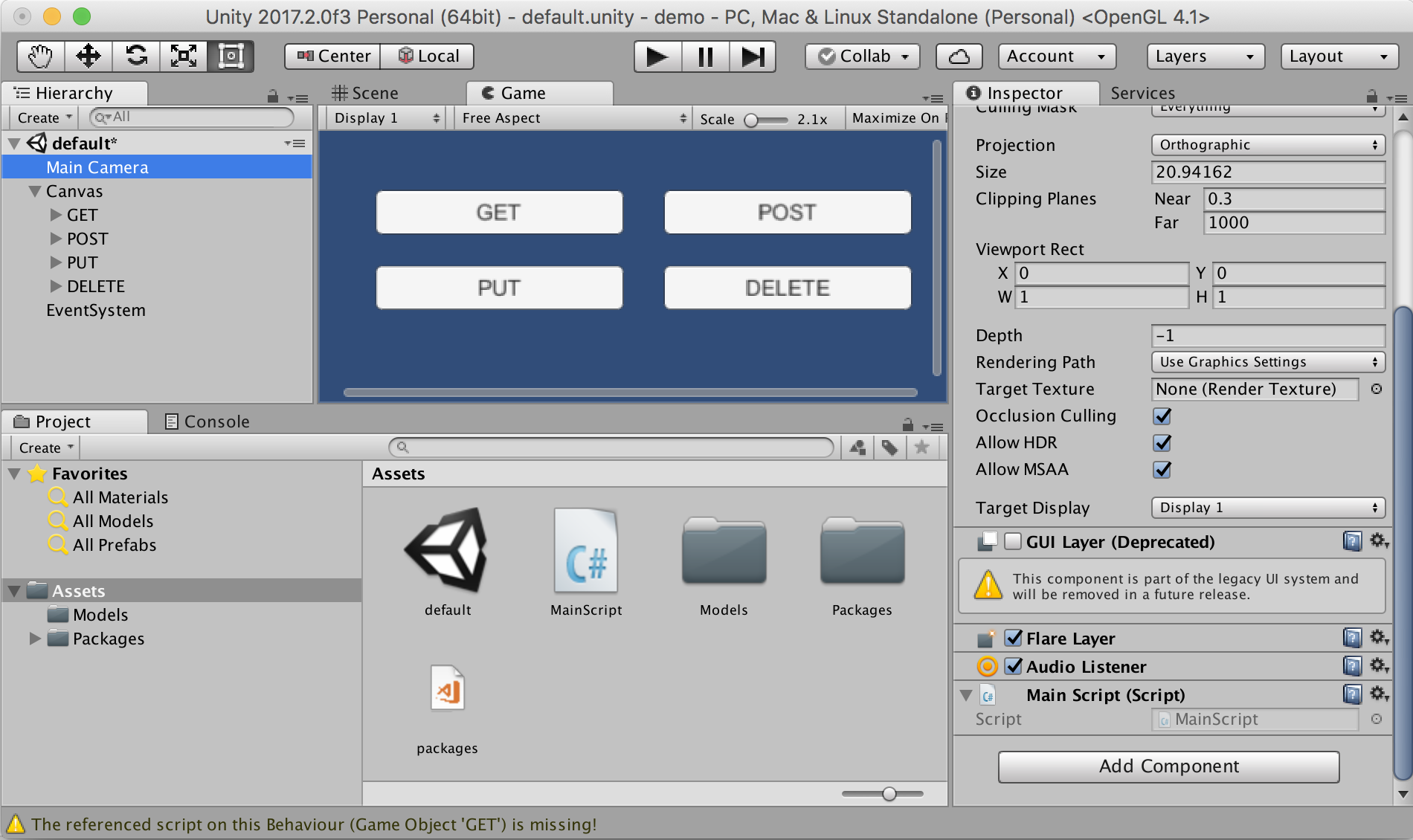
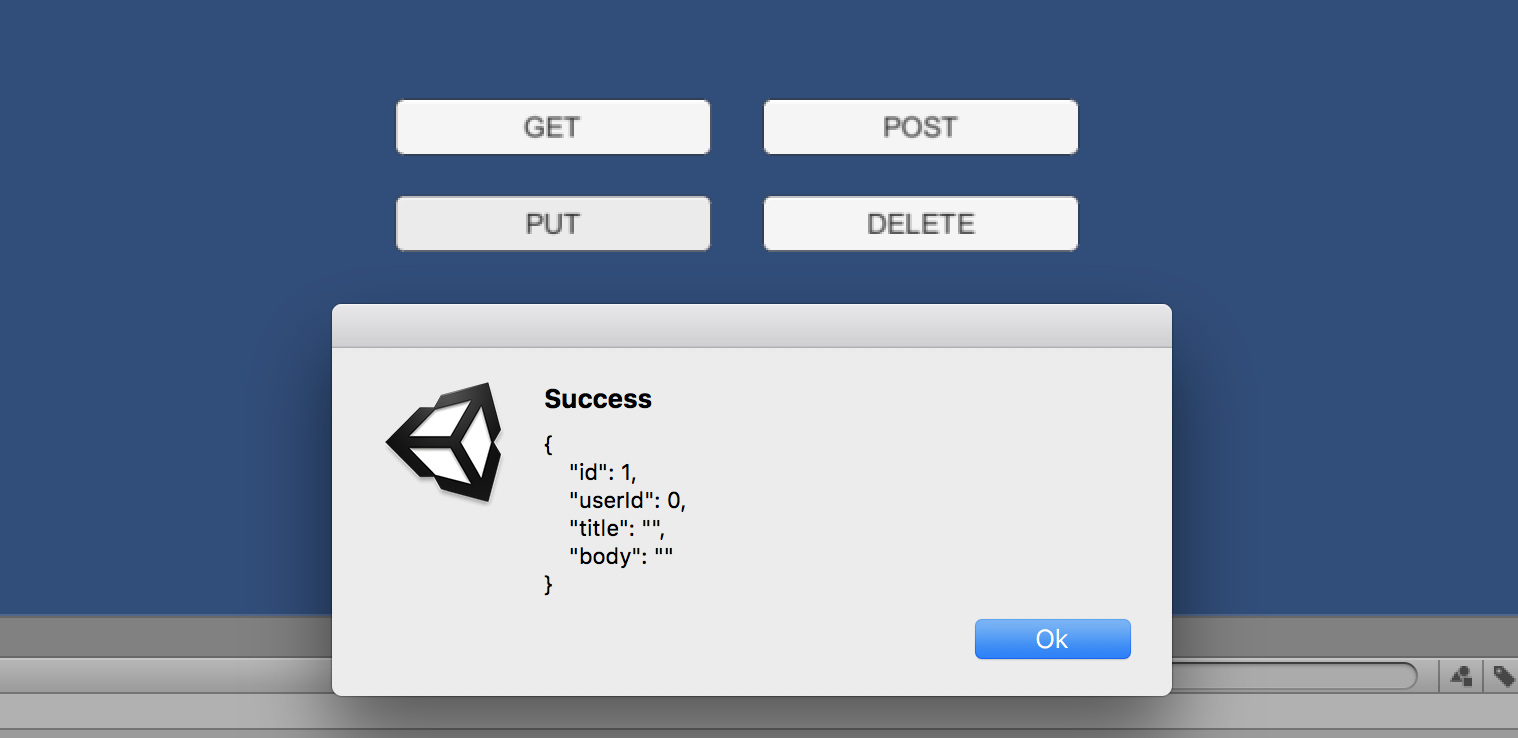
Do you want to see this beautiful package in action? Download the demo here
Installation 👨💻
Unity package
Download and install the .unitypackage file of the latest release published here.
UPM package
Make sure you had installed C# Promise package or at least have it in your openupm scope registry. Then install RestClient package using this URL from Package Manager: https://github.com/proyecto26/RestClient.git#upm
NuGet package
Other option is download this package from NuGet with Visual Studio or using the nuget-cli, a NuGet.config file is required at the root of your Unity Project, for example:
<?xml version="1.0" encoding="utf-8"?>
<configuration>
  <config>
    <add key="repositoryPath" value="./Assets/Packages" />
  </config>
</configuration>
The package to search for is Proyecto26.RestClient.
Getting Started 📚
The default methods (GET, POST, PUT, DELETE, HEAD) are:
RestClient.Get("https://jsonplaceholder.typicode.com/posts/1").Then(response => {
  EditorUtility.DisplayDialog("Response", response.Text, "Ok");
});
RestClient.Post("https://jsonplaceholder.typicode.com/posts", newPost).Then(response => {
  EditorUtility.DisplayDialog("Status", response.StatusCode.ToString(), "Ok");
});
RestClient.Put("https://jsonplaceholder.typicode.com/posts/1", updatedPost).Then(response => {
  EditorUtility.DisplayDialog("Status", response.StatusCode.ToString(), "Ok");
});
RestClient.Delete("https://jsonplaceholder.typicode.com/posts/1").Then(response => {
  EditorUtility.DisplayDialog("Status", response.StatusCode.ToString(), "Ok");
});
RestClient.Head("https://jsonplaceholder.typicode.com/posts").Then(response => {
  EditorUtility.DisplayDialog("Status", response.StatusCode.ToString(), "Ok");
});
Handling during scene transition
ExecuteOnMainThread.RunOnMainThread.Enqueue(() => {
  //Any API call using RestClient
});
Generic Request Method
And we have a generic method to create any type of request:
RestClient.Request(new RequestHelper {
  Uri = "https://jsonplaceholder.typicode.com/photos",
  Method = "POST",
  Timeout = 10,
  Params = new Dictionary<string, string> {
    { "param1", "Query string param..." }
  },
  Headers = new Dictionary<string, string> {
    { "Authorization", "Bearer JWT_token..." }
  },
  Body = newPhoto, //Serialize object using JsonUtility by default
  BodyString = SerializeObject(newPhoto), //Use it instead of 'Body' to serialize using other tools
  BodyRaw = CompressToRawData(newPhoto), //Use it instead of 'Body' to send raw data directly
  FormData = new WWWForm(), //Send files, etc with POST requests
  SimpleForm = new Dictionary<string, string> {}, //Content-Type: application/x-www-form-urlencoded
  FormSections = new List<IMultipartFormSection>() {}, //Content-Type: multipart/form-data
  CertificateHandler = new CustomCertificateHandler(), //Create custom certificates
  UploadHandler = new UploadHandlerRaw(bytes), //Send bytes directly if it's required
  DownloadHandler = new DownloadHandlerFile(destPah), //Download large files
  ContentType = "application/json", //JSON is used by default
  Retries = 3, //Number of retries
  RetrySecondsDelay = 2, //Seconds of delay to make a retry
  RetryCallbackOnlyOnNetworkErrors = true, //Invoke RetryCallack only when the retry is provoked by a network error
  RetryCallback = (err, retries) => {}, //See the error before retrying the request
  ProgressCallback = (percent) => {}, //Reports progress of the request from 0 to 1
  EnableDebug = true, //See logs of the requests for debug mode
  IgnoreHttpException = true, //Prevent to catch http exceptions
  ChunkedTransfer = false,
  UseHttpContinue = true,
  RedirectLimit = 32,
  DefaultContentType = false, //Disable JSON content type by default
  ParseResponseBody = false //Don't encode and parse downloaded data as JSON
}).Then(response => {
  //Get resources via downloadHandler to get more control!
  Texture texture = ((DownloadHandlerTexture)response.Request.downloadHandler).texture;
  AudioClip audioClip = ((DownloadHandlerAudioClip)response.Request.downloadHandler).audioClip;
  AssetBundle assetBundle = ((DownloadHandlerAssetBundle)response.Request.downloadHandler).assetBundle;

  EditorUtility.DisplayDialog("Status", response.StatusCode.ToString(), "Ok");
}).Catch(err => {
  var error = err as RequestException;
  EditorUtility.DisplayDialog("Error Response", error.Response, "Ok");
});
- Example downloading an audio file:
var fileUrl = "https://raw.githubusercontent.com/IonDen/ion.sound/master/sounds/bell_ring.ogg";
var fileType = AudioType.OGGVORBIS;

RestClient.Get(new RequestHelper {
  Uri = fileUrl,
  DownloadHandler = new DownloadHandlerAudioClip(fileUrl, fileType)
}).Then(res => {
  AudioSource audio = GetComponent<AudioSource>();
  audio.clip = ((DownloadHandlerAudioClip)res.Request.downloadHandler).audioClip;
  audio.Play();
}).Catch(err => {
  EditorUtility.DisplayDialog ("Error", err.Message, "Ok");
});
With all the methods we have the possibility to indicate the type of response, in the following example we're going to create a class and the HTTP requests to load JSON data easily:
[Serializable]
public class User
{
  public int id;
  public string name;
  public string username;
  public string email;
  public string phone;
  public string website;
}
- GET JSON
var usersRoute = "https://jsonplaceholder.typicode.com/users";
RestClient.Get<User>(usersRoute + "/1").Then(firstUser => {
  EditorUtility.DisplayDialog("JSON", JsonUtility.ToJson(firstUser, true), "Ok");
});
- GET Array (JsonHelper is an extension to manage arrays)
RestClient.GetArray<User>(usersRoute).Then(allUsers => {
  EditorUtility.DisplayDialog("JSON Array", JsonHelper.ArrayToJsonString<User>(allUsers, true), "Ok");
});
Also we can create different classes for custom responses:
[Serializable]
public class CustomResponse
{
  public int id;
}
- POST
RestClient.Post<CustomResponse>(usersRoute, newUser).Then(customResponse => {
  EditorUtility.DisplayDialog("JSON", JsonUtility.ToJson(customResponse, true), "Ok");
});
- PUT
RestClient.Put<CustomResponse>(usersRoute + "/1", updatedUser).Then(customResponse => {
  EditorUtility.DisplayDialog("JSON", JsonUtility.ToJson(customResponse, true), "Ok");
});
Custom HTTP Headers, Params and Options 💥
HTTP Headers, such as Authorization, can be set in the DefaultRequestHeaders object for all requests
RestClient.DefaultRequestHeaders["Authorization"] = "Bearer ...";
Query string params can be set in the DefaultRequestParams object for all requests
RestClient.DefaultRequestParams["param1"] = "Query string value...";
Also we can add specific options and override default headers and params for a request
var currentRequest = new RequestHelper {
  Uri = "https://jsonplaceholder.typicode.com/photos",
  Headers = new Dictionary<string, string> {
    { "Authorization", "Other token..." }
  },
  Params = new Dictionary<string, string> {
    { "param1", "Other value..." }
  }
};
RestClient.GetArray<Photo>(currentRequest).Then(response => {
  EditorUtility.DisplayDialog("Header", currentRequest.GetHeader("Authorization"), "Ok");
});
And we can know the status of the request and cancel it!
currentRequest.UploadProgress; //The progress by uploading data to the server
currentRequest.UploadedBytes; //The number of bytes of body data the system has uploaded
currentRequest.DownloadProgress; //The progress by downloading data from the server
currentRequest.DownloadedBytes; //The number of bytes of body data the system has downloaded
currentRequest.Abort(); //Abort the request manually
Additionally we can run a callback function whenever a progress change happens!
RestClient.Get(new RequestHelper {
  Uri = "https://jsonplaceholder.typicode.com/users",
  ProgressCallback = percent => Debug.Log(percent)
});
Later we can clear the default headers and params for all requests
RestClient.ClearDefaultHeaders();
RestClient.ClearDefaultParams();
Example
- Unity as Client
[Serializable]
public class ServerResponse {
  public string id;
  public string date; //DateTime is not supported by JsonUtility
}
[Serializable]
public class User {
  public string firstName;
  public string lastName;
}
RestClient.Post<ServerResponse>("www.api.com/endpoint", new User {
  firstName = "Juan David",
  lastName = "Nicholls Cardona"
}).Then(response => {
  EditorUtility.DisplayDialog("ID: ", response.id, "Ok");
  EditorUtility.DisplayDialog("Date: ", response.date, "Ok");
});
- NodeJS as Backend (Using Express)
router.post('/', function(req, res) {
  console.log(req.body.firstName)
  res.json({
    id: 123,
    date: new Date()
  })
});
Star History 🌟
Sponsors 💜
This project is free and open source. Sponsors help keep it maintained and growing.
Become a Sponsor | Sponsorship Program
Contributing ✨
When contributing to this repository, please first discuss the change you wish to make via issue, email, or any other method with the owners of this repository before making a change.
Contributions are what make the open-source community such an amazing place to learn, inspire, and create. Any contributions you make are greatly appreciated ❤️.
You can learn more about how you can contribute to this project in the contribution guide.
Contributors ✨
Please do contribute! Issues and pull requests are welcome.
Code Contributors
This project exists thanks to all the people who contribute. [Contribute].
Collaborators
 |
 |
 |
 |
|---|---|---|---|
| Juan Nicholls | Diego Ossa | Nasdull | Maifee Ul Asad |
Enterprise 💼
Available as part of the Tidelift Subscription.
The maintainers of RestClient for Unity and thousands of other packages are working with Tidelift to deliver commercial support and maintenance for the open source dependencies you use to build your applications. Save time, reduce risk, and improve code health, while paying the maintainers of the exact dependencies you use. Learn more.
Security contact information 🚨
To report a security vulnerability, please use the Tidelift security contact. Tidelift will coordinate the fix and disclosure.
Who is using RestClient ⚔️
We are battle tested. There is a list of our usage in production:
- mainware. Ref: #138 (comment)
- virsabi. Ref: #138 (comment)
- type3studio. Ref: #138 (comment)
License ⚖️
This repository is available under the MIT License.
Credits 👍
- C-Sharp-Promise: Promises library for C# for management of asynchronous operations.
- MyAPI: A template to create awesome APIs easily ⚡️
Happy coding 💯
Made with ❤️ by Proyecto 26

Questions
What is RestClient?
proyecto26/RestClient is a public repo on GitHub by proyecto26. 🦄 A Promise based REST and HTTP client for Unity 🎮.
Is RestClient open source?
It declares the MIT license on GitHub.
Does RestClient run on macOS, Windows or Linux?
Its maker tagged it for Windows. That is declared by the maker; Take My Repo has not tested it.
How do I install RestClient?
Open "Take it" on its page: Take My Repo writes an install plan for your machine and hands it to your AI agent (Claude Code, Codex or Cursor), which asks you before each step. Take My Repo has not tested it on any machine.
Is RestClient still maintained?
Its last change on GitHub was on 2026-03-22. GitHub counts 25 open issues and pull requests. Take My Repo does not judge from that whether it is maintained.
What do people who ran RestClient say?
Nobody has reviewed it on Take My Repo yet, which says nothing about its quality.