
Easing
Unified set of easing functions
- 32
- MIT
- 5 mo ago
Repo psharanda/Easing, read from GitHub 5 h ago. psharanda has not joined Take My Repo.
In short
psharanda/Easing is a public repo on GitHub by psharanda. Unified set of easing functions. It declares the MIT license on GitHub. It is written mainly in Swift, has 32 stars and last changed on 2026-06-29. Nobody has reviewed it on Take My Repo yet, which says nothing about its quality. Read from GitHub on 2026-11-24.
Similar repos
smile
Statistical Machine Intelligence & Learning Engine

Features
- Easy-to-use 'swifty' API to invoke calculations
- Unified set of easing functions
- Arbitrary cubic bezier based easings (see
.cubicBezier(...)) - Piecewise linear easings similar to CSS
linear()(seepiecewiseLinear(...)) - Spring-based easings with physics configuration (see
spring(...)) - Emulate default easings from iOS (see
.caEaseIn,.caEaseOut,.caEaseInEaseOut) - Interpolation shorthands for commonly used types like
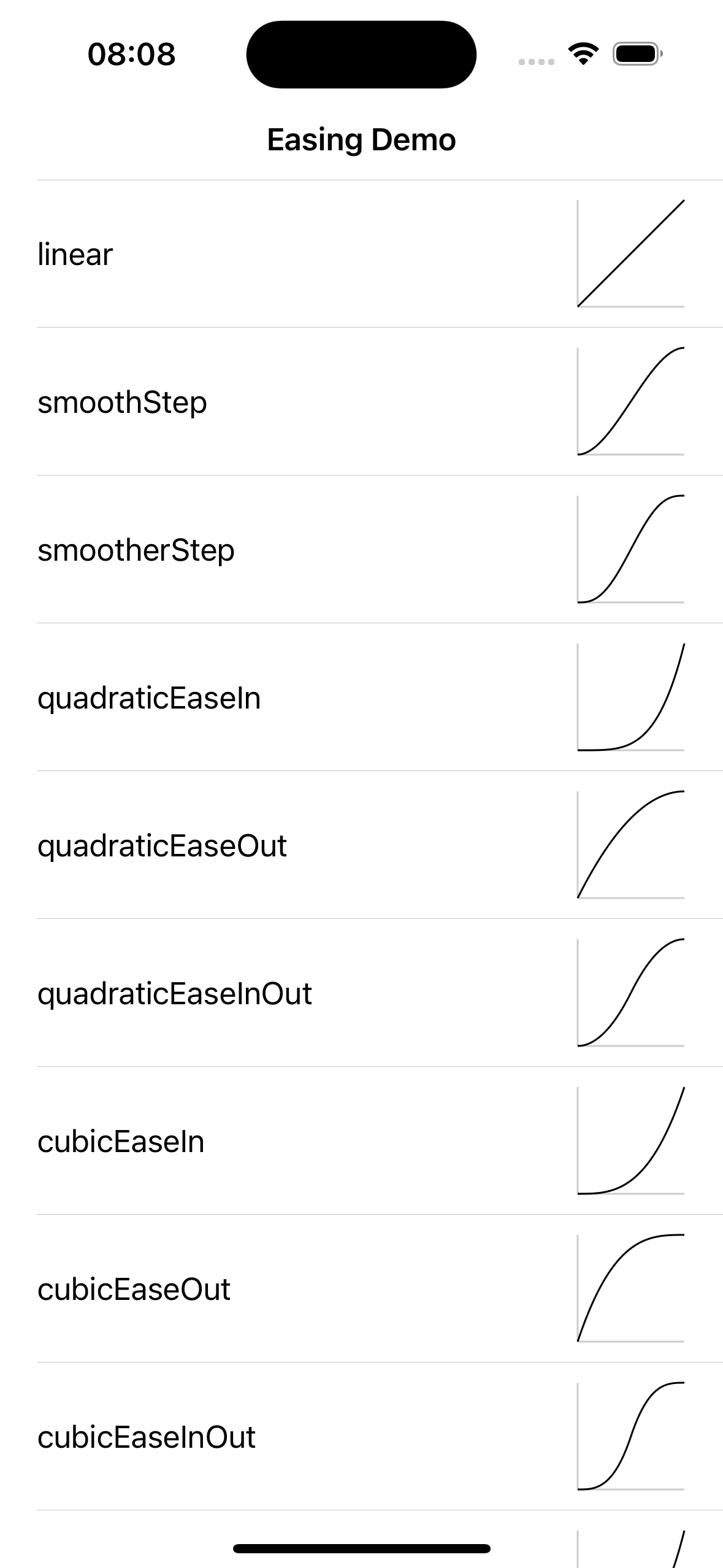
CGPoint,CGSize,CGAffineTransform,UIColor/NSColorandUIBezierPath/NSBezierPath - Interactive demo app
- Extensive test coverage and fully documented
- Supports iOS 12.0+ / Mac OS X 10.13+ / tvOS 12.0+ / watchOS 4.0+ / visionOS 1.0+
Usage
Basic
let startValue = 20.0
let endValue = 60.0
let progress = 0.5  // Assume a progress variable that ranges from 0 to 1

let valueAtProgress = Easing.cubicEaseIn.calculate(
    d1: startValue,
    d2: endValue,
    g: progress
)
Ranges (g1/g2 and d1/d2)
g is the input (often time or progress). g1/g2 define the input range, and d1/d2 define the output range. The easing maps g from [g1, g2] to [d1, d2] using the chosen curve.
// Map input range to output range
let output = Easing.quadraticEaseInOut.calculate(
    g1: 0,
    d1: 0,
    g2: 100,
    d2: 1,
    g: input
)
With clamp: true (default), values outside [g1, g2] are clamped to the nearest endpoint: for example g = -20 behaves like g = 0 and returns d1, while g = 140 behaves like g = 100 and returns d2. With clamp: false, those inputs will extrapolate beyond the range (e.g. g = -20 gives a value below d1, g = 140 gives a value above d2).
Real world example
Imagine an interaction with a UIScrollView where its header is fully visible when the content offset is zero and fades out completely as the content offset exceeds 100 points. You can express this behavior with the following code in your scrollViewDidScroll method:
let minOffset = 0.0
let alphaForMinOffset = 0.0
let maxOffset = 100.0
let alphaForMaxOffset = 1.0
let offset = scrollView.contentOffset.y

headerView.alpha = Easing.quadraticEaseInOut.calculate(
    g1: minOffset,
    d1: alphaForMinOffset,
    g2: maxOffset,
    d2: alphaForMaxOffset,
    g: offset
)
Interpolatable
let startTransform = CGAffineTransform.identity
let endTransform = CGAffineTransform(scaleX: 2, y: 2)
let progress = 0.5  // Assume a progress variable that ranges from 0 to 1

view.transform = startTransform.interpolate(to: endTransform,
                                      progress: progress,
                                        easing: .linear)
Piecewise linear (CSS linear() style)
CSS linear(0, 0.25 75%, 1) translates to:
let easing = Easing.piecewiseLinear([
    PiecewiseLinearStop(0),  // x defaults to 0
    PiecewiseLinearStop(0.25, at: 0.75), // explicit stop position
    PiecewiseLinearStop(1) // x defaults to 1
])
Spring
let swiftUISpring = Easing.spring(.swiftUISpring, initialVelocity: 0)

let customSpring = Easing.spring(
    mass: 1,
    stiffness: 100,
    damping: 10,
    initialVelocity: 0,
    duration: 1
)
Reference
| Easing | |
|---|---|
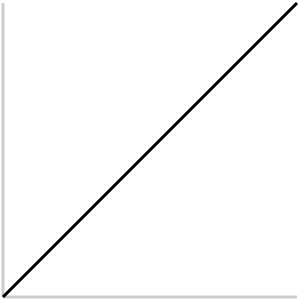
.linear |
 |
.piecewiseLinear(0, 0.25@0.75, 1) |
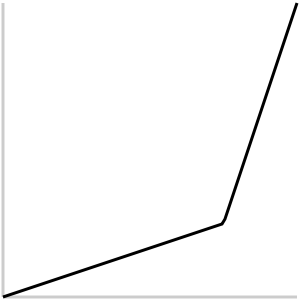 |
.piecewiseLinear(spring) |
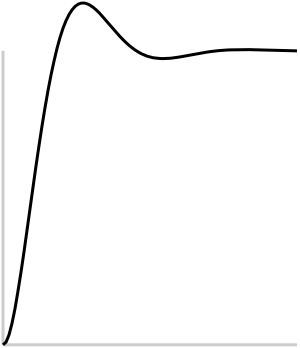 |
.spring(.swiftUISpring) |
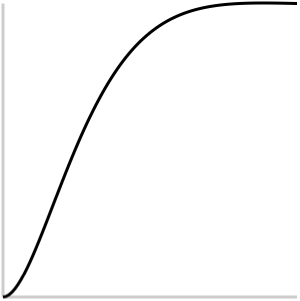 |
.spring(.swiftUIInteractiveSpring) |
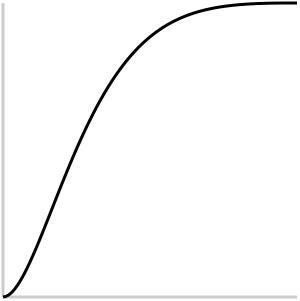 |
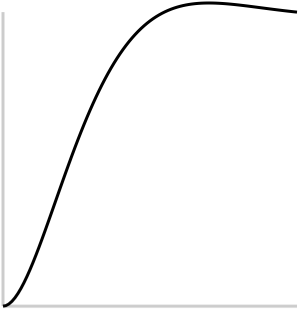
.spring(dampingRatio:0.7,response:0.4) |
 |
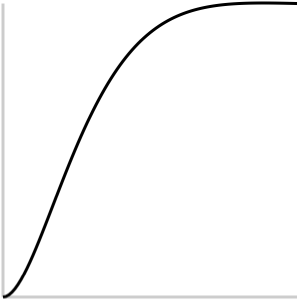
.spring(response:0.5,dampingFraction:0.825) |
 |
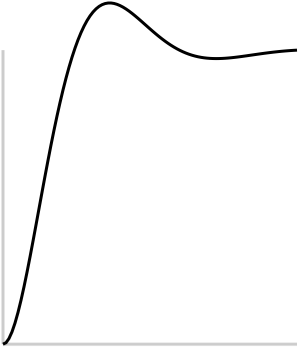
.spring(mass:1,stiffness:100,damping:10,duration:1) |
 |
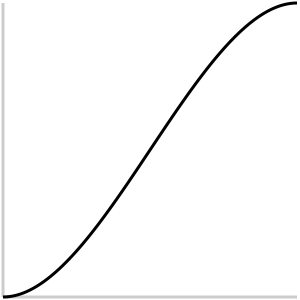
.smoothStep |
 |
.smootherStep |
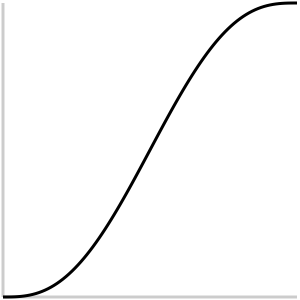 |
.quadraticEaseIn |
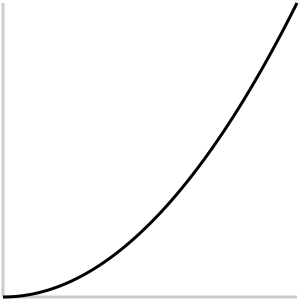 |
.quadraticEaseOut |
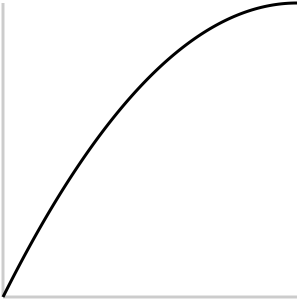 |
.quadraticEaseInOut |
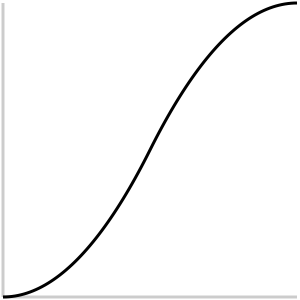 |
.cubicEaseIn |
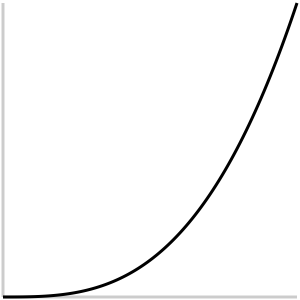 |
.cubicEaseOut |
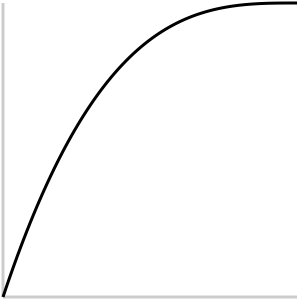 |
.cubicEaseInOut |
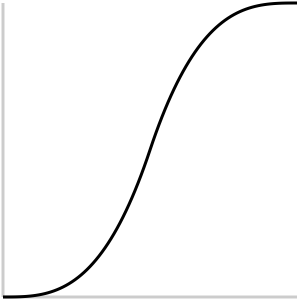 |
.quarticEaseIn |
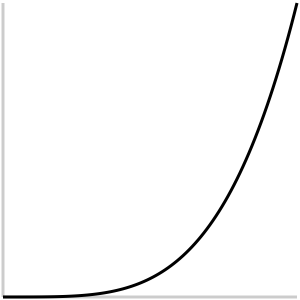 |
.quarticEaseOut |
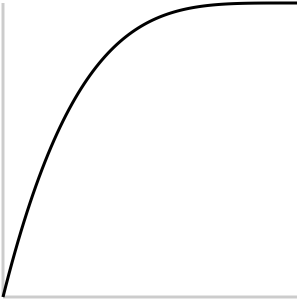 |
.quarticEaseInOut |
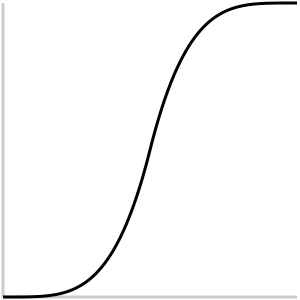 |
.quinticEaseIn |
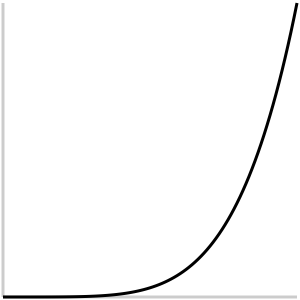 |
.quinticEaseOut |
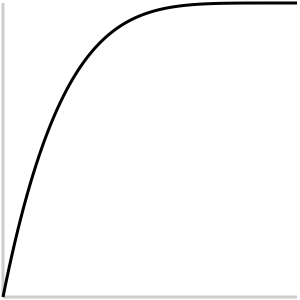 |
.quinticEaseInOut |
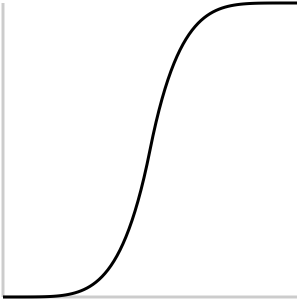 |
.sineEaseIn |
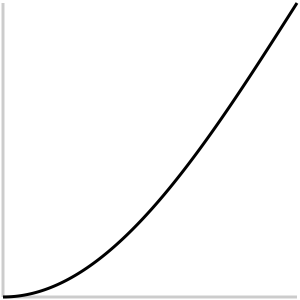 |
.sineEaseOut |
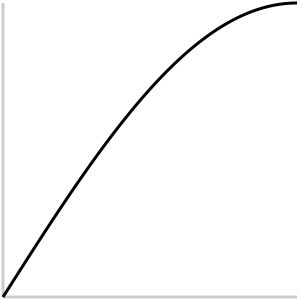 |
.sineEaseInOut |
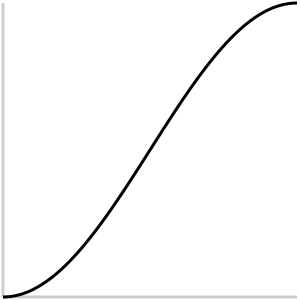 |
.circularEaseIn |
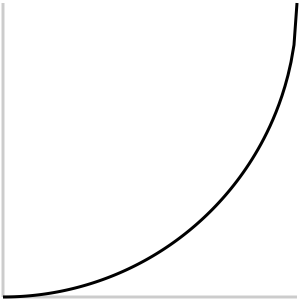 |
.circularEaseOut |
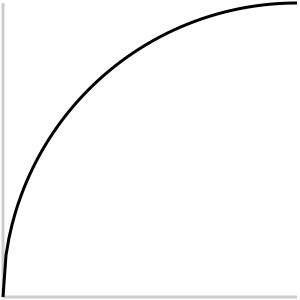 |
.circularEaseInOut |
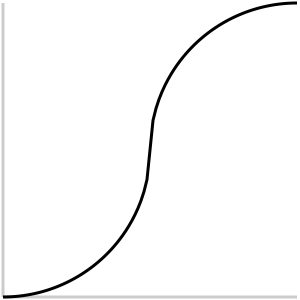 |
.exponentialEaseIn |
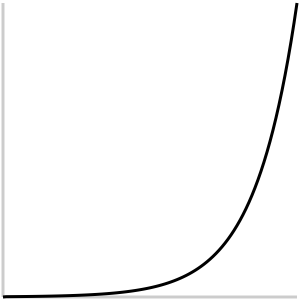 |
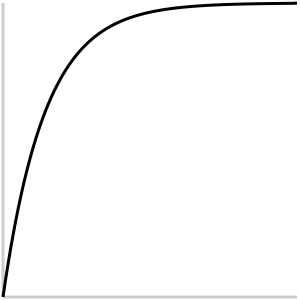
.exponentialEaseOut |
 |
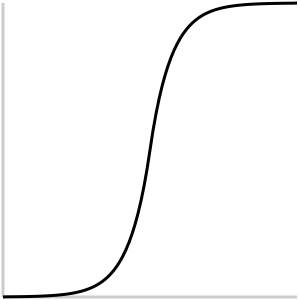
.exponentialEaseInOut |
 |
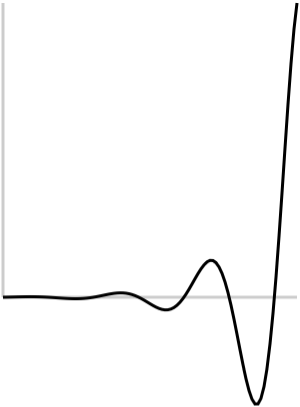
.elasticEaseIn |
 |
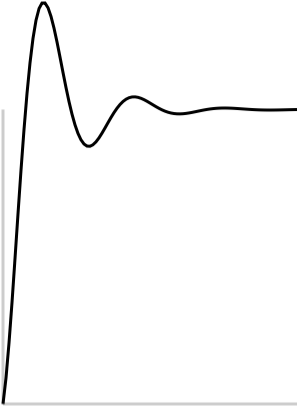
.elasticEaseOut |
 |
.elasticEaseInOut |
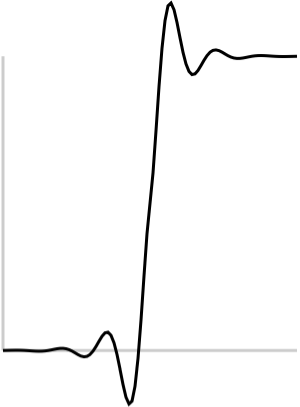 |
.backEaseIn |
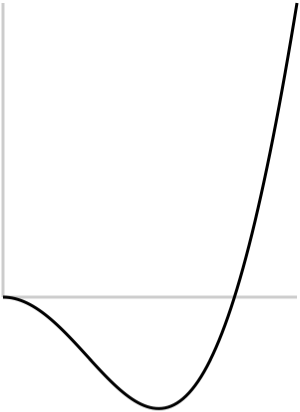 |
Questions
What is Easing?
psharanda/Easing is a public repo on GitHub by psharanda. Unified set of easing functions.
Is Easing open source?
It declares the MIT license on GitHub.
Does Easing run on macOS, Windows or Linux?
Its maker has not tagged a system, so it is unknown here. Its README says what it needs.
How do I install Easing?
Open "Take it" on its page: Take My Repo writes an install plan for your machine and hands it to your AI agent (Claude Code, Codex or Cursor), which asks you before each step. Take My Repo has not tested it on any machine.
Is Easing still maintained?
Its last change on GitHub was on 2026-06-29. Take My Repo does not judge from that whether it is maintained.



