
python-cli-license-starter
Starter template for selling a Python CLI tool with license keys: activation, free trial, kill switch, update check (Typer + Rich)
- 1
- MIT
- 5 wk ago
Repo pwfauth/python-cli-license-starter, read from GitHub 14 min ago. pwfauth has not joined Take My Repo.
In short
pwfauth/python-cli-license-starter is a public repo on GitHub by pwfauth. Starter template for selling a Python CLI tool with license keys: activation, free trial, kill switch, update check (Typer + Rich). It declares the MIT license on GitHub. It is written mainly in Python, has 1 stars and last changed on 2026-10-23. Nobody has reviewed it on Take My Repo yet, which says nothing about its quality. Read from GitHub on 2026-11-24.
English · 简体中文 · Türkçe · العربية
Video tutorials: youtube.com/@pwfauth
python-cli-license-starter
A small template for selling a Python command-line tool with license keys. Clone it, rename mytool, and put your own commands in commands.py
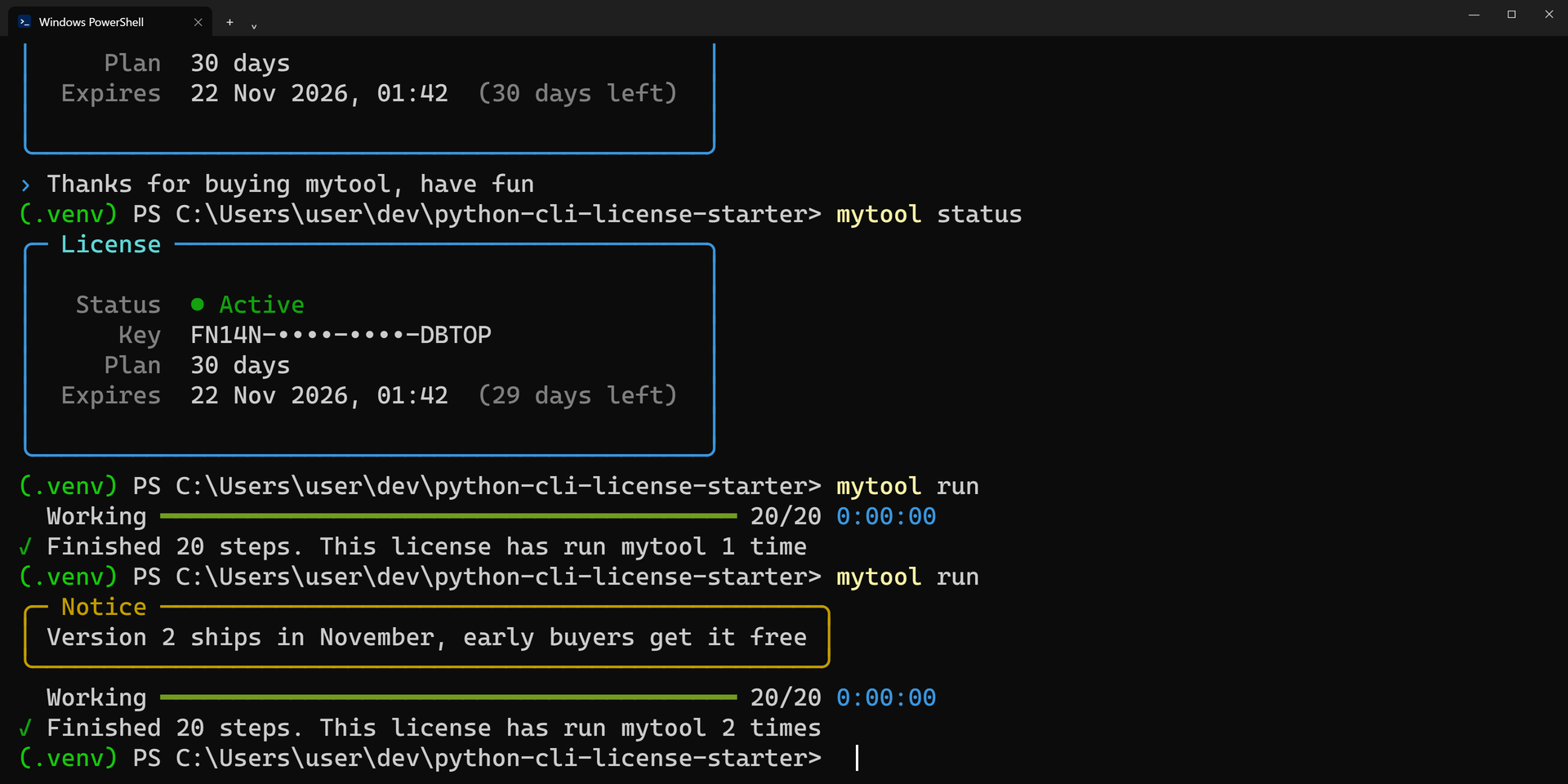
The licensing runs on PWF Auth, which is free. You'll need an account there for the app secret and the keys
There's a 3 minute video of the whole thing, recorded for real, from git clone to banning a key while the exe runs: youtu.be/2tYxlYZwNnc
Try it
git clone https://github.com/pwfauth/python-cli-license-starter.git
cd python-cli-license-starter
python -m venv .venv
source .venv/bin/activate              # Windows: .venv\Scripts\activate
pip install -e ".[dev]"
export PWFAUTH_SECRET=your-app-secret  # PowerShell: $env:PWFAUTH_SECRET = "your-app-secret"
mytool activate YOUR-LICENSE-KEY
mytool run
The secret is on your app's card under Applications in the panel. Keys are made under Licences
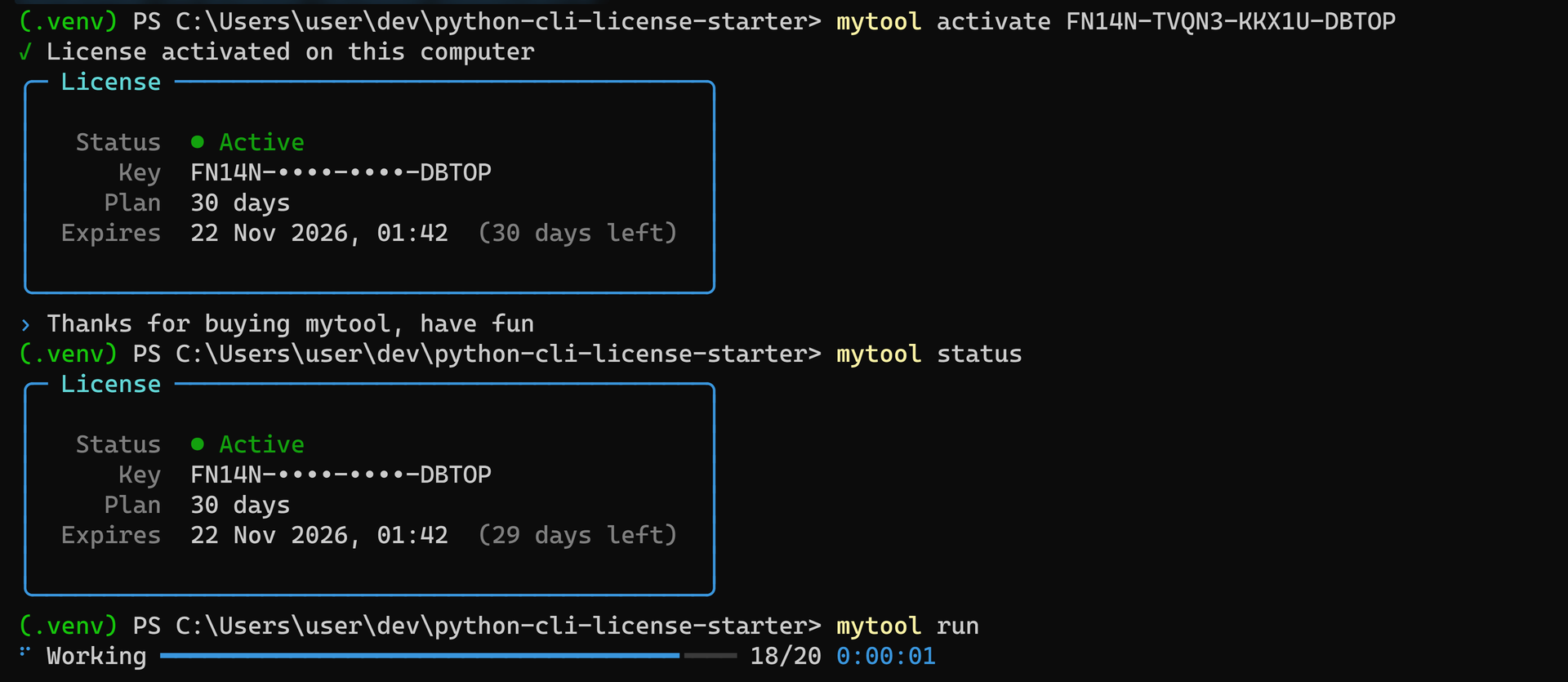
What's in it
mytool activatebinds a key to this machine and keeps it in the OS credential store (Credential Manager on Windows, Keychain on macOS, Secret Service on Linux)mytool trialgives out the free trial, once per machinemytool statusshows the license without taking a device seat. Add--jsonwhen a script needs itmytool updatetells people when you publish a new version, with the changelogmytool deactivateforgets the key on this machinemytool runis the paid part. Replace it with your own work
When a key is already in use on another computer, activate offers to move it here. Whether customers can do that, and how often, is a setting in the panel
Revoking a key while it runs
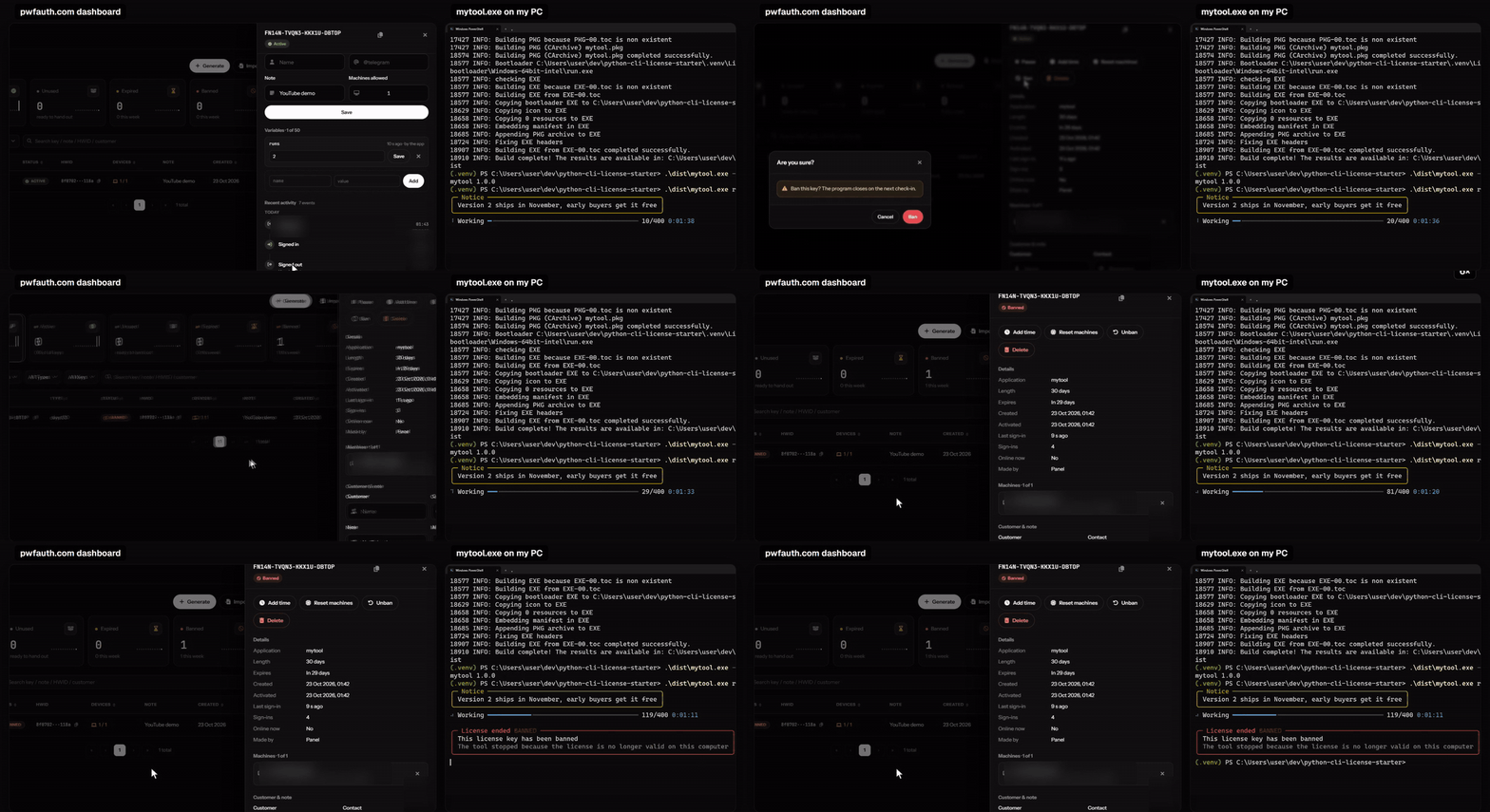
Paid commands run inside get_licensing().session(). While the block runs, a heartbeat checks the key in the background. Ban, pause or delete the key in the panel and the command stops on the next heartbeat with exit code 3
How it stops: the heartbeat thread calls _thread.interrupt_main() and the session turns that KeyboardInterrupt into SessionEnded. Code stuck in a C call can't be interrupted, so after 10 seconds the process exits anyway
Adding your own command
from .cli import app, friendly, get_licensing

@app.command()
@friendly
def convert(path: str) -> None:
    """Convert a folder (paid)"""
    with get_licensing().session() as session:
        for item in load(path):
            process(item)
            session.ensure_active()   # optional, stops between items once the key is revoked
licensing.py is the only file that talks to the license server, so the rest of the code doesn't care where the keys come from
Status and updates
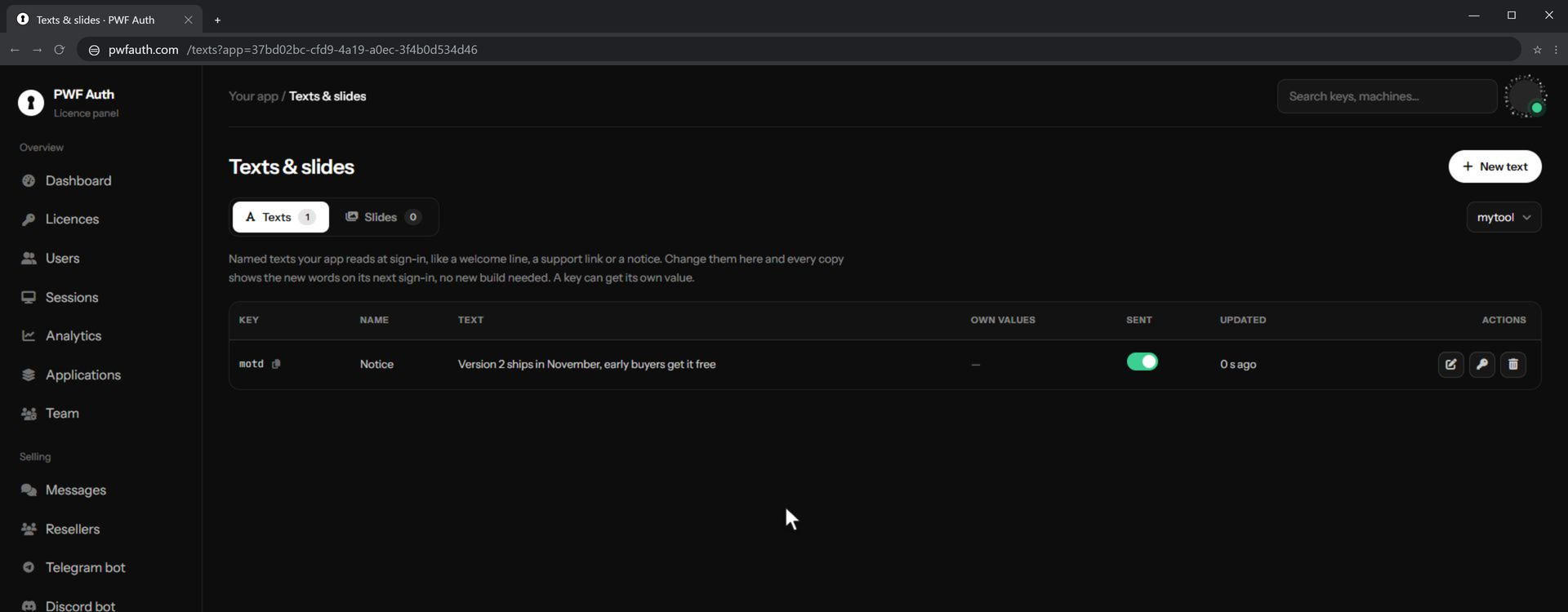
Publish a version under Updates in the panel and mytool update shows it. Texts under Texts & slides show up in the tool too: the example prints a text called motd at the start of every run, so you can tell people something without shipping a new build
Shipping a binary
pip install -e ".[build]"
PWFAUTH_SECRET=your-app-secret python scripts/build.py
That gives you dist/mytool.exe on Windows, dist/mytool elsewhere. The secret is baked in for that build only. build/, dist/ and src/mytool/_build_secret.py all contain it, which is why they're in .gitignore
Anything you ship to a customer's machine can be patched. The server signs every reply, so a fake server can't unlock the tool, but if something is really valuable, keep it on your own server and check the license there
Settings
| Variable | What it's for |
|---|---|
PWFAUTH_SECRET |
Your app secret (a release build has it baked in) |
MYTOOL_LICENSE_KEY |
A key for CI or a server, used for that run and never saved |
MYTOOL_STORE |
keyring (default) or file |
MYTOOL_HOME |
Where the file store keeps the key |
Machines without a credential store, like a headless server or a container, fall back to a file only the current user can read
Exit codes: 0 fine, 1 setup or network problem, 2 no license or the server said no, 3 the license ended mid-run, 130 Ctrl+C
Tests
pytest
They run against a fake client in tests/conftest.py, no network or account needed
License
MIT, see LICENSE
Questions
What is python-cli-license-starter?
pwfauth/python-cli-license-starter is a public repo on GitHub by pwfauth. Starter template for selling a Python CLI tool with license keys: activation, free trial, kill switch, update check (Typer + Rich).
Is python-cli-license-starter open source?
It declares the MIT license on GitHub.
Does python-cli-license-starter run on macOS, Windows or Linux?
Its maker has not tagged a system, so it is unknown here. Its README says what it needs.