
Android-Kernel-Tutorials
Kernel building tutorials for Any device for newbies..! 🎉
- 759
- GPL-3.0
- 3 mo ago
Repo ravindu644/Android-Kernel-Tutorials, read from GitHub 3 d ago. ravindu644 has not joined Take My Repo.
In short
ravindu644/Android-Kernel-Tutorials is a public repo on GitHub by ravindu644. Kernel building tutorials for Any device for newbies..! 🎉. It declares the GPL-3.0 license on GitHub. It is written mainly in Shell, has 759 stars and last changed on 2026-08-22. Nobody has reviewed it on Take My Repo yet, which says nothing about its quality. Read from GitHub on 2026-11-21.
[!CAUTION] By using this guide, you accept all risks - including potential device bricking, failed boots, or other issues. We take no responsibility for any damage.
Questions will only be considered if you've read the full documentation and done your own research first.
A Beginner-Friendly Guide to Compile Your First Android Kernel!
What You'll Learn:
- Understanding the kernel root & choosing the right compilers for compilation
- Compiling a kernel by hand, and then the easy way with a build script
- Customizing the kernel and applying kernel patches.
- Remove Samsung's anti-root protections.
- Creating a signed boot image from the compiled kernel
Requirements:
- A working 🧠
- Patience
- A x86_64 (AMD64) Linux-based PC/Server (Debian-based recommended)
- No Linux machine? You can build in the cloud instead, see Building with GitHub Codespaces
- Basic knowledge of Linux commands and Bash scripting
- Basic knowledge of version control (Git)
This is good practice when building a kernel. Imagine you edit some files and realize you've messed up the source - this one single command
git reset --hardcan help you revert all the uncommitted changes you made. How cool is that :)Go learn some Git from here before you start learning kernel compilation!
🛠 Install required dependencies for compiling kernels
[!TIP] For the most reliable and hassle-free experience, we strongly recommend using our pre-configured Docker container which provides a stable, tested environment for kernel compilation that works on any OS. Download it from the releases page and follow the included instructions.
Want to build the image yourself instead of downloading it? See docker/.
Expand to view how the Docker container looks like
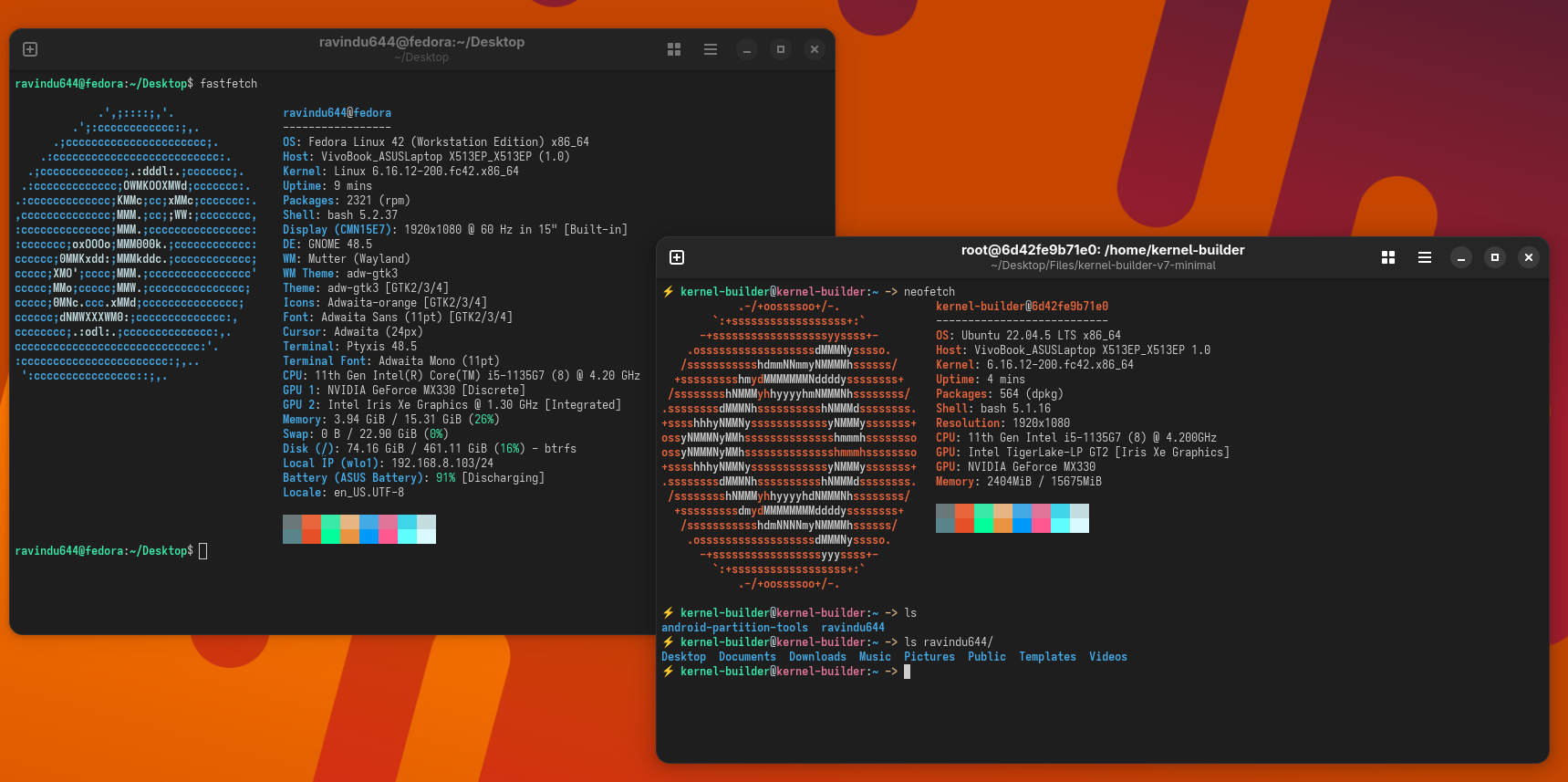
Screenshot of the Ubuntu-based Docker container running on Fedora. Click to view in full quality.
But, if you don't want to use the Docker container, here are the commands to install the dependencies for Ubuntu/Fedora:
🟧 Ubuntu/Debian-based distributions (Ubuntu, Linux Mint, Debian, etc.)
sudo apt update && sudo apt install -y \
	build-essential bc bison flex patch pkg-config git curl tar xz-utils zip unzip \
	cpio rsync kmod perl python3 python-is-python3 libssl-dev libelf-dev pahole \
	libncurses-dev zlib1g-dev libyaml-dev lz4 zstd device-tree-compiler adb fastboot
[!NOTE] Ubuntu 24.04+ no longer ships
libtinfo5, which the old Snapdragon LLVM toolchain (Linux 5.4 / qGKI) needs. Don't hunt for the.deb, the build scripts detect this and point that toolchain at your systemlibtinfo.so.6instead.
🟦 Fedora/Red Hat-based distributions (Fedora, CentOS, RHEL, etc.)
sudo dnf install -y --skip-unavailable \
	make gcc gcc-c++ bc bison flex patch pkgconf git curl tar xz zip unzip \
	cpio rsync kmod perl python3 openssl openssl-devel openssl-devel-engine \
	elfutils-libelf-devel dwarves ncurses-devel ncurses-compat-libs \
	zlib-devel libyaml-devel lz4 zstd dtc android-tools
[!NOTE] If you use a build script from this repo, you can skip this step. The script checks these packages every time it runs and installs only the ones you are missing.
Quick links
- 📁 Downloading the kernel source
- 🧠 Understanding the kernel root
- 🧠 Understanding non-GKI and GKI kernels
- 🧰 Choosing the right compiler
- 👀 Preparing for the compilation
- 🔧 Customizing the kernel, temporary method
- 🔧 Customizing the kernel, permanent method
- 🔓 Nuking Samsung's anti-root protections
- 🟢 Additional patches
- ✅ Compiling the kernel
- 🟥 Fixing known compiling issues
- 🟡 Building a signed boot image
[!NOTE] If you are not a beginner and want to build a GKI 2.0 kernel from the official Google sources, jump to the gki-2.0 branch.
Some of those sources (
android14-5.15,android14-6.1,android15-6.6) need Bazel rather than plainmake. See Building GKI 2.0 kernels with Bazel.Credit to @TheWildJames for the awesome tutorial!
📁 01. Downloading the kernel source
- ⚠️ If your device is Samsung,
01. Download the kernel source from Samsung Opensource
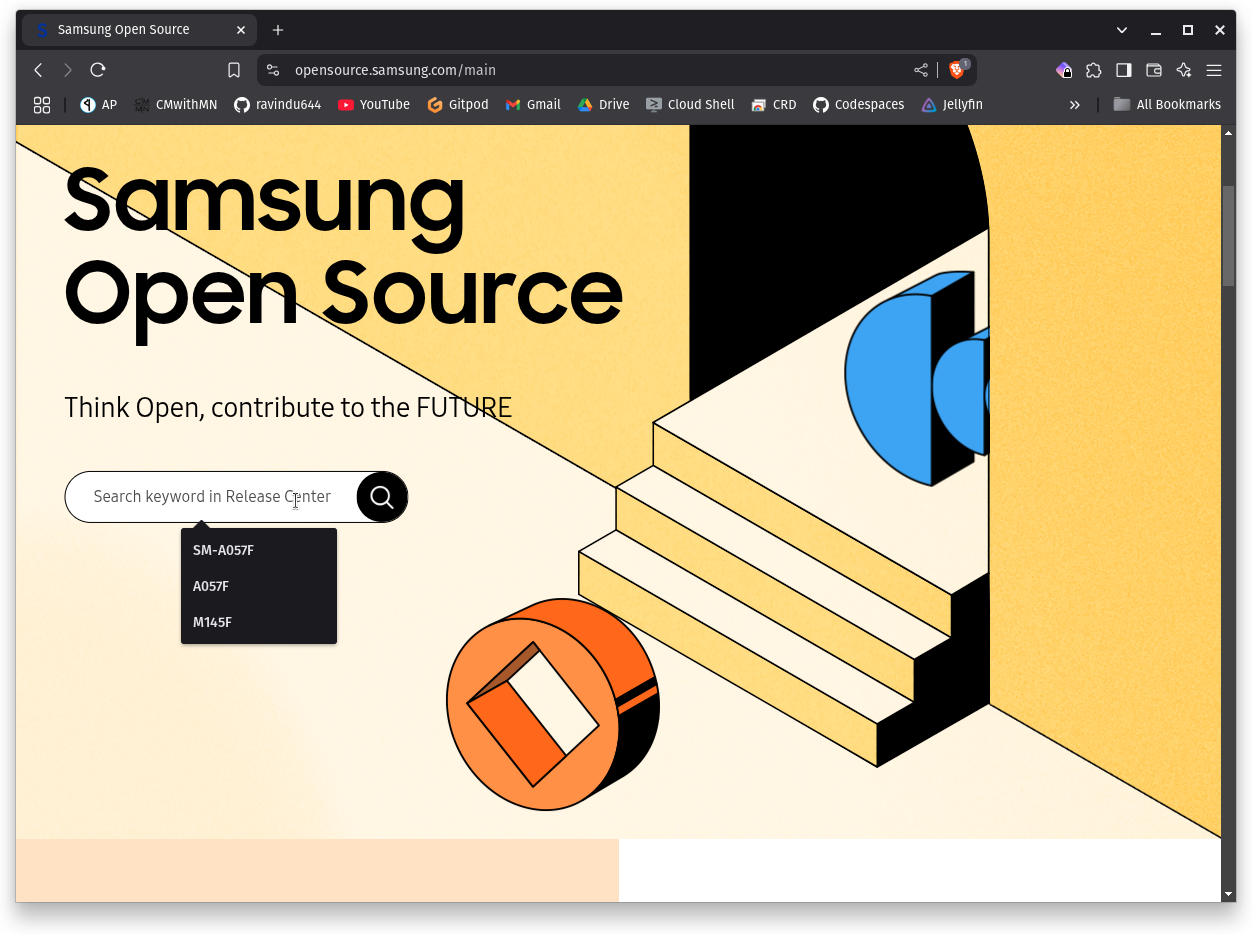
02. Extract the Kernel.tar.gz
tar -xvf Kernel.tar.gz && rm Kernel.tar.gz
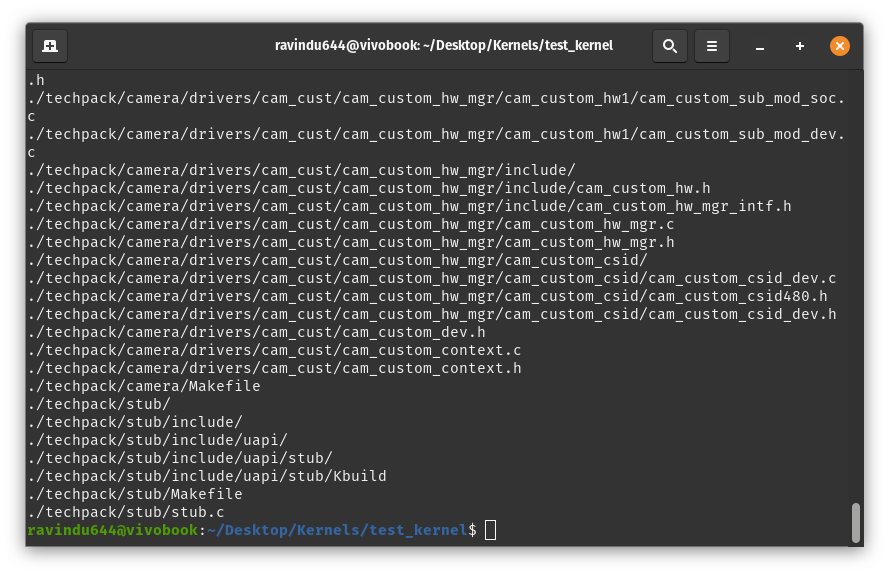
Note: It's good practice to fix the permissions on the extracted kernel tree before you start working on it - take ownership of the directory and clear the read-only attributes on the files and folders. Otherwise you'll hit problems editing files and upstreaming the kernel later.
Run this to fix it:
sudo chown -R "$(id -un):$(id -gn)" "/path/to/extracted/kernel/" && \
  chmod -R u+rwX "/path/to/extracted/kernel/"
Before:
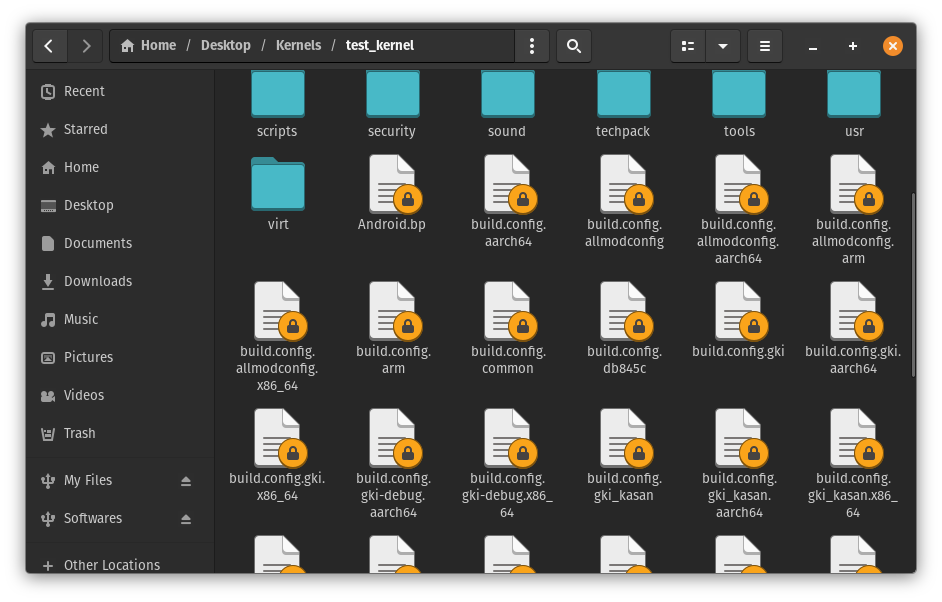
After:
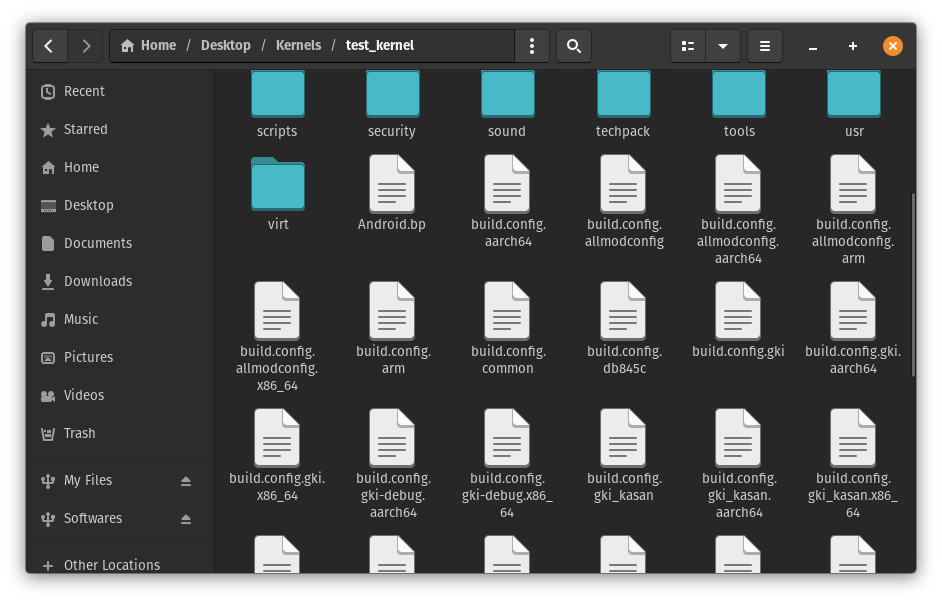
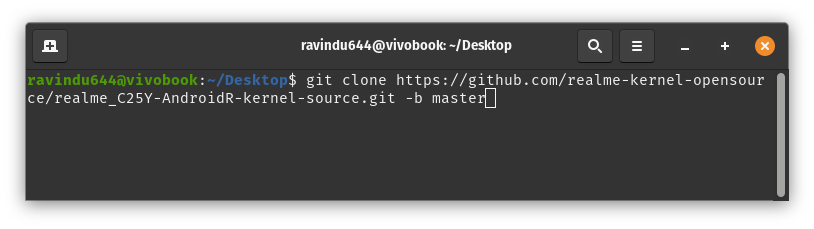
⚠️ For other devices, You can find them by your OEM's sites or from your OEM's official GitHub repos:
🧠 02. Understanding the kernel root
You downloaded a source code archive, but which folder inside it is the actual kernel? That folder is called the kernel root, and every command in this guide runs from there.
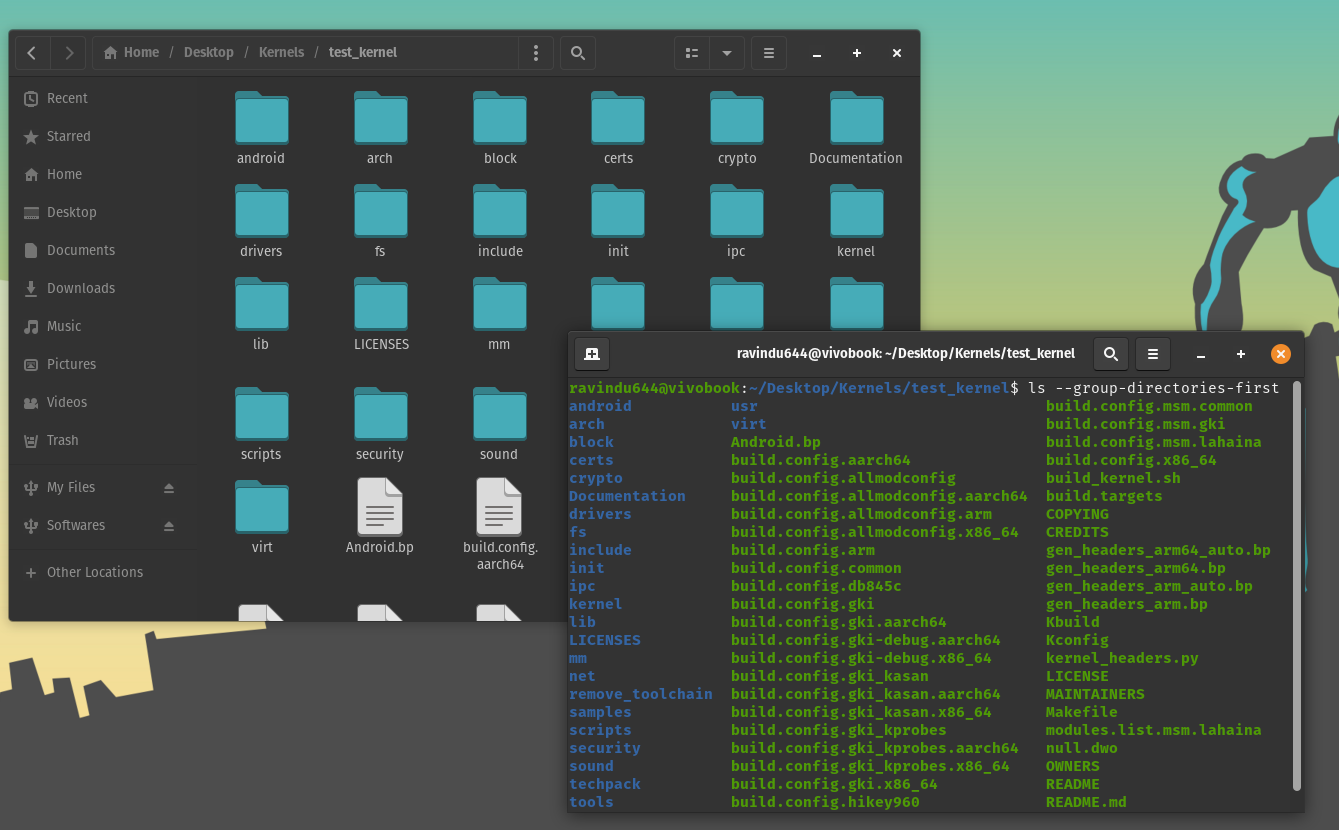
As you can see in the above screenshot, it's the Linux kernel source code.
It must have those folders, highlighted in blue in the terminal.
In traditional GKI kernels, the kernel root is located in a folder named "common".
In GKI Samsung Qualcomm kernel sources, you should use the
commonkernel instead ofmsm-kernelfor compilation.In some GKI Samsung MediaTek kernel sources, the kernel root is named
kernel-VERSION.PATCHLEVEL.- e.g.,
kernel-5.15
- e.g.,
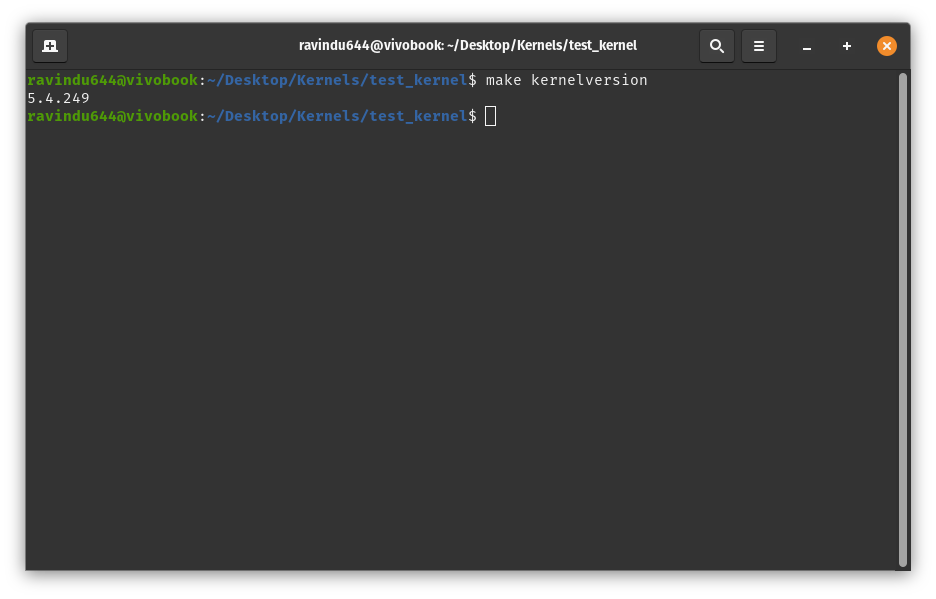
[!TIP] A quick way to confirm you are in the right place: run
make kernelversionthere. If it prints a version number like5.15.123, that's your kernel root.
🧠 03. Understanding non-GKI and GKI kernels
01. GKI project introduction
- Generic Kernel Image, or GKI, is an Android's project that aims for reducing kernel fragmentation, (and also improving Android stability), by unifying kernel core and moving SoC and Board support out of the core kernel into loadable vendor modules.
02. pre-GKI/non-GKI and GKI linux version table
| Pre-GKI | GKI 1.0 | GKI 2.0 |
|---|---|---|
| 3.10 | 5.4 | 5.10 |
| 3.18 | 5.15 | |
| 4.4 | 6.1 | |
| 4.9 | 6.6 | |
| 4.14 | ||
| 4.19 |
Explanation:
pre-GKI or non-GKI:
- The oldest Android kernel branch, likely starts from Linux version 2.x.
- These kernels are device-specific because its often heavily modified to accommodate SoCs and OEMs needs.
- Starting to get deprecated in ACK, since
linux-4.19.ybranch already reaching EoL (End of Life) state, with last Linux 4.19.325
GKI 1.0:
- Android's first generation of the Generic Kernel Image, starting with kernel version 5.4.
- This first generation of GKI only have android11-5.4 and android12-5.4 branch and Google announced that GKI 1.0 is deprecated.
- The first generation of GKI is not yet matured as second generation of GKI, as its failed to reach GKI project goals.
- These kernels are considered as device-specific, but more commonized, depends on how OEMs and SoCs Manufacturer treat them.
- SoC Manufacturers often modify GKI 1.0 kernel to add their SoC features. From this modifications, the term Mediatek GKI (mGKI) and Qualcomm GKI (qGKI) exist.
GKI 2.0:
- Android's second generation of the Generic Kernel Image, starting with kernel version 5.10.
- In this second generation, GKI project starting to get matured properly.
- This kernel is considered as "universal", since you can boot a GKI kernels that builded with Google's GKI kernel source on some devices, if correct and match.
Notes:
LTS = Long-Term Support: These kernels are stable, well-maintained, and receive long-term updates.
GKI = Generic Kernel Image: A unified kernel framework introduced by Google to standardize the kernel across Android devices.
SoC = System on Chip
ACK = Android Common Kernel: An Android's linux LTS kernel branch, modified to accommodate Android needs.
OEMs like Samsung may still modify GKI 2.0 kernels to accommodate their needs, and can cause some issues like broken SD Card and broken Audio.
- So, use their GKI kernel source instead if possible.
For 4.19 kernels, they are predominantly non-GKI implementations, as true GKI was not officially introduced until kernel 5.4 with Android 11.
- OEMs typically use heavily customized, device-specific implementations based on the Android Common Kernel for 4.19. You can refer to the Android Common Kernel repository if you are interested.
- For your information, there was experimental GKI development with 4.19 (android-4.19-gki-dev branch), but this was not widely deployed. Official GKI implementation began with kernel 5.4.
- Examples:
- Most Samsung devices with kernel 4.19 use non-GKI implementations with OEM-specific modifications.
- True GKI adoption became standard with newer devices shipping Android 11+ with kernel 5.4 or higher.
🧰 04. Choosing the right compiler
Your phone's kernel was built with a specific compiler. If you build it with something too new or too old, the build fails, or worse, it builds fine and then refuses to boot. So this step comes before anything else.
01. Check your kernel version
Run this inside your kernel root:
make kernelversion
You can also read it straight from the Makefile at the top of the kernel root:
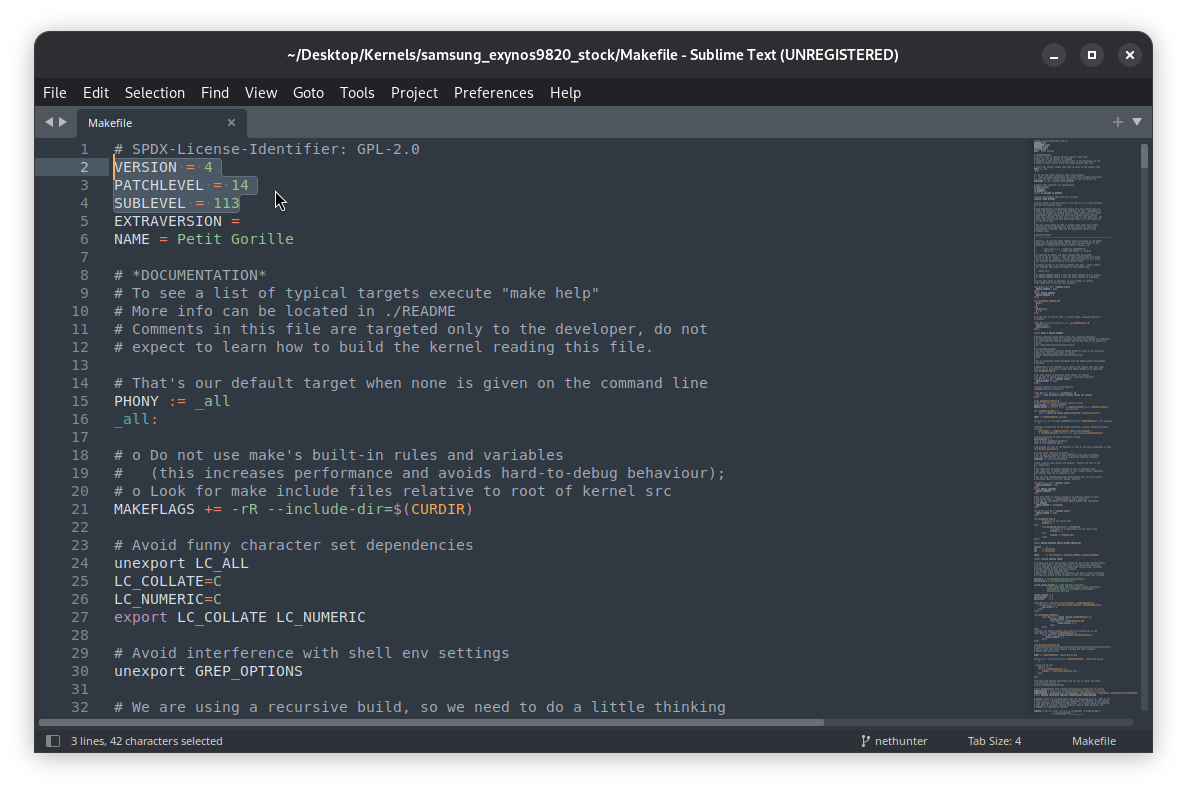 Kernel version =
VERSION.PATCHLEVEL.SUBLEVEL
Only the first two numbers matter here. 4.14.113 is a 4.14 kernel, 5.15.123 is a 5.15 kernel.
02. Pick the compiler for that version
Questions
What is Android-Kernel-Tutorials?
ravindu644/Android-Kernel-Tutorials is a public repo on GitHub by ravindu644. Kernel building tutorials for Any device for newbies..! 🎉.
Is Android-Kernel-Tutorials open source?
It declares the GPL-3.0 license on GitHub.
Does Android-Kernel-Tutorials run on macOS, Windows or Linux?
Its maker has not tagged a system, so it is unknown here. Its README says what it needs.
How do I install Android-Kernel-Tutorials?
Open "Take it" on its page: Take My Repo writes an install plan for your machine and hands it to your AI agent (Claude Code, Codex or Cursor), which asks you before each step. Take My Repo has not tested it on any machine.