
threepipe
Next generation toolkit for web3D and photorealistic graphics
- 944
- TypeScript
- Apache-2.0
- 1 h ago
HTML rendering in webgl/three.js
Repo repalash/three-html-render, read from GitHub 57 min ago. repalash has not joined Take My Repo.
repalash/three-html-render is a public repo on GitHub by repalash. HTML rendering in webgl/three.js. It declares the MIT license on GitHub. It is written mainly in TypeScript, has 195 stars and last changed on 2026-11-22. Nobody has reviewed it on Take My Repo yet, which says nothing about its quality. Read from GitHub on 2026-11-22.
In the maintainer's words. Shown from GitHub; Take My Repo does not keep a copy.
Polyfill for the WICG HTML-in-Canvas proposal. Render live, interactive HTML as a WebGL / WebGPU / 2D texture — works in all browsers today.
texElementImage2D / copyElementImageToTexture when available, falls back to SVG foreignObject rasterization otherwise.:hover, :focus, :active, :focus-visible, :focus-within render correctly on 3D surfaces.HTMLTexture and InteractionManager that match upstream three.js API; works on any three >= 0.150.0.Drop-in script tag (zero config):
<script src="https://cdn.jsdelivr.net/npm/three-html-render/dist/polyfill.js"></script>
…or install from npm:
npm install three-html-render
| Subpath | Exports |
|---|---|
three-html-render/polyfill |
installHtmlInCanvasPolyfill, uninstallHtmlInCanvasPolyfill, getHtmlRenderer |
three-html-render/html-texture |
HTMLTexture |
three-html-render/interaction-manager |
InteractionManager |
three-html-render/raycast-interaction-manager |
RaycastInteractionManager |
three-html-render/interaction-manager-standalone |
InteractionManagerStandalone |
Canonical importmap for the CDN deployment:
{
  "imports": {
    "three": "https://cdn.jsdelivr.net/npm/three@0.184.0/build/three.module.js",
    "three/addons/": "https://cdn.jsdelivr.net/npm/three@0.184.0/examples/jsm/",
    "three-html-render/polyfill": "https://cdn.jsdelivr.net/npm/three-html-render/dist/polyfill.mjs",
    "three-html-render/html-texture": "https://cdn.jsdelivr.net/npm/three-html-render/dist/html-texture.js",
    "three-html-render/interaction-manager": "https://cdn.jsdelivr.net/npm/three-html-render/dist/interaction-manager.js",
    "three-html-render/raycast-interaction-manager": "https://cdn.jsdelivr.net/npm/three-html-render/dist/raycast-interaction-manager.js",
    "three-html-render/interaction-manager-standalone": "https://cdn.jsdelivr.net/npm/three-html-render/dist/interaction-manager-standalone.js"
  }
}
The polyfill installs every WICG HTML-in-Canvas API onto the browser's own prototypes, so any <canvas layoutsubtree> works with the standard specification:
<canvas id="c" layoutsubtree>
  <div id="content" style="width:400px;height:300px">
    <h1>Hello from HTML</h1>
    <button>Click me</button>
  </div>
</canvas>

<script type="module">
  import { installHtmlInCanvasPolyfill } from 'three-html-render/polyfill'
  installHtmlInCanvasPolyfill()

  const canvas = document.getElementById('c')
  const content = document.getElementById('content')
  const ctx = canvas.getContext('2d')

  canvas.onpaint = () => ctx.drawElementImage(content, 0, 0)
  canvas.requestPaint()
</script>
This mirrors the upstream three.js webgl_materials_texture_html example — on three >= 0.184 our HTMLTexture is the native class; on older three.js it's a fallback that captures the element as a canvas and rides three.js's standard texture pipeline. Your code is the same either way.
<canvas id="canvas" layoutsubtree>
  <div id="content" style="width:512px;height:512px;padding:20px;background:white;font-size:24px;">
    <h1>Hello from HTML</h1>
    <button onclick="this.textContent='Clicked!'">Click me</button>
    <input type="text" placeholder="Type here">
  </div>
</canvas>

<script type="module">
  import * as THREE from 'three'
  import { installHtmlInCanvasPolyfill } from 'three-html-render/polyfill'
  import { HTMLTexture } from 'three-html-render/html-texture'
  import { InteractionManager } from 'three-html-render/interaction-manager'

  installHtmlInCanvasPolyfill()

  const canvas = document.getElementById('canvas')
  const content = document.getElementById('content')
  const scene = new THREE.Scene()
  const camera = new THREE.PerspectiveCamera(75, innerWidth / innerHeight, 0.1, 100)
  camera.position.z = 2
  const renderer = new THREE.WebGLRenderer({ canvas })
  renderer.setSize(innerWidth, innerHeight)
  renderer.setAnimationLoop(animate)

  const material = new THREE.MeshBasicMaterial({ map: new HTMLTexture(content) })
  const mesh = new THREE.Mesh(new THREE.PlaneGeometry(2, 2), material)
  scene.add(mesh)

  const interactions = new InteractionManager()
  interactions.connect(renderer, camera)
  interactions.add(mesh)

  function animate() {
    interactions.update()
    renderer.render(scene, camera)
  }
</script>
InteractionManager positions a DOM overlay on a single face using matrix3d — that matches upstream three.js behaviour but only covers one face of a box. For multi-face boxes and curved surfaces, use RaycastInteractionManager instead: on every pointer move / down it raycasts the scene, reads the hit UV, and translates the single HTML element so the sampled texture pixel sits exactly under the pointer. Clicks, selection, focus, :hover, image drag — all flow through native DOM semantics.
import { RaycastInteractionManager } from 'three-html-render/raycast-interaction-manager'

const interactions = new RaycastInteractionManager()
interactions.connect(renderer, camera)
interactions.add(mesh)
// no per-frame work — it's event-driven
Coexisting with OrbitControls: register a capture-phase pointerdown on the canvas that stops propagation when the pointer lands on the DOM element, so OrbitControls's setPointerCapture doesn't swallow clicks. See examples/three-html-raycast.html for the pattern.
InteractionManagerStandalone does the same matrix3d math without pulling in three.js. You hand it raw projection / view / world matrices (gl-matrix, DOMMatrix, anything that exposes the 16 floats), and it drives the CSS transform on the element.
import { InteractionManagerStandalone } from 'three-html-render/interaction-manager-standalone'

const overlay = new InteractionManagerStandalone()
overlay.connect(canvas, projectionMatrix, viewMatrix)
overlay.add(element, worldMatrix, { x: 2, y: 2, z: 2 }, 1 /* localMaxZ */)

// each frame:
overlay.setProjectionMatrix(projectionMatrix)
overlay.setViewMatrix(viewMatrix)
overlay.update()
Bonus over the three.js version: backface culling — when a face's normal points away from the camera the element is hidden (display: none, pointer-events: none).
| Situation | Use |
|---|---|
| Flat plane, single front face, three.js | InteractionManager (upstream-parity API) |
| Box with multiple interactive faces, curved surfaces, clean drag semantics, three.js | RaycastInteractionManager |
| No three.js (raw WebGL / WebGPU / 2D) | InteractionManagerStandalone |
The polyfill implements the full WICG HTML-in-Canvas API surface:
| API | Target | Description |
|---|---|---|
layoutsubtree |
HTMLCanvasElement |
Attribute that opts canvas children into layout |
onpaint |
HTMLCanvasElement |
Event fired when children need re-rendering |
requestPaint() |
HTMLCanvasElement |
Request a paint event on the next frame |
captureElementImage(element) |
HTMLCanvasElement |
Capture a child element's rendered snapshot |
getElementTransform(element, drawTransform) |
HTMLCanvasElement |
CSS transform to align a DOM overlay with the drawn position |
drawElementImage(element, x, y) |
CanvasRenderingContext2D |
Draw a child element onto a 2D canvas. Returns a DOMMatrix. |
texElementImage2D(target, level, …, element) |
WebGLRenderingContext |
Upload a child element as a WebGL texture |
copyElementImageToTexture(element, …, dest) |
GPUQueue |
Upload a child element as a WebGPU texture |
installHtmlInCanvasPolyfill(options?)Installs the polyfill on all <canvas layoutsubtree> elements. Safe to call multiple times — it's idempotent.
| Option | Type | Default | Description |
|---|---|---|---|
force |
boolean |
false |
Install even if the native API is already present. Also activates when ?polyfillHIC is in the URL. |
pageStyles |
string |
— | Additional CSS to inline into the rasterised SVG. |
uninstallHtmlInCanvasPolyfill()Cleanly removes the polyfill, restoring all patched prototypes, tearing down canvas states, and disconnecting observers.
getHtmlRenderer()Returns the internal HtmlRenderer instance used by the polyfill. Useful for advanced operations:
import { getHtmlRenderer } from 'three-html-render/polyfill'
getHtmlRenderer().invalidatePageStylesCss()  // re-collect page styles after a runtime change
HTMLTexture(element, …)Drop-in replacement for THREE.HTMLTexture (three.js >= 0.184).
texture.image === element, and three.js's own WebGLTextures.setTexture2D handles the upload via texElementImage2D.paint event from the parent canvas it calls captureElementImage(element) and assigns the resulting 2D canvas to texture.image. three.js's standard upload path handles it from there — flipY, colour space, state tracking all correct. The original element is kept in texture._sourceElement so the interaction managers can find it.Requirement on the fallback path: append the element to a <canvas layoutsubtree> before constructing the texture. (Native HTMLTexture auto-appends from inside three.js's upload branch; we can't hook that on older versions.)
InteractionManagerPort of three/addons/interaction/InteractionManager.js. Positions the HTML element of each registered mesh's HTMLTexture using a single CSS matrix3d transform per frame, so the browser dispatches pointer events natively to the real HTML.
const im = new InteractionManager()
im.connect(renderer, camera)
im.add(mesh)
// in your animate loop:
im.update()
| Method | Description |
|---|---|
connect(renderer, camera) |
Store the canvas + camera. |
add(...objects) |
Register one or more meshes. |
remove(...objects) |
Unregister. |
update() |
Recompute the matrix3d for every registered mesh. Call once per frame. |
disconnect() |
Release all references. |
Math is viewport × projection × view × world × pixelToLocal, identical to upstream. Only change: looks up the element as texture._sourceElement ?? texture.image so it works both with native HTMLTexture and the fallback.
RaycastInteractionManagerAlternative to InteractionManager that supports every face of a box and any curved surface with a single DOM element. Event-driven, not frame-driven.
const im = new RaycastInteractionManager()
im.connect(renderer, camera)
im.add(mesh)
// no update() call required
On each pointermove / pointerdown on the canvas it raycasts registered meshes, reads intersects[0].uv, and translates the mesh's element so its (uv.x * w, (1 - uv.y) * h) pixel lands on the pointer. Other managed elements are parked off-screen so stale hover / misrouted clicks don't happen. Clicks, focus, text selection, image drag — all native DOM.
Based on Jake Archibald's curved-markup demo.
| Method | Description |
|---|---|
connect(renderer, camera) |
Attach pointermove and pointerdown listeners to renderer.domElement. |
add(...objects) / remove(...objects) |
Register / unregister meshes. |
update() |
No-op. Kept for API parity. |
disconnect() |
Detach listeners. |
InteractionManagerStandaloneThe InteractionManager math without the three.js dependency. Works with any renderer — raw WebGL, WebGPU, Canvas 2D.
const overlay = new InteractionManagerStandalone()
overlay.connect(canvas, projectionMatrix, viewMatrix)  // raw Float32Arrays
overlay.add(element, worldMatrix, { x, y, z }, localMaxZ)

// per frame:
overlay.setProjectionMatrix(projectionMatrix)
overlay.setViewMatrix(viewMatrix)
overlay.update()
Accepts Float32Array or number[] for every matrix. localSize is the mesh's local-space size; localMaxZ is boundingBox.max.z for the face you want the element to land on.
Extra over the three.js version: backface culling — when a face's normal points away from the camera the element is given display: none and pointer-events: none.
| Browser | Support | Method |
|---|---|---|
| Chrome, Edge | Full | Polyfill (SVG foreignObject) |
| Safari, iOS Safari | Full | Polyfill |
| Firefox | Full | Polyfill |
| Android Chrome / WebView | Full | Polyfill |
Chrome Canary (with chrome://flags/#canvas-draw-element) |
Native fast-path + polyfill fallback | Direct texElementImage2D / copyElementImageToTexture when installed |
The HTML-in-Canvas API is a WICG proposal currently in developer trial in Chrome Canary, with an origin trial planned for Chrome M148–M151. This polyfill ensures your code works today and transparently uses the native fast-path the moment a browser ships it.
contenteditable elements don't get caret / selection rendering.getHtmlRenderer().invalidatePageStylesCss() to be picked up.:visited cannot be polyfilled (browser privacy restriction).color-scheme).window.__HIC_MUTATE_DOM__ = false before installing to disable this if it interferes with CSS animations on element heights.<canvas> children into an off-screen host div, and rasterises them via <svg><foreignObject> → <img> → 2D canvas.:hover, :focus, :active, :focus-visible, :focus-within) are rewritten to real classes (.pseudo-hover, …) and injected into the SVG stylesheet. Mouse / focus / pointer events on the host overlay toggle those classes.<div> elements into the SVG clone.requestPaint / onpaint let the consumer control when rasterisation happens (rAF-coalesced).| Example | Live | Description |
|---|---|---|
| three-html | Live | Direct port of three.js's webgl_materials_texture_html. |
| three-html-raycast | Live | RaycastInteractionManager — every face interactive. OrbitControls coexistence. |
| three-html-webgpu | Live | WebGPU backend. |
| three-html-webgpu-raycast | Live | WebGPU + raycast + OrbitControls. |
| three-html-legacy | Live | Same user code on three.js 0.164 (predates native HTMLTexture). Exercises the fallback. |
| three-dragon | Live | Scrollable HTML behind a transmissive glass dragon. |
| webxr-vr | Live | Four floating glass panels in VR. |
| webxr-ar | Live | AR panel anchored to a real-world surface (requires ARCore). |
| focus-ring | Live | WebGL focus-glow shader reading from the HTML texture. By Matt Rothenberg. |
| webGL-text-input | Live | Multi-face cube with InteractionManagerStandalone — no three.js. |
| jelly-slider | Live | WebGPU sample using copyElementImageToTexture. |
| webGL | Live | Basic gl-matrix WebGL scene. |
| complex-text | Live | RTL, vertical writing modes, emoji, inline SVG / images. |
| text-input | Live | 2D form with caret and selection. |
| pie-chart | Live | CSS conic-gradient + SVG labels composited into a 2D canvas. |
Works with vanilla three.js (>= 0.150.0). The functionality is also built into threepipe (GitHub) and kite3d as plugins — manual integration isn't needed when using those frameworks.
For React Three Fiber or another three.js framework, refer to their documentation.
Chrome and Safari extensions are included to polyfill any page. See extension/README.md for build and installation instructions.
npm run dev              # dev server (demos at localhost:5173)
npm run build            # library build (ESM + IIFE + .d.ts)
npm run build:demo       # demo site build (for GitHub Pages)
npm run build:extension  # browser extension build
npm run typecheck        # TypeScript check
Contributions welcome. See CONTRIBUTING.md for development setup and guidelines.
repalash/three-html-render is a public repo on GitHub by repalash. HTML rendering in webgl/three.js.
It declares the MIT license on GitHub.
Its maker has not tagged a system, so it is unknown here. Its README says what it needs.
Open "Take it" on its page: Take My Repo writes an install plan for your machine and hands it to your AI agent (Claude Code, Codex or Cursor), which asks you before each step. Take My Repo has not tested it on any machine.
Its last change on GitHub was on 2026-11-22. Take My Repo does not judge from that whether it is maintained.
Nobody has reviewed it on Take My Repo yet, which says nothing about its quality.
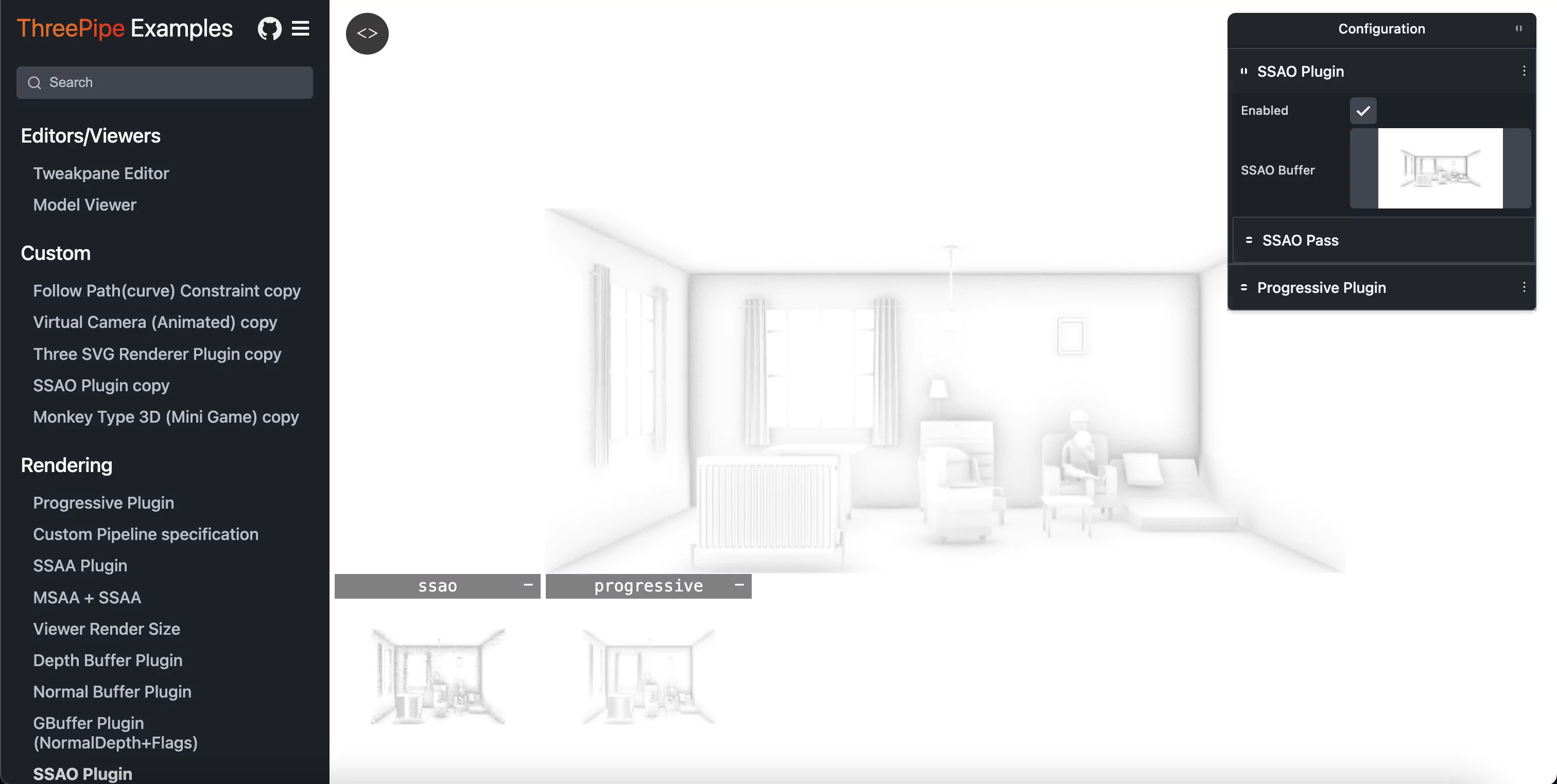
Next generation toolkit for web3D and photorealistic graphics
Collection of many open source shaders(GLSL, HLSL, CG) in popular open source game development and rendering engines and public repositories.
XAtlas + Three.js: Mesh parameterization / UV unwrapping module for three.js in wasm with webworkers.

Minimal 3D website to present designs, websites on a laptop and a phone in an interactive environment. Created for a codrops tutorial.
CUDA CLion starter project template, with simple vector addition code.
