Report Portal agent for JUnit 4
DISCLAIMER: We use Google Analytics for sending anonymous usage information such as agent's and client's names, and their versions
after a successful launch start. This information might help us to improve both ReportPortal backend and client sides. It is used by the
ReportPortal team only and is not supposed for sharing with 3rd parties.
Overview: How to Add ReportPortal Logging to Your JUnit Java Project
Report Portal supports JUnit 4 tests. The integration is built on top of JUnit Foundation framework by Scott Babcock.
- Configuration: Create/update the reportportal.properties configuration file
- Logback Framework: For the Logback framework:
a. Create/update the logback.xml file
b. Add ReportPortal / Logback dependencies to your project POM
- Log4J Framework: For the Log4J framework:
a. Add ReportPortal / Log4J dependencies to your project POM
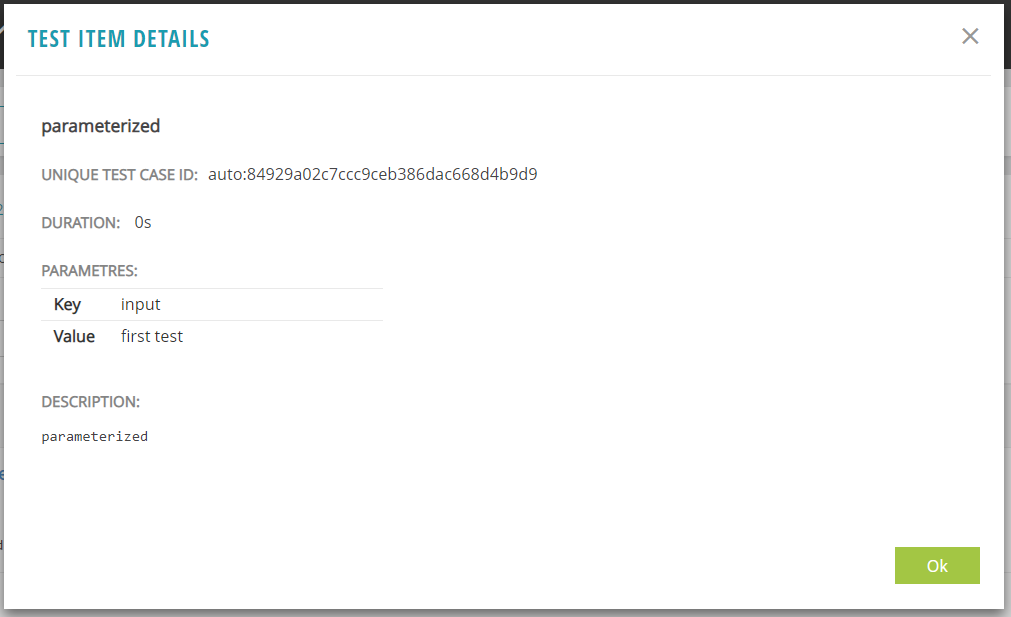
- Support for Parameterized Tests: Reporting of test parameters
- Images and Files: Logging images and files
- Step by step instruction: Report Portal and JUnit4 integration example
Configuration
Create/update the reportportal.properties configuration file:
Create or update a file named reportportal.properties in your Java project in source folder src/main/resources:
reportportal.properties
rp.endpoint = http://localhost:8080
rp.uuid = e0e541d8-b1cd-426a-ae18-b771173c545a
rp.launch = default_JUNIT_AGENT
rp.project = default_personal
- The value of the rp.endpoint property is the URL for the report portal server(actual link).
- The value of the rp.uuid property can be found on your report portal user profile page.
- The value of the rp.project property must be set to one of your assigned projects.
- The value of the rp.launch property is a user-selected identifier for the source of the report output (i.e. - the Java project)
Logback Framework
Create/update the logback.xml file:
In your project, create or update a file named logback.xml in the src/main/resources folder, adding the ReportPortal elements:
logback.xml
<?xml version="1.0" encoding="UTF-8"?>
<configuration>

    <!-- Send debug messages to System.out -->
    <appender name="STDOUT" class="ch.qos.logback.core.ConsoleAppender">
        <!-- By default, encoders are assigned the type ch.qos.logback.classic.encoder.PatternLayoutEncoder -->
        <encoder>
            <pattern>%d{HH:mm:ss.SSS} %-5level %logger{5} - %thread - %msg%n</pattern>
        </encoder>
    </appender>

    <appender name="RP" class="com.epam.reportportal.logback.appender.ReportPortalAppender">
        <encoder>
            <!--Best practice: don't put time and logging level to the final message. Appender do this for you-->
            <pattern>[%t] - %msg%n</pattern>
        </encoder>
    </appender>

    <!--'additivity' flag is important! Without it logback will double-log log messages-->
    <logger name="binary_data_logger" level="TRACE" additivity="false">
        <appender-ref ref="RP"/>
    </logger>

    <!-- By default, the level of the root level is set to DEBUG -->
    <root level="DEBUG">
        <appender-ref ref="RP"/>
        <appender-ref ref="STDOUT"/>
    </root>
</configuration>
Add ReportPortal / Logback dependencies to your project POM:
pom.xml
<project ...>
  <properties>
    <project.build.sourceEncoding>UTF-8</project.build.sourceEncoding>
    <maven.compiler.target>1.8</maven.compiler.target>
    <maven.compiler.source>1.8</maven.compiler.source>
  </properties>

  <dependencies>
    <dependency>
      <groupId>ch.qos.logback</groupId>
      <artifactId>logback-classic</artifactId>
      <version>1.3.12</version>
    </dependency>
    <dependency>
      <groupId>com.epam.reportportal</groupId>
      <artifactId>agent-java-junit</artifactId>
      <version>5.4.6</version>
    </dependency>
    <dependency>
      <groupId>com.epam.reportportal</groupId>
      <artifactId>logger-java-logback</artifactId>
      <version>5.2.2</version>
    </dependency>
  </dependencies>

  <build>
    <pluginManagement>
      <plugins>
        <!-- Add this if you plan to import into Eclipse -->
        <plugin>
          <groupId>org.eclipse.m2e</groupId>
          <artifactId>lifecycle-mapping</artifactId>
          <version>1.0.0</version>
          <configuration>
            <lifecycleMappingMetadata>
              <pluginExecutions>
                <pluginExecution>
                  <pluginExecutionFilter>
                    <groupId>org.apache.maven.plugins</groupId>
                    <artifactId>maven-dependency-plugin</artifactId>
                    <versionRange>[1.0.0,)</versionRange>
                    <goals>
                      <goal>properties</goal>
                    </goals>
                  </pluginExecutionFilter>
                  <action>
                    <execute />
                  </action>
                </pluginExecution>
              </pluginExecutions>
            </lifecycleMappingMetadata>
          </configuration>
        </plugin>
      </plugins>
    </pluginManagement>
    <plugins>
      <!-- This provides the path to the Java agent -->
      <plugin>
        <groupId>org.apache.maven.plugins</groupId>
        <artifactId>maven-dependency-plugin</artifactId>
        <version>3.1.1</version>
        <executions>
          <execution>
            <id>getClasspathFilenames</id>
            <goals>
              <goal>properties</goal>
            </goals>
          </execution>
        </executions>
      </plugin>
      <plugin>
        <groupId>org.apache.maven.plugins</groupId>
        <artifactId>maven-surefire-plugin</artifactId>
        <version>2.22.0</version>
        <configuration>
          <argLine>-javaagent:${com.nordstrom.tools:junit-foundation:jar}</argLine>
        </configuration>
      </plugin>
    </plugins>
  </build>
</project>
Log4J Framework
Add ReportPortal / Log4J dependencies to your project POM:
pom.xml
<project ...>
  <properties>
    <project.build.sourceEncoding>UTF-8</project.build.sourceEncoding>
    <maven.compiler.target>1.8</maven.compiler.target>
    <maven.compiler.source>1.8</maven.compiler.source>
  </properties>

  <dependencies>
    <dependency>
      <groupId>org.apache.logging.log4j</groupId>
      <artifactId>log4j-core</artifactId>
      <version>2.17.2</version>
    </dependency>
    <dependency>
      <groupId>org.apache.logging.log4j</groupId>
      <artifactId>log4j-api</artifactId>
      <version>2.17.1</version>
    </dependency>
    <dependency>
      <groupId>com.epam.reportportal</groupId>
      <artifactId>agent-java-junit</artifactId>
      <version>5.4.6</version>
    </dependency>
    <dependency>
      <groupId>com.epam.reportportal</groupId>
      <artifactId>logger-java-log4j</artifactId>
      <version>5.2.2</version>
    </dependency>
  </dependencies>

  <build>
    <pluginManagement>
      <plugins>
        <!-- Add this if you plan to import into Eclipse -->
        <plugin>
          <groupId>org.eclipse.m2e</groupId>
          <artifactId>lifecycle-mapping</artifactId>
          <version>1.0.0</version>
          <configuration>
            <lifecycleMappingMetadata>
              <pluginExecutions>
                <pluginExecution>
                  <pluginExecutionFilter>
                    <groupId>org.apache.maven.plugins</groupId>
                    <artifactId>maven-dependency-plugin</artifactId>
                    <versionRange>[1.0.0,)</versionRange>
                    <goals>
                      <goal>properties</goal>
                    </goals>
                  </pluginExecutionFilter>
                  <action>
                    <execute />
                  </action>
                </pluginExecution>
              </pluginExecutions>
            </lifecycleMappingMetadata>
          </configuration>
        </plugin>
      </plugins>
    </pluginManagement>
    <plugins>
      <!-- This provides the path to the Java agent -->
      <plugin>
        <groupId>org.apache.maven.plugins</groupId>
        <artifactId>maven-dependency-plugin</artifactId>
        <version>3.1.1</version>
        <executions>
          <execution>
            <id>getClasspathFilenames</id>
            <goals>
              <goal>properties</goal>
            </goals>
          </execution>
        </executions>
      </plugin>
      <plugin>
        <groupId>org.apache.maven.plugins</groupId>
        <artifactId>maven-surefire-plugin</artifactId>
        <version>2.22.0</version>
        <configuration>
          <argLine>-javaagent:${com.nordstrom.tools:junit-foundation:jar}</argLine>
        </configuration>
      </plugin>
    </plugins>
  </build>
</project>
Gradle Configuration
apply plugin: 'java'
sourceCompatibility = 1.8
targetCompatibility = 1.8

description = 'ReportPortal JUnit 4 example'

repositories {
    mavenLocal()
    mavenCentral()
}

dependencies {
    compile 'com.epam.reportportal:logger-java-log4j:5.2.2'
    compile 'com.epam.reportportal:agent-java-junit:5.4.6'
}

test {
//  debug true
    jvmArgs "-javaagent:${classpath.find { it.name.contains('junit-foundation') }}"
    // not required, but definitely useful
    testLogging.showStandardStreams = true
}