cc-switch
A cross-platform desktop All-in-One assistant for Claude Code, Codex, OpenCode,DeepSeek Harness and more. Only official website: ccswitch.io
- 157k
- Rust
- MIT
- 8 h ago
Free, open-source Spotify alternative for Windows and macOS: the YouTube Music catalog and your own files in one app, with no ads, no subscription, word-synced lyrics and listen-together Rooms.
Repo rishiteja21/ByTune, read from GitHub 1 min ago. rishiteja21 has not joined Take My Repo.
rishiteja21/ByTune is a public repo on GitHub by rishiteja21. Free, open-source Spotify alternative for Windows and macOS: the YouTube Music catalog and your own files in one app, with no ads, no subscription, word-synced lyrics and listen-together Rooms. It declares the GPL-3.0 license on GitHub. It is written mainly in TypeScript, has 82 stars and last changed on 2026-11-23. Nobody has reviewed it on Take My Repo yet, which says nothing about its quality. Read from GitHub on 2026-11-23.
A cross-platform desktop All-in-One assistant for Claude Code, Codex, OpenCode,DeepSeek Harness and more. Only official website: ccswitch.io
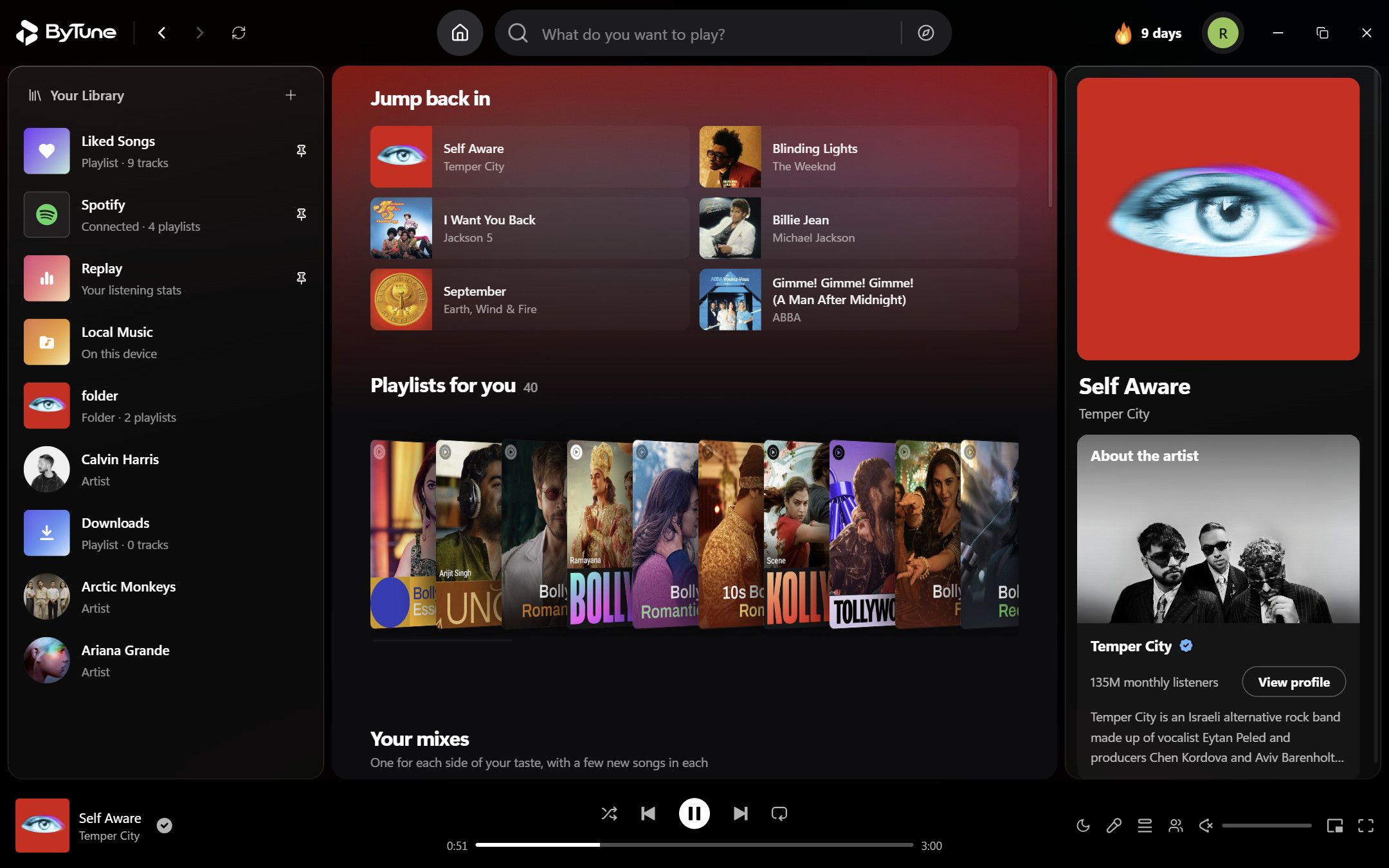
ByTune is a free, open-source music player for Windows and macOS: the YouTube Music catalog and your own files in one app, with no ads, no subscription and word-synced lyrics. Bring your Spotify playlists over, listen together with friends in Rooms, and get a real desktop player: a mini player, a fullscreen view, media keys and Replay listening stats.
Download · Website · Changelog · Releases · Contributing · License
ByTune is a desktop music player for Windows and macOS, built with Electron, React and TypeScript. It streams YouTube Music's public catalog without a Google sign-in, plays your own files (MP3, M4A/AAC, FLAC, WAV, OGG and Opus) in the same library, and wraps both in a proper desktop player: one queue, word-synced lyrics, playlists, a mini player, listening stats and keyboard shortcuts.
The website compares ByTune with the other ways to get YouTube Music on the desktop and with the free, open-source Spotify alternatives.
It ships natively on Windows and macOS from one codebase.
Highlights
ByTune is for people who want a full desktop music player without ads or a subscription. Everything in it is free: streaming from the YouTube Music catalog, your own files, word-synced lyrics, playlists, Replay and Rooms. There is no paid tier.
Artist - Title, and ByTune finds each song on YouTube Music. CSV exports from Exportify or TuneMyMusic work too, and any song it can't find is listed as Not on YouTube Music.How ByTune compares with Spotify, YouTube Music and the other open-source players, with prices and sources: bytune.space/spotify-alternative.
A Room lets up to 10 people, host included, hear the same song at the same moment, each on their own Windows PC or Mac. One person starts a Room and shares its six-character code or an invite link; the others join from ByTune. Anyone can play, pause, skip or change the shared queue of up to 100 songs, unless the host turns on Only the host controls the music. Each computer checks its place every few seconds and corrects itself when it drifts more than about a second.
Everyone needs ByTune 1.1.0 or later and a free ByTune account. Songs from your own music folders can't play in a Room, and there's no chat, so talk over a call while you listen. More on how Rooms work: bytune.space/listen-together.
Captured on the Windows edition — the macOS edition shares this same interface behind native Mac chrome (traffic lights, app menu bar).
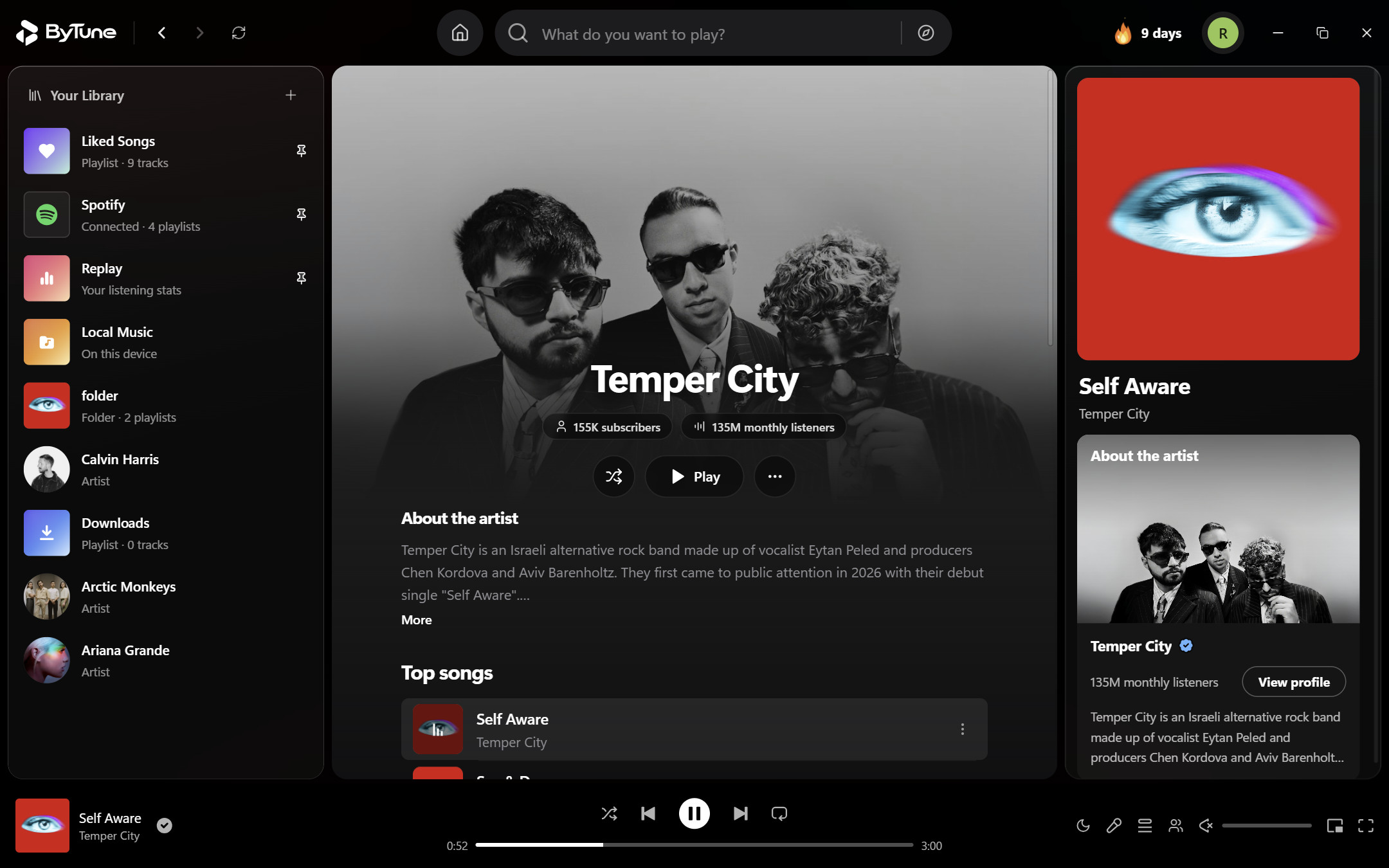
Album pages, artist pages and the persistent player bar: every view keeps playback, the queue and lyrics one click away.
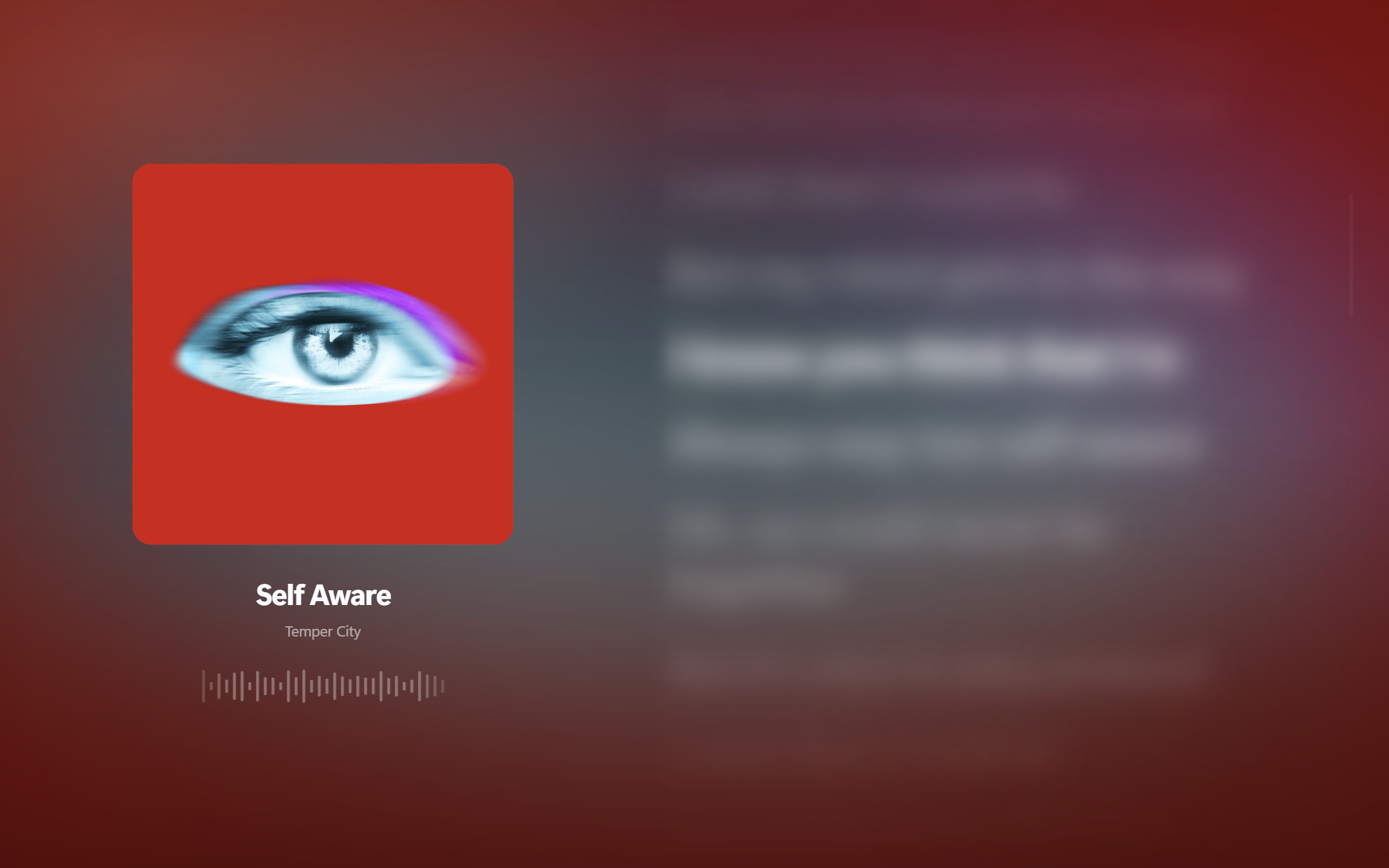
Click the artwork in the player bar (or press N) for a cinematic view: large artwork, a live visualizer, the queue and word-synced lyrics — all tinted by the colors of the current track.

The mini player is a real picture-in-picture window: always on top, resizable, with playback controls on hover. A button at the top folds it into a slim bar with the cover, the song, like, previous, play and next. Work in something else and keep the music one glance away.
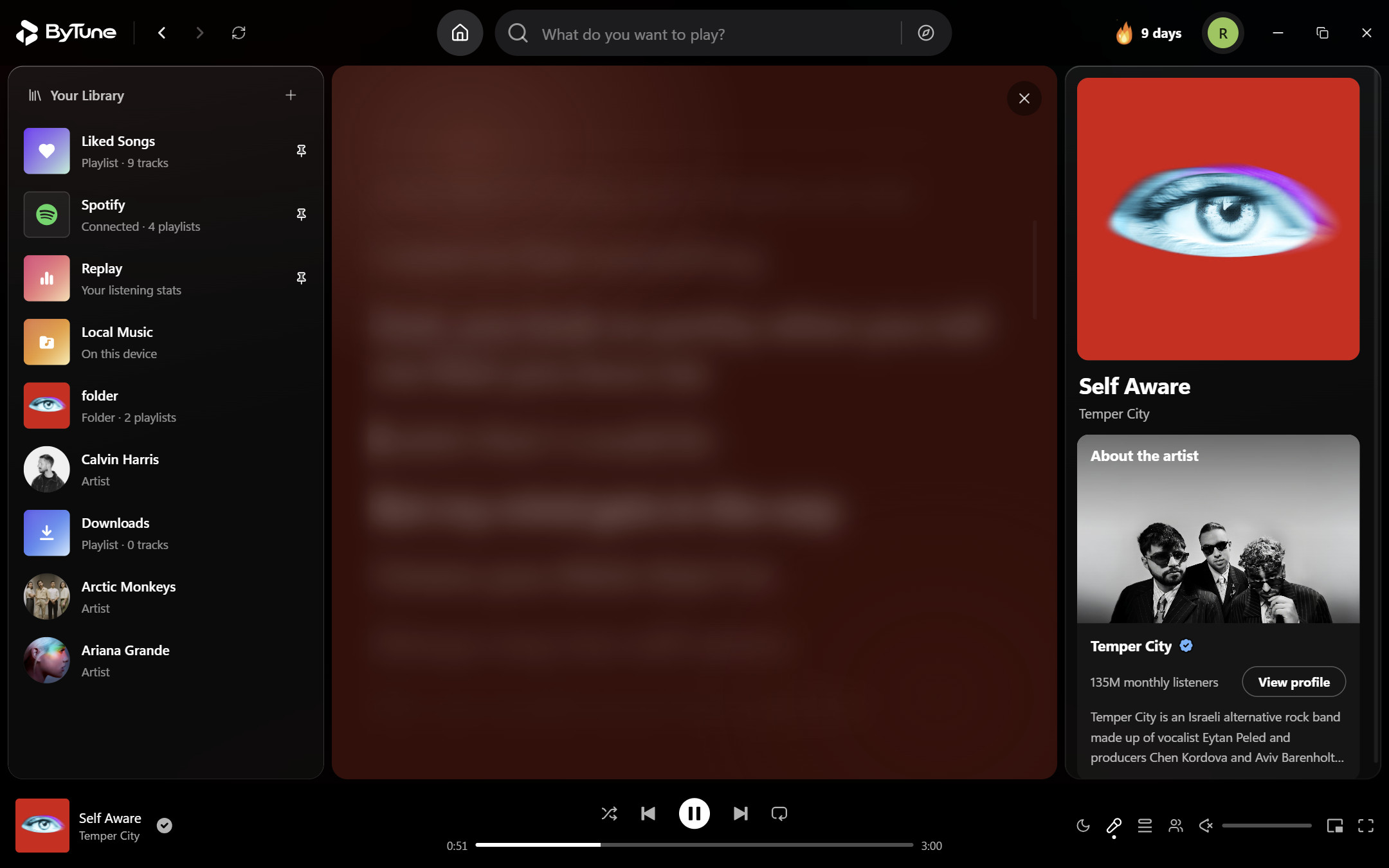
Lyrics open in the main view or the fullscreen player, highlight the current word, auto-scroll, and let you click any line to seek there. ByTune asks 13 lyric sources, including LRCLIB and Musixmatch, and takes the highest-ranked one that has timing: word by word when that source has it, line by line otherwise. You can nudge the timing per song, and the app always shows which source it used.
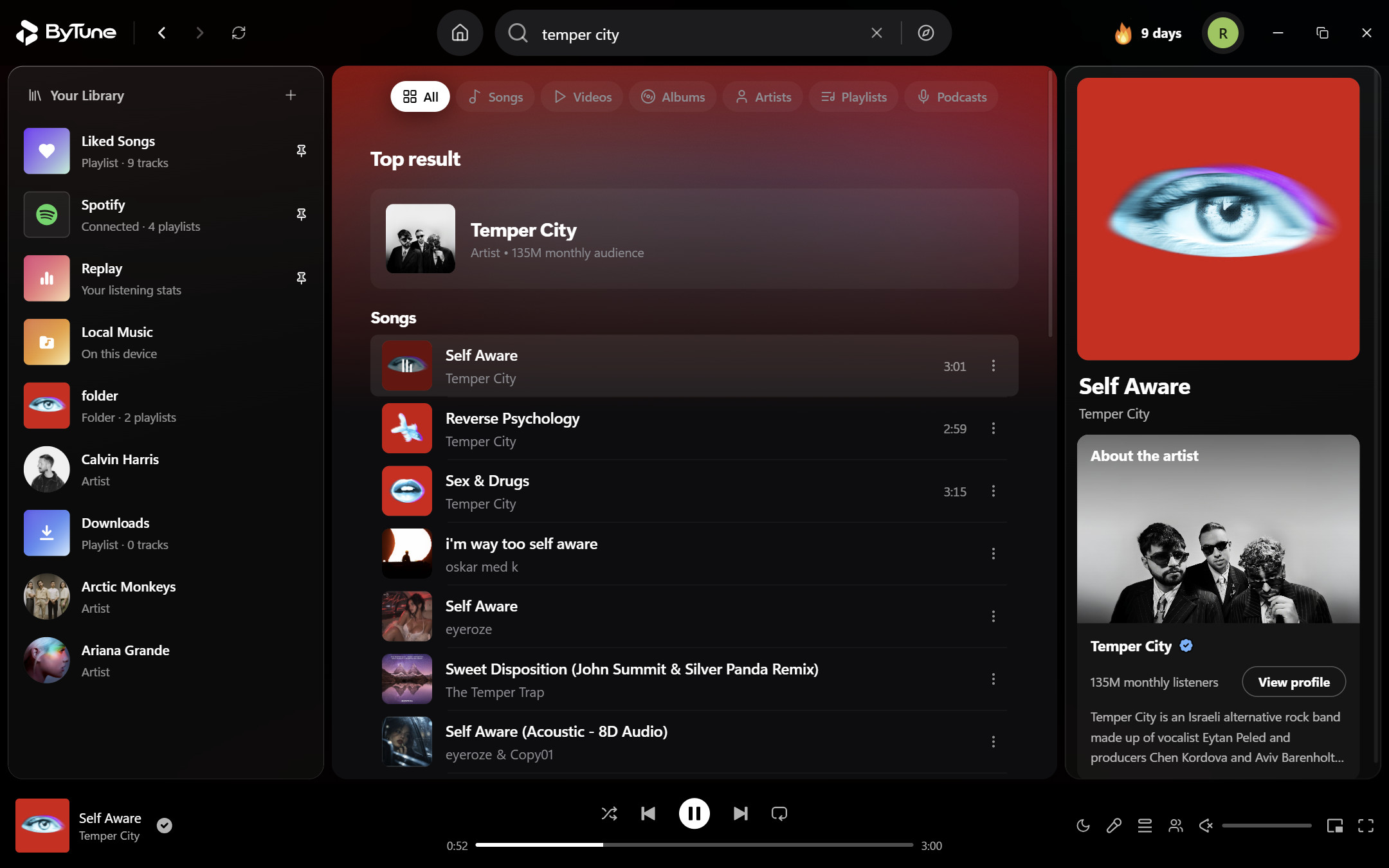
Search songs, videos, albums, artists and playlists from YouTube Music, with live suggestions as you type. Press / to jump to the search bar from anywhere.
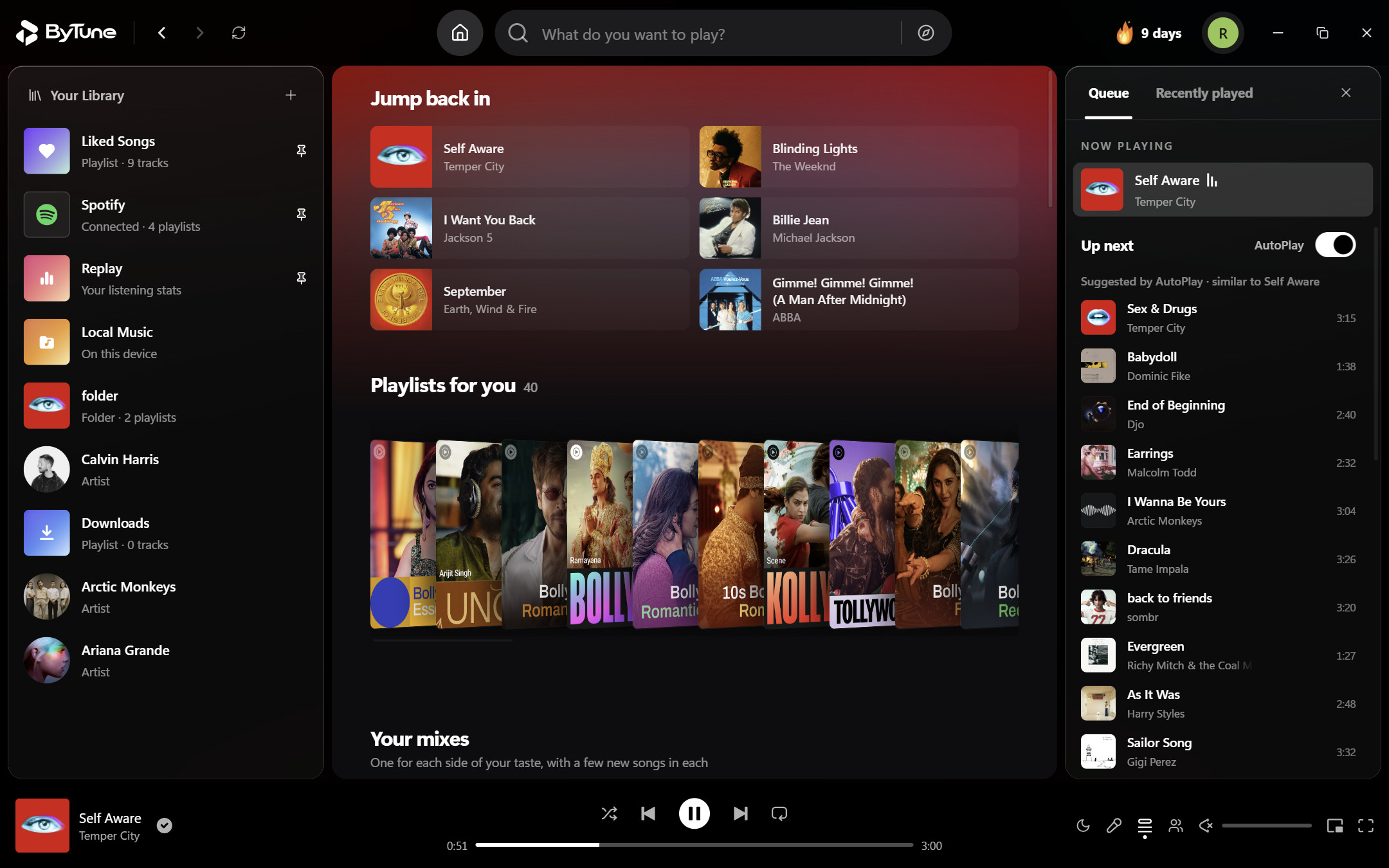
A proper queue: see what's playing and what's next, reorder by drag, add with "Play next" or "Add to queue" from any track's right-click menu, and keep the music going with endless AutoPlay when the queue ends. Shuffle, repeat (off / all / one) and crossfade are one click away.
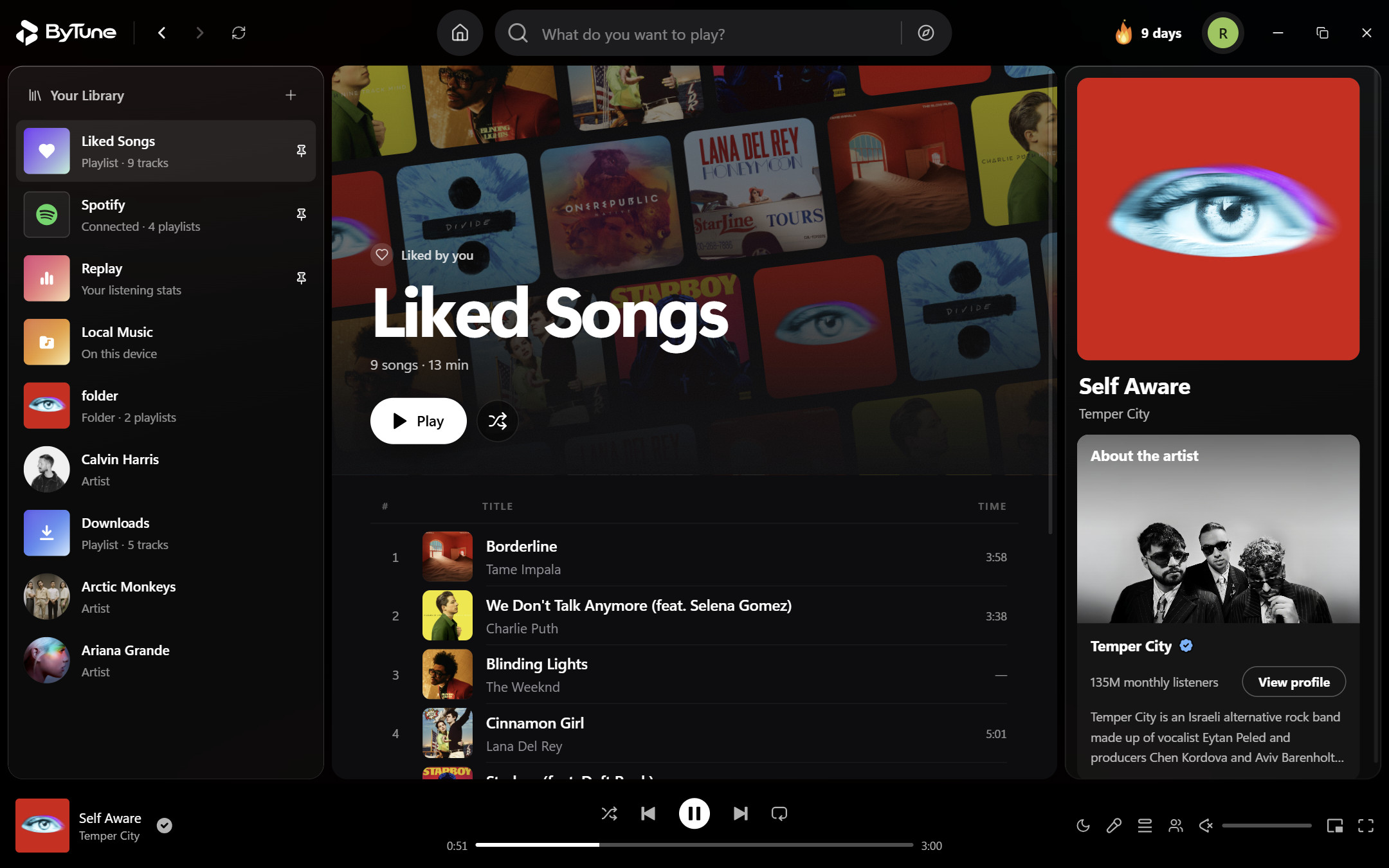
Your library persists on disk and restores on launch: liked songs, your own playlists, downloads and listening history — with an optional free account that keeps it in sync between your computers and safe even if this computer's app data is wiped.
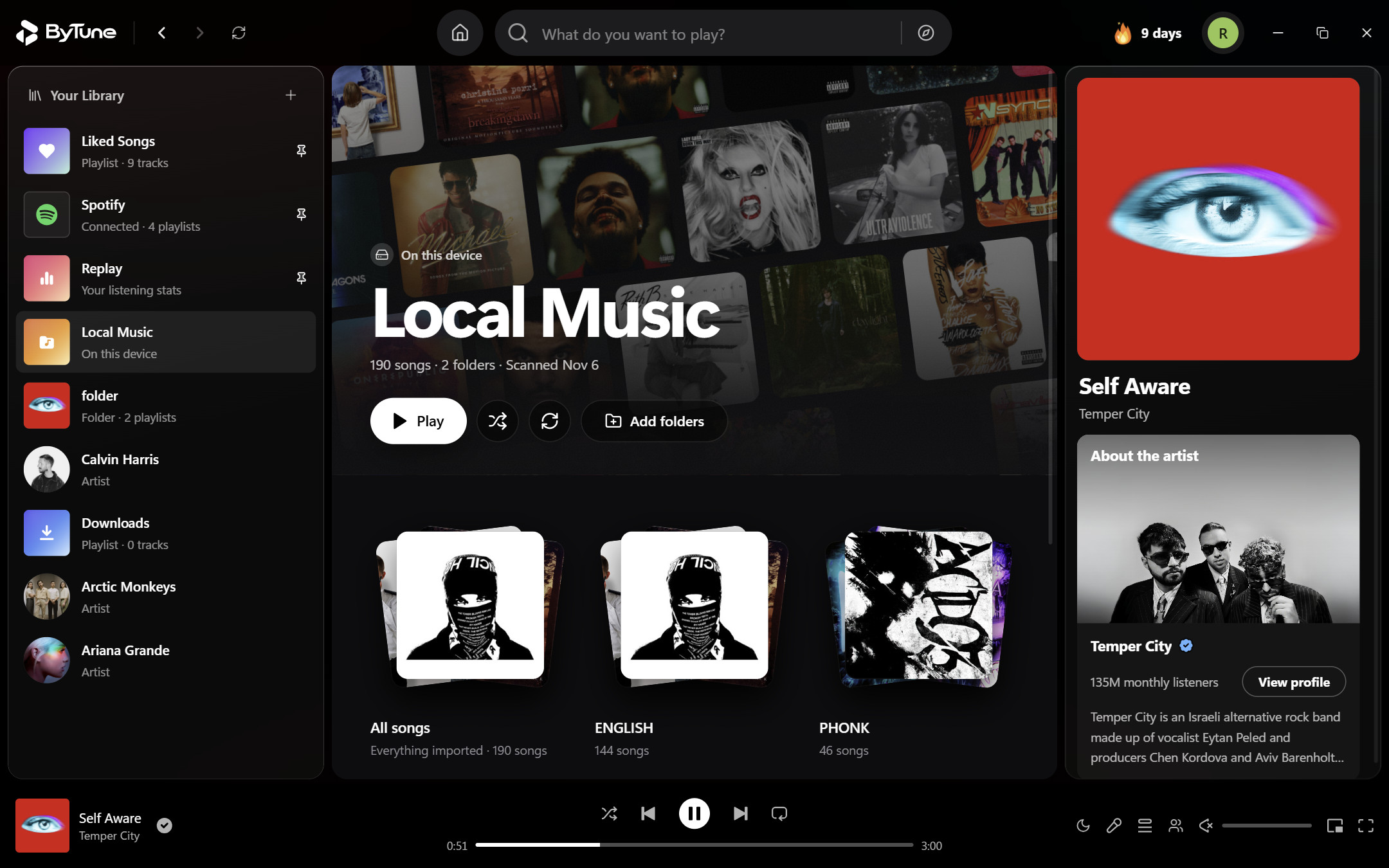
Import folders from your PC and they sit beside your streaming library — full track lists, album and artist browsing, embedded artwork, and a filter that hides short recordings and voice notes.
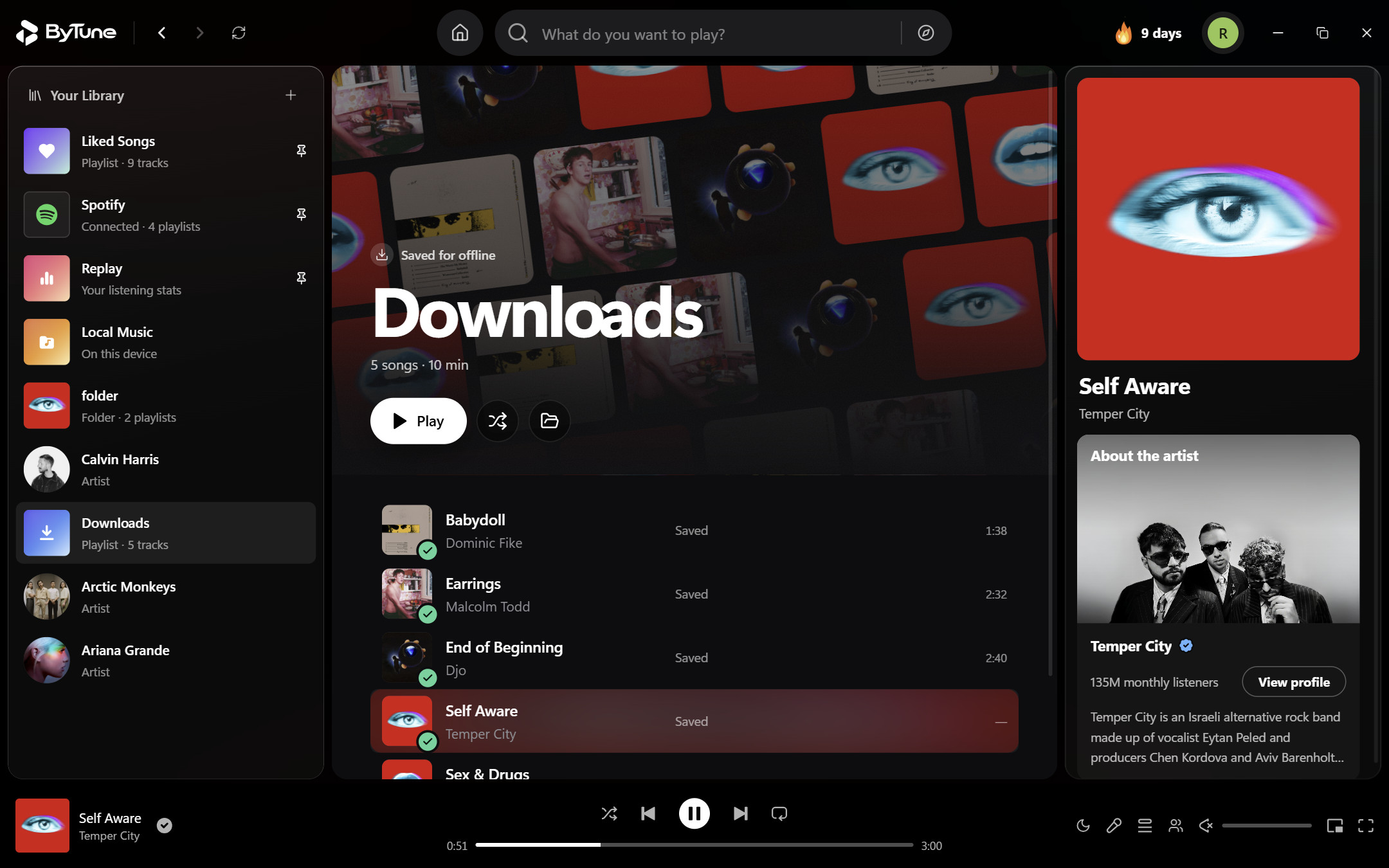
Save songs for offline listening, with live progress, an "Open folder" shortcut, a configurable download location and a choice of quality. Downloaded songs play from the file, with their title, artist and cover.
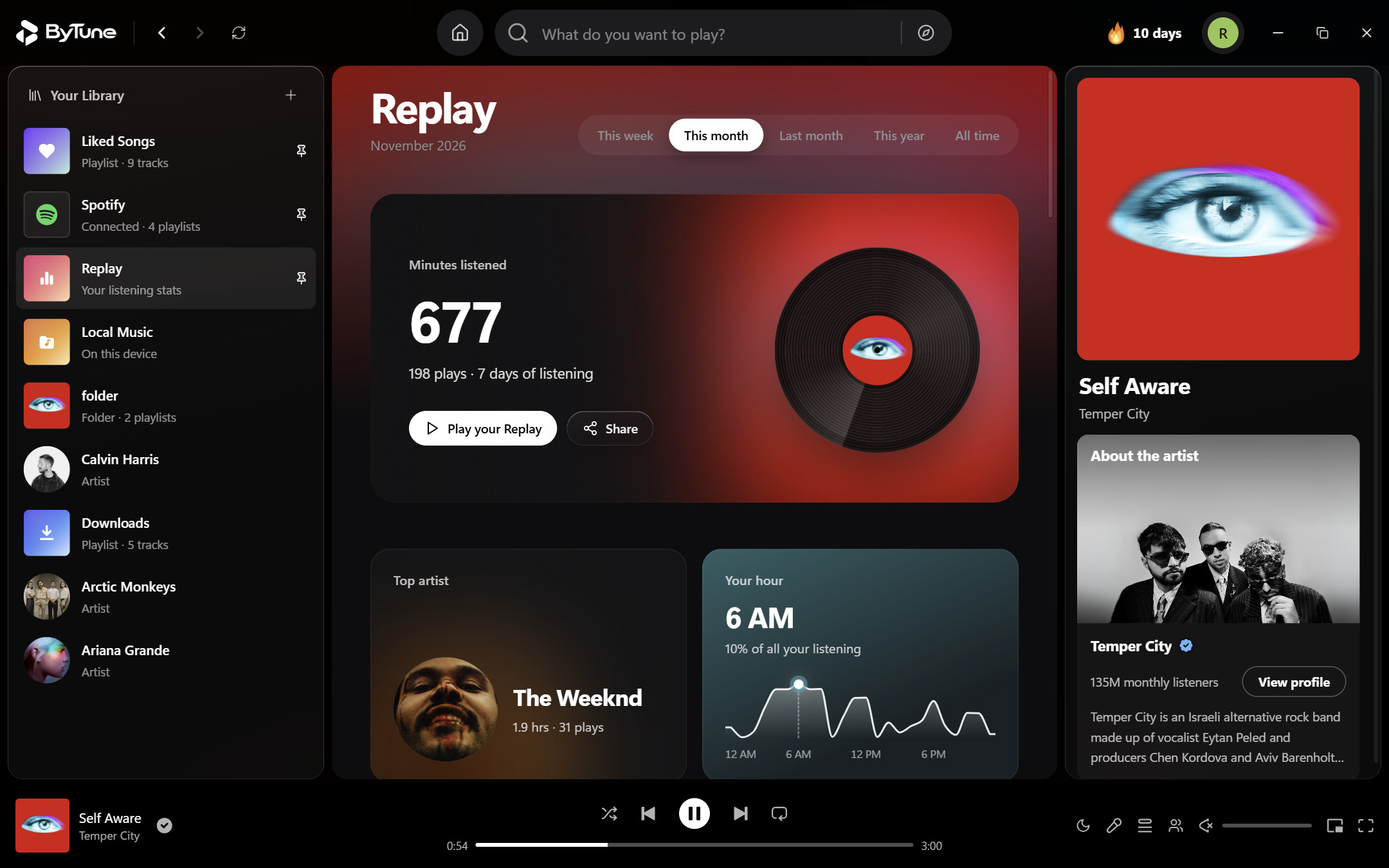
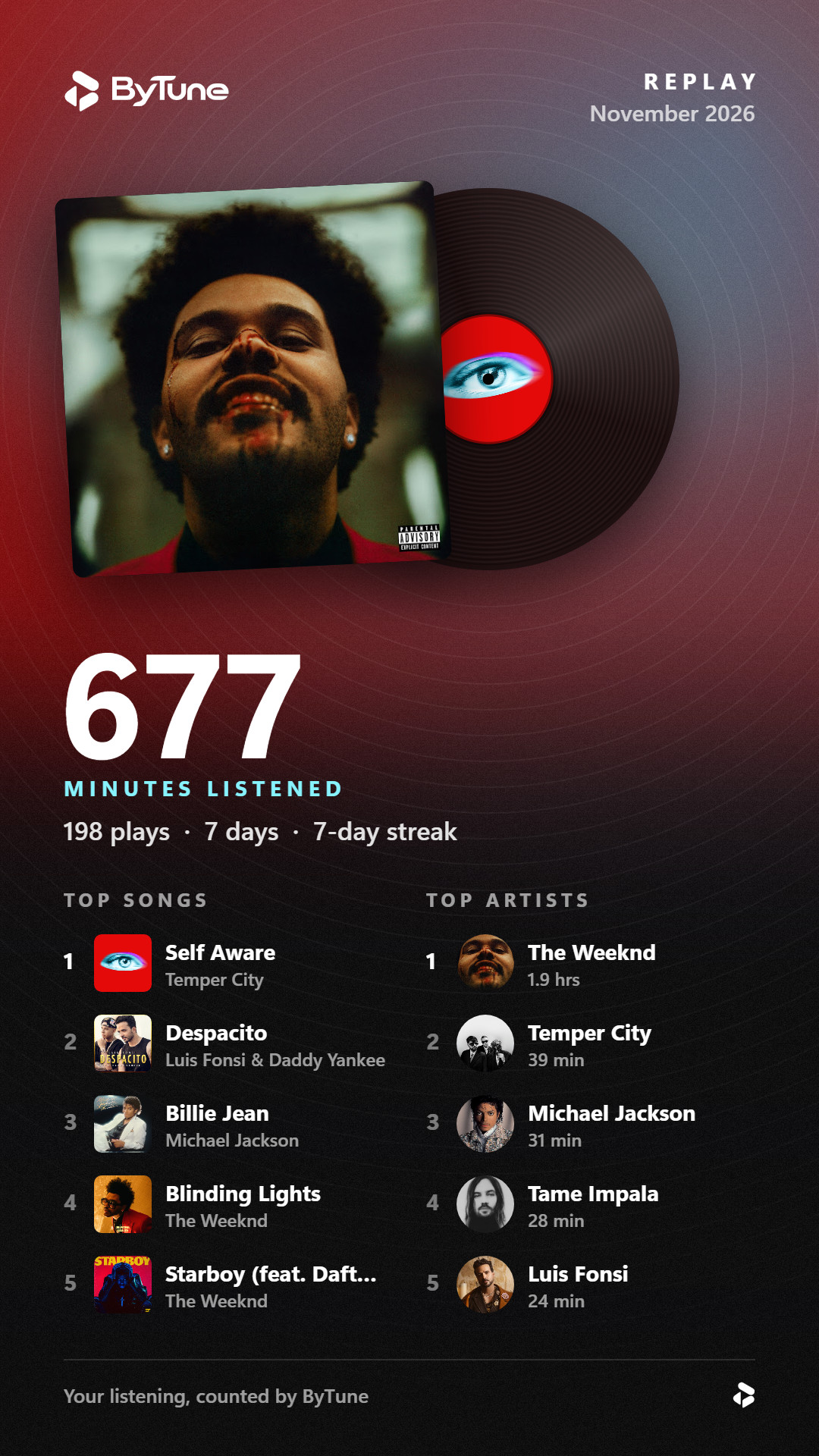
Replay counts your listening, and follows your account if you sign in: minutes, plays, your top songs, artists and albums, your streak and the hour you listen most, by week, month, year or all time. Share turns it into a 1080 × 1920 card sized for a story.
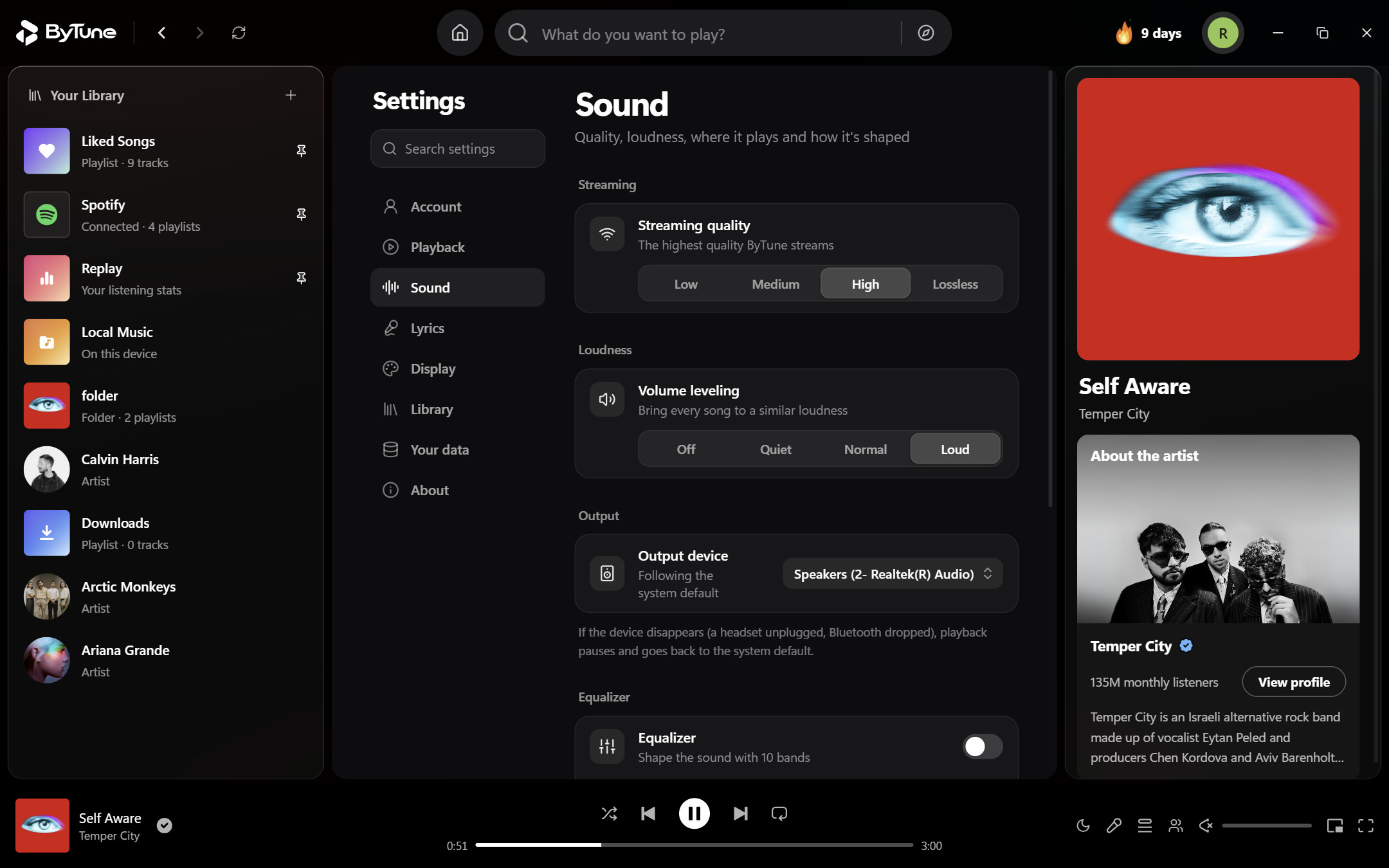
Streaming and download quality, a 10-band equalizer, volume leveling and the output device, crossfade and Automix, skip silence, AutoPlay, pitch-preserving playback speed, lyric behavior, appearance (liquid glass, reduced motion) and local-music management — all in one settings page.
| Feature | ByTune |
|---|---|
| Free: no ads, no subscription, no paid tier | ✅ |
| Open source (GPL-3.0) | ✅ |
| Streaming from YouTube Music (no Google sign-in) | ✅ |
| Search (songs / videos / albums / artists / playlists) | ✅ |
| Word- or line-synced lyrics from 13 sources, with click-to-seek | ✅ |
| Rooms: listen together with up to 10 people, you included | ✅ (free account) |
| Spotify playlist import (public link or a list of songs) | ✅ |
| Fullscreen Now Playing view | ✅ |
| Mini player (picture-in-picture) with a compact bar | ✅ |
| Queue with reorder, play next and endless AutoPlay | ✅ |
| Playlists, liked songs, listening history | ✅ |
| Playlist export and import (.m3u8, JSON) | ✅ |
| Local music library (MP3, M4A/AAC, FLAC, WAV, OGG, Opus) | ✅ |
| Downloads for offline listening | ✅ |
| Listening statistics (Replay) | ✅ |
| 10-band equalizer, volume leveling, output device picker | ✅ |
| Crossfade, Automix, skip silence, playback speed, sleep timer | ✅ |
| Update notices in the app | ✅ |
| Optional free account: library sync between computers | ✅ |
| Windows media keys + SMTC overlay, close to tray (music pauses) | ✅ Windows |
| Native traffic lights & hidden-inset title bar | ✅ macOS |
| macOS menu bar with playback controls | ✅ macOS |
| Close-to-hide: music keeps playing, Dock restores | ✅ macOS |
| Keychain-backed secret storage | ✅ macOS |
| Apple Silicon + Intel builds | ✅ macOS |
| Keyboard shortcuts | ✅ |
| Artwork-driven ambient theming (dark) | ✅ |
| Lossless streaming | ❌ (streams play at the best quality YouTube Music offers ByTune; your own FLAC and WAV files play lossless) |
| Last.fm scrobbling | ❌ |
| Android or iOS app | ❌ (desktop only) |
| Light theme | ❌ (dark only, by design) |
rishiteja21/ByTune is a public repo on GitHub by rishiteja21. Free, open-source Spotify alternative for Windows and macOS: the YouTube Music catalog and your own files in one app, with no ads, no subscription, word-synced lyrics and listen-together Rooms.
It declares the GPL-3.0 license on GitHub.
Its maker tagged it for macOS, Windows and Linux, or as Docker or cross-platform. That is declared by the maker; Take My Repo has not tested it.
Visual Studio Code
高颜值的原生桌面音乐播放器,支持本地音乐、媒体服务器与第三方插件 。|A better-looking desktop music player for local files, media servers, and plugins. Support macOS, Windows and Linux.
SRS is a simple, high-performance, AI-driven real-time media server supporting RTMP, WebRTC, HLS, HTTP-FLV, HTTP-TS, SRT, MPEG-DASH, and GB28181, with codec support for H.264, H.265, AV1, VP9, AAC, Opus, and G.711.
High performance self-hosted photo and video management solution.
Open "Take it" on its page: Take My Repo writes an install plan for your machine and hands it to your AI agent (Claude Code, Codex or Cursor), which asks you before each step. Take My Repo has not tested it on any machine.
Its last change on GitHub was on 2026-11-23. GitHub counts 15 open issues and pull requests. Take My Repo does not judge from that whether it is maintained.
Nobody has reviewed it on Take My Repo yet, which says nothing about its quality.
Take My Repo cannot say: it does not audit code and has not run ByTune. What is known comes from GitHub. It declares the GPL-3.0 license on GitHub. Its last change was on 2026-11-23. It has 82 stars, which measure popularity, not safety. Nobody has reviewed it on Take My Repo yet, which says nothing about its quality. Read the source before you run it. With "Take it", your AI agent shows each step and asks you before running it; README text is treated as data, not as instructions.