rstoolsA10
Source Code of Yocto Layer for accessing FPGA Manager of the Intel (ALTERA) Arria 10 SX SoCFPGA
- 6
- C++
- MIT
- 5 y ago
Automatically create a NIOS II Eclipse Project with the latest FreeRTOS Version, the Intel hwlib and more...
Repo robseb/NIOSII_EclipseCompProject, read from GitHub 1 min ago. robseb has not joined Take My Repo.
robseb/NIOSII_EclipseCompProject is a public repo on GitHub by robseb. Automatically create a NIOS II Eclipse Project with the latest FreeRTOS Version, the Intel hwlib and more... It declares the MIT license on GitHub. It is written mainly in C, has 6 stars and last changed on 2021-06-27. Nobody has reviewed it on Take My Repo yet, which says nothing about its quality. Read from GitHub on 2026-11-20.

This Python script can automate the project preparation process by generating a Eclipse Demo project with selected components. For every by the user chosen component is a TCL-script generated and it will be added to the demo project.
In the same way it is enabled to drag & drop folders with custom code to add them to the project. The often time intensive manual pre-configuration process is not necessary any more. The script can for instant clone the latest Kernel of the real-time operating system “FreeRTOS” from GitHub and remove the drivers for other platforms and generate TCL-scripts with all global values, sources and includes.
This script is designed to work together with the complete Intel development suite and supports every Intel FPGA device family with the support of the NIOS II soft core processor.
In the future I will add more and more components that can be selected and added to the project.
 Screenshot of a Eclipse Debugging session of an automatically generated project with FreeRTOS
The list of selected components, that can be automatically cloned from Github will be updated.
Now, the following components are available:
| Components | Description |
|---|---|
| FreeRTOS-Kernel for NIOS II | The latest FreeRTOS Version cloned from Github |
| Intel hwlib optimized for NIOS II | Library for accessing HPS components of SoC-FPGAs with NIOS II |
Custom Code folders |
Inserted folders with custom user libraries |
Desktop OS
IDE
Every Intel FPGA with NIOS II support
Supported SoC-FPGA of the Intel hwlib for accessing HPS hard-IP with the NIOS II core
Tested Platforms
The following step-by-step guide shows how to setup a *CentOS 7.7 virtual machine for Quartus Prime 20.1:

sudo yum install open-vm-tools
sudo yum update
The following step-by-step guide show how to install the necessary Intel Quartus Prime IDE with the Intel NIOS II Embedded Design Suite IDE for Windows and Linux (used Version for this guide: v19.1.0.670 and v20.1.0.711 )

wslsudo apt-get update
sudo apt-get install wsl make dos2unixsudo apt update sudo apt install python3-pip git libtinfo5
yum install python3 git
chmod +x QuartusLiteSetup-XX.X.X.XXX-linux.run
./QuartusLiteSetup-XX.X.X.XXX-linux.run

tar -xvf Quartus-lite-20.X.X.XXX-linux.tar
./setup.sh
intelFPGA_lite/X.1/quartus/bin ./quartus --64bit


shell wget http://archive.ubuntu.com/ubuntu/pool/main/n/ncurses/libncurses5-dev_6.2-0ubuntu2_amd64.deb sudo apt install ./libncurses5-dev_6.2-0ubuntu2_amd64.deb cd /lib/x86_64-linux-gnu && sudo ln -s libncursesw.so.6 libncursesw.so.5 To use this script to generate a custom Eclipse project for the NIOS II soft-core processor realise the following instructions:
pip3 install GitPython==3.0.4 gitdb2==2.0.6
pip3 install GitPython
python makeNIOS_CompProject.py
python3 makeNIOS_CompProject.py
Follow the displayed instructions of the script to add the available module to your configuration. Also, it is enabled to drag & drop folders with custom Code to the "working_folder" inside this repository folder. The script will automatically generate for every code folder a NIOS II Eclipse package. This package is pre-installed to the generate NIOS II Example Project.
Follow the next guidelines to create a new Eclipse for NIOS II project with the previously generated example project.
cd intelFPGA_lite/XX.X/nios2eds/
./nios2_command_shell.sheclipse-nios2
IV.3.: Create a new Eclipse project by selecting: File/New/Nios II Application and BSP from Template

Assign the output "sopcinfo" file of the Quartus Project with the Eclipse Project by specifying the SOPC Information File name
Give the Project a name
The generateD project template is called "FreeRTOS -robseb". Select it.

Press Finish to allow Eclispe to create a new project
Open the demo application c-file "main.c" from the application part of the Eclipse project
Folder structure of the generated project

Screenshot of Eclipse with the open auto generated FreeRTOS project

#define TERASIC_DE0_NANO    1  // Terasic DE0  NANO Board with an Intel Cyclone IV FPGA
#define TERASIC_DE10_STD    2  // Terasic DE10 STANDARD Board with an Intel Cyclone V SoC-FPGA
#define TERASIC_DE10_NANO   3  // Terasic DE10 NANO Board with an Intel Cyclone V SoC-FPGA
#define TERASIC_HAN_PILOT   4  // Terasic HAN PILOT Board with an Intel Arria 10 SoC-FPGA
#define CUSTOM_BOARD	    0  // Custom board with a custom board configuration
#define UNKOWN_BOARD	   -1
/////
///////////////////
// TODO: Select your development board
#define SELCTED_BOARD TERASIC_DE10_STD
///////////////////
/////
Ctrl+bAfter the project build was successful the project can be debugged on the development board. For this task it is necessary to configure the FPGA with a proper FPGA configuration with a NIOS II soft-core processor. In the following steps are shown how to start a debugging session on a FPGA development board with a proper FPGA configuration and the Intel USB FPGA Blaster (available on Teraisc FPGA boards).
Select the debug icon (bug) and choose "Debug Configurations..." on the Eclipse toolbar

The following window appears

Double-click to the list item "Nios II Hardware" to create a new debugging configuration
Inside the debugging configuration select the Project name of your previously created project

Check on the tap "Debugger" that Eclipse could find the FPGA Blaster of your board

Start the debugging session by pressing the "Apply"- and "Debug"-Button
Now should start the debugging process as shown in the screenshot above
 C:\Users\robseb\Documents\GitHub\NIOSII_EclipseCompProject>python makeNIOS_CompProject.py

#############################################################################
#                                                                            #
#    ########   ######     ##    ##  #######   ######  ########  #######     #
#    ##     ## ##    ##     ##  ##  ##     ## ##    ##    ##    ##     ##    #
#    ##     ## ##            ####   ##     ## ##          ##    ##     ##    #
#    ########   ######        ##    ##     ## ##          ##    ##     ##    #
#    ##   ##         ##       ##    ##     ## ##          ##    ##     ##    #
#    ##    ##  ##    ##       ##    ##     ## ##    ##    ##    ##     ##    #
#    ##     ##  ######        ##     #######   ######     ##     #######     #
#                                                                            #
#       AUTOMATIC SCRIPT FOR GENERATING A ECLIPSE FOR NIOS II PROJECT        #
#                    WITH CUSTOM COMPONENTS,OS AND HAL,...                   #
#                                                                            #
#               by Robin Sebastian (https://github.com/robseb)               #
#                            Vers.: 1.02                                     #
#                                                                            #
##############################################################################


--> Find the System Platform
--> Try to find the default Quartus installation path
        Following Quartus Installation Folder was found:
        C:\intelFPGA_lite\19.1

--> Check that the script runs inside the Github folder

--> Working Folder Name: working_folder


##############################################################################
# -> Intel hwlib for using the peripheral HPS components  <- #
# -> of the Cyclone and Arria SoC-FPGA with the NIOS II <- #
#   1: Install the hwlib
#   2: Do not pre-install the hwlib
------------------------------------------------------------------------------
Q,C = abort execution
--> Please chose with 1 or 2 = 1
---->Install the hwlib


##############################################################################
# -> Select the Intel SoC-FPGA Family <- #
# ->  <- #
#   1: Intel Cyclone V- or Arria V SoC-FPGA
#   2: Intel Arria 10 SoC-FPGA
------------------------------------------------------------------------------
Q,C = abort execution
--> Please chose with 1 or 2 = 1
---->Intel Cyclone V- or Arria V SoC-FPGA

=====================>>> Starting the generation... <<<====================

--> FreeRTOS Version is already available
--> Check if the FreeRTOS folders looks okay
    looks okay
--> Remove support of diffrent compliers as GCC
--> Allow only the folder "GCC" and "MemMang" inside /FreeRTOS-Kernel/portable
--> Remove support of diffrent Platform as Intel NIOS II
--> Remove vintage Memory Management
--> Cloning the latest hwlib Version (https://github.com/robseb/hwlib.git)

       please wait...
--> Check if the hwlib folders looks okay
    looks okay

###############################################################################
#                                                                              #
#           OPTIONAL: ADD CUSTOM COMPONENTS TO THE PROJECT                     #
#                                                                              #
#  Add this point it is possible to generate for custom code a NIOS II Eclipse #
#  component to add the code to the final NIOS II Eclipse HAL project          #
#                                                                              #
#  Copy a folder with the code to the working folder                           #
#  for every folder will be a  NIOS II Eclipse component be generareted and    #
#  it will be added to the final Demo project                                  #
#                                                                              #
#  Note: The folder name will be used as component name                        #
------------------------------------------------------------------------------
# The working folder:                                                          #
 C:\Users\robseb\Documents\GitHub\NIOSII_EclipseCompProject\working_folder\
------------------------------------------------------------------------------
Type anything to continue ...

--> Detect added custom folders
     Folder: EthernetIF
------------------------------------------------------------------------------
--> Coy additional files to the FreeRTOS folder
--> Relace the port.c file with additional/port.c file
--> Copy everything else to the FreeRTOS/portable/NIOS_RTOS_HAL folder
    Copy include files

--> Remove old component folder: FreeRTOS
--> Generate FreeRTOS Kernel code file structure and
    Copy the FreeRTOS Kernel to the Quartus Component folder
      CONTRIBUTING.md
      croutine.c
      event_groups.c
      GitHub-FreeRTOS-Kernel-Home.url
      History.txt
      include
      LICENSE.md
      list.c
      portable
      queue.c
      Quick_Start_Guide.url
      README.md
      SECURITY.md
      stream_buffer.c
      tasks.c
      timers.c
--> Generate hwlib code file structure and
    Copy the hwlib to the Quartus Component folder
      include
      LICENSE
      src

--> Generate  component TCL script for custom user files
--> Generate the component "EthernetIF" code file structure and
    Copy it to the Quartus Component folder
      alt_dma.c
      alt_dma.h
      alt_fpgamgr.h
      alt_fpgamgrdata.h
      alt_fpga_manager.c
      alt_fpga_manager.h
      alt_printf.h
      CHECKSUMFILE
      CMakeLists.txt
      FPGA-status.vcxproj
      FPGA-writeBridge
      hps.h
      hwlib.h
      main.cpp
      readme
      socal.h

--> Generate TCL component TCL script for hwlib
--> Progress every file in folder structure "hwlib"

    Folder: include
    Folder: source
    Folder: src
    --> \src
    Folder: hwmgr
    Folder: safeclib
    Folder: utils
    --> \src\utils
    File: alt_p2uart.c
    File: alt_printf.c
    <-- \src
    Folder: hwmgr
    Folder: safeclib
    --> \src\safeclib
    File: abort_handler_s.c
    File: ignore_handler_s.c
    File: memcmp16_s.c
    File: memcmp32_s.c
    File: memcmp_s.c
    File: memcpy16_s.c
    File: memcpy32_s.c
    File: memcpy_s.c
    File: memmove16_s.c
    File: memmove32_s.c
    File: memmove_s.c
    File: memset16_s.c
    File: memset32_s.c
    File: memset_s.c
    File: memzero16_s.c
    File: memzero32_s.c
    File: memzero_s.c
    File: mem_primitives_lib.c
    File: mem_primitives_lib.h
    File: safeclib_private.h
    File: safe_mem_constraint.c
    File: safe_mem_constraint.h
    File: safe_str_constraint.c
    File: safe_str_constraint.h
    File: snprintf_support.c
    File: stpcpy_s.c
    File: stpncpy_s.c
    File: strcasecmp_s.c
    File: strcasestr_s.c
    File: strcat_s.c
    File: strcmpfld_s.c
    File: strcmp_s.c
    File: strcpyfldin_s.c
    File: strcpyfldout_s.c
    File: strcpyfld_s.c
    File: strcpy_s.c
    File: strcspn_s.c
    File: strfirstchar_s.c
    File: strfirstdiff_s.c
    File: strfirstsame_s.c
    File: strisalphanumeric_s.c
    File: strisascii_s.c
    File: strisdigit_s.c
    File: strishex_s.c
    File: strislowercase_s.c
    File: strismixedcase_s.c
    File: strispassword_s.c
    File: strisuppercase_s.c
    File: strlastchar_s.c
    File: strlastdiff_s.c
    File: strlastsame_s.c
    File: strljustify_s.c
    File: strncat_s.c
    File: strncpy_s.c
    File: strnlen_s.c
    File: strnterminate_s.c
    File: strpbrk_s.c
    File: strprefix_s.c
    File: strremovews_s.c
    File: strspn_s.c
    File: strstr_s.c
    File: strtok_s.c
    File: strtolowercase_s.c
    File: strtouppercase_s.c
    File: strzero_s.c
    File: wcpcpy_s.c
    File: wcscat_s.c
    File: wcscpy_s.c
    File: wcsncat_s.c
    File: wcsncpy_s.c
    File: wcsnlen_s.c
    File: wmemcmp_s.c
    File: wmemcpy_s.c
    File: wmemmove_s.c
    File: wmemset_s.c
    <-- \src
    Folder: hwmgr
    --> \src\hwmgr
    File: alt_16550_uart.c
    File: alt_can.c
    File: alt_generalpurpose_io.c
    File: alt_globaltmr.c
    File: alt_i2c.c
    File: alt_nand.c
    File: alt_qspi.c
    File: alt_spi.c
    File: alt_timers.c
    File: alt_watchdog.c
    Folder: soc_a10
    Folder: soc_cv_av
    --> \src\hwmgr\soc_cv_av
    File: alt_bridge_f2s_armcc.s
    File: alt_bridge_f2s_gnu.s
    File: alt_clock_manager.c
    File: alt_clock_manager_init.c
    <-- \src\hwmgr
    Folder: soc_a10
    --> \src\hwmgr\soc_a10
    File: alt_clock_manager.c
    File: alt_ecc.c
    File: alt_reset_manager.c
    File: alt_system_manager.c
    <-- \src\hwmgr
    <-- \src\hwmgr
    <<<<---- \include
    File: alt_16550_uart.h
    File: alt_can.h
    File: alt_can_private.h
    File: alt_generalpurpose_io.h
    File: alt_globaltmr.h
    File: alt_i2c.h
    File: alt_nand.h
    File: alt_printf.h
    File: alt_qspi.h
    File: alt_spi.h
    File: alt_timers.h
    File: alt_watchdog.h
    File: hwlib.h
    Folder: safeclib
    Folder: soc_a10
    Folder: soc_cv_av
    --> \include\soc_cv_av
    File: alt_clock_group.h
    File: alt_clock_manager.h
    File: alt_config.h
    File: alt_int_device.h
    File: alt_reset_manager.h
    File: alt_system_manager.h
    Folder: socal
    --> \include\soc_cv_av\socal
    File: alt_acpidmap.h
    File: alt_can.h
    File: alt_clkmgr.h
    File: alt_dap.h
    File: alt_dmanonsecure.h
    File: alt_dmasecure.h
    File: alt_emac.h
    File: alt_f2h.h
    File: alt_fpgamgrdata.h
    File: alt_gpio.h
    File: alt_h2f.h
    File: alt_i2c.h
    File: alt_l3.h
    File: alt_l4wd.h
    File: alt_lwfpgaslvs.h
    File: alt_lwh2f.h
    File: alt_mpu_registers.h
    File: alt_nand.h
    File: alt_nanddata.h
    File: alt_ocram.h
    File: alt_qspi.h
    File: alt_qspidata.h
    File: alt_rom.h
    File: alt_rstmgr.h
    File: alt_scanmgr.h
    File: alt_sdr.h
    File: alt_spim.h
    File: alt_spis.h
    File: alt_stm.h
    File: alt_sysmgr.h
    File: alt_tmr.h
    File: alt_uart.h
    File: alt_usb.h
    File: hps.h
    File: pll_config.h
    File: socal.h
    <-- \include\soc_cv_av
    <-- \include\soc_cv_av
    <<<<---- \include
    Folder: safeclib
    Folder: soc_a10
    --> \include\soc_a10
    File: alt_clock_manager.h
    File: alt_config.h
    File: alt_int_device.h
    File: alt_reset_manager.h
    Folder: socal
    --> \include\soc_a10\socal
    File: alt_clkmgr.h
    File: alt_ecc_dmac.h
    File: alt_ecc_emac0_rx_ecc.h
    File: alt_ecc_emac0_tx_ecc.h
    File: alt_ecc_emac1_rx_ecc.h
    File: alt_ecc_emac1_tx_ecc.h
    File: alt_ecc_emac2_rx_ecc.h
    File: alt_ecc_emac2_tx_ecc.h
    File: alt_ecc_hmc_ocp.h
    File: alt_ecc_nand.h
    File: alt_ecc_nandr.h
    File: alt_ecc_nandw.h
    File: alt_ecc_ocram_ecc.h
    File: alt_ecc_otg0_ecc.h
    File: alt_ecc_otg1_ecc.h
    File: alt_ecc_qspi.h
    File: alt_ecc_sdmmc.h
    File: alt_emac.h
    File: alt_fpgamgr.h
    File: alt_fpgamgrdata.h
    File: alt_gpio.h
    File: alt_i2c.h
    File: alt_io48_hmc_mmr.h
    File: alt_nand.h
    File: alt_noc_fw_ddr_l3_scr.h
    File: alt_noc_fw_ddr_mpu_f2sdr_ddr_scr.h
    File: alt_noc_fw_h2f_scr.h
    File: alt_noc_fw_l4_per_scr.h
    File: alt_noc_fw_l4_sys_scr.h
    File: alt_noc_fw_ocram_scr.h
    File: alt_noc_l4_priv_flt.h
    File: alt_noc_mpu_acp_rate_ad_main_rate.h
    File: alt_noc_mpu_cs.h
    File: alt_noc_mpu_ddr.h
    File: alt_noc_mpu_dma_m0_qos.h
    File: alt_noc_mpu_emac0.h
    File: alt_noc_mpu_emac1.h
    File: alt_noc_mpu_emac2.h
    File: alt_noc_mpu_f2h_axi128_qos.h
    File: alt_noc_mpu_f2h_axi32_qos.h
    File: alt_noc_mpu_f2h_axi64_qos.h
    File: alt_noc_mpu_f2h_rate_ad_main_rate.h
    File: alt_noc_mpu_f2sdr0_axi128_qos.h
    File: alt_noc_mpu_f2sdr0_axi32_qos.h
    File: alt_noc_mpu_f2sdr0_axi64_qos.h
    File: alt_noc_mpu_f2sdr1_axi32_qos.h
    File: alt_noc_mpu_f2sdr1_axi64_qos.h
    File: alt_noc_mpu_f2sdr2_axi128_qos.h
    File: alt_noc_mpu_f2sdr2_axi32_qos.h
    File: alt_noc_mpu_f2sdr2_axi64_qos.h
    File: alt_noc_mpu_l3toh2fresp_main_rate.h
    File: alt_noc_mpu_l4.h
    File: alt_noc_mpu_m0_main_qos.h
    File: alt_noc_mpu_m0_rate_adresp_main_rate.h
    File: alt_noc_mpu_m1toddrresp_main_rate.h
    File: alt_noc_mpu_m1_main_qos.h
    File: alt_noc_mpu_nand_m_main_qos.h
    File: alt_noc_mpu_prb.h
    File: alt_noc_mpu_sdmmc_m_main_qos.h
    File: alt_noc_mpu_usb0_m_main_qos.h
    File: alt_noc_mpu_usb1_m_main_qos.h
    File: alt_pinmux.h
    File: alt_qspi.h
    File: alt_rstmgr.h
    File: alt_sdmmc.h
    File: alt_spim.h
    File: alt_spis.h
    File: alt_sysmgr.h
    File: alt_tmr.h
    File: alt_uart.h
    File: alt_usb.h
    File: hps.h
    File: socal.h
    <-- \include\soc_a10
    <-- \include\soc_a10
    <<<<---- \include
    Folder: safeclib
    --> \include\safeclib
    File: safe_lib.h
    File: safe_lib_errno.h
    File: safe_mem_lib.h
    File: safe_str_lib.h
    File: safe_types.h
    File: snprintf_s.h
    <-- \include
    <-- \include
    <<<<---- \include
    ==== File processing done ====

--> Generate include folders for "hwlib"
   Add include path: src/safeclib
   Add include path: include
   Add include path: include/soc_cv_av
   Add include path: include/soc_cv_av/socal
   Add include path: include/soc_a10
   Add include path: include/soc_a10/socal
   Add include path: include/safeclib
   Generatation of TCL component TCL script for hwlib done

--> Generate TCL component TCL script for the FreeRTOS Kernel
--> Progress every file in folder structure "FreeRTOS"

    Folder: include
    Folder: portable
    Folder: source
    --> \source
    File: CONTRIBUTING.md
    File: croutine.c
    File: event_groups.c
    File: GitHub-FreeRTOS-Kernel-Home.url
    File: History.txt
    File: LICENSE.md
    File: list.c
    File: queue.c
    File: Quick_Start_Guide.url
    File: README.md
    File: SECURITY.md
    File: stream_buffer.c
    File: tasks.c
    File: timers.c
    <--
    Folder: include
    Folder: portable
    --> \portable
    Folder: GCC
    Folder: MemMang
    Folder: NIOS_RTOS_HAL
    File: readme.txt
    --> \portable\NIOS_RTOS_HAL
    File: alt_env_lock.c
    File: alt_exit.c
    File: alt_hooks.h
    File: alt_iic.c
    File: alt_irq_handler.c
    File: alt_legacy_irq.h
    File: alt_main.c
    File: alt_malloc_lock.c
    File: alt_sem.h
    File: alt_sem_freertos.h
    File: alt_tick.c
    <-- \portable
    Folder: GCC
    Folder: MemMang
    --> \portable\MemMang
    File: heap_3.c
    File: heap_4.c
    File: heap_5.c
    File: ReadMe.url
    <-- \portable
    Folder: GCC
    --> \portable\GCC
    Folder: NiosII
    --> \portable\GCC\NiosII
    File: port.c
    File: portmacro.h
    File: port_asm.S
    <-- \portable\GCC
    <-- \portable\GCC
    <<<<---- \include
    File: atomic.h
    File: croutine.h
    File: deprecated_definitions.h
    File: event_groups.h
    File: FreeRTOS.h
    File: FreeRTOSConfig.h
    File: list.h
    File: message_buffer.h
    File: mpu_prototypes.h
    File: mpu_wrappers.h
    File: portable.h
    File: projdefs.h
    File: queue.h
    File: semphr.h
    File: StackMacros.h
    File: stack_macros.h
    File: stdint.readme
    File: stream_buffer.h
    File: task.h
    File: timers.h
    <-- \include
    <<<<---- \include
    ==== File processing done ====

--> Generate include folders for "FreeRTOS"
   Add include path: portable/NIOS_RTOS_HAL
   Add include path: portable/GCC/NiosII
   Add include path: include
   Generatation of TCL OS TCL script for FreeRTOS done

--> Generate TCL component TCL script for custom user files

--> Generate TCL component TCL script for EthernetIF
--> Progress every file in folder structure "EthernetIF"

    Folder: FPGA-writeBridge
    Folder: readme
    Folder: source
    --> \source
    File: alt_dma.c
    File: alt_dma.h
    File: alt_fpgamgr.h
    File: alt_fpgamgrdata.h
    File: alt_fpga_manager.c
    File: alt_fpga_manager.h
    File: alt_printf.h
    File: CHECKSUMFILE
    File: CMakeLists.txt
    File: FPGA-status.vcxproj
    File: hps.h
    File: hwlib.h
    File: main.cpp
    File: socal.h
    <--
    Folder: FPGA-writeBridge
    Folder: readme
    --> \readme
    Folder: images
    File: readme.html
    File: stylesheet.css
    --> \readme\images
    File: ArchOptions.gif
    File: ChangeRemote.gif
    File: debuggerexport.png
    File: firstconnection.png
    File: linker.png
    File: ManageConnections.gif
    File: OutputTypes.gif
    File: postbuild.png
    <-- \readme
    <-- \readme
    <<<<---- \FPGA-writeBridge
    File: CHECKSUMFILE
    File: CMakeLists.txt
    File: FPGA-WriteBridge.vcxproj
    File: hps.h
    File: main.cpp
    Folder: readme
    --> \FPGA-writeBridge\readme
    Folder: images
    File: readme.html
    File: stylesheet.css
    --> \FPGA-writeBridge\readme\images
    File: ArchOptions.gif
    File: ChangeRemote.gif
    File: debuggerexport.png
    File: firstconnection.png
    File: linker.png
    File: ManageConnections.gif
    File: OutputTypes.gif
    File: postbuild.png
    <-- \FPGA-writeBridge\readme
    <-- \FPGA-writeBridge\readme
    <<<<---- \FPGA-writeBridge
    ==== File processing done ====

--> Generate include folders for "EthernetIF"
   Add include path: source
   Add include path: FPGA-writeBridge
   Generatation of TCL component TCL script for EthernetIF done

################################################################################
#                                                                              #
#  OPTIONAL: EDIT THE GENERATE TCL SCRIPT FOR CUSTOM COMPONENTS                #
#                                                                              #
#  Add this point it is possible to edit the autogenerated TCL Scripts for the #
#  custom components                                                           #
#                                                                              #
-------------------------------------------------------------------------------
#  Open and edit following file/s:                                             #
         for the Component "EthernetIF":
C:\intelFPGA_lite\19.1\nios2eds\components\EthernetIF\EthernetIF_sw.tcl
------------------------------------------------------------------------------
Type anything to continue ...

 --> Copy Demo files to the Quartus Example folder
--> Remove old component folder: freertos_c1
--> Generate XML Demo project template File
--> Open the Intel NIOS II Command Shell

   Check that the NIOS II Command Shell works porterly
    looks ok
------------------------------------------------
Altera Nios2 Command Shell

Version 19.1, Build 670
------------------------------------------------
--> Navigate to the Quartus Project Folder
--> Generate now Eclipse for NIOS components by executing the TCL scripts
   Windows 10 Version for 19.1
2020.06.07.12:16:24 Info: Doing: <b>ip-make-ipx --source-directory=. --output=components.ipx</b>
2020.06.07.12:16:24 Info: Using factories: JarFactory, TclModuleFactory, BeanElementFactory, PresetFactory, QsysFactory, IPXactBlackBoxFactory, EmbeddedSwTclDriverFactory
2020.06.07.12:16:24 Info: (0) searching <b>C:/intelFPGA_lite/19.1/nios2eds/components/**/*</b> (command line switch)
2020.06.07.12:16:24 Info: Loading altera_hal/altera_hal_sw.tcl
2020.06.07.12:16:24 Info: Loading altera_hostfs/altera_hostfs_sw.tcl
2020.06.07.12:16:25 Info: Loading altera_iniche/altera_iniche_sw.tcl
2020.06.07.12:16:25 Info: Loading altera_nios2/altera_nios2_hal_sw.tcl
2020.06.07.12:16:25 Info: Loading altera_nios2/altera_nios2_qsys_hal_sw.tcl
2020.06.07.12:16:25 Info: Loading altera_nios2/altera_nios2_qsys_hw.tcl
2020.06.07.12:16:25 Info: Loading altera_nios2/altera_nios2_qsys_ucosiii_sw.tcl
2020.06.07.12:16:25 Info: Loading altera_nios2/altera_nios2_qsys_ucosii_sw.tcl
2020.06.07.12:16:25 Info: Loading altera_nios2/altera_nios2_ucosiii_sw.tcl
2020.06.07.12:16:25 Info: Loading altera_nios2/altera_nios2_ucosii_sw.tcl
2020.06.07.12:16:25 Info: Loading altera_nios2/nios2-wizard.jar
2020.06.07.12:16:25 Info: Loading altera_nios2/nios2-wizard.jar
2020.06.07.12:16:25 Info: Loading altera_nios2_gen2/altera_nios2_hal_sw.tcl
2020.06.07.12:16:25 Info: Loading altera_nios2_gen2/altera_nios2_hw.tcl
2020.06.07.12:16:26 Info: Loading altera_nios2_gen2/altera_nios2_ucosiii_sw.tcl
2020.06.07.12:16:26 Info: Loading altera_nios2_gen2/altera_nios2_ucosii_sw.tcl
2020.06.07.12:16:26 Info: Loading altera_nios2_gen2/altera_nios2_unit_hw.tcl
2020.06.07.12:16:26 Info: Loading altera_quad_seven_seg/altera_quad_seven_seg_sw.tcl
2020.06.07.12:16:26 Info: Loading altera_ro_zipfs/altera_ro_zipfs_sw.tcl
2020.06.07.12:16:26 Info: Loading EthernetIF/EthernetIF_sw.tcl
2020.06.07.12:16:26 Info: Loading FreeRTOS/FreeRTOS_sw.tcl
2020.06.07.12:16:26 Info: Loading hwlib/hwlib_sw.tcl
2020.06.07.12:16:26 Info: Loading micrium_uc_osii/micrium_ucosii_sw.tcl
2020.06.07.12:16:26 Info: Loading top/top_sw.tcl
2020.06.07.12:16:26 Info: <b>C:/intelFPGA_lite/19.1/nios2eds/components/**/*</b> matched 176 files in 1,86 seconds
2020.06.07.12:16:26 Info: Found 22 components

################################################################################
#                                                                              #
#                        GENERATION WAS SUCCESSFUL                             #
# -----------------------------------------------------------------------------#
                                 NEXT STEPS                                    #
#                                                                              #
#                     --- Open ECLIPSE for NIOS II ---                         #
                   (C:\intelFPGA_lite\19.1\nios2eds\bin\eclipse_nios2)
#                                                                              #
#               --- Open the generated Example Project ---                     #
#      +  Select inside Eclipse:  File > New > NIOS II Application and BSP ... #
#      + Select the Temaplate: "FreeRTOS - robseb"                             #
#                                                                              #
#                 --- Use the generated NIOS II BSP  ---                       #
#      +  Select inside Eclipse:  File > New > NIOS II Board Support Package   #
#      +  Select as BSP type:  "FreeRTOS"                                      #
#                                                                              #
# -----------------------------------------------------------------------------#
#                                                                              #
#                           SUPPORT THE AUTHOR                                 #
#                                                                              #
#                            ROBIN SEBASTIAN                                   #
#                     (https://github.com/robseb/)                             #
#                                                                              #
#    NIOSII_EclipseCompProject and rsYocto are projects, that I have fully     #
#        developed on my own. No companies are involved in this projects.      #
#        Today I aim a Master Student of electronic engineering                #
#            Please support me for further development                         #
#                                                                              #
################################################################################

C:\Users\robseb\Documents\GitHub\NIOSII_EclipseCompProject>
NIOSII_EclipseCompProject and rsyocto are self-developed projects in which no other companies are involved. It is specifically designed to serve students and the Linux/FPGA open-source community with its publication on GitHub and its open-source MIT license. In the future, rsyocto will retain its open-source status and it will be further developed.
Due to the enthusiasm of commercial users, special features for industrial, scientific and automotive applications were developed and ready for the implementation in a highly optimazed closed commercial version. Partnerships as an embedded SoC-FPGA design service to fulfil these specific commercial requirements are offered. It should help, besides students with the rsyocto open-source version, commercial users, as well.
For commercial users, please visit the rsyocto embedded service provider website: rsyocto.com
robseb/NIOSII_EclipseCompProject is a public repo on GitHub by robseb. Automatically create a NIOS II Eclipse Project with the latest FreeRTOS Version, the Intel hwlib and more...
It declares the MIT license on GitHub.
Its maker has not tagged a system, so it is unknown here. Its README says what it needs.
Open "Take it" on its page: Take My Repo writes an install plan for your machine and hands it to your AI agent (Claude Code, Codex or Cursor), which asks you before each step. Take My Repo has not tested it on any machine.
Its last change on GitHub was on 2021-06-27. Take My Repo does not judge from that whether it is maintained.
Source Code of Yocto Layer for accessing FPGA Manager of the Intel (ALTERA) Arria 10 SX SoCFPGA
Nobody has reviewed it on Take My Repo yet, which says nothing about its quality.
C++ examples for accessing FPGA Soft-IP and Hard-IP with embedded Linux for Intel (ALTERA) SoC-FPGAs (Cyclone V)
🤖 SoCFPGA: Open-Source Embedded Linux Distribution with a highly flexible build system, developed for Intel (ALTERA) SoC-FPGAs (Cyclone V & Arria 10)
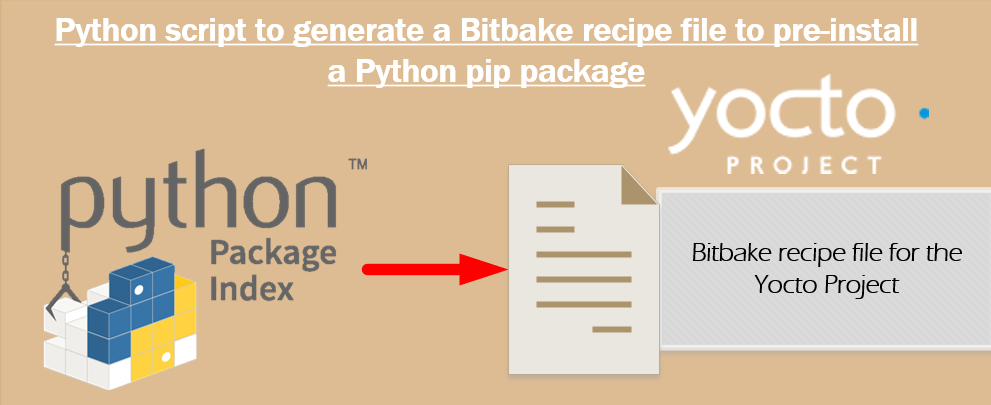
Script to create a Bitbake recipe for Python pip (PyPI) Packages to be embedded within the Yocto Project
SoCFPGA: Mapping HPS Peripherals, like I²C or CAN, over the FPGA fabric to FPGA I/O and using embedded Linux to control them (Intel Cyclone V)
Yocto Project BSP meta-layer for Intel (ALTERA) SoC-FPGAs (SoCFPGA) - with step by step guide
Demonstration how to build a Management Web interface to interact with the FPGA fabric and change the FPGA configuration with the Django Framework
Script to build the bootloader (u-boot) and bring all components to a bootable image for Intel (ALTERA) SoC-FPGAs