
VectorBalls
Demo Scene - Mode 13h Vector Balls
- 7
- MIT
- 2 mo ago
Repo rohingosling/VectorBalls, read from GitHub 1 min ago. rohingosling has not joined Take My Repo.
In short
rohingosling/VectorBalls is a public repo on GitHub by rohingosling. Demo Scene - Mode 13h Vector Balls. It declares the MIT license on GitHub. It is written mainly in Assembly, has 7 stars and last changed on 2026-09-15. Nobody has reviewed it on Take My Repo yet, which says nothing about its quality. Read from GitHub on 2026-11-26.

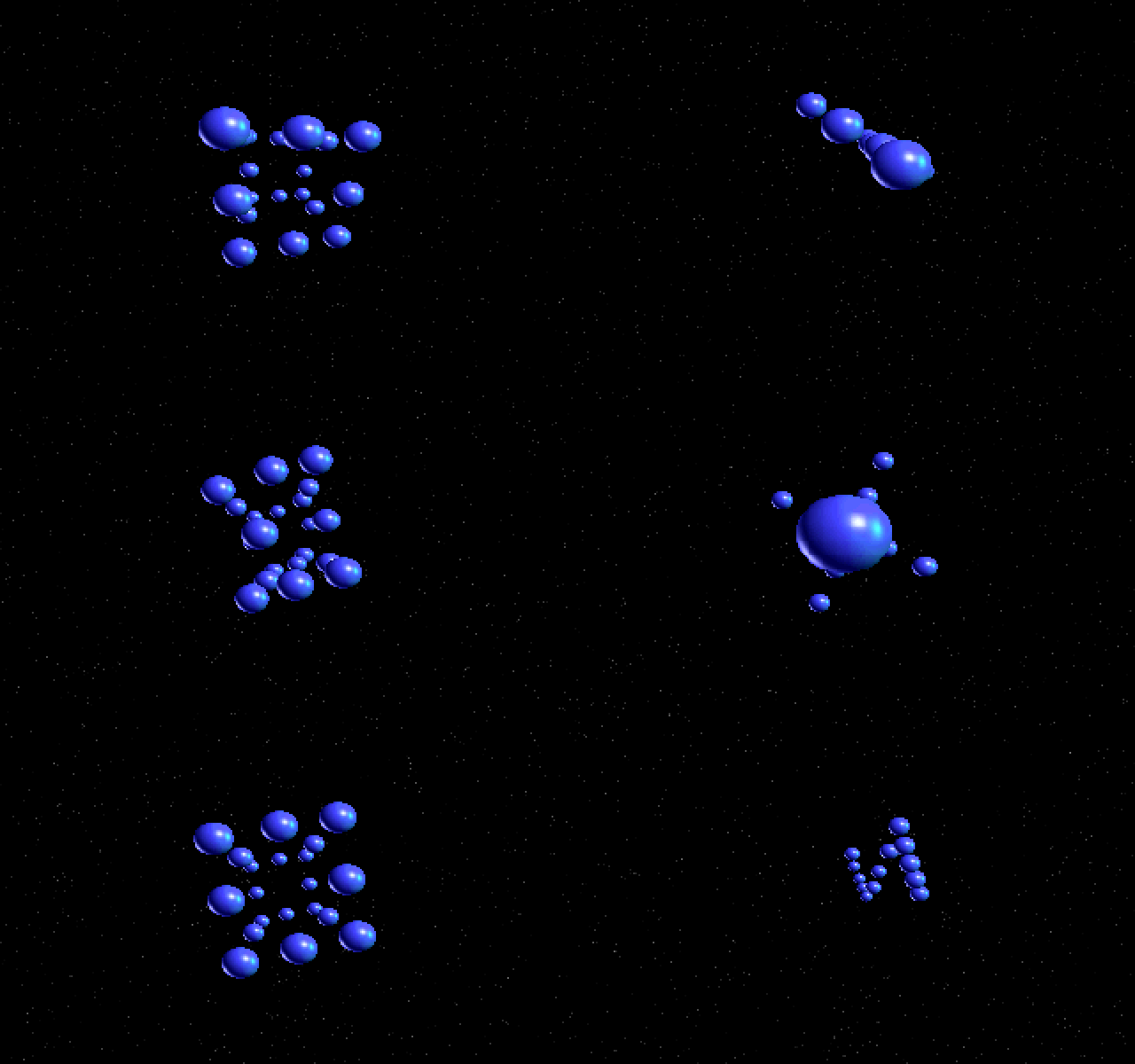
Vector Balls - 386/486 Graphics Demo

A 386/486 demo featuring 3D vector balls, keyframe animation, a starfield, and palette-controlled fade effects. Should work on a 386 as well.
Written in C for DOS Mode 13h (320x200, 256-color VGA). Compiled with Borland Turbo C++ 3.1, targeting a 486 with no FPU co-processor.
📑 Table of Contents
- ✨ Features
- 🎮 Running the Demo
- 🔨 Building from Source
- 📁 Project Structure
- 🛠️ Technical Details
- 📄 License
✨ Features
- Vector ball sprites with 3D rotation and perspective projection.
- Smooth keyframe morphing transitions.
- 3D scrolling starfield (4000 stars).
- Palette-controlled fade-in and fade-out.
- Z-ordered back-to-front rendering with distance-scaled sprites.
- Double-buffered display with VSync synchronization.
- Interrupt 09h keyboard handler.
🎮 Running the Demo
The pre-compiled BALLS.EXE is included in the Releases section. It is a 16-bit DOS executable and requires a DOS or DOS emulated environment to run. It has been tested in DOSBox.
Using DOSBox
- Install DOSBox or DOSBox-X.
- Download
BALLS.EXEandsprites.datfrom the latest release and place them in the same folder. - Launch DOSBox and mount the folder:
mount c c:\path\to\your\folder c: - Run the demo:
balls - Press ESC to exit (the screen will fade out before returning to DOS).
Using DOSBox-X or 86Box
Any DOS-compatible emulator that supports Mode 13h VGA graphics will work. Mount the directory containing BALLS.EXE and sprites.dat, then run BALLS. sprites.dat needs to be in the same folder as BALLS.EXE.
🔨 Building from Source
Building requires Borland Turbo C++ 3.1 (BCC.EXE) and Borland Turbo Assembler (TASM.EXE) running inside DOSBox. Both are 16-bit DOS programs and cannot run on a modern OS directly.
Prerequisites
- DOSBox (or DOSBox-X)
- Borland Turbo C++ 3.1 (
BCC.EXE) and Borland Turbo Assembler (TASM.EXE) installed and accessible from within DOSBox
Build Steps
- Mount both the Borland compiler directory and the project source directory in DOSBox.
- Ensure
BCC.EXEandTASM.EXEare on the DOSPATH. - Navigate to the
srcdirectory and run the build script:This assembles the graphics library and compiles the C sources:buildand renames the output toTASM /ml gfx13.asm,gfx13.obj BCC -ml -1 main.c starfld.c vecballs.c gfx13.objBALLS.EXE. Everything builds in place insidesrc, alongsidesprites.dat(which the demo loads at runtime), so you can build and run the demo from the same directory.
Compiler Flags
| Flag | Purpose |
|---|---|
-ml |
Large memory model (required for far pointers and 64 KB+ buffers) |
-1 |
Enable 80186+ instructions (required for OUTSB in inline assembly) |
Build Notes
- All source filenames follow the DOS 8.3 naming convention.
- BCC compiles
.cfiles as C, not C++. The-Pflag (C++ mode) is not used. clean.batremoves build artifacts (.OBJfiles,BUILD.LOG) and the compiledBALLS.EXE.
📁 Project Structure
balls
├─ src               Self-contained: source, build scripts, data, and executable
│  ├─ main.c         Entry point, keyboard interrupt handler, palette control
│  ├─ gfx13.h        Mode 13h graphics library. Type definitions and prototypes
│  ├─ gfx13.asm      Mode 13h graphics library (TASM). Drawing, blitting, palette, VSync
│  ├─ graphics.h     Shared demo header. Includes gfx13.h, globals, prototypes
│  ├─ starfld.c      3D starfield initialization and rendering
│  ├─ vecballs.c     Ball sprites, keyframe morphing, 3D transform, animation loop
│  ├─ sprites.dat    Binary sprite data (36 ball frames with metadata)
│  ├─ build.bat      Build script (assembles + compiles, outputs BALLS.EXE)
│  ├─ clean.bat      Removes build artifacts
│  └─ BALLS.EXE      Pre-compiled DOS executable (build + run here)
│
├─ README.md         This file
│
├─ LICENSE           MIT License
│
└─ images
   └─ capture        Screenshots and animated capture
🛠️ Technical Details
Rendering Pipeline
All graphics go through a Mode 13h (VGA 320x200, 256 colors) rendering pipeline implemented in gfx13.asm:
- Direct VGA register programming via inline assembly
- Off-screen 64 KB buffer (
screen_buffer_320x200) for double buffering FlipScreen()copies the buffer to VGA memory at0xA000:0000WaitRetrace()synchronizes with the vertical blank interval
3D Animation
The main animation loop in vecballs.c performs:
- Rotation - 3-axis rotation (X, Y, Z) using a precomputed sine lookup table.
- Projection - Perspective division maps 3D coordinates to screen space.
- Sprite Selection - Distance determines which of the 36 size-scaled ball sprites to draw.
- Z-Ordering - A distance queue renders balls back-to-front for correct occlusion.
- Morphing - Smooth interpolation between 13 predefined ball formations across 18 morph sequences.
Target Hardware
- CPU: Intel 386 or 486 (no FPU required, all math is fixed-point integer)
- Video: VGA-compatible (Mode 13h)
- Memory: Conventional DOS memory (large model)
📄 License
Released under the MIT License — Copyright © 1991 Rohin Gosling.
Questions
What is VectorBalls?
rohingosling/VectorBalls is a public repo on GitHub by rohingosling. Demo Scene - Mode 13h Vector Balls.
Is VectorBalls open source?
It declares the MIT license on GitHub.
Does VectorBalls run on macOS, Windows or Linux?
Its maker tagged it for Windows. That is declared by the maker; Take My Repo has not tested it.
How do I install VectorBalls?
Open "Take it" on its page: Take My Repo writes an install plan for your machine and hands it to your AI agent (Claude Code, Codex or Cursor), which asks you before each step. Take My Repo has not tested it on any machine.