
aiden-agent
Pi based agent for Designers, Coders and Everyday users.
- 45
- MIT
- 5 d ago
Repo sambitcreate/aiden-agent, read from GitHub 5 d ago. sambitcreate has not joined Take My Repo.
In short
sambitcreate/aiden-agent is a public repo on GitHub by sambitcreate. Pi based agent for Designers, Coders and Everyday users. It declares the MIT license on GitHub. It is written mainly in TypeScript, has 45 stars and last changed on 2026-11-19. Nobody has reviewed it on Take My Repo yet, which says nothing about its quality. Read from GitHub on 2026-11-19.

Aiden Agent
A native-feeling desktop workspace for chatting with local or hosted AI models, running autonomous Bots, and working safely inside the folders you choose.
Website · Releases · Docs · Server CLI · iOS · Android
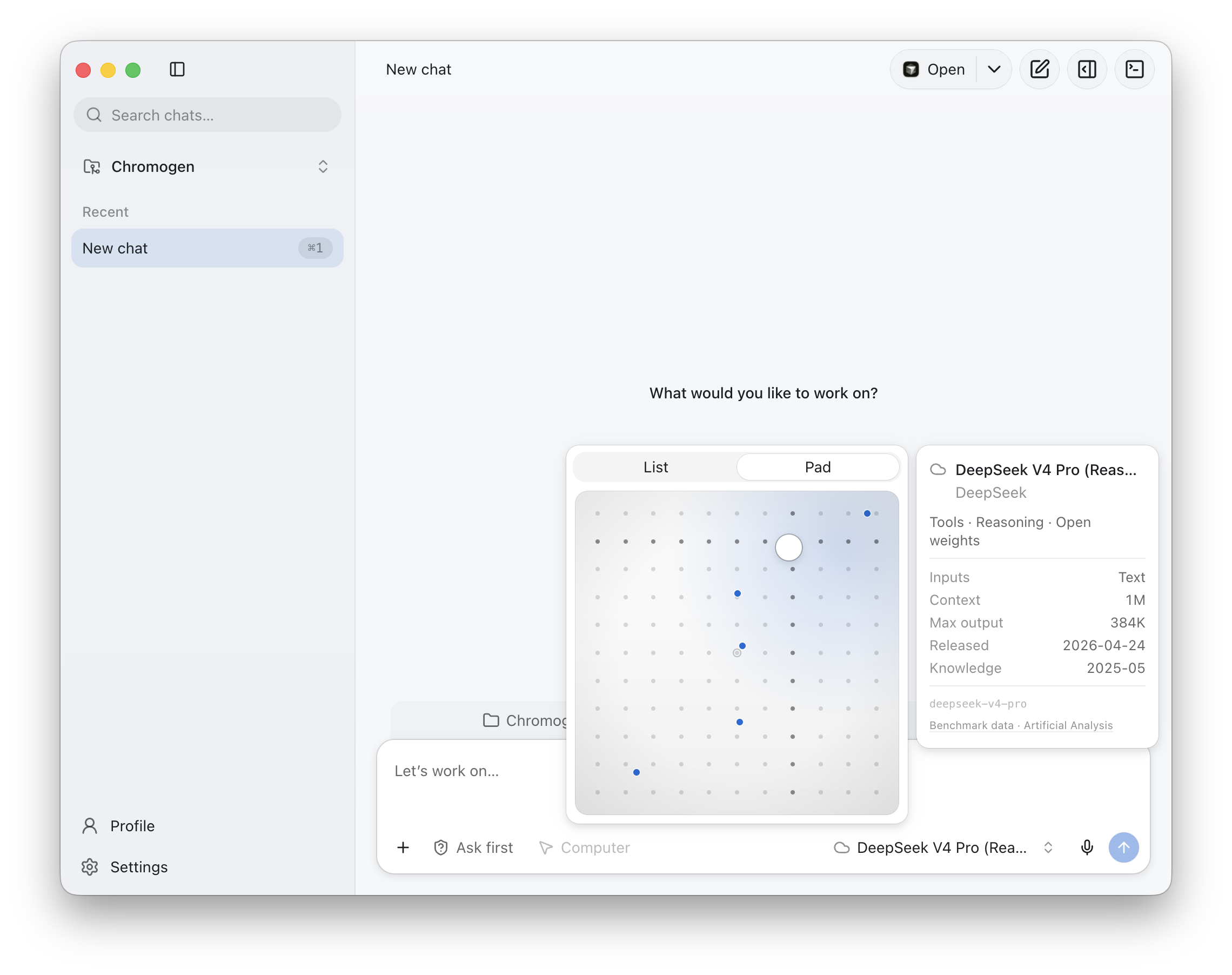
Aiden runs on the Pi agent runtime and gives it a restrained desktop workspace for macOS and Linux—with folder-scoped permissions, built-in Git and review, Design mode, voice sessions, autonomous Bots, and paired iPhone, iPad, and Android apps.
Install
Desktop app
curl -fsSL https://raw.githubusercontent.com/sambitcreate/aiden-agent/main/install.sh | sh
The installer selects the native package for your machine, checks its published SHA-256 checksum, verifies Apple signing/Gatekeeper on macOS, and verifies build provenance with gh on Linux.
| Surface | Install | Notes |
|---|---|---|
| macOS (Apple silicon) | brew install --cask sambitcreate/tap/aiden-agent |
Download Aiden-Agent-Beta-arm64.dmg from Releases (signed Intel x64 DMGs are not published yet) |
| Linux (x64 & arm64) | .deb, .rpm, or AppImage |
Download via install.sh or Releases; see the Linux guide |
| Headless server | Build aiden serve from clone |
Runs chats, Bots, and schedules over SSH; see Server guide |
| iOS / iPadOS & Android | TestFlight / CI debug APK | Dev & test guides in ios/README.md and android/README.md; see distribution notes |
First run
- Enter your name and pick how you want to connect AI: I have an account, I have an API key, or I run a local model (Ollama or LM Studio). You can also choose Set up later and configure models in Settings → Providers.
- Finish setup—Aiden creates your first Bot (Chief) with Full access (accepted when you click Start using Aiden, and narrowable anytime in Chief's Advanced tab), lets you choose your anonymous usage-data setting, and offers a quick feature tour.
- Open a chat or workspace—start in Chief's chat, open a project folder, or adjust approval modes (
Auto,Ask,Never ask) and rules anytime in Settings → Approvals.
What you get
- Workspaces, Git, and follow-through — Work inside folder workspaces (
Work in this folderorChat only), scratch workspaces, No workspace chats, or isolated Git worktrees underAuto,Ask, orNever askapproval modes. Inspect diffs, run a terminal beside the chat, delegate up to four native subagents per call (up to eight per reply), and use/followor/untilso Aiden watches PR checks, review-bot comments, and failing tests, or promises to check back in a chat later (coding follow-through). Give a chat a goal with/goaland Aiden keeps going in rounds until it's done or needs you; let a chat start and follow other chats, each in its own worktree if you like; and have a task made in a chat post its runs there or run when a page or script changes. The computer stays awake while Aiden works. - Autonomous Bots & Bot computers — Create durable Bots with scheduled routines, plain-language rules, open-work tracking, peer collaboration, and connected-app watches (Google Calendar; iMCP Mail on macOS). On Apple silicon (macOS 26+), each Bot can optionally run its own isolated macOS VM (Bot computers).
- Design mode & Artifacts — Turn a workspace or No workspace chat into an infinite canvas beside the conversation (
⇧⌘Lon macOS,Ctrl+Shift+Lon Linux, or/design), watch live HTML pages update as Aiden writes them, tweak controls and colors, comment on elements, or keep live workspace artifacts beside your chat. - Aiden Live & on-device voice — Start a voice session with Aiden Live (Beta) to talk through tasks, navigate Aiden, and answer approvals by voice, or use Parakeet dictation locally (with Metal GPU acceleration on Apple silicon).
- Floating Quick Chat — Summon a floating chat starter from any app (
⌘⇧Spaceon macOS,Ctrl+Shift+Spaceon Linux) that morphs into a streaming mini-modal with tool approvals, expands into the main window mid-stream, and starts as a Temporary chat you can save or attach in-place to a workspace. - Aiden On The Go & headless server — Pair iPhone, iPad, Android, or another Mac over your local Wi-Fi or Tailscale (remote access guide), or run
aiden serveon a headless Linux/macOS box. - Extensibility & local-first privacy — Bring your own hosted or local models, use
/commands,$skills(skills), hooks, MCP connectors (including Composio), an embedded browser (browser guide), and Apps using Aiden (local MCP server). Chats stay local on disk and secrets live in OS encrypted storage; see Privacy and trust and Usage data.
Why Aiden
I don't come from a coding background. Bouncing between coding agents, each one had a piece of what I wanted—Codex for its restrained desktop UX, OpenCode for letting me bring any model and provider, Cursor for its nimbleness, and Claude Code for the models—while Pi (by Mario Zechner) had the extensible runtime I kept coming back to, just without a GUI.
After a brief native SwiftUI attempt, the project moved to Electron so I could pair Pi's agent runtime with a native-feeling desktop workspace, explicit permissions, and mobile companion apps.
Documentation
- All docs index
- Linux install and compatibility guide
- Privacy and trust
- Keyboard shortcuts & command palette
- Plans and roadmap
Development & Contributing
npm install
npm run dev
- Development and architecture guide — requirements, verification commands, packaging, and release pipelines.
- Contributing — bug fixes are welcome; open a Feature Request issue to align before sending feature PRs.
- Security policy — threat model and private vulnerability reporting via GitHub Security Advisories.
- License — MIT.
Questions
What is aiden-agent?
sambitcreate/aiden-agent is a public repo on GitHub by sambitcreate. Pi based agent for Designers, Coders and Everyday users.
Is aiden-agent open source?
It declares the MIT license on GitHub.
Does aiden-agent run on macOS, Windows or Linux?
Its maker has not tagged a system, so it is unknown here. Its README says what it needs.
How do I install aiden-agent?
Open "Take it" on its page: Take My Repo writes an install plan for your machine and hands it to your AI agent (Claude Code, Codex or Cursor), which asks you before each step. Take My Repo has not tested it on any machine.